|

|
Processed through Paypal No account required. |








Buy our over-priced crap to help pay the bills.



|
|
Processed through Paypal No account required. |
| Files | ||||
| File Name | Rating | Downloads | ||
 |
Bluefin v20261006 Bluefin v20261006 👉 A modern Fedora-based Linux workstation built for everyday use and cloud-native development. Bluefin is a next-generation Linux desktop operating system based on Fedora Atomic and the Universal Blue project. It is designed to provide a stable, secure, and maintenance-friendly workstation experience while still offering modern development tools, gaming support, multimedia features, and a polished GNOME desktop environment. Unlike traditional Linux distributions that rely heavily on manual package management and upgrades, Bluefin uses an immutable image-based system architecture. This allows the operating system to update atomically, reducing the risk of broken updates and making system recovery significantly easier through built-in rollback capabilities. Bluefin is focused on delivering an “install and use” Linux experience with many essential tools already configured. The system integrates Flatpak applications, Homebrew package management, containerized development environments, and modern virtualization technologies directly out of the box. It also includes developer-oriented workflows for Docker, Podman, devcontainers, and cloud-native software development. Features: • Fedora Atomic based immutable operating system • Built on Universal Blue technology stack • Modern GNOME desktop environment with user-friendly layout • Separate standard images for AMD/Intel graphics and NVIDIA graphics hardware • Atomic image-based updates with rollback support • Automatic operating system updates and maintenance • Integrated Flatpak application ecosystem with Flathub support • Homebrew package manager preconfigured for command-line software • Developer-ready environment with container-first workflows • Built-in Podman and Docker support • Devcontainer and cloud-native development integration • Distrobox support for running software from other Linux distributions • Tailscale support for secure mesh networking • WireGuard VPN tools included • Virtualization and container management support • Optimized multimedia codec support • Secure Boot compatible • Wayland-based modern graphics stack • Gaming-friendly Mesa and NVIDIA driver support • Integrated terminal enhancements including Starship prompt • Flatpak management utilities included • Rollback functionality for safer upgrades and experimentation • Designed for developers, power users, creators, and advanced desktop users • Minimal manual maintenance required after installation • Fast deployment and recovery ... |
 |
1,118 | Oct 08, 2026 Project Bluefin and Universal Blue 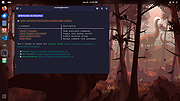 |
 |
Stella v7.0c Stella v7.0c 👉 A multi-platform Atari 2600 VCS emulator. Stella is an open source Atari 2600 Video Computer System (VCS) emulator that faithfully recreates the original console on modern computers. It allows you to play thousands of Atari 2600 game ROMs while providing a wide range of enhancements including save states, debugging tools, customizable controls, video filters, bezel support, high score saving, and an advanced ROM launcher. Stella is designed for both casual retro gamers and Atari homebrew developers, offering highly accurate emulation along with powerful analysis and debugging features. Features: • Accurate Atari 2600 VCS emulation • Supports thousands of Atari 2600 ROMs • Advanced ROM launcher with artwork support • Save and load game states • High score saving • Built-in debugger for homebrew development • Multiple video rendering modes and TV effects • Automatic phosphor mode support • Bezel support, including Sinden Lightgun compatibility • Customizable keyboard, mouse, and game controller mappings • Screenshot capture • Multiple UI themes • Open source Supported operating systems: • Windows, macOS, Linux Supported languages: • English Changes: v7.0c 10-05-24 • Enhanced ROM launcher to allow multiple images per ROM • Added many additional ROM launcher images • Added filename searching for ROM launcher images • Added option to start a random ROM • Added automatically enabled phosphor modes • Enhanced Game Properties dialog for multigame ROMs • Added a second UI theme and hotkey for toggling themes • Added bezel support including Sinden Lightgun compatibility • Added optional type format detection based on colors used This download is for the binary ZIP (32-bit and 64-bit) for Windows 7/8/10/11 version (very bottom of page). All other download assets are below: Other Windows: binary installer (exe) for 64-bit Windows 7/8/10/11 binary installer (exe) for 32-bit Windows 7/8/10/11 NOTE for Windows: Visual C++ Redistributable for Visual Studio 2017 is required. MacOS: Binary DMG for macOS (ARM M1 and 64-bit Intel) Linux: Binary 64-bit DEB for Ubuntu 22.04 Source: Source code tarball for all systems Miscellaneous / Extras: Complete distribution and port for the RetroN 77 Snapshot files for ... |
|
8,368 | Jun 21, 2026 The Stella Team 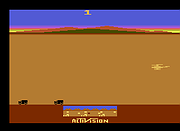 |
|
UniGetUI v2026.2.7.0 UniGetUI v2026.2.7.0 👉 Manage, install, update, and remove software from multiple package managers through one powerful interface. UniGetUI is a free, open-source package manager frontend that makes installing, updating, and removing software simple by bringing multiple package managers together into a single, modern interface. Instead of learning command-line syntax for each package manager, UniGetUI provides an intuitive graphical environment that lets you search, compare, and manage thousands of applications from one place. It is maintained by Devolutions and supports Windows, macOS, and Linux through a modern cross-platform interface. UniGetUI can search across multiple repositories simultaneously, display detailed package information, install or uninstall applications individually or in batches, detect available updates, and automate software maintenance. It supports popular package managers including WinGet, Chocolatey, Scoop, Pip, NPM, .NET Tool, PowerShell Gallery, Homebrew, APT, DNF, Pacman, Flatpak, and Snap, depending on the operating system. Advanced users can view or execute the underlying package manager commands, while new users benefit from an easy-to-use graphical interface. Software bundles allow you to export a collection of installed applications and quickly recreate the same environment on another computer, making UniGetUI particularly useful for technicians, developers, IT administrators, and anyone who frequently configures or rebuilds systems. The application also includes package filtering, update scheduling, notification controls, customizable installation options, and integrated release notes to simplify long-term software maintenance. Features: • Unified interface for multiple package managers • Search thousands of software packages from multiple repositories • Install, update, and uninstall applications individually or in batches • Supports WinGet, Chocolatey, Scoop, Pip, NPM, .NET Tool, PowerShell Gallery, Homebrew, APT, DNF, Pacman, Flatpak, and Snap (platform dependent) • Export and import software bundles for rapid system deployment • Automatic update detection and notifications • View package details, release notes, and version history • Custom installation parameters and package filtering • Manual install, update, and uninstall modes for greater control • NativeAOT builds for faster startup ... |
|
430 | Aug 19, 2026 Devolutions 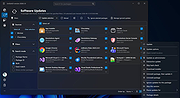 |
| Showing rows 1 to 3 of 3 | Showing Page 1 of 1 | 1 |
OlderGeeks.com Copyright (c) 2026
