|

|
Processed through Paypal No account required. |








Buy our over-priced crap to help pay the bills.



|
|
Processed through Paypal No account required. |
| Files | ||||
| File Name | Rating | Downloads | ||
 |
DesktopFrames+ v2.7.7.294 DesktopFrames+ v2.7.7.294 Formerly Desktop Fences+ 👉 Organize your Windows desktop icons, files and shortcuts into customizable virtual frames. DesktopFrames+ is a free and open-source desktop organization utility that creates virtual Frames on your desktop, allowing you to group shortcuts, files and folders into clean, convenient containers. It provides several types of Frames, including regular Data Frames for shortcuts, Portal Frames that mirror the contents of folders, and Note Frames for quickly accessible text. Frames can contain multiple tabs, be arranged into separate workspace profiles and customized with colors, transparency, visual effects, icons and other appearance options. Built-in tools such as SpotSearch, Smart Desktop, automatic backups, profile automation and extensive visibility controls provide additional ways to organize and manage a busy desktop. The program is fully portable and does not require installation. Features: • Create Data Frames for organizing shortcuts to files, folders and web links • Create Portal Frames that mirror the contents of folders • Create Note Frames for keeping text directly on the desktop • Organize shortcuts into multiple tabs within a single Frame • Create independent workspace profiles for different desktop layouts • Switch profiles manually with hotkeys • Automatically switch profiles when specified programs are launched • Smart Desktop engine automatically sorts and moves incoming files according to user-created rules • SpotSearch quickly searches for and launches shortcuts stored across your Frames • Peek Behind temporarily reveals the desktop behind Frames • Rollup hides the contents of Frames while leaving the Frame accessible • Auto-hide conceals Frames after a period of inactivity • Focus Mode highlights a specific Frame from the system tray or with a hotkey • Supports files, folders, web links, Microsoft Store apps, Steam games and Spotify URIs • Run shortcuts as administrator or as a different user • Customize individual Frame background colors and global tint levels • Chameleon Mode automatically matches Frames to the dominant color of your wallpaper • Application launch ... |
 |
2,297 | Sep 07, 2026 Hand Water Pump 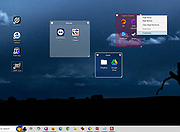 |
|
FlyOutNotepad v1.05 FlyOutNotepad v1.05 👉 Smart docking notepad for storing text, code snippets, and images. FlyOutNotepad is a lightweight Windows productivity tool that docks to any screen edge and gives you fast access to notes, code snippets, text, and images. It supports drag and drop, up to 20 tabs, auto-save, and fast C++/WTL performance in a very small package. Features: • Dock to any of the 4 screen edges • Smooth flyout access when needed • Store text, code snippets, and images • Bi-directional drag and drop for text and images • Up to 20 tabs for organizing content • Auto-save support • Remembers state on shutdown or logoff • Tab renaming support • Lightweight, under 500 KB • Built in C++ with Windows Template Library • Optional portable mode by renaming the EXE with _p Supported operating systems: • Windows 11, Windows 10, Windows 8.1, Windows 7, Windows Server 2012 through 2025, 32-bit and 64-bit Supported languages: English, German, Italian, Traditional Chinese, Korean, Polish, Russian, Spanish, Portuguese, French Changes: v1.05 08-17-26 • Update of language files in FlyOut NotePad for MS Windows • Optimization and various fixes under Windows 11 and 10 Click here to visit the author's website. |
|
1,501 | Oct 01, 2026 Nenad Hrg 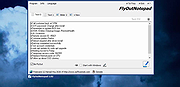 |
 |
Mozilla Firefox v155.0.1 Mozilla Firefox v155.0.1 👉 A fast, customizable web browser with strong privacy protections, security features and a huge library of extensions. Mozilla Firefox is a free, open-source web browser developed by Mozilla with an emphasis on privacy, security, performance and user control. Firefox includes built-in tracking protection, private browsing, password management, tab organization, synchronization across devices and extensive customization through themes and add-ons. Its independent Gecko browser engine provides an alternative to Chromium-based browsers, while frequent security and feature updates keep the browser current with modern web standards. Features: • Enhanced Tracking Protection blocks many social media trackers, cross-site tracking cookies, fingerprinters and cryptominers • Private Browsing automatically removes browsing information such as cookies and history when sessions are closed • Built-in password manager saves and securely fills website logins • Firefox Sync can synchronize bookmarks, passwords, history, open tabs and settings across devices • Extensive add-on support lets you expand Firefox with thousands of extensions and themes • Customizable toolbar and browser interface • Picture-in-Picture lets you watch videos in a floating window while browsing other pages • Reader View removes distracting page elements for easier reading • Built-in PDF viewer lets you view and work with PDF documents without additional software • Tab search and management tools make large numbers of open tabs easier to handle • Automatic updates deliver security fixes and browser improvements • Developer tools provide inspectors, debugging, network analysis and responsive-design testing • Supports modern web standards using Mozilla's independent Gecko browser engine • Import tools help transfer bookmarks, passwords and other browser data from other browsers • Available for Intel, AMD and ARM-based systems depending on operating system Supported operating systems: • Windows 10, Windows 11 • macOS 10.15 or higher • Linux 64-bit, Linux ARM64/AArch64 Supported languages: English (US) Changes: v155.0.1 09-04-26 Fixed Firefox becoming unresponsive on some pages that use CSS blur and backdrop filters together. Fixed the sidebar not reappearing after restarting Firefox when the "Hide ... |
|
12,770 | Sep 13, 2026 Mozilla  |
|
Multi Commander v16.5 Multi Commander v16.5 👉 Dual-pane, multi-tabbed file manager for Windows power users. Multi Commander is a multi-tabbed file manager and Windows Explorer alternative using an efficient dual-panel layout. It includes standard file management tools such as copy, move, rename, and view, along with advanced tools for archive browsing, FTP/SFTP access, Registry browsing, file searching, batch renaming, scripting, plug-ins, and portable use. Features: • Dual-pane, tabbed file manager interface • Commander-style or Windows Explorer-style keyboard and mouse setup • View files in detail, list, or thumbnail modes • Browse local drives, network shares, FTP with SSL/TLS, SFTP/SCP, archives, Windows Registry, and Windows Portable Devices • Archive support for Zip, 7-Zip, Rar, Tar, gz, bz2, tar.gz, and tar.bz2 • Background file operations so the interface does not freeze • Copy/move filters, queues, auto-unpacking, auto-sorting, presets, and overwrite handling • Powerful Multi-Rename tool for batch renaming • Built-in file viewer with ASCII, UTF-8, Unicode, Binary, and Hex viewing • Search by file contents, attributes, size, date, regular expressions, duplicates, empty folders, and inside archives • Picture tools for converting, rotating, EXIF viewing/removal, and EXIF date adjustment • Audio tools for viewing audio properties and editing MP3 tags • Built-in scripting, extensions, plug-ins, and SDK support • Portable version available; unpack and run MultiCommander.exe Supported operating systems: • Windows Vista, Windows Server 2008 R2, Windows 7, Windows 8.x, Windows 10, Windows 11, Windows Server 2012 R2 • Note: The normal version does not work on Windows XP anymore. Multi Commander XP is available separately for Windows XP users. Supported languages: English, Bulgarian, Catalan, Chinese (Simplified), Chinese (Traditional), Czech, Dutch, Finnish, French, German, Hungarian, Italian, Japanese, Korean, Lithuanian, Norwegian, Polish, Portuguese (Brazil), Portuguese (Portugal), Romanian, Russian, Slovenian, Spanish, Swedish, Turkish, Ukrainian Changes: v16.5 09-11-26 ADDED - WebView and what formats should be opened in WebView can now be configured in Options in FileViewer. FIXED - Linked navigation now works again. Can be enabled from View mode popup. FIXED ... |
|
6,866 | Sep 25, 2026 Mathias Svensson 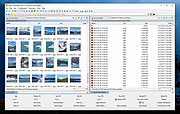 |
|
No Bloat PDF v1.5.0 No Bloat PDF v1.5.0 👉 A tiny, fast and private PDF viewer with no ads, accounts or telemetry. No Bloat PDF is a lightweight, open-source PDF viewer designed to do one thing well: open and read PDF files without the advertising, cloud services, accounts, launchers and other extras found in many modern PDF readers. The complete installer is only about 4.6 MB, yet the program provides tabbed viewing, document search, thumbnails, bookmarks, zooming, rotation and printing. It uses Mozilla's pdf.js rendering engine inside a small native application shell and is designed to open documents quickly without a splash screen or sign-in process. Privacy is a major part of the design. No Bloat PDF makes zero network calls, includes no telemetry and requires no account. PDF documents remain entirely on your computer. Multiple documents can be kept open as tabs in a single window, and the program remembers your position in previously viewed files. Dark mode follows the operating system while leaving the actual PDF pages in their original colors. Features: • Small 4.6 MB installer • Fast PDF opening with no launcher or splash screen • Built on Mozilla's pdf.js PDF rendering engine • Multiple PDF documents open as tabs in a single window • Full-text document search • Page thumbnail navigation • Document outline and bookmark navigation • Zoom controls for easier reading • Page rotation • Remembers your position in each PDF • High-resolution PDF printing directly from the viewer • Drag-and-drop support for opening PDF files • Can be configured as the system's default PDF viewer • Dark mode follows the operating system setting • PDF documents remain true-color when dark mode is enabled • Zero telemetry • Zero network calls • No user account or sign-in required • No cloud services • No advertising or upsells • Documents never leave your computer • Free to use • Open-source software released under the MIT license • Combine multiple PDFs and images into a single ... |
|
313 | Sep 09, 2026 Brian Galvan 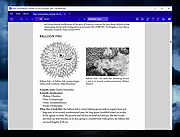 |
|
TabStick-1.2.0-win-x64-portable.zip TabStick v1.2.0 👉 A lightweight note-taking program that attaches colorful index tabs directly to your application windows. TabStick lets you place quick notes on the edge of an application window, keeping reminders and information beside the program where they are needed. Choose a tab from the color palette, attach it to a window and begin typing. Notes can be organized directly inside each tab and customized with different colors, sizes, text settings and display themes. TabStick is available as an installer or a portable download that can be extracted and run without installation. Features: • Attaches index-style notes directly to application windows • Keeps related notes beside the program where they are needed • Creates new notes by selecting a color from the tab palette • Supports quick text entry and organization within each note • Customizable application and tab sizes • Adjustable text size and line spacing • Multiple note colors • Custom note colors • Light and dark display modes • Configurable palette appearance • Changeable interface language • Available as an installer or portable program • Simple interface designed for fast note-taking Supported operating systems: • Windows 10 64-bit, Windows 11 64-bit Supported languages: Not Found Changes: v1.2.0 Not Found Click here to visit the author's website. |
|
238 | Aug 05, 2026 TabStick 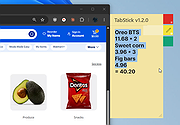 |
|
Vivaldi v8.2.4133.52 Vivaldi v8.2.4133.52 👉 Highly customizable web browser built for power users, privacy, and productivity. Vivaldi is a feature-rich Chromium-based web browser designed for users who want extensive control over their browsing experience. Created by former Opera developers, Vivaldi focuses on customization, efficiency, privacy, and integrated productivity tools rather than simplified mainstream browsing. It combines advanced tab management, built-in communication tools, customizable interface layouts, and strong privacy protections into a single browser package. Vivaldi allows users to tailor nearly every aspect of the interface, including tab placement, themes, keyboard shortcuts, gestures, toolbars, and panel layouts. The browser includes built-in features such as Mail, Calendar, Feed Reader, Notes, screenshot capture, ad and tracker blocking, Workspaces, split-screen tab tiling, and powerful session management tools. Unlike many browsers that rely heavily on extensions for advanced functionality, Vivaldi includes many professional-grade tools directly within the browser itself. Features: • Chromium-based browser engine for broad website compatibility • Highly customizable menus, toolbars, themes, and browser interface • Advanced tab management with Tab Stacks and multiple tab placement options • Tab Tiling for viewing multiple webpages side by side • Workspaces for separating tabs by projects, activities, or interests • Built-in Mail client • Built-in Calendar • Integrated Feed Reader for RSS and Atom feeds • Notes manager for saving text and information while browsing • Built-in tracker and ad blocker • Web Panels for displaying websites alongside the main browser window • Custom keyboard shortcuts and mouse gestures • Quick Commands for quickly accessing browser commands and content • Command Chains for combining multiple browser actions • Extensive theme customization • Bookmark and browsing history management • Built-in screenshot and webpage capture tools • Session saving and restoration • Sync for supported browser data across devices • Reader View for simplified webpage reading • Reading List for saving pages to read later • Custom search engines • Customizable Start Page and Speed Dials • Private browsing windows • Supports extensions from the Chrome Web ... |
|
6,725 | Sep 13, 2026 Vivaldi Technologies 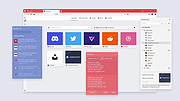 |
|
Waydir v0.22.0 Waydir v0.22.0 👉 A fast, keyboard-first dual-pane file manager for Linux, Windows and macOS. Waydir is a cross-platform desktop file manager built for users who prefer speed, direct control and fewer trips to the mouse. It combines classic dual-pane file management with tabs, live search, network drives, Quick Look previews, archive browsing, a built-in terminal and a native Rust core that keeps heavy file work off the interface thread. Features: • Dual-pane file browsing with tabs in each pane • Keyboard-driven navigation, selection, copying, moving, renaming and searching • Command palette for actions, bookmarks, drives, recent locations, files and plugin commands • Fast live recursive search with substring, regex and glob matching • Quick Look previews for images, PDFs, text, code and file details • Browse ZIP and TAR archives without extracting first • SMB and SFTP network drive support • Built-in terminal per pane • WSL file browsing and terminal support on Windows • Git status, branch switching and stash management • Light, Dark, Nord and One Dark themes, plus custom themes • Lua plugin support for actions, buttons, shortcuts and status bars • Free and open source under the MIT License Supported operating systems: • Windows • macOS • Linux Ubuntu, Debian, Fedora, RHEL, openSUSE and other Linux distributions using AppImage or portable tarball Supported languages: English Changes: v0.22.0 06-29-26 Added duplicate selected files and folders in place with Ctrl+Shift+D, available from the keyboard, command palette and context menu. Faster file copying, especially on Windows and when copying lots of small files. Renamed the "Kind" column to "Format". This download is for the Windows installer version (very bottom of page). All other download assets are below: Other Windows: waydir-0.22.0+29-windows.zip macOS: waydir-0.22.0+29-macos.dmg Linux: waydir-0.22.0+29-linux.AppImage waydir-0.22.0+29-linux.deb waydir-0.22.0+29-linux.rpm waydir-0.22.0-linux-x64.tar.gz Click here to visit the author's website. |
|
437 | Jul 02, 2026 Mikolaj Badyl 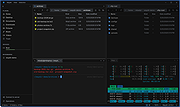 |
| Showing rows 1 to 8 of 8 | Showing Page 1 of 1 | 1 |
OlderGeeks.com Copyright (c) 2026
