|

|
Processed through Paypal No account required. |








Buy our over-priced crap to help pay the bills.



|
|
Processed through Paypal No account required. |
| Files | ||||
| File Name | Rating | Downloads | ||
 |
AlternateStreamView v1.58 AlternateStreamView v1.58 👉 View, copy, export and delete hidden NTFS alternate data streams. AlternateStreamView is a small utility that scans NTFS drives or folders and finds hidden alternate streams stored in the file system. After scanning, you can extract streams to a selected folder, delete unwanted streams, or save the stream list as text, HTML, CSV or XML. Features: • Scan NTFS drives or folders for hidden alternate data streams • View stream name, file name, stream size and related file details • Export selected streams to a folder • Delete unwanted alternate streams • Save results as TXT, HTML, CSV, XML and other report formats • Scan subfolders with optional folder-depth control • Supports file wildcard filtering • Explorer context menu option for checking a single file • Command-line options for scanning and exporting results • Portable utility with no installation required Supported operating systems: • Windows 2000 through Windows 11 • 32-bit and 64-bit systems Supported languages: Arabic, Brazilian Portuguese, Czech, Dutch, Finnish, French, German, Greek, Hungarian, Italian, Japanese, Persian, Polish, Romanian, Russian, Simplified Chinese, Slovak, Spanish, Traditional Chinese, Turkish, Ukrainian, Valencian Changes: v1.58 Updated to stop the file system scan when you press the Esc key. This download is for the Windows 64bit version (very bottom of page). If you need the Windows 32bit version, download here. Click here to visit the author's website. |
 |
10,323 | Jun 04, 2026 Nir Sofer 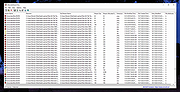 |
 |
EaseUS Partition Master Free v20.2.0 EaseUS Partition Master Free v20.2.0 (This is the full package, not the downloader.) 👉 Free disk partition management and cloning software for Windows. EaseUS Partition Master Free is a user-friendly disk management utility designed to help home users organize, resize, clone, and manage storage devices without data loss. The free edition provides essential partitioning tools for managing HDDs, SSDs, USB drives, and external storage devices through an easy graphical interface suitable for beginners and advanced users alike. The software allows users to create, delete, format, resize, move, merge, and wipe partitions while helping optimize disk space usage and improve drive organization. EaseUS Partition Master Free also includes basic disk cloning capabilities, partition recovery tools, disk surface testing, and bootable media creation features for maintenance and troubleshooting tasks. Features: • Resize, move, merge, split, create, delete, and format partitions • Clone partitions and disks using the free disk clone feature • Convert file systems between FAT32 and NTFS without formatting • Support for HDD, SSD, USB flash drives, memory cards, and external drives • Migrate data between storage devices • Basic partition recovery tools for lost or deleted partitions • Create WinPE bootable media for maintenance and recovery tasks • Disk surface test and bad sector checking utilities • Wipe partitions and securely erase data • GPT and MBR disk support • Simple graphical interface with drag-and-drop partition management • Includes free toolbox utilities for disk and partition maintenance • Supports large-capacity modern storage drives Supported operating systems: • Windows 7, Windows 8, Windows 8.1, Windows 10, Windows 11 Supported languages: • English, Deutsch, Français, Español, Italiano, Português, Nederlands, Polski, Dansk, Malay, العربية, ไทย, 日本語, 繁體中文, Русский, 한국어 Changes: v20.2.0 06-09-26 • Improved partition management stability and performance • Enhanced disk cloning compatibility • Updated interface and usability improvements • Fixed known bugs and minor issues Click here to visit the author's website. |
|
20,971 | Jun 09, 2026 EASEUS 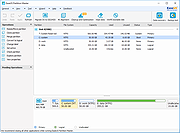 |
|
Everything v1.4.1.1032 Everything v1.4.1.1032 👉 Locate files and folders by name instantly. Everything is a fast Windows search engine that locates files and folders by filename instantly. It quickly indexes file and folder names, updates results in real time, and uses minimal system resources. Features: • Small installation file • Clean and simple user interface • Quick filename indexing • Quick searching • Minimal resource usage • Real-time updating • Content searching with the content: search function • Portable and installer versions available • x86, x64, ARM and ARM64 builds available • Multilingual support Supported operating systems: • Windows XP, Windows Vista, Windows 7, Windows 8, Windows 10, Windows 11 Supported languages: Afrikaans, Bosanski, Čeština, Dansk, Deutsch, English (AU), English (UK), English (US), Español (España), Español (Latinoamérica), Español (Venezuela), Estonia, Français, Hrvatski, Italiano, Kûrdî (Soranî), Kûrdî, Magyar, Nederlands, Norsk bokmål, Oʻzbekcha, Polski, Português (Brasil), Română, Shqip, Slovenčina, Slovenščina, Srpski, Suomi, Svenska, Tiếng Việt, Türkçe, Ελληνικά, Български, Македонски, Русский, Српски, Українська, עברית, عربي, ئۇيغۇرچە, বাংলা, فارسی, தமிழ், ภาษาไทย, བོད་ཡིག, 한국어, 日本語, 简体中文, 繁體中文 Changes: v1.4.1.1032 01-23-26 fixed a security issue with launching files ending with a dot (.) fixed an issue with the msi installer not stopping Everything. This download is for the Windows 64bit installer (very bottom of page). All other download assets are below: Windows Installer 32bit Everything-1.4.1.1032.x86-Setup.exe Windows Portable version: Everything-1.4.1.1032.x64.zip Everything-1.4.1.1032.x86.zip Everything-1.4.1.1032.ARM64.zip Everything-1.4.1.1032.ARM.zip Windows Lite installer version: Everything-1.4.1.1032.x64.Lite-Setup.exe Everything-1.4.1.1032.x86.Lite-Setup.exe Click here to visit the author's website. |
|
7,616 | May 24, 2026 voidtools 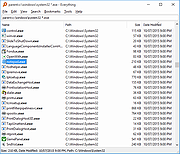 |
|
FastCopy v5.12.0 FastCopy v5.12.0 👉 High-speed file copy and backup software for Windows. FastCopy is a fast file copy and backup utility for Windows designed to maximize transfer performance by using multi-threaded read, write, and verify operations together with Overlapped I/O and Direct I/O. It supports Unicode file names, paths longer than MAX_PATH, and include or exclude filtering using UNIX-style wildcards. FastCopy is built to reduce the load on other running applications while delivering very high copy performance on modern storage devices. Features: • Fast file copy and backup software for Windows • Verification support for more reliable copying • Can record hash values for each file • Uses multi-threaded read, write, and verify processing • Uses Overlapped I/O and Direct I/O for high performance • Supports Unicode file names • Supports file paths longer than MAX_PATH (260 characters) • Supports include and exclude filters using UNIX-style wildcards • Lightweight design built with Win32 API only Supported operating systems: • Windows 7, Windows 8, Windows 8.1, Windows 10, Windows 11 • Windows Server 2012, Windows Server 2012 R2, Windows Server 2016, Windows Server 2019, Windows Server 2022, Windows Server 2025 Supported languages: • English, Japanese, Chinese Changes: v5.11.3 08-18-26 Added an option to Shell Extension to replace Explorer's standard drag & drop / paste with FastCopy. (Default: OFF) Various security enhancements. - Enabled CET Shadow Stack (/CETCOMPAT). - Enabled Control Flow Guard (/guard:cf). - Stricter DLL loading (added /DEPENDENTLOADFLAG:0x800). - (Already enabled: /GS, /NXCOMPAT (DEP), /SAFESEH (x86), /DELAYLOAD, /DYNAMICBASE, /HIGHENTROPYVA, SetDefaultDllDirectories) Note: This file has one hit on VirusTotal. We have confirmed this to be a false positive. The file is safe. Note: If you need the portable version, use the "Extract" button in the installer. Click here to visit the author's website. |
|
12,532 | Aug 21, 2026 SHIROUZU Hiroaki 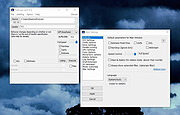 |
 |
Foxclone v55 Foxclone v55 👉 Simple Linux-based backup, restore and drive cloning tool. Foxclone is a Linux based image backup, restore and clone tool using a simple point and click interface. It takes images of partitions on your HDD or SSD and stores them for later restoration, with image files compressed to save space. Features: • Backup and restore Windows and Linux filesystems, such as NTFS and ext4 • Supports GPT and MBR/legacy/MSDOS partition tables • Automatically backs up the partition table and bootloader when a backup is taken • Clone directly from drive to drive • Clone to a drive from a full backup • Simple point and click interface • Compressed image files help save storage space • Bootable ISO designed to run from USB Supported operating systems: • Bootable 64-bit Linux live ISO • Backs up and restores Windows and Linux filesystems Supported languages: English Changes: v55 01-07-26 Fixes a bug specific to the noble version of the ISO where a clone drive-to-drive completes but the finish message shows failed. Burning the ISO to a USB Stick: To use Foxclone, you must first create a bootable USB flash drive from the downloaded ISO image. We recommend the following free utilities: • Rufus (Windows) – A fast and easy-to-use utility for creating bootable USB drives from ISO images. • balenaEtcher (Windows, Linux, macOS) – A simple cross-platform tool that writes ISO images to USB drives with minimal configuration. • Ventoy (Windows, Linux) – Allows multiple ISO files to be stored on a single USB drive. Simply copy the Foxclone ISO to the Ventoy USB drive and boot from it. After creating the USB drive, restart your computer, enter the boot menu or BIOS/UEFI setup, and select the USB device as the boot source. Foxclone will then load into its graphical interface, where you can create backups, restore images, or clone drives. This download is for the Linux-based ISO version (very bottom of page). ... |
|
492 | Jun 15, 2026 Andy Hardwick, Larry Hale  |
|
SystemRescue v13.01 SystemRescue v13.01 Formerly known as SystemRescueCd 👉 Bootable Linux rescue toolkit for repairing systems, recovering data, and performing disk administration tasks. SystemRescue is a Linux system rescue toolkit available as a bootable medium for administrating or repairing your system and data after a crash. It is designed to help with tasks such as creating and editing hard disk partitions, recovering files, working with important file systems, and using a wide range of system utilities from a live environment. It can be used on both Linux and Windows computers, on desktops as well as servers, and it can be booted from a DVD or USB stick, or installed on a hard disk if needed. Features: • Boots as a live rescue environment from CD/DVD, USB, or local disk • Includes disk and partitioning tools for administration and recovery tasks • Provides utilities such as GParted, fsarchiver, file system tools, editors, Midnight Commander, and network tools • Supports important file systems including ext4, xfs, btrfs, vfat, and ntfs, plus network filesystems such as Samba and NFS • Can be used on both Linux and Windows computers, including desktops and servers • Supports configurable keyboard layouts with the setkmap option and command • Can copy the live system fully into memory for improved responsiveness using copytoram • Includes scripting support with Bash, Perl, Python, and Ruby • Includes Firefox with bookmark configuration support through SystemRescue configuration files Supported operating systems: • Linux, Windows Supported languages: • English Changes: v13.01 06-06-26 Updated the kernel to the Long-Term-Supported linux-6.18.34 Updated bcachefs tools and kernel module to version 1.38.3 Add ‘checksum’ to the boot options to check integrity when ‘copytoram’ is used Added packages: reflector + b3sum Recommended USB installation method on Windows • Download SystemRescue • Download Rufus and install it on Windows • Plug in your USB-stick and wait a few seconds to allow enough time for the system ... |
|
11,618 | Jul 05, 2026 SystemRescueCd 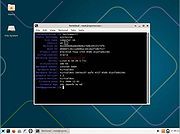 |
|
WizFile v3.15 WizFile v3.15 👉 Ultra-fast file search tool for Windows that instantly finds files by name. WizFile is a high-speed file search utility designed to locate files on your system almost instantly. Unlike traditional search tools, WizFile reads the Master File Table (MFT) directly from NTFS-formatted drives, allowing it to display results in real time as you type. This makes it especially useful for quickly finding files on large drives where standard Windows search can be slow or unresponsive. WizFile supports advanced filtering, wildcard searches, and sorting by file size, making it easy to identify large files and manage disk space efficiently. Its clean interface and immediate indexing ensure that users can locate files without waiting for background indexing processes. Features: • Instant file search using direct MFT access (NTFS drives) • Real-time results displayed as you type • Supports wildcard and filter-based searches • Sort results by file name, size, or path • Quickly locate large files to manage disk space • Minimal system resource usage with no background indexing • Supports network drives (limited functionality) • Portable version available (no installation required) Supported operating systems: • Windows 7, Windows 8, Windows 10, Windows 11 Supported languages: English Changes: 3.15 04-17-26 Fixed bug with date filters not working as expected (introduced in 3.14 when filtering by time was added) Click here to visit the author's website. |
|
6,583 | Apr 17, 2026 antibody-software.com 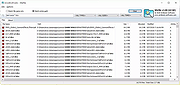 |
| Showing rows 1 to 7 of 7 | Showing Page 1 of 1 | 1 |
OlderGeeks.com Copyright (c) 2026
