|

|
Processed through Paypal No account required. |








Buy our over-priced crap to help pay the bills.



|
|
Processed through Paypal No account required. |
| Files | ||||
| File Name | Rating | Downloads | ||
 |
Bitdefender Home Scanner 1.0 Bitdefender Home Scanner 1.0 Scan for weaknesses and hidden backdoors into your home Bitdefender Home Scanner is a free tool that scans your Wi-Fi network, maps devices and identifies and highlights network security flaws. Bitdefender Home Scanner looks for weak passwords, as well as vulnerable or poorly encrypted communications. It correlates the information gathered from your connected devices with online vulnerability databases and gives you a thorough report so you can ensure maximum security for your network. Map your home network Scan open ports in the network Wi-Fi scanner: identify all connected devices and security risks Complementary to and compatible with all existing security tools Why use Bitdefender Home Scanner New software vulnerabilities are being discovered in many smart devices every day, and hackers are taking advantage of these security flaws to target homes and businesses. It is time to start thinking about the security of your smart devices. Recently, a mom who had installed a smart surveillance system in her home discovered that someone had hacked into a webcam and live-streamed her daughters’ room on the Internet. There have been numerous reports about light bulbs being hacked. In one case, a security company demonstrated that unauthorized persons could hack into a home network by posing as a new light bulb joining the system. This way the other light bulbs were tricked into giving away the username and password for the network. Moreover, hackers can take advantage of vulnerabilities to take control of vast numbers of smart devices and use them to launch massive attacks against commercial and government websites. Technical Details Minimum system requirements: Windows 7 SP 1, 8, 8.1, 10 CPU: Dual Core 1.6 GHz RAM: 1 GB HDD: 300 MB Recommended system requirements: Windows 7 SP ... |
 |
6,224 | Nov 13, 2019 BitDefender Labs 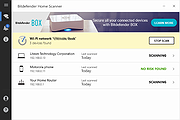 |
 |
CloudReady Home v89.4.44 CloudReady Home v89.4.44 CloudReady: Home Edition is the free, easy way to transform your old PC or Mac into a high-performing Chrome device. Transform your computers so they’re secure, easy to manage, and never slow down. CloudReady gives you all the power of the web without the weight or risk of traditional operating systems. Whether you're a parent, a student, a teacher, or someone who needs to work from home—if you need a reliable, high-performing device, the CloudReady Home Edition is for you. It's an OS designed for now—and for what's next. Based on Google’s Chromium OS, CloudReady provides unparalleled speed, simplicity, and security without hardware limitations, whether your computers are brand new or 10 years old. That’s why companies, non-profits, schools, and government agencies around the world use CloudReady to streamline and secure their devices when accessing web apps and VDI. Due to performance limitations, only machines with 2 GB RAM or more are certified for use with CloudReady. Even if a machine is certified for use with CloudReady, it must have 2 GB RAM to to be officially supported. Before you begin visit the Certified Models List to see if your device will run CloudReady. This download is for the 64bit image. You will also need the USB Maker, download here. Instructions on building your installer: If you're using a Mac, click here If you're using a Chromebook, click here If you're using Windows, click here Click here to visit the author's website. |
|
4,198 | Jul 13, 2021 Neverware 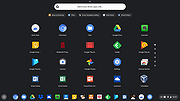 |
|
MailStore Home v26.3.0 MailStore Home v26.3.0 👉 Free email archiving software for home users to securely back up and search emails. MailStore Home is a free email archiving solution designed for private users who want to back up, preserve, and search their emails securely. It allows you to archive emails from various sources into a single, centralized database on your PC, helping protect against data loss while significantly reducing mailbox size. MailStore Home supports archiving from email clients such as Microsoft Outlook, Mozilla Thunderbird, and Windows Mail, as well as directly from POP3 and IMAP mailboxes. Archived emails can be browsed in a structured folder tree or located instantly using a powerful full-text search. MailStore Home preserves the original MIME structure of emails to ensure data integrity and compliance. The program can also create email archives from PST files and other email formats, and it allows users to export archived messages back to email clients or standard file formats if needed. Features: • Archive emails from Microsoft Outlook, Mozilla Thunderbird, Windows Mail, and other clients • Archive directly from POP3 and IMAP mailboxes • Create and manage multiple archive profiles • Fast full-text search across the entire archive • Preserve original email structure and attachments • Reduce mailbox size by deleting archived emails from the server • Export archived emails back to email clients or file formats • Secure storage in a central local archive • Create backup copies of the email archive A Central Archive for All Your Emails Internet mailboxes such as Gmail or Yahoo! Mail Any mailbox via POP3 or IMAP Outlook 2003, 2007, 2010, 2013, 2016 and 2019 Microsoft Exchange Server 2003, 2007, 2010, 2013, 2016 and 2019 mailboxes Mozilla Thunderbird and SeaMonkey PST, EML and other file formats Supported operating systems: • Windows 10 (64-bit), Windows ... |
|
10,781 | Jul 11, 2026 deepinvent Software 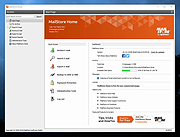 |
|
Media Player Classic - Home Cinema (MPC-HC) v2.8.2 Media Player Classic - Home Cinema (MPC-HC) v2.8.2 👉 Free and open-source video and audio player for Windows. Media Player Classic - Home Cinema is a free and open-source video and audio player for Windows. It is known for its simple and effective user interface while offering a large amount of functionality. As a DirectShow player, it also provides flexibility and extensibility through third-party filters. Features • Modern GUI Theme (Dark or Light) Options > Player > User Interface When using modern theme it is also possible to change the height of the seekbar and size of the toolbar buttons. • Video preview on the seekbar Options > Player > User Interface • Play HDR video This requires using MPC Video Renderer (download below) or madVR. After installation these renderers can be selected here: Options > Playback > Output Tip: If you want an easy to use all-in-one package that contains MPC-HC and these renderers, then use K-Lite Codec pack. • Ability to search for subtitles Press D for manual search. Or enable automatic search in: Options > Subtitles > Misc • Adjust playback speed Menu > Play > Playback rate The buttons in the player that control playback rate take a 2x step by default. This can be customized to smaller values (like 10%): Options > Playback > Speed step Adjusting playback speed works best with the SaneAR audio renderer. This also has automatic pitch correction. Options > Playback > Output > Audio Renderer • MPC-HC can remember playback position, so you can resume from that point later ... |
|
7,133 | Sep 23, 2026 MPC-HC Team  |
|
Microsoft Money Plus Home & Business Sunset v17.0.150.3817 Microsoft Money Plus Home & Business Sunset v17.0.150.3817 👉 Free offline software for managing personal finances, small-business expenses, and invoices. Microsoft Money Plus Home & Business Sunset combines personal financial management with tools for keeping track of small-business finances. Organize accounts, record income and expenses, monitor spending, manage investments, and create financial reports. The Home & Business edition also includes invoicing tools for preparing customer invoices with your business information. Money Invoice Designer lets you customize invoices with your business name, address, and logo. Financial information is organized into sections for accounts, bills, reports, and investments, helping you review household and business activity in one application. The Sunset edition was released after Microsoft discontinued the Money product line. It removes the activation requirement, allowing installation and reinstallation without contacting an activation server. You can install it as a standalone program without owning an earlier edition. Features: • Manage personal and business financial accounts. • Record income, expenses, deposits, and payments. • Organize transactions into spending categories. • Create budgets and monitor spending. • Review account balances and cash flow. • Generate financial reports. • Track investments and manually update investment prices. • Create customer invoices with Money Invoice Designer. • Customize invoices with your business name, address, and logo. • Use Insights alerts to monitor upcoming bills, spending, and cash flow. • Import OFX or QIF statement files downloaded separately from your financial institution. • Open and convert compatible files from earlier U.S. editions of Microsoft Money. • Protect Money data files with a standard Money password. • Access a local Help file. • Install and reinstall without product activation. Important information: This is discontinued software. ... |
|
114 | Oct 06, 2026 Microsoft Corp. 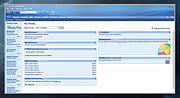 |
|
MobaXterm Home Edition v26.4 MobaXterm Home Edition v26.4 👉 All-in-one remote computing toolbox for managing remote systems and network connections from Windows. MobaXterm Home Edition is a free remote computing application for Windows that combines a tabbed terminal, SSH client, X11 server, remote desktop tools, file transfer utilities, and a Unix-like command environment into a single interface. It is designed for system administrators, developers, network engineers, and power users who need to access and manage remote computers and servers. MobaXterm Home Edition supports numerous remote access protocols including SSH, SFTP, FTP, RDP, VNC, Telnet, Rlogin, Serial, XDMCP, and MOSH. Its integrated X11 server allows graphical Linux and Unix applications to be displayed on a Windows desktop, while the built-in SFTP browser automatically appears alongside SSH sessions to simplify remote file management. The Home Edition is available in both installer and portable versions and is intended for personal, non-commercial use. Unlike the Professional Edition, the Home Edition includes limitations on the number of sessions, tunnels, macros, and stored credentials. Features: • Tabbed terminal interface for multiple simultaneous connections • Built-in SSH client with integrated SFTP browser • Embedded X11 server for running remote graphical applications • Support for SSH, SFTP, FTP, RDP, VNC, Telnet, Rlogin, Serial, XDMCP, and MOSH protocols • Unix/Linux command-line environment on Windows • Portable version that runs without installation • Session manager for organizing remote connections • SSH tunneling and port forwarding support • Terminal macros and automation tools • Integrated text editor • Network utilities and Unix commands included • Support for WSL distributions • Secure file transfers using SCP and SFTP • Session recording and logging capabilities • High-DPI display support Supported operating systems: • Windows 7, Windows 8, Windows 8.1, Windows 10, Windows 11 Supported languages: • English, French, German, Spanish, Italian, Portuguese, Russian, Japanese, Korean, Chinese (Simplified), Chinese (Traditional) Changes: v26.4 06-04-26 • Added support for smart card certificate authentication in SSH sessions using Microsoft CryptoAPI • Added smart card management interface for ... |
|
5,009 | Jun 16, 2026 Mobatek 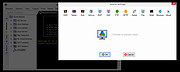 |
|
Patch My PC Home Updater Portable v5.4.5.0 Patch My PC Home Updater Portable v5.4.5.0 👉 Automatically update and install over 500 common Windows applications. Patch My PC Home Updater Portable is a free, easy-to-use tool that scans your computer for outdated software and updates it with one click. It supports hundreds of popular applications, helping you keep your system secure and up to date without the hassle of manually checking each program. Patch My PC Home Updater Portable runs without installation and does not require a setup process, making it ideal for technicians and advanced users who prefer a portable solution. It installs updates silently, can skip unwanted bundled offers, and allows you to customize installation options such as disabling auto-start entries or desktop shortcuts. The interface is simple and clearly organized, showing which applications are installed, which are outdated, and which can be newly installed. It can also automatically close applications before updating and optionally create restore points for added safety. Features: • Updates over 500 third-party applications • One-click update process • Portable version requires no installation • Silent install and silent update options • Automatically closes apps before updating • Option to create restore points before updates • Installs new applications in addition to updating existing ones • Skips bundled offers during installations • Customizable install options such as disabling auto-start or desktop shortcuts • Clean and simple user interface Supported operating systems: • Windows 10, Windows 11 Supported languages: English Changes: v5.4.5.0 07-09-26 Home Updater 5.4.5.0 includes improvements to the Scheduler experience and enhanced registry matching logic for applications with multiple installed versions. This release is already self-updating for users on the beta channel and will be available for self-update for non-beta users in the coming days. Improvements Improved UI/UX on the Scheduler view. Enhanced registry matching logic to better support multiple versions of the same application installed on a device. Apps Support Added Recently: AnyViewer Brother iPrint&Scan Bulk ... |
|
1,869 | Sep 22, 2026 PatchMyPC.net  |
|
Policy Plus vOctober 2025 Policy Plus vOctober 2025 👉 Local Group Policy Editor for all editions of Windows. Policy Plus is a free and open-source utility that brings the Local Group Policy Editor (gpedit.msc) functionality to all editions of Windows, including Home editions that do not normally include it. It provides a familiar interface for viewing and editing administrative templates and policy settings, making it easy to configure advanced system settings without needing to manually edit the registry. Policy Plus reads and applies the same policy definitions used by the official Group Policy Editor, ensuring compatibility with Windows administrative templates. It also supports importing the latest policy definitions and offers advanced search capabilities, making it a powerful tool for administrators and power users who want fine-grained control over system configuration. Features: • Full Local Group Policy Editor functionality for all Windows editions • Compatible with official Microsoft Administrative Template files (ADMX/ADML) • Built-in ADMX acquisition tool for downloading latest policy definitions • Advanced search and filtering of policy settings • View, edit, and manage registry-based policies • Portable and open-source Important: To ensure you have the latest Administrative Templates, you can download the full set of ADMX files directly within the program. Go to Help → Acquire ADMX Files, choose the destination folder (typically C:\Windows\PolicyDefinitions), and click Begin to download them from Microsoft. You can also manually open or load ADMX files by selecting File → Open ADMX File or File → Open ADMX Folder. This is useful if you have downloaded specific templates separately or want to work with a custom policy definitions folder. Supported operating systems: • Windows 7, Windows 8, Windows 8.1, Windows 10, Windows 11 Supported languages: English Click here to visit the author's website. |
|
7,597 | Jun 27, 2026 Ben Nordick 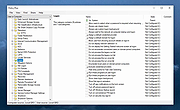 |
|
RackPeek v2.0.0 RackPeek v2.0.0 👉 Self-hosted CLI + Web UI for documenting and managing your home lab or small-scale IT infrastructure. RackPeek is a lightweight, opinionated CLI tool and Web UI designed to help you document, manage, and understand your home lab or small-scale IT environment without the usual enterprise bloat. It focuses on tracking your hardware, services, networks, and the relationships between them in a clear, structured way, using simple, scriptable YAML so you can version-control your infrastructure documentation alongside the rest of your homelab configs. Whether you are building out a rack, organizing a growing pile of mini PCs, or trying to keep straight which VLAN feeds which switch and what runs where, RackPeek gives you a clean, self-hosted “single pane of glass” that is easy to deploy and easy to maintain. Features: • Lightweight, opinionated CLI tool with a companion Web UI for homelab and small-scale IT documentation • Tracks infrastructure as structured data (YAML), making it easy to store in Git and share or review changes over time • Models relationships between resources (hardware, services, networks, and more) to help keep complex setups understandable • Multi-node / clustered system modeling (multiple parents per resource can be defined) • Key value pair labels for more flexible organization and filtering • Basic Ansible inventory generator tool • JSON Schema v2 definition for safer configuration authoring and validation • Safe schema versioning with backup and migration strategy • Improved embedded documentation plus general polish and bug fixes Supported operating systems: • Windows, macOS, Linux Supported languages: English Changes: v2.0.0 06-13-26 What's New Web UI Added /visualise with live Physical and Logical network diagrams from inventory data. Added Save PNG and Save Mermaid (.mmd) export options. Added compact topology preview cards to the home dashboard. Improved YAML import and edit errors with line, column, and contextual snippets. CLI ... |
|
754 | Jul 06, 2026 Tim Jones 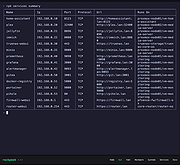 |
|
Sweet Home 3D v7.5 Sweet Home 3D v7.5 A free interior design application that helps you draw the plan of your house, arrange furniture on it and visit the results in 3D. Features • Draw walls and rooms upon the image of an existing plan, on one or more levels • Drag and drop doors, windows and furniture from a catalog onto the plan • Update colors, texture, size and orientation of furniture, walls, floors and ceilings • View all changes simultaneously in the 3D view from any view point • Create photorealistic images and videos with various light sources • Import additional 3D models and export the plan at various standard formats Changes: v 7.5, August 21, 2024 Fixed synchronization issues on the 3D view when displayed in a separate window. Fixed 3D view rendering of underground levels at same elevation. Fixed font display in Thai user interface. Fixed default value of doorOrWindowWallThickness# property and saving of lightSourceMaterialName# property containing commas in Furniture Library Editor. Changed copyright notices after Space Mushrooms taking over Sweet Home 3D project. Other minor bugs fixes and enhancements. This download is for the Windows installer version. All other download assets are below: Windows: SweetHome3D-7.5-portable.7z MacOS: SweetHome3D-7.5-macosx.dmg SweetHome3D-7.5-macosx-10.4-10.9.dmg Linux: SweetHome3D-7.5-linux-x64.tgz SweetHome3D-7.5-linux-x86.tgz Java: SweetHome3D-7.5.jar Extra 3D Models: 3DModels.zip Extra Textures: Textures-Contributions-1.3.zip Textures-eTeksScopia-1.3.zip Click here to visit the author's website. |
|
8,651 | Feb 05, 2025 eTeks  |
| Showing rows 1 to 10 of 10 | Showing Page 1 of 1 | 1 |
OlderGeeks.com Copyright (c) 2026
