|

|
Processed through Paypal No account required. |








Buy our over-priced crap to help pay the bills.



|
|
Processed through Paypal No account required. |
| Files | ||||
| File Name | Rating | Downloads | ||
 |
Cherrytree v1.7.2.1 Cherrytree v1.7.2.1 👉 A powerful hierarchical note-taking application with rich text, syntax highlighting, embedded files, tables, code boxes and extensive organization tools. Cherrytree is a hierarchical note-taking application designed for organizing notes, documentation, research, code snippets, ideas and other information in a structured tree. It combines rich text editing with syntax highlighting, images, tables, code boxes, mathematical equations, embedded files and extensive linking and search capabilities. Documents can be stored in a single XML or SQLite file or as multiple files and directories. Features: • Hierarchical tree structure for organizing notes and documents into nodes and subnodes • Rich text editing with foreground and background colors, bold, italic, underline, strikethrough and monospace formatting • Multiple heading levels plus subscript and superscript formatting • Syntax highlighting supporting numerous programming and scripting languages • Code boxes for keeping source code and other preformatted content inside notes • Insert images directly into notes • Resize and rotate inserted images • Save embedded images as PNG files • Render LaTeX mathematical equations within notes • Embed files directly inside documents and save them back to disk when needed • Create tables directly inside notes • Import and export table data using CSV • Bulleted, numbered and to-do lists • Multi-level lists with indentation support • Hyperlinks to websites, files and folders • Internal links between Cherrytree nodes • Anchors for linking directly to specific locations within notes • Powerful search and replace functions • Search across multiple nodes • Search node names and tags using multiple words • Tree node tags for additional organization and searching • Spell checking support • Automatic URL recognition • Insert current date and time into notes • Insert today's or tomorrow's node • Word count in the status bar, including selected text, code boxes and tables • Node sorting tools for organizing large trees • Drag and drop nodes within the tree • Import content from several other note-taking applications and document formats • Export notes to PDF • Export content ... |
 |
7,782 | Sep 23, 2026 Giuseppe Penone 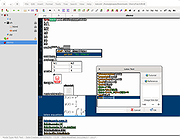 |
|
RackPeek v2.0.0 RackPeek v2.0.0 👉 Self-hosted CLI + Web UI for documenting and managing your home lab or small-scale IT infrastructure. RackPeek is a lightweight, opinionated CLI tool and Web UI designed to help you document, manage, and understand your home lab or small-scale IT environment without the usual enterprise bloat. It focuses on tracking your hardware, services, networks, and the relationships between them in a clear, structured way, using simple, scriptable YAML so you can version-control your infrastructure documentation alongside the rest of your homelab configs. Whether you are building out a rack, organizing a growing pile of mini PCs, or trying to keep straight which VLAN feeds which switch and what runs where, RackPeek gives you a clean, self-hosted “single pane of glass” that is easy to deploy and easy to maintain. Features: • Lightweight, opinionated CLI tool with a companion Web UI for homelab and small-scale IT documentation • Tracks infrastructure as structured data (YAML), making it easy to store in Git and share or review changes over time • Models relationships between resources (hardware, services, networks, and more) to help keep complex setups understandable • Multi-node / clustered system modeling (multiple parents per resource can be defined) • Key value pair labels for more flexible organization and filtering • Basic Ansible inventory generator tool • JSON Schema v2 definition for safer configuration authoring and validation • Safe schema versioning with backup and migration strategy • Improved embedded documentation plus general polish and bug fixes Supported operating systems: • Windows, macOS, Linux Supported languages: English Changes: v2.0.0 06-13-26 What's New Web UI Added /visualise with live Physical and Logical network diagrams from inventory data. Added Save PNG and Save Mermaid (.mmd) export options. Added compact topology preview cards to the home dashboard. Improved YAML import and edit errors with line, column, and contextual snippets. CLI ... |
|
754 | Jul 06, 2026 Tim Jones 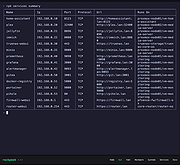 |
|
SnipSVG v2.3 SnipSVG v2.3 👉 A free screen capture and graphics editor built around sharp, fully editable SVG vector images. SnipSVG is a free screen capture and graphics editor for Windows and macOS that uses SVG vector images as its primary format. Unlike traditional JPG and PNG screenshots, SVG images remain sharp at any zoom level while individual elements remain editable. SnipSVG provides tools for capturing, cropping and annotating screenshots, obscuring sensitive information, adding formatted text, creating numbered documentation graphics and sharing finished images with other applications. It can also create animated and interactive SVG content using CSS and JavaScript. Features: • Capture and edit screenshots • Uses scalable SVG vector graphics as its primary image format • Keeps individual SVG elements separately editable • Maintains sharp image quality at different zoom levels and resolutions • Crop screenshots and physically resize large photos • Blur or obscure sensitive information in screenshots • Add HTML-formatted text to images • Add lines, arrows, shapes, highlights and other annotations • Auto-incrementing numbering tags for tutorials and documentation • Generate reference tables from numbered image tags • Integrated syntax highlighting for source code examples • Extract text from images using Windows OCR on Windows 10 and Windows 11 • Create animated SVG objects using CSS and JavaScript • Add interactive elements and hyperlinks to SVG images • Share images with HTML editors, word processors and other applications • Supports SVG and SnipX image formats • Integrates with the Help+Manual documentation authoring suite • Free for private and commercial use • Windows installer supports portable installation Supported operating systems: • Windows 7, Windows 8, Windows 10, Windows 11 • macOS 11 Big Sur or higher, Intel/Apple Silicon Supported languages: English, German, French Changes: v2.3 08-03-26 • Flipping of line and arrow objects did not work correctly when the line was rotated. • Full lasso selection on the canvas selected the picture frame, it now selects objects inside the picture frame (same as CTRL + A to select ... |
|
1,788 | Sep 14, 2026 EC Software GmbH 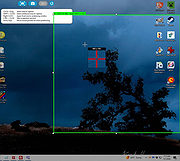 |
|
SourceDoc Pro v2.00 SourceDoc Pro v2.00 👉 Print, analyze, and document Visual Basic 6 source code projects. SourceDoc Pro is a free utility for Visual Basic 6 developers that creates professional printed documentation from VB6 source code projects. It reads VB6 project files (.VBP), displays all project modules and procedures, and allows you to selectively print individual routines, complete modules, dependency reports, or entire projects. Printed output includes syntax highlighting, structured formatting, and unique visual loop bracket connectors that make nested code easier to follow on paper or in PDF form. SourceDoc Pro also generates procedure dependency reports showing which routines call a procedure and which routines are called by it, helping developers understand project flow and maintain legacy applications. Additional options include custom fonts, page layout controls, margin settings, duplex printing support, table of contents generation, and the ability to mimic the appearance of code as displayed within the VB6 IDE. The program includes a complete User Manual and automatically installs the required VB6 runtime components. Features: • Opens and analyzes Visual Basic 6 project files • Displays project modules and procedures in organized lists • Prints individual procedures, modules, or entire projects • Generates procedure dependency reports showing "Called By" and "Calls" relationships • Creates printable project tables of contents • Full syntax highlighting for keywords, comments, constants, variables, procedure names, and literals • Visual loop bracket connectors make nested code structures easier to read • Output can be sent to printers, PDF writers, or text files • Customizable fonts and font sizes • Supports portrait and landscape page orientation • Adjustable page margins and binding offsets • Duplex printing support • Optional aggregation of Get/Set/Let property routines • Option to mimic VB6 IDE code formatting in printed output • User-selectable syntax highlight colors • Includes complete User Manual • VB6 runtime automatically installed when needed Supported operating systems: • Windows 7 or later (32-bit or 64-bit) Supported languages: • English Changes: v2.00 08-05-26 Form Image rendering ... |
|
547 | Aug 07, 2026 Michael W. Cetera 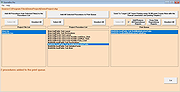 |
|
Zim v0.77.0 Zim v0.77.0 A graphical text editor for maintaining a collection of wiki-style notes stored in plain text files. Zim is a desktop wiki application designed to help you organize notes, ideas, and documentation using a simple and flexible wiki-style structure. Pages are stored as plain text files in folders, making your data easy to back up, sync, and edit outside the program if needed. Zim supports linking between pages, attachments, tags, and powerful plugins, making it well suited for note taking, personal knowledge bases, project documentation, and journaling. The editor window with all widgets visible Features: • Wiki-style linking between pages using simple syntax • Plain text storage for easy backup, portability, and version control • Hierarchical page structure with automatic index generation • Rich text formatting including lists, tables, code blocks, and checkboxes • Full-text search across notebooks and pages • Tagging system for organizing and filtering notes • Built-in spell checking and word count • Attachment support for images and files • Plugin system for added functionality such as task lists, diagrams, and calendars • Export notes to HTML, LaTeX, or other formats Supported operating systems: • Windows 7, Windows 8, Windows 10, Windows 11 • Linux • macOS Supported languages: English, Afrikaans, Arabic, Bulgarian, Catalan, Chinese, Croatian, Czech, Danish, Dutch, Estonian, Finnish, French, German, Greek, Hebrew, Hungarian, Italian, Japanese, Korean, Latvian, Lithuanian, Norwegian, Polish, Portuguese, Romanian, Russian, Serbian, Slovak, Slovenian, Spanish, Swedish, Turkish, Ukrainian Changes: v0.77.0 06-11-26 Merge markdown support as source format for notebooks (experimental) Allow multiple source formats in one notebook Refactor page search to be extendable improve speed Support options for 'case sensitive' and 'word boundaries' in page search Let find match glob patterns like search Add search query support for tasklist filtering Add default page template to notebook properties Add input for alternate text in Insert Image Dialog Remove overruling window positioning Fix latex templates for working with pdflatex, xelatex and lualatex Fix bug with _object_widgets.remove() Zim can be used to: • Keep an archive ... |
|
4,529 | Jun 21, 2026 Brendan Kidwell 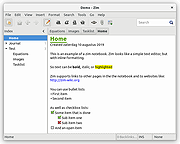 |
| Showing rows 1 to 5 of 5 | Showing Page 1 of 1 | 1 |
OlderGeeks.com Copyright (c) 2026
