|

|
Processed through Paypal No account required. |








Buy our over-priced crap to help pay the bills.



|
|
Processed through Paypal No account required. |
| Files | ||||
| File Name | Rating | Downloads | ||
 |
Belarc Advisor v13.1 Belarc Advisor v13.1 👉 Creates a detailed profile of your PC’s hardware, software, and security status. Belarc Advisor builds a comprehensive report of your computer’s installed hardware, software, network inventory, missing Microsoft hotfixes, antivirus status, and security benchmarks. The report is generated locally and displayed in your web browser, ensuring that your data remains private and is not sent to any external server. Belarc Advisor is widely used for auditing systems, tracking installed software licenses, and identifying potential security risks. It provides a clear, organized breakdown of system components, including CPU, memory, storage devices, and connected peripherals, along with detailed software version information. Features: • Creates a complete system profile including hardware and software • Displays installed applications with version and license details • Identifies missing Microsoft security updates and hotfixes • Reports antivirus status and overall system security • Shows detailed network configuration and connected devices • Generates results locally for enhanced privacy (no data uploaded) • Provides browser-based report for easy viewing and printing • Tracks software licenses for auditing and recovery purposes • Displays detailed information about CPU, RAM, drives, and peripherals Supported operating systems: • Windows 7, Windows 8, Windows 10, Windows 11 Supported languages: English Changes: Not Provided Click here to visit the author's website. |
 |
11,494 | Apr 29, 2026 Belarc, Inc. 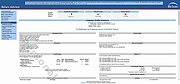 |
 |
Data Crow v5.1.4 Data Crow v5.1.4 👉 A powerful open-source media cataloging and collection management application. Data Crow is a highly customizable cataloging application designed to help users organize and manage virtually any type of collection. It allows you to catalog movies, music, books, software, games, comics, photographs, tools, wines, contacts, and custom collections using flexible templates and user-defined fields. Data Crow can automatically retrieve information from online services, helping populate collection entries with detailed metadata, images, and descriptions. Built with flexibility in mind, Data Crow supports advanced searching, filtering, lending administration, barcode support, and extensive export/import capabilities. Users can create completely custom modules to track nearly anything, making it useful for both personal collectors and professional inventory management. The software also supports multi-user environments and includes reporting tools for generating detailed collection summaries. Features: • Catalog movies, books, music, software, games, comics, contacts, and more • Create fully customizable collection modules and fields • Automatically download item details and cover artwork from online sources • Advanced search, filtering, and sorting capabilities • Barcode scanning and lending administration support • Import and export data in multiple formats • Generate customizable reports and statistics • Store images, attachments, and detailed notes • Multi-user database support for shared collections • Built-in loan tracking for borrowed items • Cross-platform Java-based application • Extensive plugin and scripting support Click here to view the documentation. Supported operating systems: • Windows 7, Windows 8, Windows 10, Windows 11 • macOS • Linux Supported languages: English, Dutch, German, French, Spanish, Portuguese, Italian, Polish, Russian, Chinese, Japanese Changes: v5.1.4 06-18-26 • Fixed missing time components for creation and modification timestamps on new installations. • Fixed the advanced filter dialog in server-to-client mode for Books, TV Series, and several other modules. • Added the /login/status/unsecure API endpoint for Data Crow Reader v1.1 automatic login detection. • Google Books searches now direct users to create a free API ... |
|
10,175 | Jul 03, 2026 Robert Jan Van Der Waals 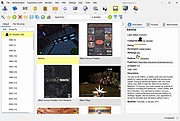 |
|
Katalog v2.12 Katalog v2.12 👉 Lightweight cataloging software to organize and manage collections. Katalog is a free and open source cataloging application designed to help you organize and manage your collections. Whether you are cataloging books, movies, music, games, or any other type of items, Katalog provides a clean and flexible interface to store detailed information and keep everything neatly structured. Katalog allows you to create custom categories and fields, making it adaptable to virtually any type of collection. You can store metadata, descriptions, ratings, and other details, and browse or search through your catalog quickly and efficiently. The program focuses on simplicity and usability while still offering powerful organization features. Features: • Create and manage multiple catalogs • Customizable fields and categories • Store detailed information for each item • Search and filter capabilities • Sorting and organization tools • Open source and free to use Supported operating systems: • Windows 7, Windows 8, Windows 10, Windows 11 • Linux Supported languages: Bulgarian, Chinese, Croatian, Czech, Danish, Dutch, English, Estonian, Finnish, French, German, Greek, Hindi, Hungarian, Indonesian, Italian, Japanese, Latvian, Lithuanian, Norwegian, Polish, Portuguese, Romanian, Serbian, Slovak, Slovenian, Spanish, Swedish, Ukrainian Changes: v2.12 06-04-26 Main improvements: #766 SEARCH: Regular expression support for file name search #222 SEARCH: Search History / Clear list (can keep last 10 searches) #684 SEARCH: List as Search input (several text search input) Pasting a list of term (several lines) and run the search, the results is equivalent to running individual searches with sames criteria except on each different term (a term can be several words). See:Search#file-name #401 DEVICES: breakdown a catalog onto 1 per file type or 1 by sub folder Split Catalog per sub directory Split Catalog per File type See:DevicesCatalogs#catalog-context-menu #770 ... |
|
1,428 | Jul 24, 2026 Stιphane Couturier 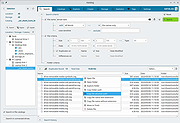 |
|
Manager Desktop Edition v26.10.7 Manager Desktop Edition v26.10.7 👉 Free accounting software for small businesses with a clean and intuitive interface. Manager Desktop Edition is a free accounting software designed for small businesses to manage their finances efficiently and professionally without the complexity of traditional accounting systems. It provides a complete double-entry accounting environment that allows users to handle everything from basic bookkeeping to advanced financial tracking, all within a streamlined and easy-to-navigate interface. Manager Desktop Edition enables users to create invoices, track payments, monitor expenses, and generate detailed financial reports such as profit and loss statements, balance sheets, and cash flow summaries. The software is designed to be accessible for beginners while still offering powerful features for more advanced users, making it suitable for freelancers, small business owners, and organizations. The desktop version operates entirely offline, storing all financial data locally on the user’s machine. This ensures privacy, security, and full control over sensitive financial information without requiring a cloud connection. It also allows businesses to continue working without internet access while maintaining full functionality. Manager Desktop Edition supports multiple currencies, making it ideal for businesses dealing with international clients or suppliers. It also includes tools for managing customers, suppliers, inventory, and taxes such as VAT or sales tax. With its modular design, users can enable only the features they need, keeping the interface clean and uncluttered. Note: Desktop edition is single-user software. Businesses requiring multi-user capabilities or remote access will use cloud edition which is not free. Features: • Full double-entry accounting system with automatic balancing of debits and credits • Create and customize invoices, quotes, receipts, and purchase orders with branding options • Track accounts receivable and accounts payable with detailed aging reports • Record income and expenses with categorization and detailed transaction histories • Generate financial statements including balance sheet, profit and loss, trial balance, and general ledger • Cash flow monitoring ... |
|
9,071 | Oct 08, 2026 NGSoftware Pty Ltd 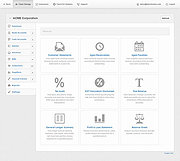 |
|
Mini Inventory Control System v1.0.8 Mini Inventory Control System v1.0.8 A simple inventory control software where you can manage incoming products, outgoing products and the current quantity in your inventory. You must have Microsoft Office 2010 or newer installed on your computer to use this. You can manage your inventory and don’t need internet connection or SQL Server (Just Office installed on your PC). You can manage incoming products, outgoing products and the current quantity in your inventory. Also, you can record the location of the product, the price of every item and who put it into the system. If you need it, you can generate barcodes or QR codes to your product or packages. Requirements: You must have Microsoft Office 2010 or newer installed on your computer Windows 7 64bit or newer (OPTIONAL) Install .NET 6.0 Runtime for desktop apps (OPTIONAL) Install Microsoft Access Database Engine Changes: v1.0.8 Update background color Update Code Generator with new features Click here to visit the author's website. |
|
2,968 | Jul 05, 2023 Lextrack 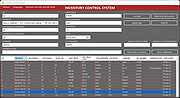 |
|
RackPeek v2.0.0 RackPeek v2.0.0 👉 Self-hosted CLI + Web UI for documenting and managing your home lab or small-scale IT infrastructure. RackPeek is a lightweight, opinionated CLI tool and Web UI designed to help you document, manage, and understand your home lab or small-scale IT environment without the usual enterprise bloat. It focuses on tracking your hardware, services, networks, and the relationships between them in a clear, structured way, using simple, scriptable YAML so you can version-control your infrastructure documentation alongside the rest of your homelab configs. Whether you are building out a rack, organizing a growing pile of mini PCs, or trying to keep straight which VLAN feeds which switch and what runs where, RackPeek gives you a clean, self-hosted “single pane of glass” that is easy to deploy and easy to maintain. Features: • Lightweight, opinionated CLI tool with a companion Web UI for homelab and small-scale IT documentation • Tracks infrastructure as structured data (YAML), making it easy to store in Git and share or review changes over time • Models relationships between resources (hardware, services, networks, and more) to help keep complex setups understandable • Multi-node / clustered system modeling (multiple parents per resource can be defined) • Key value pair labels for more flexible organization and filtering • Basic Ansible inventory generator tool • JSON Schema v2 definition for safer configuration authoring and validation • Safe schema versioning with backup and migration strategy • Improved embedded documentation plus general polish and bug fixes Supported operating systems: • Windows, macOS, Linux Supported languages: English Changes: v2.0.0 06-13-26 What's New Web UI Added /visualise with live Physical and Logical network diagrams from inventory data. Added Save PNG and Save Mermaid (.mmd) export options. Added compact topology preview cards to the home dashboard. Improved YAML import and edit errors with line, column, and contextual snippets. CLI ... |
|
754 | Jul 06, 2026 Tim Jones 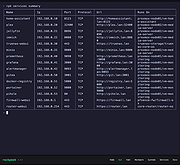 |
|
UninstallView v1.52 UninstallView v1.52 👉 View, manage, and uninstall installed Windows software with advanced details. UninstallView is a lightweight portable utility that displays detailed information about every installed application on your Windows system in a single, easy-to-read table. It gathers uninstall information from the Windows Registry and supplements it with additional details such as installation folder, uninstall command, registry location, install date, publisher, version, and more. It can also display Microsoft Store apps, making it a more comprehensive alternative to the standard Windows Apps & Features interface. UninstallView supports scanning the local computer, remote computers on your network, external drives, offline Windows installations, and shadow copies. It also supports standard and quiet uninstall operations when available, making it especially useful for technicians and advanced users. Lists can be sorted, filtered, searched, and exported in multiple formats for documentation or inventory purposes. Features: • Displays all installed desktop applications in a single table • Optionally displays installed Microsoft Store apps • Shows detailed uninstall information including registry entries and uninstall strings • Supports local computers, remote computers, external drives, and offline Windows installations • Quiet uninstall support when provided by the application's installer • View software installed for all users or individual user profiles • Sort, search, filter, and customize displayed columns • Export lists to TXT, CSV, HTML, XML, and other formats • Portable application requiring no installation • Save all displayed items to a file • Supports command-line operation for automation and scripting Supported operating systems: • Windows XP, Windows Vista, Windows 7, Windows 8, Windows 8.1, Windows 10, Windows 11 (32-bit and 64-bit) Supported languages: Arabic, Basque, Bulgarian, Catalan, Chinese Simplified, Chinese Traditional, Croatian, Czech, Danish, Dutch, English, Finnish, French, German, Greek, Hebrew, Hungarian, Italian, Japanese, Korean, Norwegian, Persian, Polish, Portuguese, Portuguese (Brazil), Romanian, Russian, Slovak, Slovenian, Spanish, Swedish, Thai, Turkish, Ukrainian, Vietnamese Changes: v1.52 06-23-26 Added the 'Save All Items' option (Shift+Ctrl+S). This download is for the Windows 64bit version ... |
|
6,682 | Jun 30, 2026 Nir Sofer 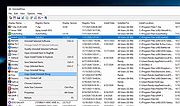 |
|
USBDeview v3.10 USBDeview v3.10 👉 View, manage, enable, disable, uninstall, and export USB device history. USBDeview is a small utility that lists all USB devices currently connected to your computer, as well as USB devices previously used on the system. For each USB device, it displays extended information including device name, description, device type, serial number, added date/time, Vendor ID, Product ID, and more. USBDeview can also uninstall previously used USB devices, disconnect currently connected USB devices, and disable or enable USB devices. It can also be used on a remote computer when logged in with administrator rights. Features: • Lists currently connected and previously used USB devices • Displays device name, description, type, serial number, Vendor ID, Product ID, and more • Uninstall previously used USB devices • Disconnect currently connected USB devices • Disable and enable USB devices • Remote computer support with administrator login • Command-line options for exporting, sorting, enabling, disabling, removing, and checking USB device status • Export USB device lists to text, tab-delimited, CSV, HTML, and XML files • Available in 32-bit and 64-bit versions Supported operating systems: • Windows 2000, Windows XP, Windows Server 2003, Windows Vista, Windows Server 2008, Windows 7, Windows 8, Windows 10, Windows 11 • 32-bit and 64-bit systems supported Supported languages: English, Arabic, Brazilian Portuguese, Bulgarian, Czech, Danish, Dutch, Euskera, Finnish, French, Galician, German, Greek, Hnidi, Hungarian, Italian, Japanese, Korean, Norwegian, Persian, Polish, Romanian, Russian, Simplified Chinese, Slovak, Spanish, Swedish, Traditional Chinese, Thai, Turkish, Ukrainian, Valencian Changes: v3.10 05-14-26 Added 'Black Background' option (Under the View menu). When it's turned on, the main table is displayed in black background and white text, instead of default system colors. Added 'Save All Items' option (Shift+Ctrl+S). Note: Th3 32bit version of this file has one hit on VirusTotal. We have confirmed this to be a false positive. The file is safe. This download is for the Windows 64bit version (very bottom of ... |
|
10,278 | May 22, 2026 Nir Sofer 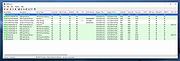 |
| Showing rows 1 to 8 of 8 | Showing Page 1 of 1 | 1 |
OlderGeeks.com Copyright (c) 2026
