|

|
Processed through Paypal No account required. |








Buy our over-priced crap to help pay the bills.



|
|
Processed through Paypal No account required. |
| Files | ||||
| File Name | Rating | Downloads | ||
 |
Kate v26.07.70 Kate v26.07.70 👉 Advanced multi-document text editor and source code editor for programmers. Kate is a feature-rich text editor developed by the KDE community. Designed for programmers, system administrators, and power users, it provides advanced editing capabilities including syntax highlighting, code folding, project management, powerful search and replace functions, session management, and integrated terminal access. Kate can open and edit multiple documents simultaneously using tabs and split views, making it ideal for managing large projects and working across numerous files at once. Kate supports hundreds of programming and markup languages through its extensive syntax highlighting engine and includes Language Server Protocol (LSP) integration for code completion, diagnostics, symbol navigation, and other modern development features. Its plugin architecture allows users to extend functionality with tools such as file browsers, document previews, external command execution, and Git integration. Kate is available for Linux, Windows, and macOS, providing a consistent editing experience across platforms. Features: • Multi-document and multi-window editing interface • Tabbed and split-view editing • Syntax highlighting for over 300 file formats • Code folding and bracket matching • Language Server Protocol (LSP) support • Intelligent code completion and symbol navigation • Powerful search and replace tools • Regular expression support • Session management for restoring workspaces • Project management tools • Embedded terminal window • Git integration and developer-focused plugins • Multiple cursors and selections • Vi/Vim input mode • Automatic file encoding detection • Support for local and remote file editing via network protocols • Markdown, HTML, and SVG preview support through plugins • Extensive customization options and plugin architecture Supported operating systems: • Windows 10, Windows 11 • macOS 13 Ventura or higher • Linux distributions supporting KDE Gear 26.07.70 Supported languages: Arabic, Basque, Catalan, Chinese (Simplified), Chinese (Traditional), Czech, Danish, Dutch, English, Finnish, French, Galician, German, Greek, Hebrew, Hungarian, Italian, Japanese, Korean, Norwegian Bokmεl, Polish, Portuguese, Portuguese (Brazilian), Romanian, Russian, Slovak, Slovenian, Spanish, Swedish, Turkish, Ukrainian, and many additional KDE translation languages. Changes: v26.07.70 Not provided. This download is ... |
 |
2,631 | Jun 16, 2026 Kate KDE Team 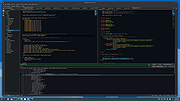 |
|
RackPeek v2.0.0 RackPeek v2.0.0 👉 Self-hosted CLI + Web UI for documenting and managing your home lab or small-scale IT infrastructure. RackPeek is a lightweight, opinionated CLI tool and Web UI designed to help you document, manage, and understand your home lab or small-scale IT environment without the usual enterprise bloat. It focuses on tracking your hardware, services, networks, and the relationships between them in a clear, structured way, using simple, scriptable YAML so you can version-control your infrastructure documentation alongside the rest of your homelab configs. Whether you are building out a rack, organizing a growing pile of mini PCs, or trying to keep straight which VLAN feeds which switch and what runs where, RackPeek gives you a clean, self-hosted “single pane of glass” that is easy to deploy and easy to maintain. Features: • Lightweight, opinionated CLI tool with a companion Web UI for homelab and small-scale IT documentation • Tracks infrastructure as structured data (YAML), making it easy to store in Git and share or review changes over time • Models relationships between resources (hardware, services, networks, and more) to help keep complex setups understandable • Multi-node / clustered system modeling (multiple parents per resource can be defined) • Key value pair labels for more flexible organization and filtering • Basic Ansible inventory generator tool • JSON Schema v2 definition for safer configuration authoring and validation • Safe schema versioning with backup and migration strategy • Improved embedded documentation plus general polish and bug fixes Supported operating systems: • Windows, macOS, Linux Supported languages: English Changes: v2.0.0 06-13-26 What's New Web UI Added /visualise with live Physical and Logical network diagrams from inventory data. Added Save PNG and Save Mermaid (.mmd) export options. Added compact topology preview cards to the home dashboard. Improved YAML import and edit errors with line, column, and contextual snippets. CLI ... |
|
754 | Jul 06, 2026 Tim Jones 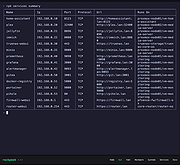 |
| Showing rows 1 to 2 of 2 | Showing Page 1 of 1 | 1 |
OlderGeeks.com Copyright (c) 2026
