|

|
Processed through Paypal No account required. |








Buy our over-priced crap to help pay the bills.



|
|
Processed through Paypal No account required. |
| File - Download Flyoobe v3.03.100 | ||||||||
| Description | ||||||||
|
Always scroll to the bottom of the page for the main download link. We don't believe in fake/misleading download buttons and tricks. The link is always in the same place. Flyoobe v3.03.100 👉 A Windows setup and upgrade toolkit for reviewing, customizing and applying Windows 11 settings from one streamlined interface. Flyoobe is a Windows setup assistant that brings Windows settings, applications, personalization, bloatware management and upgrade tools together in one place. It uses a signature-driven checklist approach to show what is currently configured, what differs from its recommendations and what can be changed. Users can apply individual settings, restore defaults, create portable setup recipes, install apps through winget, review removable preinstalled apps and access common Windows workflows without replacing Windows Settings. The built-in Flyby11 upgrade path also helps Windows 10 systems that do not meet every Windows 11 requirement move to Windows 11. 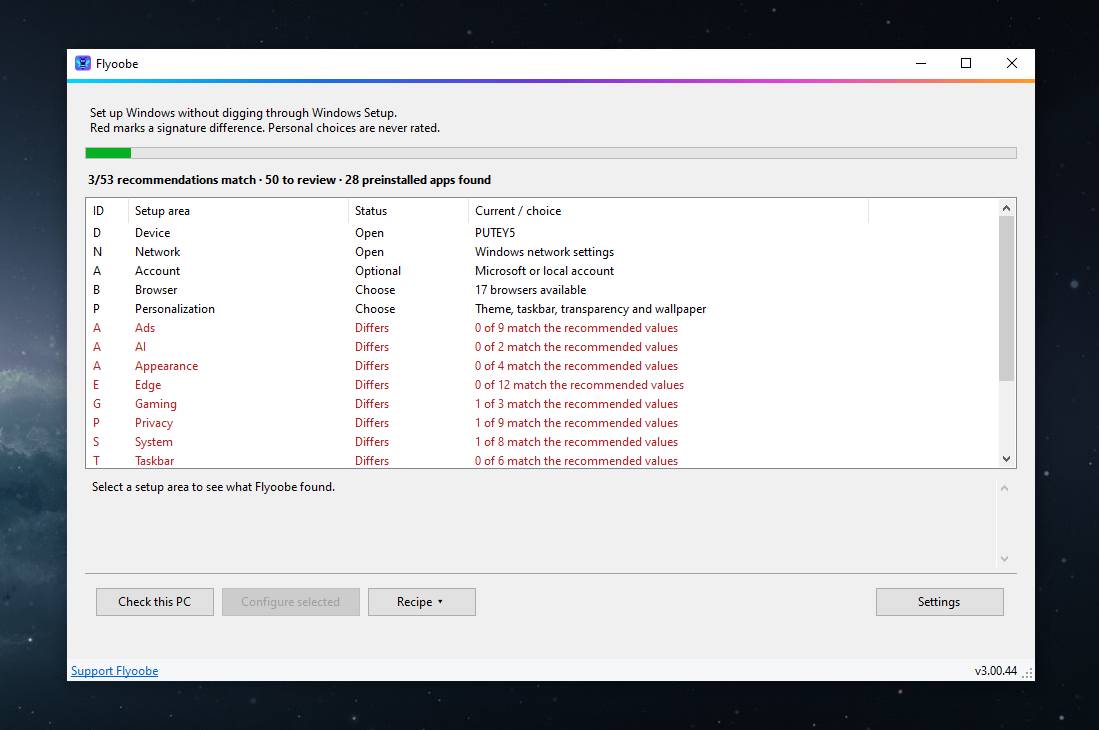 Features: • Unified overview for Windows settings, apps, personalization, bloatware and system tasks • Signature-driven Windows configuration using the editable Flyoobe.ini file • Portable setup recipes that can be saved, imported, reviewed and applied on another PC • Recipe review mode lets you inspect and discard staged changes before applying them • Individual Apply and Restore default controls for supported Windows settings • Searchable winget application installer using an editable Apps.ini catalog • Detects matching preinstalled Windows apps using Bloatware.ini and offers optional removal • Detects installed web browsers and provides quick access to Windows default-app settings • Personalization controls for Windows mode, app mode, taskbar alignment, transparency and wallpaper • Quick access to account, device, network and Windows Update workflows • Integrated Flyby11 upgrade path for Windows 10 PCs that do not meet every Windows 11 requirement • Read-only compatibility checks for TPM, Secure Boot, memory, architecture, storage and Windows version • Optional AI explanations for individual settings without allowing AI to apply changes • Native WinForms interface with improved high-DPI scaling • Editable configuration files keep recommendations, app catalogs, bloatware signatures and upgrade limits separate from the executable Supported operating systems: • Windows 10, Windows 11 Supported languages: • English, German Changes: v3.03.100 09-28-26 [Added] Setup rating - a base score for how far this PC follows Flyoobe's recommendations, in the shape of the old Windows Experience Index. Reachable from the first row under "Your choices" on the overview, which carries the score itself [Added] The details pane lists the settings that actually differ, instead of just counting them [Added] "More options" is a heading of its own now, so the link below it reads as a link [Changed] The device row says what it configures instead of showing the machine name [Changed] The summary line names the preinstalled apps again, and shares its text with the tree row so the two can no longer disagree [Changed] Counts say what they are counting, here settings in the summary, areas in the group headers [Changed] The setup tree uses the Explorer theme: arrows instead of +/- boxes, softer selection, hover highlight [Changed] The search field names the page you are on "Search Control Panel", "Search Flyoobe" on the overview [Added] A (x) to clear the search, shown only while there is something to clear [Fixed] The settings page scrolls all the way down again [Changed] Dropped the "?" from the settings header [Changed] The AI section no longer talks as if explanations only exist on the tweaks page [Changed] Version in the status bar without the "v" [Added] French translation [Added] Portuguese (Brazil) translation - Optional Setup Actions download Setup Actions are provided as an optional release asset, so the main Flyoobe download stays small and focused. To install them: Download the Actions asset from below Extract the included Actions folder into Flyoobe’s Data folder Open Flyoobe and go to Settings > Advanced Enable Setup Actions Close Settings to load the newly installed actions 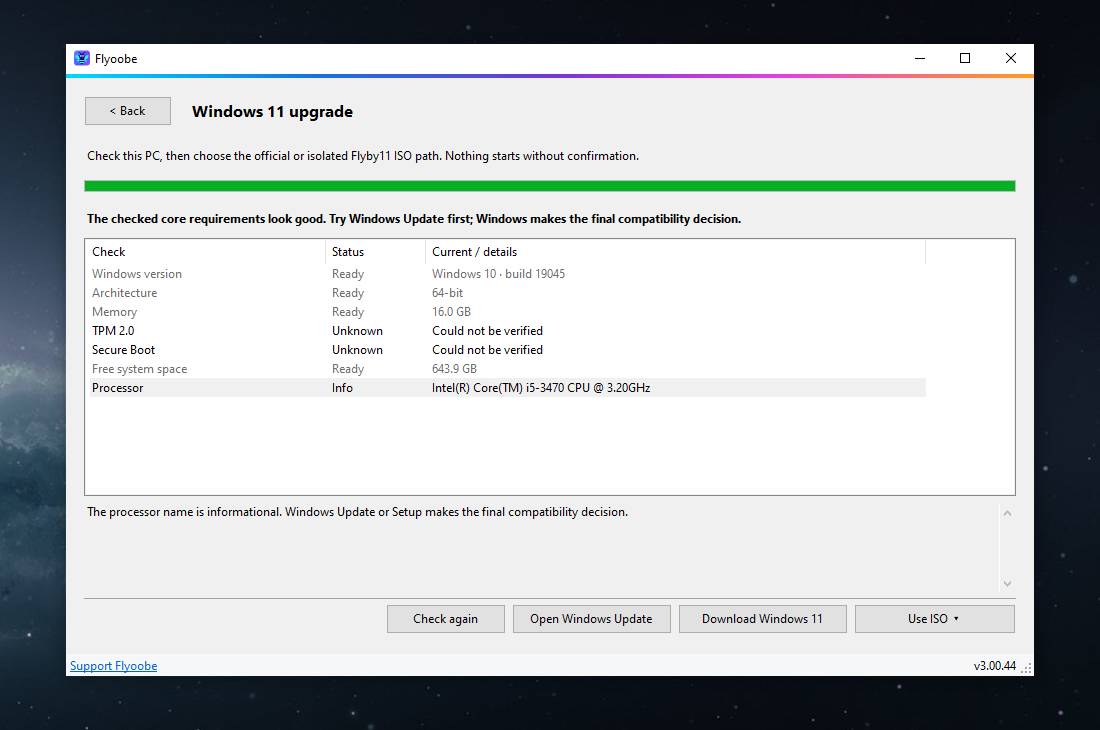 Note: This file has two hits on VirusTotal. We have confirmed these to be false positives. The file is safe. 👉 This download is for the Windows version (very bottom of page). All other download assets are below: Optional Files: Actions.zip Click here to visit the author's website. Continue below for the main download link. |
||||||||
| Downloads | Views | Developer | Last Update | Version | Size | Type | Rank | |
| 3,866 | 18,720 | Builtbybel | Sep 30, 2026 - 10:53 | 3.03.100 | 680.2KB | ZIP |  , out of 32 Votes. , out of 32 Votes. |
|
| File Tags | ||||||||
| builtbybel optimizer SecureBoot TPM recipes OOBE hardware unsupported Flyby11 personalization winget debloat customization Windows11 toolkit upgrade setup Windows Flyoobe | ||||||||
Click to Rate File Share it on Twitter → Tweet
|


