|

|
Processed through Paypal No account required. |








Buy our over-priced crap to help pay the bills.



|
|
Processed through Paypal No account required. |
| Files | ||||
| File Name | Rating | Downloads | ||
 |
BoostPing v1.7.2 BoostPing v1.7.2 👉 Makes your online games feel snappier. BoostPing analyzes your active network and applies gaming-focused network tweaks, including changing the network throttling index and disabling the Nagle algorithm. Features: • Analyzes and configures the active network • Changes the network throttling index • Disables the Nagle algorithm • Portable, no installation required • Freeware for office, home, government office and school use Supported operating systems: • Windows 10, Windows 11 Supported languages: English, German, Esperanto, French, Italian, Japanese, Polish, Portuguese, Russian, Slovak, Swedish, Thai, Turkish, Vietnamese, Chinese Changes: v1.7.2 09-16-26 Fixed an issue where some users could lose their previous settings after stopping optimization Improved restoration to keep unselected settings unchanged Improved reliability so remaining changes can be reverted after an unsuccessful setup Improved compatibility for safely stopping optimization started in previous versions Note: This file has one hit on VirusTotal. We have confirmed this to be a false positive. The file is safe. Click here to visit the author's website. |
 |
1,252 | Oct 05, 2026 kilho.net 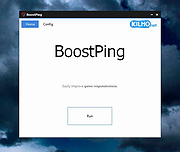 |
|
BootRacer v9.55 BootRacer v9.55 👉 Measure Windows boot speed and identify startup programs that slow your PC. BootRacer is a free utility for non-commercial use that accurately measures how long Windows takes to boot and helps identify startup programs that increase boot time. Unlike a simple stopwatch, it measures the actual Windows startup process while excluding password entry time, providing a more realistic view of system performance. BootRacer records each boot, tracks changes over time, and lets you compare results to determine whether your system is speeding up or slowing down. BootRacer also includes startup management tools that allow you to review, disable, delay, reorder, or customize startup applications so Windows can become usable more quickly. It displays detailed timing information for the boot process and startup programs, provides boot history with graphs and statistics, and can notify you when Windows has completely finished loading background services so you know when your computer is truly ready for use. Additional features such as service optimization and advanced system tweaks are available in the Premium edition. Features: • Measures true Windows boot time without including password entry delays • Monitors every boot and keeps a detailed boot history • Displays boot performance graphs and statistics • Identifies startup applications that slow Windows • Disable, delay, reorder, or customize startup programs • Shows the time consumed by individual startup applications • Compares current boot times with previous boots • Writes boot information to the Windows Event Log • Includes boot completion notifications when Windows is fully ready • Lightweight with minimal system resource usage • Free for personal, non-commercial use Supported operating systems: • Windows 2000, Windows XP, Windows Server 2003, Windows Vista, Windows 7, Windows 8, Windows 8.1, Windows 10, Windows 11 (32-bit and 64-bit) Supported languages: • English, Brazilian Portuguese, French, German, Hungarian, Italian, Japanese, Korean, Polish, Russian, Turkish, Ukrainian Changes: v9.55.2026.519 05-19-25 Fixed the timing race condition bug affecting applications launched from ... |
|
6,458 | Jun 26, 2026 Greatis Software 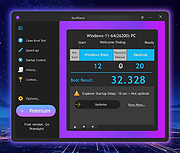 |
|
Crapfixer v2.01 CrapFixer v2.01 👉 A lightweight Windows tweaking tool for finding, fixing and reversing unwanted Windows settings and features. CrapFixer is a free, open-source Windows tweaking utility designed to identify and fix unwanted settings, preinstalled apps and other annoyances in Windows 10 and 11. This release represents a complete rebuild of the program around a new database-driven tweak engine. Instead of hardcoding tweaks into the application, CrapFixer uses the Wintweak2.ini signature database to define settings that can be scanned, reviewed, changed and restored to their Windows defaults. The program follows a scan-first approach: analyze the system, review the results and decide which recommended changes to apply. Detailed results can show registry paths, current values, recommended values and original Windows defaults. Individual tweaks or entire categories can be restored, and CrapFixer creates registry backups before applying tweaks. Version 2 also includes an App Remover, optional PowerShell extensions, custom tweak creation, database updates and optional AI-powered explanations. AI explanations are informational only and do not participate in scanning or applying changes. Features: • Scan Windows settings and identify tweaks that require attention • Signature-driven tweak engine powered by the Wintweak2.ini database • Review changes before applying them • Restore individual tweaks or entire categories to Windows defaults • Supports registry tweaks containing multiple keys and values • Automatically handles Windows version requirements, administrator privileges and restart requirements • Detailed results display registry paths, current values, recommended values and Windows defaults • Sorts incorrectly configured settings to the top of results • Creates registry backups before applying tweaks • App Remover uses a separate Winappx.ini package database • Custom Tweaks tool lets advanced users create their own Wintweak2 signatures • Lightweight Extensions section supports optional PowerShell tools • Built-in database updating with support for merging an additional custom database • Online result analyzer and clipboard-friendly report format • Optional AI explanations for individual tweaks using Groq, OpenAI, Anthropic or OpenAI-compatible providers • AI ... |
|
2,350 | Sep 01, 2026 Builtbybel 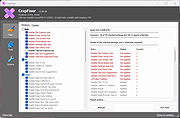 |
|
Dougi v1.0.672 Dougi v1.0.672 👉 Create high-quality JPEG images with realtime quality preview. Dougi is a lightweight portable JPEG optimization utility that lets you create high-quality JPEG images quickly and easily. Simply open, paste, or drag and drop an image, adjust the desired JPEG quality, and save. Its realtime WYSIWYG (What You See Is What You Get) preview lets you instantly see the effect of compression changes, eliminating the guesswork when balancing image quality and file size. Dougi also includes optional maximum file size limits, basic image adjustment tools, batch conversion, clipboard support, customizable appearance settings, and built-in help. Features: • Realtime WYSIWYG JPEG quality preview • Manual JPEG quality adjustment (5-100%) • Automatic quality presets: Low, Fair, Good, High, and Best • Optional maximum JPEG file size limit (5-4,000 KB) • Image adjustments including Mirror, Flip, Grey, Sepia, Noise, Invert, and Soften • Displays image dimensions, JPEG file size, and color count in realtime • Opens PNG, GIF, JPG, JIF, JPEG, TJ32, BMP, DIB, ICO, CUR, ANI, TEA, TGA, PPM, PGM, PBM, PNM, XBM, and IMG32 formats • Saves JPG, JIF, and JPEG formats • Copy images to the Clipboard as JPG or PNG • Batch conversion by dragging and dropping multiple images • Preview output in your default web browser • Customizable colors, fonts, and application settings • Portable - no installation required Supported operating systems: • Windows 7, Windows 8, Windows 8.1, Windows 10, Windows 11, Ubuntu Linux Supported languages: English Changes: v1.0.672 11-19-25 Not Provided. Click here to visit the author's website. |
|
348 | Jul 17, 2026 Blaiz Enterprises  |
|
FluentCleaner Classic v1.18.250 FluentCleaner Classic v1.18.250 👉 A lightweight, portable Windows cleaner for removing temporary files, caches, logs and other unnecessary clutter. FluentCleaner Classic is a lightweight WinForms-based edition of FluentCleaner designed for users who prefer a traditional Windows desktop application with a small footprint. It uses the same FluentCleaner.Core scanning and cleaning engine as the modern edition while relying on .NET Framework 4.8 instead of the Windows App SDK. FluentCleaner Classic can analyze Windows and applications for temporary files, caches, logs, browser data and other unnecessary files, allowing you to review detected items before cleaning them. Its portable design requires no installation, and support for Winapp2 cleaning databases provides extensive coverage of Windows components and third-party applications. Features: • Scans Windows and applications for temporary files, caches, logs and other unnecessary data. • Displays detected files and recoverable disk space before cleaning. • Uses the FluentCleaner.Core scanning and cleaning engine. • Supports Winapp2 cleaning databases for additional applications and cleaning rules. • Includes cookie management with protection for cookies you want to keep. • Detects cookies from Edge, Chrome, Chromium, Brave, Vivaldi, Opera, Opera GX and Firefox profiles. • Supports custom cleaner rules. • Includes a Handoff API for testing cleaner selections from external tools. • Provides command-line options for additional control and automation. • Includes Mini mode for quick access to Analyze, Review and Clean. • Can start directly in Mini mode. • Mini mode supports always-on-top operation and remembers its window position. • Portable and does not require installation. • Uses the familiar traditional Windows WinForms interface. Supported operating systems: • Windows (practically any version capable of running Microsoft .NET Framework 4.8) Supported languages: Bulgarian, Chinese (Simplified), English, French, German, Polish Changes: v1.18.250 09-17-26 [Added] [Classic] Introduced command-line automation for scripts, batch files, PowerShell, and third-party tools. Classic can now analyze or clean the saved selection silently, optionally target a specific cleaner category, and shut down the PC after cleaning #52 [Added] [Classic] Added ... |
|
532 | Sep 30, 2026 Builtbybel 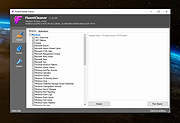 |
|
FluentTweaker v26.06.02 FluentTweaker v26.06.02 👉 Customize and tweak Windows 10/11 with a modern Fluent-style interface. FluentTweaker is a lightweight Windows customization and tweaking utility designed to give users more control over the look, feel, and behavior of Windows 10 and Windows 11. Developed with a clean Fluent Design-inspired interface, the application provides access to a wide variety of system tweaks, personalization settings, and hidden Windows options from a centralized dashboard. FluentTweaker focuses on making Windows customization easier and more accessible by grouping settings into organized categories. Users can quickly adjust privacy features, taskbar behavior, File Explorer settings, visual effects, system performance options, and interface tweaks without manually editing the registry or searching through scattered Windows menus. The program is portable and designed to be simple to use while still offering advanced customization possibilities for enthusiasts who want a cleaner, more personalized Windows experience. Features: • Modern Fluent Design-inspired user interface • Centralized access to Windows 11 customization options • Privacy and telemetry configuration tools • Taskbar and Start menu customization tweaks • File Explorer behavior and appearance adjustments • System performance and visual effect optimizations • Quick access to hidden Windows settings • Portable application with no installation required • Lightweight and easy-to-use design • Registry-based tweaks presented through a graphical interface • Organized categories for simplified navigation • Designed specifically for modern Windows versions Supported operating systems: • Windows 11 • Windows 10 Supported languages: • English Changes: v26.06.02 06-06-26 Not provided Note for Windows 10 users: Microsoft's Windows App Runtime 2.x package is required and you will be offered the download. Click here to visit the author's website. |
|
835 | Jun 08, 2026 Builtbybel 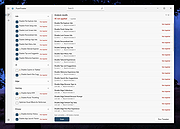 |
|
Flyoobe v3.03.100 Flyoobe v3.03.100 👉 A Windows setup and upgrade toolkit for reviewing, customizing and applying Windows 11 settings from one streamlined interface. Flyoobe is a Windows setup assistant that brings Windows settings, applications, personalization, bloatware management and upgrade tools together in one place. It uses a signature-driven checklist approach to show what is currently configured, what differs from its recommendations and what can be changed. Users can apply individual settings, restore defaults, create portable setup recipes, install apps through winget, review removable preinstalled apps and access common Windows workflows without replacing Windows Settings. The built-in Flyby11 upgrade path also helps Windows 10 systems that do not meet every Windows 11 requirement move to Windows 11. Features: • Unified overview for Windows settings, apps, personalization, bloatware and system tasks • Signature-driven Windows configuration using the editable Flyoobe.ini file • Portable setup recipes that can be saved, imported, reviewed and applied on another PC • Recipe review mode lets you inspect and discard staged changes before applying them • Individual Apply and Restore default controls for supported Windows settings • Searchable winget application installer using an editable Apps.ini catalog • Detects matching preinstalled Windows apps using Bloatware.ini and offers optional removal • Detects installed web browsers and provides quick access to Windows default-app settings • Personalization controls for Windows mode, app mode, taskbar alignment, transparency and wallpaper • Quick access to account, device, network and Windows Update workflows • Integrated Flyby11 upgrade path for Windows 10 PCs that do not meet every Windows 11 requirement • Read-only compatibility checks for TPM, Secure Boot, memory, architecture, storage and Windows version • Optional AI explanations for individual settings without allowing AI to apply changes • Native WinForms interface with improved high-DPI scaling • Editable configuration files keep recommendations, app catalogs, bloatware signatures and upgrade limits separate from the executable Supported operating systems: • Windows 10, Windows 11 Supported languages: • English, German Changes: v3.03.100 09-28-26 [Added] ... |
|
3,855 | Sep 30, 2026 Builtbybel 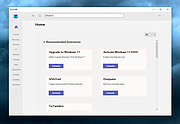 |
 |
Games Cleaner v24.31022 Games Cleaner v24.31022 👉 Advanced gaming cleanup utility that removes leftover files, launcher junk, caches, logs, and temporary game data to free valuable storage space. Games Cleaner is a specialized cleanup utility designed specifically for gamers who want to reclaim wasted disk space and keep their systems organized. Unlike general-purpose cleaning tools, Games Cleaner focuses on the unique folders and temporary files created by modern PC games and digital distribution platforms. The program scans gaming-related directories for leftover uninstall files, launcher caches, outdated logs, crash reports, shader caches, empty folders, screenshots, temporary downloads, and other unnecessary data commonly left behind after gaming sessions or incomplete uninstallations. This helps reduce clutter while freeing storage space that can quickly disappear on systems with large game libraries. Games Cleaner supports many popular gaming ecosystems and launchers, making it useful for players with collections spread across multiple platforms. The utility can detect and clean files created by services such as Steam, Epic Games Launcher, Ubisoft Connect, Bethesda Launcher, EA App, Battle.net, GOG Galaxy, and other common PC gaming environments. The interface is designed to be straightforward and easy to use, allowing users to quickly scan their system, review detected items, and remove unnecessary files without manually browsing through complicated game directories. It can be especially useful for SSD users where storage space is limited and large modern games constantly generate temporary data. Features: • Cleans leftover files from installed and previously uninstalled games • Removes temporary files, caches, logs, shader caches, and crash reports • Supports multiple popular gaming launchers and ecosystems • Detects unnecessary gaming-related junk files automatically • Helps recover valuable disk space on SSDs and HDDs • Scans for empty folders and obsolete directories • Cleans launcher-generated cache and temporary download files • Helps organize cluttered gaming systems • Simple and easy-to-use interface • Lightweight Windows utility focused on gaming cleanup • Designed specifically for PC gaming ... |
|
531 | Jun 04, 2026 Rezar Behzad 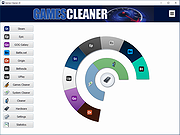 |
|
Kudu v3.6.1 Kudu v3.6.1 👉 Free open-source system maintenance, optimization, and security suite for Windows, macOS, and Linux. Kudu is a comprehensive system maintenance toolkit designed to help users clean, optimize, monitor, and secure their computers from a single unified interface. Built as a free and open-source alternative to many commercial system utilities, it combines system cleaning, malware detection, startup management, privacy protection, software updating, disk analysis, and performance monitoring tools into one package. Kudu focuses on providing powerful maintenance capabilities without advertisements, bundled software, or subscription requirements. It is suitable for both home users and IT professionals who want to keep systems running efficiently while maintaining privacy and security. Kudu also includes automation features, real-time monitoring, gaming optimizations, and optional cloud-based fleet management (paid) capabilities for managing multiple devices. Features: • System Cleaner for removing temporary files, caches, logs, and system junk • Multi-engine malware scanner with signature-based threat detection • Real-time performance monitoring for CPU, memory, disk, and network activity • S.M.A.R.T. disk health monitoring and analysis • Startup Manager with impact ratings for startup entries • Interactive Disk Analyzer with visual storage usage mapping • Privacy Shield for auditing and applying privacy settings • Software Updater for detecting outdated applications • Debloater for removing unwanted pre-installed Windows applications • Registry Cleaner with automatic backup protection • One-click Game Mode with performance and latency optimizations • Scheduled maintenance, scanning, and update tasks • Automatic backup safeguards before system changes • Command-line support for automation and scripting • Optional cloud-based centralized device management • Open-source MIT-licensed project with no advertisements or bundled software Supported operating systems: • Windows 10, Windows 11 • macOS • Linux Supported languages: • 30 languages supported Changes: v3.6.1 10-06-26 Bug Fixes icons: add missing Windows DPI sizes to the app icon (#513) (920f59c) malware: stop flagging validly signed binaries with the PE heuristic (#507) (e9784a1) 👉 This download is for the Windows version (very bottom of page). All ... |
|
661 | Oct 07, 2026 Advent Development, Inc.  |
|
Optimizer v15.8 Optimizer v15.8 An advanced configuration utility designed to enhance your privacy and security on Windows. This tool is highly recommended for use after a fresh installation of Windows to achieve maximum privacy and security benefits. Depending on your Windows version, Optimizer can also help you apply specific system tweaks. Note: This program has 4 hits on VirusTotal These are false positives due to the changes this program makes to your computer. The program is safe. Features: • Full multilingual support (22 languages available) • Enhance system and network performance • Disable unnecessary Windows services • Turn off Windows telemetry, Cortana, and more • Disable Office telemetry (works with Office 2016 or newer) • Stop automatic Windows 10 updates • Download multiple useful apps quickly • Uninstall UWP apps • Clean system drive and browser profiles • Fix common registry issues • Ping IPs and assess latency • Search IPs on SHODAN.io • Quickly change DNS server (from a pre-made list) • Flush DNS cache • Remove unwanted startup programs • Edit your HOSTS file • Identify and terminate file lock handles • Hardware inspection tool • Add items to the desktop right-click menu • Define custom commands for the run dialog • Support silent runs using a template file Compatibility: • Requires .NET Framework 4.8.1 • Compatible with Windows 7, 8, 8.1, 10, 11 • Can run on Windows Server 2008, 2012, ... |
|
4,964 | Sep 12, 2023 hellzerg 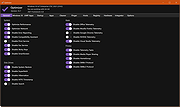 |
|
PC Services Optimizer 2.2.385 PC Services Optimizer 2.2.385 PC Services Optimizer is an open source system tweaking solution that enables you to optimize Windows services in an easy, automatic and safe way based on the way you use your computer. It does not require any technical knowledge, as it provides easy to understand options to tune-up your system for better performance and security. Automatic TuneUp Automatic TuneUp tweaks your PC settings for best performance in an easy and safe way according to the way you use your computer. It will turn off unneeded Windows services without affecting the normal function, this will make your PC run faster and more secure. Manual TuneUp Manual TuneUp gives you the power to optimize Windows services in an easy, safe and advanced way without getting involved with Windows services functions and dependencies. Gaming Mode Gaming Mode will give your system an immediate performance boost. Unneeded Windows features will be temporary turned off to free up computer resources and concentrate computer power on programs you are currently using. Services Profiles PC Services Optimizer can save your services settings in profiles, enabling you to apply your different settings in seconds, saving you a lot of time specially when dealing with multiple computers or users. Services Manager Services Manager enables advanced users to master Windows services including third party services. It provides several tools for performing advanced functions for example you can install, start, stop, delete and specify the startup type of Windows services. Change Info: + Vista Services Optimizer name changed to PC Services Optimizer. + Added support for Microsoft Windows 8.1. + Added support for high DPI settings. + Added services snapshot creation notice. + Improved Live Update. + Fixed bug in Live Update. + Minor UI enhancements and bug fixes. |
 |
9,780 | Feb 19, 2014 Smart PC Utilities |
|
RAMagic v1.22 RAMagic v1.22 👉 Lightweight tool to quickly optimize and free up RAM on Windows systems. RAMagic is a small and portable Windows utility designed to help improve system responsiveness by freeing unused memory with a single click. It provides a simple interface that allows users to quickly reclaim RAM without complicated configuration. RAMagic is especially useful on systems with limited memory or when running multiple applications that consume significant resources. The program runs without installation and can be used as a quick-access tool to refresh available memory and potentially reduce slowdowns. Features: • Quick RAM optimization with one click • Portable application, no installation required • Simple and user-friendly interface • Displays current memory status • Designed for minimal system resource usage Supported operating systems: • Windows XP, Windows Vista, Windows 7, Windows 8, Windows 10, Windows 11 (32-bit and 64-bit) Supported languages: German, English, Korean, French, Traditional Chinese, Greek, Simplified Chinese, Italian, Polish, Russian, Spanish, Turkish, Dutch, Swedish, Norwegian, Portuguese, Danish, Irish, Thai, Spanish, Spanish (Venezuela), Hebrew, Persian, Malay, Indonesian, Filipino, Finnish, Bosnian, Japanese, Bulgarian, Hungarian, Arabic Changes: v1.22 05-06-26 • General improvements in RAMagic, the RAM optimizer for Windows • New language in RAMagic: Spanish and Italian • Many thanks to Rastafe for the Spanish language support. • Many thanks to bovirus for the Italian language support. Click here to visit the author's website. |
|
867 | Aug 04, 2026 Nenad Hrg 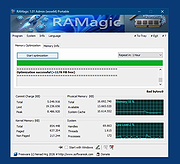 |
|
SpeedGuide.net TCP Optimizer 3.0.8 Description: The TCP Optimizer is a free, easy Windows program that provides an intuitive interface for tuning and optimizing your Internet connection. There is no installation required, just download and run. The program can aid both the novice and the advanced user in tweaking related TCP/IP parameters in Windows, making it easy to tune your system to the type of Internet connection used. The tool uses advanced algorithms, and the bandwidth*delay product to find the best TCP Window for your specific connection speed. It provides for easy tuning of all related TCP/IP parameters, such as MTU, RWIN, and even advanced ones like QoS and ToS/Diffserv prioritization. The program works with all current versions of Windows, and includes additional tools, such as testing average latency over multiple hosts, and finding the largest possible packet size (MTU). The TCP Optimizer is targeted towards broadband internet connections, however it can be helpful with tuning any internet connection type, from dialup to Gigabit+ :) It is completely free, requires no insatllation, and has been downloaded over 3 Million times. |
|
10,064 | Apr 07, 2012 speedguide.net |
|
TCP Optimizer v4.1.1 TCP Optimizer v4.1.1 The TCP Optimizer is a free, easy Windows program that provides an intuitive interface for tuning and optimizing your Internet connection. There is no installation required, just download and run as administrator. The program can aid both the novice and the advanced user in tweaking related TCP/IP parameters in Windows, making it easy to tune your system to the type of Internet connection used. The tool uses advanced algorithms, and the bandwidth*delay product to find the best TCP Window for your specific connection speed. It provides for easy tuning of all related TCP/IP parameters, such as MTU, RWIN, and even advanced ones like QoS and ToS/Diffserv prioritization. The program works with all current versions of Windows, and includes additional tools, such as testing average latency over multiple hosts, and finding the largest possible packet size (MTU). The TCP Optimizer is targeted towards broadband internet connections, however it can be helpful with tuning any internet connection type, from dialup to Gigabit+ :) It is completely free, requires no installation, and has been downloaded over 8 Million times. If you need help with the program, check the TCP Optimizer documentation, read our broadband tweaking articles, the Optimizer FAQ, and/or visit our Forums. Windows 9x/ME/2K/XP/XP-SP2/2k3/Vista/7/2008/8/8.1/10/2012 Server Click here to visit the author's website. |
|
6,054 | Jan 11, 2021 Speed Guide, Inc 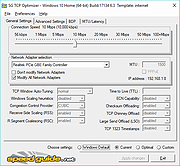 |
|
Win11Debloat v2026.08.24 Win11Debloat v2026.08.24 👉 Declutter and customize Windows 10 or 11 by removing unwanted apps, telemetry, ads, AI features and other annoyances. Win11Debloat is a lightweight PowerShell utility for cleaning up and customizing Windows without installation. It can remove preinstalled apps, disable telemetry and advertising, change privacy settings, disable unwanted Windows AI features, modify the Start menu, taskbar and File Explorer, and adjust many other Windows behaviors. It includes an interactive graphical interface as well as command-line options for administrators and automated deployments. The OlderGeeks.com download contains the official Get.ps1 quick-launch script. An Internet connection is required because this launcher downloads the current Win11Debloat release directly from the official GitHub repository before starting it. The downloaded files are placed temporarily under %TEMP%\Win11Debloat and are cleaned up when the program closes, while configuration files, logs and backups are preserved. Most changes made by Win11Debloat can be reversed, and most removed Microsoft Store applications can be reinstalled. Because the utility makes substantial changes to Windows, users should carefully review the selected options before applying them. Features: • Remove a wide variety of preinstalled Windows applications • Disable telemetry, diagnostic data collection, activity history, app-launch tracking and targeted advertising • Disable Windows tips, suggestions, lock-screen promotions and Microsoft Edge advertising • Disable Windows location services, application location access and Find My Device tracking • Hide Microsoft 365 advertising on the Settings Home page or hide the Home page completely • Disable or remove Microsoft Copilot, Windows Recall and Click to Do • Prevent the Windows AI service from starting automatically • Disable AI features in Microsoft Edge, Paint and Notepad • Restore the classic Windows 10-style context menu • Disable mouse acceleration, Sticky Keys shortcuts, Storage Sense and Fast Startup • Disable automatic BitLocker device encryption • Disable network connectivity during Modern Standby • Prevent Windows from automatically restarting after updates while a user is signed in • Disable Windows Delivery Optimization • ... |
|
302 | Aug 25, 2026 Jeffrey Raphire 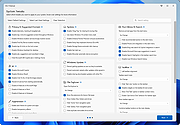 |
| Showing rows 1 to 15 of 15 | Showing Page 1 of 1 | 1 |
OlderGeeks.com Copyright (c) 2026
