|

|
Processed through Paypal No account required. |








Buy our over-priced crap to help pay the bills.



|
|
Processed through Paypal No account required. |
| Files | ||||
| File Name | Rating | Downloads | ||
 |
Chris Titus Tech's Windows Utility v26.10.07 Chris Titus Tech's Windows Utility v26.10.07 👉 All-in-one PowerShell toolbox for installs, tweaks, repairs, and update control. Chris Titus Tech's Windows Utility is a PowerShell-based utility that combines application installs, system tweaks, repair tools, and Windows Update controls into a single graphical interface. It is designed to simplify Windows setup and maintenance tasks while giving users more control over performance, privacy, and system behavior. Because it makes system-level changes, it must be run with administrator privileges. Features: • Install popular applications from a curated software list • Apply privacy, performance, and usability tweaks • Built-in repair and troubleshooting functions • Manage and control Windows Update behavior • Quick access to Windows tools and configuration panels • Debloat options for removing unnecessary Windows components Supported operating systems: • Windows 10 • Windows 11 Supported languages: English Changes: v26.10.07 10-07-26 Changes Remove redundant DisableFileSyncNGSC write that FirstLogon.ps1 immediately overrides @CozREV (#5086) chore(deps): bump astral-sh/setup-uv from 10.1.0 to 10.2.0 @dependabot[bot] (#5120) chore(deps): bump sharp from 0.35.3 to 0.35.4 in /docs @dependabot[bot] (#5077) chore(deps): bump astro from 7.1.6 to 7.3.2 in /docs @dependabot[bot] (#5075) chore(deps): bump nanoid from 3.3.16 to 3.3.19 in /docs @dependabot[bot] (#5103) chore(deps): bump svgo from 4.0.2 to 4.1.0 in /docs @dependabot[bot] (#5074) chore(deps): bump devalue from 5.9.0 to 5.9.2 in /docs @dependabot[bot] (#5099) chore(deps): bump astral-sh/setup-uv from 9.0.0 to 10.1.0 @dependabot[bot] (#5085) chore(deps): bump js-yaml from 4.3.1 to 4.3.2 in /docs @dependabot[bot] (#5083) Add File Converter application to multimedia tools @catsmoker (#5036) Kitchen sink changes @aguashui (#5040) Features feat(dns): Add real-time DNS speed benchmark and \Fastest\ auto-selection option @MADHACKER85 (#4935) Fix CurseForge entry naming in applications.json @brxndonnn (#5072) Add SyncTrayzor @KarimBenkirane (#5065) ... |
 |
4,582 | Oct 14, 2026 Chris Titus 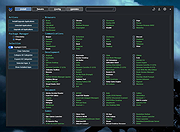 |
 |
Crapfixer v2.01 CrapFixer v2.01 👉 A lightweight Windows tweaking tool for finding, fixing and reversing unwanted Windows settings and features. CrapFixer is a free, open-source Windows tweaking utility designed to identify and fix unwanted settings, preinstalled apps and other annoyances in Windows 10 and 11. This release represents a complete rebuild of the program around a new database-driven tweak engine. Instead of hardcoding tweaks into the application, CrapFixer uses the Wintweak2.ini signature database to define settings that can be scanned, reviewed, changed and restored to their Windows defaults. The program follows a scan-first approach: analyze the system, review the results and decide which recommended changes to apply. Detailed results can show registry paths, current values, recommended values and original Windows defaults. Individual tweaks or entire categories can be restored, and CrapFixer creates registry backups before applying tweaks. Version 2 also includes an App Remover, optional PowerShell extensions, custom tweak creation, database updates and optional AI-powered explanations. AI explanations are informational only and do not participate in scanning or applying changes. Features: • Scan Windows settings and identify tweaks that require attention • Signature-driven tweak engine powered by the Wintweak2.ini database • Review changes before applying them • Restore individual tweaks or entire categories to Windows defaults • Supports registry tweaks containing multiple keys and values • Automatically handles Windows version requirements, administrator privileges and restart requirements • Detailed results display registry paths, current values, recommended values and Windows defaults • Sorts incorrectly configured settings to the top of results • Creates registry backups before applying tweaks • App Remover uses a separate Winappx.ini package database • Custom Tweaks tool lets advanced users create their own Wintweak2 signatures • Lightweight Extensions section supports optional PowerShell tools • Built-in database updating with support for merging an additional custom database • Online result analyzer and clipboard-friendly report format • Optional AI explanations for individual tweaks using Groq, OpenAI, Anthropic or OpenAI-compatible providers • AI ... |
|
2,368 | Sep 01, 2026 Builtbybel 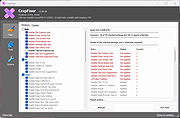 |
|
Flyoobe v3.03.100 Flyoobe v3.03.100 👉 A Windows setup and upgrade toolkit for reviewing, customizing and applying Windows 11 settings from one streamlined interface. Flyoobe is a Windows setup assistant that brings Windows settings, applications, personalization, bloatware management and upgrade tools together in one place. It uses a signature-driven checklist approach to show what is currently configured, what differs from its recommendations and what can be changed. Users can apply individual settings, restore defaults, create portable setup recipes, install apps through winget, review removable preinstalled apps and access common Windows workflows without replacing Windows Settings. The built-in Flyby11 upgrade path also helps Windows 10 systems that do not meet every Windows 11 requirement move to Windows 11. Features: • Unified overview for Windows settings, apps, personalization, bloatware and system tasks • Signature-driven Windows configuration using the editable Flyoobe.ini file • Portable setup recipes that can be saved, imported, reviewed and applied on another PC • Recipe review mode lets you inspect and discard staged changes before applying them • Individual Apply and Restore default controls for supported Windows settings • Searchable winget application installer using an editable Apps.ini catalog • Detects matching preinstalled Windows apps using Bloatware.ini and offers optional removal • Detects installed web browsers and provides quick access to Windows default-app settings • Personalization controls for Windows mode, app mode, taskbar alignment, transparency and wallpaper • Quick access to account, device, network and Windows Update workflows • Integrated Flyby11 upgrade path for Windows 10 PCs that do not meet every Windows 11 requirement • Read-only compatibility checks for TPM, Secure Boot, memory, architecture, storage and Windows version • Optional AI explanations for individual settings without allowing AI to apply changes • Native WinForms interface with improved high-DPI scaling • Editable configuration files keep recommendations, app catalogs, bloatware signatures and upgrade limits separate from the executable Supported operating systems: • Windows 10, Windows 11 Supported languages: • English, German Changes: v3.03.100 09-28-26 [Added] ... |
|
3,866 | Sep 30, 2026 Builtbybel 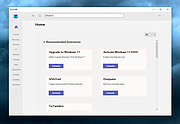 |
|
NixThis v0.42.2 NixThis v0.42.2 👉 A portable tool for blocking unwanted Windows ads, suggestions, and interface clutter. NixThis helps you find and disable unwanted Windows features by pointing at them on your screen. Instead of searching through Settings or sorting through hundreds of unfamiliar tweaks, you select an interface element and let NixThis look for the Windows setting behind it. Click “Pick an element” or press Ctrl + Shift + Space, then move your pointer over the item you want to remove. A green outline means NixThis recognizes the element. Click it to review what will change before deciding whether to block it. NixThis intercepts the click so you do not accidentally activate the button underneath. A gray outline means the element is not recognized; its signature is recorded locally, and no settings are changed. You can also use the searchable filter list to review available changes, including features that are not currently visible on your screen. Each entry explains where the item appears and what its filter changes. Select the entries you want and choose “Apply changes.” NixThis remembers previous registry values so you can restore settings through “What you blocked” and “Bring it back.” Uninstalled Microsoft Store apps work differently: NixThis opens the matching Store page so you can reinstall them. The program is portable. Extract the download into a folder you can write to and run NixThis.exe. Its normal blocking features work locally. Optional AI explanations require your own API key and send only the selected setting’s name and technical details to the provider. Features: • Point-and-click element picker for identifying recognized Windows interface features. • Green and gray outlines distinguish recognized elements from unknown ones. • Review the proposed setting change before applying a filter. • Searchable filter list includes items that are not currently visible on screen. • Apply multiple selected filters together. • Each filter explains where its target appears and what will change. • Restore ... |
|
116 | Oct 19, 2026 Builtbybel 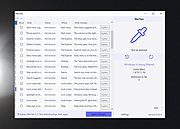 |
|
Win11Debloat v2026.08.24 Win11Debloat v2026.08.24 👉 Declutter and customize Windows 10 or 11 by removing unwanted apps, telemetry, ads, AI features and other annoyances. Win11Debloat is a lightweight PowerShell utility for cleaning up and customizing Windows without installation. It can remove preinstalled apps, disable telemetry and advertising, change privacy settings, disable unwanted Windows AI features, modify the Start menu, taskbar and File Explorer, and adjust many other Windows behaviors. It includes an interactive graphical interface as well as command-line options for administrators and automated deployments. The OlderGeeks.com download contains the official Get.ps1 quick-launch script. An Internet connection is required because this launcher downloads the current Win11Debloat release directly from the official GitHub repository before starting it. The downloaded files are placed temporarily under %TEMP%\Win11Debloat and are cleaned up when the program closes, while configuration files, logs and backups are preserved. Most changes made by Win11Debloat can be reversed, and most removed Microsoft Store applications can be reinstalled. Because the utility makes substantial changes to Windows, users should carefully review the selected options before applying them. Features: • Remove a wide variety of preinstalled Windows applications • Disable telemetry, diagnostic data collection, activity history, app-launch tracking and targeted advertising • Disable Windows tips, suggestions, lock-screen promotions and Microsoft Edge advertising • Disable Windows location services, application location access and Find My Device tracking • Hide Microsoft 365 advertising on the Settings Home page or hide the Home page completely • Disable or remove Microsoft Copilot, Windows Recall and Click to Do • Prevent the Windows AI service from starting automatically • Disable AI features in Microsoft Edge, Paint and Notepad • Restore the classic Windows 10-style context menu • Disable mouse acceleration, Sticky Keys shortcuts, Storage Sense and Fast Startup • Disable automatic BitLocker device encryption • Disable network connectivity during Modern Standby • Prevent Windows from automatically restarting after updates while a user is signed in • Disable Windows Delivery Optimization • ... |
|
303 | Aug 25, 2026 Jeffrey Raphire 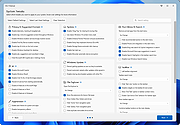 |
 |
Winhance v26.06.12 Winhance v26.06.12 👉 Enhance, debloat, and customize Windows with powerful system tweaks. Winhance is a Windows optimization and customization tool designed to help users debloat, fine-tune, and enhance their Windows experience. It provides a structured interface to adjust privacy settings, remove unwanted apps, optimize performance, and configure various system components in a safe and organized way. Winhance simplifies advanced Windows configuration by grouping hundreds of commonly used tweaks, optimizations, and customization options into an intuitive interface. It can remove unnecessary Windows components, improve privacy, adjust gaming and performance settings, install or remove software, customize Explorer and the Start menu, and generate reusable configuration files for deploying the same settings across multiple computers. Winhance is open source and supports both installed and portable operation. Features: • Remove preinstalled Windows apps, optional features, and unwanted components • Apply privacy, security, gaming, and performance optimizations • Customize the taskbar, Start menu, Explorer, desktop, and Windows appearance • Install or uninstall popular third-party software from a built-in catalog • Configure Windows services, power settings, networking, and system behavior • Create reusable Winhance configuration files and unattended Windows deployment files • Review and track applied changes with a built-in change history log • Available as both an installed and portable application • Open source with support for Windows 10 and Windows 11 Supported operating systems: • Windows 10 x64 (22H2), Windows 11 (23H2, 24H2, 25H2) Supported languages: Arabic, Bulgarian, Chinese (Simplified), Chinese (Traditional), Croatian, Czech, Danish, Dutch, English, Finnish, French, German, Greek, Hebrew, Hungarian, Italian, Japanese, Korean, Norwegian Bokmål, Polish, Portuguese (Brazil), Portuguese (Portugal), Romanian, Russian, Serbian, Slovak, Spanish, Turkish, Ukrainian Changes: v26.06.12 06-12-26 • Added Builder Mode for creating Winhance configuration files and autounattend.xml files without modifying the current PC • Added a Sponsors & Supporters page and a Change History log that records all applied settings and app installations/removals • Added Hebrew language support, bringing the total to 29 supported languages • Added new Explorer ... |
|
1,102 | Jun 29, 2026 Marco du Plessis 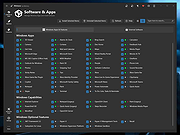 |
| Showing rows 1 to 6 of 6 | Showing Page 1 of 1 | 1 |
OlderGeeks.com Copyright (c) 2026
