|

|
Processed through Paypal No account required. |








Buy our over-priced crap to help pay the bills.



|
|
Processed through Paypal No account required. |
| Files | ||||
| File Name | Rating | Downloads | ||
 |
Account Profile Fixer v1.9.0.0 Account Profile Fixer v1.9.0.0 👉 Repair broken Windows user profiles without reinstalling or resetting Windows. Account Profile Fixer helps repair severe Windows account profile problems by replacing a damaged user account with a new working one while keeping the same user name, profile folder, privileges and user data. It can be useful when Microsoft Edge will not work, Windows Store apps are broken, Windows Explorer is not showing the Start screen or notification area, or a user cannot log in properly. APF automates the normally tedious process of creating a new user account, moving data from the old profile, deleting the broken account and logging back into the repaired profile. Features: • Repairs severe user profile problems without a full Windows reinstall • Creates a new user account with the same name, profile directory and privileges • Moves user data from the broken profile to the repaired profile • Automatically deletes the old broken user account • Uses a temporary admin account during the repair process • Automatically reboots and logs into the repaired account when finished • Optional preservation of Windows Store app package data • Optional preservation of Windows system AppData settings • Displays a repair operation log when complete • Free software supported by donations Supported operating systems: • Windows 7, Windows 8, Windows 8.1, Windows 10, Windows 11 • 32-bit and 64-bit Supported languages: English Changes: v1.9.0.0 09-14-24 Not provided. Click here to visit the author's website. |
 |
7,017 | Jun 14, 2026 Carifred 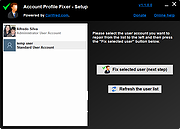 |
|
Alternate File Shredder v3.100 Alternate File Shredder v3.100 👉 Securely and permanently erase files, folders, and free disk space to prevent data recovery. Alternate File Shredder is a freeware, open-source utility designed to securely destroy files and folders so they cannot be recovered with standard undelete or forensic recovery tools. Instead of simply removing file references from the file system, it repeatedly overwrites the contents using configurable methods before deleting them, making recovery extremely difficult or impossible. The program can also overwrite unused free space on a drive to eliminate remnants of files that were previously deleted without secure wiping. Additional options allow you to overwrite data with random values, a fixed value, or the contents of another file, giving you flexibility for different security requirements. Because secure deletion is permanent, the author recommends carefully reviewing all selected items before proceeding. Features: • Permanently erase files and folders by securely overwriting data before deletion • Wipe free disk space to remove recoverable traces of previously deleted files • Choose overwrite methods using random values, fixed values, or a template file • Configure multiple overwrite iterations for increased security • Optionally overwrite file names before deletion • Ignore write protection when desired • Drag-and-drop support for quickly adding files and folders • Displays detailed file information before shredding • Processing log for completed operations • Open source and free to use Supported operating systems: • Windows Vista, Windows 7, Windows 8, Windows 8.1, Windows 10, Windows 11, Windows Server Supported languages: • English, German, Spanish, French, Italian, Chinese, Japanese, Korean, Swedish, Arabic, Greek, Russian, Czech, Hungarian, Turkish, Polish, Portuguese, Slovenian, Danish, Dutch Changes: v3.100 02-13-26 Added custom colors Options extended Note: This file has four hits on VirusTotal. We have confirmed these to be false positives. The file is safe. Click here to visit the author's website. |
|
7,428 | Jul 07, 2026 Alternate Tools 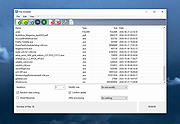 |
 |
AnkhTech WinPE v15 AnkhTech WinPE v15 👉 Bootable Windows recovery and maintenance environment. Ankh Tech Windows Boot is a bootable utility environment designed to help users troubleshoot, repair, and maintain Windows systems outside of the standard operating system. It provides a standalone boot solution that can be used for system recovery, diagnostics, and general maintenance tasks when Windows is unable to start normally. Built to operate independently from an installed Windows instance, Ankh Tech Windows Boot allows access to system tools and repair functions in a controlled environment, making it useful for resolving startup problems, performing maintenance, and working with system files safely. Features: • Bootable Windows-based recovery environment • Designed for system troubleshooting and repair • Access to maintenance and diagnostic tools outside the main OS • Useful for fixing startup and boot-related issues • Standalone operation independent of installed Windows Supported operating systems: • Any computer that can boot from a USB or DVD and has a 64bit CPU. Supported languages: English Programs List Notes: • All the Programs are Activated • All Programs work without Problems (All Tested) • All Programs are in PStart in each System • Some System Related Programs in the Start Menu • Some Programs Require Internet Connection like the Antivirus Section • More than 1 alternative in each category • Some of These Programs are integrated in the Context Menu (ex. WinRAR , UltraISO etc etc) • Some of These Programs Open Their File Extensions (ex. WinRAR opens Compressed Files etc etc) • it even contains games , just in-case you planning to do time consuming tasks so you don't get bored Programs List: Antivirus ESET Online Scanner Trellix Stinger Trend Micro House Call HijackThis Back and Restore Acronis True Image Acronis True Image 2014 Acronis True Image 2019 Acronis True Image ... |
|
5,742 | Apr 19, 2026 Ankh Tech 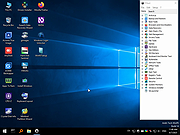 |
|
Antivirus Live CD v52.0-1.5.2 Antivirus Live CD v52.0-1.5.2 👉 A 4MLinux fork including the ClamAV scanner. It's designed for users who need a lightweight live CD, which will help them to protect their computers against viruses. Ethernet, WiFi, PPP and PPPoE are supported by Antivirus Live CD to enable automatic updates of its virus signature databases. All partitions are mounted during the boot process so that they can be scanned by ClamAV. The Antivirus Live CD ISO images are fully compatible with UNetbootin, which can be used to create an easy-to-use Antivirus Live USB. Features: • Lightweight bootable antivirus rescue environment based on 4MLinux • Includes the ClamAV antivirus engine • Scans all mounted disk partitions automatically • Updates virus signature databases over the Internet • Supports Ethernet, Wi-Fi, PPP, and PPPoE network connections • Boots from CD, DVD, or USB flash drive • Fully compatible with UNetbootin for creating bootable USB media • Command-line interface optimized for malware removal and system recovery • Supports a wide range of Windows and Linux file systems • Ideal for scanning systems that cannot boot normally • Small download size with low system requirements • Includes essential Linux utilities for file management and troubleshooting Supported operating systems: • Windows XP, Windows Vista, Windows 7, Windows 8, Windows 8.1, Windows 10, Windows 11 • Linux distributions with supported file systems (btrfs, ext2, ext3, ext4, f2fs, FAT16, FAT32, HFS, HFS+, JFS, NILFS2, NTFS, ReiserFS, Reiser4, XFS) Supported languages: • English Changes: v51.0-1.5.1 02-08-26 • Updated to 4MLinux 51.0 BETA. • Updated ClamAV to v1.5.1. Click here to visit the author's website. |
|
8,997 | Aug 06, 2026 zk1234  |
|
AOMEI Backupper Standard v8.4.0 AOMEI Backupper Standard v8.4.0 👉 Free backup, sync, restore, and disk cloning software for protecting your system and personal data. AOMEI Backupper Standard is free backup software designed to protect personal data and operating systems with backup, restore, sync, and cloning tools. It can back up files, folders, disks, partitions, and systems, create automatic scheduled backups, sync files to local and network locations, clone data disks for drive replacement or upgrades, and create bootable rescue media for recovery when the system cannot start. Features: • System, disk, partition, and file backup • File restore, system restore, disk restore, and partition restore • Automatic scheduled backups with daily, weekly, and monthly options • Incremental backup support • Basic file sync to local disks, external drives, network shares, and NAS • Disk clone for data disks and partition clone • Intelligent sector clone and SSD alignment support • Bootable media creation for recovery • Backup to local disk, external disk, USB flash drive, network/NAS, cloud drive, and CD/DVD • Backup image splitting, compression, checking, and task import/export • Recovery environment creation in the boot menu • Email notifications with Gmail and Hotmail SMTP support in the Standard edition Supported operating systems: • Windows 7, Windows 8, Windows 8.1, Windows 10, Windows 11 • macOS 10.13 (High Sierra) or higher Supported languages: • English, German, French, Japanese, Italian, Dutch, Spanish, Turkish, Polish, Simplified Chinese, Traditional Chinese Changes: v8.4.0 06-18-26 Optimized: Now it allows to reset the System Security Identifier (SID) during system/system disk clone and restore. This seamlessly eliminates network and permission conflicts after migrating systems to multiple PCs, making IT management and batch deployment much more efficient. Optimized: The task execution details page now displays "Transfer Speed" and "Estimated Time Remaining" in real-time, providing clear, at-a-glance visibility into your progress. Optimized: When the window of the backup source and destination selection pop-up is enlarged, the list column widths will automatically adjust the spacing according to ... |
|
10,094 | Aug 14, 2026 AOMEI Technology Co., Ltd 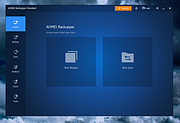 |
|
AOMEI Cyber Backup Free v4.5.0 AOMEI Cyber Backup Free v4.5.0 👉 Free centralized backup and disaster recovery solution for virtual machines, Windows systems, and SQL Server databases. AOMEI Cyber Backup Free is an enterprise-class backup and recovery platform that allows administrators to protect virtual machines, physical computers, servers, and databases from a single web-based management console. Designed for businesses, IT departments, MSPs, and home labs, it simplifies backup scheduling, monitoring, restoration, and storage management across multiple systems. The free edition provides a surprisingly comprehensive feature set for small environments. It supports up to 3 Hyper-V virtual machines, 3 VMware ESXi virtual machines, unlimited VMware Free ESXi virtual machines, 3 Microsoft SQL Server databases, 3 Windows PCs, and 1 Windows Server. Included at no cost are agentless VM backups, full, incremental, and differential backup methods, automated scheduling, Amazon S3 backup archiving, task monitoring, log management, role-based management, and point-in-time recovery. While some advanced enterprise capabilities require a paid license, the free edition delivers powerful centralized backup protection suitable for many small business and lab deployments. Features: • Centralized web-based backup management console • Protect up to 3 Hyper-V virtual machines • Protect up to 3 VMware ESXi virtual machines • Unlimited VMware Free ESXi virtual machine support • Protect up to 3 Microsoft SQL Server databases • Protect up to 3 Windows PCs • Protect 1 Windows Server • Agentless backup for VMware and Hyper-V virtual machines • Full backup support • Incremental backup support • Differential backup support • Automated backup scheduling and execution • Backup to local storage devices • Backup to network shares and NAS devices • Archive backups to Amazon S3 cloud storage • Flexible retention policy configuration • Restore entire virtual machines • Restore from any available backup point • Restore workloads to their original location • Backup task monitoring dashboard • Backup log management and reporting • Email notification support • Role-based management controls • Centralized monitoring of all protected workloads • Browser-based administration from any supported system • Free ... |
|
1,138 | Jun 12, 2026 AOMEI Technology Co., Ltd  |
 |
AV block remover (AVbr) v4 AV block remover (AVbr) v4 👉 A free malware-removal and system-repair tool designed to restore computers whose security software and Windows functions have been blocked by malware. AV block remover (AVbr) is a free utility designed to help clean Windows computers infected with malware that interferes with antivirus programs, security utilities and normal system operation. AVbr automates a collection of diagnostic and remediation procedures and uses Oleg Zaitsev's AVZ antivirus utility as part of its operation. It can help remove malware, restore Windows settings altered by malicious software, remove malicious policies and restrictions, and address infections that deliberately prevent security programs from running. Features: • Designed to remove active malware and repair changes made to Windows by malicious software • Helps when malware blocks antivirus and other security programs • Performs automated system diagnostics and remediation • Uses the AVZ antivirus utility during its malware detection and cleanup procedures • Includes AVZ Toolkit • Searches for malicious and suspicious system activity • Helps detect and remove malware that interferes with normal Windows operation • Removes malicious system policies and restrictions • Helps restore system settings modified by malware • Can assist with infections that prevent security and diagnostic utilities from launching • Generates diagnostic information that can be used when investigating an infected computer • Portable utility that does not require conventional installation Supported operating systems: Windows Vista, Windows 7, Windows 8, Windows 8.1, Windows 10, Windows 11 Supported languages: English, Russian Changes: v4 and AVZ Toolkit v6.12, dated 08-31-26 Now helps in the case of blocking antivirus signatures through systemic equipment. Added removal of the start-up of antivirus start-up, added by CertLock viruses blocking... Complementary functionality 1) AppLocker policy check and reset if working policies are found. 2)... Update 1) Check the existence of the Hosts file added. If it is not, it creates a pure Hosts... Note: This file has two hits on VirusTotal. We have confirmed these to be false positives. The file ... |
|
251 | Sep 01, 2026 safezone.cc / Oleg Zaitsev 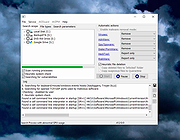 |
|
balenaEtcher v2.1.6 balenaEtcher v2.1.6 👉 Flash operating system images to USB drives and SD cards safely and easily. balenaEtcher is a free, open-source utility designed to write operating system images to USB flash drives and SD cards with a simple, streamlined interface. Whether you're creating bootable media for Linux distributions, Raspberry Pi operating systems, recovery environments, or other disk images, balenaEtcher minimizes the risk of selecting the wrong drive through built-in safety checks. It also validates written images after flashing to help ensure the media was created successfully, making it a reliable choice for beginners and experienced users alike. Features: • Flash ISO, IMG, ZIP, BZ2, GZ, XZ, DMG, and other supported image formats directly to USB drives and SD cards. • Simple three-step workflow: Select image, choose target drive, and flash. • Automatically validates written images to verify successful flashing. • Helps prevent accidental overwriting of system drives by hiding unsafe targets. • Supports flashing compressed images without requiring manual extraction. • Cross-platform interface with a consistent experience across Windows, macOS, and Linux. • Open source under the Apache 2.0 license. • Suitable for creating bootable media for Linux distributions, Raspberry Pi, recovery tools, and other operating system images. Supported operating systems: • Windows 10, Windows 11 • macOS 10.13 High Sierra or later (Intel and Apple Silicon) • Linux (64-bit Debian, Ubuntu, Fedora, RHEL, Arch, Manjaro, and most modern x64 distributions) Supported languages: English Changes: v2.1.6 05-13-26 • Fixed macOS x86 builds by switching to the macOS 14 Large GitHub Actions runner. This download is for the Windows version (very bottom of page). All other download assets are below: macOS: balenaEtcher-2.1.6-x64.dmg balenaEtcher-2.1.6-arm64.dmg Linux: balenaEtcher-linux-x64-2.1.6.zip balenaEtcher-1.7.9-ia32.AppImage (Legacy 32bit) Click here to visit the author's website. |
|
5,882 | Aug 06, 2026 balena 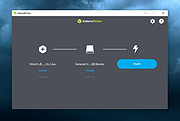 |
|
Clear Disk Info v4.4.1.0 Clear Disk Info v4.4.1.0 👉 Monitor hard drive and SSD health information with a clean and easy-to-read interface. Clear Disk Info is a lightweight disk monitoring utility designed to display detailed SMART information for hard drives and SSDs. It helps users keep track of drive health, temperature, firmware details, power-on hours, transfer modes, and other important storage statistics in a clear and organized layout. The program supports multiple storage device types and provides quick access to essential diagnostic information for detecting potential drive problems before data loss occurs. Features: • Displays SMART health and diagnostic information for HDDs and SSDs • Shows drive temperature, health status, firmware, and serial numbers • Supports SATA, NVMe, and USB-connected storage devices • Monitors power-on hours, drive usage, and transfer modes • Clean and lightweight user interface with easy-to-read statistics • Provides real-time drive condition monitoring • Supports multiple drives simultaneously • Portable and installer versions available • Designed for fast access to essential disk health data Supported operating systems: • Windows 7, Windows 8, Windows 10, Windows 11 Supported languages: English Changes: v4.4.1 08-02-25 Refreshed the UI with a more modern font. Bug fixes Click here to visit the author's website. |
|
11,612 | May 19, 2026 Carifred 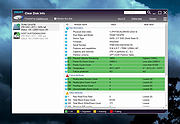 |
|
DiskGenius Free v6.2.0.1829 DiskGenius Free v6.2.0.1829 👉 Free partition management, data recovery, backup, and disk utility software. DiskGenius Free Edition is an all-in-one disk utility designed to help users manage partitions, recover lost files, back up important data, and maintain storage devices. The free version provides a powerful set of tools for partition creation, formatting, resizing, cloning, and file recovery while remaining suitable for home users, technicians, and advanced PC enthusiasts. DiskGenius Free Edition supports hard drives, SSDs, USB flash drives, memory cards, and virtual disks. It can recover deleted files, restore lost partitions, inspect SMART information, clone disks and partitions, securely erase drives, and convert partition tables between MBR and GPT. The free version also includes hexadecimal disk editing tools, bad sector checking, and support for numerous file systems. Features: • Create, delete, format, resize, split, and merge partitions • Recover deleted files from HDDs, SSDs, USB drives, and memory cards • Recover lost or damaged partitions • Clone disks and partitions • Backup and restore partition tables • Convert disks between MBR and GPT formats • Check and repair bad sectors • View and monitor SMART disk information • Securely erase files and partitions • Supports NTFS, FAT32, exFAT, EXT2, EXT3, and EXT4 file systems • Browse and edit files directly from partitions • Includes a hexadecimal disk editor • Supports virtual disk files including VMware, VirtualBox, and Hyper-V formats • Create bootable USB drives for disk recovery tasks • Analyze disk usage and partition structure Supported operating systems: • Windows XP, Windows Vista, Windows 7, Windows 8, Windows 8.1, Windows 10, Windows 11, Windows Server 2003, Windows Server 2008, Windows Server 2012, Windows Server 2016, Windows Server 2019, Windows Server 2022 Supported languages: English, German, French, Spanish, Italian, Portuguese, Russian, Japanese, Korean, Chinese Traditional, Chinese Simplified, Turkish, Czech Changes: v6.2.0.1829 08-04-26 New Add the "Disk Speed Test" feature. Add the "Windows Boot Repair and Conversion" feature. ... |
|
16,825 | Aug 04, 2026 Eassos Ltd. 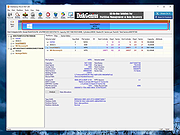 |
|
EaseUS Partition Master Free v20.2.0 EaseUS Partition Master Free v20.2.0 (This is the full package, not the downloader.) 👉 Free disk partition management and cloning software for Windows. EaseUS Partition Master Free is a user-friendly disk management utility designed to help home users organize, resize, clone, and manage storage devices without data loss. The free edition provides essential partitioning tools for managing HDDs, SSDs, USB drives, and external storage devices through an easy graphical interface suitable for beginners and advanced users alike. The software allows users to create, delete, format, resize, move, merge, and wipe partitions while helping optimize disk space usage and improve drive organization. EaseUS Partition Master Free also includes basic disk cloning capabilities, partition recovery tools, disk surface testing, and bootable media creation features for maintenance and troubleshooting tasks. Features: • Resize, move, merge, split, create, delete, and format partitions • Clone partitions and disks using the free disk clone feature • Convert file systems between FAT32 and NTFS without formatting • Support for HDD, SSD, USB flash drives, memory cards, and external drives • Migrate data between storage devices • Basic partition recovery tools for lost or deleted partitions • Create WinPE bootable media for maintenance and recovery tasks • Disk surface test and bad sector checking utilities • Wipe partitions and securely erase data • GPT and MBR disk support • Simple graphical interface with drag-and-drop partition management • Includes free toolbox utilities for disk and partition maintenance • Supports large-capacity modern storage drives Supported operating systems: • Windows 7, Windows 8, Windows 8.1, Windows 10, Windows 11 Supported languages: • English, Deutsch, Franηais, Espaρol, Italiano, Portuguκs, Nederlands, Polski, Dansk, Malay, العربية, ไทย, 日本語, 繁體中文, Русский, 한국어 Changes: v20.2.0 06-09-26 • Improved partition management stability and performance • Enhanced disk cloning compatibility • Updated interface and usability improvements • Fixed known bugs and minor issues Click here to visit the author's website. |
|
20,902 | Jun 09, 2026 EASEUS 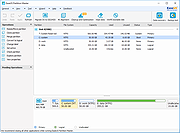 |
|
Endstate v3.10.0 Endstate v3.10.0 👉 Save your Windows apps and settings, then quickly rebuild them on a new PC. Endstate is a free, local-first Windows setup and recovery tool that records the applications installed on your computer along with settings for supported programs, then uses that information to rebuild your setup on a fresh Windows installation. Instead of copying installed program files from one PC to another, Endstate identifies your software and uses Windows Package Manager (winget) to reinstall available applications cleanly. You can scan an existing computer and save its setup to a portable file that you control. On a new or freshly installed Windows PC, load that saved setup and Endstate compares it with the new machine, shows which applications are missing and lets you choose what to install and which supported settings to restore. Scanning and saving can be performed offline, while reinstalling applications requires an internet connection to download their installers. No Endstate account is required. Features: • Automatically scans your Windows PC and detects installed applications • Detects traditional EXE/MSI-installed software and Microsoft Store applications • Uses winget to reinstall supported applications from their normal installation sources • Captures and restores settings for more than 300 supported applications • Settings support includes editors, IDEs, terminals, creative applications, media players, emulators, note-taking programs and more • Settings capture is optional and can be selected per application • Saves your setup to portable files that you control • Saved setups can be copied, backed up or moved to another computer • No mandatory cloud storage is required • No account is required for the free local product • Provides both a graphical interface and command-line interface • Supports capture, restore, profiles and manifests • Preview mode compares a computer against a saved setup without making changes • Shows which applications need to be installed and which are already present • Applications are installed individually rather than silently ... |
|
323 | Aug 11, 2026 Substrate Systems 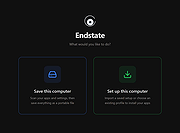 |
|
Farbar Recovery Scan Tool v2.7.2026.0 Farbar Recovery Scan Tool v2.7.2026.0 Advanced diagnostic and recovery tool for Windows systems. Farbar Recovery Scan Tool is a powerful portable utility designed to diagnose, troubleshoot, and repair Windows systems. Commonly used by malware removal experts and advanced users, it creates detailed reports about system configuration, installed programs, startup entries, services, drivers, registry settings, and more. Farbar Recovery Scan Tool can run in normal Windows mode or from the Windows Recovery Environment, making it especially useful for systems that fail to boot properly. It generates comprehensive FRST.txt and Addition.txt reports that can be analyzed manually or used with custom fix scripts to repair system issues, remove malware remnants, and restore damaged configurations. This tool is intended for advanced users and guided troubleshooting scenarios, as improper fixes may cause system instability. Features: • Portable executable, no installation required • Generates detailed system diagnostic reports (FRST.txt and Addition.txt) • Identifies startup entries, services, drivers, scheduled tasks, and registry items • Supports custom fix scripts for targeted system repairs • Can run from Windows Recovery Environment (WinRE) • Useful for malware cleanup and advanced troubleshooting Supported operating systems: • Windows 7, Windows 8, Windows 8.1, Windows 10, Windows 11 Supported languages: • English Changes: v2.7.2026.0 07-02-26 Not provided. Note: This file has five hits on VirusTotal. We have confirmed these to be false positives. The file is safe. This download is for the Windows 64bit version (very bottom of page). If you need the Windows 32bit version, download here. Click here to visit the author's website. |
|
8,967 | Jul 05, 2026 Farbar 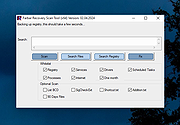 |
|
InnoExtractor v12.1.1.185 InnoExtractor v12.1.1.185 👉 Powerful utility for unpacking and exploring Inno Setup installers. InnoExtractor is an advanced application that allows you to inspect, extract, and explore the contents of installers created with Inno Setup without needing to run the installation process. It provides a clean and user-friendly interface for viewing internal files, scripts, registry entries, installation structure, and embedded resources from supported setup packages. InnoExtractor is especially useful for software archivists, developers, system administrators, and advanced users who want to analyze installer contents or recover files from installation packages. Features: • Open and inspect Inno Setup installer packages • Extract files and folders from installers without running setup • View internal installer scripts and configuration data • Explore embedded files, icons, images, and resources • Display detailed installer information and metadata • Supports password-protected installers when password is known • Search and filter installer contents • Drag-and-drop support for opening setup files • Supports Unicode installers • Export installer information and file lists • Multi-language user interface Supported operating systems: • Windows 7, Windows 8, Windows 8.1, Windows 10, Windows 11 Supported languages: Arabic, Azerbaijani, Czech, Danish, Dutch, English, French, German, Greek, Hungarian, Italian, Japanese, Korean, Polish, Portuguese (Portugal), Russian, Simplified Chinese, Spanish, Traditional Chinese, Turkish, Ukrainian Changes: v12.1.1.185 10-14-26 - Updated Danish, Italian, Russian and Ukrainian language files. - Fixed a minor bugs from previous version. Note: This file has one hit on VirusTotal. We have confirmed this to be a false positive. The file is safe. Click here to visit the author's website. |
|
743 | Oct 15, 2026 Havy Alegria 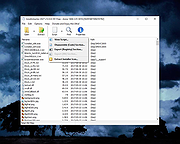 |
|
Linux Reader v5.2 Linux Reader v5.2 👉 Free tool for safely accessing Linux and other file systems from Windows. Linux Reader by DiskInternals is a free Windows utility for accessing files and folders stored on Linux, macOS and other file systems that Windows does not normally recognize. It provides safe, read-only access to source drives, allowing you to browse, preview and copy files without modifying the original file system. It can work with internal and external drives, USB flash drives, memory cards and other supported storage devices. Features: • Provides read-only access to supported file systems to help protect source data • Browses files and folders using a Windows Explorer-style interface • Extracts and saves accessible files to Windows storage • Previews supported files before saving them • Supports Ext2, Ext3 and Ext4 Linux file systems • Supports ReiserFS and Reiser4 • Supports HFS and HFS+ in reader mode • Supports FAT and exFAT • Supports NTFS and ReFS • Supports UFS2 and RomFS • Supports APFS in reader mode • Supports RAID 0, RAID 1, RAID 4, RAID 5, RAID 50, RAID 10 and JBOD • Accesses supported partitions that Windows cannot normally open • Works with internal and external HDDs and SSDs, USB drives and other storage media • Bypasses Linux file access permissions when reading attached Linux storage • Creates disk images for backup or recovery work • Keeps the original file system unchanged while browsing and extracting data Supported operating systems: • Windows XP, Windows Vista, Windows 7, Windows 8, Windows 8.1, Windows 10, Windows 11 • Windows Server 2003 through Windows Server 2025 Supported languages: English Changes: v5.2 08-20-26 Not Provided. Click here to visit the author's website. |
|
7,762 | Aug 25, 2026 DiskInternals, ltd. 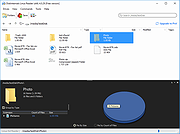 |
|
LostMyPassword v1.02 LostMyPassword v1.02 👉 Recover lost passwords stored by software installed on your Windows system. LostMyPassword is a Windows tool that allows you to recover a lost password if it is stored by software installed on your system. It can extract passwords from popular web browsers, including Chrome, Firefox, Microsoft Edge, Brave, Internet Explorer, and Opera, as well as POP3/IMAP/SMTP passwords stored by email software such as Microsoft Outlook, Thunderbird, and Windows Mail. It can also recover Dialup/VPN passwords stored by Windows and login passwords for remote computers stored by Windows. The program can run as a normal user or as Administrator, with Administrator mode required for some password types that cannot be decrypted without elevated privileges. Features: • Recovers passwords stored by installed Windows software • Extracts passwords from web browsers including Chrome, Firefox, Microsoft Edge, Brave, Internet Explorer, and Opera • Recovers POP3, IMAP, and SMTP passwords from email programs including Microsoft Outlook, Thunderbird, and Windows Mail • Retrieves Dialup and VPN passwords stored by Windows • Recovers remote computer login passwords stored by Windows • Can run in normal user mode or Administrator mode • Standalone utility that does not require installation or additional DLL files Supported operating systems: • Windows XP, Windows Vista, Windows 7, Windows 8, Windows 8.1, Windows 10, Windows 11 • Windows 32-bit, Windows 64-bit Supported languages: English, Brazilian Portuguese, Dutch, French, German, Greek, Hungarian, Italian, Japanese, Korean, Polish, Russian, Simplified Chinese, Slovak, Spanish, Traditional Chinese Changes: v1.02 Updated to decrypt the passwords for the encryption change of Firefox 144 and Thunderbird 146. Notice: On the latest update of Windows 11 (24H2), LSA protection is enabled by default, and this feature blocks LostMyPassword from retrieving passwords stored by Windows operating system. You can disable the LSA protection by following the instructions on this Microsoft Web page: Disable LSA protection WARNING: Your antivirus SHOULD block this program. Think of it as a ... |
|
5,530 | Mar 16, 2026 Nirsoft 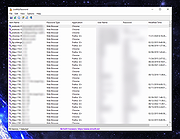 |
|
macOStoUSB v1.1.0 macOStoUSB v1.1.0 👉 Easily download official macOS installers and create bootable USB drives for recovery, upgrades, and clean installations. macOStoUSB is a specialized utility designed to simplify the process of creating bootable macOS USB installation drives using official Apple installer files. Instead of manually hunting for installer packages, entering Terminal commands, or dealing with complicated setup procedures, macOStoUSB provides a clean guided interface that walks users through the entire process from start to finish. The application automatically connects to Apple’s official software catalogs and allows users to select and download supported macOS versions directly from Apple’s servers. Once downloaded, macOStoUSB prepares a USB flash drive and creates a fully bootable installer that can be used for clean installs, macOS upgrades, system recovery, troubleshooting, testing, or maintaining multiple Mac systems. macOStoUSB is especially useful for technicians, IT departments, repair shops, and advanced home users who regularly reinstall or maintain Macs. The software includes intelligent download handling, resume support for interrupted downloads, verification tools, and compatibility support for both Intel-based Macs and Apple Silicon systems. The interface is designed to remain simple enough for beginners while still offering the reliability and functionality expected by experienced Mac users. The app is signed and notarized by Apple for additional security and trust. Features: • Downloads official macOS installers directly from Apple servers • Creates bootable USB installers for macOS deployment and recovery • Supports both Intel-based Macs and Apple Silicon systems • Simplified step-by-step workflow for creating installation media • Automatically detects compatible USB storage devices • Provides access to multiple macOS versions from Apple catalogs • Handles download interruptions with smart resume capability • Verifies installer integrity and USB creation status • Useful for clean installations, upgrades, diagnostics, and repairs • Eliminates the need for manual Terminal commands • Designed for technicians, repair shops, and IT environments • Signed and notarized by Apple for improved security • Modern lightweight interface optimized ... |
|
575 | May 26, 2026 macOStoUSB 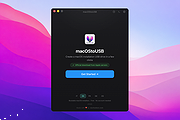 |
|
Microsoft Support and Recovery Assistant v17.01.0268.003 Microsoft Support and Recovery Assistant v17.01.0268.003 The Microsoft Support and Recovery Assistant works by running tests to figure out what's wrong and offers the best solution for the identified problem. System Requirements: Supported Operating Systems Windows 7, Windows 8, Windows 8.1, Windows 10, Windows 11 Outlook in any of the following Office versions can be scanned: Microsoft Office 365 (2019, 2016, or 2013, 32-bit or 64-bit) Microsoft Office 2019 (32-bit or 64-bit; Click-to-Run or MSI installations) Microsoft Office 2016 (32-bit or 64-bit; Click-to-Run or MSI installations) Microsoft Office 2013 (32-bit or 64-bit; Click-to-Run or MSI installations) Microsoft Office 2010 (32-bit or 64-bit) Note: If you are running any edition of Windows 7, you must also have .NET Framework 4.5 installed. Windows 8 and later versions of Windows include at least .NET Framework 4.5. The Microsoft Support and Recovery Assistant offers the best solution for these identified problems: Office I get an error when I install Office I can't activate Office I need to uninstall Office Outlook Outlook won't start I can't setup my Microsoft 365 email in Outlook Outlook keeps asking for my password Outlook keeps saying "Trying to connect..." or "Disconnected" Shared mailboxes or shared calendars don't work I'm having problems with my calendar Outlook stops responding Outlook keeps crashing I can't send, receive, or find email OneDrive for Business I can't sync my files with OneDrive I can't install OneDrive Other Office apps I can't sign into Skype for Business I can't get email on my phone I'm having trouble opening or signing in to Outlook on the web I can't install, connect, or enable Dynamics 365 for Outlook The Teams Meeting option isn’t shown or the Teams Meeting add-in doesn’t load in Outlook There are additional scenarios for Outlook on the web, Outlook for Mac, and Mobile devices, plus advanced diagnostics for Exchange Online and Outlook. Click here to visit the author's website. |
|
4,349 | Jul 02, 2023 Microsoft Corp. 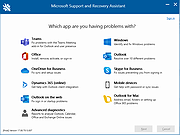 |
|
MultiOS-USB v0.12.1 MultiOS-USB v0.12.1 👉 Create a multiboot USB flash drive capable of launching multiple operating system installers and utilities directly from ISO/WIM images. MultiOS-USB is a utility that allows you to build a single bootable USB flash drive containing multiple operating system installers and recovery tools. Instead of keeping separate installation media for different systems, MultiOS-USB organizes ISO images on one device and presents them through a boot menu so you can choose which system or tool to launch. MultiOS-USB simplifies system deployment, testing environments, and recovery workflows by letting technicians keep a portable library of operating systems and utilities on one drive. The program prepares the USB drive, installs the bootloader, and configures the menu structure required to boot the selected ISO images. This makes it particularly useful for technicians, system administrators, and repair professionals who frequently install or troubleshoot operating systems. Features: • Create a multiboot USB flash drive • Store multiple operating system installers on a single drive • Boot different ISO images from a unified menu • Useful for operating system installation, testing, and recovery • Portable tool for technicians and system administrators • Simple process for adding or removing ISO images Installation and usage: 1. Prepare the USB drive Extract the MultiOS-USB archive and run the program. Insert the USB flash drive you want to use and follow the prompts to prepare the drive and install the bootloader. 2. Copy operating system ISO images After the USB drive is prepared, copy supported ISO images into the appropriate folders on the flash drive as described in the documentation. 3. Boot from the USB drive Restart the computer and select the USB device in your system's boot menu. MultiOS-USB will display a menu allowing you to select which operating system installer or utility to launch. 4. Secure Boot note Some systems with Secure Boot enabled may display a Machine Owner Key (MOK) management screen or security verification ... |
|
886 | Jul 13, 2026 MexIT 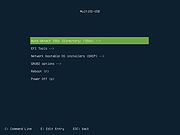 |
|
Network Password Recovery v1.57 Network Password Recovery v1.57 This utility recovers all network passwords stored on your system for the current logged-on user. When you connect to a network share on your LAN or to your .NET Passport account, Windows allows you to save your password in order to use it in each time that you connect the remote server. This utility recovers all network passwords stored on your system for the current logged-on user. It can also recover the passwords stored in Credentials file of external drive, as long as you know the last log-on password. Which passwords this utility can recover? Login passwords of remote computers on your LAN. Passwords of mail accounts on exchange server (stored by Microsoft Outlook) Password of MSN Messenger / Windows Messenger accounts Internet Explorer 7.x and 8.x: passwords of password-protected Web sites ("Basic Authentication" or "Digest Access Authentication") The item name of IE7 passwords always begin with "Microsoft_WinInet" prefix. The passwords stored by Remote Desktop 6. System Requirements This utility works properly on Windows XP, Windows 2003, Windows Vista, Windows 2008, Windows 7, Windows 8, Windows 10 and Windows 11 - only when you logged on as user with Administrator privileges. You can also use this utility for recovering network passwords under Windows 98/ME. Windows 2000 is not supported, because this version of operating system doesn't save the network passwords. Notice from The OlderGeeks: Even though these zip files are password protected, Windows Defender or other antivirus programs may not allow this download. It's not a false positive. This IS a hacking tool and there for dangerous. But in this case, YOU are the hacker trying to get your own passwords back. If you want to download it, you ... |
|
11,202 | Jan 17, 2024 Nirsoft 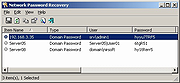 |
|
NirLauncher v1.30.25 NirLauncher v1.30.25 👉 Portable launcher package containing more than 200 NirSoft freeware utilities for Windows. NirLauncher is a package of more than 200 portable freeware utilities for Windows, all developed for the NirSoft website. It can be used from a USB flash drive without installation, saves each utility's configuration into .cfg files when run from removable media, and automatically runs x64 versions of supported tools on x64 systems. NirLauncher also makes it easy to run utilities, open their help files, jump to each utility's webpage, and add additional software packages beyond the main NirSoft collection. Features: • Includes more than 200 portable NirSoft freeware utilities • Runs without installation from a USB flash drive or local folder • Saves utility configuration files to the drive when used portably • Automatically launches x64 versions of utilities on x64 systems when available • Lets you run tools, view help files, or open each utility's webpage • Can add extra software packages in addition to the main NirSoft package • Can generate BartPE plugin files for use from a bootable live Windows CD • Contains no spyware, adware, malware, toolbars, browser plugins, or bundled third-party software Supported operating systems: • Windows 2000, Windows XP, Windows Server 2003, Windows Vista, Windows 7, Windows 8, Windows 8.1, Windows 10 • x64 systems supported Supported languages: • English, Dutch, French, German, Italian, Japanese, Polish, Russian, Simplified Chinese, Spanish, Traditional Chinese, Greek, Romanian, Czech, Slovak, Hungarian Changes: v1.30.25 08-15-26 Not Provided Read this. It's important: This file contains hacking software. Hacking software for you to use to hack your own computer. This is for doing things like retrieving a lost password. Because of this, Anti-virus software WILL treat it as dangerous because, in the wrong hands, it is dangerous. This zip file has always been password protected by Nir Sofer so it can be downloaded without being blocked. The password is nirsoft9876$. Click here to visit ... |
|
24,432 | Aug 19, 2026 Nir Sofer 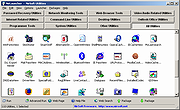 |
|
Puran File Recovery Portable 32bit 1.2 Puran File Recovery Portable 32bit 1.2 Puran File Recovery can be used to recover deleted/lost files/partitions. Files can be recovered from formatted disks too. Almost everything that is detected as a drive by Windows can be scanned irrespective of its file system. Be it Hard Disks, Pen Drives, Memory Cards, Mobile Phones, CDs, DVDs, basically any storage medium. Features: A very simple interface with an extremely powerful recovery engine. A perfect combination of speed, accuracy and simplicity A Quick Scan that lists deleted files in a click and few seconds. It supports FAT12/16/32 and NTFS A Deep Scan that can intelligently scan a drive byte by byte resulting in high speed listing of many more deleted and lost files A Full Scan that can detect deleted/lost partitions and even recover files from formatted drives. RAW and Physical drives can also be scanned Deep/Full Scan not just look for lost file records but also detect different format files based on data patterns More than 50 formats/data patterns list expandable to hundreds of formats is included. Hence almost everything can be recovered In many cases, full paths of deleted files will be listed. This is the case for formatted drives too Recovered files can be saved with their path structure intact Files are listed in tree and list views. All files can be previewed before recovery A search box supporting wildcards lets you quickly locate your deleted files In all, Puran File Recovery can recover almost everything with ease |
|
10,124 | Feb 16, 2018 Puran Software 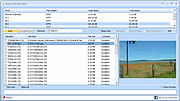 |
|
Puran File Recovery Portable 64bit 1.2 Puran File Recovery Portable 64bit 1.2 Puran File Recovery can be used to recover deleted/lost files/partitions. Files can be recovered from formatted disks too. Almost everything that is detected as a drive by Windows can be scanned irrespective of its file system. Be it Hard Disks, Pen Drives, Memory Cards, Mobile Phones, CDs, DVDs, basically any storage medium. Features: A very simple interface with an extremely powerful recovery engine. A perfect combination of speed, accuracy and simplicity A Quick Scan that lists deleted files in a click and few seconds. It supports FAT12/16/32 and NTFS A Deep Scan that can intelligently scan a drive byte by byte resulting in high speed listing of many more deleted and lost files A Full Scan that can detect deleted/lost partitions and even recover files from formatted drives. RAW and Physical drives can also be scanned Deep/Full Scan not just look for lost file records but also detect different format files based on data patterns More than 50 formats/data patterns list expandable to hundreds of formats is included. Hence almost everything can be recovered In many cases, full paths of deleted files will be listed. This is the case for formatted drives too Recovered files can be saved with their path structure intact Files are listed in tree and list views. All files can be previewed before recovery A search box supporting wildcards lets you quickly locate your deleted files In all, Puran File Recovery can recover almost everything with ease |
|
10,578 | Feb 16, 2018 Puran Software |
|
Puran File Recovery v2.0 Puran File Recovery v2.0 Free program to recover deleted/lost files/partitions. Files can be recovered from formatted disks too. Almost everything that is detected as a drive by Windows can be scanned irrespective of its file system. Be it Hard Disks, Pen Drives, Memory Cards, Mobile Phones, CDs, DVDs, basically any storage medium. Main Features • A very simple interface with an extremely powerful recovery engine. A perfect combination of speed, accuracy and simplicity. • A Quick Scan that lists deleted files in a click and few seconds. It supports FAT12/16/32 and NTFS. • A Deep Scan that can intelligently scan a drive byte by byte resulting in high speed listing of many more deleted and lost files. • A Full Scan that can detect deleted/lost partitions and even recover files from formatted drives. RAW and Physical drives can also be scanned. • Deep/Full Scan not just look for lost file records but also detect different format files based on data patterns. • More than 50 formats/data patterns list expandable to hundreds of formats is included. Hence almost everything can be recovered. • In many cases, full paths of deleted files will be listed. This is the case for formatted drives too. • Recovered files can be saved with their path structure intact. • Files are listed in tree and list views. All files can be previewed before recovery. • A search box supporting wildcards lets you quickly locate your deleted files. • An official portable version is also available that can even run in BartPE environment. • In all, Puran File Recovery can recover almost everything with ease. Supported operating systems: Windows XP/2003/Vista/2008/7/8/10/11 64bit and 32bit versions Note: Some browsers are blocking these downloads because the author's SSL RX Record is too long. You will have to allow the download if they are also blocking the files on other sites like ours. The files are safe. This ... |
|
11,408 | Nov 06, 2025 Puran Software 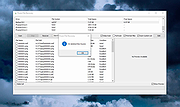 |
|
Redo Rescue: Backup and Recovery v4.0.0 Redo Rescue: Backup and Recovery v4.0.0 Backup and Recovery Made Easy Redo Rescue Backup and Recovery can backup and restore an entire system in minutes with a point-and-click interface anyone can use. Bare metal restore to a new, blank drive and be up and running in minutes. Supports saving to and restoring from local disks or shared network drives. Selectively restore partitions and remap them to different locations on the target drive. Additional tools included for partition editing, web browsing, and more. Runs from live CD/USB; no installation needed. Features Simple user interface for everyone Runs from CD or USB stick even if system won't boot Remote access option (VNC) for assisted backup and restore operations Automatically finds shared folders on your network Bare-metal (replace MBR and partition table) or selective restore mode options Re-map original data to a different target partition Verify the integrity of an existing backup image Extra tools for managing drives and partitions Web browser for downloading drivers, reading documentation File explorer for copying and editing files even when system won't boot Based on Debian and partclone, the engine used by Clonezilla UEFI Secure Boot and expanded hardware support Use balenaEtcher to create a bootable USB flash drive for Windows or MacOS. Click here to visit the author's website. |
|
3,565 | Mar 03, 2022 Zebradots Software 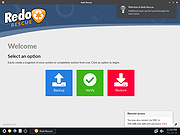 |
|
Rescuezilla v2.6.2 Rescuezilla v2.6.2 👉 Easy-to-use bootable backup, disk imaging, cloning, and system recovery environment. Rescuezilla is a free, open-source system recovery and disk imaging solution that boots from a USB flash drive or optical media, allowing you to back up, restore, clone, and recover Windows, macOS, and Linux systems even when the installed operating system will not boot. Built as a graphical front end for Clonezilla, Rescuezilla combines a straightforward point-and-click interface with powerful backup and recovery capabilities while remaining fully compatible with Clonezilla images. In addition to creating complete disk and partition backups, Rescuezilla can restore images created by Clonezilla and several other supported imaging tools, browse backup images to recover individual files, clone drives directly to replacement disks, and work with many popular virtual machine disk formats. Because it runs as a live operating system, it also includes useful utilities such as a web browser, file manager, partition editor, and recovery tools for troubleshooting damaged systems. Features: • Bootable live recovery environment with no installation required • Easy-to-use graphical interface suitable for beginners and professionals • Create complete disk and partition image backups • Restore previously created backup images • Clone entire drives directly to another disk • Fully compatible with Clonezilla backup images • Supports images from Clonezilla and other supported open-source imaging frontends • Browse backup images and recover individual files • Supports VirtualBox (VDI), VMware (VMDK), Hyper-V (VHD/VHDX), QEMU (QCOW2), raw images, and other virtual disk formats • Works with Windows, macOS, and Linux systems • Includes partition editing and disk management utilities • Built-in file manager for copying and editing files • Includes a web browser for downloading drivers and documentation • Open source software released under the GNU GPL v3 license Supported operating systems: • Boots on PCs and Intel-based Macs from USB or optical media to back up and restore Windows, macOS, and Linux systems Supported languages: • Arabic, Bengali, Brazilian Portuguese, Catalan, Chinese (Simplified), ... |
|
4,866 | Jul 08, 2026 Rescuezilla  |
|
Shortcut Virus Removal Tool v2.3.0 Shortcut Virus Removal Tool v2.3.0 👉 Portable tool for removing shortcut virus infections from USB drives and recovering hidden files. Shortcut Virus Removal Tool is a portable USB malware cleanup utility for Windows designed to fix USB drives, external HDD / SSD drives, and computers affected by shortcut virus infections. It can remove shortcut virus traces, restore files hidden by malware, remove suspicious shortcuts and files, repair registry changes, undo unwanted malware changes, and delete autorun virus entries from USB drives. The developer says the tool works with a simple drive selection and Clean button workflow, and recommends running it as Administrator if needed. It also opens a log after cleaning and may place some restored files in a RECOVERED folder. Features: • Cleans shortcut virus infections from USB drives and external storage. • Recovers files hidden by malware. • Deletes suspicious files, scripts, and malicious shortcuts. • Repairs registry changes and undoes unwanted malware modifications. • Deletes autorun virus entries from USB drives. • Opens a cleanup log after completion so you can review recovered and deleted items. • Can recover some files into a RECOVERED folder on the USB drive. • Simple one-click cleaning workflow after selecting the target drive. Supported operating systems: • Windows XP or later, .NET Framework 4.0 required. Supported languages: • English, German, Turkish, Arabic, Indonesian Changes: v2.3.0 07-23-26 New Features: Added Vaccinate Computer feature. This feature vaccinates your computer from most of the shortcut virus and other USB disk viruses. Added Vaccinate USB feature. This feature vaccinates your USB and even if it's infected, shortcut virus and other USB disk viruses cannot run from the USB. Added Options menu. You can click it to show more options. About button is moved there. Fixes and Changes: A lot of problems with the translations has been fixed. Fixed a problem that caused the application to crash sometimes when you change the language to ... |
|
3,151 | Aug 20, 2026 Emir Alp Kocak 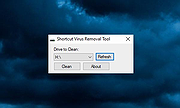 |
|
SystemRescue v13.01 SystemRescue v13.01 Formerly known as SystemRescueCd 👉 Bootable Linux rescue toolkit for repairing systems, recovering data, and performing disk administration tasks. SystemRescue is a Linux system rescue toolkit available as a bootable medium for administrating or repairing your system and data after a crash. It is designed to help with tasks such as creating and editing hard disk partitions, recovering files, working with important file systems, and using a wide range of system utilities from a live environment. It can be used on both Linux and Windows computers, on desktops as well as servers, and it can be booted from a DVD or USB stick, or installed on a hard disk if needed. Features: • Boots as a live rescue environment from CD/DVD, USB, or local disk • Includes disk and partitioning tools for administration and recovery tasks • Provides utilities such as GParted, fsarchiver, file system tools, editors, Midnight Commander, and network tools • Supports important file systems including ext4, xfs, btrfs, vfat, and ntfs, plus network filesystems such as Samba and NFS • Can be used on both Linux and Windows computers, including desktops and servers • Supports configurable keyboard layouts with the setkmap option and command • Can copy the live system fully into memory for improved responsiveness using copytoram • Includes scripting support with Bash, Perl, Python, and Ruby • Includes Firefox with bookmark configuration support through SystemRescue configuration files Supported operating systems: • Linux, Windows Supported languages: • English Changes: v13.01 06-06-26 Updated the kernel to the Long-Term-Supported linux-6.18.34 Updated bcachefs tools and kernel module to version 1.38.3 Add ‘checksum’ to the boot options to check integrity when ‘copytoram’ is used Added packages: reflector + b3sum Recommended USB installation method on Windows • Download SystemRescue • Download Rufus and install it on Windows • Plug in your USB-stick and wait a few seconds to allow enough time for the system ... |
|
11,613 | Jul 05, 2026 SystemRescueCd 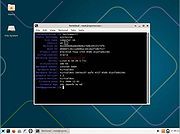 |
|
Tom's AD Object Recovery 1.0.0.0 Tom's AD Object Recovery 1.0.0.0 Tom’s AD Object Recovery is a free Windows utility for querying your Active Directory for deleted computer, user, group, or other objects and restore them on-the-fly. Have you accidentally removed a user or computer object from your Active Directory? Or, needed that Bitlocker Recovery Key for a deleted computer object? Whatever the reason is that you need to recover a deleted Active Directory object, restoring it does not have to be difficult. Tom’s AD Object Recovery provides an innovative user interface that allows you to quickly query all of your deleted Active Directory objects and restore/undelete/recover selected objects with the click of a button. If you have Microsoft’s Active Directory Recycle Bin enabled Tom’s AD Object Recovery will restore objects with all of its attributes intact. Features Restore deleted Active Directory objects fast and easy through innovative user interface Computer Objects User Objects Group Objects Organizational Units Print Queues Full Volume Encryption Objects (Bitlocker Recovery Keys) Restore AD objects with all attributes intact when Microsoft’s Recycle Bin feature is enabled No domain controller downtime Filtering and Highlighted Search Windows LogosLicense: Freeware (End User License Agreement) Requirements: Microsoft .NET Framework 4.5.2 |
|
6,540 | Aug 06, 2024 Tom Andreas Mannerud 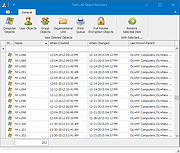 |
|
Universal USB Installer v2.0.3.8 Universal USB Installer v2.0.3.8 👉 Create bootable USB drives for Linux distributions and system utilities with ease. Universal USB Installer is a straightforward Windows utility designed to help you create bootable USB flash drives for a wide variety of Linux distributions, antivirus rescue disks, system utilities, and other bootable ISO images. It guides you through the process step by step, making it accessible for beginners while still offering flexibility for advanced users. The program supports both BIOS and UEFI systems and can optionally format USB drives as FAT32 or NTFS depending on the selected distribution. Universal USB Installer can also be used to create persistent storage for supported Linux distributions, allowing saved changes and files to remain available between reboots. Features: • Create bootable USB drives from ISO files • Supports hundreds of Linux distributions and utilities • Optional persistent storage for supported Linux builds • Works with BIOS and UEFI systems • Automatic USB formatting options • Simple step by step interface Supported operating systems: • Windows 7, Windows 8, Windows 8.1, Windows 10, Windows 11 Supported languages: English Universal USB Installer- Easily Make Bootable USB Using this open source USB boot maker software is easy as 123. To create a bootable USB drive, you simply select your target flash drive, choose your distribution from the list, browse to the ISO file (or choose to download the ISO), and then click Create. Once finished, you should have a ready to run Live USB containing the Live operating system, Windows installation media, or system diagnostics utility, or advanced system cleaner tool you previously selected. Some boot from USB tools use simple DD (Disk/Data Duplicator) copy and convert commands to directly burn ISO to USB. The DD method of copying, also commonly referred to as "Data Destroyer" works by overwriting the entire file system on a flash drive with that of a CD or DVD image. This process ... |
|
15,299 | Jul 16, 2026 Pen Drive Linux 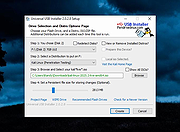 |
|
Vorn v1.0.3 Vorn v1.0.3 👉 Fast, private, crash-safe backup program with advanced features. Vorn is a modern local-first backup application designed to securely protect files without relying on cloud services, subscriptions, accounts, or telemetry. Instead of uploading data to external servers, Vorn stores everything inside a local vault controlled entirely by the user. The software uses content-addressable storage powered by BLAKE3 hashing, allowing duplicate data to be stored only once even across multiple backup sessions. This greatly reduces storage usage while improving backup efficiency. Vorn was built with reliability and data integrity in mind. It uses atomic writes, write-ahead logging, resumable operations, and integrity verification to help prevent corruption during crashes or unexpected shutdowns. Large files are automatically divided into chunks, making backups more resilient and easier to resume if interrupted. Optional gzip compression can reduce storage requirements further while maintaining compatibility with the portable vault format. The application features a clean desktop interface with dark and light themes, portable executables, and cross-platform support for Windows, macOS, and Linux systems. Since the backup vault is self-contained and self-describing, users can move backups between systems or restore files to different locations without depending on proprietary cloud infrastructure. Vorn is designed for users who want complete control of their backups while maintaining speed, privacy, and simplicity. Features: • Local-first backup architecture with no cloud dependency • Fully offline operation with no accounts or telemetry • Content-addressable storage using fast BLAKE3 hashing • Automatic deduplication across all backup sessions • Stores identical file content only once to save disk space • Chunked storage engine for efficient handling of large files • Resumable backup operations after interruptions or crashes • Atomic write protection for safer backup transactions • Write-ahead logging to improve recovery reliability • Self-describing portable vault format • Integrity verification to detect damaged or missing data • Optional gzip compression for reduced storage usage • Smart pruning system for reclaiming unused ... |
|
536 | May 29, 2026 Leonardo Ciaccio  |
|
Windows Registry Recovery v3.1.3 Windows Registry Recovery v3.1.3 Extracts useful information from Registry files of Windows installations on hard drives. Windows Registry Recovery reads files containing Windows 9x,NT,2K,XP,2K3,7,8,10 and 11 registry hives. It extracts lots of useful information about configuration and windows installation settings of host machine/hard drive. • Registry hive can be exported into REGEDIT4 format. • Every topic data can be saved to CSV. • It's designed in Multiple Document Interface. Here are described individual explorers: • File Information In this explorer you can see basic file properties and checksums. • Security Record Explorer Displays all security records used in registry. Usage counter, owner SID, group SID, list of affected keys and list of SACL and DACL is displayed for every record with flags and permissions enumerated. This explorer is available only for NT based system registry hives. • SAM Displays Machine SID and part of SYSKEY. Enumerates local user and group accounts and some of their properties. This explorer is available only for NT based system registry SAM hive. • Windows Installation Displays Windows name, ID and key, install date and user registration info. Enumerates installed software with descriptions and install date and list of installed hotfixes wih description. This explorer is available only SOFTWARE registry hive (Product ID and key are extracted in SYSTEM hive too). Last boot and shutdown datetimes are extracted only from SYSTEM hive. • Hardware Displays quick overview (CPU, Monitors, Video and Sound card and Network cards) and full device map of configured devices that worked on host machine. They are displayed in "like Device Manager" tree with some properties. This explorer is available for SYSTEM registry hive. ... |
|
5,665 | Jan 20, 2025 MiTeC 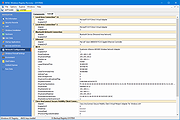 |
|
Wise WiFi Password Viewer v1.0 Wise WiFi Password Viewer v1.0 👉 Portable tool to show and recover saved WiFi passwords in Windows. Wise WiFi Password Viewer helps you recover and view saved wireless network keys stored on your Windows PC. It is designed to quickly display previously connected WiFi network names and passwords, perform local-only scans, and export the results to TXT or CSV for backup or record keeping. Features: • One-click recovery of saved WiFi credentials • Displays previously connected wireless network names and passwords • Local-only scanning with no cloud uploads or external transmissions • Export support for TXT and CSV formats • Portable utility with no installation required • Clear organized list for quick viewing and saving of credentials Supported operating systems: • Windows 7, Windows 8, Windows 8.1, Windows 10, Windows 11 • 32-bit, 64-bit Supported languages: English Changes: v1.0 04-16-26 Not Provided. Note: You MUST right click the file and Run as Administrator for it to work properly. Click here to visit the author's website. |
|
707 | Apr 17, 2026 WiseCleaner.com 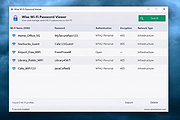 |
| Showing rows 1 to 33 of 33 | Showing Page 1 of 1 | 1 |
OlderGeeks.com Copyright (c) 2026
