|

|
Processed through Paypal No account required. |








Buy our over-priced crap to help pay the bills.



|
|
Processed through Paypal No account required. |
| Files | ||||
| File Name | Rating | Downloads | ||
 |
Awesome Duplicate Photo Finder v1.2.1 Awesome Duplicate Photo Finder v1.2.1 A free powerful tool, that helps you to find and remove duplicate photos on your computer. With this app you can easily clean up your photo collection from duplicates or even similar images. This program is very easy to use. You can do all you need with duplicate photos in just a couple of mouse clicks. Awesome Duplicate Photo Finder is able to compare resized pictures or even pictures with corrected colors (black and white photos etc.). It supports all major image types: JPG, BMP, GIF, PNG, TIFF, CR2 (Canon RAW). To start playing just drag some folders from the Windows Explorer into the program's window and click "Start" button, and have fun! Awesome Duplicate Photo Finder is a completely FREE Software. It contains absolutely NO ADWARE, NO SPYWARE, NO REGISTRATION, NO POPUPS, NO MALWARE or other unwanted software. Features • Extremely simple user interface • Clever algorithms to find similar or exact duplicate photos • Search through the following image types: JPG, BMP, GIF, PNG, TIFF, CR2 RAW • Compare resized pictures and even pictures with corrected colors (black and white photos etc.) • Add multiple folders or drives for scanning, no limitation for number of files • Works with network drives and removable devices (USB flash drives etc.) • Support for moving and deleting of duplicate photos • It's AWESOME and Free! How to use If you frequently looks for images on web and have already saved thousands of them, either for professional usage or for any other purpose, then your hard drive must be spurting with a lot of similar images. If you are a photographer, it must be a difficult job to select ... |
 |
3,687 | Sep 11, 2023 Duplicate Finder 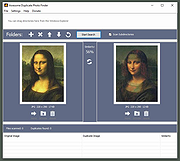 |
 |
digiKam v9.1.0 digiKam v9.1.0 👉 Professional photo management with the power of open source. digiKam is an advanced open-source digital photo management application for importing, organizing, editing, and sharing photos and RAW files. It provides tools for managing large photo collections, editing metadata, tagging and rating images, handling RAW camera formats, previewing media, geolocation, batch processing, export tools, and AI-assisted photo workflows. Features: • Import, organize, and manage massive collections of photos, RAW images, and videos • Supports albums, tags, labels, ratings, comments, and hierarchical organization • Advanced metadata management including EXIF, IPTC, XMP, and GPS geotagging • Integrated map tools for assigning and editing geographic coordinates • Powerful RAW image processing using the Libraw engine • Built-in image editor with cropping, resizing, sharpening, curves, color correction, filters, and restoration tools • Includes Showfoto stand-alone image editor • AI-assisted face recognition and automatic face tagging • AI tools for image quality sorting, aesthetic detection, red-eye correction, and auto-rotation • Batch Queue Manager for automating large-scale image processing operations • Advanced search and filtering using metadata, tags, ratings, colors, and custom properties • Duplicate detection and similarity matching tools • Flexible file renaming with advanced rename templates and date formatting • Side-by-side comparison and new Survey tool for reviewing media collections • Enhanced preview system with exposure indicators, magnifier, gestures, OSD overlays, and color management • Slideshow tools with transition and transparency customization • Versioning support and non-destructive workflow options • Integrated export and sharing plugins for online services and remote storage • Database support using SQLite, MySQL, and MariaDB • Multi-core processing acceleration for thumbnail generation, AI tasks, and database operations • Supports hundreds of digital cameras and image formats Supported operating systems: • Windows 10 or later 64-bit • macOS Silicon 11.3 or later • macOS Intel 10.15 or later • Linux 64-bit AppImage, glibc 2.31 or later Supported languages: • Basque, Brazilian Portuguese, Bulgarian, Catalan, Chinese Simplified, Chinese Traditional, Croatian, Czech, Danish, Dutch, English, Esperanto, Estonian, Finnish, French, Galician, ... |
|
4,287 | Sep 28, 2026 digiKam Team 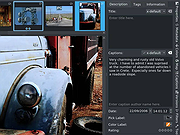 |
 |
Epson Perfection 2450 Photo Scanner Software (2002) Epson Perfection 2450 Photo Scanner Software (2002) 👉 Original drivers and software package for the Epson Perfection 2450 Photo scanner. Epson Perfection 2450 Photo Scanner Software is the official software bundle released in 2002 for the Epson Perfection 2450 Photo flatbed scanner. This package includes the necessary drivers and utilities required to install, configure, and operate the scanner on supported systems. It typically contains Epson TWAIN drivers, scanning utilities, and bundled applications used for photo scanning, document capture, and image management at the time of release. This ISO image is a disc archive of the original installation CD. It must be mounted or extracted before use depending on your operating system. Once accessed, users can run the installer to properly set up the scanner and associated software. Features: • Official Epson driver and software package for Perfection 2450 Photo • Includes TWAIN driver support for scanning applications • Provides Epson Scan utility for image acquisition • Supports photo, film, and document scanning • Includes bundled software for image editing and management (varies by release) • Designed for USB-connected flatbed scanner operation • Original CD image preserved in ISO format Supported operating systems: • Windows 98, Windows ME, Windows 2000, Windows XP • macOS Classic (Mac OS 9), macOS 10.1 to 10.2 Supported languages: English Changes: Not Provided How to use this ISO file: Windows XP / 2000 / Me / 98: • Burn the ISO to a CD using software like ImgBurn or Nero • Insert the CD into your computer • The installer should start automatically • If not, open the CD and run Setup.exe Mac OS 8.5 through 9.x (Classic Mac): • Burn the ISO to a CD • Insert into your Mac • Open the disc and run the installer Notes: • This is original 2002 software and may not fully support modern systems • Scanner functionality on Windows 10/11 may be limited • You can extract the ISO with 7-Zip instead of mounting if preferred • TWAIN drivers ... |
|
641 | Apr 14, 2026 Epson America, Inc. 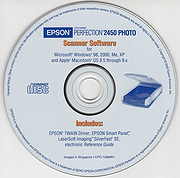 |
|
FastStone Image Viewer v8.5 FastStone Image Viewer v8.5 👉 Fast, stable image browser, editor and batch converter. FastStone Image Viewer is a fast, stable, user-friendly image browser, converter and editor. It includes image viewing, management, comparison, red-eye removal, emailing, resizing, cropping, retouching and color adjustments. Its full-screen mode gives quick access to EXIF information, thumbnail browsing and major tools through hidden edge toolbars. It also includes a high quality magnifier, musical slideshow with 150+ transition effects, lossless JPEG transformations, drop shadows, image annotation, scanner support, histogram display, batch conversion and batch renaming. Features: • Windows Explorer-like image browser and viewer • Supports BMP, JPEG, HEIC, WEBP, GIF, PNG, PCX, PDF, PSD, EPS, TIFF, WMF, ICO, CUR, TGA and many RAW camera formats • Full-screen viewer with zoom support and fly-out menu panels • Resize, rotate, crop, sharpen, blur, color correction, curves and levels tools • Clone Stamp, Healing Brush and red-eye removal • Draw text, lines, highlights, rectangles, ovals and callouts • Compare up to 4 images side-by-side • Batch convert and batch rename files • Slideshow with music and 150+ transition effects • Scanner support with batch scanning to PDF, TIFF, JPEG and PNG • Contact sheet creation, printing tools and image emailing • Portable version available Supported operating systems: • Windows XP, Windows Vista, Windows 7, Windows 8, Windows 10, Windows 11 Supported languages: Bulgarian, Chinese (Simplified), Chinese (Traditional), Czech, Danish, Dutch, Finnish, French, German, Hungarian, Italian, Japanese, Korean, Norwegian (Norsk bokmεl), Polish, Portuguese, Russian, Spanish, Swedish, Ukrainian Changes: v8.5 06-24-26 Added support for SVG format Added Start importing automatically and Handle duplicate file names automatically options to the Import Photos and Videos tool WebP files can now be rotated and saved with a single click Enhanced dark theme support in the PDF viewer Fixed a bug where some links in PDF files were not clickable Other improvements and bug fixes 👉 This download is for the Windows portable version (very bottom of page). All other download ... |
|
11,648 | Oct 07, 2026 FastStone Soft 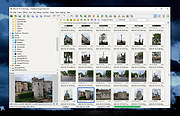 |
|
FastStone Photo Resizer v4.5 FastStone Photo Resizer v4.5 👉 A free batch image converter, resizer, and renaming tool for Windows. FastStone Photo Resizer is a free image converter and renaming tool designed to help you convert, rename, resize, crop, rotate, change color depth, apply color effects, and add text, watermarks, and borders to images in batch mode. It supports drag-and-drop operation, previewing for conversion and renaming, folder and non-folder structures, saved processing options, multithreading for faster performance, and support for many popular image formats including JPEG, JPEG2000, PNG, GIF, BMP, TIFF, PCX, TGA, WMF, EMF, ICO, CUR, PPM, HEIC, and WEBP. Features: • Convert and rename images in batch mode • Resize, crop, rotate, and change color depth • Apply color effects, text, watermarks, and borders • Preview conversion and renaming before processing • Support folder and non-folder structures • Load and save processing options • Drag-and-drop mouse operation • Multithreaded image processing • Support for common image formats including HEIC and WEBP • Sequential numbering and search-and-replace renaming options Supported operating systems: • Windows XP, Windows Vista, Windows 7, Windows 8.x, Windows 10, Windows 11 Supported languages: English Changes: v4.5 12-29-25 Not Provided Click here to visit the author's website. |
|
6,663 | Mar 19, 2026 FastStone Soft 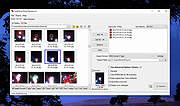 |
|
FotoSketcher v4.50 FotoSketcher Studio v4.50 👉 Turn photos into paintings, sketches, and artistic effects with a free image editing tool. FotoSketcher Studio is a free creative image editor that transforms photos into artwork using artistic effects such as pencil sketches, painting styles, drawing effects, and photo filters. It also includes tools to enhance original images, add frames and text, batch process multiple images, manually retouch selected areas, combine multiple filters, and create custom effects with scripts. It is free to use, including for commercial use. Features: • Turn photos into paintings, sketches, drawings, and photo effects • Includes 14 artistic effects spanning pencil, drawing, painting, and photo filter styles • Batch processing for applying effects to multiple images at once • Manual brush for selectively applying effects to chosen areas of an image • Can improve original photos with contrast, sharpening, luminosity, saturation, and other adjustments • Lets you add simple or realistic frames and text to images • Can combine multiple filters for mixed artistic results • Supports custom effect creation through scripts • Includes Vintage Sepia and Retro Film photo effects in v4.10 • Automatic system language detection with a keyboard shortcut to change interface language • Manual brush panning with CTRL + Left Mouse Button drag • Digitally signed Windows and macOS releases Supported operating systems: • Windows 10, Windows 11 • macOS (Intel, Apple Silicon) Supported languages: • Chinese, German, English, Spanish, French, Italian, Japanese, Korean, Dutch, Polish, Portuguese Changes: v4.50 07-27-26 This version brings a new painting effect, an image watermark tool, full keyboard navigation and a rather long list of improvements and fixes. New Gouache Painting effect 🎨 A new Gouache Painting effect joins the Painting category. Gouache sits somewhere between watercolour and oil paint: thick, opaque, with a matte finish and visible brushstrokes. Watermark and logo tool The "Add text" window has been expanded into "Add text/watermark". You can now load any image file (PNG with transparency, JPG, or other formats) ... |
|
10,835 | Aug 12, 2026 David Thoiron 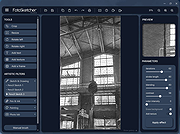 |
|
GIMP Portable v3.2.6 GIMP Portable v3.2.6 👉 Portable image editor for photo retouching, image composition and graphic creation. GIMP Portable is the portable version of the GNU Image Manipulation Program, a free and open source image editor for photo retouching, image composition, image authoring, painting, batch processing, rendering and image format conversion. It runs from a cloud folder, removable drive, local folder or the PortableApps.com Platform without needing a traditional installation. Features: • Portable version of GIMP for Windows • Runs from USB drives, cloud folders or local folders • Photo retouching and image editing • Image composition and authoring • Paint program capabilities • Expert-quality photo manipulation tools • Batch processing support • Image rendering and format conversion • Supports plug-ins and scripts • User plug-ins and scripts can be placed in the portable Data\GimpAppData folder • Optional English-only offline help add-on available • PortableApps.com Platform support for easier installs and automatic updates • Open source software under the GPL Supported operating systems: Windows XP, Vista, 7, 8, 10, 11 Supported languages: Multilingual, GIMP is available in more than 80 languages Changes: v3.2.6 09-10-26 Several months of patches, bug fixes, security updates, and stability improvements. Cut can now be used on rasterized, unlocked layer groups to cut the same area from all layers in the group. Color Picker's Sample Merged option now accounts for filters applied to a single layer. Improved performance when loading large numbers of fonts, including faster startup, text entry, and closing font lists. Fixed text being hidden at the edges when using fixed text layouts. Fixed dark smudges produced by the Heal Tool when working outside the bounds of a layer smaller than the canvas. Fixed a crash that could occur when pressing keys quickly after releasing the spacebar while panning. Text can now be selected for editing even when partially covered by a layer mask. Fixed loading of Licensor image metadata. Added a maximum width for tooltips with long descriptions. Fixed several issues involving rasterized vector layers. Added ... |
|
6,728 | Sep 11, 2026 GIMP Team & PortableApps.com 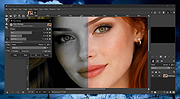 |
|
Gimp v3.2.6 Gimp v3.2.6 👉 Free and open source cross-platform image editor. GIMP is a cross-platform image editor available for GNU/Linux, macOS, Windows and more operating systems. It provides tools for graphic designers, photographers, illustrators, and scientists, with support for image manipulation, original artwork creation, graphic design elements, color management, scripting, customization, and third-party plug-ins. Features: • Advanced photo retouching tools including healing, clone, perspective clone, and content-aware fill workflows • Powerful layer-based editing with layer groups, masks, blend modes, and non-destructive editing techniques • Full support for high bit-depth images (8/16/32-bit per channel) for professional workflows • Extensive selection tools including free select, fuzzy select, foreground select, and intelligent scissors • Transform tools such as scale, rotate, shear, perspective, warp transform, and unified transform • Customizable brushes with dynamics support (pressure, velocity, randomness) for tablets and stylus input • Wide range of painting tools including pencil, paintbrush, airbrush, ink, MyPaint brushes, and gradient tools • Gradient editor and advanced gradient blending capabilities • Paths (vector) tool for precise curves, shapes, and text-on-path creation • Text tool with advanced typography support including kerning, hinting, and outline rendering • GEGL-based processing engine for high-quality image operations and non-destructive workflows • Extensive built-in filters and effects including blur, sharpen, distort, lighting, shadows, noise, and artistic filters • Support for external plug-ins such as G’MIC for hundreds of additional filters and effects • Color management with ICC profile support for accurate color reproduction across devices • Advanced color tools including levels, curves, hue-saturation, color balance, and exposure adjustments • Histogram display and analysis tools for precise tonal correction • Channel manipulation and alpha channel editing • Support for multiple file formats including JPEG, PNG, TIFF, PSD, WebP, HEIF, OpenRaster, and XCF native format • PSD import/export support for compatibility with Adobe Photoshop workflows • Multi-window and single-window interface modes for flexible workspace layouts • Fully customizable interface including dockable dialogs, tool groups, and keyboard shortcuts • Tabbed image ... |
|
9,686 | Sep 11, 2026 The Gimp Team |
|
Griddy McGridFace v0.1.1 Griddy McGridFace v0.1.1 👉 Create high-quality photo collages with intelligent automatic layouts. Griddy McGridFace is an open-source desktop application for creating professional-looking photo collages quickly and easily. Simply import a folder of images, choose a page size, and let the application generate attractive layouts automatically. Built with Tauri, Rust, and SvelteKit, it runs natively across multiple platforms while providing a responsive interface and high-quality export options. The software includes intelligent face-aware cropping to help keep people properly framed, along with tools for repositioning, swapping, locking, and resizing individual photos. Projects can be saved and reopened later, making it suitable for both casual users and print-ready collage creation. Features: • Automatically generates photo collage layouts • Face-aware cropping helps keep subjects properly framed • Drag-and-drop image importing • Supports custom page sizes • Lock individual photos in place • Zoom, reposition, and swap photos within the layout • Create larger featured center images • Shuffle layouts instantly • Save and reopen projects • Autosave and crash recovery • Sort images by color, including dark-to-light and rainbow order • Export to PNG, JPEG, WebP, and PDF • Built with Tauri 2, Rust, and SvelteKit • Open source Supported operating systems: • Windows 10, Windows 11 • macOS 13 Ventura or higher • Linux (64-bit Debian-based distributions, 64-bit Arch Linux) Supported languages: English Changes: v0.1.1 07-09-26 Added drag-and-drop image import. Improved layout generation speed for larger image collections. Added per-photo fit controls. Added autosave and recovery. Added color sorting, including dark-to-light and rainbow ordering. Various bug fixes and improvements. Note: This file has two hits on VirusTotal. We have confirmed these to be false positives. The file is safe. This download is for the Windows setup version (very bottom of page). All other download assets are below: Other Windows: Griddy-McGridFace_0.1.1_x64_en-US.msi macOS: Griddy-McGridFace_0.1.1_aarch64.dmg Linux: Griddy-McGridFace_0.1.1_amd64.deb Click here to visit the author's website. |
|
472 | Jul 10, 2026 g33kphr33k 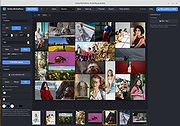 |
|
ImageConverter v2.0.0 ImageConverter v2.0.0 👉 Change image formats in one click. ImageConverter lets you quickly convert image files by dragging them into the list and clicking Convert. It supports multiple popular formats, resizing by width, high-compression JPG saving with MozJPEG, and can recognize images by file signature even when they do not have an extension. Features: • Change various image formats • Save JPG with higher compression using MozJPEG • Resize images by specifying the width • Supports PDF, SVG, AI, PSD, PNG, JPG, GIF, WEBP, and TGA • Recognizes images with file signature information even without an extension • Simple drag-and-convert workflow Supported operating systems: • Windows 10, Windows 11 Supported languages: English, German, Esperanto, French, Italian, Japanese, Polish, Portuguese, Russian, Slovak, Swedish, Thai, Turkish, Vietnamese, Chinese Changes: v2.0.0 09-22-26 - Redesigned ImageConverter with a more convenient way to start converting - Improved image size selection for easier use - Improved the update experience so you can keep using your existing settings - Improved right-click conversion in Windows - Prepared support for more operating systems Usage: • Drag the image files you want to change into the list. • Click the Convert button below. Click here to visit the author's website. |
|
1,103 | Oct 06, 2026 kilho.net 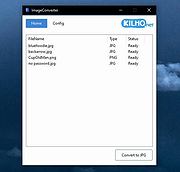 |
|
ImageGlass v10.0.6.906 ImageGlass v10.0.6.906 👉 A lightweight, versatile image viewer for Windows. ImageGlass is a feature-rich, simple-to-use image viewer with a clean, modern interface and support for over 90 image formats, including WEBP, GIF, SVG, PNG, JXL, HEIC, RAW formats and more. Features: • Supports over 90 common image formats • Fast image switching with a clean, minimal interface • Supports animated formats including GIF, WEBP, APNG and SVG • Multi-frame image support with frame navigation tools • Drag-and-drop and clipboard image opening • Six zoom modes including Auto Zoom, Lock Zoom, Scale to Width, Scale to Height, Scale to Fit and Scale to Fill • Full screen, frameless and window-fit viewing modes • Slideshow view with countdown timer • Fast thumbnail previews • Built-in color picker • EXIF metadata viewing with ExifGlass • Basic editing tools including rotate, flip, crop, resize and lossless compression • Custom themes, language packs, icon packs, layout and toolbar options • Keyboard and mouse action customization • External app integration through custom hotkeys • Color management and color channel viewing Supported operating systems: • Windows 10 64-bit version 1809 or later, Windows 11 64-bit Supported languages: Arabic, Armenian, Asturian, Azerbaijani, Belarusian, Bengali, Bulgarian, Catalan, Chinese Simplified, Chinese Traditional, Croatian, Czech, Danish, Dutch, Esperanto, Finnish, French, German, Greek, Hebrew, Hungarian, Icelandic, Indonesian, Irish, Italian, Japanese, Khmer, Korean, Kurmanji Kurdish, Kyrgyz, Lithuanian, Malay, Mongolian, Norwegian Bokmal, Persian, Polish, Portuguese, Brazilian Portuguese, Romanian, Russian, Serbian Cyrillic, Serbian Latin, Sinhala, Slovak, Slovenian, Spanish, Swedish, Tamil, Thai, Turkish, Ukrainian, Vietnamese Changes: v10.0.6.906 09-05-26 New • ImageGlass.SDK updated to 1.2.0 • Bumped plugin ABI version from 1.0.0 to 1.2.0 • Added IGHdrTransferFn.ScRgb photo metadata support for rendering HDR images from codec plugins • Added DecodeStaticRasterScaled API for requesting scaled thumbnail images from codec plugins • Added Linux AppImage package support Improvements • Updated Avalonia to 12.1.2 • Updated Magick.NET to 14.17.1 ... |
|
4,505 | Oct 06, 2026 Duong Dieu Phap 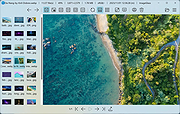 |
|
Photo Variants v1.5.0 Photo Variants v1.5.0 Free, universal photo editing software for Windows. Cull, import and edit the photos. Layer support. Retouching tools. Enhance your photos with filters and color adjustment. Apply presets and create variants of the source photo in one click. Add vector graphics or create complex images from scratch. Features: Color Adjustment Control brightness, hue, saturation, contrast, levels, GRB balance, white balance, replace colors and many more. Retouching Enjoy professional retouching tools: healing, cloning, smudge, blur, sharpness, lightening, colorization. Сorrect minor flaws in the photo! Drawing Use brushes, pencil and filling tools to create raster graphics or to correct existing photos. Blend the images, apply effects. Transformation Crop, flip, resize, warp and rotate. Apply changes to layer, to a group of layers, or to the entire image. Filters Taking advantage of layer support, create texts, shapes, polygons and masks. Combine images and apply effects. Use a ready-made collection of fonts, icons and other vector graphics. Graphic Design Taking advantage of layer support, create texts, shapes, polygons and masks. Combine images and apply effects. Use a ready-made collection of fonts, icons and other vector graphics. Supported operating systems: Windows 7, 8, 10, 11. Changes: v1.5.0 04/03/2025 Added new filters: Bump map; Gradient map. Implemented RAW importing and processing. Click here to visit the author's website. |
|
1,464 | Apr 08, 2025 Photo Variants 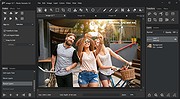 |
|
PhotoSuite v0.9.7 PhotoSuite v0.9.7 👉 A desktop image editor for layered photo editing, digital artwork, and native PSD files. PhotoSuite is a desktop image editor built around a familiar Photoshop-style workspace. It uses PSD as its native document format, preserving layers, masks, blending modes, text, vector paths, and other document data when opening and saving files. It also supports PSB for large documents. The editor brings photo retouching, painting, vector drawing, typography, filters, and document layout into one workspace. You can work with layers and masks, make selections, paint or repair parts of an image, add text and shapes, and revisit earlier work through the History palette. Smart Objects and Smart Filters provide options for editing without permanently changing the original layer. PhotoSuite runs locally as a desktop application. According to the developer, it requires no cloud account and collects no telemetry. Features: • Open, edit, and save layered PSD documents as a native format • Work with PSB files for large documents • Create raster layers, vector layers, layer groups, clipping masks, and layer masks • Use blending modes and layer styles such as Drop Shadow, Inner Shadow, glows, overlays, Bevel & Emboss, and Stroke • Edit with Smart Objects and Smart Filter stacks • Save different document arrangements with layer comps • Make selections with Marquee, Lasso, and Magic Wand tools • Paint and retouch with Brush, Clone Stamp, Healing Brush, Eraser, Blur, Sharpen, Dodge, and Burn tools • Crop images and apply gradients • Draw paths and shapes with the Pen and shape tools • Add text with support for text along a path, text warp, ligatures, and kerning • Pan, zoom, and rotate the canvas; use rulers, guides, and a pixel grid • Revisit edits with the History palette and snapshots • Apply filters, use Liquify, and make lens corrections • Open and export formats including PNG, APNG, JPEG, WebP, AVIF, TIFF, GIF, BMP, TGA, SVG, and ... |
|
110 | Sep 24, 2026 eolix 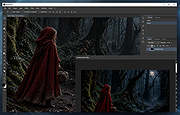 |
|
Picasa Photo Organizer 3.9.139.161 Picasa Photo Organizer 3.9.139.161 Together, Picasa and Picasa Web Albums make it easy for you to organize and edit your digital photos, then create online albums to share with friends, family and the world. Beautiful web albums Show your photos at their best. View full-screen slideshows, see your pictures arranged on a global map, enjoy video playback, and more. Focus on people People matter in your photos. Our technology helps you automatically organize your photos based on the people in them, and works in Picasa and Picasa Web Albums. Get organized Picasa automatically finds all the photos on your PC, wherever they are, and will organize them in seconds. Be creative Use Picasa to design and print beautiful photo collages, create fun video slideshows, add photo text or view your favorite photos on your desktop or screensaver. It's free to use Picasa is free to download, and Picasa Web Albums provides 1 gigabyte of free storage -- that's enough space for 4,000 wallpaper-size photos. Sharing made simple Publish your favorite photos online with one click. Create stunning online photo albums to share with friends and family, or public albums for the world to see. Get notified when your "Favorites" post new photos. Edit to perfection Improve almost any picture with Picasa's one-click fixes for common problems like red-eye, color, and lighting. Or, use tuning and effects to make your best photos look even better. Add places Easily add geo-tags to your photos so that you can remember exactly where they're from using Google Maps. Order photos & gifts, or print at home Picasa makes it easy for you to get the best out of your color printer. And Picasa Web Albums gives your friends the ability to download full-resolution pictures, so they can do the same. When ordering online, choose freely between major retail services. |
 |
9,959 | Feb 18, 2015 Google, Inc. |
|
Refloow Photo Studio v1.1.0 Refloow Photo Studio v1.1.0 👉 A free, open source, privacy-focused photo editor with local AI background removal, filters, cropping, layering, text and image adjustments. Refloow Photo Studio is a free and open source desktop photo editor designed to provide professional-looking results without complicated workflows, accounts, subscriptions, advertisements, watermarks or data collection. All image processing runs locally on your computer, including its AI-powered background removal. The editor provides more than 40 built-in filters along with cropping, mirroring, brightness, contrast, saturation and warmth adjustments. Images can be dragged onto the canvas as layers to build compositions, while an undo and redo history lets you move backward or forward through up to 15 editing actions. Text can also be added to images, resized and positioned as layers. The workspace supports zooming and panning for easier navigation while editing. Features: • Free and open source photo editor • All image processing is performed locally • No accounts or logins required • No subscriptions • No advertisements • No watermarks • No data collection • One-click AI-powered background removal • AI background removal runs locally using the U-2-Netp model • More than 40 built-in professional filters • Crop images • Mirror images • Adjust brightness, contrast, saturation and warmth • Add text to images with imported fonts and customizable colors • Resize and position text as layers • Overlay multiple images to create compositions • Drag-and-drop support • Layer management for arranging compositions • Workspace zooming with the scroll wheel • Workspace panning with the middle mouse button • Undo and redo history for up to 15 actions • High-quality WYSIWYG image exporting Supported operating systems: • Windows 10 64-bit, Windows 11 64-bit • macOS Intel, macOS Apple Silicon • Linux Ubuntu, Linux Debian • Linux distributions capable of running the supplied AppImage Supported languages: English Changes: v1.1.0 06-23-26 • Added the ability to add custom text directly to compositions using imported fonts and customizable text colors. • Added full workspace zooming, panning and canvas movement. • Added smart crop ... |
|
111 | Sep 08, 2026 Veljko Vuckovic 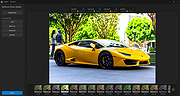 |
|
Restore Windows Photo Viewer v1.22 Restore Windows Photo Viewer v1.22 The classic Windows Photo Viewer is still hidden deep in Windows 10. This free program can easily turn it off and on. It also sets it as the default app for the picture formats you choose. Note: After closing the app, you may be asked if you need another app the author sells. Just say no unless you want more software. FEATURES: Support JPEG, JPG, JPE, JFIF format. Support BMP, DIB, ICO format. Support PNG, TIFF, TIF. Support GIF, WDP, JXR. Apply changes to either current user or all users on a computer. Restore the missing Windows Photo Viewer to Windows 10. Set Windows Photo Viewer as default photo viewer. Revert to Microsoft Photos App at any time. |
|
5,507 | Mar 13, 2019 Authorsoft Corporation 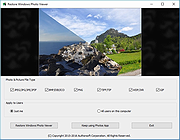 |
|
SunlitGreen Free Photo Editor v1.5.0.1633 SunlitGreen Free Photo Editor v1.5.0.1633 SunlitGreen Photo Editor is a free, simple and handy digital photo editing software program. It lets you view, resize, rotate, apply color corrections and effects to your photos in an easy and professional way. Features: Drag and drop to open photo files Automatic color corrections Previewable image adjustments Photo viewer with easy-to-use zoom tools Editable and savable image selections Advanced, channel-oriented color corrections Application Workspace Frequently used zoom commands are accessible through shortcut menu. Curves Dialog Adjust entire tonal range of image by defining control points on curves. Image Size Dialog Resize an image or change its resolution. Using "Auto Levels" to Correct Exposure Using "Auto Contrast" to Adjust Contrast Using "Hue/Saturation" to Colorize Photo Using "Color/Balance" to Reduce the Redness System requirements: Windows 2000/XP/2003/Vista/7/8/10 Click here to visit the author's website. |
|
5,655 | Apr 14, 2019 SunlitGreen Software 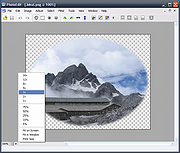 |
| Showing rows 1 to 17 of 17 | Showing Page 1 of 1 | 1 |
OlderGeeks.com Copyright (c) 2026
