|

|
Processed through Paypal No account required. |








Buy our over-priced crap to help pay the bills.



|
|
Processed through Paypal No account required. |
| Files | ||||
| File Name | Rating | Downloads | ||
 |
Drift v0.1.1 Drift v0.1.1 👉 A free, open-source video editor for creating polished videos without subscriptions or watermarks. Drift is a beginner-friendly desktop video editor that combines a straightforward workflow with a full collection of creative tools. Import video clips, photographs and music, then arrange everything on a multi-track timeline with tools for trimming, splitting, snapping and ripple editing. Add effects, transitions, titles, shapes, stickers and emoji without leaving the editor. Drift can also generate editable captions from speech, isolate subjects, create masks, remove green-screen backgrounds, adjust playback speed and clean up noisy audio. The preview and export systems use the same compositor, helping the completed video match what you saw while editing. Drift is completely free and open source with no account, subscription, telemetry or watermark. Optional fonts, stickers, effects and speech-recognition models can be installed through the built-in Addon Manager as needed. Features: • Multi-track timeline for video, audio, text and shapes • Trim, split, snap and ripple editing tools • Mute or hide individual timeline tracks • Full undo and redo support • GPU-powered video effects • Adjustable transitions between overlapping clips • Reusable effect and appearance templates • Customizable titles with fonts, colors, outlines, shadows and alignment • Stickers, emoji and optional content packs • Speech-to-text caption generation • Edit caption wording and timing directly on the timeline • Subject cutout and masking tools • Green-screen background removal • Playback speed adjustment and reversing • Custom speed ramps, fades and beat-based animation • Audio mixing and effect chains • Background-noise cleanup • Project bundles that include associated media • Optional downloadable fonts, effects, stickers and speech models • Export quality and bitrate controls • H.264, H.265, AV1, ProRes and additional export formats • Preview and export use the same compositor • No account, subscription, telemetry or watermark Supported operating systems: • Windows • Linux • macOS, build from source only Supported languages: English Changes: v0.1.1 07-31-26 A small fix-up release on top of the first public version. Curves in the keyframe editor are now ... |
 |
329 | Aug 03, 2026 CutWire Studios 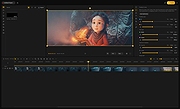 |
|
FileVoyager v26.9.6.0 FileVoyager v26.9.6.0 👉 A powerful dual-pane file manager and viewer for Windows. FileVoyager is a freeware Orthodox file manager (OFM) for Microsoft Windows that uses a dual-pane layout to make browsing, organizing, comparing, and transferring files easier. It can browse disks, folders, shares, archives, and FTP/FTPS locations in one unified interface, while also offering built-in viewers, archive handling, folder synchronization, file comparison, hashing, and media playback support. Features: • Dual-pane Orthodox file manager layout • Browse disks, folders, virtual folders, shares, archives, and FTP/FTPS locations • Multiple view modes, including report and thumbnail views • Rename, copy, move, link, delete, and recycle files • Pack and unpack ZIP, 7Zip, GZip, BZip2, XZ, Tar, and WIM archives • Unpack ARJ, CAB, XAR, Z, RAR, LZH, LZMA, ISO, WIM, and many other formats • Built-in file and folder comparison • Folder synchronization tools • Duplicate file finder • Advanced search and filtering • Quick preview for many file formats • Multimedia playback using installed codecs, Windows Media Player, and VLC support • Ebook and comic book viewing, including PDF, EPUB, MOBI, FB2, DJVU, CBR, CBZ, and XPS • Syntax highlighting for many source code formats • Hexadecimal and flat file viewing modes • Hash tool with VirusTotal-powered malware report • Dark Mode and customizable themes • Available as Setup or Portable editions • Optional VLC codec packages Supported operating systems: • Windows 10, Windows 11 • Should also run on Windows Vista, Windows 7, Windows 8.x, but these are not tested Supported languages: Arabic, Chinese Simplified, Czech, Danish, Dutch, English, French, German, Greek, Hungarian, Italian, Japanese, Korean, Polish, Portuguese, Portuguese (Brazil), Russian, Slovak, Slovenian, Spanish, Swedish Changes: v26.9.6.0 09-06-26 + New: Viewer: The main new feature in this release is folder analytics in the Viewer, with a dedicated panel providing key metrics and insights about a folder selected. + New: Browse: Added Archive & Unarchive commands in the Central toolbar, under Tools. ~ Chg: Global: Mask labels, visible in the various filter ... |
|
5,800 | Sep 11, 2026 FileVoyager 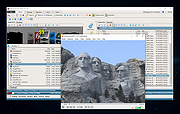 |
 |
HP (Hewlett Packard) Multimedia Keyboard SK-2501 HP (Hewlett Packard) Multimedia Keyboard SK-2501 drivers for Windows XP, 2000 and NT 2501v401.zip |
 |
10,323 | Mar 30, 2009 HP (Hewlett Packard) |
|
IrfanView v4.76 IrfanView v4.76 👉 Fast, compact image viewer and converter for Windows. IrfanView is a fast and compact graphic viewer for Windows that can view images, convert files, optimize images, scan and print, create slideshows, run batch processing jobs, and handle multimedia files. It is designed to be simple for everyday viewing while still offering powerful tools for image handling, editing, conversion, and automation. Features: • Fast and compact image viewer • Freeware for non-commercial use • 32-bit, 64-bit, and Windows ARM64 versions available • View, convert, and optimize images • Scan and print support • Batch processing • Slideshow creation • Multimedia support • Unicode support • Multi-language support • PlugIn support for additional formats and features Supported operating systems: • Windows XP, Windows Vista, Windows 7, Windows 8, Windows 10, Windows 11 • Windows 11 ARM, tested on Snapdragon X Supported languages: English, German, Bulgarian, Czech, Hungarian, Korean, Polish, Portuguese-Brazil, Slovak, Chinese, Estonian, French, Greek, Italian, Japanese, Dutch, Portuguese, Russian, Slovenian, Spanish, Thai, Turkish, Latvian, Norwegian, Danish, Romanian, Ukrainian, Arabic, Finnish, Catalan, English-British, Hebrew, Lithuanian, Swedish, Uzbek Changes: v4.76 09-18-26 Option to set the Toolbar on left/right (Properties->Toolbar) Option to draw a freehand selection, menu: Edit->Set selection shape New Wallpaper menu: Choose monitor (in multi monitor environment) New Thumbnails window menu: Favorite folders (max 15 folders) New in Thumbnails folder box: Write/Paste folder path, press Enter to load Changes in Zoom Magnifier (new initial zoom, CTRL + Click goes to 100%) Support for animated AVIF files New command line option to set the wallpaper per monitor /monitor=number (needs also /wall) Paint PlugIn: Option for smooth lines; Fix in the Clone tool Several PlugIns are changed/updated, please install the newest versions: Download from: https://www.irfanview.com/plugins.htm 👉 This download is for the Windows 64bit installer version (very bottom of page). All other download assets are below: Other Windows 64bit: iview476_plugins_x64_setup.exe iview476_plugins_x64.zip Windows 32bit: iview476_setup.exe iview476_plugins_setup.exe iview476_plugins.zip Windows ARM64bit: iview476_arm64_setup.exe iview476_arm64.zip iview476_plugins_arm64_setup.exe iview476_plugins_arm64.zip Click here to visit the author's website. |
|
6,451 | Sep 22, 2026 Irfan Skiljan 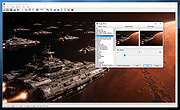 |
|
Kdenlive v26.04.3 Kdenlive v26.04.3 👉 Free and open-source non-linear video editor packed with powerful professional editing tools. Kdenlive is a free and open-source non-linear video editor from KDE designed for everything from simple video projects to complex multi-track productions. Built around the MLT Framework and FFmpeg, it can work directly with almost any audio and video format supported by FFmpeg without requiring clips to be converted first. Kdenlive combines flexible timeline editing, effects, transitions, titles, subtitles, color and audio analysis tools, proxy editing, multicam support, keyframing, automatic backups and extensive interface customization. Features: • Unlimited video and audio tracks with individual hiding, muting, resizing, collapsing and custom track names • Direct editing of almost any audio or video format supported by FFmpeg without first converting or re-encoding clips • Industry-standard 3-point editing with clip In/Out points and insert or overwrite editing modes • Flexible non-linear timeline for arranging, trimming and combining video and audio clips • Customizable interface with movable and resizable panels to fit different editing workflows • Save different workspace layouts for logging, editing, color grading and audio editing • Customizable keyboard shortcuts for creating a personalized workflow or adapting from another editor • Built-in 2D Title Editor for titles, callouts, scrolling credits and other text • Title formatting includes installed system fonts, character and line spacing, colors, alignment and positioning • Typewriter title effect with character-by-character, word-by-word or line-by-line text display • Glaxnimate integration for creating and working with SVG vector animations • Dozens of video and audio effects supplied through MLT, avfilter, frei0r and LADSPA • Video effects include color correction, blur, sharpening, artistic effects and transformations • Audio effects and adjustment tools for improving and modifying sound • Keyframe support for changing most effect parameters over time • Linear, discrete and smooth-curve keyframe types • Multi-camera editing with simultaneous viewing of multiple camera angles or other footage • Quickly switch between multicam sources while adding selected ... |
|
5,373 | Aug 20, 2026 Kdenlive Team 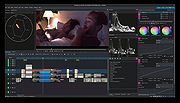 |
|
KeyTweak Portable v2.3.0 KeyTweak Portable v2.3.0 👉 Remap, disable or reassign keyboard keys through a simple visual interface. KeyTweak Portable is a free Windows keyboard-remapping utility that lets you change the function of individual keys without manually editing the Windows Registry. Its visual keyboard displays 126 numbered key positions, allowing you to select a key and assign it a different function or disable it entirely. KeyTweak writes changes to the Windows Scancode Map, making remappings available system-wide after Windows restarts. It can be used to disable unwanted keys, replace the function of a broken key, swap modifier keys or reassign multimedia and specialty buttons. Full Teach Mode and Half Teach Mode help identify keys that may not be easy to locate on the visual keyboard. The program does not need to remain running after changes are applied. Active mappings can be reviewed, undone individually or removed with the Restore All Defaults option. Remapping configurations can also be saved and loaded for later use. Features: • Visual keyboard with 126 numbered key positions • Remap individual keyboard keys • Disable unwanted or troublesome keys • Full Teach Mode for identifying and remapping physical keys • Half Teach Mode for quickly identifying a source key • Support for multimedia and specialty buttons • View currently active remappings • Undo the most recent remapping • Restore all keys to their default functions • Save and load remapping configurations • Applies remappings system-wide through the Windows Scancode Map • Does not require a background service after changes are applied • No install required • Manual included Note: A system restart is required after applying any remap for changes to take effect. Supported operating systems: • Windows 7, Windows 8, Windows 8.1, Windows 10, Windows 11 Supported languages: English Changes: v2.3.0 Not Provided Note: This file has two hits on VirusTotal. We have confirmed these to be false positives. The file is safe. Click here to visit the author's website. |
|
432 | Jul 15, 2026 Travis Krumsick & OlderGeeks.com 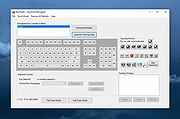 |
|
Media Player Classic Black Edition v1.9.0 Media Player Classic - Black Edition v1.9.0 👉 Lightweight, open-source audio and video player for Windows with built-in codecs. Media Player Classic - Black Edition (MPC-BE) is a free and open-source audio and video player for Microsoft Windows. Based on the original Media Player Classic and Media Player Classic Home Cinema projects, MPC-BE provides a clean, familiar interface with powerful playback features and a wide range of built-in audio and video codecs. It is designed to be lightweight, efficient, and highly compatible with modern multimedia formats while maintaining the classic Windows-style look and feel. Features: • Supports a wide range of video and audio formats using built-in codecs • High-quality video rendering with support for DXVA hardware acceleration • Subtitle support (external and embedded) with customizable styles • Playlist support and favorite files management • Audio switcher and built-in audio renderer • Customizable interface and toolbar • Screenshot capture and preview thumbnails • Video frame stepping and playback speed control • Command line support and extensive configuration options • Available in portable and installer versions Supported operating systems: • Windows 7, Windows 8, Windows 8.1, Windows 10, Windows 11 Supported languages: English, Russian, Ukrainian, Belarusian, German, French, Spanish, Italian, Polish, Czech, Slovak, Hungarian, Dutch, Portuguese (Brazil), Portuguese (Portugal), Romanian, Bulgarian, Greek, Turkish, Chinese (Simplified), Chinese (Traditional), Japanese, Korean Changes: v1.9.0 06-27-26 Splitters: Fixed crashes in some situations. AudioSplitter: Added support for the RF64 format. Fixed reading of channe This download is for the Windows 64bit installer version (very bottom of page). All other download assets are below: 32bit installer 64bit portable 32bit portable Standalone Filters 64bit Standalone Filters 32bit Use 7-Zip to unzip this file. Click here to visit the author's website. |
|
3,773 | Jul 11, 2026 MPC-BE Devs  |
|
OBS Studio v32.2.2 OBS Studio v32.2.2 👉 Free and open source live streaming and screen recording software. OBS Studio is software designed for capturing, compositing, encoding, recording, and streaming video content efficiently. It provides a powerful real-time video and audio production environment that allows users to capture gameplay, desktop activity, webcams, and multiple input sources while combining them into professional-looking broadcasts or recordings. OBS Studio uses a scene-based workflow that lets users build complex layouts using sources such as game capture, display capture, window capture, images, text, media files, browsers, webcams, and capture cards. Scenes can be switched instantly or transitioned smoothly during live broadcasts, making it ideal for livestreaming, tutorials, presentations, gaming streams, and video production. The program includes a full audio mixing system with per-source volume controls, filters such as noise suppression and noise gate, and monitoring options for precise audio management. Studio Mode allows creators to preview scene changes before pushing them live, reducing mistakes during broadcasts. OBS Studio also supports hardware-accelerated encoding, customizable streaming and recording settings, hotkeys for fast control, plugin extensions, and integration with major streaming platforms such as Twitch, YouTube, and others. Because it is open source and highly extensible, OBS Studio has become one of the most widely used broadcasting tools for content creators, educators, and professionals. Features: • Free and open source software for live streaming and screen recording • Scene and source based workflow for arranging games, webcams, windows, images, text, and capture devices • Built-in audio and video filters including noise suppression, noise gate, gain, chroma key, crop/pad, color correction, and sharpen • Studio Mode for preparing scene changes before sending them live • Scene transitions such as Fade, Cut, Swipe, Slide, Fade to Color, and Luma Wipe • Hardware encoder support options depending on available system hardware and platform configuration • New Audio Mixer, new Add Source dialog, WebRTC simulcast support, and expanded ... |
|
7,217 | Aug 19, 2026 OBS Project 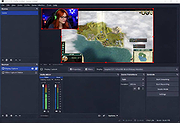 |
|
PotPlayer v260622 PotPlayer v260622 👉 A multimedia player for Windows with built-in codec support, subtitle handling, 3D playback, and hardware acceleration. PotPlayer is a multimedia player designed for Windows that provides maximum performance with minimum resource usage using DXVA, CUDA, and QuickSync. It supports various types of 3D glasses and 3D output formats, including Side by Side, Top and Bottom, and Page Flipping. PotPlayer also supports multiple subtitle formats such as SMI, SRT, DVD Vobsub, Blu-ray subtitles, ASS/SSA animation, and SMI Ruby tags. It includes OpenCodec support so users can add codecs easily, and offers advanced playback features such as smooth video playback, sound card selection, scene preview snapshots, bookmarking favorite scenes or chapters, and support for devices such as DVD, TV, and HDTV. Features: • Provides maximum performance with minimum resource usage using DXVA, CUDA, and QuickSync • Supports various types of 3D glasses and 3D output formats • Supports text subtitles, DVD subtitles, Blu-ray subtitles, ASS/SSA animation, and SMI Ruby tags • Supports OpenCodec so users can easily add additional codecs • Smooth and seamless video playback • Lets you choose which sound card to use when multiple sound cards are installed • Allows scene preview with snapshots • Lets you bookmark favorite scenes or chapters • Supports Direct3D9 Ex Flip Mode and Overlay • Supports devices such as DVD, TV, and HDTV Supported operating systems: • Windows 7, Windows 8, Windows 8.1, Windows 10, Windows 11 Supported languages: • Korean, Chinese (Simplified), Chinese (Traditional), English, Ukrainian, Russian, Polish Changes: v260622 08-06-26 * Removed Kakao TV + Added pause function when navigating via the navigation bar - Significantly improved internal stability - Fixed an issue where colors appeared strange during RGB24 processing - Improved playback for some HTTP streams - Improved sync processing for the built-in audio renderer - Fixed an issue where certain MP4 files behaved abnormally during playback This download is for the Windows 64bit version. If you need the 32bit version, download here. Click here ... |
|
5,040 | Aug 06, 2026 Kakao Corp. 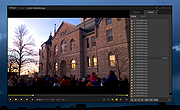 |
|
Shutter Encoder v20.2 Shutter Encoder v20.2 👉 A free video, audio, and image converter designed by video editors for powerful media encoding and workflow tools. Shutter Encoder is a free media converter and processing tool built around FFmpeg for handling video, audio, and image files. It is designed by video editors to be both accessible and powerful, with support for a very wide range of codecs and formats, along with trimming, subtitle work, watermarking, cut detection, analysis tools, web video downloading, render queue support, file information viewing, batch renaming, FTP upload support, and AI-assisted functions. It also includes professional workflow features such as editing codecs, broadcast codecs, archive codecs, disc burning and ripping, and preset saving for repeatable jobs. Features: • Converts video, audio, and image files using FFmpeg • Designed by video editors for accessible but advanced media work • Supports a very large range of codecs and formats • Includes trimming and cut without re-encoding tools • Lets you replace audio, rewrap, conform, merge, extract, subtitle, and insert video • Supports sound conversion to WAV, AIFF, FLAC, ALAC, MP3, AAC, AC3, OPUS, Vorbis, Dolby Digital Plus, and Dolby TrueHD • Includes editing codecs such as DNxHD, DNxHR, Apple ProRes, QT Animation, GoPro CineForm, and Uncompressed • Includes output codecs such as H.264, H.265, H.266, VP8, VP9, and AV1 • Includes broadcast codecs such as XDCAM HD422, XDCAM HD 35, AVC-Intra 100, XAVC, XAVC Long GOP, and HAP • Supports older codecs including Theora, MPEG-2, MJPEG, Xvid, DV, WMV, and MPEG-1 • Supports FFV1 for archiving workflows • Creates JPEG, JPEG XL, and image outputs • Burns and rips DVD and Blu-ray media • Includes analysis tools such as loudness and true peak, audio normalization, cut detection, black detection, media offline detection, VMAF, and FrameMD5 • Downloads web video content • Includes image adjustment tools for colors, LUTs, and color space conversion • Supports cropping for both images and videos • Can ... |
|
3,680 | Aug 12, 2026 Paul Pacifico 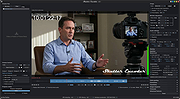 |
|
SMPlayer v26.8.29 SMPlayer v26.8.29 👉 A free media player with built-in codecs that plays virtually all video and audio formats. SMPlayer is a free media player for Windows, Linux and Mac OS with built-in codecs, YouTube playback, subtitle search and download, a thumbnail generator, and audio and video filters. Features: • Plays virtually all video and audio formats • Built-in codecs, no external codec packs required • Remembers playback position and settings for each file • Supports YouTube video playback • Searches and downloads subtitles • Includes video and audio filters • Playback speed control • Audio and subtitle delay adjustment • Video equalizer • Skins and icon themes • Supports Chromecast • Free and open source Supported operating systems: • Windows 8 and above • Windows XP and other 32-bit systems via alternative package • Linux • Mac OS 10.15 and above Supported languages: English, Espaρol, Franηais, Portuguκs, Portuguκs (Brasil), Euskara, Galego, Catalΰ, Lietuvių, Русский, Українська, Hrvatski, Polski, Deutsch, 日本語, 正體中文, 简体中文, 한국어, Bahasa Indonesia, Bahasa Melayu, Tόrkηe, Български, العربية, Dansk, Nederlands Changes: v26.8.29 Added an option to show a thumbnail preview when hovering over the seek bar (Preferences -> Interface). Playlist positions/progress are now remembered between sessions. Added a pause button to the playlist. Added an option to enable/disable secondary subtitles. Fixed zoom behavior. Fixed playlist item numbering after removing items. Playlist is now re-sorted automatically after adding files. Fixed the add black borders option. Improved retrieval of the track (song) title for internet radio streams (icy-title). Fixed video aspect ratio override support. Added support for additional network URI schemes (KDE integration). Forced the xcb backend on Linux to avoid display issues. macOS builds are now available for arm64 (Apple Silicon), in addition to the existing x86_64 builds. Experimental packages compiled with Qt 6 are now available for Windows and macOS. Various translation updates (German, Italian, Spanish, English UK/US, and others) Use 7-Zip to unzip this file. 👉 This download is for the Windows 64bit version (very bottom of page). All other download assets are below: Other Windows: smplayer-26.8.29-win32-qt5.6-unsigned.exe ... |
|
3,468 | Sep 28, 2026 Ricardo Villalba 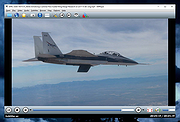 |
|
WannaCut v0.2.0 WannaCut v0.2.0 👉 A lightweight, open source video editor for fast, simple video cutting and editing. WannaCut is a lightweight, open source desktop video editor designed to make trimming, cutting, and assembling videos quick and straightforward. It focuses on an intuitive editing experience that lets you import video clips, arrange them on a timeline, trim unwanted sections, and export the finished result without the complexity of professional editing suites. Built with a modern interface, WannaCut is suitable for creating short videos, social media clips, tutorials, and other basic editing projects while remaining fast and easy to learn. Features: • Lightweight and open source video editor. • Simple timeline-based editing. • Trim and cut video clips with precision. • Rearrange clips by drag-and-drop. • Import multiple video files into a project. • Export completed videos. • Clean, modern user interface. • Designed for quick editing without unnecessary complexity. • Cross-platform application. Supported operating systems: • Windows 10, Windows 11 • macOS • Linux Supported languages: • English Changes: v0.2.0 06-18-26 Modern and fluid UI redesign Different colors per clip for easier navigation Split tool precision fix Move playhead in decimals of seconds Seek to next/previous cut Speed system for clips with keyframes This download is for the Windows 64bit version (very bottom of page). All other download assets are below: Debian/Ubuntu: WannaCut_0.2.0_amd64.deb Fedora/RPM: WannaCut-0.2.0-1.x86_64.rpm Arch Linux: wanna-cut-0.2.0-1-x86_64.pkg.tar.zst Click here to visit the author's website. |
|
467 | Jun 19, 2026 Gabriel Martins 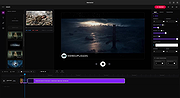 |
|
Wav2Bar v0.3.5 Wav2Bar v0.3.5 👉 Powerful open source software for creating advanced audio visualization videos. Wav2Bar is a free and open source audio visualization creator designed for producing animated music videos and visual effects synchronized to audio tracks. It allows users to combine visualizers, images, text, particle effects, timers, backgrounds, and custom objects into fully customizable projects that can be exported as MP4 videos for sharing online or integrating into larger productions. Built with flexibility in mind, Wav2Bar provides an editor-style workflow where users can design layered scenes and control how elements react to sound in real time. The software supports reusable project files, adjustable rendering quality, customizable frame rates and resolutions, and multiple visualizer styles for creating everything from simple waveform animations to complex motion graphics. Wav2Bar is especially useful for content creators, musicians, streamers, video editors, and anyone looking to generate professional-looking audio reactive visuals without requiring expensive commercial software. Its open source nature also allows developers and advanced users to customize or extend the software for specialized workflows. Features: • Create advanced audio reactive visualizations synchronized to music and sound • Design layered scenes using visualizers, backgrounds, text, and images • Multiple built-in visualizer styles for different animation effects • Export projects as MP4 video files • Save and reload projects for later editing • Reusable project templates for faster workflow creation • Customizable video resolution and frame rate settings • Real-time editor style interface for arranging objects and effects • Add logos, overlays, album artwork, and custom graphics • Built-in particle flow effects • Time indicators and timing-based visual elements • Audio caching system for smoother processing • Adjustable rendering quality for balancing speed and output quality • Open source architecture for customization and community development • Suitable for music videos, streaming overlays, social media clips, and promotional content • Lightweight modern interface focused on creative workflows • Supports complex animated compositions with multiple reactive elements • Free to use ... |
|
603 | Sep 30, 2026 Picorims 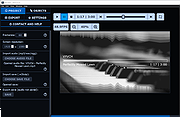 |
| Showing rows 1 to 13 of 13 | Showing Page 1 of 1 | 1 |
OlderGeeks.com Copyright (c) 2026
