|

|
Processed through Paypal No account required. |








Buy our over-priced crap to help pay the bills.



|
|
Processed through Paypal No account required. |
| Files | ||||
| File Name | Rating | Downloads | ||
 |
Audacity v4.0.1 Audacity v4.0.1 👉 Free, open-source, multi-track audio editor and recorder for recording, editing, mixing and producing audio. Audacity is a powerful, free and open-source audio editor and recorder for Windows, macOS and Linux. It can handle everything from quick voice recordings and simple edits to multi-track music production, podcast creation, audio restoration and more involved sound projects. Audacity provides a visual waveform-based editing environment where audio can be recorded, cut, copied, moved, trimmed and arranged across multiple tracks. Music, speech, sound effects and other recordings can be combined into a single project, with precise control over individual clips and their placement on the timeline. The program includes a wide collection of audio processing tools for adjusting volume, compression, equalization, pitch and tempo. Noise removal and repair tools can help clean up recordings, while delay, reverb, distortion, modulation, fading and other effects provide additional options for shaping sound. Real-time effects can be applied without permanently altering the original audio, allowing settings to be adjusted while continuing to work on a project. Effects can be applied to individual tracks or to the master output. Audacity also includes a plugin manager for enabling, disabling and organizing available effects. Audacity supports third-party plugins and includes support for VST3 and Nyquist effects. Optional FFmpeg support expands compatibility with additional audio formats. Finished projects can be exported to common formats such as WAV, MP3, FLAC and Ogg. The program is useful for recording microphones and other audio sources, digitizing older recordings, cleaning up noisy audio, editing interviews, assembling podcasts, creating sound effects, working with music and preparing finished audio for publishing or archiving. Features: • Record live audio through microphones, mixers and other input devices • Edit and arrange multiple audio tracks within a single project • Cut, copy, paste, trim, split and move audio clips ... |
 |
11,300 | Oct 02, 2026 Audacity 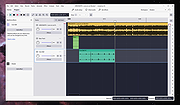 |
 |
ControlMyMonitor v1.43 ControlMyMonitor v1.43 👉 View and modify your monitor's DDC/CI settings from a graphical interface or the command line. ControlMyMonitor is a freeware NirSoft utility that lets you view and change supported monitor settings, also known as VCP features, such as brightness, contrast, sharpness, RGB color balance, OSD language, and input source. It can manage monitor settings from a simple GUI or from the command line, and it can also export a monitor's settings to a configuration file and later load them back. Features: • View monitor VCP features such as brightness, contrast, sharpness, color balance, OSD language, and input port • Change supported monitor settings from a graphical interface • Control monitor settings from the command line • Export monitor settings to a configuration file • Load saved configuration settings back into a monitor • Support for multiple monitors with selectable monitor identifiers • Save monitor settings to text, tab-delimited, CSV, HTML, and JSON-compatible export formats • Includes command-line options for setting values, changing values, reading values, switching values, and turning monitors on or off Supported operating systems: • Windows Vista, Windows 7, Windows 8, Windows 8.1, Windows 10, Windows 11 Supported languages: Arabic, Brazilian Portuguese, Dutch, French, German, Greek, Hungarian, Italian, Japanese, Korean, Persian, Russian, Simplified Chinese, Slovak, Spanish, Traditional Chinese Changes: v1.43 Added 'Black Background' option (Under the View menu). When it's turned on, the main table is displayed in black background and white text, instead of default system colors. Click here to visit the author's website. |
|
6,738 | Aug 14, 2026 Nir Sofer 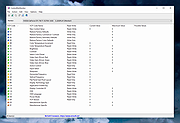 |
|
DesktopPic v2.1.0 DesktopPic v2.1.0 👉 Display or stamp images on your Windows desktop wallpaper with multi-monitor support. DesktopPic lets you display one or more pictures on your desktop as borderless slideshows or stamp images directly onto your wallpaper for a more permanent effect. It is designed to work with multiple monitors and supports convenient positioning options, letting you place images in corners, centered areas, or specific displays. DesktopPic also supports transparent images, crossfading for slideshow use, and a portable mode that does not require installation. Features: • Display images in borderless slideshow windows on the desktop • Stamp one or more images directly onto wallpaper • Full support for multiple monitors • Smart image placement including center and corner positions • Maintains original image aspect ratio • Supports transparent images • Supports crossfading in slideshow mode • Portable option available with no installation required • Supports common bitmap image formats including PNG, JPG, BMP, WebP, and animated GIFs Slideshow Displays one or more pictures in a window that has no borders or captions, so all you see is the picture. The image window may be positioned manually or set to appear in the center or any corner of any monitor. This will give the illusion of the picture being part of your wallpaper, but it’s really just another window. Any desktop icons in the same region as the picture will be covered. Bitmap image formats, such as PNG (recommended), JPG, BMP, WebP (photos), and animated GIFs are supported. You can run multiple copies of DesktopPic (use portable option) to have more than one slideshow on your desktop (on any monitor). DesktopPic does not do a wallpaper slideshow (that capability is built into Windows under “Personalize”). Stamp Image to Wallpaper One or more images can be stamped to the wallpaper in any size or position. This makes the picture part of the wallpaper, so it will ... |
|
3,010 | Jul 24, 2026 LesFerch 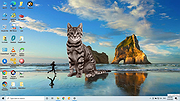 |
|
Flowers (Dual Monitor) Theme v1.0 Flowers (Dual Monitor) Theme v1.0 👉 A dual-monitor Windows theme featuring 21 ultra-wide/HD flower wallpapers. Flowers (Dual Monitor) Theme brings a collection of flower photography to your desktop, including blossoms such as purple bellflowers, yellow tulips, larkspurs, sunflowers, and other colorful flower scenes. It is designed for dual-monitor setups and includes 21 HD wallpapers shown in a 30-minute slideshow. Features: • Includes 21 HD dual-monitor flower wallpapers • Features a variety of floral scenes from around the world • Built for dual-monitor desktop setups • Uses a 30-minute wallpaper slideshow mode Supported operating systems: • Windows 7, Windows 8, Windows 8.1, Windows 10, Windows 11 Supported languages: n/a Changes: v1.0 Not Provided How to span wallpaper across two monitors: • Right-click on the desktop and select Personalize • Click Background • Under “Choose a fit,” select Span • Ensure both monitors use similar resolutions for best results This download is for the Windows 11/10/8/8.1 version (very bottom of page). If you need the Windows 7 version, download here. Click here to visit the author's website. |
|
928 | Apr 02, 2026 themepack.me  |
|
Input Director v2.3 Input Director v2.3 Enables the control of multiple Windows systems using the keyboard/mouse attached to one computer. Switch control between systems either by hotkey or by moving the cursor to the screen edge on one computer for it to appear on the next one Input Director supports a shared clipboard - copy on one computer, switch control, and paste. Supported operating systems: Windows 11, Windows 10, Windows 8/8.1 and Windows 7. The systems must be networked. Supported languages: English Features Easy to Use • Easy to follow installation and usage guides - setup only takes a few minutes • Input Director's flexible monitor layout system makes it easy to accurately reflect a monitor's physical location and size: • Multi-monitor support • Shared Clipboard - copy and paste between computers (including files!) • Compatible with Windows 11, Windows 10, Windows 8/8.1 and Windows 7 • Only Input Director ensures the cursor remains visible and correct if the mouse is disconnected on a Windows 10 or Window 11 system • Transitioning control to another computer is as simple as moving your cursor off the screen on one computer for it to jump to the other • Able to control a computer without needing to login to it first Supports Windows fast user switching • Compatible with Windows User Account Control pop-ups Manage all your computers at once • Simultaneously lock all computers • Import/Export Input Director configuration and apply configuration updates from the command line • Synchronize screensavers across your computers • Synchronize shutdown of your system (or individually configure whether a computer goes to standby, hibernate or shuts down) • Wake systems over the network Security • Encrypt network data between Input ... |
|
4,861 | Feb 09, 2026 Shane Richards 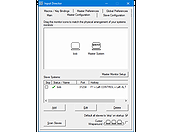 |
|
JMoveIt v1.00 JMoveIt v1.00 👉 A lightweight multi-monitor utility that moves windows between displays while preserving their relative size and position. JMoveIt is a multi-monitor utility designed to solve two common display-management problems: programs changing size when moved between monitors with different scaling or resolution settings, and Windows relocating open programs when a monitor’s power state changes. It can move programs to other monitors while maintaining the same relative size and position, and its optional Monitor Watcher feature can detect monitor power changes and restore windows to their original locations after Windows moves them. JMoveIt runs in the background, supports command line control, global hotkeys, and quick mouse-friendly interaction through a small window. Features: • Move program windows between monitors while preserving relative size and position • Helps prevent programs from growing or shrinking when moved to displays with different scaling or resolution settings • Optional Monitor Watcher detects monitor power state changes • Restores windows to their original monitor locations after Windows moves them • Supports command line options for moving programs • Includes global hotkeys for moving programs quickly • Runs in the background for convenient everyday use • Mouse-friendly interface with a single small window for quick interactions • No installation required, with an optional setup program included • Delphi XE2 source code included Supported operating systems: • Windows XP, Windows Vista, Windows 7, Windows 8, Windows 10 Supported languages: • English Changes: v1.00 04-02-26 First Release Note: This file has three hits on VirusTotal. We have confirmed these to be false positives. The file is safe. Click here to visit the author's website. |
|
667 | Apr 08, 2026 joejoesoft.com 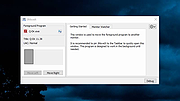 |
|
Multi File Port Monitor v1.5.2.1604 Multi File Port Monitor v1.5.2.1604 MFILEMON is a print monitor for 32 and 64 bit MS Windows (2000/XP/2003/2008/2012/Vista/7/8/10). It automates "print to file" jobs choosing the filename according to a pattern. It can redirect data to an external program (e.g. Ghostscript, to produce PDF). Features Rich file naming scheme supporting many run-time variables, including auto-increment counters Can redirect print jobs to an external process Can "run as" a regular user (e.g. to access network resources) Log facility for debugging rel. 1.5.2 oct 31, 2017 ------------------------ * Added external program wait timeout * Added flag to hide or show external program * Widened configuration dialog * Fixed various "run as" bugs Click here to visit the author's website. |
|
5,986 | Oct 24, 2019 Lorenzo Monti 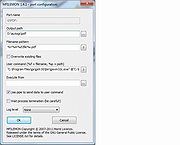 |
|
Multi Icon v1.00.2022 Multi Icon v1.00.2022 Free tool to create stunning, high quality, multi-resolution icons (.ico) and "mainicon" resources (.res). The multi-resolution icon stores a 256 x 256 image in PNG format, and five images at 64 x 64, 48 x 48, 32 x 32, 24 x 24 and 16 x 16 in native Windows icon format for maximum compatibility, back to Windows 95. Open an image from file, or paste one in with transparency, or drag and drop an image directly onto the corresponding icon resolutions, then save. Use a single Master image for the complete set of images, or separately individualise each image resolution for complete control over appearance. Support for 32 bit images with 8 bit alpha mask, and built-in common mask shapes to instantly transform a basic, square image into an alpha-transparent shape with one click. Save as a multi-resolution icon in either the standard Windows icon (.ico) format, or as a Windows resource (.res) in the "mainicon" format for direct inclusion in an app, as the app's icon. Features: • Realtime WYSIWYG (What You See Is What You Get) display • Multi-resolution support: 256, 64, 48, 32, 24 and 16 px image sizes • 13 one click mask shapes to instantly transform an image • 2 custom mask shapes (open from file and paste from Clipboard with transparency) • Supports Clipboard transparency (PNG and CF_DIBV5) • Options: Flip, Mirror, Rotate 0, 90, 180 and 270 • Force: Optionally remove transparent regions from original image mask when using a shape • Variable PNG quality: High, ... |
|
739 | Jun 17, 2025 Blaiz Enterprises 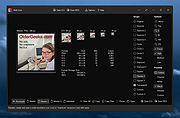 |
|
Multi PDF Merger v1.11 Multi PDF Merger v1.11 Free, portable tool to merge a large number of files, documents and images into a single PDF file. A large number of document types are supported, such as Microsoft Office, images text files and PDF and PostScript documents. Requirements: Windows 7 or newer, .NET Framework 4.x, GhostScript 9.x. Supported Document Types The following documents can be merged into PDF. Please note the individual requirements for each of the document type. Microsoft Office: Requires Microsoft Office 2013 or newer. Supported Office applications: Word, Excel, Powerpoint, Publisher, Visio. Additionally supported document types: text (*.txt), comma separated values (*.csv), rich text format (*.rtf), OpenOffice/LibreOffice. HTML documents and websites (URL): Requires Internet Explorer 8 or newer. A screenshot of the HTML page or the website is merged into the PDF document. The HTML document must be reasonably simple, otherwise a blank page is inserted instead. Images: No additional requirements. Supported image file types: JPEG (*.jpg), GIF (*.gif), Portable Network Graphics (*.png), TIFF (*.tif), PostScript (*.ps, *.eps). Changes: Version 1.11 (9 March 2020): Bugfixes. Click here to visit the author's website. |
|
3,162 | Dec 31, 2021 Jan Krohn 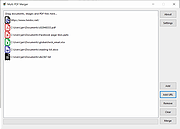 |
|
MultiMonitorTool v2.25 MultiMonitorTool v2.25 👉 Manage and control multiple monitors from a simple, portable Windows utility. MultiMonitorTool is a small, portable tool that allows you to manage multiple monitors connected to your system. It lets you enable or disable monitors, set the primary monitor, save and load monitor configurations, and move windows from one monitor to another. MultiMonitorTool can also be used from the command line, making it ideal for automation scripts and advanced users. Features: • Enable or disable specific monitors • Set the primary monitor • Save and load monitor configurations • Move windows from one monitor to another • Change monitor resolution, color depth, and refresh rate • View detailed information about connected monitors • Command-line support for scripting and automation • Portable application (no installation required) Supported operating systems: • Windows 2000, Windows XP, Windows Server 2003, Windows Vista, Windows 7, Windows 8, Windows 10, Windows 11 Supported languages: Arabic, Brazilian Portuguese, Czech, Dutch, French, German, Greek, Hungarian, Italian, Japanese, Korean, Persian, Polish, Romanian, Russian, Simplified Chinese, Slovak, Spanish, Traditional Chinese, Turkish, Ukrainian Changes: v2.25 07-04-26 Added new options: 'Switch To Selected Window', 'Close Selected Windows', 'Minimize Selected Windows', 'Restore Selected Windows'. This download is for the Windows 64bit version (very bottom of page). If you need the Windows 32bit version, download here. Click here to visit the author's website. |
|
10,346 | Jul 17, 2026 Nir Sofer 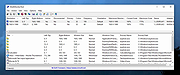 |
|
MultiOS-USB v0.12.1 MultiOS-USB v0.12.1 👉 Create a multiboot USB flash drive capable of launching multiple operating system installers and utilities directly from ISO/WIM images. MultiOS-USB is a utility that allows you to build a single bootable USB flash drive containing multiple operating system installers and recovery tools. Instead of keeping separate installation media for different systems, MultiOS-USB organizes ISO images on one device and presents them through a boot menu so you can choose which system or tool to launch. MultiOS-USB simplifies system deployment, testing environments, and recovery workflows by letting technicians keep a portable library of operating systems and utilities on one drive. The program prepares the USB drive, installs the bootloader, and configures the menu structure required to boot the selected ISO images. This makes it particularly useful for technicians, system administrators, and repair professionals who frequently install or troubleshoot operating systems. Features: • Create a multiboot USB flash drive • Store multiple operating system installers on a single drive • Boot different ISO images from a unified menu • Useful for operating system installation, testing, and recovery • Portable tool for technicians and system administrators • Simple process for adding or removing ISO images Installation and usage: 1. Prepare the USB drive Extract the MultiOS-USB archive and run the program. Insert the USB flash drive you want to use and follow the prompts to prepare the drive and install the bootloader. 2. Copy operating system ISO images After the USB drive is prepared, copy supported ISO images into the appropriate folders on the flash drive as described in the documentation. 3. Boot from the USB drive Restart the computer and select the USB device in your system's boot menu. MultiOS-USB will display a menu allowing you to select which operating system installer or utility to launch. 4. Secure Boot note Some systems with Secure Boot enabled may display a Machine Owner Key (MOK) management screen or security verification ... |
|
886 | Jul 13, 2026 MexIT 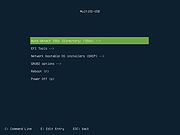 |
|
Uninstalr v3.1 Uninstalr v3.1 👉 Fast bulk uninstaller that removes programs and leftover traces in one process. Uninstalr is a Windows uninstallation tool that allows you to remove multiple applications at once while automatically detecting and deleting leftover files, folders, and registry entries. It is designed to streamline the uninstall process by combining standard removal with post-uninstall cleanup into a single operation. Uninstalr performs deep scanning after each uninstall to ensure that no residual data remains, helping keep systems clean and free from clutter. It also supports removing broken or partially uninstalled programs that cannot be removed through normal means. The program emphasizes speed, accuracy, and ease of use, making it suitable for both everyday users and advanced system maintenance. Features: • Uninstall multiple programs in a single batch • Automatically removes leftover files, folders, and registry entries • Combines uninstall and cleanup into one streamlined process • Handles broken or incomplete uninstall entries • Fast scanning engine for efficient cleanup • Portable version available Supported operating systems: Windows 11, Windows 10, Windows 8 and Windows 7. Supported languages: • Chinese Simplified, Chinese Traditional, Czech, Danish, Dutch, English, Filipino, Finnish, French, German, Greek, Hindi, Hungarian, Indonesian, Italian, Japanese, Korean, Malay, Norwegian, Polish, Portuguese, Romanian, Slovak, Spanish, Swedish, Thai, Turkish, Ukrainian, Vietnamese Changes: v3.1 07-08-26 Key Changes: Uninstalr now starts and shows the list of installed apps faster after the initial scan has been completed, and with much smaller memory usage. Uninstalr now detects and highlights apps that automatically start with Windows. Greatly improved the detection of portable apps. Improvements: New feature: Uninstalr now detects and highlights apps that automatically start with Windows. New feature: Uninstalr now highlights possible leftovers and apps from Russia and China. This can be disabled from the Settings. New feature: A ... |
|
4,656 | Jul 14, 2026 Macecraft Software 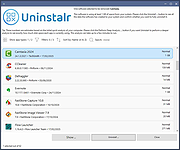 |
| Showing rows 1 to 12 of 12 | Showing Page 1 of 1 | 1 |
OlderGeeks.com Copyright (c) 2026
