|

|
Processed through Paypal No account required. |








Buy our over-priced crap to help pay the bills.



|
|
Processed through Paypal No account required. |
| Files | ||||
| File Name | Rating | Downloads | ||
 |
1by1 v2.16 1by1 v2.16 👉 Small and fast audio directory player with powerful features. 1by1 is a smart and lightweight directory-based audio player for Windows that lets you play tracks directly from folders without needing playlists or a media database. It combines file-manager-style navigation with playback features such as resume play, gapless playback, transition mixing, audio enhancing, bookmarks, cue sheet support, and file tools for organizing tracks while listening. It is also highly configurable, portable, and designed for low resource usage. Features: • Directory Player: directly plays folder contents • Resume play with track and position memory • Multi Resume for the ten recently played folders • Gapless play, transition mixing, and audio enhancing • Folder tree file navigation and Directory finder • MP3 decoding by ACM, mpglib, and BASS • BASS library support for formats such as OGG, WAV, FLAC, AAC, MP4, and CD audio • Optional 24 bit output and 32 bit audio processing • File utilities including copy, move, rename while play, delete, and date change • Scalable Big title view, Rename tool, and Folder compare tool • Cue sheet support, M3U playlist support, and bookmarks • Winamp 2.x input plugin support and WAV export • Track logging, HTTP control and streaming server • Theme presets, global hotkeys, portable operation, and low resource usage Supported operating systems: • Windows • Android • Linux with Wine Supported languages: English, German, Danish, Spanish, French, Italian, Korean, Portuguese (Brazilian), Russian, Serbian, Ukrainian, Chinese (Simplified) Changes: v2.16/v1.39 04-18-26 Windows: Binary changes (GCC build) · Additional languages: Koeran, Serbian, French · Better quit on other instance check · Hang on clearing tree view fixed · Threading issues corrected · Some other corrections and modifications Android: Media key event handling improved Note: This file has one hit on VirusTotal. We have confirmed this to be a false positive. The file is safe. This download is for the Windows version (very bottom of page). If you need the Android version, download here. Click here to ... |
 |
1,815 | Jul 26, 2026 Martin Pesch 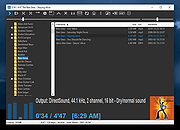 |
|
Audacity v3.7.8 Audacity v3.7.8 👉 Free, open-source, multi-track audio editor and recorder. Audacity is an easy-to-use, multi-track audio editor and recorder for Windows, macOS, GNU/Linux and other operating systems. Audacity can record, edit, clean up, enhance, import, export and convert audio projects, making it useful for music, podcasts, voice work and general sound editing. Features: • Record and edit audio on Windows, macOS and Linux • Multi-track audio editing • Record, clean up, enhance and produce songs or podcasts • Import, export and convert audio files • Export to WAV, MP3, FLAC, Ogg and more • VST3 plugin support • Nyquist plugin support • Noise reduction tools • Compressor, speed changer, pitch changer and vocal remover tools • Optional FFmpeg library support for additional formats such as WMA, M4A and AC3 Supported operating systems: • Windows 10, Windows 11 • Windows 8.1, Windows 7, Windows Vista may also work but are not tested • Windows 11 or later for Windows ARM64 beta • macOS 14, macOS 15 • macOS 10.11 El Capitan or later may also work • Ubuntu 22.04, most major Linux distributions on amd64 with FUSE 2 for AppImage Supported languages: US English, Afrikaans, Arabic, Armenian, Basque, Basque (Spain), Belarusian, Bengali, Bosnian, Bulgarian, Burmese, Catalan, Chinese (Simplified), Chinese (Taiwan), Corsican, Croatian, Welsh, Czech, Danish, Dutch, Farsi (Persian), Finnish, French, Gaelige, Galician, Georgian, German, Greek, Hebrew, Hindi, Hungarian, Indonesian, Italian, Japanese, Khmer, Korean, Lithuanian, Macedonian, Marathi, Norwegian (Bokmal), Occitan, Polish, Portuguese, Portuguese (Brazilian), Romanian, Russian, Serbian (Cyrillic), Serbian (Latin), Slovak, Slovenian, Spanish, Swedish, Tajik, Tamil, Turkish, Ukrainian, Valencian, Vietnamese Changes: v3.7.8 06-11-25 This is a patch release. It contains the following changes: #10688 Fixed an exception thrown when pasting into a newly-created track (Thanks, David Bailes (@DavidBailes)!) #10870, #10884, #10775, #10629 Fixed tone generation, waveform-scale setting, SetClip Name parameter, and clip-boundary command names for scripting and macros (Thank you, David Bailes (@DavidBailes)!) ... |
|
11,251 | Jun 16, 2026 Audacity 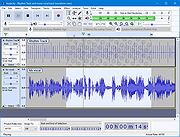 |
 |
Audio Fake Detector PRO v7.7 Audio Fake Detector PRO v7.7 👉 Detects fake high-quality audio files by identifying lossy-to-lossless transcodes using advanced spectral and statistical analysis. Audio Fake Detector PRO detects fake “high quality” audio files, including lossy sources such as MP3 or AAC that have been transcoded or disguised as lossless formats like WAV or FLAC. Audio Fake Detector PRO uses a hybrid analysis engine combining spectrogram-based detection and statistical verification depending on the file type. Lossy formats are analyzed using frequency cutoff behavior, abrupt endings, stereo anomalies, and majority-vote segment analysis, while lossless formats are verified using auCDtect statistical analysis. Each audio file is divided into multiple segments and independently evaluated to reduce false positives and false negatives caused by mixed-quality content. Detailed reports are generated in several formats, and suspicious files can automatically be moved into a dedicated folder while preserving the original folder structure. Features: • Detects lossy-to-lossless and lossy-to-lossy transcodes • Hybrid analysis engine using spectrogram and statistical methods • Multi-segment majority voting system for improved accuracy • Spectral cutoff and compression artifact detection • Joint stereo anomaly detection • Automatic download and use of ffmpeg, ffprobe, and auCDtect • Metadata recovery with multi-step fallback analysis • Fast spectrogram processing with optimized implementation • Intelligent segment selection to reduce processing overhead • Generates reports in LOG, CSV, and HTML formats • Moves suspicious files to ~Fake while preserving folder structure • Supports hidden files and batch folder analysis A file is classified as FAKE in the following cases: • Bitrate < 170 kbps (pre-filter) • Lossy formats (MP3/M4A/AAC/OGG/OPUS/WMA) with a hard cutoff ≤ 16.5 kHz • Lossless formats (FLAC/WAV/APE/AIFF/WV) showing strong MPEG artifacts (auCDtect ≥ 80%) • Lossless files with abnormal spectrogram cutoff behavior • Mixed-source encoding or inconsistencies between segments Note: • Automatically downloads required tools on first run: ffmpeg and ffprobe (audio decoding and analysis), and auCDtect (lossless audio verification) Note: It is designed for modern digital music collections and large batches of ... |
|
757 | Jun 27, 2026 Alessandro Comito 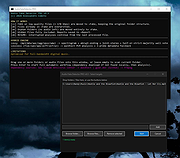 |
|
CSVMusic v1.6.6 CSVMusic v1.6.6 👉 Convert playlists and albums from music services into fully tagged audio files. CSVMusic is a free and open source tool that converts playlists and albums from supported music services into ready-to-use audio files. You can paste a supported playlist or album link directly into the program, or import a playlist exported as a CSV file. CSVMusic finds the best matching tracks on YouTube Music, downloads the audio, and adds metadata such as artist, album and artwork. Audio can be saved as M4A or MP3, with optional native Opus output available in Settings. CSVMusic can also create M3U and M3U8 playlist files so the original track order can be retained when the music is imported into iTunes, a phone, MP3 player or local music library. Features: • Import supported playlist and album links directly without first creating a CSV file • Direct link support for Spotify, Apple Music, YouTube Music, YouTube playlists, SoundCloud sets, Deezer and Amazon Music when public track data is available • CSV importing remains available for services supported by TuneMyMusic • First-class Exportify CSV support • Automatically finds matching tracks on YouTube Music • Downloads and converts audio to M4A or MP3 • Optional native Opus output remuxes Opus streams without lossy re-encoding • Automatically adds artist/title, album information and embedded artwork • Optionally creates M3U and M3U8 playlist files • Library Mode maintains multiple public Spotify playlists in a persistent local catalog • Library Mode can scan playlists, identify tracks missing from disk and let you select individual tracks • Rescanning the library preserves track selections and manually corrected YouTube matches while reporting added and removed tracks • Alternatives lets you select a better result when CSVMusic is not confident about an automatic match • Listen lets you preview an alternative candidate in your browser • Paste URL lets you download a specific YouTube or YouTube Music video when choosing an ... |
|
904 | Aug 26, 2026 angall1 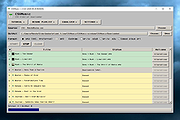 |
|
File Order Randomizer v1.0 File Order Randomizer v1.0 👉 Adds random numbers to the start of filenames to randomize play order on simple music players. File Order Randomizer is a small, portable utility intended for devices (like some car radios or clock radios) that cannot play tracks in random order from a USB stick. It generates random numbers and puts them in front of every file in a specified folder, so you can create a new play order by running it again. Features: • Adds random numbers in front of filenames in a selected folder • Designed to help create a “random” track order for cheap/basic music players using USB media • Simple run-to-rerandomize workflow (run again whenever you want a new order) Supported operating systems: • Windows 2000 SP4 • Windows XP • Windows Vista • Windows 7 • Windows 8 / 8.1 • Windows 10 • Windows 11 Supported languages: • English Click here to visit the author's website. |
|
744 | Jun 29, 2026 Lumpiluk 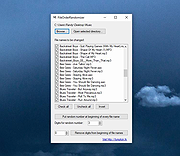 |
|
Free MP3 Cutter and Editor v2.8.0.1610 Free MP3 Cutter and Editor v2.8.0.1610 Free MP3 Cutter and Editor is an extremely simple and handy Windows software for editing mp3 files. Using Free MP3 Cutter and Editor To cut/edit your mp3 file, just start the program and complete the following steps: Step 1: Click to open an MP3 file for editing The waveform graph and editing command buttons are then displayed. Step 2: Define a selection, if needed, for the editing commands Just click on the graph to set the current position for playback, then click toolbar button or to set this position as start or end of selection. You can also click and drag on the graph to define the selection area directly. Step 3: Click any of the command buttons below the graph See the Editing Commands section below for short descriptions of the available commands. Step 4: Click to save all changes made to the document You can choose a new location for the file when it is being saved for the first time. Editing Commands Delete Selected Deletes selected part from the mp3 document. Delete Unselected Deletes unselected part from the mp3 document. Change Volume Changes audio volume by specifying a percentage value. Maximize Volume Increases volume as high as possible without distortion. Fade In Gradually increases the volume throughout the selection. Fade Out Gradually decreases the volume throughout the selection. Convert to Stereo Duplicates mono track to make a stereo track. Convert to Mono Mixes all channels to make a mono track. Click here to visit the author's website. |
|
6,136 | Apr 14, 2019 musetips.com 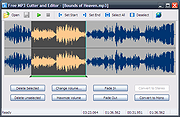 |
|
MP3 Quality Modifier v2.53 MP3 Quality Modifier v2.53 MP3 Quality Modifier is a straightforward program that is able to easily change the quality of your MP3’s in order to save disk space and/or to fit more music on your MP3 player while maintaining the desired level of audio quality and keeping all ID3 tags intact! The program is pretty simple to use: The first step is to drag and drop MP3 files or playlists on the file list, MP1 and MP2 files are supported as well. Various information such as the name, interpret, size and bitrate are displayed automatically. The next step is to select a preset which ranges from high quality over portable and compromise to low quality. More advanced users can choose from a variety of configurations such as bitrate mode and rate, sample frequency and the stereo modus. The process itself takes only a few seconds per song and is even able to adapt the folder structure (example: “Artist X” folder with “Album 1” and “Album 2” as subfolders) if that is wanted. Unlike other tools all ID3 tags like the title, artist etc. are automatically retained as well. Finally the result window allows to compare the original and created music files by listing their size differences. Main Features Easy and intuitive: Change quality and size of your MP3 files with just a few mouse-clicks Support for M3U and PLS playlist files Automatically keep all ID3 tags and the folder structure Advanced options: Detailed bitrate settings, mark as copyrighted etc. Quick quality comparison between original and created files Multilingual: DE, EN, ES, ET, FR, IT, KO, NL, PT, RU, SR, SV, TR Portable: Just one executable, no need for installation |
|
3,826 | Nov 01, 2020 Kevin Schneider 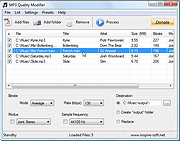 |
|
Qmmp v2.4.2 Qmmp v2.4.2 👉 A lightweight, Winamp-style audio player with broad format support, playlists, streaming, effects and plugins. Qmmp is a free, open-source audio player built with the Qt framework and designed for users who want a compact, highly configurable music player. Its classic skinned interface is similar to Winamp and XMMS, while an alternative interface based on standard Qt widgets is also included. Qmmp supports a wide variety of audio formats including MP3, Ogg Vorbis, Opus, FLAC, AAC, WMA, Musepack, WavPack, MIDI, SID, tracker modules and numerous chiptune formats. Additional formats can be handled through FFmpeg and libsndfile. Beyond basic music playback, Qmmp includes multiple playlists, a 10-band equalizer, ReplayGain, crossfade, lyrics, cover art, CUE sheets, internet radio streams, visualizations, audio conversion, recording, listening history and a media library. It can also use classic Winamp 2.x and XMMS skins. The modular plugin system provides support for additional input formats, output systems, DSP effects, visualizations and online services. Qmmp can submit listening history to Last.fm, Libre.fm and ListenBrainz and includes a stream browser for finding and playing online audio. Features: • Classic Winamp/XMMS-style skinned interface • Alternative interface using standard Qt widgets • Supports Winamp 2.x and XMMS skins • MP3 and MPEG Layer 2/3 playback • Ogg Vorbis and Ogg Opus support • Native FLAC and Ogg FLAC playback • AAC and ADTS AAC support • WMA and additional FFmpeg-supported formats • Musepack and WavPack support • PCM WAVE and other libsndfile-supported formats • MOD, S3M, IT, XM and other tracker modules • MIDI and SID playback • Extensive chiptune support including AY, GBS, GYM, HES, KSS, NSF, NSFE, SAP, SPC, VGM, VGZ and VTX • Audio CD playback • MP3, Vorbis, AAC and AAC+ internet streaming • Multiple playlists • M3U, PLS and XSPF playlist support • 10-band equalizer • ReplayGain playback support and ReplayGain scanner • Crossfade and extra stereo DSP effects • Sample-rate conversion • LADSPA effects • projectM visualization support • Spectrum analyzer • Lyrics display • ... |
|
2,744 | Sep 09, 2026 Qmmp Development Team  |
|
Rename Master v4.04 Rename Master v4.04 👉 Powerful batch file and folder renaming utility. Rename Master is a freeware utility that allows you to rename multiple files and folders quickly using a wide range of advanced renaming options. Designed for both casual and power users, it can manipulate filenames based on text patterns, file attributes, metadata, numbering schemes, and custom scripts. A real-time preview window shows exactly how files will be renamed before any changes are applied, helping prevent mistakes when working with large collections of files. Rename Master supports information stored inside MP3 tags, JPEG JFIF and EXIF data, enabling automatic renaming based on embedded metadata. It also includes powerful wildcard support, search-and-replace functions, sequential numbering, folder renaming capabilities, and the ability to save frequently used renaming configurations for future use. Despite its extensive feature set, the program remains lightweight, fast, and easy to use. Features: • Rename multiple files and folders in a single operation • Add, remove, replace, or rearrange text within filenames • Advanced search and replace with wildcard support • Sequential numbering and custom counters • Rename files using MP3 tag information • Rename photos using JPEG JFIF and EXIF metadata • Change filename case (upper, lower, title case, etc.) • Insert file dates and times into filenames • Move or remove characters at specific positions • Save and reuse renaming scripts and presets • Real-time preview before applying changes • Undo support for reverting previous renaming operations • Optional Windows Explorer integration • Fast processing of large file collections • Portable-friendly and lightweight design Supported operating systems: • Windows XP • Windows Vista • Windows 7 • Windows 8 • Windows 8.1 • Windows 10 • Windows 11 Supported languages: English Changes: v4.04 05-14-26 (Renaming Script) Fix: issues with auto-preview (introduced in v4.03) Fix: issue when loading a script when using non-default Counting settings Fix: Counting tab icon not always marked when using non-default setting (Misc) Fix: possible exception when loading a script using "File > Open Script" with default settings NOTES: Hotfixes for ... |
|
6,866 | Jun 12, 2026 joejoesoft.com 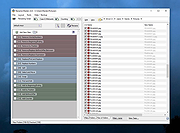 |
|
Text to MP3 Converter v1.8 Text to MP3 Converter v1.8 Free tool to convert text to speech Text to Speech (MP3) Easily convert your text into speech. Perfect for e-learning, presentations, YouTube videos and increasing the accessibility. The text can be exported as MP3 and WAV files. This program uses the preinstalled Microsoft SAPI Text-to-Speech (TTS) engines for generating voice. Text to MP3 software If you need to simply convert some text into audio content or you're just looking for a way to preview some content without having to actually spend time reading it, Text to MP3 Converter can do both, offering you choices for the used speech engine, as well as the output audio format. The two main options offer users the choice of increased quality (WAV) or a more compact recording (MP3). "Speech Speed" option allows from 10x slow to 10x fast playing and recording. If you seek a basic application that can help you perform text to audio conversions, without having to resort to complex steps and configuration processes, try out this simple yet quite capable software. How to install a new Text-to-Speech language You can install many TTS enabled languages (Voices) using Windows Settings (Control Panel). Depending on your Windows version, go to "Region & Language" area, then "Add a Language" by selecting it or downloading a language pack. Finally, restart the program to detect the installed languages. Key Features Speech speed (fast-slow) Voice pitch (high-low) Spell Emphasize Voiceover highlighting Multiple speech engine support Read aloud Insert silence MP3 export WAV export Supports: Windows Windows 11, Windows 10, Windows 8, Windows 7, Windows Vista, Windows XP (32-bit and 64-bit) Language: English License: Freeware — no nags, no ads, fully functional Changes: Text to MP3 Converter 1.8 October 14, 2021 Added “Insert - Silence” menu item Added “Edit” menu Fixed word-wrap related problem Improved UI Click here to visit the author's website. |
|
3,250 | Dec 13, 2021 Vovsoft |
|
YouTube to MP3 Converter v3.9.9.33 YouTube to MP3 Converter v3.9.9.33 You like to listen to music on YouTube or SoundCloud and want to save it for offline playing. Or you want to download soundtrack of a new movie. Then we recommend you to try out this software developed specifically for this purpose. Downloads all music from playlist or channel Downloads highest available quality up to 320 kbps Supports YouTube, Vimeo, SoundCloud, Dailymotion, VEVO, etc. Downloads simultaneously several tracks Includes simple tag editor with cover art image support Works on all modern platforms (macOS, Windows, Ubuntu) Exports to iTunes Main Features: Playlists and channels The software supports downloading all videos of a playlist or a channel. And there is also an option for subscribing to and downloading only newly uploaded tracks. iTunes support In the preferences of the application you can select an option to add downloaded tracks into iTunes automatically. You can also specify iTunes playlist, where the converted track should be added. Saves your time & traffic The app detects audio track in YouTube video clip and downloads it, skipping the video part. As a result download speed increases dramatically, especially on HD-quality content. Simple tag editor Application automatically detects artist name and track title of the video and saves it in the downloaded file. But at the same time, you can easily change tags to whatever you want. You can even change a cover art image. Original format, no conversions You can save audio tracks in original quality without any conversion. It means that there will be no loss of quality and it greatly reduces the downloading time. Free music There is a great amount of music on YouTube. And our app will help you to convert YouTube videos to MP3 or save it on ... |
|
4,576 | Feb 24, 2020 MediaHuman 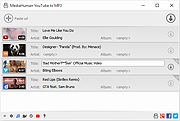 |
| Showing rows 1 to 11 of 11 | Showing Page 1 of 1 | 1 |
OlderGeeks.com Copyright (c) 2026
