|

|
Processed through Paypal No account required. |








Buy our over-priced crap to help pay the bills.



|
|
Processed through Paypal No account required. |
| Files | ||||
| File Name | Rating | Downloads | ||
 |
Alchemy v008 Alchemy v008 Experimental open source drawing and sketching software for exploring creative ideas. Alchemy is an open source drawing application designed to help artists, designers, and creative thinkers generate ideas during the earliest stages of the creative process. Rather than focusing on producing polished artwork, Alchemy encourages experimentation through a collection of unique drawing modules that introduce randomness, symmetry, procedural shapes, voice interaction, and other unconventional techniques. The intentionally minimalist interface removes distractions such as undo and object editing, allowing users to rapidly explore concepts and discover unexpected forms. Built in Java, Alchemy is cross-platform and extensible through a modular plugin system, making it easy for developers and artists to create and share their own drawing modules. Features: • Experimental sketching environment focused on concept generation • Minimal interface designed to reduce distractions • Modular architecture with removable and expandable drawing modules • Random and procedural shape generation • Real-time mirror drawing for symmetrical artwork • Blind drawing mode for creative experimentation • Voice-controlled drawing modules • Session recording with automatic PDF snapshots • Automatic canvas clearing at configurable intervals • Export artwork as SVG, PDF, PNG, and JPEG • Adjustable export image scaling • Horizontal and vertical canvas flipping • Smooth, Ribbon Shapes, Limit, and Splatter Shapes modules • Configurable background transparency • Open source and extensible through custom Java modules Supported operating systems: • Windows • macOS • Linux • Requires Java Runtime Environment 1.5 or higher required Supported languages: • English, Persian Changes: v008 • Added SVG export and switching support using the Batik library • Added export image scaling for JPEG and PNG • Added horizontal and vertical canvas flipping • Added Smooth, Ribbon Shapes, Limit, and Splatter Shapes modules • Added configurable background transparency • Added Persian localization • Added outline-only rendering option for Shapes module while drawing • Alchemy now remembers the export directory between sessions • Fixed Mirror and Color Switcher coloring issues • Improved Color Palette positioning • Updated the JPen tablet library • Fixed fullscreen transparent mode rendering • Fixed ... |
 |
4,318 | Jun 25, 2026 Karl D.D. Willis/Jacob Hina 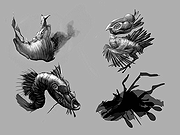 |
|
Background Generator v1.1.0 Background Generator v1.1.0 👉 Create custom backgrounds quickly and easily. Background Generator is a desktop application that allows users to create custom backgrounds for their projects. It provides a simple and straightforward interface designed to generate backgrounds without the need for complex design software. The program is intended for users who want to quickly create visually appealing backgrounds for use in websites, presentations, graphics, or other creative work. With its focused design and ease of use, Background Generator makes background creation accessible to users of all experience levels. Features: • Creates large material and random background images • High resolution output in PNG and JPG formats • Includes 7 background generating programs (including Colorful and Graphics generators) • Portable ZIP version available Supported operating systems: • Windows 7, Windows 8, Windows 10 (32/64) and later Supported languages: English, Fran็ais, Deutsch, Italiano, Espa๑ol, Dutch, Portugu๊s, Polski, 简体中文, 繁體中文, 日本語, 한국어 Click here to visit the author's website. |
|
4,544 | Jun 27, 2026 BgGenerator.com 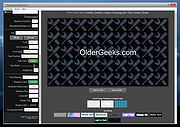 |
 |
Filelister v4.1.1 Filelister v4.1.1 👉 A fast, efficient, and reliable file listing utility. Filelister is a fast, efficient and reliable file listing utility. The main function of the program is to create a text or html file from the contents of a disc or folder and display it according to the user's preferences. Features: • HTML or Text file output • Support for international characters (UTF8 file output) • Recursive or collapsed/flat list styles • File type filtering using simple regular expression • Folder exclusion using simple regular expression • Enable/Disable different file property outputs as columns • Sorting based on different file properties ascending/descending Supported operating systems: • Windows 7, Windows 10, Windows 11 Supported languages: English Changes: v4.1.1 12-31-25 Bugfix: Fixed issue with year and month not being expanded correctly Bugfix: Options dialog now has a default button Note: This file has two hits on VirusTotal. We have confirmed these to be false positives. The file is safe. This download is for the Windows installer version (very bottom of page). If you need the Windows portable version (v4.1.0), download here. Click here to visit the author's website. |
|
2,677 | Mar 24, 2026 True Human Design  |
|
FluentTweaker v26.06.02 FluentTweaker v26.06.02 👉 Customize and tweak Windows 10/11 with a modern Fluent-style interface. FluentTweaker is a lightweight Windows customization and tweaking utility designed to give users more control over the look, feel, and behavior of Windows 10 and Windows 11. Developed with a clean Fluent Design-inspired interface, the application provides access to a wide variety of system tweaks, personalization settings, and hidden Windows options from a centralized dashboard. FluentTweaker focuses on making Windows customization easier and more accessible by grouping settings into organized categories. Users can quickly adjust privacy features, taskbar behavior, File Explorer settings, visual effects, system performance options, and interface tweaks without manually editing the registry or searching through scattered Windows menus. The program is portable and designed to be simple to use while still offering advanced customization possibilities for enthusiasts who want a cleaner, more personalized Windows experience. Features: • Modern Fluent Design-inspired user interface • Centralized access to Windows 11 customization options • Privacy and telemetry configuration tools • Taskbar and Start menu customization tweaks • File Explorer behavior and appearance adjustments • System performance and visual effect optimizations • Quick access to hidden Windows settings • Portable application with no installation required • Lightweight and easy-to-use design • Registry-based tweaks presented through a graphical interface • Organized categories for simplified navigation • Designed specifically for modern Windows versions Supported operating systems: • Windows 11 • Windows 10 Supported languages: • English Changes: v26.06.02 06-06-26 Not provided Note for Windows 10 users: Microsoft's Windows App Runtime 2.x package is required and you will be offered the download. Click here to visit the author's website. |
|
836 | Jun 08, 2026 Builtbybel 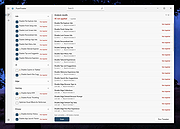 |
|
FreeCAD v1.1.1 FreeCAD v1.1.1 👉 Open-source parametric 3D modeling software for designing real-world objects, from simple parts to complex engineering projects. FreeCAD is an open-source parametric 3D modeler made primarily to design real-life objects of any size. It uses parametric modeling so you can revise designs by going back into the model history and changing parameters, and it also includes tools for solids, BRep objects, NURBS, BIM, FEM, CAM/CNC, and robot simulation workflows. Features: • Parametric 3D modeling with editable model history • Advanced geometry engine based on Open CASCADE Technology • Support for solids, Boundary Representation (BRep) objects, and NURBS • Dedicated BIM workbench for architectural and building workflows • Finite Element Analysis tools with experimental CFD support • CAM/CNC workbench for manufacturing and machining tasks • Robot simulation module for studying robotic movements • Cross-platform availability for Windows, macOS, and Linux Supported operating systems: • Windows 8, Windows 10, Windows 11 (64-bit) • macOS • Linux Supported languages: • English, German, French, Italian, Spanish, Turkish, Croatian, Vietnamese, and over two dozen total interface languages/community translations Changes: v1.1.1 03-25-26 [Backport releases/FreeCAD-1-1] Spreadsheet: Don't show overlay by @freecad-ci-runner in #28017 [Backport releases/FreeCAD-1-1] core: fix issue #26478 select all instances even in group with mirror'd objects by @freecad-ci-runner in #28018 [Backport releases/FreeCAD-1-1] measurement: label drag when infront of model by @freecad-ci-runner in #28019 [Backport releases/FreeCAD-1-1] Gui: Clear cached shape after change to Deviation by @freecad-ci-runner in #28024 [Backport releases/FreeCAD-1-1] Draft: fix clone diffuse color regression by @freecad-ci-runner in #28025 [Backport releases/FreeCAD-1-1] BIM: remove switch to profile beam creation based on dimensions by @freecad-ci-runner in #28220 [Backport releases/FreeCAD-1-1] Part: Make 3D View properly checkable by @freecad-ci-runner in #28031 [Backport releases/FreeCAD-1-1] Gui: update CoinPtr to not use boost::intrusive_ptr by @freecad-ci-runner in #28623 [Backport releases/FreeCAD-1-1] Base: use magnitude for unit schema thresholds by @freecad-ci-runner in #28589 [Backport releases/FreeCAD-1-1] Part: Avoid LowerDistanceParameter exception to prevent MacOS crash (… by @freecad-ci-runner in #28494 TechDraw: manual backport of PR#28097 by @WandererFan in #28423 [Backport releases/FreeCAD-1-1] PartDesign: fix the ... |
|
5,154 | Jun 19, 2026 The FreeCAD project 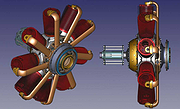 |
|
GIMP Portable v3.2.6 GIMP Portable v3.2.6 👉 Portable image editor for photo retouching, image composition and graphic creation. GIMP Portable is the portable version of the GNU Image Manipulation Program, a free and open source image editor for photo retouching, image composition, image authoring, painting, batch processing, rendering and image format conversion. It runs from a cloud folder, removable drive, local folder or the PortableApps.com Platform without needing a traditional installation. Features: • Portable version of GIMP for Windows • Runs from USB drives, cloud folders or local folders • Photo retouching and image editing • Image composition and authoring • Paint program capabilities • Expert-quality photo manipulation tools • Batch processing support • Image rendering and format conversion • Supports plug-ins and scripts • User plug-ins and scripts can be placed in the portable Data\GimpAppData folder • Optional English-only offline help add-on available • PortableApps.com Platform support for easier installs and automatic updates • Open source software under the GPL Supported operating systems: Windows XP, Vista, 7, 8, 10, 11 Supported languages: Multilingual, GIMP is available in more than 80 languages Changes: v3.2.6 09-10-26 Several months of patches, bug fixes, security updates, and stability improvements. Cut can now be used on rasterized, unlocked layer groups to cut the same area from all layers in the group. Color Picker's Sample Merged option now accounts for filters applied to a single layer. Improved performance when loading large numbers of fonts, including faster startup, text entry, and closing font lists. Fixed text being hidden at the edges when using fixed text layouts. Fixed dark smudges produced by the Heal Tool when working outside the bounds of a layer smaller than the canvas. Fixed a crash that could occur when pressing keys quickly after releasing the spacebar while panning. Text can now be selected for editing even when partially covered by a layer mask. Fixed loading of Licensor image metadata. Added a maximum width for tooltips with long descriptions. Fixed several issues involving rasterized vector layers. Added ... |
|
6,728 | Sep 11, 2026 GIMP Team & PortableApps.com 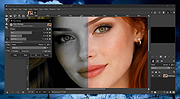 |
|
Gimp v3.2.6 Gimp v3.2.6 👉 Free and open source cross-platform image editor. GIMP is a cross-platform image editor available for GNU/Linux, macOS, Windows and more operating systems. It provides tools for graphic designers, photographers, illustrators, and scientists, with support for image manipulation, original artwork creation, graphic design elements, color management, scripting, customization, and third-party plug-ins. Features: • Advanced photo retouching tools including healing, clone, perspective clone, and content-aware fill workflows • Powerful layer-based editing with layer groups, masks, blend modes, and non-destructive editing techniques • Full support for high bit-depth images (8/16/32-bit per channel) for professional workflows • Extensive selection tools including free select, fuzzy select, foreground select, and intelligent scissors • Transform tools such as scale, rotate, shear, perspective, warp transform, and unified transform • Customizable brushes with dynamics support (pressure, velocity, randomness) for tablets and stylus input • Wide range of painting tools including pencil, paintbrush, airbrush, ink, MyPaint brushes, and gradient tools • Gradient editor and advanced gradient blending capabilities • Paths (vector) tool for precise curves, shapes, and text-on-path creation • Text tool with advanced typography support including kerning, hinting, and outline rendering • GEGL-based processing engine for high-quality image operations and non-destructive workflows • Extensive built-in filters and effects including blur, sharpen, distort, lighting, shadows, noise, and artistic filters • Support for external plug-ins such as G’MIC for hundreds of additional filters and effects • Color management with ICC profile support for accurate color reproduction across devices • Advanced color tools including levels, curves, hue-saturation, color balance, and exposure adjustments • Histogram display and analysis tools for precise tonal correction • Channel manipulation and alpha channel editing • Support for multiple file formats including JPEG, PNG, TIFF, PSD, WebP, HEIF, OpenRaster, and XCF native format • PSD import/export support for compatibility with Adobe Photoshop workflows • Multi-window and single-window interface modes for flexible workspace layouts • Fully customizable interface including dockable dialogs, tool groups, and keyboard shortcuts • Tabbed image ... |
|
9,686 | Sep 11, 2026 The Gimp Team |
|
Hew v1.0.0 Hew v1.0.0 👉 A free, open-source, cross-platform 3D modeler with a familiar SketchUp-style workflow and solids-first design. Hew is a free and open-source 3D modeling application designed around the approachable workflow familiar to SketchUp users. Draw directly on faces, push and pull shapes into three dimensions, snap to endpoints, midpoints and axes, and enter exact measurements while working. Unlike traditional surface-based modeling, Hew creates discrete, watertight solid objects that do not automatically weld together when they touch. Objects are combined only when you explicitly use operations such as Union, Subtract or Intersect. Hew includes tools for drawing, precision modeling, materials, organization, annotation, printing and preparing models for fabrication or 3D printing. It can import existing SketchUp 2017 files as well as COLLADA, glTF and STL models, while its own open .hew format is documented and designed to avoid locking your work into a proprietary format. Models can be exported to formats including glTF, STL, 3MF, USDZ and SVG. The program also includes groups, reusable components, tags, saved scenes and an Outliner for organizing complicated models. Materials and textures can be applied to faces and objects, while dimensions, leader text and 3D text provide annotation tools. Hew can print drawings at an exact scale, tile full-size templates across multiple sheets, save PDF output and create vector SVG drawings. Features: • Solids-first modeling creates discrete, watertight objects instead of automatically welding touching geometry • Familiar SketchUp-style drawing and direct-modeling workflow • Line, rectangle, circle, arc and polygon drawing tools • Draw directly on existing faces • Push/Pull tool for creating solids, reshaping faces and cutting holes • Follow Me tool for sweeping profiles along paths • Offset and Slice tools • Move, Rotate and Scale tools with snapping, axis locking and exact values • Copy objects and create repeated arrays • Inference snapping to model geometry and axes • Type exact, unit-aware dimensions while modeling • Tape Measure ... |
|
87 | Sep 10, 2026 hew3d  |
|
Inkscape v1.4.4 Inkscape v1.4.4 👉 Professional quality vector graphics editor for illustrations, logos, diagrams, icons, maps and web graphics. Inkscape is a free and open source vector graphics editor that uses SVG as its native file format. It is built for creating and editing scalable artwork such as illustrations, icons, logos, diagrams, maps, charts, technical drawings, line art and web graphics. Features: • Create and edit SVG vector graphics • Draw with pencil, pen and calligraphy tools • Use rectangles, ellipses, stars, polygons, spirals and 3D boxes • Edit paths and nodes with precision • Boolean path operations including union, difference, intersection and exclusion • Layers and object organization • Text tools with text on path support • Gradients, patterns, markers, clones, clipping and masking • Bitmap tracing for converting raster images to vector paths • Import and export many common vector and image formats • PDF import and export support • Extensions and command line options for advanced workflows Supported operating systems: • Windows 10, Windows 11, Windows on Arm • macOS • Linux Supported languages: English, Basque, Brazilian Portuguese, Bulgarian, Croatian, Dutch, Finnish, French, German, Hebrew, Hungarian, Italian, Latvian, Polish, Portuguese, Romanian, Russian, Simplified Chinese, Slovenian, Spanish, Swedish, Traditional Chinese, Ukrainian, Vietnamese Changes: v1.4.4 05-06-26 Maintenance and bugfix release. 20 crash fixes. More than 25 bug fixes and performance improvements. A couple small new features. 26 updated translations. First release to provide packages for Windows on Arm. Faster zooming in documents with many paths. Faster copy and paste of large numbers of objects with gradients. Faster Layers and Objects dialog when many objects are selected. Faster Object Properties dialog when selecting paths. Faster Gradient Tool editing. New button to rotate selected stars or polygons into an upright position. Added Elementary OS color palette. Fixed multiple crashes involving startup, recent files, graphics tablets, pages, PDF files, broken SVG markers, export dialog use, raster image sizing, Tweak tool, Connector Tool, PowerStroke Live Path Effect, Corners Live Path Effect, gradients, Break Apart and raster tracing. Windows on Arm builds ... |
|
7,859 | May 07, 2026 Inkscape 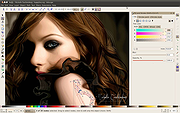 |
|
LibreCAD v2.2.1.5 LibreCAD v2.2.1.5 👉 Free and open-source 2D CAD application for technical drawing and design. LibreCAD is a free, open-source computer-aided design (CAD) application focused on creating precise 2D technical drawings, schematics, floor plans, mechanical parts, and engineering diagrams. Built using the Qt framework, LibreCAD provides a lightweight yet powerful drafting environment suitable for hobbyists, students, architects, engineers, and professionals who need accurate 2D design tools without the complexity or cost of larger CAD suites. LibreCAD supports the DXF file format natively and offers a customizable interface with layers, snapping tools, measurement utilities, advanced selection controls, and extensive drawing commands. The program is designed to be fast and efficient even on older hardware, making it ideal for both modern and legacy systems. Features: • Create precise 2D technical drawings and CAD designs • Native DXF file format support • Layer management system for organized projects • Advanced snapping tools for accurate drawing placement • Tools for lines, circles, arcs, splines, hatches, and dimensions • Customizable interface and command-line style input • Print and export drawing support • Measurement and modification utilities • Support for plugins and community extensions • Lightweight performance suitable for older computers • Multi-document workflow support • Extensive keyboard shortcuts and drafting tools Supported operating systems: • Windows 7, Windows 8, Windows 10, Windows 11 • macOS • Linux Supported languages: English, German, French, Spanish, Italian, Portuguese, Russian, Chinese, Japanese, Korean, Dutch, Polish, Czech, Hungarian, Turkish, Ukrainian, Swedish, Danish, Finnish, Greek, Romanian, Catalan, and more Changes: v2.2.1.5 06-02-26 • Various bug fixes and stability improvements • Updated translations • Improved compatibility and usability enhancements This download is for the Windows 64bit version (very bottom of page). All other download assets are below: Other Windows: LibreCAD-v2.2.1.5-msvc.exe (32bit) macOS: LibreCAD-v2.2.1.5-arm64.dmg LibreCAD-v2.2.1.5.dmg Linux: LibreCAD-v2.2.1.5-x86_64.AppImage LibreCAD-v2.2.1.5-aarch64.AppImage LibreCAD-v2.2.1.5.snap Click here to visit the author's website. |
|
7,270 | Jun 02, 2026 LibreCAD 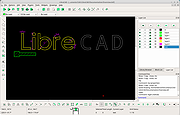 |
|
Microsoft Expression Design 4 (Free Version) Microsoft Expression Design 4 (Free Version) The convenience and ease of editing vector graphics in Expression Design can be a cornerstone of your Windows Presentation Foundation (WPF), Microsoft Silverlight, and web images. Whether you're a veteran professional illustrator, a designer building a dazzling website, or a budding artist eagerly experimenting with various styles and techniques, you will find Expression Design an indispensable tool for your creative tasks. Expression Design is now available as a free download from the Microsoft Download Center, and no new versions will be developed. Note from OlderGeeks: Disregard the file name (Design_Trial_en.exe). Before pulling this file from their website, Microsoft made it free. Supported Operating System Windows 7, Windows 8, Windows 10, Windows Vista, Windows XP PC with 1 GHz or faster processor 1 GB of RAM or more 2 GB or more of available hard-disk space .NET Framework 4.0 Silverlight 4.0 Support for Microsoft DirectXฎ 9.0 graphics with Windows Vista Display Driver Model (WDDM) Driver, 128 MB of graphics RAM or more, Pixel Shader 3.0 in hardware, 32-bits per pixel DVD compatible drive 1024 x 768 or higher resolution monitor with 24-bit color Internet functionality requires Internet access (additional fees may apply) Some product features require FireFox 3.0 or later, Internet Explorer 8 Actual requirements and product functionality may vary based on your system configuration and operating system. Click here to visit the ... |
|
4,748 | Jan 14, 2021 Microsoft Corp. 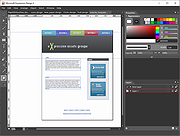 |
|
Model Air Design v2.3 Model Air Design v2.3 Free model aircraft design software Model Air Design is the new, quick and easy way to create airplane models. It's a modern software tool for model aircraft design. Model Air Design is for every person, young or old, who has a desire to design and create airplane models but have found Computer Aided Design (CAD) software too difficult and time-consuming to learn. The authors have developed a method for you to design computer models, in 3D format, without the complexity of 3D CAD software. It is so easy and intuitive to use that you will have no difficulty learning to create with it. You will be designing airplane models in a matter of minutes! Model Air Design software develops CAD software skills. This app is a nice introduction to CAD software concepts. It shows you some of the cool stuff you can do with CAD software to design a model airplane. With Model Air Design you create a computer model aircraft from a group of airplane parts. Instead of drawing carefully every detail of the aircraft, you just choose from a selection of pre-drawn parts. Model Air Design will assemble and draw the aircraft from the parts you select. In addition, you will be able to modify and position the airplane parts in anyway that you like. For example, you can modify a wing in length, width or height, and you can position it higher, lower, forward or back. Model aircraft design software made easy. With Model Air Design you can be as creative as you want. Substiture parts from other airplanes. Move them around, make them bigger or smaller. You can even paint the aircraft with your favorite colors. Visualization is the primary objective. Model Air Design makes it possible to visualize your aircraft design ideas. Once you see what ... |
|
6,381 | Jan 24, 2023 William Busto 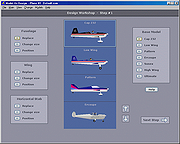 |
 |
Sid Meier's SimGolf v1.00 Sid Meier's SimGolf v1.00 👉 Design golf courses, build resorts, and manage your own golf empire. Sid Meier's SimGolf is a golf course design and resort management game from Firaxis Games and Maxis. Create and shape courses, then play them as your golfer while building a small course into a successful resort business. Features: • Design custom golf courses with tees, greens, fairways, bunkers, trees, and other course features. • Play the courses you create as your resident professional golfer. • Build and manage a golf resort, adding facilities to attract and serve visitors. • Grow your business from a small public course into a network of resorts. • Adjust course layouts and resort development as your business grows. Supported operating systems: Windows 95 or higher Supported languages: English Changes: v1.00 01-23-02 Not Providedd Installation notes: 1) • Download the ISO (very bottom of page) • Right-click the downloaded ISO and select Mount. • Open the newly created virtual drive in Explorer and run the installer. • Enter your own game key or: 2495-6442747-3576919-6013 2) • Install the official game patches below in order, following the instructions provided with each patch. 3) • In newer version of Windows, right-click golf.exe in the games folder and select Properties. • Open the Compatibility tab, enable compatibility mode, and select Windows XP (Service Pack 2). • Select Run this program as an administrator, then click Apply and OK. 👉 This download is for the Windows ISO (disk image) version (very bottom of page). All other download assets are below: Game Patch #1: Sid-Meiers-SimGolf_Patch_Win_EN_Patch-v102.exe Game Patch #2: Sid-Meier-s-SimGolf_Patch_Win_EN_Patch-v103.zip NO CD patch: (play the game without requiring ISO to stay mounted) Sid-Meiers-SimGolf_NoCD-Patch.zip Click here to visit the author's website. |
|
10 | Oct 16, 2026 Firaxis Games and Maxis 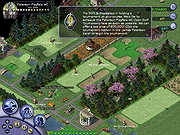 |
|
Wallpapers from Microsoft Design Wallpapers from Microsoft Design "Enjoy this small collection we curated for you." -Microsoft Design Several wallpapers are included that are designed for the Microsoft Surface Duo. The archive also includes the wallpapers in MacOS format. Microsoft Design partners with people across the industry in a range of internships, workshops, and partnership programs. They explore how design creates better experiences for everyone. Just a few... Click here to visit the author's website. |
|
4,068 | Sep 22, 2020 Microsoft Design 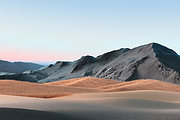 |
|
Wav2Bar v0.3.5 Wav2Bar v0.3.5 👉 Powerful open source software for creating advanced audio visualization videos. Wav2Bar is a free and open source audio visualization creator designed for producing animated music videos and visual effects synchronized to audio tracks. It allows users to combine visualizers, images, text, particle effects, timers, backgrounds, and custom objects into fully customizable projects that can be exported as MP4 videos for sharing online or integrating into larger productions. Built with flexibility in mind, Wav2Bar provides an editor-style workflow where users can design layered scenes and control how elements react to sound in real time. The software supports reusable project files, adjustable rendering quality, customizable frame rates and resolutions, and multiple visualizer styles for creating everything from simple waveform animations to complex motion graphics. Wav2Bar is especially useful for content creators, musicians, streamers, video editors, and anyone looking to generate professional-looking audio reactive visuals without requiring expensive commercial software. Its open source nature also allows developers and advanced users to customize or extend the software for specialized workflows. Features: • Create advanced audio reactive visualizations synchronized to music and sound • Design layered scenes using visualizers, backgrounds, text, and images • Multiple built-in visualizer styles for different animation effects • Export projects as MP4 video files • Save and reload projects for later editing • Reusable project templates for faster workflow creation • Customizable video resolution and frame rate settings • Real-time editor style interface for arranging objects and effects • Add logos, overlays, album artwork, and custom graphics • Built-in particle flow effects • Time indicators and timing-based visual elements • Audio caching system for smoother processing • Adjustable rendering quality for balancing speed and output quality • Open source architecture for customization and community development • Suitable for music videos, streaming overlays, social media clips, and promotional content • Lightweight modern interface focused on creative workflows • Supports complex animated compositions with multiple reactive elements • Free to use ... |
|
603 | Sep 30, 2026 Picorims 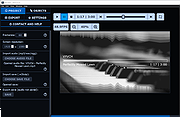 |
| Showing rows 1 to 15 of 15 | Showing Page 1 of 1 | 1 |
OlderGeeks.com Copyright (c) 2026
