|

|
Processed through Paypal No account required. |








Buy our over-priced crap to help pay the bills.



|
|
Processed through Paypal No account required. |
| Files | ||||
| File Name | Rating | Downloads | ||
 |
Batch Excel to PDF Converter v1.1 Batch Excel to PDF Converter v1.1 Powerful Excel to PDF converter program enables users to convert Excel XLS/XLSX Files to PDF format in bulk. No Office or MS Excel Required. Feature List Batch Convert XLSX/XLS to PDF Convert Single Workbook to PDF Merge Excel Files to One PDF Fit One Worksheet to One Page Change Paper Size Change Paper Orientation Support XLS, XLSX, ODS, CSV PDF Permission Settings Password Encryption Multi-language You Can Use It to - Convert Excel to PDF without Losing Formatting - Convert Excel to PDF Landscape / Portrait - Convert Excel to PDF on Windows 10 - Convert Excel to PDF on One Page - Convert Multiple Excel Sheets to PDF in Bulk - Combine Multiple Excel Files into One PDF - Combine Word and Excel Files into One PDF Features of Batch Excel to PDF Converter Batch Convert Excel XLSX/XLS Files to PDF in Bulk Convert Single Excel Worksheet to a PDF Combine and Convert Multiple Excel Spreadsheets & Files into One Single PDF Convert and Fit Each Excel Worksheet into One PDF Page Support Change PDF Paper Size and Orientation Support Owner Password & Open Password Protection Support ODS and CSV Table Formats Support WORD DOC/DOCX and Powerpoint PPTX/PPT Formats to PDF Not Require MS Office or Excel Installed Multi-language Users may often face with Excel Spreadsheets and workbooks in their daily office work, and need to convert XLSX and XLS files and worksheets to PDF format sometimes. Although the latest MS Excel version provides the feature saves a workbook as a PDF file, it is a ... |
 |
3,701 | Mar 23, 2021 PDFZilla 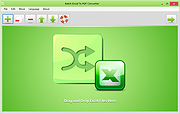 |
 |
Batch Scripting Pack v1.0 Batch Scripting Pack v1.0 Collection of Open Source programs written in Batch Scripting Language Do you like to write scripts in Batch Scripting Language? If yes, then this project is dedicated to you. This pack contains source codes of utilities programmed in the Batch Programming Language which are now available for you so that you can improve and learn from them. v1.0 | Open Source | Supports all Windows Versions Batch Scripting Pack v1.0 contains the following programs: RAR Cracker This utility was coded by me to perform brute force attacks against the password protected RAR archives. The code is simple and easy to learn. This utility was never completed because of some limitations. This utility at this time can only crack numerical passwords. You can upgrade it to use a word list for finding right password. Drive Fixer Drive fixer was developed to check & fix file system errors. It uses Windows built in utility "CheckDisk" to perform this task. It can be used to learn how to use Windows utilities in your program. Hiber Plus Hiber Plus was a small utility developed to enable and disable hibernation feature of Windows. It has only a few lines of code and will teach you how to use the Windows Command Prompt commands in the program. Holes Patcher A security utility developed to make the installed Windows OS more secure. Modifies Windows settings like services and features in such a way that the OS becomes difficult to hack. Its not the most complete project but, it works. I hope you can improve it. Processor Changer Processor Changer was a small tool I wrote just for fun with my college buddies. It can change the processor name, etc by some registry ... |
|
6,550 | Nov 15, 2019 Malik Usman Aura 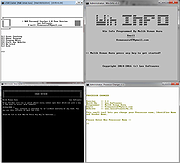 |
|
Batch WORD to JPG Converter v1.1 Batch WORD to JPG Converter v1.1 Converting Word Doc/Docx files to JPG images is a good choice to make documents be transferred and read easily on the web. Batch Word to JPG Converter is such a great free software program that enables you to convert MS Word doc and docx files to JPG and more image formats on Windows. With this tool, you can save Word files into JPG, PNG, BMP, TIF, GIF, PCX and TGA pictures without installing MS Office and Word suite. You can add hundreds or thousands of Word files to convert at once. In addition to those image formats, Word to JPG converter also supports converting Word files to PDF format, so you can batch create PDF documents from Word files to transfer your documents on the internet with a much smaller file size than images. Besides *.Doc and *.Docx formats, Word to JPG converter also supports to convert rich text RTF formats, HTML and HTM web page formats, and Open Document Format (ODT) into various image formats. Word to JPG Converter also allows you to set the output image size. You can simply set the DPI value (such as 200, 300, 500) to get better output image size and quality. Easily convert, save and split Word pages into JPG and more picture formats. Download the Word to JPG converter now and start converting! OS: Windows 10/Win 8/Win 7/Vista/XP or later (32/64 bit) & Windows Server Features and Benefits of Batch WORD to JPG Converter * Convert Word Doc/Docx Files to JPG Format in Bulk * Support DOC, DOCX, RTF, HTML/HTM and ODT(Open Document Format) to Images * Multiple Image Formats Output: JPG PNG BMP TIF GIF PCX TGA * Convert Documents to PDF format * MS Office and Word are not Required * Customize Converted Image Size and DPI * Split Word Pages to JPG * Multi-language Languages Supported: English, ... |
|
4,894 | Dec 08, 2019 PDFZilla 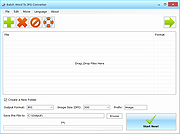 |
|
BatEx v1.0.1 BatEx v1.0.1 👉 Turn Windows batch scripts into EXE applications. BatEx is a modern Windows desktop app that converts .bat and .cmd scripts into runnable .exe applications. You can drop an existing batch or command script into the app, or write a new script directly inside BatEx, then choose output options such as folder, icon, metadata, admin mode, console mode, platform, and more. Features: • Convert .bat and .cmd files to .exe • Write scripts directly inside the app • Modern WinUI 3 interface • Drag and drop support • Show or hide the console window • Run generated EXE as administrator • Add a custom .ico icon • Add file metadata including description, product name, company name, copyright, version, internal name, and original filename • Choose target platform: x64, x86, or AnyCPU • Optional script obfuscation • Conversion history • Auto-open output folder after build Supported operating systems: • Windows 10, Windows 11 Supported languages: English Changes: v1.0.1 05-22-26 You can now add more files that your script needs into the new exe! Fixed script editor issues Now the software checks for updates Note: This file has one hit on VirusTotal. We have confirmed this to be a false positive. The file is safe. Click here to visit the author's website. |
|
640 | May 22, 2026 The Yali 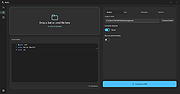 |
|
Converseen v0.15.2.6 Converseen v0.15.2.6 👉 Free and open source batch image converter and resizer. Converseen is a powerful, free, and open source image processing tool that allows you to convert, resize, rotate, and flip large batches of images quickly and efficiently. Built on top of the ImageMagick library, it supports over 100 image formats and provides an easy-to-use interface for handling bulk image operations without requiring advanced technical knowledge. With Converseen, you can process entire folders of images at once, applying consistent transformations such as resizing dimensions, adjusting resolution, or converting file formats. It is especially useful for photographers, designers, and anyone needing to optimize or standardize image collections for web or storage use. Features: • Batch conversion and processing of multiple images • Resize images by dimensions or percentage • Convert between over 100 supported image formats • Rotate and flip images • Compress and reduce image file sizes • Rename output files with customizable patterns • Set output directory for processed images • Change image resolution (DPI) • Preview images before processing • Multithreaded processing for faster performance • Built on the ImageMagick library for broad format support Supported operating systems: • Windows 10, Windows 11 • Linux • macOS Supported languages: English, Italian, Spanish, French, German, Portuguese, Russian, Chinese Changes: v0.15.2.6 07-07-26 - Updated French translation - Various Bugfixes This download is for the Windows 64bit portable version (very bottom of page). All other download assets are below: Other Windows: Converseen-0.15.2.6-1-win64-setup.msi converseen-0.15.2.6-1-win32-portable.zip macOS: converseen-0.15.2.6-1_beta_macos-x86_64.zip Linux: Converseen-0.15.2.6-1-anylinux-x86_64.AppImage Converseen-0.15.2.6-1-anylinux-aarch64.AppImage Click here to visit the author's website. |
|
3,556 | Jul 11, 2026 Francesco Mondello 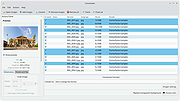 |
|
digiKam v9.1.0 digiKam v9.1.0 👉 Professional photo management with the power of open source. digiKam is an advanced open-source digital photo management application for importing, organizing, editing, and sharing photos and RAW files. It provides tools for managing large photo collections, editing metadata, tagging and rating images, handling RAW camera formats, previewing media, geolocation, batch processing, export tools, and AI-assisted photo workflows. Features: • Import, organize, and manage massive collections of photos, RAW images, and videos • Supports albums, tags, labels, ratings, comments, and hierarchical organization • Advanced metadata management including EXIF, IPTC, XMP, and GPS geotagging • Integrated map tools for assigning and editing geographic coordinates • Powerful RAW image processing using the Libraw engine • Built-in image editor with cropping, resizing, sharpening, curves, color correction, filters, and restoration tools • Includes Showfoto stand-alone image editor • AI-assisted face recognition and automatic face tagging • AI tools for image quality sorting, aesthetic detection, red-eye correction, and auto-rotation • Batch Queue Manager for automating large-scale image processing operations • Advanced search and filtering using metadata, tags, ratings, colors, and custom properties • Duplicate detection and similarity matching tools • Flexible file renaming with advanced rename templates and date formatting • Side-by-side comparison and new Survey tool for reviewing media collections • Enhanced preview system with exposure indicators, magnifier, gestures, OSD overlays, and color management • Slideshow tools with transition and transparency customization • Versioning support and non-destructive workflow options • Integrated export and sharing plugins for online services and remote storage • Database support using SQLite, MySQL, and MariaDB • Multi-core processing acceleration for thumbnail generation, AI tasks, and database operations • Supports hundreds of digital cameras and image formats Supported operating systems: • Windows 10 or later 64-bit • macOS Silicon 11.3 or later • macOS Intel 10.15 or later • Linux 64-bit AppImage, glibc 2.31 or later Supported languages: • Basque, Brazilian Portuguese, Bulgarian, Catalan, Chinese Simplified, Chinese Traditional, Croatian, Czech, Danish, Dutch, English, Esperanto, Estonian, Finnish, French, Galician, ... |
|
4,287 | Sep 28, 2026 digiKam Team 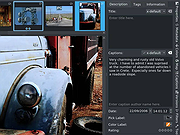 |
|
Dougi v1.0.672 Dougi v1.0.672 👉 Create high-quality JPEG images with realtime quality preview. Dougi is a lightweight portable JPEG optimization utility that lets you create high-quality JPEG images quickly and easily. Simply open, paste, or drag and drop an image, adjust the desired JPEG quality, and save. Its realtime WYSIWYG (What You See Is What You Get) preview lets you instantly see the effect of compression changes, eliminating the guesswork when balancing image quality and file size. Dougi also includes optional maximum file size limits, basic image adjustment tools, batch conversion, clipboard support, customizable appearance settings, and built-in help. Features: • Realtime WYSIWYG JPEG quality preview • Manual JPEG quality adjustment (5-100%) • Automatic quality presets: Low, Fair, Good, High, and Best • Optional maximum JPEG file size limit (5-4,000 KB) • Image adjustments including Mirror, Flip, Grey, Sepia, Noise, Invert, and Soften • Displays image dimensions, JPEG file size, and color count in realtime • Opens PNG, GIF, JPG, JIF, JPEG, TJ32, BMP, DIB, ICO, CUR, ANI, TEA, TGA, PPM, PGM, PBM, PNM, XBM, and IMG32 formats • Saves JPG, JIF, and JPEG formats • Copy images to the Clipboard as JPG or PNG • Batch conversion by dragging and dropping multiple images • Preview output in your default web browser • Customizable colors, fonts, and application settings • Portable - no installation required Supported operating systems: • Windows 7, Windows 8, Windows 8.1, Windows 10, Windows 11, Ubuntu Linux Supported languages: English Changes: v1.0.672 11-19-25 Not Provided. Click here to visit the author's website. |
|
348 | Jul 17, 2026 Blaiz Enterprises 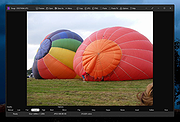 |
|
ExecutedProgramsList v1.15 ExecutedProgramsList v1.15 👉 A portable utility that reveals programs and batch files previously executed on your Windows computer. ExecutedProgramsList is a small system and forensic utility from NirSoft that displays programs and batch files previously run on your computer. It gathers execution information from several Windows Registry locations and the Windows Prefetch folder, making it useful for investigating software activity, troubleshooting a computer, or simply seeing what has been run in the past. For each detected program, it can display the executable file and path, file creation and modification times, and available version information including product name, product version and company name. For some programs, Windows also provides enough information for ExecutedProgramsList to show the last execution time. The program is completely portable. There is nothing to install and no additional DLL files are required. Results can be copied to the clipboard or exported to text, tab-delimited, CSV, HTML or XML files. Command-line options are also available for automatically generating reports. Features: • Displays programs and batch files previously executed on the computer • Collects execution history from multiple Windows Registry locations • Uses Windows Prefetch data as an additional source of execution history • Shows executable filenames and full file paths • Displays executable creation and modification times • Shows product name, product version and company name when available • Displays the last execution time for programs when the information is available • Opens the executable's folder directly in Windows Explorer • Opens the Windows file properties for a selected executable • Copies selected entries to the clipboard • Exports results to text, tab-delimited, CSV, HTML and XML formats • Includes command-line options for automatically saving reports • Name Only column can display the executable filename without its path • Optional black background with white text • Automatically sizes columns when configured to do so • Portable with no installation or additional DLL files required Supported operating systems: • Windows XP, ... |
|
6,751 | Aug 07, 2026 Nir Sofer 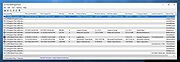 |
|
FastStone Image Viewer v8.5 FastStone Image Viewer v8.5 👉 Fast, stable image browser, editor and batch converter. FastStone Image Viewer is a fast, stable, user-friendly image browser, converter and editor. It includes image viewing, management, comparison, red-eye removal, emailing, resizing, cropping, retouching and color adjustments. Its full-screen mode gives quick access to EXIF information, thumbnail browsing and major tools through hidden edge toolbars. It also includes a high quality magnifier, musical slideshow with 150+ transition effects, lossless JPEG transformations, drop shadows, image annotation, scanner support, histogram display, batch conversion and batch renaming. Features: • Windows Explorer-like image browser and viewer • Supports BMP, JPEG, HEIC, WEBP, GIF, PNG, PCX, PDF, PSD, EPS, TIFF, WMF, ICO, CUR, TGA and many RAW camera formats • Full-screen viewer with zoom support and fly-out menu panels • Resize, rotate, crop, sharpen, blur, color correction, curves and levels tools • Clone Stamp, Healing Brush and red-eye removal • Draw text, lines, highlights, rectangles, ovals and callouts • Compare up to 4 images side-by-side • Batch convert and batch rename files • Slideshow with music and 150+ transition effects • Scanner support with batch scanning to PDF, TIFF, JPEG and PNG • Contact sheet creation, printing tools and image emailing • Portable version available Supported operating systems: • Windows XP, Windows Vista, Windows 7, Windows 8, Windows 10, Windows 11 Supported languages: Bulgarian, Chinese (Simplified), Chinese (Traditional), Czech, Danish, Dutch, Finnish, French, German, Hungarian, Italian, Japanese, Korean, Norwegian (Norsk bokmεl), Polish, Portuguese, Russian, Spanish, Swedish, Ukrainian Changes: v8.5 06-24-26 Added support for SVG format Added Start importing automatically and Handle duplicate file names automatically options to the Import Photos and Videos tool WebP files can now be rotated and saved with a single click Enhanced dark theme support in the PDF viewer Fixed a bug where some links in PDF files were not clickable Other improvements and bug fixes 👉 This download is for the Windows portable version (very bottom of page). All other download ... |
|
11,648 | Oct 07, 2026 FastStone Soft 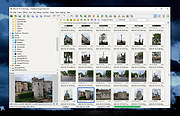 |
|
FotoSketcher v4.50 FotoSketcher Studio v4.50 👉 Turn photos into paintings, sketches, and artistic effects with a free image editing tool. FotoSketcher Studio is a free creative image editor that transforms photos into artwork using artistic effects such as pencil sketches, painting styles, drawing effects, and photo filters. It also includes tools to enhance original images, add frames and text, batch process multiple images, manually retouch selected areas, combine multiple filters, and create custom effects with scripts. It is free to use, including for commercial use. Features: • Turn photos into paintings, sketches, drawings, and photo effects • Includes 14 artistic effects spanning pencil, drawing, painting, and photo filter styles • Batch processing for applying effects to multiple images at once • Manual brush for selectively applying effects to chosen areas of an image • Can improve original photos with contrast, sharpening, luminosity, saturation, and other adjustments • Lets you add simple or realistic frames and text to images • Can combine multiple filters for mixed artistic results • Supports custom effect creation through scripts • Includes Vintage Sepia and Retro Film photo effects in v4.10 • Automatic system language detection with a keyboard shortcut to change interface language • Manual brush panning with CTRL + Left Mouse Button drag • Digitally signed Windows and macOS releases Supported operating systems: • Windows 10, Windows 11 • macOS (Intel, Apple Silicon) Supported languages: • Chinese, German, English, Spanish, French, Italian, Japanese, Korean, Dutch, Polish, Portuguese Changes: v4.50 07-27-26 This version brings a new painting effect, an image watermark tool, full keyboard navigation and a rather long list of improvements and fixes. New Gouache Painting effect 🎨 A new Gouache Painting effect joins the Painting category. Gouache sits somewhere between watercolour and oil paint: thick, opaque, with a matte finish and visible brushstrokes. Watermark and logo tool The "Add text" window has been expanded into "Add text/watermark". You can now load any image file (PNG with transparency, JPG, or other formats) ... |
|
10,835 | Aug 12, 2026 David Thoiron 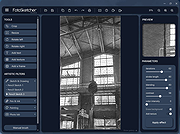 |
|
IrfanView v4.76 IrfanView v4.76 👉 Fast, compact image viewer and converter for Windows. IrfanView is a fast and compact graphic viewer for Windows that can view images, convert files, optimize images, scan and print, create slideshows, run batch processing jobs, and handle multimedia files. It is designed to be simple for everyday viewing while still offering powerful tools for image handling, editing, conversion, and automation. Features: • Fast and compact image viewer • Freeware for non-commercial use • 32-bit, 64-bit, and Windows ARM64 versions available • View, convert, and optimize images • Scan and print support • Batch processing • Slideshow creation • Multimedia support • Unicode support • Multi-language support • PlugIn support for additional formats and features Supported operating systems: • Windows XP, Windows Vista, Windows 7, Windows 8, Windows 10, Windows 11 • Windows 11 ARM, tested on Snapdragon X Supported languages: English, German, Bulgarian, Czech, Hungarian, Korean, Polish, Portuguese-Brazil, Slovak, Chinese, Estonian, French, Greek, Italian, Japanese, Dutch, Portuguese, Russian, Slovenian, Spanish, Thai, Turkish, Latvian, Norwegian, Danish, Romanian, Ukrainian, Arabic, Finnish, Catalan, English-British, Hebrew, Lithuanian, Swedish, Uzbek Changes: v4.76 09-18-26 Option to set the Toolbar on left/right (Properties->Toolbar) Option to draw a freehand selection, menu: Edit->Set selection shape New Wallpaper menu: Choose monitor (in multi monitor environment) New Thumbnails window menu: Favorite folders (max 15 folders) New in Thumbnails folder box: Write/Paste folder path, press Enter to load Changes in Zoom Magnifier (new initial zoom, CTRL + Click goes to 100%) Support for animated AVIF files New command line option to set the wallpaper per monitor /monitor=number (needs also /wall) Paint PlugIn: Option for smooth lines; Fix in the Clone tool Several PlugIns are changed/updated, please install the newest versions: Download from: https://www.irfanview.com/plugins.htm 👉 This download is for the Windows 64bit installer version (very bottom of page). All other download assets are below: Other Windows 64bit: iview476_plugins_x64_setup.exe iview476_plugins_x64.zip Windows 32bit: iview476_setup.exe iview476_plugins_setup.exe iview476_plugins.zip Windows ARM64bit: iview476_arm64_setup.exe iview476_arm64.zip iview476_plugins_arm64_setup.exe iview476_plugins_arm64.zip Click here to visit the author's website. |
|
6,451 | Sep 22, 2026 Irfan Skiljan 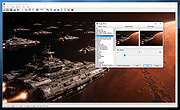 |
|
Metadata++ v3.00.2 Metadata++ v3.00.2 👉 View, edit, search, and manage metadata in thousands of file formats. Metadata++ is a powerful freeware metadata editor and browser for Windows built around ExifTool. It lets you inspect, edit, search, and organize metadata stored in photos, documents, audio, video, archives, and many other file types through a fast graphical interface. Designed to run locally without relying on the Windows registry, Metadata++ can also create sidecar files so metadata can be associated with formats that do not natively support it. It includes advanced search capabilities, batch editing, thumbnail viewing, ratings, tagging, and extensive support for industry-standard metadata formats, making it an excellent tool for photographers, archivists, content creators, and anyone who needs detailed control over file metadata. Features: • View, edit, and search metadata in thousands of supported file formats. • Built on the powerful ExifTool metadata engine. • Batch edit metadata across multiple files. • Create and use sidecar metadata files for unsupported formats. • Display image thumbnails and detailed file information. • Rate, tag, and organize files using metadata. • Fast folder navigation and high-performance directory browsing. • Export metadata in multiple formats. • Native Unicode support for international filenames and metadata. • Portable operation with all settings stored in the program folder. • No Windows registry entries required. • Runs entirely on your computer without transmitting personal data. Supported operating systems: • Windows 11 (64-bit), Windows 10 (64-bit) Supported languages: English, French, Spanish, Italian, Portuguese, Dutch, Polish Changes: v3.00.2 08-03-26 Changes since 3.00.1 Fixed the TreeView horizontal scrollbar. Added support for additional palette formats. Added GPR display support. Added conversions to JPEG, PNG and WebP. Added Save As and effects to fullscreen view. Added sidecar creation for any file format. Added the Ukrainian interface. Metadata++ can now use GDAL. Note: This file ... |
|
2,179 | Aug 02, 2026 Jean Piquemal 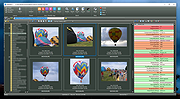 |
|
NewFileTime v8.31 NewFileTime v8.31 👉 Easily modify and correct file and folder timestamps in Windows. NewFileTime is a lightweight and portable timestamp utility that allows you to quickly change the creation date, modification date, and access date of files and folders. It is especially useful for correcting incorrect timestamps after copying files, restoring backups, sorting media collections, or organizing archived documents. The program supports drag-and-drop operation and can process multiple files and folders at once, making bulk date changes simple and efficient. NewFileTime features an easy-to-use interface with preset time options, random date generation, and precise manual controls for adjusting timestamps down to the second. The software can also import timestamps from other files, preserve original dates during operations, and work with network drives and external storage devices. Because it is portable, it can run without installation and is ideal for technicians, archivists, photographers, and power users who frequently manage file metadata. Features: • Change creation, modification, and access timestamps for files and folders • Batch process multiple files and directories simultaneously • Drag-and-drop support for quick file handling • Portable application requiring no installation • Copy timestamps from reference files • Set timestamps manually with precise date and time controls • Randomize dates and times for testing or organization purposes • Supports folders, network drives, USB drives, and external media • Easy-to-use interface with preview before applying changes • Optional administrative mode for protected files • Small system footprint and fast processing performance • Compatible with Unicode filenames and long file paths Supported operating systems: • Windows XP, Windows Vista, Windows 7, Windows 8, Windows 10, Windows 11, Windows Server 2000, Windows Server 2003, Windows Server 2008, Windows Server 2012, Windows Server 2016, Windows Server 2019, Windows Server 2022 Supported languages: • English, German, French, Spanish, Italian, Portuguese, Dutch, Polish, Russian, Chinese, Japanese, Korean, Turkish, Greek, Hungarian, Danish, Finnish, Norwegian, Swedish, Czech, Slovak, Romanian, Bulgarian, Arabic, Hebrew, Ukrainian, Indonesian, Vietnamese Changes: v8.31 ... |
|
7,065 | Oct 12, 2026 Nenad Hrg 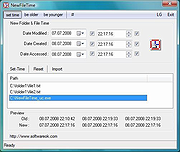 |
|
Rename Master v4.04 Rename Master v4.04 👉 Powerful batch file and folder renaming utility. Rename Master is a freeware utility that allows you to rename multiple files and folders quickly using a wide range of advanced renaming options. Designed for both casual and power users, it can manipulate filenames based on text patterns, file attributes, metadata, numbering schemes, and custom scripts. A real-time preview window shows exactly how files will be renamed before any changes are applied, helping prevent mistakes when working with large collections of files. Rename Master supports information stored inside MP3 tags, JPEG JFIF and EXIF data, enabling automatic renaming based on embedded metadata. It also includes powerful wildcard support, search-and-replace functions, sequential numbering, folder renaming capabilities, and the ability to save frequently used renaming configurations for future use. Despite its extensive feature set, the program remains lightweight, fast, and easy to use. Features: • Rename multiple files and folders in a single operation • Add, remove, replace, or rearrange text within filenames • Advanced search and replace with wildcard support • Sequential numbering and custom counters • Rename files using MP3 tag information • Rename photos using JPEG JFIF and EXIF metadata • Change filename case (upper, lower, title case, etc.) • Insert file dates and times into filenames • Move or remove characters at specific positions • Save and reuse renaming scripts and presets • Real-time preview before applying changes • Undo support for reverting previous renaming operations • Optional Windows Explorer integration • Fast processing of large file collections • Portable-friendly and lightweight design Supported operating systems: • Windows XP • Windows Vista • Windows 7 • Windows 8 • Windows 8.1 • Windows 10 • Windows 11 Supported languages: English Changes: v4.04 05-14-26 (Renaming Script) Fix: issues with auto-preview (introduced in v4.03) Fix: issue when loading a script when using non-default Counting settings Fix: Counting tab icon not always marked when using non-default setting (Misc) Fix: possible exception when loading a script using "File > Open Script" with default settings NOTES: Hotfixes for ... |
|
6,905 | Jun 12, 2026 joejoesoft.com 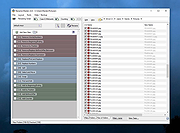 |
|
Shell WebP Converter v2.5.1 Shell WebP Converter v2.5.1 👉 Lightweight Windows shell extension for fast WebP image conversion directly from the right-click menu. Shell WebP Converter is a simple and efficient Windows shell extension that allows you to convert images to and from the WebP format directly from the Windows context menu. Once installed, it integrates seamlessly into File Explorer, enabling quick conversions without opening a separate application. Designed to be lightweight and easy to use, Shell WebP Converter supports bulk image processing and preserves image quality through configurable settings. It is ideal for users who regularly work with WebP images and want a fast, no-nonsense way to convert formats straight from the desktop. Features: • Adds right-click context menu integration in Windows Explorer • Convert images to WebP format • Convert WebP images to common formats such as PNG and JPEG • Batch conversion support for multiple selected files • Lightweight and fast performance • Simple, user-friendly operation • Maintains image quality with configurable compression options Supported operating systems: • Windows 10, Windows 11 Supported languages: English, Russian, Arabic, German, Spanish, French, Hindi, Hungarian, Italian, Japanese, Korean, Portuguese, Slovak, Turkish, Chinese Changes: v2.5.1 05-08-26 GUI fixes Note: This file has one hit on VirusTotal. We have confirmed this to be a false positive. The file is safe. Click here to visit the author's website. |
|
762 | Jun 27, 2026 SchwarzFuchs 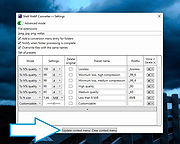 |
|
XMedia Recode v3.6.3.0 XMedia Recode v3.6.3.0 👉 Free video and audio converter supporting a wide range of formats and devices. XMedia Recode is a free video and audio conversion tool that allows you to convert nearly all known video and audio formats. It supports a wide variety of codecs and container formats and includes device specific profiles for smartphones, tablets, game consoles, and other multimedia devices. The program can extract audio tracks, convert unprotected DVDs, and provides basic editing features such as cutting, cropping, and filtering. Features: • Converts video and audio between numerous formats • Supports popular codecs including H.264, H.265, VP9, AV1 and more • Device presets for smartphones, tablets, consoles, and other devices • Extracts audio tracks from video files • Basic editing tools including cut, crop, and filters • Batch processing support • Subtitle support Supported operating systems: • Windows XP SP3, Windows Vista, Windows 7, Windows 8, Windows 8.1, Windows 10, Windows 11 Supported languages: • English, German, French, Italian, Spanish, Japanese, Chinese (Simplified), Chinese (Traditional), Russian, Polish, Dutch, Portuguese (Brazilian), Czech, Greek, Turkish Changes: v3.6.3.0 05-15-26 Update of ffmpeg Update of SVT AV1 (4.1.0) Codec Troubleshooting Fixed minor bugs Note: This file has two hits on VirusTotal. We have confirmed these to be false positives. The file is safe. This download is for the Windows 7-11 64bit version (very bottom of page). If you need the Windows 7-11 32bit version, download here. If you need the Windows XP-Vista 32bit version, download here. Click here to visit the author's website. |
|
10,591 | Jul 06, 2026 Sebastian Dorfler 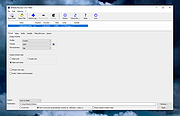 |
| Showing rows 1 to 16 of 16 | Showing Page 1 of 1 | 1 |
OlderGeeks.com Copyright (c) 2026
