|

|
Processed through Paypal No account required. |








Buy our over-priced crap to help pay the bills.



|
|
Processed through Paypal No account required. |
| Files | ||||
| File Name | Rating | Downloads | ||
 |
1by1 v2.16 1by1 v2.16 👉 Small and fast audio directory player with powerful features. 1by1 is a smart and lightweight directory-based audio player for Windows that lets you play tracks directly from folders without needing playlists or a media database. It combines file-manager-style navigation with playback features such as resume play, gapless playback, transition mixing, audio enhancing, bookmarks, cue sheet support, and file tools for organizing tracks while listening. It is also highly configurable, portable, and designed for low resource usage. Features: • Directory Player: directly plays folder contents • Resume play with track and position memory • Multi Resume for the ten recently played folders • Gapless play, transition mixing, and audio enhancing • Folder tree file navigation and Directory finder • MP3 decoding by ACM, mpglib, and BASS • BASS library support for formats such as OGG, WAV, FLAC, AAC, MP4, and CD audio • Optional 24 bit output and 32 bit audio processing • File utilities including copy, move, rename while play, delete, and date change • Scalable Big title view, Rename tool, and Folder compare tool • Cue sheet support, M3U playlist support, and bookmarks • Winamp 2.x input plugin support and WAV export • Track logging, HTTP control and streaming server • Theme presets, global hotkeys, portable operation, and low resource usage Supported operating systems: • Windows • Android • Linux with Wine Supported languages: English, German, Danish, Spanish, French, Italian, Korean, Portuguese (Brazilian), Russian, Serbian, Ukrainian, Chinese (Simplified) Changes: v2.16/v1.39 04-18-26 Windows: Binary changes (GCC build) · Additional languages: Koeran, Serbian, French · Better quit on other instance check · Hang on clearing tree view fixed · Threading issues corrected · Some other corrections and modifications Android: Media key event handling improved Note: This file has one hit on VirusTotal. We have confirmed this to be a false positive. The file is safe. This download is for the Windows version (very bottom of page). If you need the Android version, download here. Click here to ... |
 |
1,857 | Jul 26, 2026 Martin Pesch 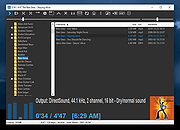 |
|
Audacity v4.0.1 Audacity v4.0.1 👉 Free, open-source, multi-track audio editor and recorder for recording, editing, mixing and producing audio. Audacity is a powerful, free and open-source audio editor and recorder for Windows, macOS and Linux. It can handle everything from quick voice recordings and simple edits to multi-track music production, podcast creation, audio restoration and more involved sound projects. Audacity provides a visual waveform-based editing environment where audio can be recorded, cut, copied, moved, trimmed and arranged across multiple tracks. Music, speech, sound effects and other recordings can be combined into a single project, with precise control over individual clips and their placement on the timeline. The program includes a wide collection of audio processing tools for adjusting volume, compression, equalization, pitch and tempo. Noise removal and repair tools can help clean up recordings, while delay, reverb, distortion, modulation, fading and other effects provide additional options for shaping sound. Real-time effects can be applied without permanently altering the original audio, allowing settings to be adjusted while continuing to work on a project. Effects can be applied to individual tracks or to the master output. Audacity also includes a plugin manager for enabling, disabling and organizing available effects. Audacity supports third-party plugins and includes support for VST3 and Nyquist effects. Optional FFmpeg support expands compatibility with additional audio formats. Finished projects can be exported to common formats such as WAV, MP3, FLAC and Ogg. The program is useful for recording microphones and other audio sources, digitizing older recordings, cleaning up noisy audio, editing interviews, assembling podcasts, creating sound effects, working with music and preparing finished audio for publishing or archiving. Features: • Record live audio through microphones, mixers and other input devices • Edit and arrange multiple audio tracks within a single project • Cut, copy, paste, trim, split and move audio clips ... |
|
11,300 | Oct 02, 2026 Audacity 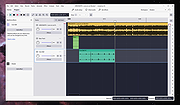 |
|
Audionaut v1.6.4 Audionaut v1.6.4 👉 A free, open-source audio editor for recording, cutting, arranging, and exporting multitrack audio. Audionaut is a free, open-source desktop audio editor and recorder for music, podcasts, and multitrack recordings. It combines a waveform timeline with reusable audio regions and individual track playlists, giving you several ways to build and rearrange a project. A region is a named section of source audio, while a clip places that region into your arrangement. You can create sections such as an introduction, verse, chorus, or ending, then reuse them wherever needed. Each track's playlist stays synchronized with its timeline, making it easier to rearrange sections without repeatedly cutting the original recording. Tracks can contain multiple audio channels. When you split a multichannel clip, its channels stay together in the resulting regions. This is useful when working with related microphone recordings or stems that need to remain aligned. Audionaut also includes audio analysis, automatic segmentation, pitch-preserving time stretching, and local stem separation. Its optional MCP integration allows compatible AI assistants to edit projects, while its command-line tools support scripted workflows. Features: • Multitrack arrangements: Layer recordings across multiple tracks, each with its own synchronized playlist. • Reusable regions: Name sections of audio and place them into the arrangement repeatedly without recreating each section. • Multichannel editing: Keep the channels of a recording together when cutting and rearranging clips. • Precise splitting: Cut at the playhead or split around a selected time range. • Drag-and-drop arranging: Move clips along the timeline, duplicate them, or drag saved regions into new positions. • Per-clip volume: Adjust the gain of individual channels within a clip. • Adjustable fades: Drag fade handles to create fade-ins, fade-outs, and crossfades with adjustable curves. • Pitch-preserving time stretching: Change ... |
|
51 | Oct 09, 2026 Klaus Voltmer 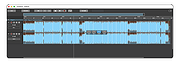 |
 |
Data Crow v5.1.4 Data Crow v5.1.4 👉 A powerful open-source media cataloging and collection management application. Data Crow is a highly customizable cataloging application designed to help users organize and manage virtually any type of collection. It allows you to catalog movies, music, books, software, games, comics, photographs, tools, wines, contacts, and custom collections using flexible templates and user-defined fields. Data Crow can automatically retrieve information from online services, helping populate collection entries with detailed metadata, images, and descriptions. Built with flexibility in mind, Data Crow supports advanced searching, filtering, lending administration, barcode support, and extensive export/import capabilities. Users can create completely custom modules to track nearly anything, making it useful for both personal collectors and professional inventory management. The software also supports multi-user environments and includes reporting tools for generating detailed collection summaries. Features: • Catalog movies, books, music, software, games, comics, contacts, and more • Create fully customizable collection modules and fields • Automatically download item details and cover artwork from online sources • Advanced search, filtering, and sorting capabilities • Barcode scanning and lending administration support • Import and export data in multiple formats • Generate customizable reports and statistics • Store images, attachments, and detailed notes • Multi-user database support for shared collections • Built-in loan tracking for borrowed items • Cross-platform Java-based application • Extensive plugin and scripting support Click here to view the documentation. Supported operating systems: • Windows 7, Windows 8, Windows 10, Windows 11 • macOS • Linux Supported languages: English, Dutch, German, French, Spanish, Portuguese, Italian, Polish, Russian, Chinese, Japanese Changes: v5.1.4 06-18-26 • Fixed missing time components for creation and modification timestamps on new installations. • Fixed the advanced filter dialog in server-to-client mode for Books, TV Series, and several other modules. • Added the /login/status/unsecure API endpoint for Data Crow Reader v1.1 automatic login detection. • Google Books searches now direct users to create a free API ... |
|
10,175 | Jul 03, 2026 Robert Jan Van Der Waals 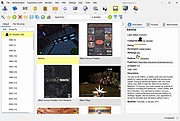 |
|
File Order Randomizer v1.0 File Order Randomizer v1.0 👉 Adds random numbers to the start of filenames to randomize play order on simple music players. File Order Randomizer is a small, portable utility intended for devices (like some car radios or clock radios) that cannot play tracks in random order from a USB stick. It generates random numbers and puts them in front of every file in a specified folder, so you can create a new play order by running it again. Features: • Adds random numbers in front of filenames in a selected folder • Designed to help create a “random” track order for cheap/basic music players using USB media • Simple run-to-rerandomize workflow (run again whenever you want a new order) Supported operating systems: • Windows 2000 SP4 • Windows XP • Windows Vista • Windows 7 • Windows 8 / 8.1 • Windows 10 • Windows 11 Supported languages: • English Click here to visit the author's website. |
|
798 | Jun 29, 2026 Lumpiluk 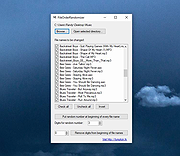 |
|
FMIT (Free Music Instrument Tuner) v1.2.13 (Mac) FMIT (Free Music Instrument Tuner) v1.2.13 (Mac) FMIT (Free Music Instrument Tuner) is a graphical utility for tuning your musical instruments, with error and volume history and advanced features. Features Estimation of the fundamental frequency (f0) of an audio signal, in real-time. (the f0, not the perceived pitch) Waveform shape Harmonics ratios Discrete Fourier Transform (DFT) Microtonal tuning (supports scala file format) Statistics All views are optional so that the interface can be as simple as possible. (make it easy to see on a distant screen) Can support OSS, ALSA, PortAudio and Jack sound systems. Credits Developing an open-source software would be impossible without external, direct or indirect help. Thus, 1000 Thanks to the following geeks: Florian Hars for the tunning scales; Arnout Engelen for the JACK issues; John Anderson for the microtonal module idea; Scott Bahling for the scales in cents; Jacob Shapiro for his help to make FMIT working under Windows/Cygwin. Translators: Omega9 (Russian), skarmoutsosv (Greek), Pindaro (Portuguese), Florian Maier (German). Packagers: Toni Graffy and all the PackMan team, Ludovic Reslinger, Edward Tomasz Napierala, John Wright, dsboger. Disclaimer: This software comes with no warranties of any kind and the copyright owner and contributors can be liable for nothing. the simplest configuration with volume view and previous notes shown with the microtonal view statistics module wave form view harmonics view DFT module settings: general settings: capture settings: analysis Version 1.2.13 New note names: Hindustani, Byzantine Use unicode flat and sharp signs. Use custom save settings and pause icons that better fits the other icons design. Flexible transposition key selection. Added symbolic icon for high-contrast setup. Switch to Weblate for translation: https://hosted.weblate.org/projects/fmit/ Added translation for application information. Click here to visit the author's website. |
|
6,009 | Oct 03, 2019 Gilles Degottex 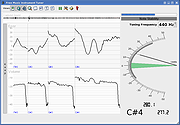 |
|
FMIT (Free Music Instrument Tuner) v1.2.13 (Windows) FMIT (Free Music Instrument Tuner) v1.2.13 (Windows) FMIT (Free Music Instrument Tuner) is a graphical utility for tuning your musical instruments, with error and volume history and advanced features. Features Estimation of the fundamental frequency (f0) of an audio signal, in real-time. (the f0, not the perceived pitch) Waveform shape Harmonics ratios Discrete Fourier Transform (DFT) Microtonal tuning (supports scala file format) Statistics All views are optional so that the interface can be as simple as possible. (make it easy to see on a distant screen) Can support OSS, ALSA, PortAudio and Jack sound systems. Credits Developing an open-source software would be impossible without external, direct or indirect help. Thus, 1000 Thanks to the following geeks: Florian Hars for the tunning scales; Arnout Engelen for the JACK issues; John Anderson for the microtonal module idea; Scott Bahling for the scales in cents; Jacob Shapiro for his help to make FMIT working under Windows/Cygwin. Translators: Omega9 (Russian), skarmoutsosv (Greek), Pindaro (Portuguese), Florian Maier (German). Packagers: Toni Graffy and all the PackMan team, Ludovic Reslinger, Edward Tomasz Napierala, John Wright, dsboger. Disclaimer: This software comes with no warranties of any kind and the copyright owner and contributors can be liable for nothing. the simplest configuration with volume view and previous notes shown with the microtonal view statistics module wave form view harmonics view DFT module settings: general settings: capture settings: analysis Version 1.2.13 New note names: Hindustani, Byzantine Use unicode flat and sharp signs. Use custom save settings and pause icons that better fits the other icons design. Flexible transposition key selection. Added symbolic icon for high-contrast setup. Switch to Weblate for translation: https://hosted.weblate.org/projects/fmit/ Added translation for application information. Click here to visit the author's website. |
|
7,115 | Oct 03, 2019 Gilles Degottex |
|
foobar2000 v2.26 foobar2000 v2.26 👉 Advanced freeware audio player with tagging, conversion, replay gain, and customizable playback features. foobar2000 is an advanced freeware audio player designed for playing mainstream audio formats out of the box, with support for additional decoder components, gapless playback, advanced tagging, Audio CD ripping, transcoding, ReplayGain, internet radio, customizable keyboard shortcuts, and a flexible component architecture for extending functionality. Features: • Plays all mainstream audio formats out of the box • Supports additional decoder components for more formats • Gapless playback • Stream music on your local network • Easily customizable user interface layout • Advanced tagging capabilities • Audio CD ripping and audio transcoding • Full ReplayGain support • Customizable keyboard shortcuts • Built-in DSP effects with support for more through components • Internet radio support • Open component architecture for third-party extensions • No telemetry or data collection Supported operating systems: • Windows 7 or newer • macOS 11 Big Sur or newer Supported languages: • English Changes: v2.26 06-26-26 Converter changes New preset format, presets stored as .ini files in profile subfolder. Old presets imported on first run. Better error messages when receiving unexpected data format change in mid-conversion; made discard blank chunks before checking for format match. Added extensible post-conversion actions which can be used for ReplayGain scanning, integrity testing, etc. On conversion error, encoder's stderr output is forwarded to foobar2000 console. Ogg chaining is now off by default, Ogg chapters written by default instead. Added %source_list_index% & %source_list_total%, only for multi track image naming pattern use, to allow use of list indexes in the pattern. Made file name preview recognize newly added %source_list_index%. Made show output of command-line encoder program in error popup if conversion has failed. Made "no DSP reset" explicitly shown in overview, as ... |
|
6,754 | Oct 05, 2026 foobar2000.org 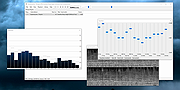 |
|
Free Music Downloader (formerly Last.FM) 1.49 Free Music Downloader (formerly Last.FM) 1.49 Download your favorite music from www.last.fm, vkontakte.ru, goear.com, youtube.com, GrooveShark.com, SoundCloud.com, mixcloud.com, BandCamp.com, Hypem.com, Xiami.com, Music.Baidu.com, Hulkshare.com, MP3Fusion.net, MP3Skull.com, QQMusic, SkyRock.com, Sogou.com, Top100.cn, YYmp3.com, Muzebra.com, XMusic.me, FanMuz.com, ProstoPleer.com and 8Tracks.com. Just enter an artist name or Last.FM url and press 'Search'. |
 |
9,603 | Jan 12, 2014 The SZ |
|
Google Play Music Desktop Player v4.7.1 Google Play Music Desktop Player v4.7.1 A beautiful cross platform Desktop Player for Google Play Music. The same beautiful Material Design experience you love on the browser, just as a dedicated desktop player Open Source Google Play Music Desktop Player is open source on GitHub. This means YOU, the community, gets a say in all the features we implement and you can even get involved and help out. If you find a bug or want something new, tell us in Gitter or on GitHub and we will see what we can do!! Resource Efficient Being a lightweight, standalone framework we use FAR less resources than having Google Play Music open in a standard chrome tab. This frees up your computer's resources to do things you care about, instead of wasting them on playing music. Customizable Google Play Music Desktop Player adds a level of customization that simply isn't there in the web player. You can change your theme, customize the colors, send your play history straight to last.fm, and it even has a built-in equalizer. From advanced audio controls to simple song change notifications, this desktop player literally does it all. Features Media Keys support (Play, Pause, Stop, Previous, Next) Last.FM Scrobbling and Now Playing support! Desktop notifications on track change Simplistic mini player Customizable dark theme Taskbar media controls (media controls embedded into the taskbar) Windows only HTML5 audio support - No more Adobe Flash Player Built-in audio equalizer - Make it sound how you like it Background music playing, minimize to the task bar Customizable hotkeys. No worries if you don't have media keys - Choose your own shortcuts! Choose your audio output device from ... |
|
5,207 | Aug 06, 2024 Samuel Attard 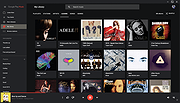 |
|
MAGDA v0.19.0 MAGDA v0.19.0 👉 Free, open-source DAW (Digital Audio Workstation) with AI-assisted music production. MAGDA is a free, open-source digital audio workstation designed for modern music creation, recording, editing, sound design, and live production workflows. Built using the JUCE framework and the Tracktion Engine, MAGDA combines traditional DAW functionality with advanced AI-assisted workflow tools to help musicians, producers, and creators work faster and more creatively. MAGDA features a flexible production environment with session, arrangement, and mixer views, allowing users to compose music, arrange clips, automate effects, and mix tracks using a streamlined interface. The application supports both audio and MIDI production and includes built-in instruments, modulation systems, automation lanes, plugin support, MIDI controller integration, and scripting capabilities. One of MAGDA’s standout features is its integrated AI assistant, which allows users to control parts of the DAW using natural language commands. Users can also access an embedded DSL console for advanced workflow customization and scripting. Additional tools such as the Drum Grid, Piano Roll editor, modulation rack, FAUST-powered effects bank, and macro systems provide deep sound-shaping and performance options for electronic music production, live performance setups, and studio recording. Features: • Multi-view workflow with session, arrangement, and mixer layouts • Hybrid tracks supporting both audio and MIDI content • AI-powered assistant with natural language interaction • Embedded DSL console for command execution and automation • Built-in 4OSC subtractive synthesizer instrument • Integrated Drum Grid with independent plugin chains per pad • Piano Roll editor with velocity, pitchbend, and MIDI CC editing • Advanced automation modes including Write, Touch, and Latch • Modulation system with LFOs, macros, curve shapers, and modulators • FAUST integration with built-in effects processing bank • Plugin scanning and plugin management support • Rack-based workflow for reusable instrument and effect chains • MIDI Learn support for rapid hardware controller mapping • Lua scripting support for two-way DAW protocols and customization • Session recording and clip launching workflow tools • ... |
|
668 | Sep 22, 2026 Conceptual Machines 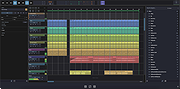 |
|
Midi Sheet Music for Linux Ubuntu 2.6 Midi Sheet Music for Linux Ubuntu 2.6 Midi Sheet Music is a free program that simultaneously: Converts MIDI Files to Sheet Music Plays MIDI music files Highlights the piano notes Highlights the sheet music notes Highlight the Sheet Music Highlight the piano notes Display the note letters Color-code the notes Select which MIDI tracks to play Split one MIDI track into two staffs Sheet Music Features Displaying sheet music from MIDI music files Printing the Sheet Music Saving the Sheet Music as PNG images or PDF file Displaying the note letters next to each note Displaying the notes in different colors Selecting which MIDI Tracks to display Combining MIDI Tracks into two staffs (left hand and right hand) for piano songs Adjusting the key signature, time signature, and measure length Transposing the notes up or down Displaying the measure numbers Playback Features Playing the MIDI music Highlighting the piano notes as the music is played back Highlighting the sheet music notes as the music is played back Adjusting the speed of the playback Selecting which MIDI Tracks to play Selecting the instruments to use for each MIDI Track Playing a subset of measures in a continuous loop What's new in version 2.6 Show list of recently opened MIDI files Support drag-and-drop of MIDI files Fix error where there's no sound (tracks are muted) Fix error where lyrics are ... |
|
6,882 | Jan 04, 2016 Madhav Vaidyanathan 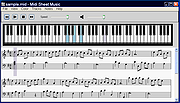 |
|
Midi Sheet Music for Mac OS X 2.6 Midi Sheet Music for Mac OS X 2.6 Midi Sheet Music is a free program that simultaneously: Converts MIDI Files to Sheet Music Plays MIDI music files Highlights the piano notes Highlights the sheet music notes Highlight the Sheet Music Highlight the piano notes Display the note letters Color-code the notes Select which MIDI tracks to play Split one MIDI track into two staffs Sheet Music Features Displaying sheet music from MIDI music files Printing the Sheet Music Saving the Sheet Music as PNG images or PDF file Displaying the note letters next to each note Displaying the notes in different colors Selecting which MIDI Tracks to display Combining MIDI Tracks into two staffs (left hand and right hand) for piano songs Adjusting the key signature, time signature, and measure length Transposing the notes up or down Displaying the measure numbers Playback Features Playing the MIDI music Highlighting the piano notes as the music is played back Highlighting the sheet music notes as the music is played back Adjusting the speed of the playback Selecting which MIDI Tracks to play Selecting the instruments to use for each MIDI Track Playing a subset of measures in a continuous loop What's new in version 2.6 Show list of recently opened MIDI files Support drag-and-drop of MIDI files Fix error where there's no sound (tracks are muted) Fix error where lyrics ... |
|
6,742 | Jan 04, 2016 Madhav Vaidyanathan |
|
Midi Sheet Music for Windows 2.6 Midi Sheet Music for Windows 2.6 Midi Sheet Music is a free program that simultaneously: Converts MIDI Files to Sheet Music Plays MIDI music files Highlights the piano notes Highlights the sheet music notes Highlight the Sheet Music Highlight the piano notes Display the note letters Color-code the notes Select which MIDI tracks to play Split one MIDI track into two staffs Sheet Music Features Displaying sheet music from MIDI music files Printing the Sheet Music Saving the Sheet Music as PNG images or PDF file Displaying the note letters next to each note Displaying the notes in different colors Selecting which MIDI Tracks to display Combining MIDI Tracks into two staffs (left hand and right hand) for piano songs Adjusting the key signature, time signature, and measure length Transposing the notes up or down Displaying the measure numbers Playback Features Playing the MIDI music Highlighting the piano notes as the music is played back Highlighting the sheet music notes as the music is played back Adjusting the speed of the playback Selecting which MIDI Tracks to play Selecting the instruments to use for each MIDI Track Playing a subset of measures in a continuous loop What's new in version 2.6 Show list of recently opened MIDI files Support drag-and-drop of MIDI files Fix error where there's no sound (tracks are muted) Fix error where lyrics are not ... |
|
6,959 | Jan 04, 2016 Madhav Vaidyanathan |
|
Monkey’s Audio v13.26 Monkey’s Audio v13.26 👉 Fast, free lossless audio compression for creating bit-perfect .APE music files. Monkey's Audio is a fast and easy way to compress digital music without losing audio quality. Unlike lossy formats such as MP3, OGG, or WMA, Monkey's Audio creates perfect, bit-for-bit copies of your music while still saving space. Compressed files can be decompressed back to the exact original files, making it useful for archiving music collections without having to recopy CDs later. Features: • Compresses music with no quality loss • Decompresses files back to the exact original audio • Supports .APE lossless audio files • Fast and efficient compression • Windows interface designed to be powerful and easy to use • Compress, decompress, verify, convert, and make APL files • Supports WAV, AIFF/AIF, W64, SND, AU, CAF, and RF64 input formats • Verify mode checks APE files for possible changes or corruption • Supports quick verify and full verify options • Optional auto-check after APE file creation • Supports external encoders such as FLAC, WavPack, and ALAC • Pipe input support through the "-" filename argument • Output options for same-folder output or custom output folders • Can preserve folder levels when processing files • Options for overwrite, rename, or skip when output files already exist • Can leave, delete, or recycle source files after successful processing • Copies file timestamps to new files • Uses flexible APE Tags for managing audio metadata • Includes redundant CRC error detection • SDK available for developers to compress, decompress, verify, convert, analyze APE files, and work with APE tags • Source code for compression, decompression, and tagging is included in the SDK • Free under the Monkey's Audio License Agreement based on the 3-Clause BSD license Supported operating systems: • 64-bit Installer: Windows 8, Windows 10, Windows 11 • 32-bit Installer: Windows XP, Windows 7, Windows 8, Windows 10, Windows 11 • Arm64 Installer: Windows 8, Windows 10, Windows 11 Supported languages: English Changes: v13.26 08-20-26 Changed: ... |
|
1,242 | Sep 18, 2026 Matt Ashland 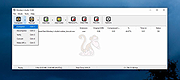 |
|
MP3tag v3.34.1 MP3tag v3.34.1 👉 Powerful and easy-to-use tag editor for managing audio file metadata. MP3tag is a popular and reliable tag editor designed to make organizing and managing your digital music collection simple and efficient. It supports batch editing of tags, import of metadata from online databases, and full Unicode support, making it suitable for both casual users and serious collectors. MP3tag works with a wide range of audio formats and allows you to rename files based on tag information or generate tags from filenames. The application is lightweight, fast, and focuses on doing one job extremely well: keeping your music library clean and properly tagged. Features: • Batch editing of audio file tags • Support for ID3v1, ID3v2, APEv2, MP4, Vorbis Comments, and more • Import tags from online databases such as Discogs and MusicBrainz • Automatic file renaming based on tag information • Create tags from filenames and directory structures • Full Unicode support for international music collections • Lightweight, fast, and portable-friendly design Supported operating systems: • Windows 7, Windows 8, Windows 10, Windows 11 Supported languages: English, German, French, Spanish, Italian, Portuguese, Dutch, Polish, Czech, Russian, Ukrainian, Chinese, Japanese, Korean, Hungarian, Romanian, Swedish, Turkish Changes: v3.34.1 05-07-26 FIX: large integer metadata values were truncated to the preferred storage width when writing MP4 atoms like `ITUNESCATALOGID`. (#71185) FIX: minor performance regression in the action groups dialog that could slow downloading or adding large numbers of action groups. (#71129) FIX: using 'Convert > Tag - Tag' changed the last used Quick Action to 'Format value'. (#71086) FIX: configuring or performing an action via a custom toolbar button also changed the last used Quick Action to this action type. LNG: updated French, Hungarian, and Traditional Chinese translations. This download is for the Windows 64bit version (very bottom of page). If you need the Windows 32bit version, download here. Click here to visit the author's website. |
|
6,340 | Jun 18, 2026 Florian Heidenreich 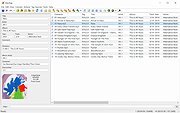 |
|
MuseScore v4.7.4 MuseScore v4.7.4 👉 Free and open-source music notation and composition software. MuseScore is a powerful and easy-to-use music notation program designed for writing, editing, and printing sheet music. It provides composers, arrangers, teachers, and students with a complete environment for creating professional-quality scores. The program includes a flexible notation editor, playback with high-quality instrument sounds, and support for a wide range of musical symbols and notation standards. MuseScore allows users to input notes using a mouse, keyboard, or MIDI controller, and offers real-time playback so compositions can be heard while being written. Scores can be exported to a variety of formats including PDF, MusicXML, MIDI, and audio formats, making it easy to share music with others or use it in other music production tools. The software supports a broad range of musical styles and ensembles, from simple lead sheets and piano scores to full orchestral arrangements. MuseScore also integrates with the online MuseScore community where users can share scores, download music, and collaborate with other musicians around the world. Features: • Professional music notation editor with extensive symbol library • Note input via mouse, keyboard, or MIDI controller • Real-time playback with integrated soundfonts and instrument sounds • Support for multiple staves, voices, and complex score layouts • Import and export support for MusicXML, MIDI, PDF, audio, and more • Built-in mixer and playback controls for balancing instrument parts • Flexible layout tools for printing high-quality sheet music • Plugin support for extending functionality • Integration with the MuseScore online community for sharing scores Supported operating systems: • Windows 10, Windows 11 • macOS 12 Monterey or higher • Linux Supported languages: English, Arabic, Basque, Catalan, Chinese Simplified, Chinese Traditional, Czech, Danish, Dutch, Finnish, French, German, Greek, Hungarian, Indonesian, Italian, Japanese, Korean, Norwegian, Polish, Portuguese, Portuguese Brazilian, Romanian, Russian, Slovak, Spanish, Swedish, Turkish, Ukrainian, Vietnamese Changes: v4.7.4 07-07-26 New instruments This update adds the following instruments to the New Score dialog: ... |
|
7,804 | Jul 24, 2026 MuseScore BVBA 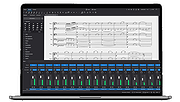 |
|
Music Collection v3.9.8.5 Music Collection v3.9.8.5 👉 Free music cataloging & organization tool for your collection. Music Collection is a free Windows program designed to help you archive and manage your music library in a searchable database. It lets you enter and organize all kinds of music media, edit metadata, categorize your albums, and browse your collection with flexible sorting and filtering options. Features: • Organize your music collection into a searchable database • Add and edit album details including genre, year, label, rating and more • Search by album artist, title, barcode number, catalog number or inserted CD • Scan folders for audio files and read tag information • Sort and filter albums using multiple criteria • Export collection data (TXT, CSV, Excel, HTML) • Print reports and collection lists • Save playlists to external formats (m3u, pls) • Import and export album data Supported operating systems: • Windows XP (32-bit, 64-bit) • Windows Vista (32-bit, 64-bit) • Windows 7 (32-bit, 64-bit) • Windows 8 (32-bit, 64-bit) • Windows 10 (32-bit, 64-bit) • Windows 11 (32-bit, 64-bit) Supported languages: English, Espaρol, Franηais, Italiano, Magyar, Nederlands, Norsk, Polski, Portuguκs (Brasil), Portuguκs (Portugal), Slovenski, Suomi, Svenska, Tόrkηe, Ελληνικά, Русский, Српски, Українська, עברית, 日本語 Changes: v3.9.8.5 06-16-26 Added : Album style field. Added : Ability to Add/Edit track details in the track presentation. Added : Album style field in the advanced album search. Added : Ability to zoom in the cover in presentation page. Changed : The new databases will be created in the .accdb format. Fixed : Some minor bugs. This download is for the Windows portable version (very bottom of page). If you need the Windows installer version, download here. Click here to visit the author's website. |
|
6,480 | Jul 11, 2026 GSoft4U 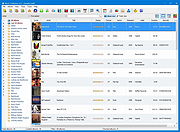 |
|
MusicBee v3.6.9668 MusicBee v3.6.9668 👉 Powerful music manager and player for organizing, tagging, and enjoying your music collection. MusicBee is a feature-rich music management application designed to help you organize, find, play, and enhance your digital music library. It supports extensive tagging tools, automatic metadata retrieval, CD ripping, podcasts, internet radio, playlist management, and synchronization with supported devices. MusicBee also offers advanced audio features including WASAPI and ASIO output, DSP effects, gapless playback, customizable skins, and plugin support, making it suitable for both casual listeners and audiophiles alike. Features: • Organize and manage large music libraries • Automatic tagging with metadata and album artwork retrieval • Built-in CD ripping and audio file conversion • Support for podcasts, web radio, and SoundCloud integration • Create and manage smart playlists • 10-band and 15-band equalizer with DSP effects • WASAPI and ASIO audio output support • Gapless playback and volume normalization • Extensive skinning and plugin support • Synchronize music, playlists, podcasts, and audiobooks with supported devices • Customizable interface with multiple layouts and views • Support for numerous audio formats including MP3, FLAC, AAC, OGG, WAV, WavPack, Opus, and more Supported operating systems: • Windows 7, Windows 8, Windows 10, Windows 11 Supported languages: • Arabic, Czech, Dutch, English, English (US), French, German, Greek, Hungarian, Italian, Japanese, Korean, Polish, Portuguese (Brazil), Portuguese (Portugal), Russian, Simplified Chinese, Spanish, Swedish, Traditional Chinese, Turkish, Ukrainian Changes: v3.6.9668 06-20-26 Not provided. Click here to visit the author's website. |
|
6,994 | Jun 22, 2026 Steven Mayall 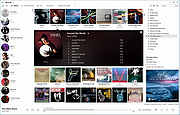 |
|
MyPitch v1.0 MyPitch v1.0 👉 A simple functional ear trainer for musicians MyPitch is a free, open-source, simple, and customizable ear trainer for musicians. It helps train your ability to recognize the functions of scale notes within a tonal context and, by extension, your ability to recognize these pitches. Features: • Interactive quiz mode for all degrees or subsets at any key and octave, even randomized • Pocket mode with automatic speech responses for hands-free practice • Customizable Tonic Drone for anchoring to the key • Melody quiz for drilling melodies within a key context in various scale modes • Stats report after interactive mode showing useful data about strengths and weaknesses • Free and open-source Supported operating systems: • Windows • Linux • Android Supported languages: English Changes: v1.0 08-11-26 update version 👉 This download is for the Windows version (very bottom of page). All other download assets are below: Linux: MyPitch-AppImage-x86_64-1.0alpha.AppImage Android: com.saverin.mypitch-1.0.apk Click here to visit the author's website. |
|
606 | Sep 28, 2026 SaverinOnRails 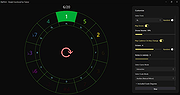 |
|
ocenaudio v3.20.4 ocenaudio v3.20.4 👉 Fast, cross-platform audio editor for recording, editing, analyzing, and exporting audio files. ocenaudio is a cross-platform, easy to use, fast, and functional audio editor designed for people who need to edit and analyze audio files without complications. It supports audio editing and analysis across major desktop platforms, offers real-time effect previews, multi-selection editing, and tools for working with audio in a responsive interface. Features: • Cross-platform audio editor for Windows, macOS, and Linux • Multi-selection editing for working on different parts of an audio file at the same time • Real-time effect preview to hear changes while adjusting controls • Support for VST effects for expanded audio processing • Spectral analysis and waveform editing tools • Responsive interface that keeps working while opening, saving, or applying effects • Recording, editing, and exporting tools for common audio workflows • Annotation tracks, region editing, channel routing, and trim/split tools in v3.18.0 Supported operating systems: • Windows 10, Windows 11 • macOS 13.3 or higher • macOS 10.14 to 14 (legacy build) • Debian 11, Debian 12, Debian 13 • Ubuntu 20.04, Ubuntu 22.04, Ubuntu 24.04 • Fedora 39, Fedora 40 • Rocky Linux 9.3 • openSUSE Leap 15 • Arch Linux Supported languages: English, Portuguese, French, German, Spanish, Italian, Japanese, Hungarian, Simplified Chinese Changes: v3.20.4 08-13-26 Adds copy, paste and drag of audio directly between two ocenaudio windows Improves VST plugin support on Linux: VST3 editors now open correctly, standard system folders are recognized and JACK is loaded on demand, including through PipeWire Fixes crashes and noise caused by VST and VST3 plugins Fixes plugins that changed the system decimal separator, corrupting parameters and presets Fixes crashes with ASIO devices on Windows when disconnecting the device during recording Other bug fixes and improvements This download is for the Windows 64Bit portable version (very bottom of page). All other download assets are below: Other Windows: ocenaudio_windows64_3.20.4.exe macOS: ocenaudio_universal_3.20.4.dmg ocenaudio_universal_legacy_3.20.4.dmg Linux: ocenaudio_debian13_3.20.4.deb ocenaudio_debian12_3.20.4.deb ocenaudio_debian11_3.20.4.deb ocenaudio_ubuntu24.04_3.20.4.deb ocenaudio_ubuntu22.04_3.20.4.deb ocenaudio_ubuntu20.04_3.20.4.deb ocenaudio_fedora40_3.20.4.rpm ocenaudio_fedora39_3.20.4.rpm ocenaudio_archlinux_3.20.4.pkg.tar.zst ocenaudio_opensuse15_3.20.4.rpm ocenaudio_rockylinux9.3_3.20.4.rpm ocenaudio_3.20.4.AppImage Click here to visit the author's website. |
|
7,141 | Aug 13, 2026 ocenaudio Development Team 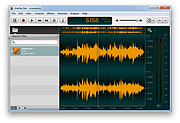 |
|
Opcode (Music Quest) Midi Engine 8 port/SE driver Opcode (Music Quest) Midi Engine 8 port/SE driver for Windows 95 & 98. 8portse.zip |
|
10,027 | Mar 28, 2009 Opcode (Music Quest) |
|
Playlist Creator v3.6.2.18 Playlist Creator v3.6.2.18 👉 Create and edit M3U and PLS music playlists with a lightweight portable Windows utility. Playlist Creator is a simple, focused utility for building music playlists without the overhead of a full media manager. Originally created by oddgravity, this preserved and modernized edition has been rebuilt as a native 64-bit Windows application while retaining the behavior and features of the original program. Files and folders can be added to a playlist, rearranged, removed, sorted or randomized before saving. Existing M3U and PLS playlists can also be opened and modified. Playlist Creator uses MediaInfo to read metadata from many media formats and can incorporate information such as artist, track number and title into playlist entries. The modernized build is completely native x64 and portable. The MFC and C/C++ runtimes, CxImage, libpng and zlib are statically linked, while the required 64-bit MediaInfo DLL is supplied alongside the executable. The project specifically targets Windows 10 or newer. Features: • Creates M3U and PLS playlists • Opens and edits existing playlists • Add individual files or entire folders • Recursively add files from folders and subfolders • Drag and drop files directly into the playlist • Reorder playlist entries manually • Move selected entries to the top or bottom • Sort playlist entries by column • Shuffle playlists into random order • Create simple playlists containing plain file lists • Read metadata from many media formats using MediaInfo • Use artist, track number and title metadata when creating playlist entries • Highlight playlist entries that refer to missing files • Configure which media file types are included • Save playlist paths using forward or backslashes • Supports multiple playlist save/path modes • Resizable main window • Optional gridlines and alternating row colors • Keyboard shortcuts and context menus for common playlist operations • Portable native 64-bit build requiring no installation Supported operating systems: • Windows 10 64-bit, Windows 11 64-bit Supported languages: English, German Changes: v3.6.2 x64 Modernization Build 08-07-26 Updated to ... |
|
253 | Aug 18, 2026 sl2365 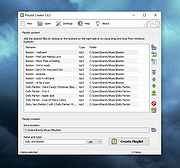 |
|
Qmmp v2.4.2 Qmmp v2.4.2 👉 A lightweight, Winamp-style audio player with broad format support, playlists, streaming, effects and plugins. Qmmp is a free, open-source audio player built with the Qt framework and designed for users who want a compact, highly configurable music player. Its classic skinned interface is similar to Winamp and XMMS, while an alternative interface based on standard Qt widgets is also included. Qmmp supports a wide variety of audio formats including MP3, Ogg Vorbis, Opus, FLAC, AAC, WMA, Musepack, WavPack, MIDI, SID, tracker modules and numerous chiptune formats. Additional formats can be handled through FFmpeg and libsndfile. Beyond basic music playback, Qmmp includes multiple playlists, a 10-band equalizer, ReplayGain, crossfade, lyrics, cover art, CUE sheets, internet radio streams, visualizations, audio conversion, recording, listening history and a media library. It can also use classic Winamp 2.x and XMMS skins. The modular plugin system provides support for additional input formats, output systems, DSP effects, visualizations and online services. Qmmp can submit listening history to Last.fm, Libre.fm and ListenBrainz and includes a stream browser for finding and playing online audio. Features: • Classic Winamp/XMMS-style skinned interface • Alternative interface using standard Qt widgets • Supports Winamp 2.x and XMMS skins • MP3 and MPEG Layer 2/3 playback • Ogg Vorbis and Ogg Opus support • Native FLAC and Ogg FLAC playback • AAC and ADTS AAC support • WMA and additional FFmpeg-supported formats • Musepack and WavPack support • PCM WAVE and other libsndfile-supported formats • MOD, S3M, IT, XM and other tracker modules • MIDI and SID playback • Extensive chiptune support including AY, GBS, GYM, HES, KSS, NSF, NSFE, SAP, SPC, VGM, VGZ and VTX • Audio CD playback • MP3, Vorbis, AAC and AAC+ internet streaming • Multiple playlists • M3U, PLS and XSPF playlist support • 10-band equalizer • ReplayGain playback support and ReplayGain scanner • Crossfade and extra stereo DSP effects • Sample-rate conversion • LADSPA effects • projectM visualization support • Spectrum analyzer • Lyrics display • ... |
|
2,793 | Sep 09, 2026 Qmmp Development Team 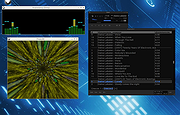 |
|
Wav2Bar v0.3.5 Wav2Bar v0.3.5 👉 Powerful open source software for creating advanced audio visualization videos. Wav2Bar is a free and open source audio visualization creator designed for producing animated music videos and visual effects synchronized to audio tracks. It allows users to combine visualizers, images, text, particle effects, timers, backgrounds, and custom objects into fully customizable projects that can be exported as MP4 videos for sharing online or integrating into larger productions. Built with flexibility in mind, Wav2Bar provides an editor-style workflow where users can design layered scenes and control how elements react to sound in real time. The software supports reusable project files, adjustable rendering quality, customizable frame rates and resolutions, and multiple visualizer styles for creating everything from simple waveform animations to complex motion graphics. Wav2Bar is especially useful for content creators, musicians, streamers, video editors, and anyone looking to generate professional-looking audio reactive visuals without requiring expensive commercial software. Its open source nature also allows developers and advanced users to customize or extend the software for specialized workflows. Features: • Create advanced audio reactive visualizations synchronized to music and sound • Design layered scenes using visualizers, backgrounds, text, and images • Multiple built-in visualizer styles for different animation effects • Export projects as MP4 video files • Save and reload projects for later editing • Reusable project templates for faster workflow creation • Customizable video resolution and frame rate settings • Real-time editor style interface for arranging objects and effects • Add logos, overlays, album artwork, and custom graphics • Built-in particle flow effects • Time indicators and timing-based visual elements • Audio caching system for smoother processing • Adjustable rendering quality for balancing speed and output quality • Open source architecture for customization and community development • Suitable for music videos, streaming overlays, social media clips, and promotional content • Lightweight modern interface focused on creative workflows • Supports complex animated compositions with multiple reactive elements • Free to use ... |
|
603 | Sep 30, 2026 Picorims 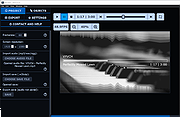 |
| Showing rows 1 to 25 of 25 | Showing Page 1 of 1 | 1 |
OlderGeeks.com Copyright (c) 2026
