|

|
Processed through Paypal No account required. |








Buy our over-priced crap to help pay the bills.



|
|
Processed through Paypal No account required. |
| Files | ||||
| File Name | Rating | Downloads | ||
 |
Windows 98 Second Edition Shutdown Supplement (239887UP.EXE) Windows 98 Second Edition Shutdown Supplement (239887UP.EXE) Addresses shutdown issues on systems with specific hardware/software configurations running Windows 98 Second Edition. These issues include systems restarting when selecting shutdown and systems hanging on shutdown. Release Date: 11.01.1999 Click here to visit the author's website. |
 |
5,919 | Jan 05, 2021 Microsoft Corp.  |
 |
Windows and Office Genuine ISO Verifier v11.23.45.24 Windows and Office Genuine ISO Verifier v11.23.45.24 Free program to verify Windows and Office ISO and EXE file hashes and compares them with the official file hashes from MSDN and VLSC. The program is free. No need to install, just run the application. Windows and Office Genuine ISO Verifier is a lightweight piece of software that enables you to determine whether you have a genuine copy of Windows or with minimal effort. Straightforward installation and intuitive interface Since the application comes in a portable package, the setup is a quick matter of decompressing the archive in the desired location on your hard disk. However, in case you are having a hard time accessing the file, then you should consider Unblocking the tool from Properties in the context menu. Even though it is not exactly eye-candy, the interface is user-friendly and unlikely to cause you any real troubles while navigating. In fact, the UI is comprised of a single, medium-size window that features very intuitive fields. Consequentially, functionality-wise, using the tool entails specifying the input file and the app does the rest of the job automatically. It supports numerous versions and languages of Office and Windows The strong point of the program stems from the fact that it is designed to recognize a vast array of hashes that are associated with Microsoft's operating system and Office bundle. To be more precise, the utility can compare file SHA-1 to relatively old Microsoft releases, such as Office 95 and Windows XP. On a side note, in case you already performed a scan for the file using other third party software solutions, then you can add the SHA-1 in the dedicated field and determine the authenticity of the file on the spot. Then again, verifying an ISO file is not a lengthy process and should not take too much of ... |
|
982 | Nov 20, 2024 Nebojša Vučinić 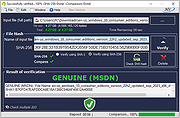 |
 |
Windows Commands Reference vWS16 Windows Commands Reference vWS16 A PDF containing an overview and alphabetical listing of Windows commands. Use this PDF to find the documentation resources and other technical information that you need to learn about the command shell, and to automate command-line tasks by using scripts or scripting tools. Windows Server 2008, Windows Server 2008 R2, Windows Server 2012, Windows Server 2012 R2, Windows Server 2016 Date Published: 4/18/2018 Click here to visit the author's website. |
|
6,504 | Nov 15, 2019 Microsoft Corp.  |
|
Windows Defender Offline 32bit Windows Defender Offline 32bit What is Windows Defender Offline? Sometimes, malicious and other potentially unwanted software, including rootkits, try to install themselves on your PC. This can happen when you connect to the Internet or install some programs from a CD, DVD, or other media. Once on your PC, this software might run immediately, or it might run at unexpected times. Windows Defender Offline can help remove such hard to find malicious and potentially unwanted programs using definitions that recognize threats. Definitions are files that provide an encyclopedia of potential software threats. Because new threats appear daily, it's important to always have the most up-to-date definitions installed in Windows Defender Offline. Armed with definition files, Windows Defender Offline can detect malicious and potentially unwanted software, and then notify you of the risks. To use Windows Defender Offline, you need to follow four basic steps: 1) Download Windows Defender Offline and create a CD, DVD, or USB flash drive. 2) Restart your PC using the Windows Defender Offline media. 3) Scan your PC for malicious and other potentially unwanted software. 4) Remove any malware that is found from your PC. Windows Defender Offline will walk you through the details of these four steps when you're using the tool. If you've been prompted in Microsoft Security Essentials or Windows Defender to download and run Windows Defender Offline, it's important that you do so, to make sure that your data and your PC isn't compromised. To get started, find a blank CD, DVD, or USB flash drive with at least 250 MB of free space and then download and run the tool—the tool will help you create the removable media. Note We recommend that you download Windows Defender Offline and create the CD, DVD, or USB flash drive on a PC ... |
|
6,983 | Nov 29, 2019 Microsoft 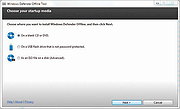 |
|
Windows Defender Offline 64bit Windows Defender Offline 64bit What is Windows Defender Offline? Sometimes, malicious and other potentially unwanted software, including rootkits, try to install themselves on your PC. This can happen when you connect to the Internet or install some programs from a CD, DVD, or other media. Once on your PC, this software might run immediately, or it might run at unexpected times. Windows Defender Offline can help remove such hard to find malicious and potentially unwanted programs using definitions that recognize threats. Definitions are files that provide an encyclopedia of potential software threats. Because new threats appear daily, it's important to always have the most up-to-date definitions installed in Windows Defender Offline. Armed with definition files, Windows Defender Offline can detect malicious and potentially unwanted software, and then notify you of the risks. To use Windows Defender Offline, you need to follow four basic steps: 1) Download Windows Defender Offline and create a CD, DVD, or USB flash drive. 2) Restart your PC using the Windows Defender Offline media. 3) Scan your PC for malicious and other potentially unwanted software. 4) Remove any malware that is found from your PC. Windows Defender Offline will walk you through the details of these four steps when you're using the tool. If you've been prompted in Microsoft Security Essentials or Windows Defender to download and run Windows Defender Offline, it's important that you do so, to make sure that your data and your PC isn't compromised. To get started, find a blank CD, DVD, or USB flash drive with at least 250 MB of free space and then download and run the tool—the tool will help you create the removable media. Note We recommend that you download Windows Defender Offline and create the CD, DVD, or USB flash drive on a PC ... |
|
7,132 | Nov 29, 2019 Microsoft |
|
Windows Error Message Creator v1.40.32 Windows Error Message Creator v1.40.32 Mess with your IT person by creating fake error messages. CREATING STANDARD MESSAGE BOXES Windows Error messages are something that everyone has come across at some point or another. WEMC allows you to take these messages and put your own, often humorous, take on them. Everything you need to create one is on the main screen, in the section entitled 'Create A Standard Message Box.' CREATING CUSTOMIZED MESSAGE BOXES A customized message box is a message box that gives you total control over the contents. It allows you to set custom text, icons and buttons -- all in one easy to use interface. CREATING FORMAT DIALOGS WEMC includes the ability to create fictitious Formatting dialogue boxes. Formatting is the act of deleting all the data on a drive. N.B. WEMC does not actually delete any data; it merely gives the impression of such a thing happening. To create a format dialog, press Ctrl+F while on the Main Screen, or select 'Create > Format Dialog' from the menu. SHOWING A BLUE SCREEN OF DEATH WEMC has the ability to show off that most infamous of Windows errors, the Blue Screen Of Death (BSOD). To do this, select 'Create > BSOD' from the Main Menu, or press Ctrl+B. Version 1.40.32 Added 2 new icons. Please use the new INI updater to add these new icons to an existing list. This will help to preserve any custom icons you may have added. Added a new button to the Manage Custom Icons screen that will recreate the original CustomIcons.ini file. This is handy if you've accidentally deleted something you shouldn't have (by editing the file outside of WEMC). Please note that this will also remove any custom icons you have added. CustomIcons.ini will now ... |
|
6,602 | Feb 08, 2021 Christopher Urquhart  |
|
Windows File Analyzer v2.10.0 Windows File Analyzer v2.10.0 Tool for forensic file analysis This application decodes and analyzes some special files used by Windows OS. In these files is interesting information for forensic analysis. Every analysis results can be printed in user-friendly form. It's designed in Multiple Document Interface. Here are described individual analyzers: Windows XP Thumbnail Database Analyzer This analyzer reads Thumbs.db file and displays its content with stored data include image preview. ACDSee Thumbnail Database Analyzer This analyzer reads ACDSee *.fpt file and displays its content with stored data include image preview. Google Picasa Thumbnail Database Analyzer This analyzer reads Picasa *.db file and displays its content with stored data include image preview. FastStone Viewer Thumbnail Database Analyzer This analyzer reads fsviewer.db file and displays its content with stored data include image preview. HP Digital Imaging Thumbnail Database Analyzer This analyzer reads *.db or *.dat file and displays its content with stored data include image preview. Prefetch Analyzer It reads files stored usually in Prefetch folder and diggs out stored informaton. Shortcut Analyzer This tool reads all shortcut files in specified folder and displays data stored in them. Index.DAT Analyzer This analyzer reads specified Index.Dat file and displays its content. Index.Dat files store usually data of Internet Explorer cookies, temporary files or history. Recycle Bin Analyzer This analyzer decodes and displays Info2 files that hold WinXP recycle bin content information or $I files holding Vista and above recycle bin information. Read manual. OS compatibility Windows XP Windows 2003 Windows Vista Windows 7 Windows Server 2008 Windows 8 Windows ... |
|
3,270 | Sep 28, 2021 MiTec  |
|
Windows File Manager (WinFile) v10.1.4.0 Windows File Manager (WinFile) v10.1.4.0 The Windows File Manager lives again and runs as a native x86 and x64 desktop portable app on all currently supported version of Windows, including Windows 10. The source code provided here (in the src directory) was copied from the Windows NT 4 source tree in November 2007. The tag named original_plus contains a very limited set of modifications from the original sources to enable WinFile.exe to run on current Windows. The most significant changes are: converted to Visual Studio solution; works on VS 2015 and 2017 compiles and runs on 64-bit Windows (e.g., GetWindowLong -> GetWindowLongPtr, LONG -> LPARAM) added a few header files which were stored elsewhere in the NT source tree (e.g., wfext.h) deleted some unused files (e.g., winfile.def) converted 64-bit arithmetic from internal libraries to C converted internal shell APIs to public APIs (the primary reason the old version would not run) The help directory contains both winfile.hlp and winfile.chm. Winfile.hlp was in the NT4 source tree, but does not work on Windows 10 any more. Winfile.chm was copied from a regular installation of Windows 98 and works on Windows 10. As is, WinFile.exe tries to launch winfile.hlp which fails. Click here to visit the author's website. |
|
3,772 | Apr 02, 2021 Microsoft Corp. and the Winfile Contributors 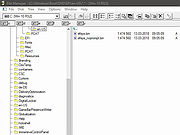 |
|
Windows Firewall Notifier 2.0 Windows Firewall Notifier 2.0 Windows Firewall Notifier extends the default Windows embedded firewall behavior, allowing it to handle real time connections monitoring, connections map, bandwidth usage monitoring. Requirements WFN requires Windows Vista SP2 or later (Windows 7, 8, 8.1, 10...) with Microsoft .NET 4.5.2 or higher. Windows Server 2008 or later are not officially supported, but WFN should work fine on them. Connections listing Real time connections mapping with routes Bandwidth monitoring Adapters information Windows Firewall status management Notification popup for unknown outgoing connections (optional) |
|
9,735 | Mar 14, 2017 Daniel Pharos 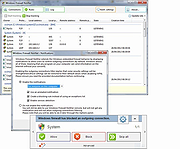 |
|
Windows Health v1.0 Windows Health v1.0 Scan and replace corrupted system files in Windows 10 and Windows 11 Great portable app for computer techs to keep on their flash drives! This app uses two Microsoft Windows utilities. 1) DISM that takes an inventory of and repairs the components, updates, drivers, and applications 2) SFC that scans and replaces corrupted system files. Click here to visit the author's website. |
|
2,686 | Sep 21, 2022 Chis Bonas 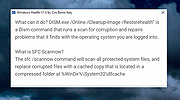 |
|
Windows Key Viewer v1.3.0.20 Windows Key Viewer v1.3.0.20 Free tool to display the Windows Product Key for the running version of Windows. By using Windows Key Viewer, the current computer product key can be easily determined. In some cases it is very important to know the product key, e.g. when reinstalling the computer. Generally, the product key can be found on the Windows installation kit or on a label on the computer. This label often gets damaged and becomes illegible, and when using multiple computers, installation packages can get mixed up. That is when Windows Key Viewer becomes useful, as the product key can be easily displayed with it. The Windows operating system stores the product key, but there is no possibility to display it directly as this data is encrypted. Windows Key Viewer can display the Windows Product key in its original format. Features: • Displays the Windows Product key in its original format • Copies the Windows Product key to the clipboard • Doesn’t require installation or setup Supported operating systems: • Windows 7/8/10/11 Changes: v1.3.0.20 12-17-25 Change: Code signing certificate Click here to visit the author's website. |
|
4,837 | Dec 18, 2025 WinTools 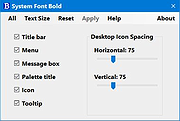 |
|
Windows License Key Dump 2.0 Windows License Key Dump 2.0 Windows License Key Dump is the free command-line tool to recover the product/serial Keys of Windows and other popular software. It automatically detects and decrypts the license/serial keys of over 200+ popular software programs including Office, SQL Server, Adobe, Nero and many more. Being a command-line tool makes it useful for penetration testers and forensic investigators. |
|
9,891 | Feb 10, 2014 Security Xploded |
|
Windows Malware Effects Remediation Tool v2.0 Windows Malware Effects Remediation Tool v2.0 A portable set of tools to helps users remediate the effects of malware. Features Re-enable Windows Command Prompt Re-enable Windows Task Manager Re-enable Registry Editor Re-enable User Account Control Change .exe default icon Change .txt default icon Reset the Userinit key Reset the Shell key Automatically Repair (WIP) Stable 2.0 8-12-21 Added Automatic Repair, which lets the app scan for things to fix, and will help repair them for you. Added dark mode support for the critical process property stripper App will now use Segoe UI Variable on Windows 11. Added ability to remove keyboard restrictions (Scancode Map) Click here to visit the author's website. |
|
3,624 | Aug 12, 2021 Orange Group Tech 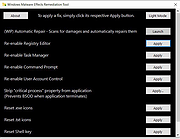 |
|
Windows Menu Editor v1.0.1 Windows Menu Editor v1.0.1 Windows 11 classic right-click menu editor Windows 11 Classic Right-Click Menu Editor. Change your windows 11 right-click menu back to the old style of windows 10 with one click. No install required. Note: If you are using Microsoft Edge, you will have to allow this download. The file is safe. Before After Before After Click here to visit the author's website. |
|
2,825 | Dec 29, 2022 openHacking 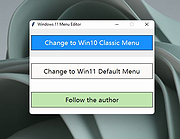 |
 |
Windows Post-Install Generator v1.0 Windows Post-Install Generator v1.0 A web-based tool that generates customized Windows post-installation batch scripts. In Windows Post-Install Generator you can select from 200+ software applications and 50+ system configurations to create a personalized Windows setup script. Features: • 115 Software Applications: Curated apps across 13 categories • 80 System Configurations: Performance, privacy, UI, gaming tweaks • Cleanup Tools: Remove bloatware safely • One-Click Script Generation: Ready-to-run batch file • Windows 98-Inspired UI: Nostalgia + modern functionality • Safe and Reversible: Uses official Windows tools (winget, PowerShell) How to Use: 1) Choose the apps and settings you want. 2) Generate a .bat script. 3) Download it and run on your fresh Windows install (USB or local machine). • Runs entirely in your browser — no installation required. Using the Web Interface 1) Browse Categories: Navigate through software categories (Browsers, Development, Gaming, etc.) 2) Select Software: Click on applications you want to install 3) Configure System: Switch to the Configurations tab to optimize Windows settings 4) Review Selection: View your selected items in the right panel 5) Download Script: Click "Download Script" to generate your batch file 6) Run on Windows: Execute the downloaded .bat file as Administrator on your Windows machine Running the Generated Script 1) Download the windows-setup.bat file from the web interface 2) Right-click the file and select "Run as Administrator" 3) The script will: ... |
|
848 | Dec 10, 2025 Kaic B. 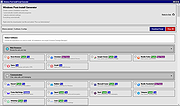 |
|
Windows Registry Recovery v3.1.3 Windows Registry Recovery v3.1.3 Extracts useful information from Registry files of Windows installations on hard drives. Windows Registry Recovery reads files containing Windows 9x,NT,2K,XP,2K3,7,8,10 and 11 registry hives. It extracts lots of useful information about configuration and windows installation settings of host machine/hard drive. • Registry hive can be exported into REGEDIT4 format. • Every topic data can be saved to CSV. • It's designed in Multiple Document Interface. Here are described individual explorers: • File Information In this explorer you can see basic file properties and checksums. • Security Record Explorer Displays all security records used in registry. Usage counter, owner SID, group SID, list of affected keys and list of SACL and DACL is displayed for every record with flags and permissions enumerated. This explorer is available only for NT based system registry hives. • SAM Displays Machine SID and part of SYSKEY. Enumerates local user and group accounts and some of their properties. This explorer is available only for NT based system registry SAM hive. • Windows Installation Displays Windows name, ID and key, install date and user registration info. Enumerates installed software with descriptions and install date and list of installed hotfixes wih description. This explorer is available only SOFTWARE registry hive (Product ID and key are extracted in SYSTEM hive too). Last boot and shutdown datetimes are extracted only from SYSTEM hive. • Hardware Displays quick overview (CPU, Monitors, Video and Sound card and Network cards) and full device map of configured devices that worked on host machine. They are displayed in "like Device Manager" tree with some properties. This explorer is available for SYSTEM registry hive. ... |
|
5,665 | Jan 20, 2025 MiTeC 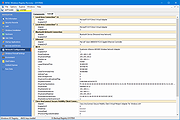 |
|
Windows Repair Toolbox v3.0.4.8 Windows Repair Toolbox v3.0.4.8 A free software created to help you repair a Windows system, by making the process faster, easier and uniform. Features: • Download and run "on-the-fly" the best free portable software when it comes to diagnose and solve several kinds of Windows problems. The tools are categorized by their function, and the program will automatically download the correct version for the Windows edition in which you're working. When you finish, simply uninstall the tool, and all downloaded software it's also removed. Note: there are 3 tools that aren't portable, those are marked with an [ i ] (stands for "installer"); • Displays relevant information about the computer to be repaired: CPU temperature, name and % of use; amount of RAM installed on the system and % of use; amount of free space left in C:\ partition; Windows edition and install date. • Allows you to perform quality assurance tests after the repair is complete; • Allows you to save notes about the repair process; • Provides 1-click access to some useful Windows tools (chkdsk, sfc, regedit, msconfig); • "Unattended fix" option, automatically performs: malware removal, system cleaning and repair and disk defragmentation. A email letting you know that the automatic repair is complete, and containing the logs, can be sent to you. Disclaimer (read carefully): By running Windows Repair Toolbox you accept COMPLETE responsibility for ANYTHING that happens. This tool has ZERO WARRANTY for any purpose. Run it AT YOUR OWN RISK. All 3rd-party tools you might download using Windows Repair Toolbox belong to their respective owners and authors, and are bound by their respective licences. It is YOUR RESPONSIBILITY to determine if you have the rights to use those 3rd-party tools in whatever environment you use this software. Requirements: Windows 7 through Windows 11. Changes: v3.0.4.8 - 2025-09-29 Changed - Updated 7-Zip components to version 25.01. - Various minor internal updates and ... |
|
17,066 | Oct 21, 2025 Alex Canotilho 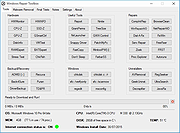 |
|
Windows Service Auditor v3.0.2.87 Windows Service Auditor v3.0.2.87 Easily find out who/what started, stopped or updated your Windows Services This portable utility enables advanced auditing and probes the Windows Event Logs to help you investigate your important services. It can be very difficult to figure out who (or what) keeps messing with your essential Windows Services. Microsoft has provided a few administrative tools to help (such as auditpol and the Event Viewer) but they are poorly documented and can be tricky to configure. So we created Windows Service Auditor — a free, easy-to-use application that shines a light on your services. Use Windows Service Auditor to help you answer burning questions, such as: * Who stopped my Windows Service? * When was my service started? * Who deleted my service? * At what time did my service start? * Did my service encounter any errors after it was started? * Have any Windows Services been added or modified? The intuitive interface makes it super easy to perform your detective work: How to use Windows Service Auditor 1) Download Windows Service Auditor. Save the executable file on your desktop, or to another well-known location on your computer. 2) Double-click the WindowsServiceAuditor.exe file to launch the program on your desktop. If necessary, confirm the standard User Account Control (UAC) security prompt to proceed: 3) The window that comes up is divided into two parts. The upper pane lists every service installed on your computer while the lower panel shows the events associated with the service selected in the upper pane. For example, here you can see the Windows Update service selected: Double-click a row in the lower panel to see the event's details: 4) Unfortunately ... |
|
3,346 | Oct 12, 2021 Core Technologies Consulting, LLC 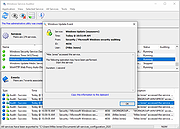 |
|
Windows Snowmen Theme Windows Snowmen Theme A Windows theme featuring snowmen. Click here to visit the author's website. |
|
4,046 | Dec 06, 2022 Microsoft Corp.  |
|
Windows Snowy Night Theme Windows Snowy Night Theme A perfect Windows Desktop theme for the holidays. Click here to visit the author's website. |
|
4,393 | Dec 06, 2022 Microsoft Corp.  |
|
Windows Sugar and Spice Theme Windows Sugar and Spice Theme Mmmmmmm... cookies!!! A Windows desktop theme featuring the best part of the holidays. Click here to visit the author's website. |
|
4,256 | Dec 06, 2022 Microsoft Corp.  |
|
Windows Update Blocker v1.8 Windows Update Blocker v1.8 Helps you to completely disable or enable Automatic Updates on your Windows system with just a click of the button. Windows 10 and 11 offer less UI control over the updating behavior of the operating system than previous versions of Windows , There is no option to turn off Windows Updates using the Control Panel or Settings app in Windows 10 and 11, it checks for updates automatically and install any updates they find, whether you like it or not. This new feature is actually pretty convenient for most users. If you want control over the update process you can disable the Windows Update service . This requires that you open the Services manager, locate the service and change its startup parameter and status. You would then have to enable the service again whenever you want the operating system to check for updates (It does not look so easy). Windows Update Blocker is a freeware that helps you to completely disable or enable Automatic Updates on your Windows system , with just a click of the button . This utility is portable, which means that you are no longer required to go through the installation process and no leftovers will remain on the HDD after its removal. if you place the program file to an external data device, you make it possible to take Windows Update Blocker everywhere with you and use it on any computer you come in contact with, who has things configured just right, and doesn’t want to take the chance that an update might mess up their system. This utility is for that person. How it works After downloading, extract Windows Update Blocker to your desired location, then run it service status icon will show your windows Update service status , if you want to block ... |
|
6,981 | Jun 12, 2023 Sordum.org 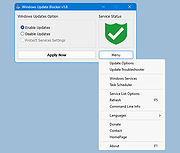 |
|
Windows Update Killer v1.6.0 Windows Update Killer v1.6.0 A simple Windows registry tweak which allows you to pause Windows updates until 12-31-2051. Windows Update Killer is a simple, no-nonsense registry tweak to pause Windows update until 2051. Allowing you to update whenever you want instead of waking up to a rebooted machine. Warning: Windows updates keep you safe. Do not pause your updates until 2051. That would be silly. Changes: v1.6.0 What's New This release contains the following changes: WPU Batch Utility feat: add new manageable apps: UnigetUI (WinGetUI) feat: add new feature to install / uninstall Windows Cortana feat: add new feature to install / uninstall Windows Copilot feat: add new feature to install / uninstall Windows Recall feat: add new menu option Scan and Repair in main menu feat: add new menu option Customize (Tweaks) in main menu new tweaks category General feat: packages now support custom --source parameter feat: add functionality to detect os build feat: new telemetry blocks added: HKCU\Software\Microsoft\Windows\CurrentVersion\Search\DeviceHistoryEnabled HKCU\Software\Microsoft\Windows\CurrentVersion\Search\HistoryViewEnabled HKCU\Software\Microsoft\Windows\CurrentVersion\Search\AllowSearchToUseLocation HKCU\Software\Policies\Microsoft\Windows\EdgeUI\DisableMFUTracking fix: menu options are no longer case sensitive fix: give proper feedback to user when disabling windows updates instead of sitting paused Registry Scripts No new changes in this release Click here to visit the author's website. |
|
1,182 | Oct 15, 2025 Aetherinox  |
|
Windows Update MiniTool (WUMT) v04.22.2022 Windows Update MiniTool (WUMT) v04.22.2022 An alternative to the standard Windows Update The Process: • The system update service is used • Checking for updates • Download updates • Install updates • Removing installed updates • Hiding unwanted updates • Getting direct links to update files • View update history • Setting up automatic updates • Works on OS from Windows 7 to Windows 11 (support for 2000, xp, vista has been discontinued by Microsoft, unable to connect to check for updates) How to translate UI? Press Ctrl+Shift+L to generate language file. Open .lng file in Notepad and edit strings. FAQ Where are updates downloaded? \Windows\SoftwareDistribution\Download\ Setting up automatic updates. What do these settings do? Manages settings for the Windows Update service through group policies. The built-in antivirus will be updated automatically, regardless of the settings • Not configured - Windows Update settings are used • Disabled - Updates are not checked, downloaded, installed • Notification Mode - Notify before downloading and installing any updates • Download only - Automatically download updates and notify you when they are ready for installation • Other - Other settings not listed are set. Offline mode? Updates will be checked from the wsusscn2.cab file. Detection of a new version of a file and its download is available from the utility Launch keys -onclose Execute the specified command when closing the program. For example, you can run a bat file: [wumt.exe "-onclose D: un.bat"]. You can specify several -onclose switches, for example (disable the update service): [wumt.exe "-onclose sc stop wuauserv" "-onclose sc config wuauserv start=disabled"]. Quotes " " are required for this command. Changes: v04/22/2022 - Fix for Windows 11 22H2 |
|
13,521 | May 03, 2024 stupid user 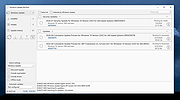 |
|
Windows Update Viewer v0.5.12 Windows Update Viewer v0.5.12 A free and open source application that displays Windows Update history in an easier layout than Windows does. It is meant to be a lightweight application that is easy to use. There aren't any confusing categories; every update is listed in one place. Updates that you don't want to see can be permanently excluded or temporarily filtered. Windows Update Viewer (WUView) uses the Windows Update API and Windows event logs to display details of installed updates. Event log entries are associated with individual updates by using the "KB" number. If an update does not use a KB number or isn't presented in a consistent format, no event log entries will be displayed. Features • View details for each update. • Easily exclude entries, such as Defender. • Link to the Support URL. • Link to HResult explanation (the HResult is placed in the clipboard). • Toggle the details pane. • Save to a text or CSV file. • Open Windows Update from the app. • Choose accent color and one of three themes. • Adjust app size and row spacing. (Helpful for us users that don't see as well as we used to.) WUView requires up-to-date .Net 6.0 Known Issues • It is possible that certain updates will show "InProgress" in the Result column even though they were successfully installed, and the machine has been rebooted. Those updates will have HResult code 0x80242014 which translates to WU_E_UH_POSTREBOOTSTILLPENDING "The post-reboot operation for the update is still in progress." This persists over multiple reboots. This appears to happen only when running Windows 10. Windows 11 doesn't seem to be subject to this ... |
|
1,944 | Jun 23, 2023 Tim Kennedy 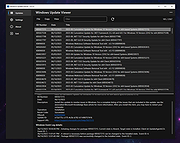 |
|
Windows USB Blocker 2.0 Windows USB Blocker 2.0 Windows USB Blocker is the free tool to quickly Block or Unblock USB Storage Devices on any Windows system. USB devices are one of the primary causes for spreading virus/malware from one system to another without the user knowledge. Often it is risky to allow others to insert USB stick (often infected with virus) into your system. Hence it is always advised to disable USB when you are not around. In such cases, Windows USB Blocker tool will help you to instantly block USB and safeguard your system from these viruses. Beauty of this tool is that it will block only USB Storage devices like USB Sticks or Portable Disks. However normal USB devices like wireless keyboard/mouse plugs, bluetooth/wireless/internet dongles will continue to work without any problem. It has cool GUI interface and very simple to use for everyone. With just one click you can instantly Block or Unblock USB on your system. It is fully portable and does not require JAVA or .NET components. It is successfully tested on all platforms starting from Windows XP to Windows 8. Features Free Tool to block or unblock USB Blocks only USB Storage Devices (USB Sticks/Disks) Simple tool with cool GUI interface Displays current USB block status No need to log off or restart the system Fully portable, does not require any .NET or other dependencies Includes Installer for local installation & un-installation Works on both 32-bit & 64-bit systems from Windows XP to Windows 8 Changelog: Version 2.0 : 10th Feb 2015 Integrated Uninstaller into Windows Add/Remove Programs, now you can uninstall it in a standard way. |
 |
7,536 | Feb 13, 2015 SecurityXploded |
|
Windows X App Remover 1.02 Windows X App Remover 1.02 The Windows X App Remover is a tool for removing Modern UI apps from Windows. You can easily read out which Apps are installed and remove the ones you do not want anymore. Features List installed / integrated Modern UI Apps Remove the apps you don't want Mount / Unmount .wim Images Changelog Version 1.02 is out. Some Apps can't be removed, because Microsoft does not allow it ("System Apps"). This is now correctly handled by the program. |
|
7,456 | Feb 27, 2017 Fabian Schmidt 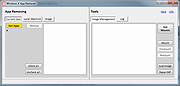 |
|
Windows XP Drivers for Compaq Presario SR2163WM These are the Windows XP drivers for the Compaq Presario SR2163WM. The motherboard is a ECS RC415ST-HM Rev: 1.0 (HP name: Alhena5-GL6). After unzipping, install the drivers from the following folders in order. Suite South Raid |
 |
11,158 | Mar 20, 2009 ATI |
|
Windows XP Service Pack 2 Support Tools Windows XP Service Pack 2 Support Tools The Windows Support Tools for Microsoft Windows XP are intended for use by Microsoft support personnel and experienced users to assist in diagnosing and resolving computer problems. For individual tool descriptions, see the Windows Support Tools documentation (Suptools.chm). The Windows Support Tools for Windows XP can be installed only on a computer that is running the Windows XP operating system. The Windows Support Tools for Windows XP cannot be used to upgrade Microsoft Windows NT or Microsoft Windows 2000 Support Tools installed on Windows NT or Windows 2000. It is highly recommended that you remove all previous versions of Support Tools, including beta versions of the Windows Support Tools for Microsoft Windows XP, before you run the Support Tools installation program. Important: These tools have not been localized; they are written and tested only in the English language. Using these tools with a different language version of Microsoft Windows XP may not work. The following Support Tools have been updated in Service Pack 2: bitsadmin.exe extract.exe httpcfg.exe iadstools.dll ipseccmd.exe netdom.exe replmon.exe The following is a list of all Support Tools in Service Pack 2: acldiag.exe activate.exe addiag.exe adprop.dll adsiedit.msc apimon.exe apmstat.exe bindiff.exe bitsadmin.exe browstat.exe cabarc.exe clonepr.dll depends.exe dfsutil.exe dhcploc.exe diruse.exe dmdiag.exe dnscmd.exe dsacls.exe dsastat.exe dskprobe.exe dumpchk.exe ... |
|
4,134 | May 13, 2021 Microsoft Corp.  |
|
Winhance v26.06.12 Winhance v26.06.12 👉 Enhance, debloat, and customize Windows with powerful system tweaks. Winhance is a Windows optimization and customization tool designed to help users debloat, fine-tune, and enhance their Windows experience. It provides a structured interface to adjust privacy settings, remove unwanted apps, optimize performance, and configure various system components in a safe and organized way. Winhance simplifies advanced Windows configuration by grouping hundreds of commonly used tweaks, optimizations, and customization options into an intuitive interface. It can remove unnecessary Windows components, improve privacy, adjust gaming and performance settings, install or remove software, customize Explorer and the Start menu, and generate reusable configuration files for deploying the same settings across multiple computers. Winhance is open source and supports both installed and portable operation. Features: • Remove preinstalled Windows apps, optional features, and unwanted components • Apply privacy, security, gaming, and performance optimizations • Customize the taskbar, Start menu, Explorer, desktop, and Windows appearance • Install or uninstall popular third-party software from a built-in catalog • Configure Windows services, power settings, networking, and system behavior • Create reusable Winhance configuration files and unattended Windows deployment files • Review and track applied changes with a built-in change history log • Available as both an installed and portable application • Open source with support for Windows 10 and Windows 11 Supported operating systems: • Windows 10 x64 (22H2), Windows 11 (23H2, 24H2, 25H2) Supported languages: Arabic, Bulgarian, Chinese (Simplified), Chinese (Traditional), Croatian, Czech, Danish, Dutch, English, Finnish, French, German, Greek, Hebrew, Hungarian, Italian, Japanese, Korean, Norwegian Bokmεl, Polish, Portuguese (Brazil), Portuguese (Portugal), Romanian, Russian, Serbian, Slovak, Spanish, Turkish, Ukrainian Changes: v26.06.12 06-12-26 • Added Builder Mode for creating Winhance configuration files and autounattend.xml files without modifying the current PC • Added a Sponsors & Supporters page and a Change History log that records all applied settings and app installations/removals • Added Hebrew language support, bringing the total to 29 supported languages • Added new Explorer ... |
|
1,098 | Jun 29, 2026 Marco du Plessis 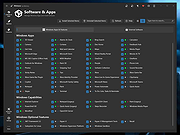 |
|
WinScan2PDF v9.77 WinScan2PDF v9.77 👉 Scan documents directly to PDF quickly and easily. WinScan2PDF is a small and portable utility that allows you to scan documents and save them directly as PDF files without the need for complex or bloated software. It is designed to be simple, lightweight, and easy to use, making it ideal for users who just want a fast way to digitize paperwork. WinScan2PDF supports most installed scanners via the standard Windows scanning interfaces and enables multi-page PDF creation. It does not require installation and can run from a USB stick, making it perfect for use on multiple systems. With its straightforward interface and minimal system requirements, WinScan2PDF gets the job done without unnecessary features or background services. Features: • Scan documents directly to PDF • Create multi-page PDF documents • Supports TWAIN and WIA scanners • Portable and does not require installation • Simple and user-friendly interface • Adjustable page size and orientation • Preview scanned pages before saving • Minimal CPU and memory usage Supported operating systems: • Windows 11, Windows 10, Windows 8.1, Windows 7, Windows Vista, Windows XP, Windows Server 2012-2025, x64, x32, x86 Supported languages: German, English, Russian, French, Italian, Dutch, Hungarian, Polish, Portuguese-Brazil, Czech, Greek, Swedish, Romanian, Serbian, Simplified Chinese, Danish, Traditional Chinese, Basque, Persian, Turkish, Catalan, Kurdish, Lithuanian, Slovak, Arabic, Ukrainian, Hebrew, Spanish, Bulgarian, Korean, Slovenian, Japanese, Norwegian, Croatian, Afrikaans, Hindi, Thai, Welsh, Malay, Indonesian, Filipino, Azerbaijani, Finnish, Belarusian, Portuguese Changes: v9.77 06-07-26 • Improvements to the detection of certain scanners • Language file updates and necessary adjustments Click here to visit the author's website. |
|
11,597 | Sep 30, 2026 Nenad Hrg 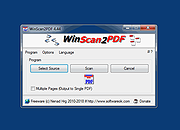 |
|
WinSetView v3.1.9 WinSetView v3.1.9 👉 Set default File Explorer folder views across Windows with just a few clicks. WinSetView is a free, portable utility that provides an easy way to configure default folder views throughout Windows File Explorer. You can apply a preferred view such as Details, List, Tiles or Icons globally, while assigning different settings to specific folder types such as Documents, Pictures, Music, Videos, Downloads, Libraries, OneDrive folders and search results. The program can customize displayed columns, column order, widths, sorting and grouping for each folder type. It also covers File Open and Save dialogs, connected devices such as phones and many virtual Windows folders that are not affected by File Explorer's standard Apply to Folders option. WinSetView works by configuring registry values that File Explorer already supports. It does not modify Explorer, install services or leave background tasks running. Existing folder-view settings can be backed up before changes are applied, restored later or reset to the original Windows defaults. The program can be used as a portable application from a local folder, flash drive or network location. An optional installer is also available for users who prefer a conventional installation. Portable use does not require administrator rights, although individual Explorer options marked with a shield may require elevation. Features: • Set a global default view for Windows File Explorer folders • Choose Details, List, Tiles, Content or multiple icon sizes • Configure every supported Windows folder type individually • Customize column headings, order, width, sorting and grouping • Apply separate views to File Open and Save dialogs • Configure views for Documents, Pictures, Music, Videos and Downloads • Supports Libraries, OneDrive, search results, Quick Access and user folders • Apply General Items column settings to connected MTP devices such as phones • Enable or disable folder thumbnails • Show hidden files, file extensions and other Explorer options • Restore the classic Windows 10 context menu ... |
|
4,603 | Oct 13, 2026 LesFerch 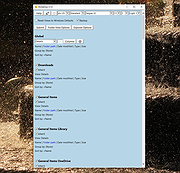 |
|
Wise WiFi Password Viewer v1.0 Wise WiFi Password Viewer v1.0 👉 Portable tool to show and recover saved WiFi passwords in Windows. Wise WiFi Password Viewer helps you recover and view saved wireless network keys stored on your Windows PC. It is designed to quickly display previously connected WiFi network names and passwords, perform local-only scans, and export the results to TXT or CSV for backup or record keeping. Features: • One-click recovery of saved WiFi credentials • Displays previously connected wireless network names and passwords • Local-only scanning with no cloud uploads or external transmissions • Export support for TXT and CSV formats • Portable utility with no installation required • Clear organized list for quick viewing and saving of credentials Supported operating systems: • Windows 7, Windows 8, Windows 8.1, Windows 10, Windows 11 • 32-bit, 64-bit Supported languages: English Changes: v1.0 04-16-26 Not Provided. Note: You MUST right click the file and Run as Administrator for it to work properly. Click here to visit the author's website. |
|
707 | Apr 17, 2026 WiseCleaner.com 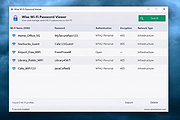 |
|
WizFile v3.15 WizFile v3.15 👉 Ultra-fast file search tool for Windows that instantly finds files by name. WizFile is a high-speed file search utility designed to locate files on your system almost instantly. Unlike traditional search tools, WizFile reads the Master File Table (MFT) directly from NTFS-formatted drives, allowing it to display results in real time as you type. This makes it especially useful for quickly finding files on large drives where standard Windows search can be slow or unresponsive. WizFile supports advanced filtering, wildcard searches, and sorting by file size, making it easy to identify large files and manage disk space efficiently. Its clean interface and immediate indexing ensure that users can locate files without waiting for background indexing processes. Features: • Instant file search using direct MFT access (NTFS drives) • Real-time results displayed as you type • Supports wildcard and filter-based searches • Sort results by file name, size, or path • Quickly locate large files to manage disk space • Minimal system resource usage with no background indexing • Supports network drives (limited functionality) • Portable version available (no installation required) Supported operating systems: • Windows 7, Windows 8, Windows 10, Windows 11 Supported languages: English Changes: 3.15 04-17-26 Fixed bug with date filters not working as expected (introduced in 3.14 when filtering by time was added) Click here to visit the author's website. |
|
6,578 | Apr 17, 2026 antibody-software.com 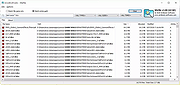 |
|
WizTree v4.33 WizTree v4.33 👉 Ultra-fast disk space analyzer that shows what files and folders are using your hard drive space. WizTree scans your hard drive and displays the files and folders using the most disk space so you can quickly locate and remove unnecessary data. Unlike many disk analyzers that slowly scan every file, WizTree reads the NTFS Master File Table (MFT) directly, allowing it to analyze an entire drive in seconds. This makes it one of the fastest disk space analysis tools available for Windows. WizTree presents results in a clear, sortable list showing folders and files by size, along with a colorful visual treemap that helps identify large files at a glance. You can quickly search for specific files, filter results, and open or delete files directly from within the interface. The program also allows exporting scan results and identifying the largest files on your system instantly. Because of its extremely fast scanning method and simple interface, WizTree is a valuable tool for quickly diagnosing disk space problems, cleaning up large files, and keeping storage organized. Features: • Extremely fast disk scanning using the NTFS Master File Table (MFT) • Visual treemap display showing relative file sizes • Sort files and folders by size, name, or other attributes • Quickly identify the largest files on a drive • Search and filter results to locate specific files • Delete files directly from the interface • Export scan results to CSV file • Supports scanning entire drives or individual folders • Portable version available Supported operating systems: • Windows 7, Windows 8, Windows 10, Windows 11 Supported languages: English, Arabic, Belarusian, Bulgarian, Catalan, Chinese Simplified, Chinese Traditional, Czech, Danish, Dutch, Estonian, Finnish, French, German, Greek, Hebrew, Hungarian, Indonesian, Italian, Japanese, Korean, Latvian, Lithuanian, Norwegian, Polish, Portuguese, Portuguese Brazilian, Romanian, Russian, Serbian, Slovak, Slovenian, Spanish, Swedish, Thai, Turkish, Ukrainian, Vietnamese Changes: v4.33 09-16-26 WizTree is now available for macOS 12 or later ... |
|
11,945 | Sep 23, 2026 antibody-software.com 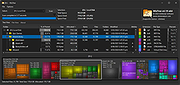 |
|
wlm85.msi (To fix 0x80070652) Download and run this file to fix the errors below. You will get an error \"A network error occured while attempting to read from the file: C:\\Windows\\Install_{508CE775-4BA4-4748-82DF-FE28DA9F03B0}.msi\" After you get this error, close it and rename wlm85.msi to Install_{508CE775-4BA4-4748-82DF-FE28DA9F03B0}.msi and move it to your Windows directory. Re-run it from there. \"Installation failed because of an installation conflict\" error while installing updates for Windows Live Messenger. Error code 0x80070652. Windows Live Installer There was a problem with this installation. Windows Live Suite was not installed. System error details Code: 0x80070652 Description: Another installation is already in progress. Complete that installation before proceeding. |
|
10,417 | Mar 20, 2009 Microsoft Corporation |
|
Wondereye CP115 driver for Windows XP Wondereye CP115 driver for Windows XP. May also work for other versions of Windows. If it does please comment and let us know. |
|
10,381 | Mar 26, 2009 Wondereye |
|
WordWeb Free v10.61 WordWeb Free v10.61 Comprehensive offline English dictionary and thesaurus for Windows. WordWeb Free is a powerful offline English dictionary and thesaurus that provides fast definitions, synonyms, related words, and pronunciation guidance directly from your desktop. It integrates seamlessly with almost any Windows program, allowing you to look up words instantly with a simple keyboard shortcut. WordWeb Free works without an internet connection, making it ideal for writers, students, and professionals who need quick and reliable word references. It includes a full dictionary and thesaurus for American, British, Canadian, Australian, Indian, and global English, along with usage examples and related words to help you better understand context and meaning. WordWeb Free also supports clickable links between words, so you can easily explore related terms and expand your vocabulary efficiently. Features: • Fast offline English dictionary and thesaurus • Full dictionary and thesaurus for American, British, Canadian, Australian, Indian, and global English • Extensive definitions and synonyms • Usage examples and related words • One-click lookup from almost any Windows program • Keyboard shortcut integration • Pronunciation guidance • Hyperlinked word navigation • Optional additional dictionaries and word lists Supported operating systems: • Windows 10, Windows 11 Supported languages: English (American, British, Canadian, Australian, Indian, Global) Changes: v10.61 03-10-26 Hundreds of new words, senses and derived forms Revisions and updates to many senses Added Copy menu item to copy definitions and examples Click here to visit the author's website. |
|
10,630 | Mar 13, 2026 Antony Lewis 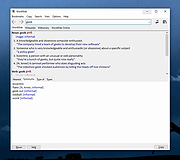 |
|
WSCC - Windows System Control Center v10.0.4.3 WSCC - Windows System Control Center v10.0.4.3 👉 Centralized launcher and update manager for Sysinternals, NirSoft, and other Windows utility suites. WSCC - Windows System Control Center allows you to install, update, execute and organize the utilities from various system utility suites. WSCC can install and update the supported utilities automatically. Alternatively, WSCC can use the http protocol to download and run the programs. The same download package provides both setup and portable usage, allowing you to choose installation or run it directly without installing. Features: • Simple and intuitive user interface • Centralized workspace for organizing and launching utilities • Built-in Update Manager for keeping tools up to date • Automatically detects installed Sysinternals and NirSoft utilities • Can download and install missing supported utilities • Supports Sysinternals Suite integration • Supports NirSoft Utilities integration • Runs utilities directly from the interface with quick access • Supports HTTP downloading and execution of tools • Displays detailed information about each utility • Search and filter tools for quick navigation • Allows grouping and categorizing of utilities • Supports command-line parameters for advanced usage • Portable-friendly design with no installation required • Single package supports both setup and portable modes Supported operating systems: • Windows 11/10/7 32/64bit (all editions) • Windows Server 2025/2022/2019/2016/2012R2/2012/2008R2 32/64bit (all editions) Supported languages: • English, German, Spanish Changes: v10.0.4.3 09-15-26 Not provided. Warning: Due to the nature of some of the available apps (password crackers, etc) that WSCC can download, your antivirus (if enabled) will block them from installing. You will need to add an exception for them in your antivirus software or disable your antivirus software while using this software. This download is for the Windows 64bit setup/portable version (very bottom of page). If you need the Windows 32bit setup/portable version, download here. Click here to visit the author's website. |
|
13,171 | Sep 16, 2026 KLS Soft 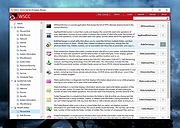 |
|
X-Mouse Button Control v2.20.5 X-Mouse Button Control v2.20.5 👉 Customize and remap your mouse buttons with application-specific profiles. X-Mouse Button Control is a powerful freeware utility that lets you reconfigure and expand the capabilities of virtually any mouse. It allows you to assign different functions to mouse buttons on a per-application or per-window basis, making it easy to tailor your mouse behavior for productivity, gaming, multimedia, or any other task. Profiles activate automatically as you switch between applications, and each profile can contain up to 10 configurable layers that can be toggled with hotkeys or mouse buttons. Features: • Remap mouse buttons to hundreds of built-in actions • Create application-specific and window-specific button profiles • Configure up to 10 independent button mapping layers per profile • Assign simulated keystrokes, shortcuts, and macros • Launch programs, documents, or folders from mouse buttons • Control multimedia playback and system volume • Customize mouse wheel behavior, scrolling, and cursor movement • Automatically activate profiles when switching applications • Import and export profile configurations • Portable version available with no installation required • Runs quietly from the system tray with minimal resource usage Supported operating systems: • Windows XP, Windows Vista, Windows 7, Windows 8, Windows 8.1, Windows 10, Windows 11 Supported languages: • Arabic, Bulgarian, Chinese (Simplified), Chinese (Traditional), Croatian, Czech, Danish, Dutch, English, Finnish, French, German, Greek, Hebrew, Hungarian, Italian, Japanese, Korean, Norwegian, Polish, Portuguese (Brazil), Portuguese (Portugal), Romanian, Russian, Serbian, Slovak, Slovenian, Spanish, Swedish, Turkish, Ukrainian Changes: v2.20.5 06-24-23 • Fixed inability to abort WAIT, WAITMS, HOLD, and HOLDMS commands when using the {flush} queue. • Fixed sticky repeat simulated key behavior after being released or aborted by another button. • Fixed an issue where simulated Volume Down stopped working while Volume Up continued to function. • Attempted to resolve a deadlock between the repeat timer thread and the main hook thread that could cause hangs or lockups. This download is for the Windows portable version (very bottom of ... |
|
7,535 | Jun 30, 2026 Phillip Gibbons 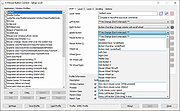 |
|
XMedia Recode v3.6.3.0 XMedia Recode v3.6.3.0 👉 Free video and audio converter supporting a wide range of formats and devices. XMedia Recode is a free video and audio conversion tool that allows you to convert nearly all known video and audio formats. It supports a wide variety of codecs and container formats and includes device specific profiles for smartphones, tablets, game consoles, and other multimedia devices. The program can extract audio tracks, convert unprotected DVDs, and provides basic editing features such as cutting, cropping, and filtering. Features: • Converts video and audio between numerous formats • Supports popular codecs including H.264, H.265, VP9, AV1 and more • Device presets for smartphones, tablets, consoles, and other devices • Extracts audio tracks from video files • Basic editing tools including cut, crop, and filters • Batch processing support • Subtitle support Supported operating systems: • Windows XP SP3, Windows Vista, Windows 7, Windows 8, Windows 8.1, Windows 10, Windows 11 Supported languages: • English, German, French, Italian, Spanish, Japanese, Chinese (Simplified), Chinese (Traditional), Russian, Polish, Dutch, Portuguese (Brazilian), Czech, Greek, Turkish Changes: v3.6.3.0 05-15-26 Update of ffmpeg Update of SVT AV1 (4.1.0) Codec Troubleshooting Fixed minor bugs Note: This file has two hits on VirusTotal. We have confirmed these to be false positives. The file is safe. This download is for the Windows 7-11 64bit version (very bottom of page). If you need the Windows 7-11 32bit version, download here. If you need the Windows XP-Vista 32bit version, download here. Click here to visit the author's website. |
|
10,591 | Jul 06, 2026 Sebastian Dorfler 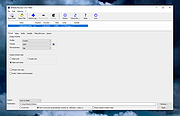 |
|
Youtube Downloader HD v5.9.9.14 Youtube Downloader HD v5.9.9.14 👉 Download YouTube videos and convert them to HD video formats. Youtube Downloader HD is a simple tool designed to download videos from YouTube and convert them into high-quality video files that can be played locally on your computer or other devices. It focuses on easy downloading and converting of HD content while keeping the interface straightforward and lightweight. Youtube Downloader HD allows users to paste a YouTube video link, select the desired output format, and download the video directly to their computer. The program supports several video formats and resolutions, including HD options, making it useful for users who want to watch YouTube content offline or store videos locally for later viewing. The program is designed to be easy for beginners while still offering useful format choices for more advanced users. It can automatically detect the video URL from the clipboard and provides quick conversion to formats compatible with PCs, media players, and mobile devices. Features: • Download videos directly from YouTube using a simple URL paste • Supports high-definition video downloads • Convert downloaded videos to AVI or MP4 formats • Choose different video quality levels including HD • Automatically detects video URLs copied to the clipboard • Simple and lightweight interface designed for quick downloads Supported operating systems: • Windows 7, Windows 8, Windows 10, Windows 11 Supported languages: English Changes: v5.9.9.14 07-06-26 Another download improvement Note: This file has two hits on VirusTotal. We have confirmed these to be false positives. The file is safe. This download is for the Windows 10/11 version (very bottom of page). If you need the Windows 7/8 version, download here. Click here to visit the author's website. |
|
6,974 | Jul 08, 2026 YoutubeDownloaderHD.com 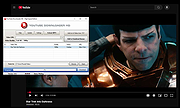 |
OlderGeeks.com Copyright (c) 2026
