|

|
Processed through Paypal No account required. |








Buy our over-priced crap to help pay the bills.


|
|
Processed through Paypal No account required. |
| File - Download Astraeus v2.2.3 | ||||||||
| Description | ||||||||
|
Always scroll to the bottom of the page for the main download link. We don't believe in fake/misleading download buttons and tricks. The link is always in the same place. Astraeus v2.2.3 👉 A native Windows dashboard that unfolds from the edge of your screen with music, system information, quick controls, weather, and everyday tools. Astraeus is a compact dashboard that stays tucked along the top, left, or right edge of your screen until you need it. Hover over the center of its screen edge, press Win+Alt+A, or click its tray icon to open the panel. Move the mouse away, press Esc, or click elsewhere to close it. The dashboard is organized into pages for Home, Media, System, Network, Shelf, and Tools. The page rail can be reordered or customized in Settings. When more than five pages are enabled, the rail scrolls to show the rest instead of compressing the icons. Use the mouse wheel or the arrow keys to move between pages. 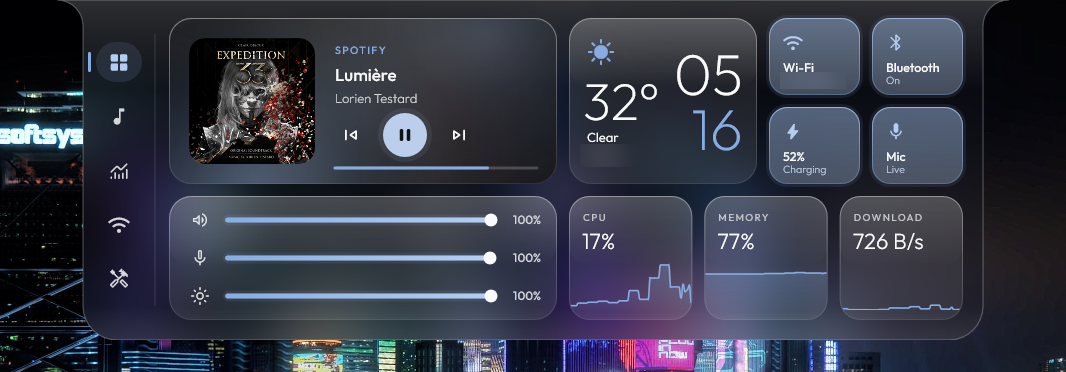 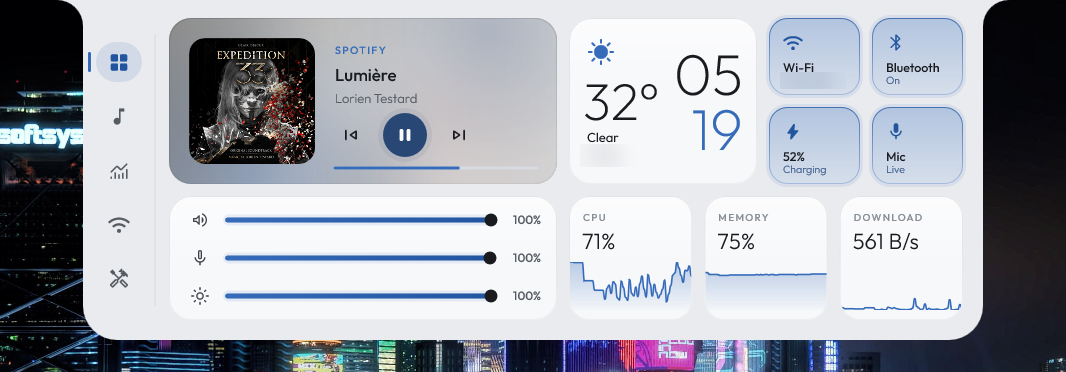 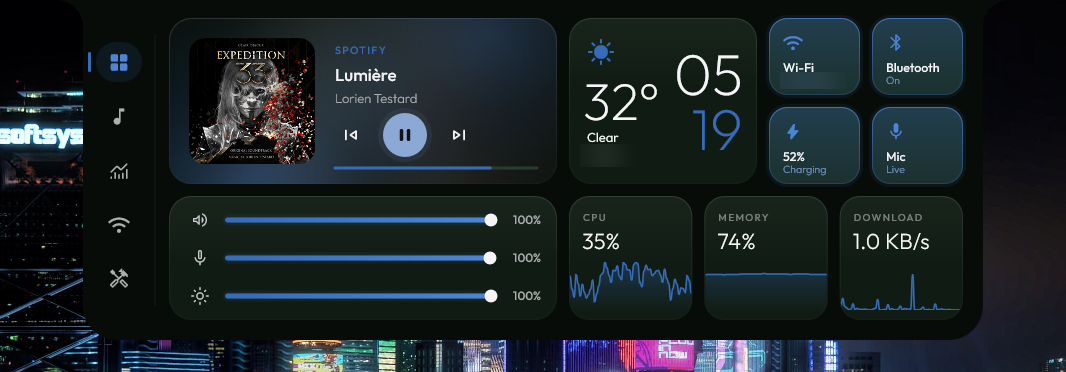 Astraeus combines desktop widgets and controls in one native application. Its Home page can show media, CPU, memory, weather, and other cards. The Media page controls players that use Windows media controls, including Spotify, browsers, and Media Player. View album art, control playback, use a visualizer, and open a fullscreen player with time-synced lyrics. Lyrics can be resized, switched off, clicked to jump to a point in a song, and displayed across two monitors with the cover on one screen and lyrics on the other. The compact island pill can appear over maximized or tiled windows instead of opening the full panel. It can show what is playing, Windows notifications, or a clock with selected widgets. On laptops, it can also appear when power is connected or disconnected and when the battery gets low. The pill can remain visible on an otherwise empty desktop, and its widget options include weather, battery, CPU, memory, and network information. The System and Network pages provide live information such as CPU and GPU use, memory, top processes, network throughput, latency, and local and public IP addresses. Quick controls include Wi-Fi and Bluetooth, volume and brightness sliders, microphone controls, audio output selection, and a volume mixer. Open the Wi-Fi control center to view nearby networks and connect, or use the Bluetooth control center to connect, disconnect, pair, or forget devices. The Shelf temporarily holds up to ten files or text items. Drag files or text to the top of the screen or into the open panel to add them. Tap a card to copy its contents, or drag it elsewhere to drop it. Astraeus keeps only file paths rather than making copies. Shelf items can be kept after a restart by enabling that option. The Tools page includes a timer, stopwatch with laps, focus sessions, a screen color picker, a screenshot shortcut, keep-awake, energy saver, airplane mode, and shortcuts to Windows power actions and notification center. Some power actions require pressing and holding to activate. A small countdown bubble appears while a timer, stopwatch, or focus session is running. Weather can be set to a city and displayed in Celsius or Fahrenheit. The calendar shows a monthly view and can display events from Google Calendar, Outlook, or iCloud when connected with a private calendar link. Appearance options include dark, light, glass, custom colors, Starfall, and a look that follows HaloBar. Astraeus can take accent colors from the desktop wallpaper, album art, or Windows. Settings also control the screen edge, monitor, panel size, motion, pages, tools, notification pills, and other display preferences. Astraeus is a single native executable written in C++20. It has no installer or separate runtime requirement. It can be run directly and optionally configured to start with Windows. The app includes automatic updates, which verify the downloaded file's SHA-256 hash before installing it. The project says Astraeus has no accounts, analytics, or telemetry. Its listed online features connect directly to the named services for weather, lyrics, calendar access, and updates. Features: •Native dashboard that unfolds from the top, left, or right edge of the screen •Open the panel by hovering at the screen edge, pressing Win+Alt+A, or clicking the tray icon •Customizable page rail with reorderable pages, optional sections, keyboard navigation, and scrolling when more than five pages are enabled •Home page cards for media, CPU, memory, weather, and other selected information •Media controls for Spotify, browsers, Media Player, and other apps that use Windows media controls •Media player with album art, playback controls, a wavy seek bar, music-reactive visualizer, loop, and restart controls •Fullscreen player with time-synced lyrics, adjustable text size, clickable lyric lines, and two-monitor display options •Lyrics from LRCLIB, NetEase Cloud Music, and Kugou, with a local cache for recently played songs •Compact island pill over maximized or tiled windows, with music, clock, widgets, and Windows notifications •Optional desktop pill with a clock and selectable weather, battery, CPU, memory, or network widgets •Battery pills when connecting or disconnecting power and when battery charge reaches a configurable low level •Quick toggles for Wi-Fi, Bluetooth, microphone, output device, power mode, and laptop battery •Volume and brightness sliders, microphone control, output selection, and per-app volume mixer •Bluetooth control center to scan for, pair, connect, disconnect, and forget devices •Wi-Fi control center showing nearby networks, with in-panel connection and saved-network removal •Shared audio playback across multiple outputs, with separate delay and volume controls •System page with CPU, GPU, memory, top processes, network throughput, latency, and IP information •Network page with local and public IP details and connection latency •Shelf for temporarily holding up to ten files or text items, with optional persistence after restart •Weather forecasts with city selection and Celsius or Fahrenheit display •Monthly calendar view with holidays and optional Google Calendar, Outlook, or iCloud events •Tools page with timer, stopwatch and laps, focus sessions, color picker, screenshot shortcut, and power controls •Keep-awake, energy saver, airplane mode, and Windows notification center shortcuts •Dark, light, glass, custom-color, and Starfall themes, plus a HaloBar appearance option •Accent colors that can follow the wallpaper, album art, a selected color, or Windows accent color •Settings for display edge, monitor selection, animation, panel size, pages, tools, and notification pills •Hides while a game or video is running fullscreen •Single executable with no installer or separate runtime •Optional startup with Windows and automatic updates verified by SHA-256 •No accounts, analytics, or telemetry Supported operating systems: Windows 10, Windows 11 Supported languages: English Changes: v2.2.3 10-29-26 Added the Starfall theme, adjustable lyrics text size, and a scrolling page rail for installations with more than five pages. The desktop island pill is now enabled by default for new installations. Improved fullscreen player efficiency by adjusting rendering to the animation and reducing activity when a fullscreen game is in front. Moved the display-size control to Advanced settings, beside the lyrics text-size option. 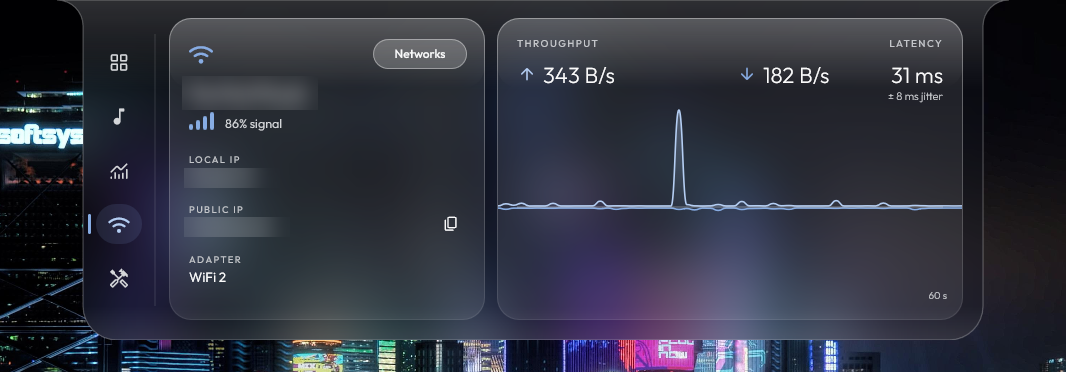 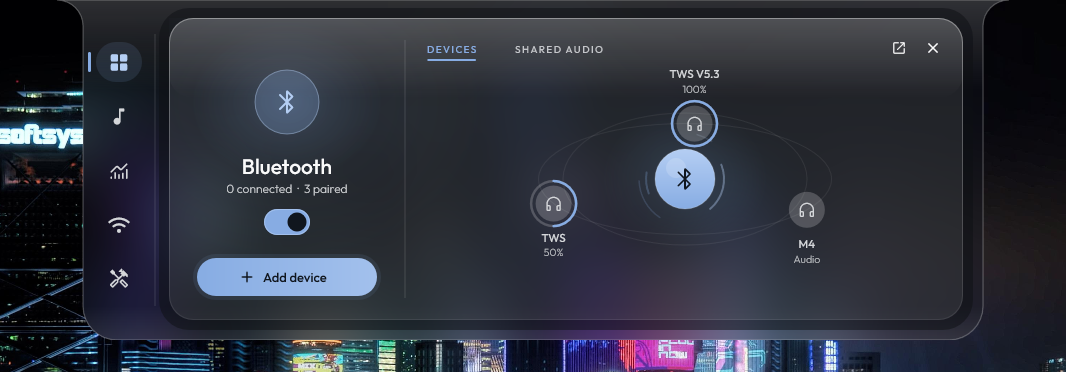 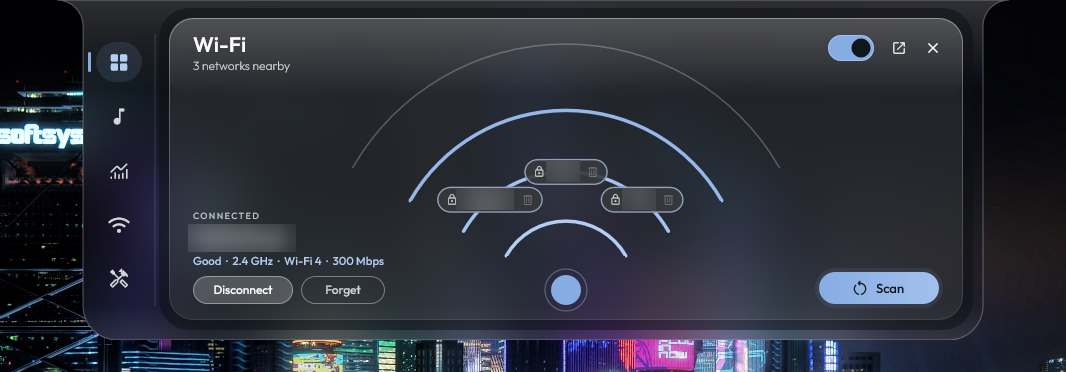 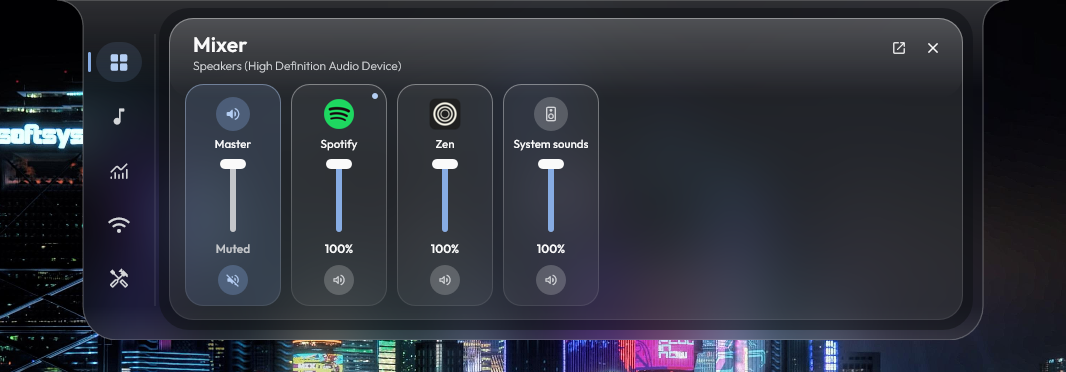 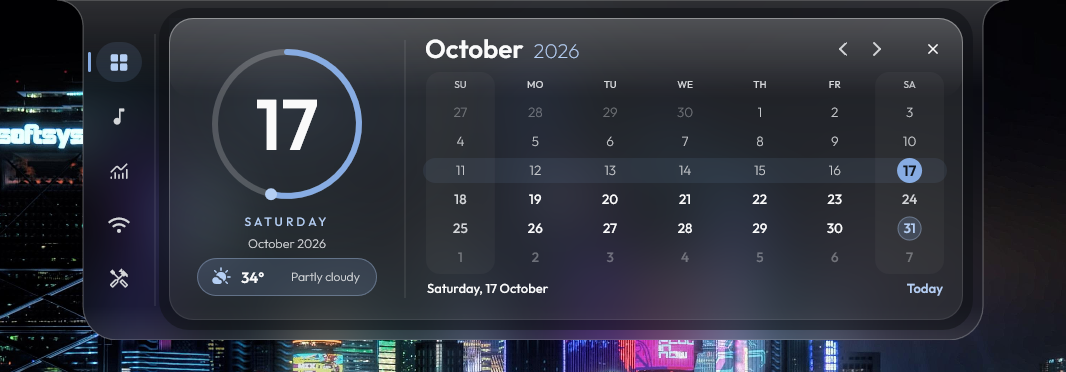 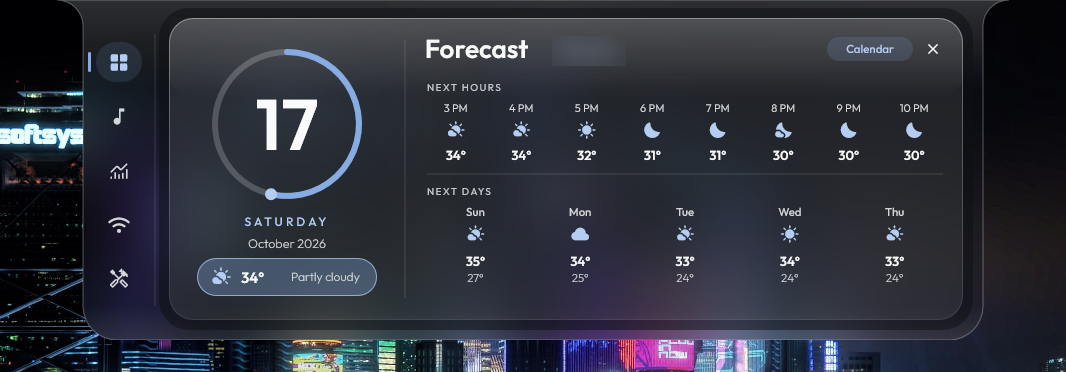 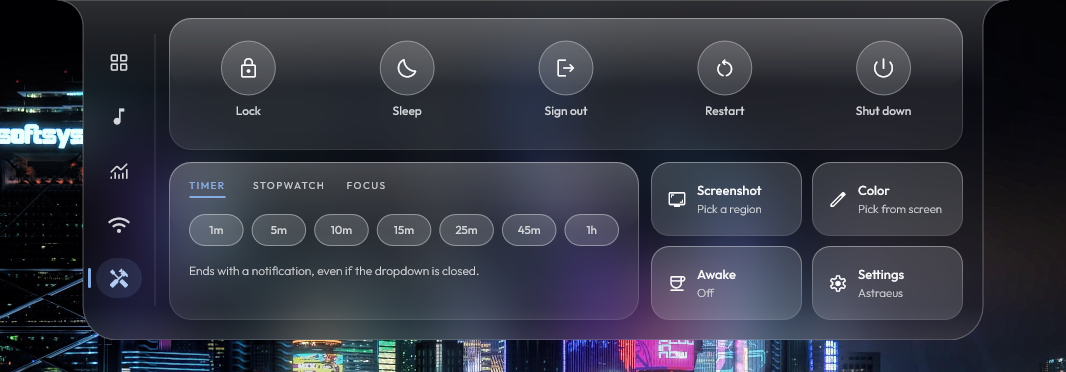 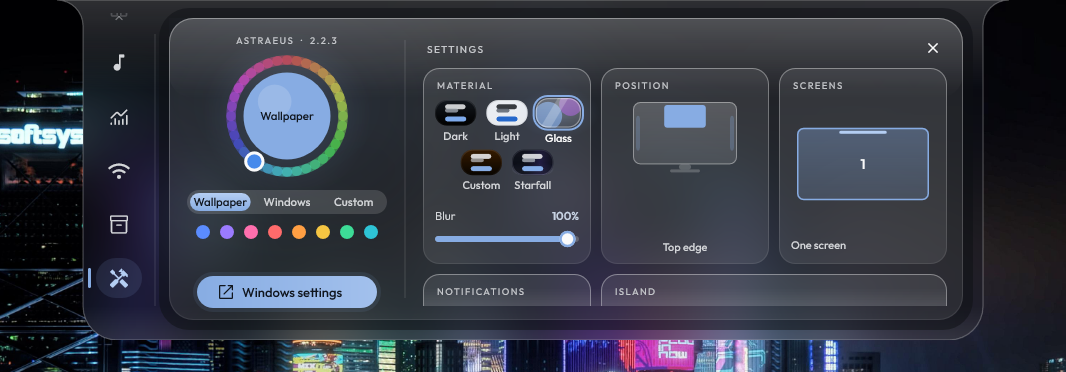 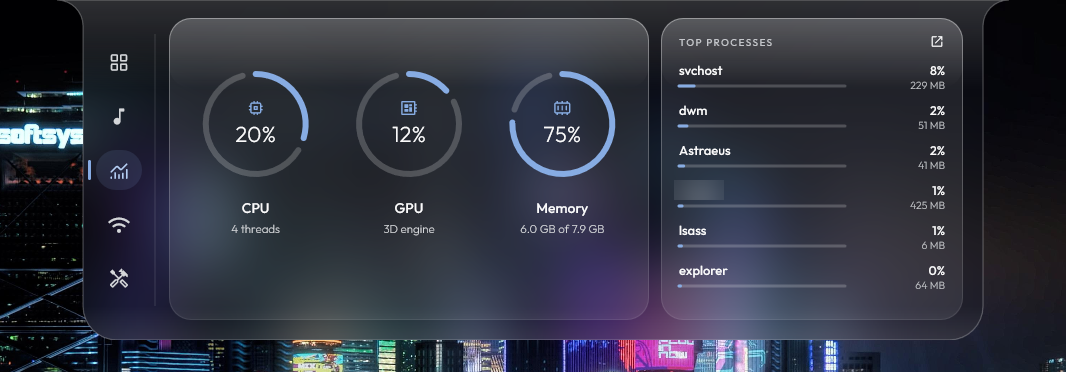 Click here to visit the author's website. Continue below for the main download link. |
||||||||
| Downloads | Views | Developer | Last Update | Version | Size | Type | Rank | |
| 14 | 74 | Saahil Talha | Nov 01, 2026 - 15:25 | 2.2.3 | 2.48MB | EXE |  , out of 2 Votes. |
|
| File Tags | ||||||||
| Astraeus Windows dashboard dynamic island music media player system stats quick controls weather calendar lyrics network Bluetooth | ||||||||
Click to Rate File Share it on Twitter → Tweet
|