|

|
Processed through Paypal No account required. |








Buy our over-priced crap to help pay the bills.



|
|
Processed through Paypal No account required. |
| Files | ||||
| File Name | Rating | Downloads | ||
 |
Astraeus v2.6.2 Astraeus v2.6.2 👉 A native Windows dashboard that unfolds from the edge of your screen with music, system information, quick controls, weather, and everyday tools. Astraeus is a compact dashboard that stays tucked along the top, left, or right edge of your screen until you need it. Hover over the center of its screen edge, press Win+Alt+A, or click its tray icon to open the panel. Move the mouse away, press Esc, or click elsewhere to close it. The dashboard is organized into pages for Home, Media, System, Network, Shelf, and Tools. The page rail can be reordered or customized in Settings. When more than five pages are enabled, the rail scrolls to show the rest instead of compressing the icons. Use the mouse wheel or the arrow keys to move between pages. Astraeus combines desktop widgets and controls in one native application. Its Home page can show media, CPU, memory, weather, and other cards. The Media page controls players that use Windows media controls, including Spotify, browsers, and Media Player. View album art, control playback, use a visualizer, and open a fullscreen player with time-synced lyrics. Lyrics can be resized, switched off, clicked to jump to a point in a song, and displayed across two monitors with the cover on one screen and lyrics on the other. The compact island pill can appear over maximized or tiled windows instead of opening the full panel. It can show what is playing, Windows notifications, or a clock with selected widgets. On laptops, it can also appear when power is connected or disconnected and when the battery gets low. The pill can remain visible on an otherwise empty desktop, and its widget options include weather, battery, CPU, memory, and network information. The System and Network pages provide live information such as CPU and GPU use, memory, top processes, ... |
 |
455 | Nov 09, 2026 Saahil Talha 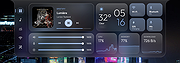 |
|
Input Remapper v2.2.1 Input Remapper v2.2.1 👉 Remap keyboards, mice, gamepads and other Linux input devices. Input Remapper is an easy to use Linux tool for changing the behavior of your input devices. It supports X11, Wayland, key combinations, programmable macros, joysticks, wheels, triggers, keyboard keys, mouse movements and more. It can map nearly any input to another input, making it useful for custom controls, accessibility tweaks, gaming setups and fixing awkward device layouts. Features: • Remap keyboards, mice, gamepads, joysticks, wheels and other input devices • Supports X11 and Wayland • Create key combinations and programmable macros • Map keys, buttons, triggers and mouse movements • Useful for gaming controls, accessibility needs and custom Linux workflows • Autoload mappings for connected devices • Preset based setup for different devices and layouts Supported operating systems: • Linux • Ubuntu 22.04 or higher • Debian • Fedora • Arch Linux • Void Linux Supported languages: English, Chinese Traditional Changes: v2.2.1 06-12-26 Various important fixes for gamepads Fix similar devices stealing the injection on autoload Preserve forwarded mouse DPI metadata during injection Add zh_TW Traditional Chinese locale Added Void Linux to install instructions Restrict 99-input-remapper.rules to event nodes Fix the .desktop reference in metainfo Fix XDG_CONFIG_HOME being ignored pyproject.toml, new build tool Switch to dasbus Use raw string literals for regexes New icon Add hint for permission problems to logs if device not found Code quality improvements This download is for the Linux Debian version (very bottom of page). Install on other Linux versions: Ubuntu/Debian repository: sudo apt install input-remapper Input Remapper 2.0 and higher requires at least Ubuntu 22.04. Fedora: sudo dnf install input-remapper sudo systemctl enable --now input-remapper Arch: yay -S input-remapper-git sudo systemctl enable --now input-remapper Void Linux: sudo xbps-install -S input-remapper sudo ln -s /etc/sv/input-remapper /var/service sudo sv up input-remapper Other distros: Install packages providing these dependencies: python3-evdev 1.3.0 or higher, gtksourceview4, python3-devel, python3-pydantic, python3-dasbus and python3-psutil. sudo pip install evdev pydantic dasbus PyGObject git clone https://github.com/sezanzeb/input-remapper.git cd input-remapper sudo python3 -m install --root / sudo systemctl enable --now input-remapper Uninstall from source install: sudo python3 -m install.uninstall Click here to visit ... |
|
472 | Jun 30, 2026 Tobi Sezanzeb  |
| Showing rows 1 to 2 of 2 | Showing Page 1 of 1 | 1 |
OlderGeeks.com Copyright (c) 2026
