|

|
Processed through Paypal No account required. |








Buy our over-priced crap to help pay the bills.



|
|
Processed through Paypal No account required. |
| Files | ||||
| File Name | Rating | Downloads | ||
 |
1by1 v2.16 1by1 v2.16 👉 Small and fast audio directory player with powerful features. 1by1 is a smart and lightweight directory-based audio player for Windows that lets you play tracks directly from folders without needing playlists or a media database. It combines file-manager-style navigation with playback features such as resume play, gapless playback, transition mixing, audio enhancing, bookmarks, cue sheet support, and file tools for organizing tracks while listening. It is also highly configurable, portable, and designed for low resource usage. Features: • Directory Player: directly plays folder contents • Resume play with track and position memory • Multi Resume for the ten recently played folders • Gapless play, transition mixing, and audio enhancing • Folder tree file navigation and Directory finder • MP3 decoding by ACM, mpglib, and BASS • BASS library support for formats such as OGG, WAV, FLAC, AAC, MP4, and CD audio • Optional 24 bit output and 32 bit audio processing • File utilities including copy, move, rename while play, delete, and date change • Scalable Big title view, Rename tool, and Folder compare tool • Cue sheet support, M3U playlist support, and bookmarks • Winamp 2.x input plugin support and WAV export • Track logging, HTTP control and streaming server • Theme presets, global hotkeys, portable operation, and low resource usage Supported operating systems: • Windows • Android • Linux with Wine Supported languages: English, German, Danish, Spanish, French, Italian, Korean, Portuguese (Brazilian), Russian, Serbian, Ukrainian, Chinese (Simplified) Changes: v2.16/v1.39 04-18-26 Windows: Binary changes (GCC build) · Additional languages: Koeran, Serbian, French · Better quit on other instance check · Hang on clearing tree view fixed · Threading issues corrected · Some other corrections and modifications Android: Media key event handling improved Note: This file has one hit on VirusTotal. We have confirmed this to be a false positive. The file is safe. This download is for the Windows version (very bottom of page). If you need the Android version, download here. Click here to ... |
 |
1,857 | Jul 26, 2026 Martin Pesch 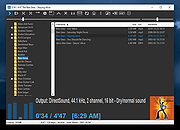 |
 |
Angband v4.2.6 Angband v4.2.6 👉 Classic open-source single-player dungeon exploration roguelike game. Angband is a free, open-source roguelike dungeon exploration game where players descend through procedurally generated levels filled with monsters, treasures, and powerful artifacts. Inspired by the works of J.R.R. Tolkien, Angband challenges players to survive, grow stronger, and ultimately defeat Morgoth, Lord of Darkness. The game features turn-based gameplay, permanent character death, deep character customization, and an extensive variety of items, spells, and enemies. Each playthrough is unique thanks to randomized dungeon layouts and item generation, making strategy and careful decision-making essential for survival. Features: • Procedurally generated dungeon levels • Turn-based tactical combat • Permanent death with high replay value • Multiple races and classes with distinct abilities • Hundreds of monsters, items, and artifacts • Deep character progression and skill development • Keyboard-driven interface with optional mouse support • Cross-platform open-source project Supported operating systems: • Everything from a potato to Windows 11 • macOS 10.13 High Sierra or higher • Linux (SDL2 supported distributions) Supported languages: • English, French, German, Spanish, Russian, Japanese Changes: v4.2.6 Not Found User Manual: https://angband.readthedocs.io/en/latest/index.html This download is for the Windows version (very bottom of page). If you need the macOS version, download here. Click here to visit the author's website. |
|
5,200 | Jul 05, 2026 Angband Dev Team 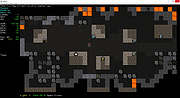 |
|
Boom Audio Player v1.0.38 Boom Audio Player v1.0.38 An easy to use audio player intended for casual computer users who do not wish to spend their time on figuring more sophisticated software out. All of its most important features are easily accessible out-of-the-box. Noteworthy features: No installation or administrator rights required! Just download and run. Gapless playback of properly encoded files. Enjoy smooth transitions between tracks. ReplayGain support. External software is currently required to write ReplayGain information to file tags to utilize this functionality. Contents of your music folders are shown, in a convenient structured genre/artist/album/song view. By default, contents of "my music" folder or Windows Music library folders are shown. You can configure Boom to index music from any other folders though. You can install Boom to removable media and have it index contents of the folder it is installed in. Are your files badly tagged or missing tags alltogether? No problem, Boom can browse your music library by its folder structure. Supports variety of popular audio formats, including: MP3, Ogg Vorbis, FLAC, Musepack (MPC), WavPack, WAV, AIFF, MP4/M4A, WMA. For emergency tagging needs, Boom includes a simplified version of the foobar2000 Properties dialog. Easily configured to run from removable media. Multilanguage support. Changes: Version 1.0.38 highlights: Fixed failure to index music on some readonly network shares. Updated MP4 handler (now recognizes Opus and FLAC content in MP4). Noteworthy features currently missing: Internet radio playback is not supported. No easy way to integrate with Windows Explorer other than manually going through "open with" / ... |
|
7,056 | Jun 13, 2023 Peter Pawlowski 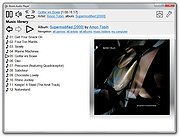 |
|
Convert The Spire Reborn v14.3.1 Convert The Spire Reborn v14.3.1 👉 A native media suite for downloading playlists and online media, managing torrents, converting files, playing your library and casting to compatible devices. Convert The Spire Reborn is a free, open-source media application built with Flutter for downloading media and large playlists, managing torrents, converting files, playing audio and video, and organizing a local media library. It uses yt-dlp for supported online sources and can process content from more than 1,800 supported sites. The program also includes a built-in media player, playlist tools, DLNA/UPnP casting, a browser with ad and tracker blocking, userscript support, and a Watch Together feature for synchronized playback across devices on the same network. The native application avoids Electron and is designed to run directly on Windows, macOS and Android. Features: • Download individual media files and large playlists from supported online sources • Uses yt-dlp with support for more than 1,800 compatible sites • Torrent manager for adding, downloading and managing torrent queues • Built-in audio and video media player • Playlist management, queue handling and local library tracking • Convert between more than 27 document, image, archive and media formats • DLNA and UPnP casting to compatible smart TVs and speakers • Watch Together synchronizes playback between phones, PCs, Macs and compatible TVs on the same local network • Watch Together rooms use a six-character sharing code and require no account • Built-in browser accepts URLs, IP addresses and ordinary search queries • Browser includes ad and tracker blocking • Supports Tampermonkey and Greasemonkey-style userscripts • Custom file explorer suitable for desktop and TV interfaces • Playlist-to-folder matching helps identify missing media • Supports automated playlist installation and downloading • Native Flutter application without an Electron-based runtime • Raw UDP and TCP networking supports local device discovery and casting • Battery-aware background processing can reduce intensive activity when battery power is low • Privacy-focused design with no tracking of downloaded ... |
|
76 | Sep 22, 2026 Lukas Bohez  |
|
File Order Randomizer v1.0 File Order Randomizer v1.0 👉 Adds random numbers to the start of filenames to randomize play order on simple music players. File Order Randomizer is a small, portable utility intended for devices (like some car radios or clock radios) that cannot play tracks in random order from a USB stick. It generates random numbers and puts them in front of every file in a specified folder, so you can create a new play order by running it again. Features: • Adds random numbers in front of filenames in a selected folder • Designed to help create a “random” track order for cheap/basic music players using USB media • Simple run-to-rerandomize workflow (run again whenever you want a new order) Supported operating systems: • Windows 2000 SP4 • Windows XP • Windows Vista • Windows 7 • Windows 8 / 8.1 • Windows 10 • Windows 11 Supported languages: • English Click here to visit the author's website. |
|
799 | Jun 29, 2026 Lumpiluk 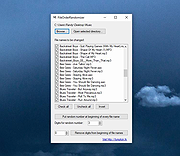 |
|
Flash Movie Player v2.1 Flash Movie Player v2.1 A free stand-alone player for ShockWave Flash (SWF) animations based on the Adobe Flash Player plug-in. In addition to all Adobe Flash Player abilities, it has some extended features, such as animation rewinding, advanced full-screen mode, playlists, browser cache integration, and exe projectors support. Features • Flash Movie Player is absolutely free - no nag screens, no ads, no spyware, no time limit. • Allows to rewind SWF animations and Flash games to any position in playing or paused mode. • Opens EXE projector files from version 4 to version 7 and works with them the same way as with ordinary SWF files (allows rewinding, etc.) • Flash Movie Player can extract flash movies from EXE projector files and save them in SWF format. • Playlists. It has a playlist editor with sorting functions. • Full-screen mode with an auto-hiding navigation bar. • All other standard features of Adobe Flash Player (zoom, quality select, repeat, scale mode select). • Snapshots: the program allows you to create a snapshot of any animation frame and save the image in JPEG or BMP format. • Hotkeys for all frequent operations. • Drag-n-drop support. • The executable has a small size and low system requirements. • Multilingual interface (40 languages supported at the moment). • Allows to explore cached SWF files. (Add SWF files from IE, Firefox, and Opera cache to playlist). • Can act as a Screensaver. You can set up Flash Movie Player as your screensaver to play Flash animations while the computer is idle. System Requirements ... |
|
937 | Nov 06, 2024 Eolsoft 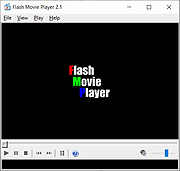 |
|
foobar2000 v2.26 foobar2000 v2.26 👉 Advanced freeware audio player with tagging, conversion, replay gain, and customizable playback features. foobar2000 is an advanced freeware audio player designed for playing mainstream audio formats out of the box, with support for additional decoder components, gapless playback, advanced tagging, Audio CD ripping, transcoding, ReplayGain, internet radio, customizable keyboard shortcuts, and a flexible component architecture for extending functionality. Features: • Plays all mainstream audio formats out of the box • Supports additional decoder components for more formats • Gapless playback • Stream music on your local network • Easily customizable user interface layout • Advanced tagging capabilities • Audio CD ripping and audio transcoding • Full ReplayGain support • Customizable keyboard shortcuts • Built-in DSP effects with support for more through components • Internet radio support • Open component architecture for third-party extensions • No telemetry or data collection Supported operating systems: • Windows 7 or newer • macOS 11 Big Sur or newer Supported languages: • English Changes: v2.26 06-26-26 Converter changes New preset format, presets stored as .ini files in profile subfolder. Old presets imported on first run. Better error messages when receiving unexpected data format change in mid-conversion; made discard blank chunks before checking for format match. Added extensible post-conversion actions which can be used for ReplayGain scanning, integrity testing, etc. On conversion error, encoder's stderr output is forwarded to foobar2000 console. Ogg chaining is now off by default, Ogg chapters written by default instead. Added %source_list_index% & %source_list_total%, only for multi track image naming pattern use, to allow use of list indexes in the pattern. Made file name preview recognize newly added %source_list_index%. Made show output of command-line encoder program in error popup if conversion has failed. Made "no DSP reset" explicitly shown in overview, as ... |
|
6,754 | Oct 05, 2026 foobar2000.org 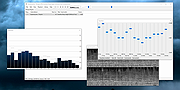 |
|
Gom Player 2.1.49.5139 Gom Player 2.1.49.5139 Gom Player is a multimedia player which can play most of the differently encoded video formats that include AVI, DAT, MPEG, DivX, XviD, and plus more; with its own built-in codec system. GOM can also play video files that are being downloded from the Internet or that are broken during the downloading process. Features: GOM Player supports most of the condecs (AVI, DAT, MPEG, DivX, and plus more) by its own embedded codec system that you won't have to look for appropriate codecs everytime when you can't play a certain video format. With GOM, you'll experience something you've never seen in the past with other media players. GOM supports all kinds of features for highly advanced users who desire to watch video clips at the best quality. GOM is also able to play incomplete or damaged AVI file by skipping the damaged frames. And it can also playback Locked Media Files while downloading or sharing (with real-time index rebuilding under certain condition: AVI downloading in consecutive order). GOM also supports HTTP Streaming ASF/OGG/MP3/AAC/MPEG PS/MPEG TS: Only work with internal splitters). GOM also support its own skins, Subtitle, Overlay Mixer features, Optimized buffer for streaming Automatic ASF source filter, Keys Remapping, Superspeed/High Mode, Enhanced Filter Rendering and full-Unicode. |
 |
11,490 | Mar 26, 2013 Gretech |
|
Google Play Music Desktop Player v4.7.1 Google Play Music Desktop Player v4.7.1 A beautiful cross platform Desktop Player for Google Play Music. The same beautiful Material Design experience you love on the browser, just as a dedicated desktop player Open Source Google Play Music Desktop Player is open source on GitHub. This means YOU, the community, gets a say in all the features we implement and you can even get involved and help out. If you find a bug or want something new, tell us in Gitter or on GitHub and we will see what we can do!! Resource Efficient Being a lightweight, standalone framework we use FAR less resources than having Google Play Music open in a standard chrome tab. This frees up your computer's resources to do things you care about, instead of wasting them on playing music. Customizable Google Play Music Desktop Player adds a level of customization that simply isn't there in the web player. You can change your theme, customize the colors, send your play history straight to last.fm, and it even has a built-in equalizer. From advanced audio controls to simple song change notifications, this desktop player literally does it all. Features Media Keys support (Play, Pause, Stop, Previous, Next) Last.FM Scrobbling and Now Playing support! Desktop notifications on track change Simplistic mini player Customizable dark theme Taskbar media controls (media controls embedded into the taskbar) Windows only HTML5 audio support - No more Adobe Flash Player Built-in audio equalizer - Make it sound how you like it Background music playing, minimize to the task bar Customizable hotkeys. No worries if you don't have media keys - Choose your own shortcuts! Choose your audio output device from ... |
|
5,208 | Aug 06, 2024 Samuel Attard 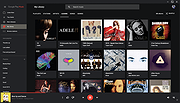 |
|
MediaPlayerOK v1.01 MediaPlayerOK v1.01 👉 Fast and portable media player for Windows. MediaPlayerOK is a compact portable media player for Windows that plays audio and video files with playlists, docking support, tray function, flexible playlists, drag & drop and automatic resume playback. Features: • Plays audio and video files • Compact and portable • Playlist support • Flexible playlists • Docking mode • Tray function • Automatic resume playback • Optional portable mode • Small system resource usage • No installation required Supported operating systems: • Windows XP, Windows Vista, Windows 7, Windows 8.1, Windows 10, Windows 11, Windows Server 2012-2025, 32-bit and 64-bit Supported languages: German, English, Italian, Korean, French, Greek, Traditional Chinese Changes: v1.01 06-11-26 • Minor adjustments in MediaPlayerOK • New languages added to MediaPlayerOK: Italian, Korean, French, Greek, and Traditional Chinese. Click here to visit the author's website. |
|
616 | Sep 23, 2026 Nenad Hrg 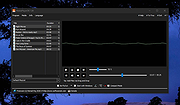 |
|
Metal Player 4.1.2.3 Metal Player 4.1.2.3 Metal Player supports most of media files, mpeg, vob (DVD), avi, wav, midi, mov, asf, divx, flv, m3k, 3gp. Metal Player has a built-in equalizer, spectrum analyzer, re-verb, playlist, search in playlist, schedule songs, keyboard shortcuts, and many other functions. Features: Modes - Metal Player can be set in mini or full mode. Chosing minimal, Metal Player will have only most necessary buttons. Equalizer - The equalizer (10 bands) can be hidden to save space if is not necessary. It has few presets, but you can make and save your on presets. Playlist - The playlist has usual functions like add / delete files or entire folders, search function, and posibility to schedule the files in the order you like. The playlist can be saved and loaded easy, optimized for maximum speed. Playback mode - Metal Player can be set to playback the files randomly, or to play only the songs that you like the most (Intelligent playback). Top 20 - Metal Player will make you a top 20 with your most liked bands / songs, and he can select for you, a song to play. Doctor Metal - Doctor Metal is a utility that will try to fix filters or codecs problems, when they are occurred. This is just for testing, for the moment. Change Info: New: Added possibility to change aspect ratio (16:9 and 4:3) New: Added support for HP10 video files (HEVC/H.265). It can support 8K UHD and resolutions up to 8192Χ4320. New: 40 radio stations included in default list. Fix: Added .NET version checking before installing or upgrading. Fix: Artist image grabber fixed. Optimization: Video resizing. Update: Language Simplified Chinese updated. Update: Target framework was changed to .NET 4.0 (4.5 required for better performance – using ProfileOptimization). Update: System.Data.SqlLite has been upgraded to .NET 4.0 Update: Bass libraries have been updated to 2.4.10.3 |
|
9,410 | Feb 11, 2014 AbyssalSoft |
|
MusicBee v3.6.9668 MusicBee v3.6.9668 👉 Powerful music manager and player for organizing, tagging, and enjoying your music collection. MusicBee is a feature-rich music management application designed to help you organize, find, play, and enhance your digital music library. It supports extensive tagging tools, automatic metadata retrieval, CD ripping, podcasts, internet radio, playlist management, and synchronization with supported devices. MusicBee also offers advanced audio features including WASAPI and ASIO output, DSP effects, gapless playback, customizable skins, and plugin support, making it suitable for both casual listeners and audiophiles alike. Features: • Organize and manage large music libraries • Automatic tagging with metadata and album artwork retrieval • Built-in CD ripping and audio file conversion • Support for podcasts, web radio, and SoundCloud integration • Create and manage smart playlists • 10-band and 15-band equalizer with DSP effects • WASAPI and ASIO audio output support • Gapless playback and volume normalization • Extensive skinning and plugin support • Synchronize music, playlists, podcasts, and audiobooks with supported devices • Customizable interface with multiple layouts and views • Support for numerous audio formats including MP3, FLAC, AAC, OGG, WAV, WavPack, Opus, and more Supported operating systems: • Windows 7, Windows 8, Windows 10, Windows 11 Supported languages: • Arabic, Czech, Dutch, English, English (US), French, German, Greek, Hungarian, Italian, Japanese, Korean, Polish, Portuguese (Brazil), Portuguese (Portugal), Russian, Simplified Chinese, Spanish, Swedish, Traditional Chinese, Turkish, Ukrainian Changes: v3.6.9668 06-20-26 Not provided. Click here to visit the author's website. |
|
6,995 | Jun 22, 2026 Steven Mayall 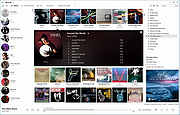 |
|
Notation Player v5.1.2 Notation Player v5.1.2 Displays MIDI music (.mid, .kar, or .not ) files as sheet music that you can view on the screen while the notes play. System Requirements: Windows Windows 11, 10 (Version 22H2, 21H2) - 64 Bit 64-bit Intel or AMD processor Minimum 4 GB, recommended 8 GB of RAM 400 MB of free disk space including disk space for songs Internet connection for downloading and activation of the software, access to the Online Manual, enabled network card or network port (not a USB port) macOS macOS Sequoia, Sonoma, Ventura, Monterey, Big Sur, Catalina 64-bit Intel or Apple M-processor family 4 GB of RAM Wine installed (see Use of Notation Software on MAC PCs) 1.5 GB of free disk space including Wine, disk space for songs Internet connection for downloading and activation of the software, access to the Online Manual, enabled network card or network port (not a USB port) Linux Ubuntu Ubuntu 24.04 LTS, 22.04 LTS - 64 Bit 64-bit Intel or AMD processor 4 GB of RAM Wine 9.0 installed (see Use of Notation Software on Ubuntu) 1.5 GB of free disk space including Wine, disk space for songs Internet connection for downloading and activation of the software, access to the Online Manual, enabled network card or network port (not a USB port) Click here to visit the author's website. |
|
1,277 | Jun 16, 2025 Notation Software Germany GmbH 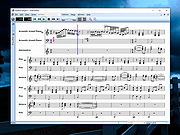 |
|
Pocket Radio Player v250414 Pocket Radio Player v250414 👉 A lightweight portable internet radio player for streaming thousands of stations worldwide. Pocket Radio Player is a compact and portable internet radio application that lets you listen to online radio stations from around the world without installation. Designed to be fast and resource-friendly, it runs directly from its executable and stores all settings locally, making it ideal for USB drives or use on multiple systems. Despite its small size, it offers powerful station management, recording capabilities, and customizable playback options in a clean, straightforward interface. Features: • Portable application with no installation required • Streams thousands of online radio stations • Record live radio streams to MP3 files • Customizable station lists and favorites • Built-in search and filtering for stations • Supports multiple audio formats and streaming protocols • Minimal CPU and memory usage • Command line support for advanced users Supported operating systems: • Windows 7, Windows 8, Windows 10, Windows 11 Supported languages: English, German, Spanish, French, Italian, Portuguese, Russian, Polish, Dutch Changes: v240113 01-13-24 Updated station list and minor improvements. Note: This file has four hits on VirusTotal. We have confirmed these to be false positives. The file is safe. |
|
11,820 | Jun 27, 2026 Stefan Sarbok 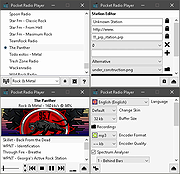 |
|
Qmmp v2.4.2 Qmmp v2.4.2 👉 A lightweight, Winamp-style audio player with broad format support, playlists, streaming, effects and plugins. Qmmp is a free, open-source audio player built with the Qt framework and designed for users who want a compact, highly configurable music player. Its classic skinned interface is similar to Winamp and XMMS, while an alternative interface based on standard Qt widgets is also included. Qmmp supports a wide variety of audio formats including MP3, Ogg Vorbis, Opus, FLAC, AAC, WMA, Musepack, WavPack, MIDI, SID, tracker modules and numerous chiptune formats. Additional formats can be handled through FFmpeg and libsndfile. Beyond basic music playback, Qmmp includes multiple playlists, a 10-band equalizer, ReplayGain, crossfade, lyrics, cover art, CUE sheets, internet radio streams, visualizations, audio conversion, recording, listening history and a media library. It can also use classic Winamp 2.x and XMMS skins. The modular plugin system provides support for additional input formats, output systems, DSP effects, visualizations and online services. Qmmp can submit listening history to Last.fm, Libre.fm and ListenBrainz and includes a stream browser for finding and playing online audio. Features: • Classic Winamp/XMMS-style skinned interface • Alternative interface using standard Qt widgets • Supports Winamp 2.x and XMMS skins • MP3 and MPEG Layer 2/3 playback • Ogg Vorbis and Ogg Opus support • Native FLAC and Ogg FLAC playback • AAC and ADTS AAC support • WMA and additional FFmpeg-supported formats • Musepack and WavPack support • PCM WAVE and other libsndfile-supported formats • MOD, S3M, IT, XM and other tracker modules • MIDI and SID playback • Extensive chiptune support including AY, GBS, GYM, HES, KSS, NSF, NSFE, SAP, SPC, VGM, VGZ and VTX • Audio CD playback • MP3, Vorbis, AAC and AAC+ internet streaming • Multiple playlists • M3U, PLS and XSPF playlist support • 10-band equalizer • ReplayGain playback support and ReplayGain scanner • Crossfade and extra stereo DSP effects • Sample-rate conversion • LADSPA effects • projectM visualization support • Spectrum analyzer • Lyrics display • ... |
|
2,794 | Sep 09, 2026 Qmmp Development Team 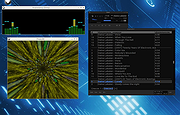 |
|
Resonic Player v0.9.3b Resonic Player v0.9.3b Resonic Player is a fast audio and music player, directory player, and sample browser, built around a big waveform view, a frequency analyzer, and a musical spectrum. The Player version is free for non-commercial and non-profit use. Meet the Waveform The Resonic user interface is built around a big waveform seek bar for a visual representation of the audio content. A custom browser and file list provides quick access to your folders and files. You can jump to any position in your audio or music files with a click into the waveform. Main Window Explained Player Features Ridiculously Fast Resonic makes extensive use of multi-core processing. Every important part is optimized for speed, which results in extremely fast browsing, seeking, and playback. Lightweight A couple of files, a few megabytes, low memory footprint, and tidy use of disk space. No bloated runtime packages are required. DLL files are not loaded on startup, but whenever they are required, which tailors memory usage to your behavior. Pure Sound In order to achieve the purest sound quality, there is absolutely nothing between decoded audio and sound output that might degrade quality, which is essential for both sound and sample previewing and audiophile audio playback. Resonic's audio engine runs on 32-bit floating point data. Clean Interface A major design goal is to always keep the graphical user interface clutter-free and user-friendly, without nested menus and dialogs, and without dumbing down the more powerful features. Click Less Single-Click Interface A single Left-Click navigates folders, plays files, seeks in audio, changes volume. No need to double-click just for the sake of it, but optionally available. No-Click Scrolling Move the mouse over controls and use the wheel to scroll lists, or to change volume. No need to click them first. Embrace your Keyboard Once you know the basic shortcuts you'll see how fast and comfortable keyboard-supported operation of Resonic really is. Play your folders instantly Resonic plays all your ... |
|
5,760 | Feb 13, 2020 Liqube Audio 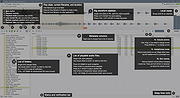 |
|
SMPlayer v26.8.29 SMPlayer v26.8.29 👉 A free media player with built-in codecs that plays virtually all video and audio formats. SMPlayer is a free media player for Windows, Linux and Mac OS with built-in codecs, YouTube playback, subtitle search and download, a thumbnail generator, and audio and video filters. Features: • Plays virtually all video and audio formats • Built-in codecs, no external codec packs required • Remembers playback position and settings for each file • Supports YouTube video playback • Searches and downloads subtitles • Includes video and audio filters • Playback speed control • Audio and subtitle delay adjustment • Video equalizer • Skins and icon themes • Supports Chromecast • Free and open source Supported operating systems: • Windows 8 and above • Windows XP and other 32-bit systems via alternative package • Linux • Mac OS 10.15 and above Supported languages: English, Espaρol, Franηais, Portuguκs, Portuguκs (Brasil), Euskara, Galego, Catalΰ, Lietuvių, Русский, Українська, Hrvatski, Polski, Deutsch, 日本語, 正體中文, 简体中文, 한국어, Bahasa Indonesia, Bahasa Melayu, Tόrkηe, Български, العربية, Dansk, Nederlands Changes: v26.8.29 Added an option to show a thumbnail preview when hovering over the seek bar (Preferences -> Interface). Playlist positions/progress are now remembered between sessions. Added a pause button to the playlist. Added an option to enable/disable secondary subtitles. Fixed zoom behavior. Fixed playlist item numbering after removing items. Playlist is now re-sorted automatically after adding files. Fixed the add black borders option. Improved retrieval of the track (song) title for internet radio streams (icy-title). Fixed video aspect ratio override support. Added support for additional network URI schemes (KDE integration). Forced the xcb backend on Linux to avoid display issues. macOS builds are now available for arm64 (Apple Silicon), in addition to the existing x86_64 builds. Experimental packages compiled with Qt 6 are now available for Windows and macOS. Various translation updates (German, Italian, Spanish, English UK/US, and others) Use 7-Zip to unzip this file. 👉 This download is for the Windows 64bit version (very bottom of page). All other download assets are below: Other Windows: smplayer-26.8.29-win32-qt5.6-unsigned.exe ... |
|
3,469 | Sep 28, 2026 Ricardo Villalba 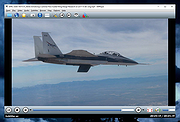 |
|
Sound Player Lilith v2019.01.01 Sound Player Lilith v2019.01.01 An ultra light, portable, skinnable music player that features a playlist editor, tag editor and audio converter. Lilith Audio Player plays MP3s, WMA, Ogg Vorbis, Monkeys Audio, WAV, and many more. It comes with a 10-band audio equalizer, CD text support, native VST plugin/WASAPI/ASIO support, 64fp pipeline, a convenient GUI, and consuming a very little amount of memory, it even does automatic latency compensation allowing the use of any linear phase EQ without any glitch. uLilith does much more than just play audio files, however. Lilith also allows users rip tracks from CDs and to convert audio files between a handful of formats. The program is portable, no installation required - just unzip and run it on the nearest PC. Supported operating systems: Windows (All) This download is for the 64bit version. If you need the 32bit version, download here. Use 7-Zip to unzip this file. Click here to visit the author's website. |
|
1,225 | Jun 06, 2025 Project9k 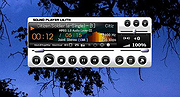 |
|
Tiny Player v2.8 Tiny Player v2.8 A free, tiny audio, video and CD/DVD player It uses DirectShow technology. It can read (but not modify) ID3/Ogg/APE/WMA tags and show sub/srt/aqt/dks subtitles. CD information can be obtained from freedb, CD-TEXT or cdplayer.ini and submitted to freedb. Features custom playback speed, single frame step, capture frame you can change subtitles color, size, font, vertical position no gap between audio tracks save audio to WAV file equalizer 2 visualizations - spectrum and oscilloscope Click here to visit the author's website. |
|
2,481 | Oct 18, 2022 Petr Lastovicka 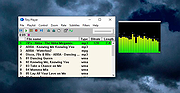 |
|
Ubiquitous Player 2014.2 Ubiquitous Player 2014.2 Portable audio player, image viewer, file manager, text editor, web browser, bookmark manager, calculator, and more. Ubiquitous Player includes: Music player Quick and easy access to your music. Dynamic meta-playlist based on folders. mp3, flac, wv, ape, alac, aac, m4a, wav, ogg, wma, aif, opus Image viewer (including full-screen mode) jpg, png, bmp, gif, tiff, ico, jpeg xr (hd photo, windows media photo) File manager (dual-panel; built-in file renamer) Text editor (txt, rtf) Web browser Bookmark manager Notes Calculator (wow) Snipping tool Color picker Screen capture tool Clipboard monitoring tool Even more Touchscreen and tablet friendly. It's 100% portable and doesn't need installation. Unicode is supported. Freeware (for non-commercial use). Available languages: English, French, German, Russian, Spanish. |
|
9,205 | Feb 17, 2014 UP Team |
|
Warzone 2100 v4.7.0 Warzone 2100 v4.7.0 👉 A free and open-source 3D real-time strategy game set in a post-nuclear world. Warzone 2100 is a free and open-source real-time strategy game where you command The Project in a battle to rebuild civilization after nuclear devastation. It features a story-driven single-player campaign, LAN and online multiplayer, AI skirmishes, an extensive technology tree with over 400 technologies, and a flexible unit designer that lets you customize vehicles and tactics to fit your play style. Features: • Story-driven single-player campaign • LAN and Internet multiplayer with integrated lobby • AI bots for offline skirmishes and practice • Extensive tech tree with over 400 technologies • Flexible unit designer for custom combat strategies • Cross-platform multiplayer support • 100% free and open-source • No ads, no subscriptions, and no in-app purchases • Legacy “Pumpkin” v1.10 campaign balance option in v4.7.0 • New net lobby improvements for easier joining and hosting • Vulkan backend improvements and multiple graphics fixes • Additional “Reclamation” soundtrack content Supported operating systems: • Windows 7 or higher • Windows 10 or higher via Microsoft Store • macOS 10.14 or higher • Linux, Ubuntu 22.04, Ubuntu 24.04+ • FreeBSD Supported languages: • English, Arabic, Bulgarian, German, Spanish, French, Italian, Dutch, Polish, Portuguese, Portuguese (Brazil), Romanian, Russian, Turkish, Ukrainian, Simplified Chinese Changes: v4.7.0 04-07-26 General Highlights: Vulkan Backend Improvements Model & Graphics Fixes Additional new “Reclamation” soundtrack Add Weapon Stats flag for configuring Captured Units Teleport Fix mouse cursor display scaling on some OSes Fix disabled state of mouse key code Fix objects incorrectly darkened due to terrain darkness / satellite strike Campaign: “Pumpkin” v1.10 Campaign Balance Mod Updated Remastered balance, Additional Spawns 2.0 Add campaign balance descriptions help panel Fix Classic campaign Howitzer tree path Fix various guide topic issues Fix missing Intel message issues Multiplayer: All-new net lobby and hosting/joining revamp Easier joining via GameId Improved handling for difficult connections and firewalls IPv4 + IPv6 hosting support Expanded host lobby options Improved security, privacy, and host visibility Properly persist player mute option This download is for the Windows version (very bottom ... |
|
8,457 | Apr 08, 2026 Warzone 2100 Project 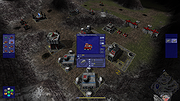 |
|
Xelitan Video Player v1.5 Xelitan Video Player v1.5 Free, portable and straightforward video player with lots of built-in video, audio and image decoders. Features: •comes with built-in decoders •supported video formats: MP4, MKV, AVI, MOV, 3GP, WEBM and more •supported audio formats: MP3, OGG, M4A, WAV, MID and more •supported image formats: JPEG, PNG, PSD, TIF, BMP, GIF, WEBP, TGA and more •supported subtitle formats: SubRipper, TmPlayer, SubStation Alpha and more •configurable plaback speed (25% - 400%) •video filters •saving screenshots •supports playlists •can play videos directly from the web •no ads •full version •free for personal and commercial use Changes v1.5 (2024-03-16) - bug fixes - better handling of playlists This download is for the portable version. If you need the installer version, download here. Click here to visit the author's website. |
|
1,715 | Mar 18, 2024 Xelitan.com 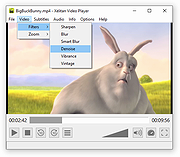 |
| Showing rows 1 to 22 of 22 | Showing Page 1 of 1 | 1 |
OlderGeeks.com Copyright (c) 2026
