|

|
Processed through Paypal No account required. |








Buy our over-priced crap to help pay the bills.



|
|
Processed through Paypal No account required. |
| Files | ||||
| File Name | Rating | Downloads | ||
 |
Aegisub v3.4.2 Aegisub v3.4.2 👉 Advanced cross-platform subtitle creation, timing, and editing software. Aegisub is a free, open-source subtitle editor designed for creating, modifying, timing, and styling subtitles for video content. It provides powerful tools for subtitle synchronization, visual typesetting, karaoke effects, and subtitle formatting while offering a built-in real-time video preview. Aegisub is widely used by subtitle creators, translators, fansub groups, and video editors who need precise control over subtitle appearance and timing. The program supports Advanced SubStation Alpha (ASS) subtitles and can import and export multiple subtitle formats. Its audio waveform display, timing tools, automation scripting support, and advanced styling features make it suitable for both beginners and professional subtitle authors. Features: • Create and edit subtitle files with precise timing controls • Advanced SubStation Alpha (ASS) subtitle support • Built-in real-time video preview window • Audio waveform and spectrogram displays for accurate synchronization • Powerful subtitle styling and typesetting tools • Karaoke timing and visual effects creation • Visual positioning and subtitle placement tools • Multiple subtitle format import and export support • Automation support through Lua and MoonScript scripting • Spell checking and text editing tools • Frame-by-frame subtitle adjustment capabilities • Video, audio, and subtitle synchronization tools • Cross-platform open-source design • Unicode and multilingual subtitle support Supported operating systems: • Windows 10/11 • macOS 10.15 and newer • Linux (Most major distributions via package manager.) Supported languages: English, Czech, German, Spanish, Finnish, French, Hungarian, Italian, Japanese, Catalan, Brazilian Portuguese, Traditional Chinese, Simplified Chinese, Russian, Bulgarian, Serbian, Greek, Turkish Changes: v3.4.2 01-12-25 Internationalization Fix more locale-dependent path issues Discard MRU entries with invalid encodings instead of crashing Linux Work around wxGTK crash when clicking “Show Original” Round instead of truncating in float audio converter to pass 32-bit tests Stuff Fix error “ERROR in finalizer: wrong number of arguments for function ... |
 |
667 | May 31, 2026 Rodrigo Braz Monteiro & contributers 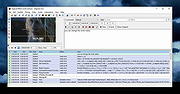 |
 |
Anki v26.05 Anki v26.05 👉 Powerful spaced repetition flashcard software for efficient learning and long-term memory retention. Anki is a free, open-source flashcard application that uses an advanced spaced repetition system (SRS) to help you memorize information more efficiently. Rather than reviewing every flashcard equally, Anki intelligently schedules cards based on how well you know them, allowing you to spend more time on difficult material and less time on concepts you've already mastered. It is widely used by students, language learners, medical professionals, and anyone who needs to retain large amounts of information. Anki supports rich-text flashcards containing images, audio, video, mathematical equations, and HTML formatting. You can create your own study decks or download thousands of shared decks created by the community. Your decks and learning progress can be synchronized across multiple computers and supported mobile devices through a free AnkiWeb account. Features: • Intelligent spaced repetition scheduling to maximize long-term retention • Create flashcards containing text, images, audio, video, and LaTeX equations • Download thousands of community-created shared decks • Organize study material with decks, note types, tags, and custom fields • Free synchronization through AnkiWeb • Detailed study statistics and progress tracking • Powerful search and filtering tools • Extensive add-on support for customizing and extending functionality • Import and export multiple flashcard and text formats • Fully customizable card templates and study options • Keyboard shortcuts for efficient studying • Cross-platform compatibility with desktop and mobile devices Supported operating systems: • Windows 10 or later • macOS 12 Monterey or later • Linux (2023 or newer distributions) Supported languages: • Afrikaans, Bahasa Melayu, Catalΰ, Dansk, Deutsch, Eesti, English (United Kingdom), English (United States), Espaρol, Esperanto, Euskara, Filipino, Franηais, Galego, Hrvatski, Italiano, Latin, Lenga d'ςc, Magyar, Nederlands, Norsk, Oʻzbekcha, Polski, Portuguκs, Portuguκs Brasileiro, Русский язык, Romβnă, Slovenčina, Slovenščina, Suomi, Svenska, Tiếng Việt, Tόrkηe, Ido, Čeština, Ελληνικά, Беларуская мова, Български, Монгол хэл, Српски, Українська мова, Қазақша, Հայերեն, עברית, ئۇيغۇرچە, العربية, فارسی, ଓଡ଼ିଆ, ... |
|
4,203 | Jun 19, 2026 Anki 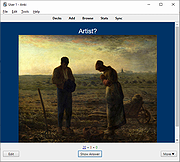 |
|
AOMEI Backupper Standard v8.4.0 AOMEI Backupper Standard v8.4.0 👉 Free backup, sync, restore, and disk cloning software for protecting your system and personal data. AOMEI Backupper Standard is free backup software designed to protect personal data and operating systems with backup, restore, sync, and cloning tools. It can back up files, folders, disks, partitions, and systems, create automatic scheduled backups, sync files to local and network locations, clone data disks for drive replacement or upgrades, and create bootable rescue media for recovery when the system cannot start. Features: • System, disk, partition, and file backup • File restore, system restore, disk restore, and partition restore • Automatic scheduled backups with daily, weekly, and monthly options • Incremental backup support • Basic file sync to local disks, external drives, network shares, and NAS • Disk clone for data disks and partition clone • Intelligent sector clone and SSD alignment support • Bootable media creation for recovery • Backup to local disk, external disk, USB flash drive, network/NAS, cloud drive, and CD/DVD • Backup image splitting, compression, checking, and task import/export • Recovery environment creation in the boot menu • Email notifications with Gmail and Hotmail SMTP support in the Standard edition Supported operating systems: • Windows 7, Windows 8, Windows 8.1, Windows 10, Windows 11 • macOS 10.13 (High Sierra) or higher Supported languages: • English, German, French, Japanese, Italian, Dutch, Spanish, Turkish, Polish, Simplified Chinese, Traditional Chinese Changes: v8.4.0 06-18-26 Optimized: Now it allows to reset the System Security Identifier (SID) during system/system disk clone and restore. This seamlessly eliminates network and permission conflicts after migrating systems to multiple PCs, making IT management and batch deployment much more efficient. Optimized: The task execution details page now displays "Transfer Speed" and "Estimated Time Remaining" in real-time, providing clear, at-a-glance visibility into your progress. Optimized: When the window of the backup source and destination selection pop-up is enlarged, the list column widths will automatically adjust the spacing according to ... |
|
10,118 | Aug 14, 2026 AOMEI Technology Co., Ltd 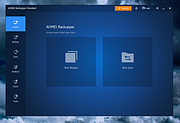 |
|
FileVoyager v26.9.6.0 FileVoyager v26.9.6.0 👉 A powerful dual-pane file manager and viewer for Windows. FileVoyager is a freeware Orthodox file manager (OFM) for Microsoft Windows that uses a dual-pane layout to make browsing, organizing, comparing, and transferring files easier. It can browse disks, folders, shares, archives, and FTP/FTPS locations in one unified interface, while also offering built-in viewers, archive handling, folder synchronization, file comparison, hashing, and media playback support. Features: • Dual-pane Orthodox file manager layout • Browse disks, folders, virtual folders, shares, archives, and FTP/FTPS locations • Multiple view modes, including report and thumbnail views • Rename, copy, move, link, delete, and recycle files • Pack and unpack ZIP, 7Zip, GZip, BZip2, XZ, Tar, and WIM archives • Unpack ARJ, CAB, XAR, Z, RAR, LZH, LZMA, ISO, WIM, and many other formats • Built-in file and folder comparison • Folder synchronization tools • Duplicate file finder • Advanced search and filtering • Quick preview for many file formats • Multimedia playback using installed codecs, Windows Media Player, and VLC support • Ebook and comic book viewing, including PDF, EPUB, MOBI, FB2, DJVU, CBR, CBZ, and XPS • Syntax highlighting for many source code formats • Hexadecimal and flat file viewing modes • Hash tool with VirusTotal-powered malware report • Dark Mode and customizable themes • Available as Setup or Portable editions • Optional VLC codec packages Supported operating systems: • Windows 10, Windows 11 • Should also run on Windows Vista, Windows 7, Windows 8.x, but these are not tested Supported languages: Arabic, Chinese Simplified, Czech, Danish, Dutch, English, French, German, Greek, Hungarian, Italian, Japanese, Korean, Polish, Portuguese, Portuguese (Brazil), Russian, Slovak, Slovenian, Spanish, Swedish Changes: v26.9.6.0 09-06-26 + New: Viewer: The main new feature in this release is folder analytics in the Viewer, with a dedicated panel providing key metrics and insights about a folder selected. + New: Browse: Added Archive & Unarchive commands in the Central toolbar, under Tools. ~ Chg: Global: Mask labels, visible in the various filter ... |
|
5,817 | Sep 11, 2026 FileVoyager 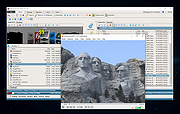 |
|
FreeFileSync v14.13 FreeFileSync v14.13 👉 Compare and synchronize files and folders to create and manage backups. FreeFileSync is an open-source program for comparing and synchronizing files and folders. Select a source and destination, compare their contents, review the proposed changes, and synchronize the locations. The program transfers only the data needed to bring them in line, which can save time when updating an existing backup with new or changed files. Choose from mirror synchronization, two-way synchronization, or custom rules to control what happens to files on each side. FreeFileSync can detect moved and renamed items, compare files by content, size, or date, and keep previous versions of files that are replaced or deleted. Use filters to include or exclude specific files and folders, and save configurations as batch jobs for repeatable or scheduled backups. FreeFileSync works with local drives, network shares, mobile devices connected through MTP, Google Drive, FTP, FTPS, and SFTP. Its companion program, RealTimeSync, can monitor selected folders and start a batch job when changes are detected. Features: • Compare and synchronize files and folders on local drives and network shares • Choose mirror, two-way, or custom synchronization settings • Compare files by size, date, or content • Detect moved and renamed files and folders • Transfer only the data needed to synchronize the selected locations • Use file filters to include or exclude items by name, path, or other criteria • Save previous versions of updated or deleted files • Synchronize multiple folder pairs in one configuration • Save configurations as batch jobs for repeatable or scheduled synchronization • Use RealTimeSync to monitor folders and trigger batch jobs when changes occur • Synchronize through FTP, FTPS, and SFTP • Synchronize ... |
|
3,539 | Oct 29, 2026 Zenju 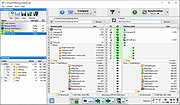 |
|
NewFileTime v8.31 NewFileTime v8.31 👉 Easily modify and correct file and folder timestamps in Windows. NewFileTime is a lightweight and portable timestamp utility that allows you to quickly change the creation date, modification date, and access date of files and folders. It is especially useful for correcting incorrect timestamps after copying files, restoring backups, sorting media collections, or organizing archived documents. The program supports drag-and-drop operation and can process multiple files and folders at once, making bulk date changes simple and efficient. NewFileTime features an easy-to-use interface with preset time options, random date generation, and precise manual controls for adjusting timestamps down to the second. The software can also import timestamps from other files, preserve original dates during operations, and work with network drives and external storage devices. Because it is portable, it can run without installation and is ideal for technicians, archivists, photographers, and power users who frequently manage file metadata. Features: • Change creation, modification, and access timestamps for files and folders • Batch process multiple files and directories simultaneously • Drag-and-drop support for quick file handling • Portable application requiring no installation • Copy timestamps from reference files • Set timestamps manually with precise date and time controls • Randomize dates and times for testing or organization purposes • Supports folders, network drives, USB drives, and external media • Easy-to-use interface with preview before applying changes • Optional administrative mode for protected files • Small system footprint and fast processing performance • Compatible with Unicode filenames and long file paths Supported operating systems: • Windows XP, Windows Vista, Windows 7, Windows 8, Windows 10, Windows 11, Windows Server 2000, Windows Server 2003, Windows Server 2008, Windows Server 2012, Windows Server 2016, Windows Server 2019, Windows Server 2022 Supported languages: • English, German, French, Spanish, Italian, Portuguese, Dutch, Polish, Russian, Chinese, Japanese, Korean, Turkish, Greek, Hungarian, Danish, Finnish, Norwegian, Swedish, Czech, Slovak, Romanian, Bulgarian, Arabic, Hebrew, Ukrainian, Indonesian, Vietnamese Changes: v8.31 ... |
|
7,092 | Oct 12, 2026 Nenad Hrg 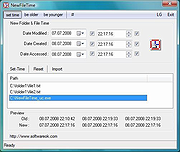 |
|
PearPass v2.1.0 PearPass v2.1.0 👉 Peer-to-peer password manager with private, device-to-device syncing. PearPass is an open-source password manager that prioritizes privacy and user control by avoiding centralized servers. Built on Pear Runtime, it uses peer-to-peer technology to sync your credentials directly between your devices, ensuring your data remains private, secure, and fully under your control. Instead of relying on cloud storage, PearPass keeps your information encrypted and shared only between your authorized devices. With a clean and minimal interface, it provides a straightforward way to manage passwords while maintaining modern security practices and full data ownership across desktop and mobile devices. Features: • Peer-to-peer syncing between devices with no central server • Built on Pear Runtime for decentralized application architecture • End-to-end encryption to protect all stored credentials • Local-first storage with no mandatory cloud dependency • Open-source codebase for transparency and independent auditing • Secure device-to-device authorization for syncing • No tracking, telemetry, or third-party data collection • Simple vault-style organization for managing credentials • Clean, minimal interface focused on ease of use • Fast access and retrieval of stored passwords • Designed for full user ownership and control of sensitive data • Lightweight application with low resource usage • Cross-platform support including desktop and mobile devices Supported operating systems: • Windows 10, Windows 11 • macOS • Linux • Android • iOS Supported languages: English Changes: v2.1.0 05-20-26 New features TOTP support: including OTP-to-login matching, duplicate-code warnings, and account search. Vault Deletion: Local vault removal with automatic cross-device syncing. Bitwarden Import: Support for encrypted vault imports. UI & UX Improvements UX improvements: Cleaned up core UI flows (Home, Settings, Autofill, Passkeys). Stability & Performance Faster Diagnostics: Optional local logs for monitoring for quicker bug fixes. Reliable Sync: Fixed Home screen vault name updates and improved cross-device syncing. This download is for the Windows 64bit version (very bottom of page). All ... |
|
865 | Sep 16, 2026 Tether Data, S.A. de C.V.  |
|
ResophNotes v1.8.1 ResophNotes v1.8.1 👉 A fast, lightweight Windows note-taking program with Simplenote synchronization, Markdown support, tags and powerful keyboard controls. ResophNotes is a free note-taking program for Windows designed to make creating, finding and managing text notes quick and uncomplicated. Notes can be kept locally or synchronized online with Simplenote, allowing them to be accessed from other devices using compatible Simplenote applications. It supports Markdown with HTML preview, tags, pinned notes, internal links, global keyboard shortcuts and optional storage of each note as an individual plain-text file. Deleted notes can be restored or permanently removed, and nearly every function can be controlled from the keyboard. A dark mode is also available. The developer warns that Simplenote may stop supporting synchronization with third-party applications, so Simplenote syncing should currently be used with caution. Features: • Simple, fast note creation and management • Synchronizes notes online with Simplenote • Access synchronized notes from other devices through Simplenote • HTTPS proxy support for Simplenote connections • Dark mode support • Global hotkey for quickly creating a new note • Global hotkey for restoring ResophNotes when minimized • Markdown text-to-HTML conversion with preview • Automatically recognizes HTTP links and email addresses • Internal note linking using wikilinks • Optional individual .txt files for storing notes • Complete keyboard control with numerous shortcuts • Single Note Mode for distraction-free note viewing and editing • Simplenote pinned-note support • Simplenote tag support • Search notes quickly from the keyboard • Import existing .txt files • Email notes directly from the program • Print notes • Insert the current timestamp with a keyboard shortcut • Restore deleted notes • Permanently delete unwanted notes • Free to use Supported operating systems: • Windows 10, Windows 11 (64-bit) Supported languages: English Changes: v1.8.1 08-14-26 Added Dark mode. Built using Microsoft Visual Studio Community 2026. Uses Qt 5.15.2. Updated OpenSSL library for connection issues. Click here to visit the author's website. |
|
92 | Sep 15, 2026 C.Y. Yen  |
|
RsyncZilla v1.3.0 RsyncZilla v1.3.0 👉 A modern FileZilla-style Windows file transfer client powered by rsync over SSH. RsyncZilla is a free and open-source file transfer client for Windows that combines a familiar dual-pane, FileZilla-style interface with the reliability and efficiency of rsync. Browse local files on one side and remote servers over SFTP on the other, then upload or download files and folders using drag and drop. RsyncZilla uses portable rsync over SSH for transfers, allowing it to send only new files and modified byte blocks instead of retransmitting entire files. Transfers use temporary files to help prevent incomplete files from replacing good copies, while rsync exit codes and detailed logs make failed transfers clearly visible instead of silently ignoring problems. It also includes remote file editing, an integrated SSH terminal, saved server profiles, transfer queues, failed-transfer retries and real-time transfer information. Passwords are not stored on disk; credentials are passed to the SSH process in memory when needed. Features: • Familiar dual-pane interface with local Windows files on the left and remote server files on the right • Remote filesystem browsing over SFTP using SSH.NET • Upload and download files and folders with bidirectional drag and drop • Drag files and folders directly from Windows Explorer into the remote pane • Multi-selection using Shift, Ctrl or selection-box dragging • Double-click navigation for directories • Open local files using their associated Windows applications • Show local files and folders directly in Windows Explorer • Portable rsync and SSH components are bundled with the application • Delta transfers send new files and modified byte blocks instead of retransmitting unchanged data • Configurable handling of existing files including size/date comparison, newer-only updates, overwrite and checksum modes • Atomic rsync writes help prevent interrupted transfers from leaving corrupted or partially written destination files • Resumable synchronization with clear reporting when a transfer is interrupted or rejected • Integrated KiTTY SSH terminal ... |
|
104 | Sep 17, 2026 kanowins 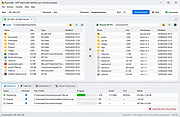 |
|
SyncTrayzor v2.1.0 SyncTrayzor v2.1.0 👉 Makes Syncthing behave like a native Windows application with a convenient system tray interface. SyncTrayzor is a Windows tray utility for Syncthing that hosts and manages Syncthing, providing a more integrated desktop experience than using the web interface alone. It includes a built-in browser for managing Syncthing, automatically starts with Windows if desired, monitors synchronization activity, and provides notifications for sync events, conflicts, and device status. SyncTrayzor also includes folder watching for faster detection of file changes and tools to help resolve synchronization conflicts. It is designed to simplify the use of Syncthing while retaining all of its powerful decentralized file synchronization capabilities. Features: • Built-in browser for managing Syncthing without opening an external web browser • Runs from the Windows system tray • Optional automatic startup with Windows • Real-time synchronization status and activity notifications • Folder watcher for faster detection of file changes • File transfer progress window • Conflict detection and conflict resolution tool • Notifications for completed syncs, conflicts, and device connections or disconnections • Supports pausing synchronization on metered networks • Native 64-bit builds, including Windows on ARM64 • Automatic update support • Open source (MIT License) Supported operating systems: • Windows 10, Windows 11 (64-bit only, including ARM64) Supported languages: • English, German, French, Spanish, Italian, Portuguese, Russian, Chinese, Japanese, Korean, Dutch, Polish, Czech, Turkish, Ukrainian, and additional community-translated languages. Changes: v2.1.0 12-17-25 • Reworked the tray activity popup to be draggable and resizable • Fixed inverted order of items in the tray activity popup • Added a warning when mixed v1/v2 installations are detected • Translation updates • Dependency and runtime upgrades • Embedded browser upgraded to Chromium/CEF v141 This download is for the Windows 64bit version (very bottom of page). If you need the Windows ARM64 version, download here. Click here to visit the author's website. |
|
3,454 | Jun 23, 2026 Maximilian Frφhling 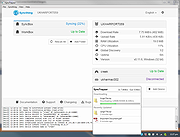 |
| Showing rows 1 to 10 of 10 | Showing Page 1 of 1 | 1 |
OlderGeeks.com Copyright (c) 2026
