|

|
Processed through Paypal No account required. |








Buy our over-priced crap to help pay the bills.



|
|
Processed through Paypal No account required. |
| Files | ||||
| File Name | Rating | Downloads | ||
 |
Dangerzone v0.11.0 Dangerzone v0.11.0 👉 Convert potentially dangerous documents into safe PDFs without exposing your computer to malicious content. Dangerzone is a free and open source document sanitization tool from the Freedom of the Press Foundation that lets you safely open PDFs, office documents, images and other potentially untrusted files. Instead of opening the original document directly, Dangerzone places it inside an isolated sandbox with no network access, converts each page into raw pixel data, and then reconstructs those pixels into a new, safe PDF. This process removes active content and other potentially malicious elements while preserving the document's visual appearance. Dangerzone supports more than 20 document types, including PDF files, major office-suite formats and common image formats. Because document processing takes place inside an isolated environment without network access, malicious content that might exploit the document converter is prevented from communicating with the outside world. Everything is processed locally on your computer. Features: • Converts potentially dangerous documents into safe PDF files • Uses an isolated sandbox to process untrusted documents • Renders document pages into raw pixel data before reconstructing them as PDFs • Removes potentially dangerous active content during conversion • Prevents the conversion sandbox from accessing the network • Processes documents locally on your computer • Supports more than 20 document and image formats • Supports PDFs and major office-suite document formats • Supports common image formats • Can process multiple documents • Allows additional documents to be added to an ongoing conversion • Supports converting another set of documents after completing a batch • Supports OCR processing • Free and open source under the AGPLv3 license • Maintained by the Freedom of the Press Foundation Supported operating systems: • Windows 10, Windows 11 • macOS, latest three supported releases, Intel and Apple Silicon • Ubuntu 22.04, Ubuntu 24.04, Ubuntu 25.10, Ubuntu 26.04 • Debian 12, Debian 13, Debian 14 • Fedora 43, Fedora 44 • Tails, current release • Qubes OS using a ... |
 |
2,266 | Sep 02, 2026 Micah Lee  |
|
Luanti v5.17.0 Luanti v5.17.0 👉 Free and open source voxel game engine and sandbox game platform. Luanti is a free and open source voxel game engine that lets you play, create, and share games in vast procedurally generated worlds. Formerly known as Minetest, Luanti provides an extensible sandbox environment with support for thousands of community-created games, mods, texture packs, and worlds through its integrated ContentDB. Whether you want to build creative worlds, survive in challenging adventures, develop your own game, or host multiplayer servers, Luanti offers a lightweight yet highly customizable platform suitable for both players and developers. Designed with flexibility in mind, Luanti features Lua scripting for game development, powerful world generation, multiplayer support, customizable controls, and cross-platform compatibility. The engine emphasizes performance while remaining easy to modify, making it a popular choice for educators, hobbyists, and open source game developers alike. Features: • Play thousands of community-created games and mods • Create nearly infinite procedurally generated voxel worlds • Integrated ContentDB for downloading games, mods, and texture packs • Single-player and multiplayer gameplay • Powerful Lua API for game and mod development • Built-in world editor and creative building tools • Customizable texture packs and visual themes • Cross-platform multiplayer compatibility • Dedicated server support • Lightweight engine with high performance • Open source under the LGPL license • Extensive documentation for developers and creators Supported operating systems: Supported operating systems: • Windows 8, Windows 8.1, Windows 10, Windows 11 • macOS 12.3 or higher • Linux • Android 6.0 or higher • FreeBSD Supported languages: • English, Čeština, Deutsch, Espaρol, Franηais, Bahasa Indonesia, Italiano, 日本語, 한국어, Polski, Portuguκs, Русский, slovenščina, Svenska, தமிழ், Українська, 中文 Changes: v5.17.0 08-20-26 ⚠️ This release fixes security vulnerabilities affecting both the client and server. We advise everyone to upgrade immediately. ⚠️ Client / Audiovisuals# Dropdowns now accept selection by (Mouse) Down -> Drag -> Release. Formspecs no longer close when focusing the window (SmallJoker) ... |
|
7,914 | Aug 30, 2026 The Luanti Team 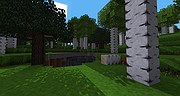 |
|
Oolite v1.92.1 Oolite v1.92.1 👉 Open-source space trading and combat simulator inspired by the classic Elite. Oolite is a free, open-source space exploration, trading, and combat game inspired by the 1984 classic Elite. You pilot a small spacecraft in a vast procedurally generated galaxy, trading goods, completing missions, battling pirates, and upgrading your ship to survive increasingly dangerous encounters. With its retro wireframe roots blended with modern graphical enhancements, Oolite delivers a nostalgic yet expansive space simulation experience. The game features an open-ended sandbox universe where players can choose their own path as trader, bounty hunter, pirate, or explorer. Through community-created expansion packs (OXP), Oolite can be extensively customized with new ships, missions, graphics upgrades, and gameplay enhancements. Features: • Procedurally generated galaxy with thousands of star systems • Open-ended gameplay with trading, combat, exploration, and missions • Ship upgrades including weapons, shields, cargo space, and equipment • Dynamic AI-driven encounters with pirates, traders, and law enforcement • Extensive modding support through Oolite Expansion Packs (OXP) • Multiple ship types and customizable loadouts • Retro-inspired visuals with optional enhanced graphics packs • Cross-platform open-source engine Supported operating systems: • Windows 10, Windows 11 • macOS 10.15 Catalina or higher • Linux (64-bit distributions with modern OpenGL support) Supported languages: English, French, German, Spanish, Italian Changes: v1.92.1 03-19-26 This is a bug-fix update. Addressed in this release: Windows: Fixed game window title bar not respecting system dark mode settings when the game was launched with the -nosplash parameter. Fixed white flashbang on startup when the game was started with the -nosplash parameter. Disabled the incorrect transfer of full screen window to different monitor with Win + Shift + Left/Right in multi-monitor setups. Linux: Centre main window after showing splash. Smooth resizing of game window. Fix for crash when no network. Common to both ports: Fixed ... |
|
5,279 | Jun 27, 2026 Giles Williams, Jens Ayton 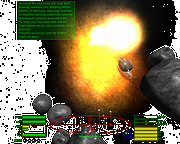 |
|
Principia v2026.07.15 Principia v2026.07.15 👉 A free, open source physics sandbox for building machines, circuits, puzzles, games and robot adventures. Principia is a physics-based sandbox building game that gives you a large collection of mechanical, electrical and interactive objects for creating your own working contraptions. Build vehicles, machines, electronic circuits, pinball games, puzzles, automated systems and other creations, then put them into motion using the game's physics simulation. The sandbox goes well beyond simply attaching wheels and motors. Principia includes power and signal cabling, electronic components, controllers and other objects that can be connected to create complex logic and automated systems. For more advanced projects, the LuaScript object lets you write Lua 5.2 programs that interact directly with a level, control objects and draw custom graphics. You can also create and play puzzles, minigames and Adventure levels. Adventure mode puts you in control of a robot that can explore environments, use tools, collect materials, operate machinery and interact with creations. Thousands of community-made levels and creations are available through the Principia community site. Principia was originally developed by Bithack AB and released commercially in 2013. Its source code was released in 2022, and the game is now maintained as a free, open source community project under the BSD 3-Clause license. Features: • Physics-based sandbox for designing and simulating working contraptions • Build mechanical machines, vehicles, robots, puzzles, games and automated systems • Large collection of mechanical, electronic and interactive objects • Power cables for supplying electricity to motors and other powered devices • Signal cables for building electronic and logic-based systems • Motors, power supplies, controllers, sensors and other components for advanced creations • Create custom puzzles with your own objectives and win conditions • Adventure mode with a controllable robot, tools, materials and interactive environments • Lua 5.2 scripting for creating advanced behavior, games and interactive systems • Lua scripts can interact with the simulation and ... |
|
1,349 | Aug 07, 2026 Bithack 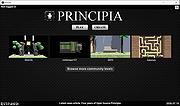 |
|
Sandboxie-Classic v5.73.3 Sandboxie-Classic v5.73.3 👉 Run programs in an isolated sandbox to prevent permanent system changes. Sandboxie Classic is a sandbox-based isolation tool that allows applications to run in a controlled environment, preventing them from making permanent changes to your system. It is especially useful for safely testing unknown software, browsing the web securely, and protecting your system from malware or unwanted modifications. Sandboxie Classic creates a virtualized environment where files, registry changes, and system interactions are contained within the sandbox. Once the sandbox is deleted, all changes made during the session are completely removed, leaving your system unchanged. Features: • Run applications in an isolated sandbox environment • Prevent permanent changes to files and Windows registry • Secure web browsing by containing browser activity • Test untrusted programs safely before installing • Easy sandbox deletion to remove all traces of activity • Lightweight and efficient with minimal system impact • Supports forced programs and folders to always run sandboxed • Snapshot and recovery options for sandbox contents • Compatible with many common Windows applications • Open source and actively maintained Supported operating systems: • Windows 7, Windows 8, Windows 8.1, Windows 10, Windows 11 Supported languages: English, German, French, Spanish, Italian, Dutch, Russian, Chinese, Japanese, Korean, Portuguese, Polish Changes: v5.73.3 08-30-26 Added added a visible Cleanup Trace Log action to the standalone SandMan trace monitor Fixed fixed File Migration action dropdown changes being discarded when clicking Apply or OK while the editor still has focus #5548 fixed SandMan File Panel and Browse Files preserving expanded folders and restoring selection, keyboard focus, and scrolling to the nearest surviving item after deletion #5499 fixed Start.exe autorun handling for oversized registry values, bounded shortcut paths, paginated Startup directories, and dynamically sized launch command lines fixed SandMan Trace Log crashes and stale entries when clearing the log while integrated and ... |
|
6,424 | Sep 02, 2026 David Xanatos 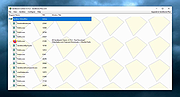 |
|
Sandboxie-Plus v1.18.3 Sandboxie-Plus v1.18.3 👉 Run programs in an isolated sandbox so they cannot make permanent changes to Windows or your files. Sandboxie-Plus is an open-source sandbox-based isolation tool for Windows. It creates a controlled virtual environment where applications can be run or even installed without permanently modifying the local drive, mapped drives, or the Windows registry. The Plus edition uses a modern Qt-based interface and adds newer management and customization features on top of the shared Sandboxie core. Features: • Runs programs in isolated sandboxes to help prevent permanent changes to local and mapped drives or the Windows registry • Allows creation of virtually unlimited sandboxes • Can run multiple programs at the same time in one sandbox or across separate sandboxes • Modern Qt-based Sandboxie-Plus interface • Snapshot Manager for saving and restoring sandbox states • Maintenance menu for installing, uninstalling, starting, and stopping the Sandboxie driver and service • Portable mode that can extract all files to a directory • Additional UI options to block access to Windows components such as the printer spooler and clipboard • More customization options for Start/Run and Internet access restrictions • Privacy mode sandboxes to help protect user data from illegitimate access • Security-enhanced sandboxes that restrict syscall and endpoint availability • Global hotkeys to suspend or terminate all boxed processes • Per-sandbox network firewall support using Windows Filtering Platform • Search for sandboxes with Ctrl+F • Search function for Global Settings and Sandbox Options • Import and export sandboxes to and from 7z files • Windows Start menu integration for sandboxes • Browser compatibility wizard for unsupported browsers • Vintage View mode to reproduce the look of Sandboxie Control • Troubleshooting wizard to assist with problems • Add-on manager for extending functionality with additional components • Includes protections of sandboxes against the host, including prevention of taking screenshots Supported operating systems: • Windows 7 or higher (64-bit) Supported languages: Arabic, Simplified Chinese, Traditional Chinese, Dutch, French, German, Hungarian, Italian, Japanese, Korean, ... |
|
5,944 | Sep 02, 2026 David Xanatos 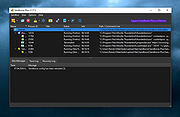 |
|
VirtualBox v7.2.20 VirtualBox v7.2.20 👉 Run multiple operating systems in virtual machines on a single computer. VirtualBox is a free, open-source virtualization program from Oracle that lets you create and run virtual computers inside your existing operating system. Each virtual machine can be configured with its own processors, memory, storage, display, networking and removable devices, allowing different operating systems to run without replacing or modifying the host system. It is useful for testing software, evaluating operating systems, running older applications, creating isolated development environments and experimenting with system configurations. Virtual machines can be paused, saved, cloned, exported or restored to an earlier snapshot. Features: • Create and run multiple virtual machines on one physical computer • Supports x86-64 virtualization and Arm virtualization on supported Apple silicon hosts • Configurable processors, memory, virtual disks, graphics and network adapters • Run Windows, Linux, BSD, Solaris and other supported guest operating systems • Take snapshots and restore virtual machines to earlier states • Clone, import and export virtual machines • Shared folders for exchanging files between host and guest systems • Shared clipboard and drag-and-drop integration on supported systems • NAT, bridged, internal, host-only and other virtual networking modes • USB device passthrough with the appropriate VirtualBox components • Guest Additions improve display, mouse, clipboard and folder integration • Command-line management through VBoxManage • Supports unattended installation for compatible guest operating systems • Save a running virtual machine and resume it later • Optional Extension Pack adds additional functionality under a separate license Supported operating systems: • Windows 8.1, Windows 10, Windows 11, Windows Server 2012, Windows Server 2012 R2, Windows Server 2016, Windows Server 2019, Windows Server 2022, Windows Server 2025 • macOS 13 Ventura, macOS 14 Sonoma, macOS 15 Sequoia, macOS 26 Tahoe • Supported 64-bit Linux distributions • Oracle Solaris 11 Supported languages: English, Indonesian, Catalan, Czech, Danish, German, Spanish, Basque, French, Croatian, Italian, Lithuanian, Hungarian, Dutch, Polish, Portuguese (Brazil), Portuguese (Portugal), Slovak, Slovenian, Swedish, Turkish, Greek, ... |
|
12,131 | Sep 23, 2026 Oracle 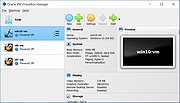 |
| Showing rows 1 to 7 of 7 | Showing Page 1 of 1 | 1 |
OlderGeeks.com Copyright (c) 2026
