|

|
Processed through Paypal No account required. |








Buy our over-priced crap to help pay the bills.



|
|
Processed through Paypal No account required. |
| Files | ||||
| File Name | Rating | Downloads | ||
 |
LibreWolf v153.0.4-1 LibreWolf v153.0.4-1 👉 Privacy-focused Firefox-based web browser with hardened security settings and built-in content blocking. LibreWolf is a custom and independent version of Firefox focused on privacy, security, and user freedom. It is designed to increase protection against tracking and fingerprinting techniques through privacy and security oriented settings and patches. It also removes telemetry, data collection, and various annoyances while disabling anti-freedom features such as DRM. LibreWolf includes uBlock Origin, uses privacy-respecting search engines, and stays aligned with current Firefox stable releases for up-to-date security and stability. Features: • No telemetry, experiments, adware, or unnecessary distractions • Includes uBlock Origin with custom default filter lists • Uses privacy-respecting search engines such as DuckDuckGo, Searx, and Qwant • Enables Total Cookie Protection and anti-fingerprinting protections • Deletes cookies and website data on close • Disables WebGL, form autofill, form history, link prefetching, and speculative connections • Enables HTTPS-Only mode and stricter TLS/SSL negotiation rules • Disables Firefox Sync unless explicitly enabled by the user • Removes Pocket and Mozilla VPN ads • Disables DRM by default • Provides a LibreWolf-specific UI for privacy and security controls • Open source and community-driven project Supported operating systems: • Windows 10 or later, Windows 11 • macOS • Linux • OpenBSD Supported languages: English, Additional languages via Firefox language packs Changes: v153.0.4-1 08-12-26 Upstream release based on Firefox 153.0.4. Notable Changes: • Search engines have moved away from using policies and now use the bundled remote-settings dump. • The included search engines have been overhauled. This may cause the default search engine for some users to reset to DuckDuckGo No-AI. • Fixed slow startup that some users experienced when starting a session. Infrastructure Changes: • Migration to LibreWolf's own Forgejo instance at librewolf.dev has begun. • Releases will continue to be published to Codeberg during the transition to give downstream packagers time to update. • The signing key for RPM releases has been changed to LibreWolf's repository signing key. This download is for the ... |
 |
3,513 | Aug 13, 2026 LibreWolf Core Contributors  |
|
PrivaZer v4.0.127 PrivaZer v4.0.127 👉 Advanced privacy cleaner that removes traces of your activity from your PC. PrivaZer is a powerful privacy-focused cleaning tool designed to remove traces left behind by everyday computer use. It scans your system to locate leftover files, internet history, cookies, cache data, and other hidden artifacts created by Windows, browsers, and applications. By carefully cleaning these traces, PrivaZer helps improve privacy, free disk space, and keep your system running efficiently. PrivaZer performs deep scans that go beyond typical cleaning utilities, detecting residual data that many programs leave behind. It can safely remove traces from web browsers, messaging applications, system logs, and temporary files while offering detailed control over what is cleaned. Advanced options allow users to securely delete sensitive data and prevent recovery of removed files. The program also offers customizable cleaning profiles, scheduled cleanups, and secure deletion features for users who want to maintain long-term privacy protection. Despite its advanced capabilities, PrivaZer includes guided cleaning modes that help beginners safely perform system cleanup without risk. Features: • Deep scan and removal of privacy traces left by Windows and applications • Cleans browser history, cookies, cache, and internet activity records • Detects and removes residual files left after software uninstallations • Secure file deletion to prevent recovery of sensitive data • Cleans temporary files, logs, and leftover system artifacts • Guided cleaning mode for safe cleanup by less experienced users • Advanced cleaning options for experienced users • Optional scheduled cleaning and automation Supported operating systems: • Windows XP, Windows Vista, Windows 7, Windows 8, Windows 10, Windows 11 Supported languages: Arabic, Bulgarian, Chinese Simplified, Chinese Traditional, Czech, Danish, Dutch, English, Finnish, French, German, Greek, Hungarian, Indonesian, Italian, Japanese, Korean, Norwegian, Polish, Portuguese, Portuguese Brazilian, Romanian, Russian, Slovak, Slovenian, Spanish, Swedish, Turkish, Ukrainian Changes: v4.0.127 10-02-26 + Improved cleanup : HDD + Improved cleanup : TRIM + Improved cleanup : snapshots + Improved cleanup : Free Download Manager + ... |
|
15,047 | Oct 05, 2026 Goversoft LLC 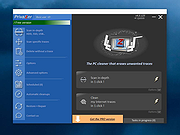 |
|
Sandboxie-Classic v5.73.3 Sandboxie-Classic v5.73.3 👉 Run programs in an isolated sandbox to prevent permanent system changes. Sandboxie Classic is a sandbox-based isolation tool that allows applications to run in a controlled environment, preventing them from making permanent changes to your system. It is especially useful for safely testing unknown software, browsing the web securely, and protecting your system from malware or unwanted modifications. Sandboxie Classic creates a virtualized environment where files, registry changes, and system interactions are contained within the sandbox. Once the sandbox is deleted, all changes made during the session are completely removed, leaving your system unchanged. Features: • Run applications in an isolated sandbox environment • Prevent permanent changes to files and Windows registry • Secure web browsing by containing browser activity • Test untrusted programs safely before installing • Easy sandbox deletion to remove all traces of activity • Lightweight and efficient with minimal system impact • Supports forced programs and folders to always run sandboxed • Snapshot and recovery options for sandbox contents • Compatible with many common Windows applications • Open source and actively maintained Supported operating systems: • Windows 7, Windows 8, Windows 8.1, Windows 10, Windows 11 Supported languages: English, German, French, Spanish, Italian, Dutch, Russian, Chinese, Japanese, Korean, Portuguese, Polish Changes: v5.73.3 08-30-26 Added added a visible Cleanup Trace Log action to the standalone SandMan trace monitor Fixed fixed File Migration action dropdown changes being discarded when clicking Apply or OK while the editor still has focus #5548 fixed SandMan File Panel and Browse Files preserving expanded folders and restoring selection, keyboard focus, and scrolling to the nearest surviving item after deletion #5499 fixed Start.exe autorun handling for oversized registry values, bounded shortcut paths, paginated Startup directories, and dynamically sized launch command lines fixed SandMan Trace Log crashes and stale entries when clearing the log while integrated and ... |
|
6,424 | Sep 02, 2026 David Xanatos 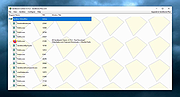 |
|
Sandboxie-Plus v1.18.3 Sandboxie-Plus v1.18.3 👉 Run programs in an isolated sandbox so they cannot make permanent changes to Windows or your files. Sandboxie-Plus is an open-source sandbox-based isolation tool for Windows. It creates a controlled virtual environment where applications can be run or even installed without permanently modifying the local drive, mapped drives, or the Windows registry. The Plus edition uses a modern Qt-based interface and adds newer management and customization features on top of the shared Sandboxie core. Features: • Runs programs in isolated sandboxes to help prevent permanent changes to local and mapped drives or the Windows registry • Allows creation of virtually unlimited sandboxes • Can run multiple programs at the same time in one sandbox or across separate sandboxes • Modern Qt-based Sandboxie-Plus interface • Snapshot Manager for saving and restoring sandbox states • Maintenance menu for installing, uninstalling, starting, and stopping the Sandboxie driver and service • Portable mode that can extract all files to a directory • Additional UI options to block access to Windows components such as the printer spooler and clipboard • More customization options for Start/Run and Internet access restrictions • Privacy mode sandboxes to help protect user data from illegitimate access • Security-enhanced sandboxes that restrict syscall and endpoint availability • Global hotkeys to suspend or terminate all boxed processes • Per-sandbox network firewall support using Windows Filtering Platform • Search for sandboxes with Ctrl+F • Search function for Global Settings and Sandbox Options • Import and export sandboxes to and from 7z files • Windows Start menu integration for sandboxes • Browser compatibility wizard for unsupported browsers • Vintage View mode to reproduce the look of Sandboxie Control • Troubleshooting wizard to assist with problems • Add-on manager for extending functionality with additional components • Includes protections of sandboxes against the host, including prevention of taking screenshots Supported operating systems: • Windows 7 or higher (64-bit) Supported languages: Arabic, Simplified Chinese, Traditional Chinese, Dutch, French, German, Hungarian, Italian, Japanese, Korean, ... |
|
5,944 | Sep 02, 2026 David Xanatos 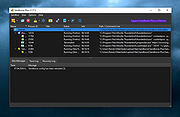 |
|
Tor Browser v15.0.25 Tor Browser v15.0.25 👉 Privacy-focused web browser that routes traffic through the Tor network to help prevent tracking, surveillance, and censorship. Tor Browser is a privacy-focused web browser based on Mozilla Firefox ESR that has been heavily modified for use with the Tor network. It routes your traffic through the Tor network to help hide your real IP address, resist online tracking and browser fingerprinting, and protect against surveillance and censorship. By default, it does not keep browsing history, and cookies are only valid for a single session unless you request a new identity. Features: • Routes internet traffic through the Tor network using multiple relays to conceal your real IP address • Uses layered (onion) encryption so each relay only knows the previous and next step in the circuit • Blocks third-party trackers and isolates cookies to prevent cross-site tracking • Automatically clears cookies and browsing data when the browser is closed • Does not retain browsing history by default for increased privacy • Resists browser fingerprinting by standardizing browser characteristics across users • Includes built-in HTTPS enforcement to help ensure encrypted connections when available • Provides “New Identity” feature to quickly reset your session and obtain a new Tor circuit • Includes “New Circuit for this Site” option to change exit nodes for specific websites • Offers multiple security levels (Standard, Safer, Safest) to reduce attack surface • Disables potentially unsafe browser features like certain scripts and media formats at higher security levels • Helps bypass censorship and access blocked websites through the Tor network • Protects against local network surveillance and ISP monitoring • Includes Tor network configuration options for censored regions (bridges, Snowflake, etc.) • Sandboxed design helps isolate web content from the underlying operating system • Regularly updated with Firefox ESR security patches and Tor-specific hardening • Open-source project with publicly auditable code • Designed to minimize data leaks such as DNS requests outside the ... |
|
7,083 | Oct 14, 2026 The Tor Project  |
| Showing rows 1 to 5 of 5 | Showing Page 1 of 1 | 1 |
OlderGeeks.com Copyright (c) 2026
