|

|
Processed through Paypal No account required. |








Buy our over-priced crap to help pay the bills.



|
|
Processed through Paypal No account required. |
| Files | ||||
| File Name | Rating | Downloads | ||
 |
Accent Color Synchronizer v1.2.1 Accent Color Synchronizer v1.2.1 Automatically synchronize Windows accent colors across apps and system elements. Accent Color Synchronizer is a lightweight utility designed to keep your Windows accent color consistent across system components and supported applications. It monitors the current Windows accent color and applies it where needed, helping maintain a uniform and visually cohesive desktop appearance without manual tweaking. Ideal for users who frequently change themes or rely on dynamic accent colors, Accent Color Synchronizer ensures that supported UI elements remain in sync with the system’s current color selection. Features: • Automatically detects the current Windows accent color • Synchronizes accent color across supported apps and UI elements • Lightweight and portable design • Simple interface with minimal configuration required • Designed to work seamlessly in the background Supported operating systems: • Windows 10 Supported languages: • English Changes: v1.2.1 It is now possible to configure the program to keep changes made to its settings (whether or not the advanced mode is enabled, custom color brightness, etc.) By default, the application now uses your exact accent color as it appears in the Settings app instead of the title bar color which is often slightly different. This change can be reverted in the application options; Fixed a bug that caused the About dialog box to unexpectedly appear in specific scenarios; When a modal dialog is opened (eg. the about dialog) while the application's main window is not visible, the modal dialog no longer appears in the top-left corner of the screen. Click here to visit the author's website. |
 |
6,369 | Feb 15, 2026 Maxime Denis 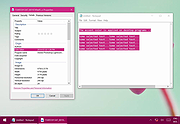 |
 |
Dropbox Offline Installers v260.4.2926 Dropbox Offline Installers v260.4.2926 👉 Cloud storage and file synchronization service for easy file access and sharing across devices. These are the full offline installers for all platforms. Dropbox is a cloud storage service that lets you store, sync, and share files across computers, smartphones, and tablets. After installing Dropbox, a special folder is created on your computer. Any files placed in this folder are automatically uploaded and synchronized with your Dropbox account, allowing them to be accessed from other devices or through the web interface. Dropbox makes collaboration simple by allowing users to share files or folders with others through links or shared folders. Changes made by collaborators are automatically synced, ensuring everyone always has the latest version. The service also maintains version history and file recovery, allowing users to restore previous versions or recover deleted files. Dropbox integrates with many productivity tools and provides features such as selective sync, automatic camera uploads from mobile devices, and offline access to files. With its straightforward interface and reliable syncing technology, Dropbox is widely used for personal file storage, team collaboration, and secure file sharing. Features: • Automatic file synchronization across devices • Easy file and folder sharing through secure links • File version history and recovery of deleted files • Selective sync to control which folders are stored locally • Offline access to important files • Integration with many productivity and collaboration tools Supported operating systems: • Windows 7, 8, 8.1, 10, 11 • macOS 10.13 or later. • Linux distributions supporting Dropbox client Supported languages: English, Spanish, French, German, Italian, Portuguese, Dutch, Japanese, Korean, Chinese (Simplified), Chinese (Traditional), Russian Changes: v260.4.2926 07-10-26 Fixed in this update: Fixed an issue that would cause Dropbox items to not appear in the right-click menu for some Windows users. Improved the reliability of opening several share dialogs at the same time. Fixed a ... |
|
11,673 | Jul 16, 2026 Dropbox 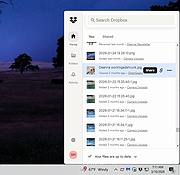 |
|
Folder Sync v1.0.0.219 Folder Sync v1.0.0.219 Saleen Folder Synch is a folder synchronization tool that: - Performs comparisons between two directories - Reports new, updated, renamed, moved and deleted files - Performs synchronization from the source to the destination path - Can be used for differential or full backups. Main functions Synchronize directories This tool allows you to perform comparisons between directories, and reports, new, updated, renamed, moved and deleted files. It can also generate synchronization commands (one-way only: right to left) It can be useful for differential or full backups. Terms Source path. This path is considered to hold your original files, and never gets updated by the "synchronization" function. Destination path (backup path). This path is considered by the program to hold copies of your files. New files or files that have been updated are copied in this path. Reviewing differences The following color indications are used by the program to mark differences: Green: Updated file. File on the left side was updated. Column age difference shows the difference in the most suitable friendly format. Blue: New file. The file does not exist in the destination path. Red: Deleted file. White: Identical file. File has not been updated. Filtering The program supports these filters: a) show identical files b) show new files c) show deleted files d) show updated files e) show renamed/moved files f) It also supports filtering by keyword. To filter by keyword, simply type your keyword in the filter box at the top of the screen. All these filters can be applied simultaneously. For example you can to filter only "new files" that contain the keyword "mp3" a) type mp3 in the filter box b) check the "show new files" checkbox c) uncheck all other checkboxes Synchronization By pressing the "Synchronize" button, a script that could perform all listed changes into the destination path, is generated. If you have a filter ... |
|
6,126 | Jan 12, 2022 Saleen Software 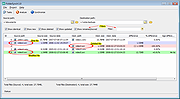 |
|
GO Contact Sync Mod v4.1.33 GO Contact Sync Mod v4.1.33 Sync Outlook contacts and calendars with Google. GO Contact Sync Mod synchronizes your Microsoft Outlook contacts with your Google Mail address book, including pictures, categories and contact notes. It also syncs your Outlook Calendar Appointments on demand to Google Calendar. Minimum requirement for GO Contact Sync Mod is .NET 4.7.2 and Windows 7 (32 or 64 bit). Features Full support of OAuth2 - no need for your password! Outlook Contacts sync Outlook Calendar Appointments sync Automatic syncing Contact Pictures support Categories support Supports Outlook 2003, 2007, 2010, 2013, 2016, 2019, 365 (32 and 64 bit) No Support for Outlook Express Select Outlook folder to sync Sync with multiple Google Mail accounts Changes: v4.1.33 23-03-2023 r1577 - 1583: updated to latest nugets code refactoring (e.g. to remove the IsDeleted check for appointments) Added configuration to SyncPastReminders Click here to visit the author's website. |
|
6,823 | Oct 20, 2023 CreateSoftware 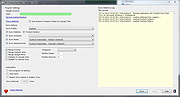 |
|
Mozilla Firefox ESR v153.2.0 Mozilla Firefox ESR v153.2.0 👉 A stable, long-term Firefox release designed for users and organizations that prefer fewer major browser changes. Mozilla Firefox ESR is the Extended Support Release of Mozilla's popular open-source web browser, designed for organizations, businesses, schools, system administrators and users who value stability over frequent feature changes. ESR receives regular security and stability updates while keeping major interface and feature changes on a longer release cycle than standard Firefox. It provides the familiar Firefox browsing experience with strong privacy protections, tracker blocking, private browsing, password management, synchronization, extensions and extensive customization. ESR is especially useful in managed environments where administrators need predictable browser behavior and more time to test compatibility between major releases. Features: • Extended Support Release with a longer major-version lifecycle • Regular security and stability updates without frequent major feature changes • Enhanced Tracking Protection blocks many known trackers automatically • Private Browsing mode with additional protection against tracking • Built-in password manager for storing and managing website logins • Firefox Sync can synchronize bookmarks, passwords, history, tabs and settings between devices • Separate Firefox profiles can keep work, personal and other browsing activities apart • Container support can isolate cookies, logins and tracking data between different browsing activities • Large library of extensions and browser themes • Customizable toolbar, menus and browser appearance • Tabbed browsing with tab search and organization tools • Built-in PDF viewing • Automatic browser updates and security fixes • Support for enterprise policies and centralized browser management • Available in 32-bit, 64-bit and ARM64 builds where supported • Free and open-source Supported operating systems: • Windows 10, Windows 11 • macOS 10.15 or higher • GNU/Linux with glibc 2.17 or higher, GTK+ 3.14 or higher, libglib 2.42 or higher, libstdc++ 4.8.1 or higher and X.Org 1.0 or higher Supported languages: English (US) Changes: v153.2.0 09-13-26 General Firefox now includes a new profile management system that helps you separate your online life into ... |
|
7,012 | Sep 13, 2026 Mozilla 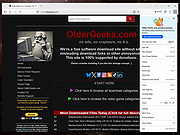 |
|
MyPhoneExplorer v2.3 MyPhoneExplorer v2.3 👉 A freeware Windows tool for managing and syncing Android phones locally. MyPhoneExplorer lets you connect your Android phone to your PC by WiFi, USB cable, or Bluetooth so you can manage contacts, calendar, messages, files, backups, notifications, and more from the desktop. Filebrowser Features: • Sync contacts, calendar, notes, and other data with Outlook, Thunderbird, and other targets • Browse and manage files on your phone with file sync support • Create backups of phone content • Control calls and SMS messages from the PC • Mirror and remotely control your phone from the desktop • Use the PC keyboard to type on the phone • Show phone notifications on the desktop • Share the clipboard between phone and PC • Connect by WiFi, USB cable, or Bluetooth Supported operating systems: • Windows • Android Supported languages: Afrikaans, Albanian, Arabic, Belarusian, Bosnian, Bulgarian, Catalan, Croatian, Czech, Danish, Dutch, English, Finnish, French, Georgian, German, Greek, Hebrew, Icelandic, Indonesian, Italian, Latvian, Lithuanian, Norwegian, Persian, Polish, Portuguese, Romanian, Russian, Serbian, Slovak, Slovene, Swedish, Thai, Turkish, Ukrainian, Vietnamese Changes: v2.3 10-27-25 Barcode and NFC scanner: use your smartphone as scanner for the PC remote controlling the phone via WiFi sync with Microsoft cloud / Outlook (new) better appointment display in calendar alot of smaller changes and bugfixes Phonebook Calendar Messages (SMS and MMS) Datasync with several targets: Its often required to keep data in sync with other databases. Because of this MyPhoneExplorer is able to sync the data of the phone with the most popular PIM suites. MyPhoneExplorer supports: • Outlook since Version 2003 • Thunderbird • Seamonkey • Lotus Notes • Tobit David • Fritz!Box • vCard-File and iCal-File • internal Sync-Database (To keep several phones in sync) Before MyPhoneExplorer changes the database or the phone data, it will confirm the action with you. This will prevent syncing accidents. This download is for ... |
|
3,953 | Mar 12, 2026 Franz Josef Wechselberger 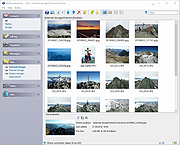 |
|
QOwnNotes v26.9.11 QOwnNotes v26.9.11 👉 Open-source markdown note-taking application with Nextcloud and ownCloud integration. QOwnNotes is a free and open-source plain-text note-taking and to-do list manager designed for users who want full control over their notes and data. It stores notes as plain text Markdown files, making them easy to synchronize with services such as Nextcloud, ownCloud, Syncthing, Dropbox, and other cloud or local storage solutions. QOwnNotes includes powerful organization tools, note encryption, scripting support, tagging, searching, and customizable interface layouts for productivity-focused workflows. Features: • Plain-text Markdown note-taking with live preview • Integration with Nextcloud and ownCloud notes • Stores notes as standard text files without vendor lock-in • AES-256 encrypted notes support • Built-in scripting engine with QML support • Powerful note searching and filtering • Tagging and note organization tools • Multiple note folders and subfolder support • Customizable themes, fonts, and layouts • To-do list and task management support • Automatic note saving and backup support • External diff tool integration • Checkbox list creation and Markdown editing tools • Portable mode support • Cross-platform support for desktop operating systems Supported operating systems: • Windows 7, Windows 8, Windows 10, Windows 11 • macOS 13 Ventura or higher • Linux Supported languages: English, Arabic, Basque, Bulgarian, Catalan, Chinese Simplified, Chinese Traditional, Czech, Danish, Dutch, English, Finnish, French, German, Greek, Hebrew, Hungarian, Italian, Japanese, Korean, Norwegian, Persian, Polish, Portuguese, Portuguese Brazilian, Romanian, Russian, Slovak, Spanish, Swedish, Turkish, Ukrainian Changes: v26.9.11 09-25-26 Deprecated the non-GitHub Qt 5 release packages by removing the legacy Ubuntu Launchpad and OBS deployments from the release process, while retaining the Qt 5 artifacts built by the GitHub release workflow (for #3752) Added more French translation (thank you, jd-develop) 👉 This download is for the Windows version (very bottom of page). All other download assets are below: MacOS: QOwnNotes.dmg QOwnNotesQt5.dmg Linux: QOwnNotes-amd64.snap QOwnNotes-Qt5-amd64.snap QOwnNotes-x86_64.AppImage Click here to visit the author's website. |
|
6,865 | Sep 25, 2026 Patrizio Bekerle 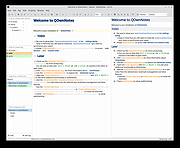 |
|
Rclone v1.75.0 Rclone v1.75.0 👉 Command-line tool for syncing, copying, mounting, and managing files across cloud storage and local systems. Rclone is a command-line program to manage files on cloud storage. It can sync files and directories to and from many different cloud storage providers, copy new or changed files, perform one-way or two-way synchronization, mount cloud storage as a disk, verify file integrity with hashes, and serve local or remote files over HTTP, WebDAV, FTP, SFTP, and DLNA. It is widely used for backup, restore, migration, and cloud-to-cloud transfers, with support for encryption, compression, chunking, and many standard transfer protocols. Features: • Syncs files and directories to and from cloud storage • Copies only new or changed files • Supports one-way sync and two-way bisync • Verifies file integrity with MD5 and SHA-1 hashes • Preserves timestamps on files • Mounts cloud storage as a network disk • Serves files over HTTP, WebDAV, FTP, SFTP, and DLNA • Supports encryption, compression, chunking, hashing, and union backends • Works with local filesystems, cloud services, and standard protocols • Useful for backup, restore, migration, and cloud-to-cloud transfers View instructions here. Supported operating systems: • Windows 10 or higher, Windows Server 2016 or higher • macOS 12 Monterey or higher • Linux Kernel 3.2 or higher • FreeBSD 12.2 or higher • OpenBSD 6.9 or higher • NetBSD • Plan 9 • Solaris Supported languages: English Changes: v1.75.0 07-31-26 New S3 Providers Scality (RING / ARTESCA) Zero Services (ZERO-Z3) Security archive: Don't crash on malformed squashfs images GHSA-6jcg-q3wp-x2f4 CVE-PENDING (Nick Craig-Wood) ftp: Fix ftp command injection when encoding doesn't include CRLF GHSA-8c48-q9wj-3w37 CVE-PENDING (Nick Craig-Wood) lib/http: Use TLS on all --addr listeners when --cert and --key are set ... |
|
5,178 | Aug 03, 2026 Nick Craig-Wood 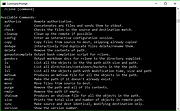 |
|
Submarine v0.3.8 Submarine v0.3.8 👉 An SSH and SFTP client that puts terminals, file transfers, tunnels, and server tools in one window. Submarine is a free, open-source client for connecting to and managing remote servers. Each server session can bring together a tabbed terminal, an SFTP file browser, port forwarding, saved commands, server information, and Docker tools. You can keep multiple sessions open, view two side by side, or pin terminals from different hosts to a monitoring wall. The SFTP browser shows local and remote files, supports drag and drop and bulk operations, and can open a remote file in your usual editor. When you save an edited file, Submarine uploads it back to the server. On desktop systems, Folder Mirror can synchronize a local folder with a remote folder, preview possible overwrites, and apply your chosen conflict rule. Saved server profiles and credentials are encrypted locally. Optional profile sync uploads the encrypted data so you can access your saved connections on another device. The Android app includes terminal, SFTP, port forwarding, server information, and Docker tools; Folder Mirror is limited to desktop systems. Features: • Open tabbed SSH terminals, including multiple shells for a server. • View two sessions side by side or arrange terminals from several hosts on the Wall. • Broadcast typed input to selected sessions. • Browse local and remote files with SFTP, drag and drop files, and select multiple files for bulk operations. • Edit remote files in your default editor and upload changes when you save. • Confirm overwrites before replacing files during uploads or downloads. • Create local, remote, and dynamic port forwarding tunnels, including SOCKS and HTTP proxy options. • Mirror a local folder to a remote server on desktop systems, with ... |
|
63 | Sep 29, 2026 Sina Xhpm 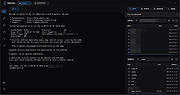 |
|
Subtitle Edit v5.0.0 Subtitle Edit v5.0.0 👉 Free open-source subtitle editor for creating, editing, syncing, and converting subtitles. Subtitle Edit is a free and open-source subtitle editor designed for professional and hobbyist subtitle creation alike. Version 5 represents the biggest update in the project's history, rebuilding the application with the Avalonia UI framework to provide a true native cross-platform experience on Windows, macOS, and Linux from a single codebase. It retains the powerful editing capabilities that made Subtitle Edit popular while adding a modern interface, faster performance, and improved portability. Whether you're correcting subtitle timing, creating subtitles from scratch, translating captions, performing OCR on image-based subtitles, or converting between subtitle formats, Subtitle Edit provides an extensive collection of professional tools. It supports well over 300 subtitle formats, waveform and spectrogram editing, video preview, AI-assisted translation, speech-to-text integration, spell checking, batch processing, and numerous automation tools that greatly simplify subtitle production. Features: • Create new subtitles from scratch using video preview, waveform, and spectrogram displays • Edit and synchronize subtitles using visual and time-based synchronization tools • Convert between more than 300 subtitle formats • OCR support for image-based subtitle formats including Blu-ray and DVD subtitles • AI-powered translation using multiple online and local translation engines • Speech-to-text transcription using supported recognition engines • Automatic subtitle timing adjustments and frame rate conversion • Batch conversion, batch fixing, and batch subtitle processing • Spell checking with dictionaries for numerous languages • Search, replace, split, merge, and renumber subtitle lines • Generate subtitles with waveform and spectrogram editing • Compare and merge subtitle files • Video preview using supported media playback engines • Import and export subtitle projects in hundreds of formats • Customizable keyboard shortcuts and editing layouts • Dark mode and modern cross-platform user interface • Portable versions available for supported platforms • Free and open-source software released under the GNU GPL Supported operating systems: • Windows 10, Windows 11 • macOS 12 Monterey or later (Intel, ... |
|
1,666 | Jun 24, 2026 Nikolaj Olsson 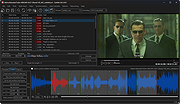 |
|
Zotero v10.0.1 Zotero v10.0.1 👉 A powerful free research assistant for collecting, organizing, annotating, citing and sharing research. Zotero is a free, open-source research and reference manager designed to help you collect, organize, annotate, cite and share research sources. It can manage books, journal articles, reports, web pages, artwork, films, letters, manuscripts, recordings, legal materials and many other types of sources. Each item can contain detailed bibliographic metadata as well as attached PDFs, files, web snapshots, links and notes. The Zotero Connector integrates with supported web browsers to capture research directly from websites. When Zotero recognizes a book, article or other source, it can automatically create the appropriate library item, fill in available metadata, download a full-text PDF when available and attach related links or supplemental files. Zotero can also create items directly from ISBNs, DOIs and PubMed IDs. Research can be organized into collections and tagged for easier retrieval. An item can appear in multiple collections without creating duplicate copies, and saved searches automatically update as new matching material is added. Zotero also provides synchronization between computers and shared group libraries for collaborative research. Features: • Collect books, journal articles, reports, web pages, artwork, films, letters, manuscripts, recordings, legal materials and many other types of research sources • Automatically capture bibliographic information from supported websites using the Zotero Connector • Automatically download full-text PDFs when they are available while saving sources • Save web pages as locally stored snapshots for later viewing, including while offline • Add sources automatically using ISBN, DOI or PubMed ID identifiers • Attach PDFs, images, audio, video and other files to library items • Create rich-text notes attached to individual sources or independent notes • Organize research into collections and subcollections without duplicating library items • Assign unlimited tags to items and use colored tags for quick identification • Quickly search metadata, tags and full-text content • Use advanced searches for ... |
|
184 | Aug 28, 2026 Digital Scholar 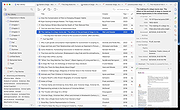 |
| Showing rows 1 to 11 of 11 | Showing Page 1 of 1 | 1 |
OlderGeeks.com Copyright (c) 2026
