|

|
Processed through Paypal No account required. |








Buy our over-priced crap to help pay the bills.



|
|
Processed through Paypal No account required. |
| Files | ||||
| File Name | Rating | Downloads | ||
 |
Android Webcam System v1.0.6 Android Webcam System v1.0.6 👉 Turn an Android phone into a high-quality Windows webcam over USB or Wi-Fi. Android Webcam System is a free and open-source webcam solution that uses an Android smartphone as a webcam for a Windows computer. The system consists of the AWA Android app, which streams video from the phone, and the AWC desktop client, which receives the stream and provides a virtual webcam device that can be selected by compatible Windows applications. Everything operates locally without requiring a cloud streaming service. The project supports both USB and Wi-Fi connections. USB provides lower latency and improved stability without requiring Wi-Fi, while wireless mode lets the phone and computer communicate over the same local network. The Android app supports resolutions from 480p through 4K and allows switching between the phone's front and rear cameras. The virtual webcam can be used with programs such as Zoom, Microsoft Teams, Google Meet, Discord, OBS Studio and Skype, as well as other Windows programs capable of selecting a webcam device. Features: • Turns an Android smartphone into a Windows webcam • Includes AWA, a Kotlin-based Android camera and streaming application • Includes AWC, the desktop client that receives the phone's video stream • Creates a virtual webcam device for compatible Windows applications • Supports USB and Wi-Fi connections • USB mode offers lower latency and improved connection stability • Wi-Fi mode provides completely wireless operation over the local network • Supports 480p, 720p, 1080p and 4K video resolutions • Supports front and rear Android cameras • Displays real-time connection status • Provides desktop connection statistics • Designed for low battery usage on the Android device • Works with Zoom, Microsoft Teams, Google Meet, Discord, OBS Studio and Skype • Can be used by other applications that support standard webcam devices • Uses a fully local, serverless architecture • No cloud video relay is required • No advertisements • Free and open-source under the ... |
 |
279 | Aug 09, 2026 Soubhagyajit Borah  |
 |
DeskRealm v0.5.8 DeskRealm v0.5.8 👉 Give each Windows virtual desktop its own real Desktop folder, icon layout and hotkeys. DeskRealm turns Windows virtual desktops into separate Desktop “realms,” each with its own Desktop folder, icon layout and optional direct hotkeys. Instead of every Win + Tab workspace showing the same desktop clutter, DeskRealm redirects the current user’s Windows Desktop Known Folder to the folder assigned to the active virtual desktop. Features: • Assigns separate Desktop folders to Windows virtual desktops • Synchronizes realm folder names with Windows Task View desktop names • Saves and restores per-realm Desktop icon layouts • Automatic icon layout autosave with change detection • Configurable global hotkeys for jumping to numbered desktops • Tray menu with status, refresh, sync, pause/resume, logs, config and restore options • Optional startup with Windows • Preserves the original Desktop folder instead of moving files during onboarding • Refuses OneDrive Desktop redirection by default • Refuses duplicate virtual desktop names and unsafe folder conflicts • Includes emergency restore script for returning the original Desktop path • Portable ZIP and install-bundle release options Supported operating systems: • Windows 10, Windows 11 Supported languages: English Changes: v0.5.8 06-12-26 Fixed: • Reworked first-run onboarding so DeskRealm no longer moves files from the original Windows Desktop into a managed realm folder. • The selected virtual desktop realm now points directly to the original Desktop folder, preserving the normal Desktop when DeskRealm is closed or disabled. • Added absolute-path realm assignments so a realm can safely use an existing external folder such as the original Desktop. • Prevented duplicate assignment of the original Desktop path to multiple virtual desktops. Changed: • The first-run wizard now describes the safe association model instead of file migration. • Config migration v6 disables the legacy initialDesktopImportMoveFiles flag. • Documentation, installation notes, safety notes and release process now describe the no-move onboarding model. Safety: • DeskRealm must not silently move user Desktop files during onboarding. Existing files remain in the original Desktop folder. ... |
|
618 | Jun 12, 2026 Ayahua Ekimaku  |
|
DesktopFrames+ v2.7.7.294 DesktopFrames+ v2.7.7.294 Formerly Desktop Fences+ 👉 Organize your Windows desktop icons, files and shortcuts into customizable virtual frames. DesktopFrames+ is a free and open-source desktop organization utility that creates virtual Frames on your desktop, allowing you to group shortcuts, files and folders into clean, convenient containers. It provides several types of Frames, including regular Data Frames for shortcuts, Portal Frames that mirror the contents of folders, and Note Frames for quickly accessible text. Frames can contain multiple tabs, be arranged into separate workspace profiles and customized with colors, transparency, visual effects, icons and other appearance options. Built-in tools such as SpotSearch, Smart Desktop, automatic backups, profile automation and extensive visibility controls provide additional ways to organize and manage a busy desktop. The program is fully portable and does not require installation. Features: • Create Data Frames for organizing shortcuts to files, folders and web links • Create Portal Frames that mirror the contents of folders • Create Note Frames for keeping text directly on the desktop • Organize shortcuts into multiple tabs within a single Frame • Create independent workspace profiles for different desktop layouts • Switch profiles manually with hotkeys • Automatically switch profiles when specified programs are launched • Smart Desktop engine automatically sorts and moves incoming files according to user-created rules • SpotSearch quickly searches for and launches shortcuts stored across your Frames • Peek Behind temporarily reveals the desktop behind Frames • Rollup hides the contents of Frames while leaving the Frame accessible • Auto-hide conceals Frames after a period of inactivity • Focus Mode highlights a specific Frame from the system tray or with a hotkey • Supports files, folders, web links, Microsoft Store apps, Steam games and Spotify URIs • Run shortcuts as administrator or as a different user • Customize individual Frame background colors and global tint levels • Chameleon Mode automatically matches Frames to the dominant color of your wallpaper • Application launch ... |
|
2,316 | Sep 07, 2026 Hand Water Pump 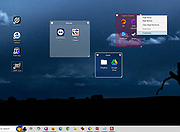 |
|
Lanemu v0.14.1 Lanemu v0.14.1 👉 Server-less (decentralized) Virtual Private Network (Open-source alternative to Hamachi, Radmin, ZeroTier, etc.) Lanemu is a free, open-source peer-to-peer virtual LAN emulator that allows computers on different Internet connections to communicate as though they were connected to the same local network. It is designed for multiplayer games, legacy software, file sharing, remote administration, and any application that relies on LAN connectivity. Unlike traditional VPN services that route traffic through a central server, Lanemu establishes encrypted peer-to-peer connections between participating computers whenever possible, reducing latency while eliminating the need for dedicated servers. Networks are created using invitations that can be shared with other users, making setup straightforward while keeping access limited to invited participants. Features: • Create private virtual LAN networks across the Internet. • Peer-to-peer architecture without requiring dedicated relay servers for normal operation. • Encrypted communications between participating computers. • Reliable UDP (RUDP) transport protocol enabled by default. • Invite-based network membership. • Works with many LAN multiplayer games and LAN-aware applications. • Automatic discovery of peers within a virtual network. • Supports multiple virtual networks. • Cross-platform support between Windows and Linux. • Automatically installs the TAP-Windows driver on supported Windows editions. • Includes an integrated Java runtime in supported Windows packages. • Open-source software released under the GPLv3 license. Supported operating systems: • Windows 11 (64-bit) • Windows 10 (64-bit) • Windows 10 (32-bit) • Windows 8.1 (32-bit and 64-bit) • Windows 8 (32-bit and 64-bit) • Windows 7 (32-bit and 64-bit) • Windows Vista (32-bit and 64-bit) • Windows XP (32-bit and 64-bit) • Linux (64-bit) Supported languages: • English Changes: v0.14.1 08-01-26 Fixed issues in the RUDP library: memory leaks when using shutdownHook, deadlocks, handling of corrupted UDP packets, and many other issues that were identified during testing. @Monsterovich Added the display of the connection protocol to the peer list. @Monsterovich Added an experimental build that compiles a .jar file into an executable using native-image in GraalVM. For now, this is for the headless version ... |
|
417 | Sep 08, 2026 Nikolay Borodin 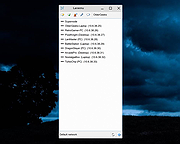 |
|
OpenPets-3.1.0-win-x64-portable.exe OpenPets v3.1.0 👉 An open source desktop companion with AI coding agent integration and an expandable plugin platform. OpenPets is an open source desktop companion that places an animated pet on your desktop while providing an extensible plugin platform for productivity, reminders, focus sessions, mini games, launch shortcuts, hydration nudges, and virtual pet interactions. It can optionally integrate with AI coding agents through the Model Context Protocol (MCP), allowing your pet to react to coding activity while keeping prompts, code, logs, URLs, secrets, and other sensitive information private through local sanitization and filtering. The application is designed with a sandboxed plugin system that enables developers to create custom companion behaviors using the OpenPets Plugin SDK. Features: • Animated desktop companion with idle animations and interactive behaviors • Extensible plugin platform with official and third-party plugins • Plugin SDK for developing custom companion features • Built-in focus timers, reminders, mood check-ins, mini games, hydration nudges, and virtual pet stats • Optional integration with Claude Code, Cursor, OpenCode, Pi, and other MCP-compatible AI coding agents • Sandboxed plugin runtime with permissions, quotas, storage, scheduling, notifications, and audio support • Local-only communication with AI integrations for improved privacy • Dynamic filtering that redacts file paths, URLs, secrets, and code snippets from generated speech • Tray-based desktop application • Multiple desktop pet support Supported operating systems: • Windows 10, Windows 11 • macOS • Linux Supported languages: • English Changes: v3.1.0 06-13-26 Fixed desktop install flow regressions for catalog plugin installs. Catalog installs no longer fail because of stale catalog hashes. Improved catalog and manifest validation for more reliable plugin installation. Improved install failure handling with clearer error messages and redaction of local filesystem paths. Plugin install prompts now display translated plugin names correctly. Newly installed plugins are automatically enabled after approval. Added XS pet scale support. Updated Wayland and desktop validation to fix compositor and desktop integration regressions. This download is for the Windows portable version (very bottom of page). All ... |
|
487 | Jun 19, 2026 Boring Dystopia Development  |
|
ReactOS v0.4.16 ReactOS v0.4.16 👉 A free, open-source operating system designed to run Windows applications and drivers without requiring Windows. ReactOS is a free and open-source operating system built from the ground up with the goal of providing binary compatibility with Microsoft Windows applications and hardware drivers. Rather than being based on Linux or Unix, ReactOS implements its own Windows-compatible kernel, system libraries, graphical environment, utilities and services. The project is particularly focused on compatibility with traditional Win32 software and drivers while providing users with a completely open-source operating environment. ReactOS remains alpha-quality software, so the developers do not guarantee stability, data safety or compatibility with every application or piece of hardware. Version 0.4.16 introduces one of the project's largest usability improvements: a new graphical installer and a combined Boot CD/Live CD image. You can now boot the same image to either try ReactOS without installing it or install/update the operating system using the new graphical setup interface. The installer includes basic partition management and replaces the need to choose separate installation and Live CD downloads. Features: • Free and open-source Windows-compatible operating system • Designed to run Win32 applications and Windows hardware drivers • Independent Windows-like kernel rather than a Linux or Unix compatibility layer • Familiar Windows-style desktop environment and Explorer shell • New graphical installation interface • Combined Boot CD and Live CD image lets you test or install from the same disc • Basic graphical partition management during installation • Workstation installation mode for normal desktop use • Server installation mode • New Server Core installation mode that runs the Win32 subsystem without the graphical Explorer shell • Improved compatibility with NVIDIA graphics drivers through expanded system page table resources • Improved AMD graphics and OpenGL handling • Continued development of multi-monitor and video-driver compatibility • Improved High Definition Audio support • New HD Audio bus driver supporting compatible Windows XP and Windows Server 2003 audio ... |
|
6,933 | Aug 30, 2026 ReactOS Foundation 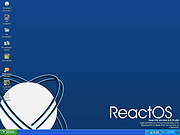 |
|
Red Burner .NET v19.5.0.0 Red Burner .NET v19.5.0.0 Lightweight optical disc burning software for CD, DVD and Blu-ray media. Red Burner .NET is a standalone disc burning tool for creating and working with optical discs, disc images and optical drives. It supports CD, DVD and Blu-ray burning, image burning and conversion, rewritable media, M-Disc, DVD-RAM and an integrated virtual drive emulator. Features: • Burn audio, video and data CD, DVD and Blu-ray discs • Supports single, double, triple and quad layer media • Burn M-Disc, rewritable discs and DVD-RAM • Create, burn and convert disc images • Browse disc images with the internal image browser • Integrated virtual drive emulator • Supports ISO, BIN/CUE, IMG/CCD, NRG, CDI, PDI, B5I, B6I and GI image formats • Lightweight standalone design • Fast burning algorithm • Code-signed files • Donationware Supported operating systems: • Windows 7 or later Supported languages: • English Changes: v19.5.0.0 Not provided. Click here to visit the author's website. |
|
914 | Jun 05, 2026 OMID SOFT 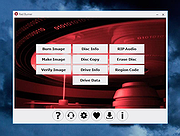 |
|
Virtual CloneDrive 5.5.0.0 Virtual CloneDrive 5.5.0.0 Virtual CloneDrive works and behaves just like a physical CD/DVD drive, however it exists only virtually. Image files generated with CloneDVD or CloneCD can be mounted onto a virtual drive from your hard-disk or from a network drive and used in the same manner as inserting them into a normal CD/DVD drive. Probably the best virtual drive software, Virtual CloneDrive allows you to enjoy the freedom of a virtual drive and is completely free. Features Supports all common image formats such as ISO, BIN, CCD Supports up to 8 virtual drives at the same time Easy to use - just double-click an image file to mount as a drive Virtual CloneDrive is freeware, you may use it at no cost. System Requirements An IBM-compatible personal computer with a minimum 500 MHz Pentium-class microprocessor (1 GHz recommended) and 128 MB RAM (256 MB recommended) Windows 2000/XP/XP64/VISTA/VISTA64/Win7/Win7-64/Win8/Win8-64/Win10 If you use Windows 2000 or Windows XP you must be an administrator to install Virtual CloneDrive Virtual CloneDrive Revision History Virtual CloneDrive 5.5.0.0: 2016 01 13 - New: Prevent possible dll sideload attack during installation - Fix: HelpLauncher could hang on Windows 10 - Some minor changes and improvements |
|
7,107 | Feb 22, 2017 SlySoft 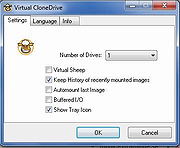 |
|
Virtual Drive Manager v1.1 Virtual Drive Manager v1.1 A tiny but very useful utility used to create virtual drives - maps of the contents of folders. Drive-mapping is similar to the DOS command SUBST, but VDM is much more than SUBST, it is very easy to use with a good GUI interface and it can restore all virtual drives automatically on windows restarting. Note: The .zip fire has 1 hit on VirusTotal. The unpacked .exe file has 3 hits on VirusTotal. These are from the three usual suspects that falsely find viruses in everything. This file is safe. |
|
2,014 | Sep 13, 2023 Linasoft 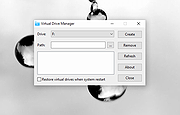 |
|
Virtual Router v1.0 Virtual Router v1.0 Virtual Router is a free, open source software based router for PCs running Windows 8, Windows 7 or Windows Server 2008 R2. Using Virtual Router, users can wirelessly share any internet connection (Wifi, LAN, Cable Modem, Dial-up, Cellular, etc.) with any Wifi device (Laptop, Smart Phone, iPod Touch, iPhone, Android Phone, Zune, Netbook, wireless printer, etc.) These devices connect to Virtual Router just like any other access point, and the connection is completely secured using WPA2 (the most secure wireless encryption.) Where can Virtual Router be used? Anywhere you are! Home Office School Airport Bus Station The Park Grandmas House The In-Laws Absolutely Anywhere! No Advertising, No Hassle Unlike similar applications, Virtual Router is not only completely Free, but will not annoy you with any advertisements. Also, since Virtual Router is not ad-supported, it does not track your web traffic the way other ad-supported applications do/can. The Wireless Network create/shared with Virtual Router uses WPA2 Encryption, and there is not way to turn off that encryption. This is actually a feature of the Wireless Hosted Network API's built into Windows 7 and 2008 R2 to ensure the best security possible. You can give your "virtual" wireless network any name you want, and also set the password to anything. Just make sure the password is at least 8 characters. BTW, this project is written entirely in C#. Contributors Chris Pietschmann - Chris is a Author at Build Azure, 5-time Microsoft MVP, and the Owner of Simplovation LLC a software development consulting company that specializes in Mapping/GIS related application development. You can view Chris' personal blog at https://pietschsoft.com |
|
6,261 | Aug 15, 2019 Chris Pietschmann 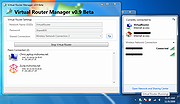 |
|
Virtual WiFI v3.2.1 Virtual WiFI v3.2.1 Virtual WiFI is a free program for Windows that has the main objective to create wireless(Wi-Fi) hotspots hosted by the wireless adapter board (if the device supports this kind of operation). Using the program you can create two types of Wi-Fi networks: A simple local network or ad-hoc - that can be used as a way to connect computers in order to transfer files for one computer to another, or to share software(services, programs) or hardware(eg. printer) resources of a computer with other computers from the network. A local network with internet access - used as a way to share an Ethernet LAN, wireless, or 3G / 4G /5G modem internet connection to all the devices from the network, keeping all the benefits of an ad-hoc connection - sharing files and resources. For example it's possible to share the internet of a LAN (Local Area Network) or USB modem connection with up to 100 computers, tablets, smartphones, etc. The program can create and manage Wi-Fi hotspots and shows the devices that are connected to the network, identified by IP and MAC addresses. Other features are: Simple and easy to use; Available in multiple languages: English, Romanian, French, Polish, Vietnamese; Detects fastest internet connection automatically; Share the internet connection of the computer with all types of portable devices (smartphones, tablet, smartwatch, smart TV) that has wireless capability; Can be use as a substitute for the internal GUI interface 'Create an ad hoc network' existing in Windows Vista and 7, but not in newer versions, such as Windows 8, 8.1 and 10; No need of keeping 'Virtual WiFi' active in memory - once a hotspot is ... |
|
6,627 | Dec 31, 2018 Adi Barbu's Software Lab 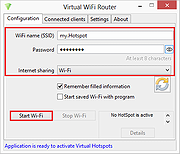 |
|
VirtualBox v7.2.22 VirtualBox v7.2.22 👉 Run multiple operating systems in virtual machines on a single computer. VirtualBox is a free, open-source virtualization program from Oracle that lets you create and run virtual computers inside your existing operating system. Each virtual machine can be configured with its own processors, memory, storage, display, networking and removable devices, allowing different operating systems to run without replacing or modifying the host system. It is useful for testing software, evaluating operating systems, running older applications, creating isolated development environments and experimenting with system configurations. Virtual machines can be paused, saved, cloned, exported or restored to an earlier snapshot. Features: • Create and run multiple virtual machines on one physical computer • Supports x86-64 virtualization and Arm virtualization on supported Apple silicon hosts • Configurable processors, memory, virtual disks, graphics and network adapters • Run Windows, Linux, BSD, Solaris and other supported guest operating systems • Take snapshots and restore virtual machines to earlier states • Clone, import and export virtual machines • Shared folders for exchanging files between host and guest systems • Shared clipboard and drag-and-drop integration on supported systems • NAT, bridged, internal, host-only and other virtual networking modes • USB device passthrough with the appropriate VirtualBox components • Guest Additions improve display, mouse, clipboard and folder integration • Command-line management through VBoxManage • Supports unattended installation for compatible guest operating systems • Save a running virtual machine and resume it later • Optional Extension Pack adds additional functionality under a separate license Supported operating systems: • Windows 8.1, Windows 10, Windows 11, Windows Server 2012, Windows Server 2012 R2, Windows Server 2016, Windows Server 2019, Windows Server 2022, Windows Server 2025 • macOS 13 Ventura, macOS 14 Sonoma, macOS 15 Sequoia, macOS 26 Tahoe • Supported 64-bit Linux distributions • Oracle Solaris 11 Supported languages: English, Indonesian, Catalan, Czech, Danish, German, Spanish, Basque, French, Croatian, Italian, Lithuanian, Hungarian, Dutch, Polish, Portuguese (Brazil), Portuguese (Portugal), Slovak, Slovenian, Swedish, Turkish, Greek, ... |
|
12,150 | Oct 26, 2026 Oracle 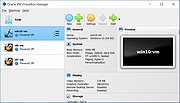 |
| Showing rows 1 to 12 of 12 | Showing Page 1 of 1 | 1 |
OlderGeeks.com Copyright (c) 2026
