|

|
Processed through Paypal No account required. |








Buy our over-priced crap to help pay the bills.



|
|
Processed through Paypal No account required. |
| Files | ||||
| File Name | Rating | Downloads | ||
 |
Cherrytree v1.7.2.1 Cherrytree v1.7.2.1 👉 A powerful hierarchical note-taking application with rich text, syntax highlighting, embedded files, tables, code boxes and extensive organization tools. Cherrytree is a hierarchical note-taking application designed for organizing notes, documentation, research, code snippets, ideas and other information in a structured tree. It combines rich text editing with syntax highlighting, images, tables, code boxes, mathematical equations, embedded files and extensive linking and search capabilities. Documents can be stored in a single XML or SQLite file or as multiple files and directories. Features: • Hierarchical tree structure for organizing notes and documents into nodes and subnodes • Rich text editing with foreground and background colors, bold, italic, underline, strikethrough and monospace formatting • Multiple heading levels plus subscript and superscript formatting • Syntax highlighting supporting numerous programming and scripting languages • Code boxes for keeping source code and other preformatted content inside notes • Insert images directly into notes • Resize and rotate inserted images • Save embedded images as PNG files • Render LaTeX mathematical equations within notes • Embed files directly inside documents and save them back to disk when needed • Create tables directly inside notes • Import and export table data using CSV • Bulleted, numbered and to-do lists • Multi-level lists with indentation support • Hyperlinks to websites, files and folders • Internal links between Cherrytree nodes • Anchors for linking directly to specific locations within notes • Powerful search and replace functions • Search across multiple nodes • Search node names and tags using multiple words • Tree node tags for additional organization and searching • Spell checking support • Automatic URL recognition • Insert current date and time into notes • Insert today's or tomorrow's node • Word count in the status bar, including selected text, code boxes and tables • Node sorting tools for organizing large trees • Drag and drop nodes within the tree • Import content from several other note-taking applications and document formats • Export notes to PDF • Export content ... |
 |
7,780 | Sep 23, 2026 Giuseppe Penone 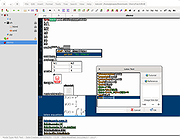 |
 |
CudaText v1.234.4 CudaText v1.234.4 👉 Cross-platform, open-source text editor extensible with Python add-ons. CudaText is a cross-platform text editor written in Object Pascal. It is an open-source project that can be used free of charge (including for business use) and is designed to start quickly. CudaText is extensible via Python add-ons, including plugins, linters, code tree parsers, and external tools, and uses a feature-rich syntax parser based on the EControl engine. It starts quite fast (0.5 sec with ~30 plugins on CPU Intel Core i3 3Hz). It is extensible by Python add-ons (plugins, linters, code tree parsers, external tools). Features: • Syntax highlighting for many programming languages • Code folding • Multi-carets and multi-selections • Rectangular selection • Command palette • Tabbed interface • Split view editing (vertical and horizontal) • Side panel with file explorer • Built-in file tree • Built-in FTP client • Project manager • Snippets support • Auto-completion • Code tree (structure view) • Configurable hotkeys • Configurable UI themes • Configurable color themes • Minimap • Status bar with customizable elements • Lexer-specific settings • Session management • Recent files list • Support for large files • Portable mode support • Plugin system based on Python • Add-ons manager to install plugins, lexers, and themes • Console panel for command output • External tools integration • Multiple encodings support • Line endings support (Windows, Unix, Mac) • Bookmarks • Find and replace with regular expressions • Word wrap and non-wrap modes • Customizable indentation settings • Show invisibles • Ruler and margin configuration • Free and open source, including business use Supported operating systems: • Windows (i386, amd64) • Linux (amd64, arm, aarch64) • macOS (amd64, aarch64) • FreeBSD (i386, amd64), OpenBSD (i386, amd64), NetBSD (i386, amd64), DragonFlyBSD (amd64) • Solaris (amd64) • Haiku (i386, amd64) Supported languages: English, Chinese (Simplified), Chinese (Traditional), Czech, French, French (Switzerland), German, German (Austria), Italian, Japanese, Korean, Portuguese, Russian, Slovak, Slovenian, Spanish, Tamil (India), Tamil (Sri Lanka) Find documentation at the CudaText Wiki. Changes: v1.232.2 06-14-26 - fix: regression: "Unprinted chars" dialog lost translation - fix: improve command "delete word previous" when only 1 space ... |
|
5,919 | Jul 05, 2026 Alexey Yu. Torgashin (R.F.) 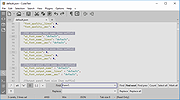 |
|
Nextpad++ v1.1.0 Nextpad++ v1.1.0 👉 A free, open-source, native port of Notepad++ for macOS and Linux. Nextpad++ is a full open-source community port of Notepad++ designed to provide the familiar Notepad++ editing experience natively on macOS and Linux. It uses the same Scintilla editing engine and provides syntax highlighting, search and replace, macro recording, split-view editing, user-defined languages and a growing ecosystem of ported plugins. The macOS interface is implemented using native Cocoa APIs, while the Linux edition uses GTK4, eliminating the need for Wine or other Windows compatibility layers. The editor supports more than 80 programming languages for syntax highlighting and includes 137 interface languages. Its search tools include regular expressions, Find in Files, line bookmarks and incremental search. Documents can be viewed side-by-side with split-view editing, and repetitive editing operations can be automated using recordable and replayable macros. Nextpad++ supports plugins through its built-in Plugin Admin, with community developers continuing to port Notepad++ plugins to macOS and Linux. Configuration files, themes and User Defined Languages are designed to remain compatible across the Windows, macOS and Linux editions. The macOS edition is a Universal Binary containing native ARM64 and x86_64 code, allowing it to run directly on Apple Silicon and Intel Macs without Rosetta. The Linux edition runs natively on x86_64 and ARM64 systems and supports both Wayland and X11. Nextpad++ is an independent community project and is not affiliated with the official Notepad++ development team. It is free and open source under the GNU General Public License v3. The application contains no advertising and the developer states that it contains no telemetry, analytics or data collection. Features: • Full independent community port of Notepad++ for macOS and Linux • Native macOS Cocoa/AppKit interface • Native GTK4 interface on Linux • Uses the same Scintilla editing engine as Notepad++ • Syntax highlighting for more than 80 programming and markup languages • User Defined ... |
|
610 | Sep 03, 2026 Nextpad++ for Mac & Linux 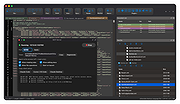 |
|
Notepad++ v8.9.8.1 Notepad++ v8.9.8.1 👉 Free source code editor and Notepad replacement that supports multiple programming languages. Notepad++ is a powerful text and source code editor designed as a lightweight replacement for Windows Notepad. Built on the Scintilla editing component, it provides advanced editing features, syntax highlighting, and extensive customization options while maintaining fast performance and low resource usage. Notepad++ supports a wide range of programming and scripting languages and includes features such as tabbed editing, code folding, search and replace with regular expressions, and macro recording. Its plugin system allows users to extend functionality with additional tools and enhancements. Features: • Syntax highlighting and syntax folding • Multi-document tab interface • Powerful search and replace with regular expression support • Macro recording and playback • Plugin support for extended functionality • Auto-completion and customizable GUI • Lightweight and optimized for performance Supported operating systems: • Windows 7, Windows 8, Windows 10, Windows 11 Supported languages: English, Chinese (Simplified), Chinese (Traditional), French, German, Italian, Japanese, Korean, Spanish, Russian, and more Changes: v8.9.8.1 09-24-26 Vulnerability: Fix crash caused by “Open file” & “Search on Internet” commands. CVE ID not assigned yet Vulnerability: Fix Function List array out-of-bounds risks when parsing functions. CVE ID not assigned yet Vulnerability: Fix UAC operations performed without verifying the caller. CVE ID not assigned yet Vulnerability: Fix incomplete UNC detection allowing NTLM leak bypass. CVE ID not assigned yet Vulnerability: Fix crash of NPPM API when invalid value passed as argument. CVE ID not assigned yet Regression: Fix failure to open files via Notepad++ symlink paths. (Fix #18314) Fix a crash after canceling UAC saving operation. (Fix commit) Fix Network Path Warning dialog usability problem. (Fix #18319 (comment)) Fix symlinks setting for Folder as Workspace not ... |
|
10,538 | Sep 25, 2026 Don Ho 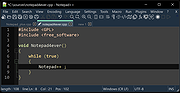 |
|
Notepad3 v7.26.602.1 Notepad3 v7.26.602.1 👉 A fast, lightweight, Scintilla-based text editor for Windows with syntax highlighting. Notepad3 is a free, open-source text editor built as a smarter, more capable replacement for Windows Notepad. It is based on the Scintilla editing component and Lexilla lexer library, giving it powerful syntax highlighting, fast performance, a small memory footprint, and practical tools for everyday text editing, coding, scripting, configuration files, logs, and more. Features: • Fast and lightweight Windows text editor • Syntax highlighting for over 55 programming, scripting, markup, and configuration languages • Code folding with toggle-all support • Bookmarks for quick navigation • Word auto-completion • Find and Replace with PCRE2 regular expression support • grepWin integration for searching across files • Encoding detection and character encoding support • File change monitoring • AES-256 Rijndael encryption and decryption • Dark mode support with customizable colors • High-DPI aware interface with high-definition toolbar icons • Customizable status bar and toolbar labels • Portable edition available • Includes MiniPath file browser plugin Supported operating systems: • Windows 8.1, Windows 10, Windows 11 Supported languages: Afrikaans, Belarusian, Chinese Simplified, Chinese Traditional, Dutch, English US, English UK, Finnish, French, German, Greek, Hindi, Hungarian, Indonesian, Italian, Japanese, Korean, Polish, Portuguese Brazil, Portuguese Portugal, Russian, Slovak, Spanish, Swedish, Turkish, Vietnamese Supported Programming Languages Apache, ASP, Assembly, AutoHotkey, AutoIt3, AviSynth, Awk, Bash, BAT, C, C++, C#, CGI, CMake, CoffeeScript, CSS, CSV, D, Dart, DIFF, Fortran, Go, HTML, INF, INI, Inno Setup, Java, JavaScript, JSON, Julia, KiXtart, Kotlin, LaTeX, Lua, Makefiles, Markdown, MATLAB, Nim, NSIS, Pascal, Perl, PHP, PowerShell, Python, REG, Resource, R-S-SPlus Statistics, Ruby, Rust, Shell, SQL, Tcl, TOML, VB, VBScript, Verilog, VHDL, XHTML, XML, YAML and improved support for NFO ANSI. Changes: v7.26.426.1 04-26-26 • Paste-board minimization (/B /I) escape hatch if Ctrl-key held down. • PasteBoard: defer minimize on /B + /I startup so auto-pasted clipboard is visible briefly. • PasteBoard: opt-out ‘Don’t ask again’ on closing modified untitled documents. • Feat: /B auto-pastes current clipboard ... |
|
5,116 | Jun 10, 2026 Rizonetech Pty Ltd.  |
| Showing rows 1 to 5 of 5 | Showing Page 1 of 1 | 1 |
OlderGeeks.com Copyright (c) 2026
