|

|
Processed through Paypal No account required. |








Buy our over-priced crap to help pay the bills.



|
|
Processed through Paypal No account required. |
| Files | ||||
| File Name | Rating | Downloads | ||
 |
ADATA SSD ToolBox v4.0.2 ADATA SSD ToolBox v4.0.2 ADATA SSD ToolBox provides multiple ways for users to obtain disk information, and change settings easily. Additionally, it can speed up your SSD and improve its lifespan. Applicable products: ADATA Solid State Drives series products Features Drive Info Get assigned drive information including capacity, used space on drive,drive temperature, drive health, and lifespan of drive. Diagnostics Two options: Quick Diagnostics, which will run basic tests on free space of the selected drive, and Full Diagnostics, whick runs a read test on all used space of the selected drive. Utilities SSD utilities include Security Erase, Firmware update, SSD Toolbox upgrade, and export log. System Optimization SSD Optimization provides TRIM service on free space of drive. OS Optimization provides simple settings SSD optimization. System Info Displays current system information. ADATA SSD Toolbox Manual Click here to visit the author's website. |
 |
4,682 | Feb 24, 2021 ADATA Technology Co., Ltd. 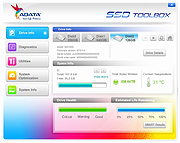 |
 |
Clear Disk Info v4.4.1.0 Clear Disk Info v4.4.1.0 👉 Monitor hard drive and SSD health information with a clean and easy-to-read interface. Clear Disk Info is a lightweight disk monitoring utility designed to display detailed SMART information for hard drives and SSDs. It helps users keep track of drive health, temperature, firmware details, power-on hours, transfer modes, and other important storage statistics in a clear and organized layout. The program supports multiple storage device types and provides quick access to essential diagnostic information for detecting potential drive problems before data loss occurs. Features: • Displays SMART health and diagnostic information for HDDs and SSDs • Shows drive temperature, health status, firmware, and serial numbers • Supports SATA, NVMe, and USB-connected storage devices • Monitors power-on hours, drive usage, and transfer modes • Clean and lightweight user interface with easy-to-read statistics • Provides real-time drive condition monitoring • Supports multiple drives simultaneously • Portable and installer versions available • Designed for fast access to essential disk health data Supported operating systems: • Windows 7, Windows 8, Windows 10, Windows 11 Supported languages: English Changes: v4.4.1 08-02-25 Refreshed the UI with a more modern font. Bug fixes Click here to visit the author's website. |
|
11,612 | May 19, 2026 Carifred 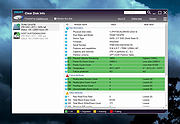 |
|
CrystalDiskInfo v9.9.3 CrystalDiskInfo v9.9.3 👉 Monitor and analyze the health and performance of your hard drives and SSDs. CrystalDiskInfo is a free hard drive health monitoring utility that provides detailed information about your storage devices, including HDDs, SSDs, and NVMe drives. It reads S.M.A.R.T. (Self-Monitoring, Analysis and Reporting Technology) data to help detect potential drive failures before they happen. CrystalDiskInfo displays temperature, health status, firmware version, serial number, interface, transfer mode, drive letters, and total host reads and writes for supported devices. It supports a wide range of storage interfaces and gives users a clear overview of drive condition through an easy-to-read interface with color-coded health indicators. CrystalDiskInfo is lightweight, easy to use, and ideal for anyone who wants to keep an eye on their system’s storage reliability and performance. Features: • Displays detailed S.M.A.R.T. information • Real-time drive temperature monitoring • Health status indicators with color coding • Supports HDD, SSD, and NVMe drives • Shows firmware, serial number, and interface details • Tracks total host reads and writes • Alert notifications for critical drive conditions • Lightweight and easy-to-use interface Supported operating systems: • Windows XP, Windows Vista, Windows 7, Windows 8, Windows 10, Windows 11 Supported languages: Abkhazian, Arabic, Armenian, Azerbaijani, Bulgarian, Catalan, Croatian, Czech, Danish, Dutch, English, Filipino, Finnish, French, Galician, German, Greek, Hebrew, Hungarian, Italian, Japanese, Korean, Lithuanian, Norwegian, Persian, Polish, Portuguese (Brazil), Portuguese (Portugal), Romanian, Russian, Serbian, Simplified Chinese, Slovak, Slovenian, Spanish, Swedish, Thai, Traditional Chinese, Turkish, Ukrainian, Vietnamese Changes: v9.9.3 10-11-26 Fixed: Transfer Mode Display for JMicron External Controllers Improved: SanDisk SSD SSD support Updated: Language files (Traditional Chinese) Click here to visit the author's website. |
|
10,673 | Oct 12, 2026 hiyohiyo  |
|
CrystalDiskMark v9.0.3 CrystalDiskMark v9.0.3 👉 Simple and reliable disk benchmark software. CrystalDiskMark is a lightweight disk benchmark utility designed to quickly measure the sequential and random read and write performance of hard drives, SSDs, NVMe drives, USB flash drives, and other storage devices. It provides clear and easy to understand results, making it ideal for comparing drive speeds or verifying storage performance after installation or upgrades. CrystalDiskMark supports multiple test modes and customizable settings, allowing users to adjust test size, number of passes, and measurement units. The interface is straightforward, with large buttons and clear output columns for sequential and random read and write speeds. It is widely used by enthusiasts, reviewers, and everyday users who want accurate storage performance results without unnecessary complexity. Features: • Measures sequential and random read and write performance • Supports HDD, SSD, NVMe, and USB storage devices • Multiple test sizes and pass counts • Customizable test profiles and settings • Displays results in MB/s, IOPS, and latency • Simple and easy to use interface Supported operating systems: • Windows 8.1, Windows 10, Windows 11 Supported languages: English, Japanese, Chinese (Simplified), Chinese (Traditional), Korean, French, German, Italian, Spanish, Portuguese, Russian, Polish, Hungarian Changes: v9.0.3 05-24-26 Improved: Security of DLL loading process Click here to visit the author's website. |
|
6,725 | Jun 27, 2026 Crystal Dew World 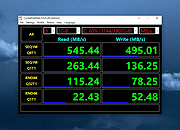 |
|
Disk Benchmark NVME SSD v1.1.0 Disk Benchmark NVME SSD v1.1.0 👉 A free portable tool for benchmarking storage read and write performance directly inside any selected folder. Disk Benchmark NVME SSD is a free, portable Windows benchmarking utility designed to measure sequential read and write performance using the actual folder where your files are stored. Rather than requiring you to select a physical drive, it lets you choose a specific folder or path and tests storage performance there. This makes it useful for testing NVMe and SATA SSDs, hard drives, USB storage and compatible network paths. The program performs a focused SEQ1M Q8T1 sequential benchmark using 1 MiB operations, allows you to configure the number of passes and test size, and generates an HTML report containing system, path and performance information. Temporary benchmark data is automatically removed when testing is complete, with cleanup handling included for interrupted sessions. It requires no installation and can be run directly as a portable application. Features: • Measures sequential read and write storage performance • Uses 1 MiB sequential operations • Focused SEQ1M Q8T1 benchmark • Tests a selected folder or path rather than requiring physical drive selection • Configurable benchmark pass count • Configurable test size • Displays read results and benchmark progress while testing • Reports the best completed benchmark result • Generates an HTML report after each completed test • Reports path, system and performance information • Works with NVMe SSDs, SATA SSDs, hard drives and USB storage • Can benchmark compatible network paths • Automatically removes temporary test data after completion • Includes recovery cleanup for interrupted benchmark sessions • Completely portable with no installation required Supported operating systems: • Windows 10, Windows 11 Supported languages: English Changes: v1.1.0 08-23-26 Not provided. Note: This file has one hit on VirusTotal. We have confirmed this to be a false positive. The file is safe. Click here to visit the author's website. |
|
212 | Aug 23, 2026 Cristoforo Bonissone 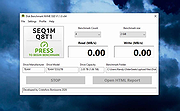 |
|
DiskGenius Free v6.2.0.1829 DiskGenius Free v6.2.0.1829 👉 Free partition management, data recovery, backup, and disk utility software. DiskGenius Free Edition is an all-in-one disk utility designed to help users manage partitions, recover lost files, back up important data, and maintain storage devices. The free version provides a powerful set of tools for partition creation, formatting, resizing, cloning, and file recovery while remaining suitable for home users, technicians, and advanced PC enthusiasts. DiskGenius Free Edition supports hard drives, SSDs, USB flash drives, memory cards, and virtual disks. It can recover deleted files, restore lost partitions, inspect SMART information, clone disks and partitions, securely erase drives, and convert partition tables between MBR and GPT. The free version also includes hexadecimal disk editing tools, bad sector checking, and support for numerous file systems. Features: • Create, delete, format, resize, split, and merge partitions • Recover deleted files from HDDs, SSDs, USB drives, and memory cards • Recover lost or damaged partitions • Clone disks and partitions • Backup and restore partition tables • Convert disks between MBR and GPT formats • Check and repair bad sectors • View and monitor SMART disk information • Securely erase files and partitions • Supports NTFS, FAT32, exFAT, EXT2, EXT3, and EXT4 file systems • Browse and edit files directly from partitions • Includes a hexadecimal disk editor • Supports virtual disk files including VMware, VirtualBox, and Hyper-V formats • Create bootable USB drives for disk recovery tasks • Analyze disk usage and partition structure Supported operating systems: • Windows XP, Windows Vista, Windows 7, Windows 8, Windows 8.1, Windows 10, Windows 11, Windows Server 2003, Windows Server 2008, Windows Server 2012, Windows Server 2016, Windows Server 2019, Windows Server 2022 Supported languages: English, German, French, Spanish, Italian, Portuguese, Russian, Japanese, Korean, Chinese Traditional, Chinese Simplified, Turkish, Czech Changes: v6.2.0.1829 08-04-26 New Add the "Disk Speed Test" feature. Add the "Windows Boot Repair and Conversion" feature. ... |
|
16,841 | Aug 04, 2026 Eassos Ltd. 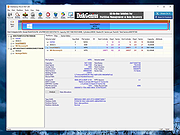 |
|
EaseUS Partition Master Free v20.2.0 EaseUS Partition Master Free v20.2.0 (This is the full package, not the downloader.) 👉 Free disk partition management and cloning software for Windows. EaseUS Partition Master Free is a user-friendly disk management utility designed to help home users organize, resize, clone, and manage storage devices without data loss. The free edition provides essential partitioning tools for managing HDDs, SSDs, USB drives, and external storage devices through an easy graphical interface suitable for beginners and advanced users alike. The software allows users to create, delete, format, resize, move, merge, and wipe partitions while helping optimize disk space usage and improve drive organization. EaseUS Partition Master Free also includes basic disk cloning capabilities, partition recovery tools, disk surface testing, and bootable media creation features for maintenance and troubleshooting tasks. Features: • Resize, move, merge, split, create, delete, and format partitions • Clone partitions and disks using the free disk clone feature • Convert file systems between FAT32 and NTFS without formatting • Support for HDD, SSD, USB flash drives, memory cards, and external drives • Migrate data between storage devices • Basic partition recovery tools for lost or deleted partitions • Create WinPE bootable media for maintenance and recovery tasks • Disk surface test and bad sector checking utilities • Wipe partitions and securely erase data • GPT and MBR disk support • Simple graphical interface with drag-and-drop partition management • Includes free toolbox utilities for disk and partition maintenance • Supports large-capacity modern storage drives Supported operating systems: • Windows 7, Windows 8, Windows 8.1, Windows 10, Windows 11 Supported languages: • English, Deutsch, Franηais, Espaρol, Italiano, Portuguκs, Nederlands, Polski, Dansk, Malay, العربية, ไทย, 日本語, 繁體中文, Русский, 한국어 Changes: v20.2.0 06-09-26 • Improved partition management stability and performance • Enhanced disk cloning compatibility • Updated interface and usability improvements • Fixed known bugs and minor issues Click here to visit the author's website. |
|
20,916 | Jun 09, 2026 EASEUS 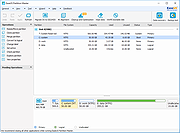 |
|
EntropyVerify v1.0.0 EntropyVerify v1.0.0 👉 Portable, high-performance storage validation utility for verifying drive capacity and integrity. EntropyVerify is an open source, cross-platform storage validation utility written in Rust. Designed as a modern alternative to H2testw, it verifies the true capacity and integrity of storage devices by writing hardware-accelerated, incompressible AES-CTR data and validating it using BLAKE3 block checksums. The program is optimized for modern high-speed NVMe SSDs while remaining compatible with virtually any storage device. It features a real-time terminal dashboard, detailed verification reports, built-in safeguards to prevent accidental testing of system drives, and configurable command-line options for advanced users. Features: • Verifies the true capacity and integrity of storage devices. • High-performance asynchronous I/O for Windows and Linux. • Hardware-accelerated AES-128-CTR data generation. • BLAKE3 block-level integrity verification. • Real-time terminal dashboard with throughput graphs, progress bars, and ETA. • Automatically detects CPU topology and assigns worker threads to physical cores. • Built-in safety checks to prevent overwriting system drives and protected mount points. • Supports write-only and verify-only testing modes. • Generates detailed Markdown verification reports. • Automatically removes test files after a successful validation pass while retaining failed data for analysis. • Interactive controls for pausing, resuming, changing displayed units, and aborting tests. Supported operating systems: • Windows 10, Windows 11 Supported languages: • English Changes: v1.0.0 06-23-26 • Initial public release. • Introduced high-performance storage validation with asynchronous I/O. • Added hardware-accelerated AES-CTR data generation and BLAKE3 verification. • Added interactive terminal dashboard, Markdown reporting, and built-in safety protections. Click here to visit the author's website. |
|
474 | Jun 23, 2026 blamie 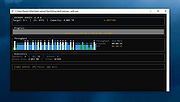 |
|
FastCopy v5.12.0 FastCopy v5.12.0 👉 High-speed file copy and backup software for Windows. FastCopy is a fast file copy and backup utility for Windows designed to maximize transfer performance by using multi-threaded read, write, and verify operations together with Overlapped I/O and Direct I/O. It supports Unicode file names, paths longer than MAX_PATH, and include or exclude filtering using UNIX-style wildcards. FastCopy is built to reduce the load on other running applications while delivering very high copy performance on modern storage devices. Features: • Fast file copy and backup software for Windows • Verification support for more reliable copying • Can record hash values for each file • Uses multi-threaded read, write, and verify processing • Uses Overlapped I/O and Direct I/O for high performance • Supports Unicode file names • Supports file paths longer than MAX_PATH (260 characters) • Supports include and exclude filters using UNIX-style wildcards • Lightweight design built with Win32 API only Supported operating systems: • Windows 7, Windows 8, Windows 8.1, Windows 10, Windows 11 • Windows Server 2012, Windows Server 2012 R2, Windows Server 2016, Windows Server 2019, Windows Server 2022, Windows Server 2025 Supported languages: • English, Japanese, Chinese Changes: v5.11.3 08-18-26 Added an option to Shell Extension to replace Explorer's standard drag & drop / paste with FastCopy. (Default: OFF) Various security enhancements. - Enabled CET Shadow Stack (/CETCOMPAT). - Enabled Control Flow Guard (/guard:cf). - Stricter DLL loading (added /DEPENDENTLOADFLAG:0x800). - (Already enabled: /GS, /NXCOMPAT (DEP), /SAFESEH (x86), /DELAYLOAD, /DYNAMICBASE, /HIGHENTROPYVA, SetDefaultDllDirectories) Note: This file has one hit on VirusTotal. We have confirmed this to be a false positive. The file is safe. Note: If you need the portable version, use the "Extract" button in the installer. Click here to visit the author's website. |
|
12,524 | Aug 21, 2026 SHIROUZU Hiroaki 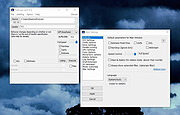 |
|
Games Cleaner v24.31022 Games Cleaner v24.31022 👉 Advanced gaming cleanup utility that removes leftover files, launcher junk, caches, logs, and temporary game data to free valuable storage space. Games Cleaner is a specialized cleanup utility designed specifically for gamers who want to reclaim wasted disk space and keep their systems organized. Unlike general-purpose cleaning tools, Games Cleaner focuses on the unique folders and temporary files created by modern PC games and digital distribution platforms. The program scans gaming-related directories for leftover uninstall files, launcher caches, outdated logs, crash reports, shader caches, empty folders, screenshots, temporary downloads, and other unnecessary data commonly left behind after gaming sessions or incomplete uninstallations. This helps reduce clutter while freeing storage space that can quickly disappear on systems with large game libraries. Games Cleaner supports many popular gaming ecosystems and launchers, making it useful for players with collections spread across multiple platforms. The utility can detect and clean files created by services such as Steam, Epic Games Launcher, Ubisoft Connect, Bethesda Launcher, EA App, Battle.net, GOG Galaxy, and other common PC gaming environments. The interface is designed to be straightforward and easy to use, allowing users to quickly scan their system, review detected items, and remove unnecessary files without manually browsing through complicated game directories. It can be especially useful for SSD users where storage space is limited and large modern games constantly generate temporary data. Features: • Cleans leftover files from installed and previously uninstalled games • Removes temporary files, caches, logs, shader caches, and crash reports • Supports multiple popular gaming launchers and ecosystems • Detects unnecessary gaming-related junk files automatically • Helps recover valuable disk space on SSDs and HDDs • Scans for empty folders and obsolete directories • Cleans launcher-generated cache and temporary download files • Helps organize cluttered gaming systems • Simple and easy-to-use interface • Lightweight Windows utility focused on gaming cleanup • Designed specifically for PC gaming ... |
|
532 | Jun 04, 2026 Rezar Behzad 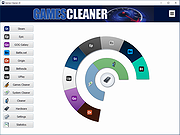 |
|
GSmartControl v2.0.2 GSmartControl v2.0.2 👉 Hard disk and SSD health inspection tool using S.M.A.R.T. data. GSmartControl is a graphical user interface for smartctl (from smartmontools) that allows you to inspect the S.M.A.R.T. data of hard disk drives and solid-state drives to determine their health status. It supports ATA and SCSI devices and provides detailed drive information, attributes, error logs, and self-test results. GSmartControl enables you to run various self-tests, including short, extended, and conveyance tests, and displays the results in an easy-to-read format. It also provides drive identification information, capabilities, and statistics to help diagnose potential hardware issues before failure occurs. Features: • View detailed S.M.A.R.T. attributes and drive information • Perform short, extended, and conveyance self-tests • Automatic detection of ATA and SCSI devices • Display error logs and self-test logs • Advanced drive information and capability reporting • Cross-platform support Supported operating systems: • Windows 7, Windows 8, Windows 10, Windows 11 • macOS • Linux Supported languages: English Changes: v2.0.2 02-24-25 Support GCC 11 (and Ubuntu 22.04) by using and vendoring fmt library (#77). Support an option of saving smartctl output to text instead of JSON (#76). Restored pre-2.0.0 runtime support for smartctl < 7.3 (based on Text parser); this is an unsupported, old method without NVMe, provided for compatibility only (#77). Restored pre-2.0.0 support for standard (non-extended) self-test log found in very old ATA drives; the new JSON parser did not support this previously (#79). Better support for temperature values in JSON parser; this fixes unreasonably large temperature values (#78). Add a tooltip explaining self-test "lifetime hours" wrapping behavior (#73). Windows: Fixed a crash on Windows 7 when opening drive information by using Windows 7-compatible librsvg (#71). Windows: Avoid using non-integer font sizes. This download is for the Windows 64bit portable ... |
|
6,597 | Jun 29, 2026 Alexander Shaduri 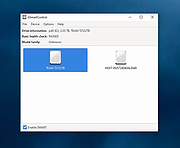 |
|
Hasleo Disk Clone v5.8.2.1 Hasleo Disk Clone v5.8.2.1 👉 Free Windows disk, partition, and system cloning software. Hasleo Disk Clone is a free and all-in-one disk cloning software for Windows that can migrate Windows to another disk, clone an entire disk, or clone a partition to another location quickly and efficiently. Features: • Migrate Windows to another disk without reinstalling Windows, apps, drivers, or user settings • Clone an entire disk to another disk • Clone individual partitions while keeping data intact • Resize and move destination partitions before cloning • Convert MBR to GPT or GPT to MBR during cloning • Sector-by-sector cloning support • Intelligent sector copy technology for faster cloning • Delta Clone support in paid editions • Rapid exFAT and ReFS cloning support • Multiple disk alignment modes • Native support for Windows X86, X64, and ARM64 • Create bootable WinPE media for cloning operations • Supports HDD, SSD, external HDD, Thunderbolt, dynamic disk, and more • Supports FAT12, FAT16, FAT32, NTFS, exFAT, ReFS, and other file systems in sector-by-sector mode Supported operating systems: • Windows Vista, Windows 7, Windows 8, Windows 8.1, Windows 10, Windows 11, Windows Server 2008 or later Supported languages: English, Arabic, Bulgarian, Chinese Traditional, Czech, Dutch, French, German, Hungarian, Italian, Japanese, Korean, Polish, Portuguese Brazilian, Russian, Simplified Chinese, Slovak, Slovenian, Spanish, Swedish, Turkish, Ukrainian Changes: v5.8.2.1 06-17-26 • Fixed an issue that caused disk enumeration to fail • Fixed an issue where WinPE created under Windows ARM64 26H1 did not work properly Click here to visit the author's website. |
|
4,652 | Sep 17, 2026 Hasleo Software 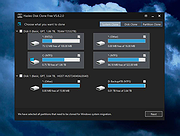 |
|
HDDScan v4.1 HDDScan v4.1 👉 Free hard drive and SSD diagnostic utility for testing storage devices, reading S.M.A.R.T. data, and monitoring drive health. HDDScan is a freeware diagnostic utility for hard drives, SSDs, RAID arrays, USB flash drives, and other supported storage devices. It can test drives for bad blocks and bad sectors, display and analyze S.M.A.R.T. attributes, run built-in S.M.A.R.T. tests, monitor drive temperature, display performance graphs during testing, generate identity reports, and adjust certain drive parameters such as AAM, APM, and PM. It also supports saving reports in MHT format, printing reports, and building command line tasks. Features: • Tests storage devices for bad blocks and bad sectors • Reads and analyzes S.M.A.R.T. attributes • Runs Short, Extended, and Conveyance S.M.A.R.T. tests • Monitors drive temperature • Supports verification, read, erase, and butterfly read tests • Displays performance graphs and response-time maps • Generates drive identity information reports • Supports AAM, APM, and power management controls on supported drives • Can start or stop spindle operation on supported drives • Saves reports in MHT format • Prints reports • Includes command line support • Supports IDE, SATA, SCSI, SAS, USB, FireWire, RAID volumes, flash drives, and supported SSDs Supported operating systems: • Windows XP SP3, Windows Server 2003, Windows Vista, Windows 7, Windows 8, Windows 10 Supported languages: • English Changes: v4.1 Features: Automatic Settings Preservation: Should help some drives "to remember" AAM/APM/PM setting after power cycle SMART Window will show "Drive State" at the top for easier "health" check Bugfixes: Command line "Administrator Permission" bugfix Click here to visit the author's website. |
|
770 | Apr 19, 2026 Artem Rubtsov 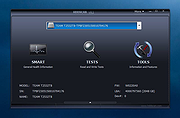 |
|
Novabench v6.0.3 Novabench v6.0.3 👉 Free PC benchmarking and hardware performance testing utility. Novabench is a free benchmarking program that allows you to quickly test and evaluate your computer’s overall performance. It measures CPU, GPU, RAM, and storage speeds using a simple interface designed for both casual users and technicians. The free version provides a complete system benchmark score along with detailed hardware information and comparison tools to help identify performance bottlenecks or hardware problems. Novabench can be useful for checking system stability after upgrades, comparing hardware performance against similar systems, troubleshooting slow computers, and monitoring the effects of overclocking or driver updates. Benchmark results can also be uploaded online to compare your PC with other systems using the Novabench database. Features: • Free CPU, GPU, RAM, and disk benchmarking • Generates an overall system performance score • Quick benchmark testing with minimal setup required • Displays detailed hardware and system information • Compare benchmark results with other systems online • Useful for testing gaming PCs, laptops, and workstations • Helps identify hardware bottlenecks and slow components • Portable benchmark results that can be shared online • Lightweight interface suitable for beginners and technicians • Supports stress testing and stability verification tools • Includes temperature and hardware monitoring support • Can help verify system improvements after upgrades or repairs Supported operating systems: • Windows 10, Windows 11 • macOS 11 Big Sur or higher • Linux distributions supporting modern x86-64 hardware Supported languages: • English Changes: v6.0.3 06-09-26 • Improved benchmark reliability and scoring consistency • Updated hardware detection and compatibility support • General bug fixes and stability improvements This download is for the Windows installer version (very bottom of page). All other download assets are below: Other Windows: novabench-arm64.exe macOS: novabench.dmg Linux: novabench-x64.deb novabench-arm64.deb novabench-x64.rpm novabench-arm64.rpm Click here to visit the author's website. |
|
7,803 | Jun 09, 2026 Novawave Inc. 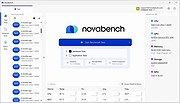 |
|
Speed-Up NVMe v1.0 Speed-Up NVMe v1.0 👉 Increase NVMe drive performance in Windows 11 up to 80%. Speed-Up NVMe is a portable utility that enables Microsoft’s newer native NVMe storage driver on supported Windows 11 systems by applying the required registry entries automatically. According to the developer, this can improve IOPS performance by up to 80% and reduce CPU cycles by about 45% on supported setups. The program also includes the registry files it applies, so you can review or revert the changes more easily. It is intended for supported Windows 11 consumer versions with the required updates installed, and the author notes that Windows 10 compatibility is not confirmed. Features: • Enables Microsoft’s newer native NVMe storage driver on supported Windows 11 systems • Portable utility with one-click apply and revert capability • Includes the registry entries used by the program in the Reg folder • Can improve NVMe SSD IOPS performance on supported systems • May reduce CPU usage during supported storage workloads • Helps expose NVMe devices under Storage Controllers instead of standard device handling after reboot • Useful for workloads such as database operations, file server metadata work, Hyper-V, virtualization, and large AI or machine learning dataset processing Supported operating systems: • Windows 11 24H2, Windows 11 25H2 • Windows Server 2025 Supported languages: English Changes: v1.0 12-29-25 Not Provided How to Use: 1) Download the Speed-Up NVMe ZIP file and extract it to any folder. 2) Right-click the executable and select Run as Administrator. 3) Click Enable NVMe Optimization (or equivalent option). 4) Restart Windows to apply the changes. To revert: 1) Run the tool again as Administrator. 2) Choose Restore Default Settings. 3) Restart Windows to apply the changes. Note: This tool modifies Windows registry settings to enable an undocumented NVMe driver. Use only on Windows 11 and at your own risk. Click here to visit the author's website. |
|
986 | Mar 24, 2026 Sordum.org 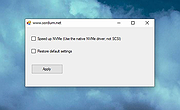 |
|
SSD Booster .NET v18.45 SSD Booster .NET v18.45 Free tool to optimize and tweak Windows for SSD drives. Use SSD Booster .NET to boost efficiency and maintain the peak performance of your SSD. Features: • 11 features to configure for SSD based systems • Analyze, TRIM and Defrag for SSD/SCM/HDD/VHD • AHCI and System Drive Optimizer • 100% Managed .NET Code • Priority Technical Support • Lifetime Free Updates Supported operating systems: Windows 7 or Later System Requirements: • Framework: Microsoft .NET Framework 4.5 or Later • Computer: IBM PC or 100% Compatible • Processor: 1 GHz or Faster • Memory: 1 GB or Higher • Storage: 50+ MB Click here to visit the author's website. |
|
999 | Dec 11, 2025 OMID SOFT 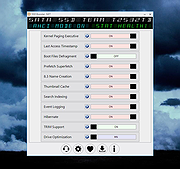 |
|
SSD Scope v4.14 SSD Scope v4.14 Brings together the latest technology in determining the condition and optimizing performance of a Transcend SSD product. Developed for use with Transcend SSD products, Transcend SSD Scope is an advanced and user-friendly software that makes it easier than ever to maintain a healthy and efficient SSD. The useful features include: View Drive Information, View S.M.A.R.T. Status, Diagnostic Scan, Secure Erase, Firmware Update, TRIM Enable, Health Indicator and System Clone. Features View Drive Info & S.M.A.R.T. Status Displays drive information and S.M.A.R.T. Status to monitor the Transcend's SSD health status. Monitors SSDs in RAID 0 and RAID 1 mode. Diagnostic Scan Performs an overall health evaluation of the data stored on your Transcend SSD. Secure Erase Use this function to permanently remove all data on the SSD. TRIM Detect and Enable Prevents future SSD performance degradation by completely removing unwanted data automatically. Firmware Update Use this function to update your Transcend SSD to the latest firmware version. Health Indicator Monitors the media wear-out level of a Transcend SSD. The value of a new SSD will show 100%, and decrease as the SSD is used. System Clone Copies data from your original drive including operating system (OS), programs, data to your new Transcend SSD drive. There's nothing to reinstall, no setup required, no data to transfer. System Requirements SSD Scope supports the following operating systems: • Microsoft Windows 7 or later • Administrator privileges required. Hardware Requirements • Desktop or Notebook computer with PCIe/SATA/USB port • SSD Scope supports the CFexpress 820 and the CFX650 when the cards are paired with the RDE2 and RDF2 card readers respectively. Supported Models Internal SSDs MTE250H / MTE250S / MTE240S / MTE220S / MTE110S/112S / MTE110Q / MTE400S / MTE300S / MTS832S / MTS830S / MTS825S / MTS820S / MTS800S / MTS600S / MTS430S / MTS425S / MTS420S / MTS400S / ... |
|
2,112 | May 10, 2023 Transcend Information, Inc. 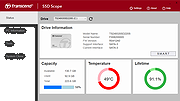 |
|
Wagnardsoft Tools (WTools) v1.0.9.5 Wagnardsoft Tools (WTools) v1.0.9.5 👉 Clean temporary files, repair Windows, and manage system settings from one utility. Wagnardsoft Tools (WTools) combines Windows cleanup, repair, monitoring, and maintenance features in one application. It finds unused Registry entries, removes temporary files from Windows and browsers, and helps repair corrupted system files. Its Home screen shows hardware, storage, and the status of selected performance settings. Beyond cleanup, WTools offers SSD TRIM, DPC latency monitoring, a performance overlay, Windows Update controls, and management of Microsoft Store apps. Advanced users can open Command Prompt and Registry Editor with SYSTEM privileges. Review the selected items before cleaning or changing Windows settings. Features: • Scan for unused Registry entries, including interface, class, and installer issues. • Select additional Registry categories for privacy traces and orphaned firewall rules. • Remove temporary files from Windows, the current user, and browsers. • Repair corrupted Windows system files. • View CPU, RAM, GPU, motherboard, operating system, and storage information. • Monitor DPC latency and view a chart covering the last 1, 5, or 15 minutes. • Display performance information in an overlay. • Run SSD TRIM with an adjustable optimization threshold. • Enable or disable Message Signaled Interrupts for supported NVIDIA cards before the RTX 3000 series. • Open Command Prompt and Registry Editor with SYSTEM privileges. • Manage Microsoft Store apps and hidden Windows updates. • Clean superseded components from the Windows WinSxS folder. • Adjust interface size from 100% to 150%. Supported operating systems: • Windows 7 SP1 with Extended Security Updates, Windows 8, Windows 8.1, Windows 10, Windows 11 Some features, including DPC latency monitoring, do not work on Windows 7. Supported languages: English, French, Spanish, German, ... |
|
4,103 | Sep 28, 2026 Wagnardsoft 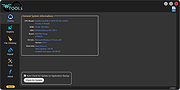 |
| Showing rows 1 to 18 of 18 | Showing Page 1 of 1 | 1 |
OlderGeeks.com Copyright (c) 2026
