|

|
Processed through Paypal No account required. |








Buy our over-priced crap to help pay the bills.



|
|
Processed through Paypal No account required. |
| File - Download PC Services Optimizer 2.2.385 | ||||||||
| Description | ||||||||
|
Always scroll to the bottom of the page for the main download link. We don't believe in fake/misleading download buttons and tricks. The link is always in the same place. PC Services Optimizer 2.2.385 PC Services Optimizer is an open source system tweaking solution that enables you to optimize Windows services in an easy, automatic and safe way based on the way you use your computer. It does not require any technical knowledge, as it provides easy to understand options to tune-up your system for better performance and security. Automatic TuneUp Automatic TuneUp tweaks your PC settings for best performance in an easy and safe way according to the way you use your computer. It will turn off unneeded Windows services without affecting the normal function, this will make your PC run faster and more secure. Manual TuneUp Manual TuneUp gives you the power to optimize Windows services in an easy, safe and advanced way without getting involved with Windows services functions and dependencies. Gaming Mode Gaming Mode will give your system an immediate performance boost. Unneeded Windows features will be temporary turned off to free up computer resources and concentrate computer power on programs you are currently using. Services Profiles PC Services Optimizer can save your services settings in profiles, enabling you to apply your different settings in seconds, saving you a lot of time specially when dealing with multiple computers or users. Services Manager Services Manager enables advanced users to master Windows services including third party services. It provides several tools for performing advanced functions for example you can install, start, stop, delete and specify the startup type of Windows services. Change Info: + Vista Services Optimizer name changed to PC Services Optimizer. + Added support for Microsoft Windows 8.1. + Added support for high DPI settings. + Added services snapshot creation notice. + Improved Live Update. + Fixed bug in Live Update. + Minor UI enhancements and bug fixes. 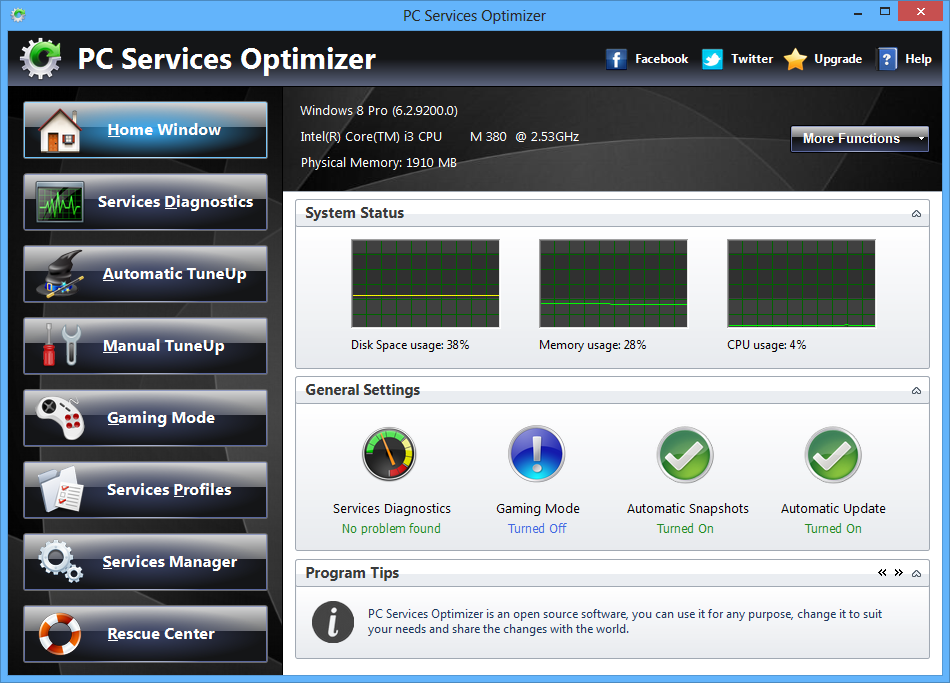
Continue below for the main download link. |
||||||||
| Downloads | Views | Developer | Last Update | Version | Size | Type | Rank | |
| 9,781 | 14,852 | Smart PC Utilities | Feb 19, 2014 - 22:54 | 2.2.385 | 522.1KB | EXE |  , out of 106 Votes. , out of 106 Votes. |
|
| File Tags | ||||||||
| PC Services Optimizer 2.2.385 | ||||||||
Click to Rate File Share it on Twitter → Tweet
|


