|

|
Processed through Paypal No account required. |








Buy our over-priced crap to help pay the bills.



|
|
Processed through Paypal No account required. |
| Files | ||||
| File Name | Rating | Downloads | ||
 |
Absolute HTML Compressor v1.14 Absolute HTML Compressor v1.14 Absolute HTML Compressor is an award-winning tool that optimizes HTML files so that their size reduces. The program doesn't corrupt most HTML files unlike other optimizers. Features works under Windows 95/98/Me/NT/2000/XP operating system (or higher); compressed documents are displayed in browsers unchanged; scripts and preformatted text are preserved; you can compress individual files or entire folders; backup files may be created; the program supports command line mode; you can specify various options of the program: merge lines; remove unnecessary whitespace characters; remove unnecessary quotation marks. For example, will be converted to ; replace some tags with the short ones - replace STRIKE tags with S, STRONG with B and EM with I remove HTML comments. The comments within the scripts and styles aren't removed; remove <!DOCTYPE ...> tags; remove meta tags. You can specify names of the meta tags to be removed. Click here to visit the author's website. |
 |
6,072 | Dec 09, 2018 Alentum Software Ltd. 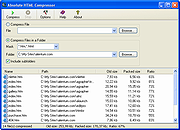 |
 |
ClipAngel v2.23 ClipAngel v2.23 👉 Clipboard history capture and paste tool. ClipAngel is a clipboard manager that captures multiple clipboard objects and lets you select and paste them into any program. It is inspired by ClipDiary, Ditto, and AceText, with main priorities of usability, compatibility, and reliability. Features: • Captures clipboard history for supported clipboard formats • Supports text, HTML, RTF, image, and file clips • Text filter and clip list share key presses, so there is no need to change focus • Ability to delete and move clips in the list • History is stored encrypted on disk • Portable mode • Auto position window near text input • Always on top option • Open clip as file command • Simulate character input for windows isolated from the clipboard • Support for sending paste and input to elevated windows • Monitor clipboard switch • Word wrap and monospaced font options • Clip list shows samples for picture clips • Native formatting switch for HTML and RTF clips • Text compare command with support for Beyond Compare, ExamDiff Pro, WinMerge, Araxis Merge, DiffMerge, KDiff3, and custom applications • Translate text command • Drag and drop clips from the list • Preserves history even if the computer crashes Supported operating systems: • Windows Vista or later, Windows Server 2008 or later Supported languages: Brazilian Portuguese, Chinese (Simplified), English, French, German, Greek, Hindi, Italian, Polish, Russian, Spanish Changes: v2.23 06-04-26 Fixed inability to select text in HTML mode introduced in the previous version. Added "Text from picture" to the "Clip" submenu. Note: This file has two hits on VirusTotal. We have confirmed these to be false positives. The file is safe. Click here to visit the author's website. |
|
6,852 | Sep 03, 2026 tormozit 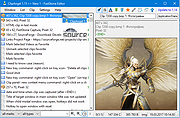 |
|
Disk Benchmark NVME SSD v1.1.0 Disk Benchmark NVME SSD v1.1.0 👉 A free portable tool for benchmarking storage read and write performance directly inside any selected folder. Disk Benchmark NVME SSD is a free, portable Windows benchmarking utility designed to measure sequential read and write performance using the actual folder where your files are stored. Rather than requiring you to select a physical drive, it lets you choose a specific folder or path and tests storage performance there. This makes it useful for testing NVMe and SATA SSDs, hard drives, USB storage and compatible network paths. The program performs a focused SEQ1M Q8T1 sequential benchmark using 1 MiB operations, allows you to configure the number of passes and test size, and generates an HTML report containing system, path and performance information. Temporary benchmark data is automatically removed when testing is complete, with cleanup handling included for interrupted sessions. It requires no installation and can be run directly as a portable application. Features: • Measures sequential read and write storage performance • Uses 1 MiB sequential operations • Focused SEQ1M Q8T1 benchmark • Tests a selected folder or path rather than requiring physical drive selection • Configurable benchmark pass count • Configurable test size • Displays read results and benchmark progress while testing • Reports the best completed benchmark result • Generates an HTML report after each completed test • Reports path, system and performance information • Works with NVMe SSDs, SATA SSDs, hard drives and USB storage • Can benchmark compatible network paths • Automatically removes temporary test data after completion • Includes recovery cleanup for interrupted benchmark sessions • Completely portable with no installation required Supported operating systems: • Windows 10, Windows 11 Supported languages: English Changes: v1.1.0 08-23-26 Not provided. Note: This file has one hit on VirusTotal. We have confirmed this to be a false positive. The file is safe. Click here to visit the author's website. |
|
213 | Aug 23, 2026 Cristoforo Bonissone 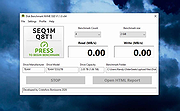 |
|
Filelister v4.1.1 Filelister v4.1.1 👉 A fast, efficient, and reliable file listing utility. Filelister is a fast, efficient and reliable file listing utility. The main function of the program is to create a text or html file from the contents of a disc or folder and display it according to the user's preferences. Features: • HTML or Text file output • Support for international characters (UTF8 file output) • Recursive or collapsed/flat list styles • File type filtering using simple regular expression • Folder exclusion using simple regular expression • Enable/Disable different file property outputs as columns • Sorting based on different file properties ascending/descending Supported operating systems: • Windows 7, Windows 10, Windows 11 Supported languages: English Changes: v4.1.1 12-31-25 Bugfix: Fixed issue with year and month not being expanded correctly Bugfix: Options dialog now has a default button Note: This file has two hits on VirusTotal. We have confirmed these to be false positives. The file is safe. This download is for the Windows installer version (very bottom of page). If you need the Windows portable version (v4.1.0), download here. Click here to visit the author's website. |
|
2,677 | Mar 24, 2026 True Human Design 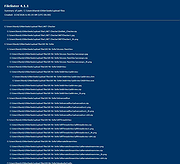 |
|
GenOffice v0.11.0 GenOffice v0.11.0 👉 A free, open-source office suite with six editors and optional AI assistance. GenOffice brings document writing, spreadsheets, presentations, PDF editing, HTML and Markdown together in one desktop workspace. It opens and saves native Microsoft Office files, including .docx, .xlsx and .pptx, and lets you work with your files locally. The suite includes Docs for word processing, Sheets for spreadsheets, Slides for presentations, PDF for editing and conversion, HTML for pages and reports, and Markdown for formatted notes. Its file engines preserve untouched portions of Office files rather than rebuilding everything each time you save. An optional AI assistant can work directly with your document. Ask it to rewrite a passage, build spreadsheet formulas, create a presentation or explain information in a file. Changes can be reviewed through snapshots, differences and rollback controls, with tracked revisions available in Docs. The office applications are free, with no ads or watermarks. AI features (optional) use Genspark credits or your own API provider, whose usage charges may apply. Opening, editing, saving and PDF-to-Office conversion run locally. Complex formatting can vary, so review important documents before sharing them. Features: • Six editors in one workspace: Docs, Sheets, Slides, PDF, HTML and Markdown. • Native Office formats: Open and save .docx documents, .xlsx workbooks and .pptx presentations. • Document editing: Work with styles, tables, images, headers, footers, comments and tracked changes. • Spreadsheet tools: Use live formulas, charts, pivot tables, slicers, conditional formatting and formula tracing. • Presentation editing: Work with slide masters, layouts, smart guides and image cropping. • PDF editing: Edit text and images directly within pages, and work with annotations and forms. • Local PDF conversion: Convert PDF files into editable Word, Excel or PowerPoint files without AI credits. • ... |
|
94 | Oct 01, 2026 Genspark 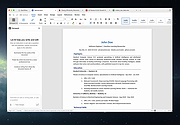 |
|
HTTrack v3.50-4 HTTrack v3.50-4 Website Copier 👉 Download entire websites to your computer for convenient offline browsing. HTTrack is a free and open-source offline browser and website copier that allows you to download a website from the Internet to a local directory. It recursively builds directories and retrieves HTML pages, images and other files while preserving the original site's relative link structure. Once downloaded, you can open the mirrored website in your regular browser and navigate from page to page as if you were viewing it online. HTTrack can also update an existing mirrored site, resume interrupted downloads and provides extensive configuration options and an integrated help system. Features • Downloads complete websites for offline browsing • Recursively retrieves HTML pages, images and other linked files • Preserves the original website's relative link structure • Browse downloaded websites using a regular web browser • Updates previously downloaded website mirrors • Resumes interrupted downloads • Extensive configuration options for controlling downloads • Integrated help system • WinHTTrack graphical interface for Windows • WebHTTrack interface for macOS, Linux, Unix and BSD • Supports modern HTTPS connections • Supports SOCKS5 and CONNECT proxies • Supports Brotli and Zstandard compression • Supports files larger than 2 GB • Supports Windows paths longer than 260 characters • Supports accented and non-Latin project names and paths • Supports WARC web archive output • Can use sitemaps as a source of URLs • Can create standalone single-file pages • Can report changes made during mirror updates Supported operating systems • Windows 7 SP1, Windows 8, Windows 8.1, Windows 10, Windows 11 • Windows XP and Windows Vista are supported by the older 3.49-2 release. • Windows systems older than Windows 2000 are supported by the older v3.49-2 release. • Windows XP and Windows Vista are supported by the older v3.33 release. • macOS ARM only • Linux, Unix, BSD. Supported languages Bulgarian, Chinese (Simplified), Chinese (Traditional), Croatian, Czech, Danish, Dutch, English, Estonian, Finnish, French, German, Greek, Hungarian, Italian, Japanese, Macedonian, ... |
|
212 | Sep 25, 2026 Xavier Roche & other contributors 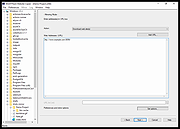 |
|
Kate v26.07.70 Kate v26.07.70 👉 Advanced multi-document text editor and source code editor for programmers. Kate is a feature-rich text editor developed by the KDE community. Designed for programmers, system administrators, and power users, it provides advanced editing capabilities including syntax highlighting, code folding, project management, powerful search and replace functions, session management, and integrated terminal access. Kate can open and edit multiple documents simultaneously using tabs and split views, making it ideal for managing large projects and working across numerous files at once. Kate supports hundreds of programming and markup languages through its extensive syntax highlighting engine and includes Language Server Protocol (LSP) integration for code completion, diagnostics, symbol navigation, and other modern development features. Its plugin architecture allows users to extend functionality with tools such as file browsers, document previews, external command execution, and Git integration. Kate is available for Linux, Windows, and macOS, providing a consistent editing experience across platforms. Features: • Multi-document and multi-window editing interface • Tabbed and split-view editing • Syntax highlighting for over 300 file formats • Code folding and bracket matching • Language Server Protocol (LSP) support • Intelligent code completion and symbol navigation • Powerful search and replace tools • Regular expression support • Session management for restoring workspaces • Project management tools • Embedded terminal window • Git integration and developer-focused plugins • Multiple cursors and selections • Vi/Vim input mode • Automatic file encoding detection • Support for local and remote file editing via network protocols • Markdown, HTML, and SVG preview support through plugins • Extensive customization options and plugin architecture Supported operating systems: • Windows 10, Windows 11 • macOS 13 Ventura or higher • Linux distributions supporting KDE Gear 26.07.70 Supported languages: Arabic, Basque, Catalan, Chinese (Simplified), Chinese (Traditional), Czech, Danish, Dutch, English, Finnish, French, Galician, German, Greek, Hebrew, Hungarian, Italian, Japanese, Korean, Norwegian Bokmεl, Polish, Portuguese, Portuguese (Brazilian), Romanian, Russian, Slovak, Slovenian, Spanish, Swedish, Turkish, Ukrainian, and many additional KDE translation languages. Changes: v26.07.70 Not provided. This download is ... |
|
2,633 | Jun 16, 2026 Kate KDE Team 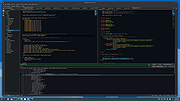 |
|
Ron's HTML Cleaner v2024.05.15.0827 Ron's HTML Cleaner v2024.05.15.0827 HTML Cleaner to process and clean HTML data in a smart and efficient way. Rons HTML Cleaner is a Windows utility perfect for cleaning HTML generated by rich editors (such as Word), before being published to SharePoint, on a Content Management System (CMS), or Blog. Running as a desktop application Rons HTML Cleaner keeps your files on your own computer so you do not need to ‘share’ them with an anonymous online HTML cleaner web site. The HTML Cleaner contains the ability to clean, or alter, a source HTML document or page, through the use of Cleaners. Cleaners are made up of a list of operations that can be build, saved and applied to an HTML document as required. Or simply use the Wizard to quickly get started creating Cleaners. • The layout makes the comparison of the original document (or HTML source) with the processed view very clear. • Rons HTML Cleaner directly opens Word documents, and automatically converts them into a well formatted HTML, which can then be cleaned before being copied or saved as a new file. • With the batch processing capability, 100's of HTML and Word files can be processed in seconds, making cleaning a whole website an easy task! Powerful Any number of rules can be combined in any order to satisfy almost all Cleaning needs. Complex rule sets can be saved to give instant access to frequently used Cleaning tasks. Easy With two or three clicks HTML can be Cleaned: select a Cleaner, click Paste, click Copy All. Job done! Smart Lays out the HTML to enhance the visibility of the structure, and list links and images separately. Fast Processes the source HTML in the blink of an eye to give instant visual feedback of the document before and after Cleaning. Ideal for taking an HTML page ... |
|
6,285 | Aug 31, 2024 Aaron Stewart 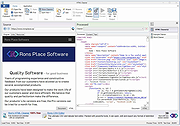 |
|
Sigil Portable v2.8.1 Sigil Portable v2.8.1 👉 A portable version of the powerful, open source EPUB ebook editor for creating and editing ebooks without installation. Sigil Portable is the PortableApps.com version of Sigil, a free and open source EPUB ebook editor that supports both visual WYSIWYG-style editing and direct editing of EPUB code. It can be carried on a USB flash drive, portable hard drive, cloud folder or other portable storage and used without a traditional installation. The portable package keeps its settings with the application, making it convenient for working with ebooks on multiple Windows computers. Sigil is designed specifically for editing EPUB ebooks and supports EPUB 2 as well as EPUB 3. Authors and editors can work directly with XHTML and CSS, edit book metadata, generate tables of contents, check spelling, perform powerful regular-expression searches and make detailed changes to the internal structure of an ebook. The interface provides multiple views so users can work visually or directly with the underlying code. Features: • Portable package designed to run from USB drives, portable drives, cloud folders and other locations • WYSIWYG word processor-style ebook editing • Direct editing of EPUB XHTML and other underlying code • Full EPUB 2 specification support • Limited EPUB 3 support • Multiple Book, Code and Preview views • Full UTF-16 support • Table of Contents generator with multi-level heading support • Metadata editor supporting more than 200 possible metadata entries with descriptions • Spell checking with default and user-configurable dictionaries • Full PCRE regular-expression support for Find and Replace • Imports EPUB and HTML files, images and style sheets • Integrated FlightCrew EPUB validator for checking EPUB compliance • Embedded HTML Tidy for correcting formatting in imported files and optionally cleaning edited content • Translated user interface • Online Sigil User's Guide and documentation • Open source under the GNU GPL Supported operating systems: • Windows 10 64-bit, Windows 11 64-bit Supported languages: Multilingual Changes: v2.8.1 07-18-26 Sigil 2.8.1 is a ... |
|
2,338 | Aug 31, 2026 Graeme Gott and PortableApps.com 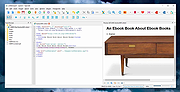 |
|
Sigil v2.8.1 Sigil v2.8.1 👉 A free, open source, cross-platform EPUB ebook editor for creating and editing EPUB 2 and EPUB 3 books. Sigil is a powerful ebook editor designed to make it easy to create, edit, format and package ebooks in the EPUB format. It can be used by anyone from people creating ebooks for personal use to professional editors preparing books for publication on multiple platforms. Sigil provides direct control over EPUB content and structure while combining editing, preview, metadata, navigation, validation and organizational tools in a single application. It is completely free and open source under the GPLv3 license. Features: • Supports both EPUB 2 and EPUB 3 specifications • Code View provides complete control over EPUB XHTML, CSS and other source files • Preview View displays changes while working on an ebook • Generates tables of contents with multi-level heading support • Includes a metadata editor for managing ebook information • Imports EPUB and HTML files, images and style sheets • Book Browser organizes the files contained inside an EPUB • Built-in spell checking with default and user-configurable dictionaries • Full Regular Expression (PCRE) support for powerful Find and Replace operations • Mend and Prettify tools can repair and clean imported formatting and source code • Plugin support allows additional functionality to be added • Checkpoint support provides snapshots that can be compared as an ebook is edited • Themeable icons and a customizable interface • Full UTF-16 support • Supports external editors, including integration with the separate PageEdit visual XHTML editor • Reports and validation tools help locate problems in EPUB, XHTML, CSS and other book resources • Image editing tools provide basic rotation, cropping and resizing • Drop Zone allows files to be added to an EPUB using drag and drop • Change Reading Order dialog provides an alternative to drag and drop for arranging book content • Prettify behavior can be customized using prettyprint.xml in Sigil preferences Supported ... |
|
6,320 | Aug 31, 2026 John Schember |
| Showing rows 1 to 10 of 10 | Showing Page 1 of 1 | 1 |
OlderGeeks.com Copyright (c) 2026
