|

|
Processed through Paypal No account required. |








Buy our over-priced crap to help pay the bills.



|
|
Processed through Paypal No account required. |
| Files | ||||
| File Name | Rating | Downloads | ||
 |
Aegisub v3.4.2 Aegisub v3.4.2 👉 Advanced cross-platform subtitle creation, timing, and editing software. Aegisub is a free, open-source subtitle editor designed for creating, modifying, timing, and styling subtitles for video content. It provides powerful tools for subtitle synchronization, visual typesetting, karaoke effects, and subtitle formatting while offering a built-in real-time video preview. Aegisub is widely used by subtitle creators, translators, fansub groups, and video editors who need precise control over subtitle appearance and timing. The program supports Advanced SubStation Alpha (ASS) subtitles and can import and export multiple subtitle formats. Its audio waveform display, timing tools, automation scripting support, and advanced styling features make it suitable for both beginners and professional subtitle authors. Features: • Create and edit subtitle files with precise timing controls • Advanced SubStation Alpha (ASS) subtitle support • Built-in real-time video preview window • Audio waveform and spectrogram displays for accurate synchronization • Powerful subtitle styling and typesetting tools • Karaoke timing and visual effects creation • Visual positioning and subtitle placement tools • Multiple subtitle format import and export support • Automation support through Lua and MoonScript scripting • Spell checking and text editing tools • Frame-by-frame subtitle adjustment capabilities • Video, audio, and subtitle synchronization tools • Cross-platform open-source design • Unicode and multilingual subtitle support Supported operating systems: • Windows 10/11 • macOS 10.15 and newer • Linux (Most major distributions via package manager.) Supported languages: English, Czech, German, Spanish, Finnish, French, Hungarian, Italian, Japanese, Catalan, Brazilian Portuguese, Traditional Chinese, Simplified Chinese, Russian, Bulgarian, Serbian, Greek, Turkish Changes: v3.4.2 01-12-25 Internationalization Fix more locale-dependent path issues Discard MRU entries with invalid encodings instead of crashing Linux Work around wxGTK crash when clicking “Show Original” Round instead of truncating in float audio converter to pass 32-bit tests Stuff Fix error “ERROR in finalizer: wrong number of arguments for function ... |
 |
659 | May 31, 2026 Rodrigo Braz Monteiro & contributers 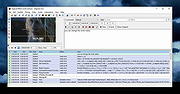 |
|
Background Generator v1.1.0 Background Generator v1.1.0 👉 Create custom backgrounds quickly and easily. Background Generator is a desktop application that allows users to create custom backgrounds for their projects. It provides a simple and straightforward interface designed to generate backgrounds without the need for complex design software. The program is intended for users who want to quickly create visually appealing backgrounds for use in websites, presentations, graphics, or other creative work. With its focused design and ease of use, Background Generator makes background creation accessible to users of all experience levels. Features: • Creates large material and random background images • High resolution output in PNG and JPG formats • Includes 7 background generating programs (including Colorful and Graphics generators) • Portable ZIP version available Supported operating systems: • Windows 7, Windows 8, Windows 10 (32/64) and later Supported languages: English, Franηais, Deutsch, Italiano, Espaρol, Dutch, Portuguκs, Polski, 简体中文, 繁體中文, 日本語, 한국어 Click here to visit the author's website. |
|
4,542 | Jun 27, 2026 BgGenerator.com 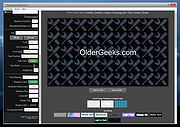 |
 |
Drift v0.1.1 Drift v0.1.1 👉 A free, open-source video editor for creating polished videos without subscriptions or watermarks. Drift is a beginner-friendly desktop video editor that combines a straightforward workflow with a full collection of creative tools. Import video clips, photographs and music, then arrange everything on a multi-track timeline with tools for trimming, splitting, snapping and ripple editing. Add effects, transitions, titles, shapes, stickers and emoji without leaving the editor. Drift can also generate editable captions from speech, isolate subjects, create masks, remove green-screen backgrounds, adjust playback speed and clean up noisy audio. The preview and export systems use the same compositor, helping the completed video match what you saw while editing. Drift is completely free and open source with no account, subscription, telemetry or watermark. Optional fonts, stickers, effects and speech-recognition models can be installed through the built-in Addon Manager as needed. Features: • Multi-track timeline for video, audio, text and shapes • Trim, split, snap and ripple editing tools • Mute or hide individual timeline tracks • Full undo and redo support • GPU-powered video effects • Adjustable transitions between overlapping clips • Reusable effect and appearance templates • Customizable titles with fonts, colors, outlines, shadows and alignment • Stickers, emoji and optional content packs • Speech-to-text caption generation • Edit caption wording and timing directly on the timeline • Subject cutout and masking tools • Green-screen background removal • Playback speed adjustment and reversing • Custom speed ramps, fades and beat-based animation • Audio mixing and effect chains • Background-noise cleanup • Project bundles that include associated media • Optional downloadable fonts, effects, stickers and speech models • Export quality and bitrate controls • H.264, H.265, AV1, ProRes and additional export formats • Preview and export use the same compositor • No account, subscription, telemetry or watermark Supported operating systems: • Windows • Linux • macOS, build from source only Supported languages: English Changes: v0.1.1 07-31-26 A small fix-up release on top of the first public version. Curves in the keyframe editor are now ... |
|
329 | Aug 03, 2026 CutWire Studios 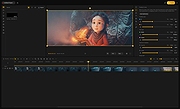 |
|
Folder Creator v1.0 Folder Creator v1.0 Simple batch folder creator for Windows. Features Choose or enter a target folder. Enter a base common name for the folders to create. Enter a range of numbers to append to the end of folders names. There's a preview of the folders which will be created. Note: You will get a screen warning from Windows the first time you use this program. The file is safe. Click "More Info" and then "Run Anyway". Click here to visit the author's website. |
|
2,526 | Sep 29, 2022 Simple Works 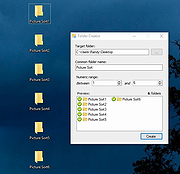 |
|
LC ISO Creator v1.1 LC ISO Creator v1.1 A blast from the past freeware ISO creator from the long defunct Lucersoft company. Although it last supported Windows XP, it runs fine in Windows 7,10 and 11. It's completely portable too! This program has no bells and whistles. It makes an ISO from a CD or DVD. That's it. It might be just what you were looking for! Click here to visit the author's website. |
|
3,361 | Jan 06, 2022 Lucersoft 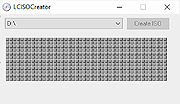 |
|
LinuxLive USB Creator 2.9.0 LinuxLive USB Creator 2.9.0 LinuxLive USB Creator is a free and open-source software for Windows. It will help you in your journey of discovery with Linux. For you, LiLi creates portable, bootable and virtualized USB stick running Linux. Not only for geeks LiLi is designed to be used by both beginners and geeks. If you are a beginner, LiLi will let you try Linux for the first time, keeping Windows clean of any modifications. And if you are a geek, LiLi will allow you to test almost any Linux distributions directly from Windows, or just install them from a USB flash drive instead of CDs. Fully featured: Supports hundreds of Linux distributions No reboot needed Totally free and open-source Persistence on selected Linux SmartClean and SmartDownload Available in a lot of languages Really easy to use Automatic integrity check And much more ... |
 |
8,164 | Nov 11, 2014 Thibaut Lauziere |
|
Mihov Gallery Creator v0.9.2 Mihov Gallery Creator v0.9.2 A simple but useful program for creating image galleries for the internet. Do you have a lot of pictures that you would like to show to people around the world and you just don't know how to create a link to all of them? Mihov Gallery Creator is the right thing for you. It creates friendly pages on which it puts your pictures. Of course every page has a link to the previous picture and the next picture, and to the index file that Mihov Gallery Creator makes for you. You choose page colors, fonts, title and file names exactly the way you like them. Then you can preview created gallery in your favorite browser and at the end Mihov Gallery Creator even helps you upload all the files to your homepage via FTP. The good thing is that there are no special requirements for the server: no need for scripting languages, no need for FrontPage extensions, no cgi. Just plain HTML! The program is very easy to use but very powerful. If you want to post your pictures to the internet, using Mihov Gallery Creator is the correct decision! You will find out that you like using Mihov Gallery Creator very much. The program will even make an index page with thumbnails and you will be able to add a custom description to each picture. If you have a digital camera you will be able to show the pictures to your friends in no time and without trouble. Demo galleries: Demo 1 (time needed to create the gallery: less than one minute) Basic gallery with thumbnails Demo 2 (time needed to create the gallery: one minute) Gallery with thumbnails, green background, white title, font Verdana, italic, bold, ... |
|
3,241 | Nov 04, 2021 Miha Psenica 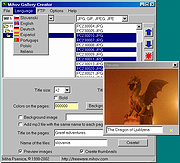 |
|
MultiOS-USB v0.12.1 MultiOS-USB v0.12.1 👉 Create a multiboot USB flash drive capable of launching multiple operating system installers and utilities directly from ISO/WIM images. MultiOS-USB is a utility that allows you to build a single bootable USB flash drive containing multiple operating system installers and recovery tools. Instead of keeping separate installation media for different systems, MultiOS-USB organizes ISO images on one device and presents them through a boot menu so you can choose which system or tool to launch. MultiOS-USB simplifies system deployment, testing environments, and recovery workflows by letting technicians keep a portable library of operating systems and utilities on one drive. The program prepares the USB drive, installs the bootloader, and configures the menu structure required to boot the selected ISO images. This makes it particularly useful for technicians, system administrators, and repair professionals who frequently install or troubleshoot operating systems. Features: • Create a multiboot USB flash drive • Store multiple operating system installers on a single drive • Boot different ISO images from a unified menu • Useful for operating system installation, testing, and recovery • Portable tool for technicians and system administrators • Simple process for adding or removing ISO images Installation and usage: 1. Prepare the USB drive Extract the MultiOS-USB archive and run the program. Insert the USB flash drive you want to use and follow the prompts to prepare the drive and install the bootloader. 2. Copy operating system ISO images After the USB drive is prepared, copy supported ISO images into the appropriate folders on the flash drive as described in the documentation. 3. Boot from the USB drive Restart the computer and select the USB device in your system's boot menu. MultiOS-USB will display a menu allowing you to select which operating system installer or utility to launch. 4. Secure Boot note Some systems with Secure Boot enabled may display a Machine Owner Key (MOK) management screen or security verification ... |
|
886 | Jul 13, 2026 MexIT 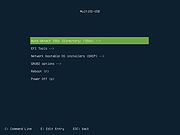 |
|
Playlist Creator v3.6.2.18 Playlist Creator v3.6.2.18 👉 Create and edit M3U and PLS music playlists with a lightweight portable Windows utility. Playlist Creator is a simple, focused utility for building music playlists without the overhead of a full media manager. Originally created by oddgravity, this preserved and modernized edition has been rebuilt as a native 64-bit Windows application while retaining the behavior and features of the original program. Files and folders can be added to a playlist, rearranged, removed, sorted or randomized before saving. Existing M3U and PLS playlists can also be opened and modified. Playlist Creator uses MediaInfo to read metadata from many media formats and can incorporate information such as artist, track number and title into playlist entries. The modernized build is completely native x64 and portable. The MFC and C/C++ runtimes, CxImage, libpng and zlib are statically linked, while the required 64-bit MediaInfo DLL is supplied alongside the executable. The project specifically targets Windows 10 or newer. Features: • Creates M3U and PLS playlists • Opens and edits existing playlists • Add individual files or entire folders • Recursively add files from folders and subfolders • Drag and drop files directly into the playlist • Reorder playlist entries manually • Move selected entries to the top or bottom • Sort playlist entries by column • Shuffle playlists into random order • Create simple playlists containing plain file lists • Read metadata from many media formats using MediaInfo • Use artist, track number and title metadata when creating playlist entries • Highlight playlist entries that refer to missing files • Configure which media file types are included • Save playlist paths using forward or backslashes • Supports multiple playlist save/path modes • Resizable main window • Optional gridlines and alternating row colors • Keyboard shortcuts and context menus for common playlist operations • Portable native 64-bit build requiring no installation Supported operating systems: • Windows 10 64-bit, Windows 11 64-bit Supported languages: English, German Changes: v3.6.2 x64 Modernization Build 08-07-26 Updated to ... |
|
253 | Aug 18, 2026 sl2365 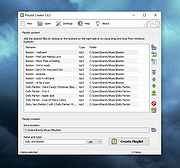 |
|
Pulover's Macro Creator v5.4.0 Pulover's Macro Creator v5.4.0 Pulover's Macro Creator is a full featured automation tool for Windows and it's free for everyone! Get started watching the Video Tutorials! Feature Highlights Pulover’s Macro Creator can automate from simple mouse clicks to complex macros with loops and conditions. The built-in Recorder is a handy tool to create precise macros with little effort. Mouse & Keyboard Send keystrokes, keyboard commands, move and click. Control Commands Control windows in the background. Set and get information from a window’s control. Window Commands Wait for a window to exist or be active. Move, resize, maximize, minimize and set various window’s settings. Image & Pixel Search Search for an image or pixel on the screen. Make screenshots and define actions to be taken. Loops Simple and advanced loops. Iterate through files and folders, text files and objects. If Statements Control the flow of your macros setting conditions. Variables & Functions Define and modify variables and objects. Use strings, numbers and variables. Create arrays. Internet Explorer & General COM objects Simplified interface for IE and support for Auto-Hotkey Expressions allowing to control applications like Excel and Word. User-Defined Functions Define your own functions with input and output values to be used in your macros. v5.4.0 Fixed missing or mixed rows when importing files. Automatically adding escape char in delimiter em omit chars in Loop window. Click here to visit the author's website. |
|
4,231 | Feb 22, 2021 Rodolfo Batista 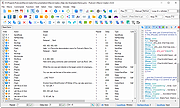 |
|
Rufus v4.15 Rufus v4.15 👉 Create bootable USB drives easily and quickly. Rufus is a small utility that helps format and create bootable USB flash drives, such as USB keys, memory sticks, and other removable media. It is especially useful for cases where you need to create USB installation media from bootable ISOs, including Windows, Linux, and other operating systems, or when working on systems that lack an optical drive. Rufus is known for its speed and reliability, offering advanced options for power users while remaining simple enough for beginners. It supports UEFI and legacy BIOS, allows selection of partition schemes and file systems, and includes options for handling ISO images with custom settings. Features: • Create bootable USB drives from ISO images • Supports UEFI and legacy BIOS • MBR and GPT partition schemes • FAT32, NTFS, exFAT, UDF, and ReFS file systems • Detects USB devices automatically • Advanced formatting and drive options • Portable, no installation required Supported operating systems: • Windows 8, Windows 8.1, Windows 10, Windows 11 Supported languages: English, French, German, Italian, Spanish, Portuguese, Russian, Chinese (Simplified), Chinese (Traditional), Japanese, Korean, Arabic, Polish, Dutch, Greek, Turkish, Czech, Hungarian, Romanian, Vietnamese, Thai, Indonesian, Ukrainian, Bulgarian, Slovak, Slovenian, Danish, Finnish, Norwegian, Swedish, Hebrew, Persian Changes: v4.15 06-30-26 Add RISC-V 64 support to UEFI:NTFS. Improve the guards for using the "silent" Windows installation option. Improve the ability to cancel during write retries. Improve progress reporting for compressed image extraction. Fix unrestricted XML entity expansion and integer overflow in ezxml parser (courtesy of Eric Sadowski). Fix "silent" Windows installation failing at 75% in most cases. Fix a crash during boot when using UEFI:NTFS on Snapdragon X based ARM64 platforms. Fix first WUE option always being checked by default. Fix an infinite loop when using Windows ISOs that contain multiple WIMs. Fix "Enable runtime UEFI media validation" checkbox not always being properly enabled. Other WUE improvements/fixes for OneDrive removal and username validation (with thanks to @christian8641). Non exhaustive ... |
|
14,358 | Jul 02, 2026 Pete Batard/Akeo 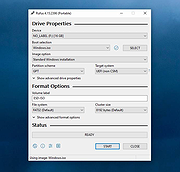 |
|
Subtitle Edit v5.0.0 Subtitle Edit v5.0.0 👉 Free open-source subtitle editor for creating, editing, syncing, and converting subtitles. Subtitle Edit is a free and open-source subtitle editor designed for professional and hobbyist subtitle creation alike. Version 5 represents the biggest update in the project's history, rebuilding the application with the Avalonia UI framework to provide a true native cross-platform experience on Windows, macOS, and Linux from a single codebase. It retains the powerful editing capabilities that made Subtitle Edit popular while adding a modern interface, faster performance, and improved portability. Whether you're correcting subtitle timing, creating subtitles from scratch, translating captions, performing OCR on image-based subtitles, or converting between subtitle formats, Subtitle Edit provides an extensive collection of professional tools. It supports well over 300 subtitle formats, waveform and spectrogram editing, video preview, AI-assisted translation, speech-to-text integration, spell checking, batch processing, and numerous automation tools that greatly simplify subtitle production. Features: • Create new subtitles from scratch using video preview, waveform, and spectrogram displays • Edit and synchronize subtitles using visual and time-based synchronization tools • Convert between more than 300 subtitle formats • OCR support for image-based subtitle formats including Blu-ray and DVD subtitles • AI-powered translation using multiple online and local translation engines • Speech-to-text transcription using supported recognition engines • Automatic subtitle timing adjustments and frame rate conversion • Batch conversion, batch fixing, and batch subtitle processing • Spell checking with dictionaries for numerous languages • Search, replace, split, merge, and renumber subtitle lines • Generate subtitles with waveform and spectrogram editing • Compare and merge subtitle files • Video preview using supported media playback engines • Import and export subtitle projects in hundreds of formats • Customizable keyboard shortcuts and editing layouts • Dark mode and modern cross-platform user interface • Portable versions available for supported platforms • Free and open-source software released under the GNU GPL Supported operating systems: • Windows 10, Windows 11 • macOS 12 Monterey or later (Intel, ... |
|
1,666 | Jun 24, 2026 Nikolaj Olsson 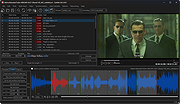 |
|
Torrent File Editor v1.0.3 Torrent File Editor v1.0.3 👉 A cross-platform tool for creating and editing .torrent and uTorrent .dat files. Torrent File Editor is a cross-platform application intended to create and edit .torrent and uTorrent .dat files. It is designed as a replacement for BEncode Editor and adds a modern interface along with extra features for managing torrent metadata, file structure, and encoded data. Features: • Create .torrent files from scratch • Add new files to an existing .torrent file • Remove files from a .torrent file • Change file order inside a .torrent file • Edit main torrent information including name, comment, publisher, URL, creation date, trackers, and author • Edit torrent data in JSON format • Support different encodings • Portable operation • Edit .torrent files as a binary tree • Search and replace in tree view • Open files with drag-and-drop • Remove files from the file list using filters • Command line mode Supported operating systems: • Windows 7, Windows 8, Windows 10, Windows 11 • macOS • Linux distributions with CMake and Qt Supported languages: Afrikaans, Arabic, Bengali, Chinese Simplified, Chinese Traditional, Czech, Dutch, English, Finnish, French, German, Hebrew, Hungarian, Indonesian, Italian, Japanese, Korean, Polish, Portuguese (Brazil), Romanian, Russian, Spanish, Turkish, Vietnamese, Ukrainian Changes: v1.0.3 06-05-26 Update translations Add Source field to Main tab Add button to open URL from Comment field to Main tab Fix date time format in Date created This download is for the Windows 64bit version (very bottom of page). All other download assets are below: Other Windows: torrent-file-editor-1.0.3-x32.exe (32bit) macOS: torrent-file-editor-1.0.3.dmg Linux: torrent-file-editor-1.0.3.tar.gz Linux users can build Torrent File Editor from source using CMake and Qt. First install the required development packages for Qt and CMake using your distribution’s package manager. Download the source codeand open a terminal in the project folder. Run the standard CMake build process: create a build directory, run cmake .., and then compile with make. Once compilation completes, the application can be launched from the generated ... |
|
6,188 | Jun 07, 2026 Ivan Romanov 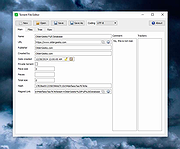 |
|
Wav2Bar v0.3.5 Wav2Bar v0.3.5 👉 Powerful open source software for creating advanced audio visualization videos. Wav2Bar is a free and open source audio visualization creator designed for producing animated music videos and visual effects synchronized to audio tracks. It allows users to combine visualizers, images, text, particle effects, timers, backgrounds, and custom objects into fully customizable projects that can be exported as MP4 videos for sharing online or integrating into larger productions. Built with flexibility in mind, Wav2Bar provides an editor-style workflow where users can design layered scenes and control how elements react to sound in real time. The software supports reusable project files, adjustable rendering quality, customizable frame rates and resolutions, and multiple visualizer styles for creating everything from simple waveform animations to complex motion graphics. Wav2Bar is especially useful for content creators, musicians, streamers, video editors, and anyone looking to generate professional-looking audio reactive visuals without requiring expensive commercial software. Its open source nature also allows developers and advanced users to customize or extend the software for specialized workflows. Features: • Create advanced audio reactive visualizations synchronized to music and sound • Design layered scenes using visualizers, backgrounds, text, and images • Multiple built-in visualizer styles for different animation effects • Export projects as MP4 video files • Save and reload projects for later editing • Reusable project templates for faster workflow creation • Customizable video resolution and frame rate settings • Real-time editor style interface for arranging objects and effects • Add logos, overlays, album artwork, and custom graphics • Built-in particle flow effects • Time indicators and timing-based visual elements • Audio caching system for smoother processing • Adjustable rendering quality for balancing speed and output quality • Open source architecture for customization and community development • Suitable for music videos, streaming overlays, social media clips, and promotional content • Lightweight modern interface focused on creative workflows • Supports complex animated compositions with multiple reactive elements • Free to use ... |
|
603 | Sep 30, 2026 Picorims 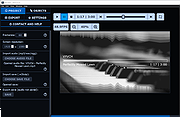 |
|
Windows Error Message Creator v1.40.32 Windows Error Message Creator v1.40.32 Mess with your IT person by creating fake error messages. CREATING STANDARD MESSAGE BOXES Windows Error messages are something that everyone has come across at some point or another. WEMC allows you to take these messages and put your own, often humorous, take on them. Everything you need to create one is on the main screen, in the section entitled 'Create A Standard Message Box.' CREATING CUSTOMIZED MESSAGE BOXES A customized message box is a message box that gives you total control over the contents. It allows you to set custom text, icons and buttons -- all in one easy to use interface. CREATING FORMAT DIALOGS WEMC includes the ability to create fictitious Formatting dialogue boxes. Formatting is the act of deleting all the data on a drive. N.B. WEMC does not actually delete any data; it merely gives the impression of such a thing happening. To create a format dialog, press Ctrl+F while on the Main Screen, or select 'Create > Format Dialog' from the menu. SHOWING A BLUE SCREEN OF DEATH WEMC has the ability to show off that most infamous of Windows errors, the Blue Screen Of Death (BSOD). To do this, select 'Create > BSOD' from the Main Menu, or press Ctrl+B. Version 1.40.32 Added 2 new icons. Please use the new INI updater to add these new icons to an existing list. This will help to preserve any custom icons you may have added. Added a new button to the Manage Custom Icons screen that will recreate the original CustomIcons.ini file. This is handy if you've accidentally deleted something you shouldn't have (by editing the file outside of WEMC). Please note that this will also remove any custom icons you have added. CustomIcons.ini will now ... |
|
6,602 | Feb 08, 2021 Christopher Urquhart 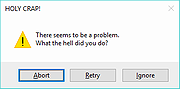 |
| Showing rows 1 to 15 of 15 | Showing Page 1 of 1 | 1 |
OlderGeeks.com Copyright (c) 2026
