|

|
Processed through Paypal No account required. |








Buy our over-priced crap to help pay the bills.



|
|
Processed through Paypal No account required. |
| Files | ||||
| File Name | Rating | Downloads | ||
 |
AllThreadsView v1.00 AllThreadsView v1.00 👉 View all running Windows threads from every process in one table. AllThreadsView is a lightweight portable utility from NirSoft that displays every running thread from every active process on your Windows computer in a single, continuously updated list. Instead of examining one process at a time, you can instantly see detailed information for all system and application threads, making it much easier to troubleshoot performance problems, investigate application behavior, or inspect low-level process activity. Features: • Displays all running threads from every active process • Shows Thread ID, Process ID, Process Name and Process Path • Displays thread creation time, duration, kernel time and user time • Shows thread priority, base priority and wait reason • Displays the thread start address • Automatically refreshes the thread list • Option to display only active threads • Export selected or all items to TXT, CSV, HTML, XML and JSON • Portable application requiring no installation Supported operating systems: • Windows XP, Windows Vista, Windows 7, Windows 8, Windows 10 • Windows 11 • 32-bit and 64-bit editions Supported languages: English, Arabic, Basque, Bulgarian, Catalan, Czech, Danish, Dutch, Finnish, French, German, Greek, Hungarian, Italian, Japanese, Korean, Persian, Polish, Portuguese, Portuguese (Brazil), Romanian, Russian, Simplified Chinese, Slovak, Slovenian, Spanish, Swedish, Traditional Chinese, Turkish, Ukrainian Changes: v1.00 06-28-26 • First release. This download is for the Windows 64bit version (very bottom of page). If you need the Windows 32bit version, download here. Click here to visit the author's website. |
 |
4,620 | Jun 29, 2026 Nir Sofer 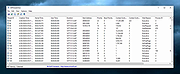 |
|
AlternateStreamView v1.58 AlternateStreamView v1.58 👉 View, copy, export and delete hidden NTFS alternate data streams. AlternateStreamView is a small utility that scans NTFS drives or folders and finds hidden alternate streams stored in the file system. After scanning, you can extract streams to a selected folder, delete unwanted streams, or save the stream list as text, HTML, CSV or XML. Features: • Scan NTFS drives or folders for hidden alternate data streams • View stream name, file name, stream size and related file details • Export selected streams to a folder • Delete unwanted alternate streams • Save results as TXT, HTML, CSV, XML and other report formats • Scan subfolders with optional folder-depth control • Supports file wildcard filtering • Explorer context menu option for checking a single file • Command-line options for scanning and exporting results • Portable utility with no installation required Supported operating systems: • Windows 2000 through Windows 11 • 32-bit and 64-bit systems Supported languages: Arabic, Brazilian Portuguese, Czech, Dutch, Finnish, French, German, Greek, Hungarian, Italian, Japanese, Persian, Polish, Romanian, Russian, Simplified Chinese, Slovak, Spanish, Traditional Chinese, Turkish, Ukrainian, Valencian Changes: v1.58 Updated to stop the file system scan when you press the Esc key. This download is for the Windows 64bit version (very bottom of page). If you need the Windows 32bit version, download here. Click here to visit the author's website. |
|
10,318 | Jun 04, 2026 Nir Sofer 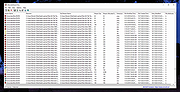 |
|
AppCrashView v1.35 AppCrashView v1.35 👉 View application crash reports from Windows Error Reporting files. AppCrashView is a small NirSoft utility that displays details of application crashes stored in Windows Error Reporting .wer files. It shows crash information in a two-pane window, with the crash list on top and the selected crash report contents below. Crash lists can be saved to text, CSV, HTML, or XML files, or copied to the clipboard for use in Excel or another spreadsheet program. Features: • Displays application crash details from Windows Error Reporting .wer files • Two-pane interface shows crash list and full selected crash report • Save crash lists as text, tab-delimited, CSV, HTML, or XML • Copy selected crash information to the clipboard • Quick Filter support for instantly narrowing crash results • Open report file folder or process folder • Delete selected reports • Run as administrator option • Command-line export options • No installation required Supported operating systems: • Windows Vista, Windows 7, Windows Server 2008, Windows 8, Windows 10 Supported languages: English, Brazilian Portuguese, Danish, Dutch, French, German, Greek, Hungarian, Italian, Japanese, Korean, Persian, Polish, Romanian, Russian, Simplified Chinese, Slovak, Spanish, Swedish, Traditional Chinese, Valencian Changes: v1.35 Added 'Quick Filter' feature (View -> Use Quick Filter or Ctrl+Q). When turned on, you can type a string in the text box under the toolbar and AppCrashView will instantly filter the application crashes list, showing only lines that contain the string you typed. Click here to visit the author's website. |
|
6,225 | Jun 14, 2026 Nir Sofer 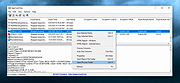 |
 |
AppNetworkCounter v1.61 AppNetworkCounter v1.61 👉 View network usage and bandwidth for every application on Windows. AppNetworkCounter is a simple Windows utility that counts and displays TCP/UDP bytes and packets sent and received by every application on your system. It shows received bytes, sent bytes, receive speed, send speed, IPv4 and IPv6 traffic totals, packet counts, and application version details such as product name, product version, file description, and company name. Features: • Displays network usage per application • Shows sent and received TCP/UDP bytes • Shows sent and received packet counts • Displays receive and send speeds • Tracks IPv4 and IPv6 traffic separately • Shows maximum and average receive/send speeds • Includes first and last activity time columns • Can group results by application name or process ID • Option to hide inactive items • Option to show a total line for all applications • Tray icon support • Export reports to text, CSV, HTML, XML, and JSON • Command-line report saving options • Portable; no installation required Supported operating systems: • Windows XP, Windows Vista, Windows 7, Windows 8, Windows 10, Windows 11 • 32-bit and 64-bit Windows supported • Administrator elevation required on Windows Vista and later Supported languages: English, Arabic, Brazilian Portuguese, Czech, Dutch, French, German, Greek, Hungarian, Italian, Japanese, Persian, Polish, Romanian, Russian, Simplified Chinese, Slovak, Spanish, Traditional Chinese, Turkish Changes: v1.61 08-23-26 Added 'Process Command-Line' column, which displays the full command-line string of every process (Only when the 'Group By' option is 'Process ID'). Added 'Keep Selected Item Visible' option. When it's turned on, the selected item always remains visible. 👉 This download is for the Windows 64bit version (very bottom of page). All other download assets are below: Other Windows: appnetworkcounter.zip (32bit) Click here to visit the author's website. |
|
6,273 | Oct 13, 2026 Nir Sofer 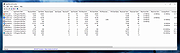 |
|
BrowserAddonsView v1.30 BrowserAddonsView v1.30 👉 View installed browser addons and plugins in one simple list. BrowserAddonsView is a simple NirSoft tool that displays details for Web browser addons and plugins installed on your system. It can scan Chrome, Firefox, Internet Explorer, and Microsoft Edge, and it detects multiple Chrome and Firefox profiles when present. Features: • Displays installed browser addons, plugins, and extensions • Supports Chrome, Firefox, Internet Explorer, and Microsoft Edge • Detects multiple Chrome and Firefox profiles • View addons from all Windows profiles • View Chrome and Firefox addons from an external drive or remote computer • Export selected items to text, CSV, tab-delimited, XML, HTML, or JSON • Copy addon information to the clipboard for use in spreadsheets • Quick Filter for instantly filtering the addon list • Command-line options for exporting, sorting, selecting columns, and loading profiles • Portable; no installation required Supported operating systems: • Windows XP, Windows Vista, Windows 7, Windows 8, Windows 10, Windows 11 • 32-bit and 64-bit systems Supported languages: English, Arabic, Brazilian Portuguese, Dutch, French, German, Greek, Hungarian, Italian, Japanese, Persian, Polish, Romanian, Russian, Simplified Chinese, Slovak, Spanish, Traditional Chinese, Turkish Changes: v1.30 07-20-24 Added 'Black Background' option (Under the View menu). When it's turned on, the main table is displayed in black background and white text, instead of default system colors. This download is for the Windows 64bit version (very bottom of page). If you need the Windows 32bit version, download here. Click here to visit the author's website. |
|
6,468 | Oct 07, 2026 Nir Sofer 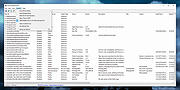 |
|
BrowserDownloadsView v1.51 BrowserDownloadsView v1.51 👉 View and export download history from Chrome, Firefox, and compatible browsers. BrowserDownloadsView is a Windows utility that displays details of downloaded files from Chrome and Firefox web browsers, including filename, download URL, web page URL, start time, end time, download duration, download size, web browser, and more. It can load download lists from the current system, all user profiles, remote computers, external drives, or specified browser profile folders. Features: • View browser download history from Chrome, Firefox, Edge, Brave, Opera, Vivaldi, SeaMonkey, Yandex, Waterfox, Pale Moon, and other compatible browsers • Load downloads from current user, all users, remote computer, external drive, or selected profile folders • Display filename, URLs, times, duration, size, browser, profile, and other download details • Export selected or full download lists to text, CSV, tab-delimited, HTML, XML, or JSON • Calculate MD5, SHA1, SHA256, or SHA512 hashes for downloaded files • Open download URLs, source web pages, filenames, file folders, and file properties • Copy downloaded files to another folder • Filter downloads by time range • Check downloaded files with VirusTotal using SHA256 hash • Command-line options for loading sources, sorting, selecting columns, and saving reports • Portable freeware with no installation required Supported operating systems: • Windows XP, Windows Vista, Windows 7, Windows 8, Windows 10, Windows 11 • 32-bit and 64-bit systems Supported languages: English, Brazilian Portuguese, Dutch, French, German, Greek, Hungarian, Italian, Japanese, Korean, Persian, Romanian, Russian, Simplified Chinese, Slovak, Spanish, Traditional Chinese, Turkish Changes: v1.51 07-10-25 You can now choose the desired encoding (ANSI, UTF-8, UTF-16) to save the csv/xml/text/html files. (Options -> Save File Encoding ) This download is for the Windows 64bit version (very bottom of page). If you need the Windows 32bit version, download here. Click here to visit the author's website. |
|
4,759 | May 31, 2026 Nir Sofer 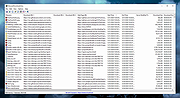 |
|
ControlMyMonitor v1.43 ControlMyMonitor v1.43 👉 View and modify your monitor's DDC/CI settings from a graphical interface or the command line. ControlMyMonitor is a freeware NirSoft utility that lets you view and change supported monitor settings, also known as VCP features, such as brightness, contrast, sharpness, RGB color balance, OSD language, and input source. It can manage monitor settings from a simple GUI or from the command line, and it can also export a monitor's settings to a configuration file and later load them back. Features: • View monitor VCP features such as brightness, contrast, sharpness, color balance, OSD language, and input port • Change supported monitor settings from a graphical interface • Control monitor settings from the command line • Export monitor settings to a configuration file • Load saved configuration settings back into a monitor • Support for multiple monitors with selectable monitor identifiers • Save monitor settings to text, tab-delimited, CSV, HTML, and JSON-compatible export formats • Includes command-line options for setting values, changing values, reading values, switching values, and turning monitors on or off Supported operating systems: • Windows Vista, Windows 7, Windows 8, Windows 8.1, Windows 10, Windows 11 Supported languages: Arabic, Brazilian Portuguese, Dutch, French, German, Greek, Hungarian, Italian, Japanese, Korean, Persian, Russian, Simplified Chinese, Slovak, Spanish, Traditional Chinese Changes: v1.43 Added 'Black Background' option (Under the View menu). When it's turned on, the main table is displayed in black background and white text, instead of default system colors. Click here to visit the author's website. |
|
6,738 | Aug 14, 2026 Nir Sofer 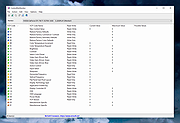 |
|
CountryTraceRoute v1.51 CountryTraceRoute v1.51 👉 Fast GUI traceroute utility with IP country information for Windows. CountryTraceRoute is a traceroute utility similar to Windows tracert, but with a graphical interface and faster operation. It displays each hop along the route to a host name or IP address and also shows the country of the owner of each detected IP address. Completed traceroute results can be copied to the clipboard or saved as CSV, tab-delimited, HTML, or XML files. Features: • Fast graphical traceroute tool for Windows • Displays IP address country information for each hop • Supports host names and IP addresses • Supports IPv4, IPv6, and Automatic IP address modes • Displays TTL, ASN, and company information when supported location databases are used • Can use external IP-location CSV files for country, city, and ASN data • Supports GeoLite2 City, Country, and ASN databases in CSV format • Saves selected results as CSV, tab-delimited, HTML, or XML files • Copies selected results or IP addresses to the clipboard • Command-line options for starting traceroute, maximum hops, and timeout • Portable, no installation required Supported operating systems: • Windows 2000 through Windows 11, 32-bit and 64-bit Supported languages: English, Brazilian Portuguese, Dutch, French, German, Greek, Hungarian, Italian, Japanese, Korean, Persian, Polish, Romanian, Russian, Simplified Chinese, Slovak, Spanish, Traditional Chinese, Turkish Changes: v1.51 Added 'Black Background' option (Under the View menu). When it's turned on, the main table is displayed in black background and white text, instead of default system colors. Updated the internal IP location database. Note: This file has two hits on VirusTotal. We have confirmed these to be false positives. The file is safe. Click here to visit the author's website. |
|
5,130 | Apr 30, 2026 Nir Sofer 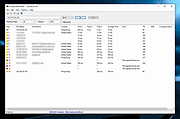 |
|
CurrPorts v2.80 CurrPorts v2.80 👉 Monitor and manage all active TCP/IP and UDP network connections on your Windows PC. CurrPorts is a lightweight network monitoring utility that displays every open TCP/IP and UDP port currently in use on your system. It provides detailed information about each connection, including the local and remote addresses, ports, protocol, process name, process ID, executable path, process version, connection state, and more. The utility is especially useful for troubleshooting network problems, identifying which applications are communicating over the network, monitoring suspicious activity, and diagnosing unwanted Internet connections. CurrPorts allows you to close selected TCP connections, terminate the process that opened them, copy connection details, or export information to HTML, XML, CSV, and text formats. It can also automatically highlight suspicious connections belonging to applications without version information or icons, making it easier to spot potentially unwanted or unknown software. Advanced filtering, logging, automatic refresh, GeoIP location support, command-line operation, and portable use make it a valuable tool for both system administrators and advanced users. Features: • Displays all active TCP and UDP connections in real time. • Shows process name, ID, executable path, version, and file description. • Displays local and remote IP addresses, ports, protocol, and connection state. • Close selected TCP connections without terminating the application. • Kill processes directly from the connection list. • Automatically highlights suspicious connections. • Advanced filtering by process, protocol, address, port, and connection state. • Automatic refresh with configurable intervals. • Logs newly opened and closed connections. • Export connection information to HTML, XML, CSV, tab-delimited text, and clipboard. • Optional GeoIP country, city, and ASN information for remote addresses. • Command-line support for automation and scripting. • Portable executable requiring no installation. • Supports customizable columns, sorting, fonts, and display options. Supported operating systems: • Windows 2000, Windows XP, Windows Server 2003, Windows Server 2008, Windows Vista, Windows 7, Windows 8, Windows 8.1, Windows 10, Windows 11 Supported languages: Arabic, ... |
|
10,863 | Jul 30, 2026 Nir Sofer 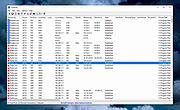 |
|
DevManView v1.81 DevManView v1.81 👉 Advanced alternative to the Windows Device Manager with enhanced device management tools. DevManView is a lightweight, portable utility that serves as an alternative to the standard Windows Device Manager. Instead of displaying hardware in a tree structure, it presents every installed device in a flat, sortable table with detailed information such as device name, manufacturer, service, driver version, install time, connection status, and more. It also allows you to enable, disable, uninstall, restart, and inspect devices with just a few clicks. DevManView can connect to remote computers (with administrative rights), load device information from an offline Windows installation, export device lists, and includes command-line options for automation and scripting. Features: • Displays all installed devices in a sortable table instead of a tree view • Shows detailed hardware and driver information • Enable, disable, uninstall, or restart devices • View devices on remote computers with administrator access • Load device information from an offline Windows installation • Export device lists to HTML, CSV, XML, or text • Open related Registry keys and INF files • Create desktop shortcuts to enable or disable devices • Powerful command-line support for scripting and automation • Portable application with no installation required Supported operating systems: • Windows XP, Windows Server 2003, Windows Vista, Windows 7, Windows 8, Windows 8.1, Windows 10, Windows 11 Supported languages: • Arabic, Basque, Bulgarian, Catalan, Chinese (Simplified), Chinese (Traditional), Croatian, Czech, Danish, Dutch, English, Finnish, French, German, Greek, Hebrew, Hungarian, Italian, Japanese, Korean, Polish, Portuguese (Brazil), Romanian, Russian, Slovak, Slovenian, Spanish, Swedish, Thai, Turkish, Ukrainian, Vietnamese Changes: v1.81 06-22-26 • Added 'Open Device In Registry Editor' option. • Added 'Open Device In RegEdit' to the right-click context menu. This download is for the Windows 64bit version (very bottom of page). If you need the Windows 32bit version, download here. Click here to visit the author's website. |
|
7,314 | Jun 23, 2026 Nir Sofer 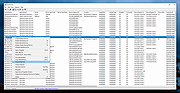 |
|
ExecutedProgramsList v1.15 ExecutedProgramsList v1.15 👉 A portable utility that reveals programs and batch files previously executed on your Windows computer. ExecutedProgramsList is a small system and forensic utility from NirSoft that displays programs and batch files previously run on your computer. It gathers execution information from several Windows Registry locations and the Windows Prefetch folder, making it useful for investigating software activity, troubleshooting a computer, or simply seeing what has been run in the past. For each detected program, it can display the executable file and path, file creation and modification times, and available version information including product name, product version and company name. For some programs, Windows also provides enough information for ExecutedProgramsList to show the last execution time. The program is completely portable. There is nothing to install and no additional DLL files are required. Results can be copied to the clipboard or exported to text, tab-delimited, CSV, HTML or XML files. Command-line options are also available for automatically generating reports. Features: • Displays programs and batch files previously executed on the computer • Collects execution history from multiple Windows Registry locations • Uses Windows Prefetch data as an additional source of execution history • Shows executable filenames and full file paths • Displays executable creation and modification times • Shows product name, product version and company name when available • Displays the last execution time for programs when the information is available • Opens the executable's folder directly in Windows Explorer • Opens the Windows file properties for a selected executable • Copies selected entries to the clipboard • Exports results to text, tab-delimited, CSV, HTML and XML formats • Includes command-line options for automatically saving reports • Name Only column can display the executable filename without its path • Optional black background with white text • Automatically sizes columns when configured to do so • Portable with no installation or additional DLL files required Supported operating systems: • Windows XP, ... |
|
6,751 | Aug 07, 2026 Nir Sofer 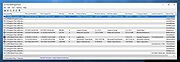 |
|
FileTypesMan v2.01 FileTypesMan v2.01 👉 View and edit Windows file extensions, associations and actions. FileTypesMan is a portable alternative to the File Types manager previously included with Windows Folder Options. It displays detailed information about every file extension and file type registered on your computer, including the type name, description, MIME type, perceived type, default icon, browser flags, Registry key and associated applications. The program uses a two-pane interface. The upper pane lists registered extensions and file types, while the lower pane shows the actions available for the selected item, such as Open, Edit, Print and other context-menu commands. You can edit file type properties, change icons, add or remove actions, replace an extension's assigned file type and open related entries directly in Registry Editor. FileTypesMan requires no installation and can be run directly after extracting the downloaded ZIP file. Separate 32-bit and 64-bit downloads are available. Features: • Displays all registered file extensions and file types • Shows type names, descriptions, MIME types and perceived types • Lists default icons, flags, browser flags and Registry keys • Displays associated applications and available file actions • Adds, edits or removes Open, Edit, Print and other actions • Changes file type properties, flags and default icons • Replaces the assigned file type for a selected extension • Detaches shared file types from individual extensions • Supports Windows UserChoice and SystemFileAssociations entries • Opens file type and action entries directly in Registry Editor • Copies actions from one file type and pastes them into another • Runs with TrustedInstaller privileges when protected entries must be modified • Exports information to text, CSV, tab-delimited, HTML or XML files • Provides command-line options for selecting and exporting extensions • Automatically refreshes the desktop after association changes • Offers optional icon-loading controls to prevent hangs or crashes • Includes a black-background viewing mode • Portable and requires no installation or additional DLL files Supported operating systems: • Windows XP, Windows Vista, ... |
|
10,312 | Jul 27, 2026 Nir Sofer 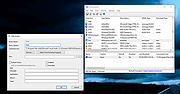 |
|
FolderTimeUpdate v1.75 FolderTimeUpdate v1.75 👉 Updates folder modified times based on the newest files inside them. FolderTimeUpdate is a simple Windows tool that scans all files and folders under a base folder you choose, then updates each folder's Modified Time according to the latest modified time of the files stored inside it. This can be useful after restoring backed-up folders when the backup program did not preserve the original folder modified times. Features: • Scans files and folders under a selected base folder • Updates folder Modified Time according to files inside the folder • Simulation Mode previews changes without applying them • Supports updating folder date/time from the command line • Can save update logs as text, tab-delimited, CSV, HTML, or XML • Supports choosing how folder modified time is calculated • Supports excluding folders from scanning or updating • Supports wildcard filtering for scanned files • Supports skipping hidden and system files • Supports Explorer context menu integration • Includes 32-bit and 64-bit downloads • No installation required Supported operating systems: • Windows 2000, Windows XP, Windows Vista, Windows 7, Windows 8, Windows 10, Windows 11 • 32-bit and 64-bit systems Supported languages: Arabic, Brazilian Portuguese, Bulgarian, Dutch, English, French, German, Greek, Hungarian, Italian, Japanese, Persian, Polish, Romanian, Russian, Simplified Chinese, Slovak, Spanish, Traditional Chinese, Turkish Changes: v1.75 Added option to change the sorting column from the menu (View -> Sort By). Like the column header click sorting, if you click again the same sorting menu item, it'll switch between ascending and descending order. Added 'Sort By' button to the toolbar. This download is for the Windows 64bit version (very bottom of page). If you need the Windows 32bit version, download here. Click here to visit the author's website. |
|
6,426 | Apr 30, 2026 Nir Sofer 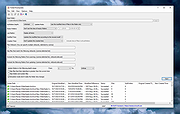 |
|
HashMyFiles v2.51 HashMyFiles v2.51 👉 Calculate and verify file hashes to confirm file integrity and authenticity. HashMyFiles is a lightweight, portable utility that calculates the hash values of one or more files or folders, making it easy to verify file integrity, compare downloaded files against published checksums, detect duplicate content, and confirm that files have not been modified. It supports multiple hashing algorithms including CRC32, MD5, SHA-1, SHA-256, SHA-384, and SHA-512. Hashes can be copied to the clipboard or exported to text, HTML, XML, CSV, JSON, or tab-delimited formats. HashMyFiles also integrates with the Windows Explorer context menu for quick access and requires no installation. Features: • Calculate CRC32, MD5, SHA-1, SHA-256, SHA-384, and SHA-512 hashes • Hash individual files, multiple files, or entire folders • Portable application requiring no installation • Drag-and-drop support • Windows Explorer context menu integration • Compare copied hashes with calculated values • Highlight identical hashes • Export results to TXT, HTML, XML, CSV, JSON, and tab-delimited formats • Command-line support for automation • Display file information including size, timestamps, version, and attributes Supported operating systems: • Windows 2000, Windows XP, Windows Server 2003, Windows Vista, Windows 7, Windows 8, Windows 8.1, Windows 10, Windows 11 Supported languages: English, Arabic, Basque, Belarusian, Bulgarian, Catalan, Chinese (Simplified), Chinese (Traditional), Croatian, Czech, Danish, Dutch, Finnish, French, Galician, German, Greek, Hebrew, Hungarian, Italian, Japanese, Korean, Lithuanian, Norwegian, Persian, Polish, Portuguese (Brazil), Portuguese (Portugal), Romanian, Russian, Serbian, Slovak, Slovenian, Spanish, Swedish, Thai, Turkish, Ukrainian, Vietnamese Changes: v2.51 07-16-26 Added the 'Hashing Duration' option to display the total hashing time in the status bar. Added 'Show Hashing Duration In Milliseconds' option. Added 'Hashes Per Second' column. This download is for the 64bit version (very bottom of page). If you need the 32bit version, download here. Click here to visit the author's website. |
|
10,386 | Jul 17, 2026 Nir Sofer 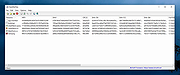 |
|
InsideClipboard v1.30 InsideClipboard v1.30 👉 Displays the binary contents of files stored in the Windows clipboard. InsideClipboard is a small, portable utility that shows the binary data currently stored in the Windows clipboard. For every format available in the clipboard, it displays the name of the format, the handle, the size of the data, and a preview of the raw binary content in a standard hex dump view. InsideClipboard allows you to inspect text, images, HTML, Rich Text, and other custom clipboard formats in detail. It is especially useful for developers, advanced users, and anyone troubleshooting clipboard-related issues who needs to see exactly what data is being copied between applications. Features: • Displays all available clipboard formats • Shows format name, handle, and data size • Built-in hex dump viewer for binary data • Supports standard and custom clipboard formats • Refresh option to reload current clipboard contents • Portable application with no installation required Supported operating systems: • Windows 2000, Windows XP, Windows Server 2003, Windows Vista, Windows 7, Windows 8, Windows 10, Windows 11 Supported languages: English, Arabic, Dutch, French, German, Greek, Hungarian, Italian, Japanese, Korean, Polish, Portuguese, Russian, Simplified Chinese, Slovak, Spanish, Turkish Changes: v1.30 05-04-2018 Added "UTF-8" Display Mode. Note: Malwarebytes and other anti-virus software may block this as a "Machine Learning" app. We have confirmed this to be a false positive. The file is safe. Click here to visit the author's website. |
|
10,302 | Jun 27, 2026 Nir Sofer 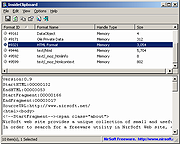 |
|
IPNeighborsView v1.03 IPNeighborsView v1.03 👉 View detailed information about computers and devices recently detected on your local network. IPNeighborsView is a lightweight, portable network utility that displays the IP neighbor table maintained by Windows. The IP neighbor table contains computers, routers, printers, smartphones, and other network devices that Windows has recently communicated with on your local network. The program displays detailed information for every detected entry, including the IP address, MAC address, MAC address vendor, address type, state, state duration, local network adapter, interface index, and connection name. IPNeighborsView can also detect randomized MAC addresses used by many modern mobile devices and clearly identifies them in the manufacturer column. IPNeighborsView requires no installation and can be run directly from any folder or portable drive. Selected entries can be copied to the clipboard or exported to text, CSV, tab-delimited, HTML, XML, and JSON formats. Permanent neighbor table entries are hidden by default but can be displayed through the Options menu when needed. Features: • Displays the Windows IP neighbor table • Lists computers and devices recently detected on the local network • Shows IPv4 and IPv6 addresses • Displays MAC addresses and associated hardware vendors • Detects and labels randomized MAC addresses • Shows address type and neighbor state information • Displays state duration for each entry • Identifies the local network adapter and connection name • Optionally displays permanent neighbor table entries • Copy selected entries directly to the clipboard • Export data to Text, CSV, Tab-delimited, HTML, XML, or JSON • Includes command-line options for automated exports • Portable with no installation required • Supports both 32-bit and 64-bit Windows Supported operating systems: • Windows Vista, Windows 7, Windows 8, Windows 8.1, Windows 10, Windows 11 Supported languages: English, Dutch, French, German, Greek, Hungarian, Italian, Japanese, Persian, Polish, Russian, Simplified Chinese, Slovak, Traditional Chinese, Turkish Changes: v1.03 07-15-26 When a randomized MAC address is detected, it is displayed in the MAC Address Company column. Updated the ... |
|
3,455 | Jul 30, 2026 Nir Sofer 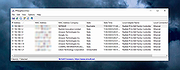 |
|
LANIPScanner v1.11 LANIPScanner v1.11 👉 Scans your local network and displays the IP and MAC address of all connected devices. LANIPScanner is a lightweight network scanning utility that quickly detects computers and devices connected to your local area network (LAN). It works by scanning a specified IP address range and listing all active devices it finds, including useful details such as IP address and MAC address. This makes it easy to identify computers, printers, routers, and other network-enabled devices currently active on your network. LANIPScanner requires no installation and runs as a simple portable application. It is designed for speed and simplicity, allowing users to quickly view the devices on their LAN without complicated configuration. The tool is especially useful for troubleshooting network connectivity, identifying unknown devices, or verifying which systems are currently active on a network. Features: • Scans a specified IP address range on your local network • Displays detected devices with their IP and MAC addresses • Fast scanning engine for quick device discovery • Simple, lightweight, and portable utility with no installation required • Ideal for identifying active devices and troubleshooting LAN connections Supported operating systems: • Windows Vista, Windows 7, Windows 8, Windows 10, Windows 11 Supported languages: English, Dutch, French, German, Greek, Hungarian, Italian, Japanese, Polish, Russian, Simplified Chinese, Slovak, Traditional Chinese, Ukrainian Changes: v1.11 08-21-26 Added option to change the sorting column from the menu (View -> Sort By). Added 'Sort By' toolbar button. Note: This file has twenty two hits on VirusTotal. We have confirmed these to be false positives. The file is safe. Note from The Older Geeks: Some antivirus programs may flag LANIPScanner because of the way it scans your local network for computers and other connected devices. Network discovery and scanning techniques are also used by legitimate system administration and diagnostic tools, so heuristic antivirus engines can occasionally classify utilities like this as potentially unwanted or suspicious. Click ... |
|
1,517 | Sep 04, 2026 Nir Sofer 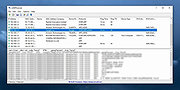 |
|
LostMyPassword v1.02 LostMyPassword v1.02 👉 Recover lost passwords stored by software installed on your Windows system. LostMyPassword is a Windows tool that allows you to recover a lost password if it is stored by software installed on your system. It can extract passwords from popular web browsers, including Chrome, Firefox, Microsoft Edge, Brave, Internet Explorer, and Opera, as well as POP3/IMAP/SMTP passwords stored by email software such as Microsoft Outlook, Thunderbird, and Windows Mail. It can also recover Dialup/VPN passwords stored by Windows and login passwords for remote computers stored by Windows. The program can run as a normal user or as Administrator, with Administrator mode required for some password types that cannot be decrypted without elevated privileges. Features: • Recovers passwords stored by installed Windows software • Extracts passwords from web browsers including Chrome, Firefox, Microsoft Edge, Brave, Internet Explorer, and Opera • Recovers POP3, IMAP, and SMTP passwords from email programs including Microsoft Outlook, Thunderbird, and Windows Mail • Retrieves Dialup and VPN passwords stored by Windows • Recovers remote computer login passwords stored by Windows • Can run in normal user mode or Administrator mode • Standalone utility that does not require installation or additional DLL files Supported operating systems: • Windows XP, Windows Vista, Windows 7, Windows 8, Windows 8.1, Windows 10, Windows 11 • Windows 32-bit, Windows 64-bit Supported languages: English, Brazilian Portuguese, Dutch, French, German, Greek, Hungarian, Italian, Japanese, Korean, Polish, Russian, Simplified Chinese, Slovak, Spanish, Traditional Chinese Changes: v1.02 Updated to decrypt the passwords for the encryption change of Firefox 144 and Thunderbird 146. Notice: On the latest update of Windows 11 (24H2), LSA protection is enabled by default, and this feature blocks LostMyPassword from retrieving passwords stored by Windows operating system. You can disable the LSA protection by following the instructions on this Microsoft Web page: Disable LSA protection WARNING: Your antivirus SHOULD block this program. Think of it as a ... |
|
5,529 | Mar 16, 2026 Nirsoft 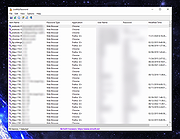 |
|
MACAddressView v1.55 MACAddressView v1.55 👉 Find the manufacturer and details behind any MAC address. MACAddressView is a lightweight MAC address lookup utility that lets you quickly identify the company name, address, and country associated with a network device's MAC address. Instead of querying an online service, it uses a built-in IEEE OUI database stored inside the executable, allowing lookups to be performed entirely offline. The program can search by MAC address, company name, company address, or country, making it useful for network administrators, technicians, security professionals, and anyone troubleshooting or documenting network hardware. Results can be copied to the clipboard or exported to TXT, CSV, HTML, XML, and other formats for reporting or further analysis. MACAddressView is fully portable, requires no installation, and supports command-line operation for automation and scripting. Features: • Offline MAC address lookup using an internal IEEE OUI database • Find vendor information by MAC address, company name, address, or country • Display company name, address, country, and assigned MAC address range • Search multiple MAC addresses simultaneously • Lookup complete MAC addresses or vendor prefixes (OUI) • View the MAC addresses assigned to the current computer • Export results to TXT, CSV, HTML, XML, and tab-delimited formats • Copy results directly to the clipboard • Command-line support for automated lookups and exports • Portable with no installation required • Supports custom language translation files Supported operating systems: • Windows 98, Windows ME, Windows 2000, Windows XP, Windows Server 2003, Windows Vista, Windows 7, Windows 8, Windows 8.1, Windows 10, Windows 11 Supported languages: • Arabic, Bulgarian, Chinese (Simplified), Chinese (Traditional), Czech, Dutch, English, French, German, Greek, Hungarian, Italian, Japanese, Korean, Polish, Portuguese (Brazil), Romanian, Russian, Slovak, Spanish, Turkish, Ukrainian Changes: v1.55 07-01-26 Updated the internal MAC Addresses database. Note: This file has two hits on VirusTotal. We have confirmed these to be false positives. The file is safe. Click here to visit the author's website. |
|
10,166 | Jul 10, 2026 Nir Sofer 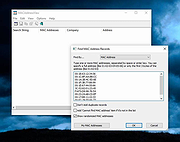 |
|
mDNSView v1.00 mDNSView v1.00 👉 Scan and view mDNS records published by devices on your local network. mDNSView is a simple Windows utility from NirSoft that displays mDNS records published by devices connected to your local network. For every discovered mDNS record, it shows the device IP address, name, record type, and record value. Features: • Displays mDNS records from devices on your local network • Shows IP address, name, record type, and record value • Supports A, AAAA, TEXT, PTR, and SRV record types • Start a scan with the toolbar button or F5 key • Export results to CSV, tab-delimited, XML, HTML5, or JSON • Copy selected records to the clipboard • Portable; no installation or extra DLL files required Supported operating systems: • Windows XP, Windows Vista, Windows 7, Windows 8, Windows 10, Windows 11 • 32-bit and 64-bit systems Supported languages: English, Dutch, French, German, Hungarian, Italian, Russian, Traditional Chinese Changes: v1.00 05-23-26 Initial release. Note: This file has multiple hits on VirusTotal because it's new and because it sniffs your network for information. We have determined these to be fair warnings but as long as you are the one using it, the file is safe. Click here to visit the author's website. |
|
532 | Jun 03, 2026 Nir Sofer 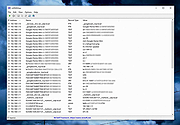 |
|
MobileFileSearch v1.51 MobileFileSearch v1.51 👉 Search files inside smartphones and tablets connected through USB MTP mode. MobileFileSearch is a lightweight utility that allows you to search files stored on smartphones, tablets, and other portable devices connected to your computer through USB using the Media Transfer Protocol (MTP). It can quickly scan connected devices and display matching files based on filename, extension, size, date, and other search filters. MobileFileSearch is especially useful for locating photos, videos, documents, music, APK files, and other content stored on Android devices or portable media players without manually browsing through folders. Search results can be copied, exported, or opened directly from the interface for easier file management. Be aware that this tool is useful if your Smartphone/Tablet uses the Media Transfer Protocol (MTP) to view and transfer files via USB. Features: • Search files on smartphones and tablets connected through USB • Works with devices using the Media Transfer Protocol (MTP) • Filter results by filename, extension, size, and modified date • View full file paths and file details • Open files directly from search results • Export search results to text, CSV, HTML, JSON, or XML • Lightweight and portable utility with no installation required • Supports drag-and-drop exporting of files • Command-line support for advanced usage Supported operating systems: • Windows 7, Windows 8, Windows 8.1, Windows 10, Windows 11 Supported languages: • English Changes: v1.51 05-11-26 • Fixed bug: MobileFileSearch crashed when using the 'Open Folder In Explorer' option and the folder path contained a slash character ('/'). This download is for the Windows 64bit version (very bottom of page). If you need the Windows 32bit version, download here. Click here to visit the author's website. |
|
5,292 | Jun 03, 2026 Nir Sofer 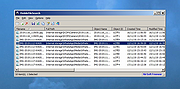 |
|
MultiMonitorTool v2.25 MultiMonitorTool v2.25 👉 Manage and control multiple monitors from a simple, portable Windows utility. MultiMonitorTool is a small, portable tool that allows you to manage multiple monitors connected to your system. It lets you enable or disable monitors, set the primary monitor, save and load monitor configurations, and move windows from one monitor to another. MultiMonitorTool can also be used from the command line, making it ideal for automation scripts and advanced users. Features: • Enable or disable specific monitors • Set the primary monitor • Save and load monitor configurations • Move windows from one monitor to another • Change monitor resolution, color depth, and refresh rate • View detailed information about connected monitors • Command-line support for scripting and automation • Portable application (no installation required) Supported operating systems: • Windows 2000, Windows XP, Windows Server 2003, Windows Vista, Windows 7, Windows 8, Windows 10, Windows 11 Supported languages: Arabic, Brazilian Portuguese, Czech, Dutch, French, German, Greek, Hungarian, Italian, Japanese, Korean, Persian, Polish, Romanian, Russian, Simplified Chinese, Slovak, Spanish, Traditional Chinese, Turkish, Ukrainian Changes: v2.25 07-04-26 Added new options: 'Switch To Selected Window', 'Close Selected Windows', 'Minimize Selected Windows', 'Restore Selected Windows'. This download is for the Windows 64bit version (very bottom of page). If you need the Windows 32bit version, download here. Click here to visit the author's website. |
|
10,346 | Jul 17, 2026 Nir Sofer 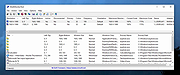 |
|
NetworkConnectLog v1.18 NetworkConnectLog v1.18 👉 Monitor and log devices connecting to and disconnecting from your local network. NetworkConnectLog is a lightweight, portable network monitoring utility that continuously scans your local area network using ARP and NetBIOS protocols, recording every device that connects to or disconnects from your network. It is ideal for home users, technicians, and network administrators who want to keep track of network activity, identify unknown devices, or troubleshoot intermittent connection issues. The program immediately performs an initial scan to detect all currently connected devices, then continues monitoring in the background for connection and disconnection events. Each log entry includes useful information such as the event time, IP address, computer name, workgroup, MAC address, and network adapter manufacturer. Logs can be searched, sorted, filtered, and exported to several common formats for documentation or further analysis. Features: • Portable application requiring no installation • Automatically detects computers and devices joining or leaving your network • Uses ARP and NetBIOS protocols for device detection • Displays connection and disconnection timestamps • Shows IP address, computer name, workgroup, MAC address, and network adapter manufacturer • Performs continuous background monitoring • Configurable network adapter and IP address scanning range • Adjustable scan interval • Automatically export logs whenever changes are detected • Export logs to TXT, CSV, HTML, XML, or tab-delimited files • Search and sort recorded events • Customizable font and MAC address display format • System tray support • Optional always-on-top mode • Optional black background display mode • High DPI display support Supported operating systems: • Windows 2000, Windows XP, Windows Vista, Windows 7, Windows 8, Windows 8.1, Windows 10, Windows 11 (32-bit and 64-bit) Supported languages: • English, Arabic, Brazilian Portuguese, Dutch, French, German, Greek, Hungarian, Italian, Japanese, Persian, Polish, Romanian, Russian, Simplified Chinese, Slovak, Spanish, Traditional Chinese, Turkish, Valencian Changes: v1.18 07-01-26 Updated the internal MAC addresses database. Click here to visit the author's website. |
|
7,266 | Jul 03, 2026 Nir Sofer 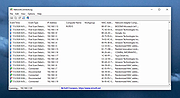 |
|
NirLauncher v1.30.25 NirLauncher v1.30.25 👉 Portable launcher package containing more than 200 NirSoft freeware utilities for Windows. NirLauncher is a package of more than 200 portable freeware utilities for Windows, all developed for the NirSoft website. It can be used from a USB flash drive without installation, saves each utility's configuration into .cfg files when run from removable media, and automatically runs x64 versions of supported tools on x64 systems. NirLauncher also makes it easy to run utilities, open their help files, jump to each utility's webpage, and add additional software packages beyond the main NirSoft collection. Features: • Includes more than 200 portable NirSoft freeware utilities • Runs without installation from a USB flash drive or local folder • Saves utility configuration files to the drive when used portably • Automatically launches x64 versions of utilities on x64 systems when available • Lets you run tools, view help files, or open each utility's webpage • Can add extra software packages in addition to the main NirSoft package • Can generate BartPE plugin files for use from a bootable live Windows CD • Contains no spyware, adware, malware, toolbars, browser plugins, or bundled third-party software Supported operating systems: • Windows 2000, Windows XP, Windows Server 2003, Windows Vista, Windows 7, Windows 8, Windows 8.1, Windows 10 • x64 systems supported Supported languages: • English, Dutch, French, German, Italian, Japanese, Polish, Russian, Simplified Chinese, Spanish, Traditional Chinese, Greek, Romanian, Czech, Slovak, Hungarian Changes: v1.30.25 08-15-26 Not Provided Read this. It's important: This file contains hacking software. Hacking software for you to use to hack your own computer. This is for doing things like retrieving a lost password. Because of this, Anti-virus software WILL treat it as dangerous because, in the wrong hands, it is dangerous. This zip file has always been password protected by Nir Sofer so it can be downloaded without being blocked. The password is nirsoft9876$. Click here to visit ... |
|
24,432 | Aug 19, 2026 Nir Sofer 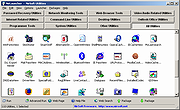 |
|
ProcessTCPSummary v1.25 ProcessTCPSummary v1.25 👉 Displays a detailed summary of TCP connections and listening UDP ports for every running Windows process. ProcessTCPSummary is a small portable network monitoring utility from NirSoft that displays a summary of processes that currently have TCP connections or listening UDP ports. For each process, it shows the total number of TCP connections, connection counts broken down by status such as Established, Listening, SYN-Sent and SYN-Received, IPv4 and IPv6 connection counts, commonly used port numbers and other connection details. When run as Administrator, it can also display TCP/UDP bytes sent and received by each process along with current sending and receiving speeds. The program requires no installation or additional DLL files. Simply extract the downloaded archive and run ProcessTCPSummary.exe. Information can also be exported from the command line to text, tab-delimited, CSV, JSON, HTML or XML files. Features: • Displays all processes with active TCP connections or listening UDP ports • Shows the total number of TCP connections for each process • Breaks TCP connections down by status, including Established, Listening, SYN-Sent and SYN-Received • Shows separate IPv4 and IPv6 TCP connection counts • Displays commonly used port numbers for each process • Shows TCP and UDP bytes sent and received when run as Administrator • Displays current network send and receive speeds • Can display the full paths of system processes when run as Administrator • Supports sorting by individual or multiple columns • Can save results as text, tab-delimited, CSV, JSON, HTML or XML files • Includes command-line options for unattended exporting and sorting • Supports a configurable system tray icon and Always On Top mode • Can start hidden when used with the tray icon option • Includes a black-background display option • Portable and requires no installation or additional DLL files Supported operating systems: • Windows XP, Windows Vista, Windows 7, Windows 8, Windows 8.1, Windows 10, Windows 11 • 32-bit and 64-bit Windows supported Supported ... |
|
6,226 | Sep 04, 2026 Nir Sofer 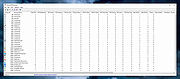 |
|
PropertySystemView v1.22 PropertySystemView v1.22 👉 View and edit Windows file and window properties with ease. PropertySystemView is a lightweight portable utility that allows you to view and modify the properties of files and Windows using the Windows Property System. It can edit metadata stored in media files, Office documents, images, and other supported file types, including fields such as Title, Comments, Authors, Tags, Date Taken, Media Created, Date Imported, Content Created Date, and many more. It also supports working with Windows properties, such as setting the System.AppUserModel.ID property of a window to customize taskbar behavior. The program supports both an easy-to-use graphical interface and a powerful command-line mode for automation. Features: • View and modify Windows Property System metadata for supported files. • Edit media, image, and Microsoft Office document properties. • Modify timestamps such as Media Created, Date Taken, and Date Imported. • View and edit Windows window properties. • Add, edit, and remove supported properties. • Drag-and-drop file loading. • Browse and display all properties available on your system. • Powerful command-line interface for scripting and automation. • Portable application with no installation required. • Available in both 32-bit and 64-bit versions. Supported operating systems: • Windows Vista, Windows 7, Windows 8, Windows 8.1, Windows 10, Windows 11 (32-bit and 64-bit) Supported languages: English, Brazilian Portuguese, Dutch, French, German, Hungarian, Italian, Japanese, Persian, Russian, Simplified Chinese, Slovak, Traditional Chinese, Turkish Changes: v1.22 07-11-26 Added 'Black Background' option (under the View menu). When enabled, the main table is displayed with a black background and white text instead of the default system colors. This download is for the Windows 64bit version (very bottom of page). If you need the Windows 32bit version, download here. Click here to visit the author's website. |
|
4,736 | Jul 17, 2026 Nir Sofer 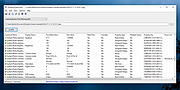 |
|
SearchMyFiles v3.36 SearchMyFiles v3.36 👉 A portable Windows search utility for finding files and folders using detailed filters, content searches, duplicate detection and more. SearchMyFiles is a portable alternative to the standard Windows file search that provides much more precise control over what you search for and how results are filtered. You can search by filename wildcards, folder locations, file size, attributes, creation, modification and access times, file contents and numerous other criteria. Search results can be opened directly, copied to the clipboard or exported to text, CSV, HTML or XML files. SearchMyFiles also includes specialized modes for locating duplicate files, files with duplicate names, non-duplicate files, empty folders and summarized folder information. No installation is required, and the program can be run from a USB flash drive without leaving configuration information in the Registry. Features: • Search files and folders using filename wildcards • Search multiple folders or drives in a single operation • Include or exclude specific folders from searches • Search through subfolders with configurable scanning depth • Search files by minimum or maximum size • Search by creation, modification or last-accessed date and time • Search for files created or modified within the last specified number of seconds, minutes, hours or days • Filter files using read-only, hidden, system, archive, compressed and encrypted attributes • Search inside files for text • Perform binary content searches using hexadecimal byte sequences • Search for multiple text or binary values at once • Search text inside Microsoft Office documents and supported PDF files using installed Windows search handlers • Search for folders as well as files • Duplicate Search mode finds files with identical contents • Duplicate files are compared byte-for-byte and visually grouped in the results • Non-Duplicates Search mode displays files that do not have duplicates • Duplicate Names Search finds files or folders sharing the same name • Duplicate Names Search can distinguish files with identical or different ... |
|
6,303 | Sep 04, 2026 Nir Sofer 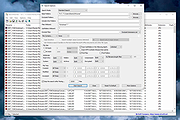 |
|
SoundVolumeView v2.53 SoundVolumeView v2.53 👉 View and change Windows sound volume from a GUI or command line. SoundVolumeView is a simple tool for Windows that displays general information and current volume levels for all active sound components on your system, and allows you to mute and unmute them instantly. SoundVolumeView can also save a sound profile to a file, including current volume levels, mute/unmute states, and default sound devices, then restore those same settings later. It also includes extensive command-line support for saving and loading profiles, changing volume, muting, unmuting, enabling, disabling, and setting audio devices without displaying the user interface. Features: • View all active sound components on your system • See current volume levels and mute status • Mute or unmute sound components instantly • Save and restore complete sound profiles • Change volume from the GUI or command line • Set default sound devices • Enable or disable audio devices • Create desktop shortcuts for common sound actions • Export sound item information to text, CSV, HTML, XML, or JSON • Supports 32-bit and 64-bit Windows Supported operating systems: • Windows Vista, Windows 7, Windows 8, Windows Server 2008, Windows 10, Windows 11 Supported languages: Arabic, Brazilian Portuguese, Dutch, Finnish, French, German, Greek, Hungarian, Italian, Japanese, Korean, Persian, Polish, Portugal Portuguese, Romanian, Russian, Simplified Chinese, Slovak, Spanish, Swedish, Traditional Chinese, Turkish Changes: v2.53 Fixed the /SetAllowExclusive and /SetExclusivePriority commands to set the value correctly. 👉 This download is for the Windows 64bit version (very bottom of page). All other download assets are below: Other Windows: soundvolumeview.zip (32bit) Click here to visit the author's website. |
|
6,314 | Sep 18, 2026 Nir Sofer 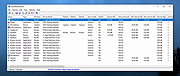 |
|
UninstallView v1.52 UninstallView v1.52 👉 View, manage, and uninstall installed Windows software with advanced details. UninstallView is a lightweight portable utility that displays detailed information about every installed application on your Windows system in a single, easy-to-read table. It gathers uninstall information from the Windows Registry and supplements it with additional details such as installation folder, uninstall command, registry location, install date, publisher, version, and more. It can also display Microsoft Store apps, making it a more comprehensive alternative to the standard Windows Apps & Features interface. UninstallView supports scanning the local computer, remote computers on your network, external drives, offline Windows installations, and shadow copies. It also supports standard and quiet uninstall operations when available, making it especially useful for technicians and advanced users. Lists can be sorted, filtered, searched, and exported in multiple formats for documentation or inventory purposes. Features: • Displays all installed desktop applications in a single table • Optionally displays installed Microsoft Store apps • Shows detailed uninstall information including registry entries and uninstall strings • Supports local computers, remote computers, external drives, and offline Windows installations • Quiet uninstall support when provided by the application's installer • View software installed for all users or individual user profiles • Sort, search, filter, and customize displayed columns • Export lists to TXT, CSV, HTML, XML, and other formats • Portable application requiring no installation • Save all displayed items to a file • Supports command-line operation for automation and scripting Supported operating systems: • Windows XP, Windows Vista, Windows 7, Windows 8, Windows 8.1, Windows 10, Windows 11 (32-bit and 64-bit) Supported languages: Arabic, Basque, Bulgarian, Catalan, Chinese Simplified, Chinese Traditional, Croatian, Czech, Danish, Dutch, English, Finnish, French, German, Greek, Hebrew, Hungarian, Italian, Japanese, Korean, Norwegian, Persian, Polish, Portuguese, Portuguese (Brazil), Romanian, Russian, Slovak, Slovenian, Spanish, Swedish, Thai, Turkish, Ukrainian, Vietnamese Changes: v1.52 06-23-26 Added the 'Save All Items' option (Shift+Ctrl+S). This download is for the Windows 64bit version ... |
|
6,682 | Jun 30, 2026 Nir Sofer 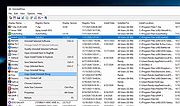 |
|
USBDeview v3.10 USBDeview v3.10 👉 View, manage, enable, disable, uninstall, and export USB device history. USBDeview is a small utility that lists all USB devices currently connected to your computer, as well as USB devices previously used on the system. For each USB device, it displays extended information including device name, description, device type, serial number, added date/time, Vendor ID, Product ID, and more. USBDeview can also uninstall previously used USB devices, disconnect currently connected USB devices, and disable or enable USB devices. It can also be used on a remote computer when logged in with administrator rights. Features: • Lists currently connected and previously used USB devices • Displays device name, description, type, serial number, Vendor ID, Product ID, and more • Uninstall previously used USB devices • Disconnect currently connected USB devices • Disable and enable USB devices • Remote computer support with administrator login • Command-line options for exporting, sorting, enabling, disabling, removing, and checking USB device status • Export USB device lists to text, tab-delimited, CSV, HTML, and XML files • Available in 32-bit and 64-bit versions Supported operating systems: • Windows 2000, Windows XP, Windows Server 2003, Windows Vista, Windows Server 2008, Windows 7, Windows 8, Windows 10, Windows 11 • 32-bit and 64-bit systems supported Supported languages: English, Arabic, Brazilian Portuguese, Bulgarian, Czech, Danish, Dutch, Euskera, Finnish, French, Galician, German, Greek, Hnidi, Hungarian, Italian, Japanese, Korean, Norwegian, Persian, Polish, Romanian, Russian, Simplified Chinese, Slovak, Spanish, Swedish, Traditional Chinese, Thai, Turkish, Ukrainian, Valencian Changes: v3.10 05-14-26 Added 'Black Background' option (Under the View menu). When it's turned on, the main table is displayed in black background and white text, instead of default system colors. Added 'Save All Items' option (Shift+Ctrl+S). Note: Th3 32bit version of this file has one hit on VirusTotal. We have confirmed this to be a false positive. The file is safe. This download is for the Windows 64bit version (very bottom of ... |
|
10,278 | May 22, 2026 Nir Sofer 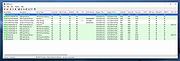 |
|
USBDriveLog v1.15 USBDriveLog v1.15 👉 Displays a log of USB drives plugged into Windows 10 and Windows 11 computers. USBDriveLog displays a log of all USB drives plugged into your computer, including device model, revision, manufacturer, serial number, plug time, unplug time, device ID, device capacity, and more. It can retrieve USB drive log information from the local computer, a remote computer on your network, or an external hard drive. Features: • View USB drive connection and disconnection history • Displays model, manufacturer, serial number, device ID, capacity, plug time, and unplug time • Read logs from the local computer • Read logs from a remote computer on your network • Read logs from an external Windows drive • Export selected items to text, CSV, HTML, XML, or JSON • Copy selected entries to the clipboard • Standalone portable executable with no installation required Supported operating systems: • Windows 10, Windows 11 • 32-bit and 64-bit systems supported Supported languages: English, Dutch, French, German, Greek, Hungarian, Italian, Japanese, Persian, Polish, Russian, Simplified Chinese, Slovak, Traditional Chinese, Turkish Changes: v1.15 Fixed a bug with the 'Mark Odd/Even Rows' option. Click here to visit the author's website. |
|
3,705 | May 22, 2026 Nir Sofer 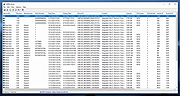 |
|
WifiInfoView v3.00 WifiInfoView v3.00 👉 Scan and analyze nearby wireless networks with detailed Wi-Fi information. WifiInfoView is a free, portable utility that scans all wireless networks within range and displays detailed technical information about each one. It provides network names (SSID), MAC addresses, signal strength, channel numbers, frequencies, PHY types, maximum supported speeds, security status, router manufacturer, and other useful details for troubleshooting or optimizing wireless networks. Advanced users can also inspect the raw Wi-Fi information elements transmitted by each access point in hexadecimal format. WifiInfoView includes a summary mode that groups detected networks by channel, router manufacturer, PHY type, or maximum speed, making it easy to identify congested channels and optimize wireless performance. Features: • Portable application requiring no installation • Scans and displays nearby wireless networks in real time • Shows SSID, MAC address, PHY type, RSSI, signal quality, frequency, and channel • Displays router manufacturer, model, and name when available • Shows network security status and maximum supported connection speed • Summary mode groups networks by channel, manufacturer, PHY type, or speed • View raw Wi-Fi information elements in hexadecimal format • Export selected information to multiple file formats • Filter, sort, and search detected wireless networks • Supports both 32-bit and 64-bit Windows systems Supported operating systems: • Windows Vista, Windows Server 2008, Windows 7, Windows 8, Windows 10, Windows 11 Supported languages: • Arabic, Basque, Bulgarian, Catalan, Chinese Simplified, Chinese Traditional, Croatian, Czech, Danish, Dutch, English, Finnish, French, German, Greek, Hebrew, Hungarian, Italian, Japanese, Korean, Norwegian, Persian, Polish, Portuguese, Portuguese (Brazil), Romanian, Russian, Slovak, Slovenian, Spanish, Swedish, Thai, Turkish, Ukrainian, Vietnamese Changes: v3.00 06-10-26 • Added "Keep Selected Item Visible" option. When enabled, the selected item always remains visible. Note: This file has two hits on VirusTotal. We have confirmed these to be false positives. The file is safe. This download is for the Windows 64bit version (very bottom of page). If you need the Windows 32bit version, ... |
|
6,744 | Jun 23, 2026 Nir Sofer 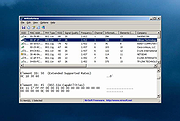 |
|
Wireless Network Watcher v2.45 Wireless Network Watcher v2.45 👉 Scans your wireless network and displays a list of all devices currently connected. Wireless Network Watcher is a lightweight network monitoring tool that scans your wireless network and displays a list of all computers and devices currently connected. The program quickly identifies devices on your network and provides useful information such as IP address, MAC address, device name, network adapter company, and connection status. Wireless Network Watcher can be useful for detecting unauthorized devices connected to your wireless network. It works by scanning a defined IP address range and presenting the results in a clear list, making it easy to identify computers, smartphones, tablets, routers, and other network hardware that are currently active. The utility is portable and does not require installation. It can also play a sound alert when a new device connects to the network and allows exporting the device list to various formats for reporting or monitoring purposes. Features: • Scans wireless networks and detects connected devices • Displays device information including IP address, MAC address, and device name • Identifies network adapter manufacturer from MAC address • Detects computers, phones, tablets, and other network hardware • Sound notification when new devices connect to the network • Export results to HTML, XML, CSV, or text files • Portable application that does not require installation • Simple interface designed for quick network scanning Supported operating systems: • Windows XP, Windows Vista, Windows 7, Windows 8, Windows 10, Windows 11 Supported languages: Arabic, Basque, Brazilian Portuguese, Bulgarian, Catalan, Croatian, Czech, Dutch, Finnish, French, German, Greek, Gujarati, Hebrew, Hellenic, Hungarian, Indonesian, Italian, Japanese, Korean, Latvian, Norwegian, Persian, Polish, Portuguese, Romanian, Russian, Serbian, Simplified Chinese, Slovak, Slovenian, Spanish, Swedish, Traditional Chinese, Thai, Turkish, Ukrainian, Valencian, Vietnamese Changes: v2.45 06-27-26 When a randomized MAC address is detected, it's displayed in the 'Network Adapter Company' column. Updated the internal MAC addresses database. This download is for the ... |
|
12,514 | Jul 01, 2026 Nir Sofer 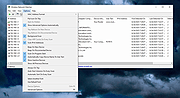 |
 |
WSCC - Windows System Control Center v10.0.4.3 WSCC - Windows System Control Center v10.0.4.3 👉 Centralized launcher and update manager for Sysinternals, NirSoft, and other Windows utility suites. WSCC - Windows System Control Center allows you to install, update, execute and organize the utilities from various system utility suites. WSCC can install and update the supported utilities automatically. Alternatively, WSCC can use the http protocol to download and run the programs. The same download package provides both setup and portable usage, allowing you to choose installation or run it directly without installing. Features: • Simple and intuitive user interface • Centralized workspace for organizing and launching utilities • Built-in Update Manager for keeping tools up to date • Automatically detects installed Sysinternals and NirSoft utilities • Can download and install missing supported utilities • Supports Sysinternals Suite integration • Supports NirSoft Utilities integration • Runs utilities directly from the interface with quick access • Supports HTTP downloading and execution of tools • Displays detailed information about each utility • Search and filter tools for quick navigation • Allows grouping and categorizing of utilities • Supports command-line parameters for advanced usage • Portable-friendly design with no installation required • Single package supports both setup and portable modes Supported operating systems: • Windows 11/10/7 32/64bit (all editions) • Windows Server 2025/2022/2019/2016/2012R2/2012/2008R2 32/64bit (all editions) Supported languages: • English, German, Spanish Changes: v10.0.4.3 09-15-26 Not provided. Warning: Due to the nature of some of the available apps (password crackers, etc) that WSCC can download, your antivirus (if enabled) will block them from installing. You will need to add an exception for them in your antivirus software or disable your antivirus software while using this software. This download is for the Windows 64bit setup/portable version (very bottom of page). If you need the Windows 32bit setup/portable version, download here. Click here to visit the author's website. |
|
13,171 | Sep 16, 2026 KLS Soft 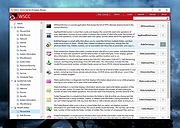 |
| Showing rows 1 to 34 of 34 | Showing Page 1 of 1 | 1 |
OlderGeeks.com Copyright (c) 2026
