|

|
Processed through Paypal No account required. |








Buy our over-priced crap to help pay the bills.



|
|
Processed through Paypal No account required. |
| Files | ||||
| File Name | Rating | Downloads | ||
 |
CopyFolders 2 Portable v2.0.31 CopyFolders 2 Portable v2.0.31 👉 Automatically copy new and modified files from multiple folders with versioning support. CopyFolders 2 is a utility designed to copy new or modified files from source folders to destination folders. It is intended primarily for backup purposes, allowing users to keep folders up to date by copying only files that have changed. CopyFolders 2 supports working with multiple source and destination folders at the same time. It can also keep several previous versions of files, helping preserve older copies when updates occur. The program operates through a simple interface where users configure the folders and options, then execute the copy process as needed. Features: • Copies only new and modified files • Supports up to 9 source folders • Supports up to 9 destination folders • Designed specifically for backup and updating folders • Can keep up to 6 previous versions of files • Allows defining multiple folder pairs for processing • Simple configuration of source and destination paths • Executes copy operations based on defined setup • Portable. No installation required. Supported operating systems: • Windows 10, Windows 11 Supported languages: English, Chinese, French, German, Italian, Polish, Portuguese, Russian, Spanish. Changes: v2.0.31 04-28-26 First update: Fixed a bug where if a path contains underscores ("_") them would not be displayed in the path text box Fixed UNC network path support and improved folder selection Improved file copy error reporting Click here to visit the author's website. |
 |
831 | Aug 26, 2026 eziogarr-coder 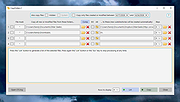 |
 |
Epson Perfection 2450 Photo Scanner Software (2002) Epson Perfection 2450 Photo Scanner Software (2002) 👉 Original drivers and software package for the Epson Perfection 2450 Photo scanner. Epson Perfection 2450 Photo Scanner Software is the official software bundle released in 2002 for the Epson Perfection 2450 Photo flatbed scanner. This package includes the necessary drivers and utilities required to install, configure, and operate the scanner on supported systems. It typically contains Epson TWAIN drivers, scanning utilities, and bundled applications used for photo scanning, document capture, and image management at the time of release. This ISO image is a disc archive of the original installation CD. It must be mounted or extracted before use depending on your operating system. Once accessed, users can run the installer to properly set up the scanner and associated software. Features: • Official Epson driver and software package for Perfection 2450 Photo • Includes TWAIN driver support for scanning applications • Provides Epson Scan utility for image acquisition • Supports photo, film, and document scanning • Includes bundled software for image editing and management (varies by release) • Designed for USB-connected flatbed scanner operation • Original CD image preserved in ISO format Supported operating systems: • Windows 98, Windows ME, Windows 2000, Windows XP • macOS Classic (Mac OS 9), macOS 10.1 to 10.2 Supported languages: English Changes: Not Provided How to use this ISO file: Windows XP / 2000 / Me / 98: • Burn the ISO to a CD using software like ImgBurn or Nero • Insert the CD into your computer • The installer should start automatically • If not, open the CD and run Setup.exe Mac OS 8.5 through 9.x (Classic Mac): • Burn the ISO to a CD • Insert into your Mac • Open the disc and run the installer Notes: • This is original 2002 software and may not fully support modern systems • Scanner functionality on Windows 10/11 may be limited • You can extract the ISO with 7-Zip instead of mounting if preferred • TWAIN drivers ... |
|
641 | Apr 14, 2026 Epson America, Inc. 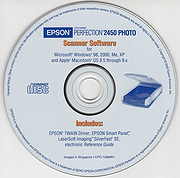 |
|
Fantasia Archive v0.1.11 Fantasia Archive v0.1.11 An offline and free world-building and writing tool packed to the brim with helpful features for any game-master, writer, or world-builder! Fantasia Archive (or FA for short) is an offline, free software that was created as a reaction to the lack of proper offline world-building and writing tools as most of such programs focus almost entirely on just writing instead of on the world-building and all intricacies it brings. This is what sets FA apart: The focus on the structure of one’s works and relationships of all parts of it to each other instead of solely focusing on the writing experience itself. Features: • A broad set of predefined document types ranging from obvious choices like Chapters and Characters to details like Languages and Currencies. • A large set of predefined, unique informational fields for each document type, which should cover a vast majority of the world-building needs of most authors. • A fully integrated two-way relationship support across multiple fields and post-types. This means that if you for example mark character A as a friend of character B, then character B also gets automatically updated as a friend of character A. • Both automatic and custom ordering of documents. • Custom coloring of documents. • Full Tag support. • Infinite hierarchical support in the object hierarchical tree, which translates to infinite, user-defined custom categories or any hierarchical depth. • A proper, fully serviceable dark mode that isn’t just an afterthought. • Sophisticated, powerful, and very detailed search system for documents. • Offline import/export functionality for your projects, which allows for portability between different instances of ... |
|
2,064 | Jun 14, 2023 Elvanos Takashi 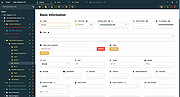 |
 |
MailStore Home v26.3.0 MailStore Home v26.3.0 👉 Free email archiving software for home users to securely back up and search emails. MailStore Home is a free email archiving solution designed for private users who want to back up, preserve, and search their emails securely. It allows you to archive emails from various sources into a single, centralized database on your PC, helping protect against data loss while significantly reducing mailbox size. MailStore Home supports archiving from email clients such as Microsoft Outlook, Mozilla Thunderbird, and Windows Mail, as well as directly from POP3 and IMAP mailboxes. Archived emails can be browsed in a structured folder tree or located instantly using a powerful full-text search. MailStore Home preserves the original MIME structure of emails to ensure data integrity and compliance. The program can also create email archives from PST files and other email formats, and it allows users to export archived messages back to email clients or standard file formats if needed. Features: • Archive emails from Microsoft Outlook, Mozilla Thunderbird, Windows Mail, and other clients • Archive directly from POP3 and IMAP mailboxes • Create and manage multiple archive profiles • Fast full-text search across the entire archive • Preserve original email structure and attachments • Reduce mailbox size by deleting archived emails from the server • Export archived emails back to email clients or file formats • Secure storage in a central local archive • Create backup copies of the email archive A Central Archive for All Your Emails Internet mailboxes such as Gmail or Yahoo! Mail Any mailbox via POP3 or IMAP Outlook 2003, 2007, 2010, 2013, 2016 and 2019 Microsoft Exchange Server 2003, 2007, 2010, 2013, 2016 and 2019 mailboxes Mozilla Thunderbird and SeaMonkey PST, EML and other file formats Supported operating systems: • Windows 10 (64-bit), Windows ... |
|
10,780 | Jul 11, 2026 deepinvent Software 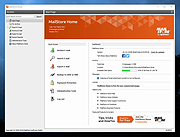 |
|
muCommander v1.6.2 muCommander v1.6.2 👉 Cross-platform dual-pane file manager designed for fast and efficient file management. muCommander is a lightweight, open-source file manager that provides a classic dual-pane interface similar to popular orthodox file managers. It is designed to make managing files and folders faster and more efficient by allowing users to easily copy, move, rename, and organize files between two panels. muCommander supports a wide range of archive formats and network protocols, enabling users to browse compressed files as if they were normal folders and access remote filesystems such as FTP, SFTP, SMB, NFS, and HTTP. The program also includes a powerful set of keyboard shortcuts, bookmarking capabilities, file search tools, and customizable interface options. Because muCommander is written in Java, it runs on multiple operating systems including Windows, macOS, Linux, and other platforms that support Java. This makes it a flexible file management solution for users who work across different environments. Supported operating systems: • Windows 7, Windows 8, Windows 10, Windows 11 • macOS • Linux Supported languages: English, French, German, Spanish, Italian, Portuguese, Dutch, Russian, Chinese, Japanese, Korean Changes: v1.6.2 05-14-26 Update previous release to 1.6.1 in the readme.txt file by @ahadas in #1469 Granting the application permission to access the module 'sun.awt.X11' by @douglasimcabral in #1471 Document #1471 by @ahadas in #1472 Fix possible NPE during startup by @ahadas in #1474 This download is for the Windows installer version. All other download assets are below: Other Windows: mucommander-1.6.2-1-portable-x86_64.zip mucommander-1.6.2-aarch64.msi macOS: mucommander-1.6.2-1-x86_64.dmg (Intel) mucommander-1.6.2-1-aarch64.dmg (Apple Silicone) mucommander-1.6.2-1-noarch.dmg (macOS 10.15 Catalina and below) Linux: mucommander_1.6.2_x86_64.deb mucommander-1.6.2-1.x86_64.rpm mucommander-1.6.2-1.aarch64.rpm Linux, Solaris, BSD, AIX, OS/2 and other OS with Java support mucommander-1.6.2-1-x86_64.tgz mucommander-1.6.2-1-aarch64.tgz Click here to visit the author's website. |
|
1,606 | Jul 22, 2026 muCommander 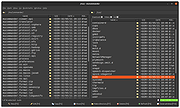 |
|
NewFileTime v8.31 NewFileTime v8.31 👉 Easily modify and correct file and folder timestamps in Windows. NewFileTime is a lightweight and portable timestamp utility that allows you to quickly change the creation date, modification date, and access date of files and folders. It is especially useful for correcting incorrect timestamps after copying files, restoring backups, sorting media collections, or organizing archived documents. The program supports drag-and-drop operation and can process multiple files and folders at once, making bulk date changes simple and efficient. NewFileTime features an easy-to-use interface with preset time options, random date generation, and precise manual controls for adjusting timestamps down to the second. The software can also import timestamps from other files, preserve original dates during operations, and work with network drives and external storage devices. Because it is portable, it can run without installation and is ideal for technicians, archivists, photographers, and power users who frequently manage file metadata. Features: • Change creation, modification, and access timestamps for files and folders • Batch process multiple files and directories simultaneously • Drag-and-drop support for quick file handling • Portable application requiring no installation • Copy timestamps from reference files • Set timestamps manually with precise date and time controls • Randomize dates and times for testing or organization purposes • Supports folders, network drives, USB drives, and external media • Easy-to-use interface with preview before applying changes • Optional administrative mode for protected files • Small system footprint and fast processing performance • Compatible with Unicode filenames and long file paths Supported operating systems: • Windows XP, Windows Vista, Windows 7, Windows 8, Windows 10, Windows 11, Windows Server 2000, Windows Server 2003, Windows Server 2008, Windows Server 2012, Windows Server 2016, Windows Server 2019, Windows Server 2022 Supported languages: • English, German, French, Spanish, Italian, Portuguese, Dutch, Polish, Russian, Chinese, Japanese, Korean, Turkish, Greek, Hungarian, Danish, Finnish, Norwegian, Swedish, Czech, Slovak, Romanian, Bulgarian, Arabic, Hebrew, Ukrainian, Indonesian, Vietnamese Changes: v8.31 ... |
|
7,065 | Oct 12, 2026 Nenad Hrg 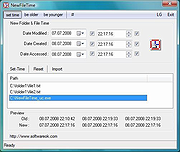 |
|
PeaZip v11.2.0 PeaZip v11.2.0 👉 A free, open source file and archive manager for creating, opening, extracting, and securing compressed files. PeaZip is a cross-platform archive manager and file compression utility that can create, open, browse, and extract 7Z, RAR, TAR, ZIP, and many other archive formats. It also includes archive conversion, file splitting and joining, file hashing, password management, secure deletion, search, bookmarks, duplicate file detection, and integrated text, hex, and image viewers. Features: • Opens over 200 archive types and variants • Creates, opens, browses, and extracts 7Z, RAR, TAR, ZIP, ZIPX, and many more archive formats • Converts existing archives between supported formats • Splits and joins files • Handles spanned archives such as 001, R01, and Z01 • Supports multiple archive encryption standards • Includes file hashing tools • Can export GUI tasks as command line scripts • Provides a built-in file manager with bookmarks, search, and instant content filtering • Detects duplicate files • Includes integrated text, hex, and image viewers • Offers portable packages that do not require installation • Includes password management features and password entropy rating • Adds batch archive testing and improved archive browsing performance in v11.0.0 Supported operating systems: • Windows x86, Windows x64, ReactOS, Wine • Linux x86_64, Linux x86, Linux ARM, Linux aarch64 • macOS / Darwin Intel x86_64, macOS / Darwin Apple Silicon aarch64 • BSD x86-64 Supported languages: Arabic, Belarusian, Bulgarian, Catalan, Chinese Simplified, Chinese Traditional, Czech, Danish, Dutch, English, Esperanto, Finnish, French, German, Greek, Hungarian, Indonesian, Italian, Japanese, Korean, Lithuanian, Norwegian, Persian, Polish, Portuguese (Brazil), Portuguese (Portugal), Romanian, Russian, Serbian, Slovak, Spanish, Swedish, Thai, Turkish, Ukrainian, Vietnamese Changes: v11.2.0 07-12-26 BACKEND 7z/p7zip 26.02 Pea 1.32 hardened against timing attack on verification of integrity tags CODE Code review with various fixes and quality improvements FILE MANAGER Added read support for Zeno IMproved .ZIM archives, used for Wikipedia and Project Gutenberg data dumps Fixed some inconsistencies in icons representation for special folders and search filters Keyboard shortcuts updated and made fully working ... |
|
7,524 | Jul 13, 2026 PeaZip 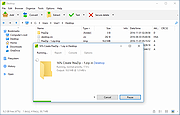 |
|
Waydir v0.22.0 Waydir v0.22.0 👉 A fast, keyboard-first dual-pane file manager for Linux, Windows and macOS. Waydir is a cross-platform desktop file manager built for users who prefer speed, direct control and fewer trips to the mouse. It combines classic dual-pane file management with tabs, live search, network drives, Quick Look previews, archive browsing, a built-in terminal and a native Rust core that keeps heavy file work off the interface thread. Features: • Dual-pane file browsing with tabs in each pane • Keyboard-driven navigation, selection, copying, moving, renaming and searching • Command palette for actions, bookmarks, drives, recent locations, files and plugin commands • Fast live recursive search with substring, regex and glob matching • Quick Look previews for images, PDFs, text, code and file details • Browse ZIP and TAR archives without extracting first • SMB and SFTP network drive support • Built-in terminal per pane • WSL file browsing and terminal support on Windows • Git status, branch switching and stash management • Light, Dark, Nord and One Dark themes, plus custom themes • Lua plugin support for actions, buttons, shortcuts and status bars • Free and open source under the MIT License Supported operating systems: • Windows • macOS • Linux Ubuntu, Debian, Fedora, RHEL, openSUSE and other Linux distributions using AppImage or portable tarball Supported languages: English Changes: v0.22.0 06-29-26 Added duplicate selected files and folders in place with Ctrl+Shift+D, available from the keyboard, command palette and context menu. Faster file copying, especially on Windows and when copying lots of small files. Renamed the "Kind" column to "Format". This download is for the Windows installer version (very bottom of page). All other download assets are below: Other Windows: waydir-0.22.0+29-windows.zip macOS: waydir-0.22.0+29-macos.dmg Linux: waydir-0.22.0+29-linux.AppImage waydir-0.22.0+29-linux.deb waydir-0.22.0+29-linux.rpm waydir-0.22.0-linux-x64.tar.gz Click here to visit the author's website. |
|
436 | Jul 02, 2026 Mikolaj Badyl 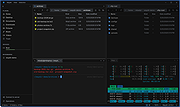 |
| Showing rows 1 to 8 of 8 | Showing Page 1 of 1 | 1 |
OlderGeeks.com Copyright (c) 2026
