|

|
Processed through Paypal No account required. |








Buy our over-priced crap to help pay the bills.



|
|
Processed through Paypal No account required. |
| Files | ||||
| File Name | Rating | Downloads | ||
 |
Temple Trashers v1.1.2 Temple Trashers v1.1.2 👉 A couch co-op tower defense game where your own towers can be just as dangerous to your team as the enemy. Temple Trashers is a couch co-op tower defense game developed by Hackerspace NTNU. Players build towers, aim them toward incoming enemies, collect crystals dropped during combat, and use those resources to build more turrets while trying to survive endless hordes. The game is designed around local cooperative play and the developer notes that it is intended to be played using a controller. Features: • Couch co-op tower defense gameplay • Friendly fire style danger where towers can hurt both enemies and teammates • Build and place towers to defend against incoming waves • Aim your defenses toward enemy paths • Collect crystals dropped by enemies • Use collected crystals to build additional turrets • Endless horde survival gameplay • Controller-focused play as recommended by the developer • Free and open-source project Supported operating systems: • Windows 10, Windows 11 Supported languages: English Changes: v1.1.2 Not Provided Click here to visit the author's website. |
 |
355 | Apr 10, 2026 Hackerspace NTNU 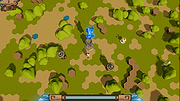 |
 |
Tetris v1.0 Tetris v1.0 👉 A modern open-source take on the classic Tetris puzzle game playable in your browser. Tetris is a clean, modern, open-source implementation of the classic block-stacking puzzle game, designed to deliver a smooth and responsive gameplay experience directly in your web browser. Built with simplicity and performance in mind, it recreates the timeless mechanics of Tetris while adding polished visuals and intuitive controls. Players must strategically rotate and place falling tetrominoes to complete horizontal lines, earning points and increasing difficulty as the game progresses. Features: • Classic Tetris gameplay with smooth controls • Browser-based play with no installation required • Clean and modern user interface • Increasing difficulty as gameplay progresses • Score tracking during sessions • Lightweight and fast performance • Fully open-source and customizable Supported operating systems: • Windows 7, Windows 8, Windows 10, Windows 11 • macOS (modern versions) • Linux (modern distributions) Supported languages: English Changes: v1.0 03-19-26 Not Provided Click here to visit the author's website. |
|
569 | Mar 20, 2026 Mehmet Yilmaz 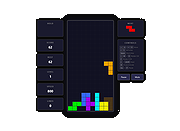 |
 |
Thoth v3.2.0 Thoth v3.2.0 👉 A local-first AI assistant focused on privacy, autonomy, and on-device intelligence. Thoth is a free and open source local-first AI assistant designed to keep your models, data, and workflows on your own machine instead of in the cloud. It combines autonomous tool use, long-term memory, voice input and text-to-speech, vision and screen capture, health and habit tracking, workflows and scheduling, messaging channels, and file and data handling into a native desktop app. Thoth is built to give users personal AI sovereignty with local inference, local storage, opt-in online tools, and no subscriptions or telemetry. Features: • Local-first AI assistant with on-device inference, storage, and privacy-focused design • Autonomous ReAct agent with 20 integrated tools and 45 operations • Long-term memory with semantic recall across conversations • Voice input and offline text-to-speech with multiple English voice options • Vision support for webcam capture, screenshots, and image analysis • Habit and health tracking for medications, symptoms, exercise, mood, sleep, and more • Workflows and scheduling for reusable multi-step prompt sequences • Messaging channel support through Telegram bot and email integration • Gmail and Google Calendar integration with permission controls • File, chart, and structured data support including PDF, CSV, Excel, JSON, and Plotly charts • Native desktop app with first-run setup wizard, system tray support, and model selection • Supports curated local models including Qwen, Llama, Gemma, Mistral, DeepSeek, Phi, and more Supported operating systems: • Windows 10, Windows 11 • macOS 12 or higher Supported languages: Not Found Changes: v3.2.0 03-16-26 Automatic conversation summarization for effectively unlimited conversation length. Complete rewrite of the memory deduplication system to prevent duplicates and incorrect updates. Added deterministic deduplication using exact normalized-subject SQL lookups. Added cross-category deduplication for background extraction. Added source tracking for memories with live and extraction tagging. Added active thread exclusion to avoid race conditions during background extraction. Extended update_memory() to accept optional subject, tags, category, and source arguments. Added duplicate consolidation utility for near-duplicate memories. Added memory IDs ... |
 |
477 | Mar 17, 2026 Siddharth Sachar 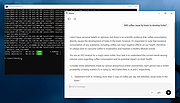 |
|
TimVer v0.11.0 TimVer v0.11.0 👉 Displays Windows version, hardware, drive, graphics, environment, and build history information. TimVer displays the same Windows version related information as the built-in Winver command, with additional information that Winver does not display. It can also show basic hardware information including the CPU, disk drives, graphics, memory, environment variables, and build history, along with configurable settings for appearance, language, and application behavior. Features: • Displays Windows version information such as version, build number, build branch, architecture, and installation date • Shows hardware information including computer make, model, name, processor, BIOS, physical memory, and last boot date and time • Displays logical drive information and optional physical drive information • Shows graphics adapter details including adapter name, type, description, resolution, refresh rate, and adapter RAM • Displays current environment variables with a filter box for variable names • Includes build history tracking for comparing Windows build numbers over time • Offers configurable application, disk drive, UI, language, and settings file options • Can export, import, open, and list application settings • Includes multilingual user interface support • Checks for newer releases from the About page • Includes a Midnight Blue theme option Supported operating systems: • Windows 10 (version 1607 / Server 2016 and newer, but realistically current builds) • Windows 11 (all versions) • Windows Server 2016 • Windows Server 2019 • Windows Server 2022 • Windows Server 2025 (if deployed) Supported languages: • English (United Kingdom), English (United States), Spanish, French, Italian, Korean, Dutch, Slovak Changes: v0.11.0 04-20-26 New: TimVer has been updated to .NET 10. The self-contained versions include the .NET runtime, so they do not require .NET 10 to be installed on the system. .NET 10 is a long-term support (LTS) release, and will be supported until November 14, 2028. Some code changes were required to take advantage of improvements in .NET 10 and C# 14. New: The first time the About page is opened, the application will check to see if there is ... |
|
1,965 | Apr 21, 2026 Tim Kennedy 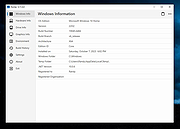 |
 |
Tor Browser v15.0.10 Tor Browser v15.0.10 👉 Privacy-focused web browser that routes traffic through the Tor network to help prevent tracking, surveillance, and censorship. Tor Browser is a privacy-focused web browser based on Mozilla Firefox ESR that has been heavily modified for use with the Tor network. It routes your traffic through the Tor network to help hide your real IP address, resist online tracking and browser fingerprinting, and protect against surveillance and censorship. By default, it does not keep browsing history, and cookies are only valid for a single session unless you request a new identity. Features: • Routes internet traffic through the Tor network using multiple relays to conceal your real IP address • Uses layered (onion) encryption so each relay only knows the previous and next step in the circuit • Blocks third-party trackers and isolates cookies to prevent cross-site tracking • Automatically clears cookies and browsing data when the browser is closed • Does not retain browsing history by default for increased privacy • Resists browser fingerprinting by standardizing browser characteristics across users • Includes built-in HTTPS enforcement to help ensure encrypted connections when available • Provides “New Identity” feature to quickly reset your session and obtain a new Tor circuit • Includes “New Circuit for this Site” option to change exit nodes for specific websites • Offers multiple security levels (Standard, Safer, Safest) to reduce attack surface • Disables potentially unsafe browser features like certain scripts and media formats at higher security levels • Helps bypass censorship and access blocked websites through the Tor network • Protects against local network surveillance and ISP monitoring • Includes Tor network configuration options for censored regions (bridges, Snowflake, etc.) • Sandboxed design helps isolate web content from the underlying operating system • Regularly updated with Firefox ESR security patches and Tor-specific hardening • Open-source project with publicly auditable code • Designed to minimize data leaks such as DNS requests outside the ... |
|
6,734 | Apr 22, 2026 The Tor Project  |
|
Treesheets v3247 TreeSheets v3247 👉 Hierarchical spreadsheet-style note taking for organizing complex information visually. TreeSheets is a unique information organizer that combines the structure of a spreadsheet with the flexibility of a hierarchical outliner. It allows you to create deeply nested grids of cells, making it ideal for managing complex data, brainstorming ideas, planning projects, or structuring large amounts of information in a compact and visual way. Unlike traditional spreadsheets, TreeSheets supports recursive cell structures, meaning each cell can contain another grid. This makes it especially powerful for breaking down large concepts into manageable sections while keeping everything accessible in a single document. TreeSheets is lightweight, fast, and portable, making it suitable for quick note-taking or large structured documents alike. Features: • Hierarchical spreadsheet-style data organization • Unlimited recursive grids within cells • Compact visual layout for dense information • Keyboard-driven navigation and editing • Fast search across entire document • Import and export to multiple formats including text and HTML • Printing support with automatic layout adjustments • Lightweight and portable application • Open-source and actively maintained Supported operating systems: • Windows 7, Windows 8, Windows 10, Windows 11 • macOS 10.13 or higher • Linux (AppImage and source builds) Supported languages: English, Dutch, German, Spanish, French, Italian, Russian, Chinese, Japanese Changes: v3247 07-12-26 Revert "Do not overwrite existing cells when grid is merged or multi-… This download is for the Windows 64bit installer version (very bottom of page). All other download assets are below: Other Windows: TreeSheets-3247-winx64.zip TreeSheets-3247-winarm64.exe TreeSheets-3247-winarm64.zip macOSX: TreeSheets-3247-Darwin.dmg Linux: treesheets_3247_amd64.deb treesheets_3247_arm64.deb Click here to visit the author's website. |
|
5,418 | Jul 13, 2026 Wouter van Oortmerssen 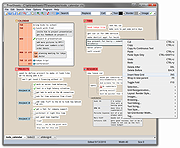 |
|
Universal Blood Pressure Manager v1.13.0 Universal Blood Pressure Manager v1.13.0 👉 Manage, track, and analyze blood pressure readings with a simple open-source logging tool. Universal Blood Pressure Manager is an open-source application designed to help users record and monitor their blood pressure readings. It provides a straightforward interface where users can log systolic and diastolic values, pulse rate, and additional notes for each measurement. Universal Blood Pressure Manager stores entries locally and allows users to keep a long-term history of their blood pressure readings. This makes it easier to track trends over time and share useful information with healthcare providers when needed. The program focuses on privacy, simplicity, and reliability while remaining lightweight and easy to use. Features: • Record systolic and diastolic blood pressure measurements • Log pulse rate and optional notes for each entry • Maintain a long-term history of blood pressure readings • Simple and easy-to-use interface for quick data entry • Local storage of data for privacy • Open-source project allowing community review and contributions Supported operating systems: • Windows 10, Windows 11 • Linux • macOS Supported languages: English Changes: v1.13.0 08-03-25 • Added the option to show the latest measurement in the title bar • Improved the database migration process • Updated translations • Minor improvements and fixes This download is for the Windows installer version (very bottom of page). All other download assets are below: Other Windows: ubpm_qt5-1.13.0-x86_64.exe(Try this version if the Qt6 version does not run properly on your system.) macOS: ubpm_qt6-1.13.0-x86_64+aarch64.dmg ubpm_qt5-1.13.0-x86_64+aarch64.dmg (Try this version if the Qt6 version does not run properly on your system.) Linux: ubpm_qt6-1.13.0-x86_64.AppImage ubpm_qt6-1.13.0-aarch64.AppImage ubpm_qt5-1.13.0-x86_64.AppImage ubpm_qt5-1.13.0-aarch64.AppImage (Try this version if the Qt6 version does not run properly on your system.) Click here to visit the author's website. |
|
422 | Mar 06, 2026 Thomas Lowe 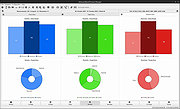 |
|
Unvanquished v0.56.2 Unvanquished v0.56.2 👉 Free, open-source first-person strategy shooter where humans battle adaptable aliens. Unvanquished is a free and open-source first-person shooter combined with real-time strategy gameplay, inspired by the Tremulous universe. Players join either the human resistance or the alien swarm in fast-paced online battles where teamwork, tactical planning, and resource management are essential for victory. Human players rely on advanced weaponry, deployable structures, jetpacks, armor upgrades, and fortified bases to defend against increasingly dangerous alien lifeforms. Alien players evolve into stronger and faster classes with unique movement abilities such as wall climbing, pouncing, and aerial attacks, allowing for highly dynamic combat styles. Matches revolve around building and defending bases, gathering resources, destroying enemy structures, and coordinating attacks with teammates. Players can choose from multiple gameplay styles ranging from direct combat to strategic support roles, making every round feel different depending on team composition and tactics. Built on the powerful Dζmon engine, Unvanquished includes modern graphical effects, improved networking, advanced lighting, modding support, dedicated servers, bots for offline play, and extensive customization options. The project is community-driven and actively developed under open-source licensing, making it highly moddable and accessible to players and developers alike. Features: • Unique hybrid of first-person shooter and real-time strategy gameplay • Team-based combat featuring humans versus aliens • Multiple alien lifeforms with unique abilities and movement styles • Human technology tree with weapons, armor, upgrades, and jetpacks • Buildable structures including turrets, reactors, spawn points, and defenses • Resource and base management systems that affect team progression • Fast-paced multiplayer gameplay with tactical coordination • Dedicated server support for online matches • Offline practice with AI bots • Integrated server browser with ping and version information • Advanced OpenGL rendering and lighting effects • Community-created maps and modding capabilities • Cross-platform support for Windows, Linux, and macOS • Gameplay presets including Vampire and mining-style modes • Customizable graphics, controls, audio, and gameplay settings • Free ... |
|
7,616 | May 21, 2026 Unvanquished 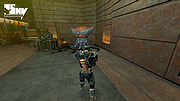 |
|
Ventoy v1.1.12 Ventoy v1.1.12 👉 Create multiboot USB drives that boot ISO, WIM, IMG, VHD(x), and EFI files directly. Ventoy is an open source tool that lets you create a bootable USB drive for ISO/WIM/IMG/VHD(x)/EFI files without repeatedly formatting the drive. You simply copy one or more supported image files to the USB drive, boot from it, and select what you want from Ventoy’s menu. It supports x86 Legacy BIOS, IA32 UEFI, x86_64 UEFI, ARM64 UEFI, and MIPS64EL UEFI, and can be installed on USB drives, local disks, SSDs, NVMe devices, and SD cards. Ventoy also supports browsing and booting image files stored on local disks, secure boot support, persistence, auto-installation options, plugin-based customization, and highly configurable themes and menus. The official Tested ISO list groups tested image files into Windows, Linux, Unix, ChromeOS, and Other categories, and Ventoy reports 1300+ tested image files overall. Features: • 100% open source • Direct boot support for ISO, WIM, IMG, VHD, VHDX, and EFI files • No need to extract image files before booting • Supports multiple image files on one device with a boot selection menu • Can browse and boot supported image files from local disks • Works with MBR and GPT partition styles • Supports x86 Legacy BIOS, IA32 UEFI, x86_64 UEFI, ARM64 UEFI, and MIPS64EL UEFI • Supports IA32 and x86_64 UEFI Secure Boot • Linux persistence support • Windows and Linux auto installation support • Supports FAT32, exFAT, NTFS, UDF, XFS, Btrfs, and Ext2/3/4 for the main partition • Supports ISO files larger than 4GB • Menu alias, password protection, ListView and TreeView modes, and customizable themes • Plugin framework with GUI plugin configurator • Official tested image file categories include Windows, Linux, Unix, ChromeOS, and Other, with 1300+ tested image files overall Get Started Instructions. Supported operating systems: • Windows, Linux Supported languages: • English, multilingual boot/menu language support available Changes: v1.1.12 04-23-26 Bugfix for ubuntu24.04.4 install failure. (#3567) Fix the VirtualBox UEFI ... |
|
6,587 | Jun 01, 2026 longpanda 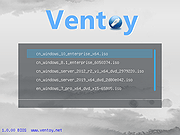 |
|
Warzone 2100 v4.7.0 Warzone 2100 v4.7.0 👉 A free and open-source 3D real-time strategy game set in a post-nuclear world. Warzone 2100 is a free and open-source real-time strategy game where you command The Project in a battle to rebuild civilization after nuclear devastation. It features a story-driven single-player campaign, LAN and online multiplayer, AI skirmishes, an extensive technology tree with over 400 technologies, and a flexible unit designer that lets you customize vehicles and tactics to fit your play style. Features: • Story-driven single-player campaign • LAN and Internet multiplayer with integrated lobby • AI bots for offline skirmishes and practice • Extensive tech tree with over 400 technologies • Flexible unit designer for custom combat strategies • Cross-platform multiplayer support • 100% free and open-source • No ads, no subscriptions, and no in-app purchases • Legacy “Pumpkin” v1.10 campaign balance option in v4.7.0 • New net lobby improvements for easier joining and hosting • Vulkan backend improvements and multiple graphics fixes • Additional “Reclamation” soundtrack content Supported operating systems: • Windows 7 or higher • Windows 10 or higher via Microsoft Store • macOS 10.14 or higher • Linux, Ubuntu 22.04, Ubuntu 24.04+ • FreeBSD Supported languages: • English, Arabic, Bulgarian, German, Spanish, French, Italian, Dutch, Polish, Portuguese, Portuguese (Brazil), Romanian, Russian, Turkish, Ukrainian, Simplified Chinese Changes: v4.7.0 04-07-26 General Highlights: Vulkan Backend Improvements Model & Graphics Fixes Additional new “Reclamation” soundtrack Add Weapon Stats flag for configuring Captured Units Teleport Fix mouse cursor display scaling on some OSes Fix disabled state of mouse key code Fix objects incorrectly darkened due to terrain darkness / satellite strike Campaign: “Pumpkin” v1.10 Campaign Balance Mod Updated Remastered balance, Additional Spawns 2.0 Add campaign balance descriptions help panel Fix Classic campaign Howitzer tree path Fix various guide topic issues Fix missing Intel message issues Multiplayer: All-new net lobby and hosting/joining revamp Easier joining via GameId Improved handling for difficult connections and firewalls IPv4 + IPv6 hosting support Expanded host lobby options Improved security, privacy, and host visibility Properly persist player mute option This download is for the Windows version (very bottom ... |
|
8,166 | Apr 08, 2026 Warzone 2100 Project 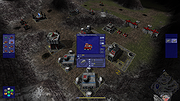 |
|
Wav2Bar v0.3.4 Wav2Bar v0.3.4 👉 Powerful open source software for creating advanced audio visualization videos. Wav2Bar is a free and open source audio visualization creator designed for producing animated music videos and visual effects synchronized to audio tracks. It allows users to combine visualizers, images, text, particle effects, timers, backgrounds, and custom objects into fully customizable projects that can be exported as MP4 videos for sharing online or integrating into larger productions. Built with flexibility in mind, Wav2Bar provides an editor-style workflow where users can design layered scenes and control how elements react to sound in real time. The software supports reusable project files, adjustable rendering quality, customizable frame rates and resolutions, and multiple visualizer styles for creating everything from simple waveform animations to complex motion graphics. Wav2Bar is especially useful for content creators, musicians, streamers, video editors, and anyone looking to generate professional-looking audio reactive visuals without requiring expensive commercial software. Its open source nature also allows developers and advanced users to customize or extend the software for specialized workflows. Features: • Create advanced audio reactive visualizations synchronized to music and sound • Design layered scenes using visualizers, backgrounds, text, and images • Multiple built-in visualizer styles for different animation effects • Export projects as MP4 video files • Save and reload projects for later editing • Reusable project templates for faster workflow creation • Customizable video resolution and frame rate settings • Real-time editor style interface for arranging objects and effects • Add logos, overlays, album artwork, and custom graphics • Built-in particle flow effects • Time indicators and timing-based visual elements • Audio caching system for smoother processing • Adjustable rendering quality for balancing speed and output quality • Open source architecture for customization and community development • Suitable for music videos, streaming overlays, social media clips, and promotional content • Lightweight modern interface focused on creative workflows • Supports complex animated compositions with multiple reactive elements • Free to use ... |
|
287 | May 22, 2026 Picorims 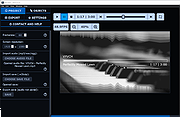 |
|
Windows 11 Context Menu Manager v1.0.1 Windows 11 Context Menu Manager v1.0.1 👉 Disable unwanted items in Windows 11 right-click context menu. Windows 11 Context Menu Manager is a simple utility that lets you turn off unwanted entries in Windows 11 right-click context menu. It is designed to help clean up the newer Windows 11 context menu so you can reduce clutter and keep only the items you want visible. Features: • Disable unwanted entries in the Windows 11 Explorer new right-click context menu • Focuses specifically on the newer Windows 11 right-click menu • Simple interface built for quickly managing context menu visibility • Helps reduce right-click menu clutter in File Explorer • Designed for modern 64-bit Windows 11 systems • Offered as a standalone desktop utility • Open-source software released under the MIT License Supported operating systems: • Windows 11 x64, Windows 11 ARM64 Supported languages: Operating System Language Changes: v1.0.1 03-25-26 fix: missing package This download is for the Windows 11 64bit version (very bottom of page). If you need the Windows 11 ARM64 version, download here. Click here to visit the author's website. |
|
436 | Apr 15, 2026 Brandon Hill 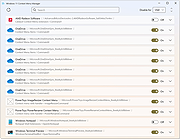 |
|
Windows Maintenance Tool v6.1 Windows Maintenance Tool v6.1 👉 An all-in-one Windows maintenance and optimization toolkit for repair, cleanup, tuning, and software management. Windows Maintenance Tool is a Windows utility built in Batch and PowerShell that combines system repair, performance tweaks, bloatware removal, software management, network tools, firewall control, driver tools, cleanup features, and other maintenance utilities into one interface. Features: • Modern graphical interface with organized sections for repair, cleanup, updates, drivers, networking, security, and system utilities • Windows repair tools including SFC, DISM, CHKDSK, Windows Update repair, WinRE management, and Quick Fix commands • Advanced cleanup with preview mode, temporary file removal, Winapp2 community cleaning rules, BleachBit CleanerML support, registry cleanup with automatic backups, and broken shortcut repair • Package updater supporting Winget, Microsoft Store, Chocolatey, Scoop, pip, npm, pnpm, Ruby Gems, Cargo, Composer, .NET Global Tools, PowerShell modules, Steam, Legendary (Epic Games), GOGDL, and additional package providers • Bulk software installation and removal with progress monitoring and optional background update automation • Startup Manager for startup applications, scheduled tasks, Windows services, and context menu entries • My Device dashboard displaying system specifications, storage information, drive benchmarks, network status, battery and power details, driver information, memory cleanup, SSD TRIM, and quick-access maintenance tools • Driver management including driver reports, ghost device cleanup, driver backup and restore, and Windows driver update controls • Network utilities with DNS management, DNS over HTTPS configuration, adapter reset, routing table export, hosts file editing, IP information, and automated network repair • Firewall management for viewing, searching, creating, editing, enabling, disabling, importing, exporting, and resetting Windows Firewall rules • Windows feature management for Hyper-V, Windows Sandbox, Windows Subsystem for Linux (WSL), .NET Framework 3.5, IIS, Telnet, ... |
|
8,173 | Jul 02, 2026 ios12checker/Chaython  |
|
Workrave v1.10.54 Workrave v1.10.54 👉 Helps prevent repetitive strain injuries by reminding you to take healthy computer breaks. Workrave is a free and open-source program designed to help prevent and relieve Repetitive Strain Injury (RSI) and other computer-related health issues. It monitors keyboard and mouse activity and reminds users to take regular breaks from their computer to rest, stretch, and relax. The software provides configurable microbreaks, rest breaks, and daily usage limits to encourage healthier work habits. By tracking input activity and detecting idle time, Workrave can intelligently determine when breaks are needed and provide gentle reminders before enforcing them if necessary. During breaks, Workrave may display simple exercises or relaxation prompts to help reduce muscle tension and eye strain caused by prolonged computer use. Break timers and reminder behavior are fully customizable, allowing users to tailor break frequency, duration, and enforcement settings to their workflow. Workrave runs quietly in the background and integrates with the system tray, making it suitable for both home and workplace environments where long computer sessions are common. Features: • Monitors keyboard and mouse activity to detect continuous computer use • Reminds users to take microbreaks, rest breaks, and daily usage limits • Fully configurable break timers and durations • Gentle break reminders with optional enforced breaks • Microbreaks for short pauses and longer rest breaks for recovery • Tracks active and idle time to intelligently manage break timing • Optional exercises and stretching prompts during breaks • Postpone or skip options for break reminders • System tray integration and automatic startup options • Free and open-source software Supported operating systems: • Windows • Linux Supported languages: System language (Workrave uses the operating system's locale for its interface language). Changes: v1.10.54 10-16-25 Add support for GNOME Shell 49 (#636, Alessandro Astone) Note: This file has two hits on VirusTotal. We have confirmed these to be false positives. The file is safe. This download is for the Windows version (very bottom of ... |
|
4,240 | Mar 04, 2026 Raymond Penners & Rob Caelers 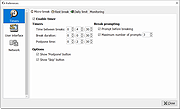 |
|
xemu v0.8.134 xemu v0.8.134 👉 Original Xbox emulator for Windows, macOS, and Linux. xemu is a free and open-source application that emulates the original Microsoft Xbox game console, allowing users to play original Xbox games on Windows, macOS, and Linux systems. Disclaimer: This project is an independent open source emulation effort and is not endorsed by, directly affiliated with, maintained, authorized, or sponsored by Microsoft Corporation. All product and company names are the registered trademarks of their original owners. The use of any trade name or trademark is for identification and reference purposes only and does not imply any association with the trademark holder of their product brand. Features: • Free and open-source original Xbox emulator • Runs on Windows, macOS, and Linux • Low-level hardware emulation for original Xbox kernels, titles, and homebrew • Controller support through SDL3 • Supports up to 4 controllers • Snapshots/save states let you save and restore the current machine state • Render scaling can increase game rendering resolution, such as 480p to 1080p • Networking support for connecting to other xemu instances and real Xboxes • Supports tunneling services and Xbox Live recreation projects • Windows Zip archive version runs by extracting and launching xemu.exe • macOS Zip archive can be extracted and run manually, or installed with Homebrew • Linux versions available as AppImage, Flatpak, Ubuntu PPA, or source build Supported operating systems: • Windows x86_64, Windows arm64 • macOS Universal • Linux x86_64 AppImage, Linux aarch64 AppImage • Linux Flatpak x86_64, Linux Flatpak aarch64 • Ubuntu 22.04 and newer via PPA Supported languages: • English Changes: v0.8.134 02-26-26 Official release notes list SDL3 migration work, SDL3 3.4.2 update, audio throttling improvements, monitor/audio cleanup, independent refresh/display handling, Windows updater improvements, crash fixes, snapshot assert fix, fullscreen/file dialog fixes, controller detection fixes, Flatpak file chooser support, update dialog improvements, and fixes affecting NASCAR 06: Total Team Control and NASCAR 07. Full changelog: https://github.com/xemu-project/xemu/compare/v0.8.133...v0.8.134 Compatibility Note: Title compatibility status is provided by volunteer ... |
|
1,076 | Apr 29, 2026 xemu Project 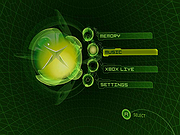 |
OlderGeeks.com Copyright (c) 2026
