|

|
Processed through Paypal No account required. |








Buy our over-priced crap to help pay the bills.



|
|
Processed through Paypal No account required. |
| Files | ||||
| File Name | Rating | Downloads | ||
 |
GnuCash v5.17 GnuCash v5.17 👉 Free, professional-grade personal and small-business accounting software. GnuCash is a free and open-source financial management application designed for individuals, families, and small businesses. Built on double-entry accounting principles, it provides an accurate and reliable way to track bank accounts, credit cards, investments, income, expenses, and business finances. Its familiar checkbook-style register makes entering transactions straightforward while maintaining the integrity expected from professional accounting software. Whether you're balancing your household budget, managing investment portfolios, or keeping books for a small business, GnuCash offers powerful reporting, scheduled transactions, account reconciliation, and support for importing financial data from many banks. It also includes customizable reports and graphs to help you understand your financial health over time. Features: • Double-entry accounting system • Checkbook-style transaction register • Track bank accounts, cash, credit cards, loans, and investments • Support for stocks, bonds, mutual funds, and other securities • Small business accounting with customer, vendor, invoice, bill, and tax features • Scheduled and recurring transactions • Transaction matching and reconciliation • Import QIF, OFX, and HBCI financial data • Budget creation and tracking • Detailed financial reports and graphs • Multi-currency support with exchange rate tracking • Split transactions and account hierarchies • Search and filter transactions • Export reports and financial data • Open source and actively maintained Supported operating systems: • Windows 8, Windows 10, Windows 11 • macOS 10.13 (Intel) or higher • macOS 11 (Apple Silicon) or higher • Legacy versions available below. Supported languages: Arabic, Brazilian Portuguese, Bulgarian, Catalan, Chinese (Simplified), Chinese (Traditional), Croatian, Danish, Dutch, English, Finnish, French, German, Hebrew, Hindi, Hungarian, Italian, Japanese, Latvian, Lithuanian, Marathi, Polish, Portuguese, Russian, Serbian, Spanish, Tamil, Telugu, Turkish, Ukrainian, Urdu, Chinese (Simplified Han script), Czech, Dutch, English (Australia), English (New Zealand), English (United Kingdom), German, Hungarian, Italian, Norwegian Bokmεl, Portuguese, Portuguese (Brazil), Russian, Spanish, Swedish Changes: v5.17 09-27-26 Bug 797872 - Multiple check printing results in nothing sent to print queue after first check ... |
 |
7,663 | Sep 29, 2026 GnuCash Team 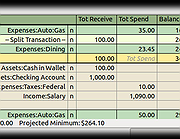 |
|
Microsoft Money Plus Home & Business Sunset v17.0.150.3817 Microsoft Money Plus Home & Business Sunset v17.0.150.3817 👉 Free offline software for managing personal finances, small-business expenses, and invoices. Microsoft Money Plus Home & Business Sunset combines personal financial management with tools for keeping track of small-business finances. Organize accounts, record income and expenses, monitor spending, manage investments, and create financial reports. The Home & Business edition also includes invoicing tools for preparing customer invoices with your business information. Money Invoice Designer lets you customize invoices with your business name, address, and logo. Financial information is organized into sections for accounts, bills, reports, and investments, helping you review household and business activity in one application. The Sunset edition was released after Microsoft discontinued the Money product line. It removes the activation requirement, allowing installation and reinstallation without contacting an activation server. You can install it as a standalone program without owning an earlier edition. Features: • Manage personal and business financial accounts. • Record income, expenses, deposits, and payments. • Organize transactions into spending categories. • Create budgets and monitor spending. • Review account balances and cash flow. • Generate financial reports. • Track investments and manually update investment prices. • Create customer invoices with Money Invoice Designer. • Customize invoices with your business name, address, and logo. • Use Insights alerts to monitor upcoming bills, spending, and cash flow. • Import OFX or QIF statement files downloaded separately from your financial institution. • Open and convert compatible files from earlier U.S. editions of Microsoft Money. • Protect Money data files with a standard Money password. • Access a local Help file. • Install and reinstall without product activation. Important information: This is discontinued software. ... |
|
3 | Oct 06, 2026 Microsoft Corp. 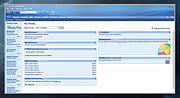 |
| Showing rows 1 to 2 of 2 | Showing Page 1 of 1 | 1 |
OlderGeeks.com Copyright (c) 2026
