|

|
Processed through Paypal No account required. |








Buy our over-priced crap to help pay the bills.



|
|
Processed through Paypal No account required. |
| Files | ||||
| File Name | Rating | Downloads | ||
 |
1by1 v2.16 1by1 v2.16 👉 Small and fast audio directory player with powerful features. 1by1 is a smart and lightweight directory-based audio player for Windows that lets you play tracks directly from folders without needing playlists or a media database. It combines file-manager-style navigation with playback features such as resume play, gapless playback, transition mixing, audio enhancing, bookmarks, cue sheet support, and file tools for organizing tracks while listening. It is also highly configurable, portable, and designed for low resource usage. Features: • Directory Player: directly plays folder contents • Resume play with track and position memory • Multi Resume for the ten recently played folders • Gapless play, transition mixing, and audio enhancing • Folder tree file navigation and Directory finder • MP3 decoding by ACM, mpglib, and BASS • BASS library support for formats such as OGG, WAV, FLAC, AAC, MP4, and CD audio • Optional 24 bit output and 32 bit audio processing • File utilities including copy, move, rename while play, delete, and date change • Scalable Big title view, Rename tool, and Folder compare tool • Cue sheet support, M3U playlist support, and bookmarks • Winamp 2.x input plugin support and WAV export • Track logging, HTTP control and streaming server • Theme presets, global hotkeys, portable operation, and low resource usage Supported operating systems: • Windows • Android • Linux with Wine Supported languages: English, German, Danish, Spanish, French, Italian, Korean, Portuguese (Brazilian), Russian, Serbian, Ukrainian, Chinese (Simplified) Changes: v2.16/v1.39 04-18-26 Windows: Binary changes (GCC build) · Additional languages: Koeran, Serbian, French · Better quit on other instance check · Hang on clearing tree view fixed · Threading issues corrected · Some other corrections and modifications Android: Media key event handling improved Note: This file has one hit on VirusTotal. We have confirmed this to be a false positive. The file is safe. This download is for the Windows version (very bottom of page). If you need the Android version, download here. Click here to ... |
 |
1,860 | Jul 26, 2026 Martin Pesch 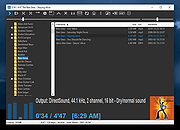 |
 |
CSVMusic v1.6.6 CSVMusic v1.6.6 👉 Convert playlists and albums from music services into fully tagged audio files. CSVMusic is a free and open source tool that converts playlists and albums from supported music services into ready-to-use audio files. You can paste a supported playlist or album link directly into the program, or import a playlist exported as a CSV file. CSVMusic finds the best matching tracks on YouTube Music, downloads the audio, and adds metadata such as artist, album and artwork. Audio can be saved as M4A or MP3, with optional native Opus output available in Settings. CSVMusic can also create M3U and M3U8 playlist files so the original track order can be retained when the music is imported into iTunes, a phone, MP3 player or local music library. Features: • Import supported playlist and album links directly without first creating a CSV file • Direct link support for Spotify, Apple Music, YouTube Music, YouTube playlists, SoundCloud sets, Deezer and Amazon Music when public track data is available • CSV importing remains available for services supported by TuneMyMusic • First-class Exportify CSV support • Automatically finds matching tracks on YouTube Music • Downloads and converts audio to M4A or MP3 • Optional native Opus output remuxes Opus streams without lossy re-encoding • Automatically adds artist/title, album information and embedded artwork • Optionally creates M3U and M3U8 playlist files • Library Mode maintains multiple public Spotify playlists in a persistent local catalog • Library Mode can scan playlists, identify tracks missing from disk and let you select individual tracks • Rescanning the library preserves track selections and manually corrected YouTube matches while reporting added and removed tracks • Alternatives lets you select a better result when CSVMusic is not confident about an automatic match • Listen lets you preview an alternative candidate in your browser • Paste URL lets you download a specific YouTube or YouTube Music video when choosing an ... |
|
1,027 | Aug 26, 2026 angall1 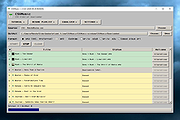 |
|
MediaPlayerOK v1.01 MediaPlayerOK v1.01 👉 Fast and portable media player for Windows. MediaPlayerOK is a compact portable media player for Windows that plays audio and video files with playlists, docking support, tray function, flexible playlists, drag & drop and automatic resume playback. Features: • Plays audio and video files • Compact and portable • Playlist support • Flexible playlists • Docking mode • Tray function • Automatic resume playback • Optional portable mode • Small system resource usage • No installation required Supported operating systems: • Windows XP, Windows Vista, Windows 7, Windows 8.1, Windows 10, Windows 11, Windows Server 2012-2025, 32-bit and 64-bit Supported languages: German, English, Italian, Korean, French, Greek, Traditional Chinese Changes: v1.01 06-11-26 • Minor adjustments in MediaPlayerOK • New languages added to MediaPlayerOK: Italian, Korean, French, Greek, and Traditional Chinese. Click here to visit the author's website. |
|
620 | Sep 23, 2026 Nenad Hrg 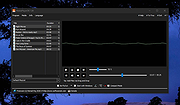 |
|
Playlist Creator v3.6.2.18 Playlist Creator v3.6.2.18 👉 Create and edit M3U and PLS music playlists with a lightweight portable Windows utility. Playlist Creator is a simple, focused utility for building music playlists without the overhead of a full media manager. Originally created by oddgravity, this preserved and modernized edition has been rebuilt as a native 64-bit Windows application while retaining the behavior and features of the original program. Files and folders can be added to a playlist, rearranged, removed, sorted or randomized before saving. Existing M3U and PLS playlists can also be opened and modified. Playlist Creator uses MediaInfo to read metadata from many media formats and can incorporate information such as artist, track number and title into playlist entries. The modernized build is completely native x64 and portable. The MFC and C/C++ runtimes, CxImage, libpng and zlib are statically linked, while the required 64-bit MediaInfo DLL is supplied alongside the executable. The project specifically targets Windows 10 or newer. Features: • Creates M3U and PLS playlists • Opens and edits existing playlists • Add individual files or entire folders • Recursively add files from folders and subfolders • Drag and drop files directly into the playlist • Reorder playlist entries manually • Move selected entries to the top or bottom • Sort playlist entries by column • Shuffle playlists into random order • Create simple playlists containing plain file lists • Read metadata from many media formats using MediaInfo • Use artist, track number and title metadata when creating playlist entries • Highlight playlist entries that refer to missing files • Configure which media file types are included • Save playlist paths using forward or backslashes • Supports multiple playlist save/path modes • Resizable main window • Optional gridlines and alternating row colors • Keyboard shortcuts and context menus for common playlist operations • Portable native 64-bit build requiring no installation Supported operating systems: • Windows 10 64-bit, Windows 11 64-bit Supported languages: English, German Changes: v3.6.2 x64 Modernization Build 08-07-26 Updated to ... |
|
259 | Aug 18, 2026 sl2365 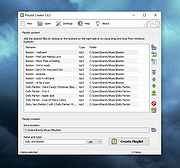 |
| Showing rows 1 to 4 of 4 | Showing Page 1 of 1 | 1 |
OlderGeeks.com Copyright (c) 2026
