|

|
Processed through Paypal No account required. |








Buy our over-priced crap to help pay the bills.



|
|
Processed through Paypal No account required. |
| Files | ||||
| File Name | Rating | Downloads | ||
 |
Bean Network Tester v0.8.0 Bean Network Tester v0.8.0 👉 Simulate slow, unreliable, or broken network conditions on Windows to test how applications respond. Bean Network Tester is a free and open-source network testing and emulation tool for Windows designed for software testers, developers, QA professionals, and power users. It deliberately introduces poor network conditions such as latency, jitter, packet loss, bandwidth restrictions, connection resets, outages, and other problems so you can see how an application behaves when its connection is less than perfect. Traffic can be targeted by process name, PID, IP address, port, or address family, allowing one application to be tested without necessarily disrupting the rest of the computer. The program uses the WinDivert driver to intercept and manipulate network traffic and provides both a graphical interface and a command-line interface suitable for scripts and CI/CD testing. Along with network impairment, it includes live statistics, throughput monitoring, a searchable connections table, event logging, configurable profiles and presets, reproducible seeded tests, CSV exports, and reproduction reports. Bean Network Tester is portable, requires administrator privileges to manipulate network traffic, and contains no telemetry or update-checking network client. It is released under the GNU General Public License v3.0. Features: • Add fixed or random network latency and jitter • Introduce latency spikes to simulate unstable connections and packet reordering • Drop packets randomly or in bursts to reproduce real-world wireless network failures • Corrupt or duplicate packets • Limit download and upload bandwidth in KB/s • Simulate network buffering and queuing delays • Tear down existing TCP connections using TCP resets • Prevent new connections from being established • Simulate a completely dead network link • Flap the connection on and off to reproduce intermittent outages • Simulate MTU black holes and NAT-style idle timeouts • Block selected IP addresses or ports with the built-in firewall controls • LAN mode allows local network traffic while blocking Internet access • Internet-only mode blocks ... |
 |
120 | Oct 08, 2026 DonislawDev  |
|
Chrono Mock v0.4.0 Chrono Mock v0.4.0 👉 Test how a Windows application behaves at another date without changing your computer’s clock. Chrono Mock runs an application with its own simulated date and time while Windows and your other programs continue using the real clock. It is designed for developers and testers checking things such as trial expiration, licence behaviour, reminders, certificate dates, month-end processing, and the Year 2038 boundary. Instead of changing the system clock and disrupting other software, you choose the application and the time it should see. The simulated clock can run normally, freeze, or move faster than real time. You can also jump forward or backward during a session to see how an application responds to a sudden clock change. Chrono Mock follows child processes and provides a separate time zone offset for the session. Its built-in audit reports which time sources it reached, which it missed, and whether the result works, works partially, or does not work. That verdict matters: an application may obtain time from a server or another source that a local tool cannot change. A date calculator helps prepare tests around trial deadlines, business days, holidays, quarter closes, and year-end changes. Chrono Mock offers a desktop interface and a command-line tool for scripts and automated testing. Both are portable. Support for native Windows applications is the most thoroughly tested; the developer marks several other application types, including .NET, Java, Python, and Electron, as experimental. Before testing an application at a future date, back up its data. The application may permanently save future-dated records or trigger licence rollback protection even after the session ends. Antivirus software may also flag the library Chrono Mock injects into applications. The developer documents these limitations and recommends checking each session’s audit. Features: • Runs a selected application at a specified date and time without changing the Windows ... |
|
96 | Oct 08, 2026 DonislawDev 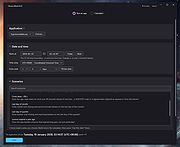 |
|
Disk Benchmark NVME SSD v1.1.0 Disk Benchmark NVME SSD v1.1.0 👉 A free portable tool for benchmarking storage read and write performance directly inside any selected folder. Disk Benchmark NVME SSD is a free, portable Windows benchmarking utility designed to measure sequential read and write performance using the actual folder where your files are stored. Rather than requiring you to select a physical drive, it lets you choose a specific folder or path and tests storage performance there. This makes it useful for testing NVMe and SATA SSDs, hard drives, USB storage and compatible network paths. The program performs a focused SEQ1M Q8T1 sequential benchmark using 1 MiB operations, allows you to configure the number of passes and test size, and generates an HTML report containing system, path and performance information. Temporary benchmark data is automatically removed when testing is complete, with cleanup handling included for interrupted sessions. It requires no installation and can be run directly as a portable application. Features: • Measures sequential read and write storage performance • Uses 1 MiB sequential operations • Focused SEQ1M Q8T1 benchmark • Tests a selected folder or path rather than requiring physical drive selection • Configurable benchmark pass count • Configurable test size • Displays read results and benchmark progress while testing • Reports the best completed benchmark result • Generates an HTML report after each completed test • Reports path, system and performance information • Works with NVMe SSDs, SATA SSDs, hard drives and USB storage • Can benchmark compatible network paths • Automatically removes temporary test data after completion • Includes recovery cleanup for interrupted benchmark sessions • Completely portable with no installation required Supported operating systems: • Windows 10, Windows 11 Supported languages: English Changes: v1.1.0 08-23-26 Not provided. Note: This file has one hit on VirusTotal. We have confirmed this to be a false positive. The file is safe. Click here to visit the author's website. |
|
212 | Aug 23, 2026 Cristoforo Bonissone 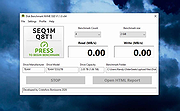 |
|
HDDScan v4.1 HDDScan v4.1 👉 Free hard drive and SSD diagnostic utility for testing storage devices, reading S.M.A.R.T. data, and monitoring drive health. HDDScan is a freeware diagnostic utility for hard drives, SSDs, RAID arrays, USB flash drives, and other supported storage devices. It can test drives for bad blocks and bad sectors, display and analyze S.M.A.R.T. attributes, run built-in S.M.A.R.T. tests, monitor drive temperature, display performance graphs during testing, generate identity reports, and adjust certain drive parameters such as AAM, APM, and PM. It also supports saving reports in MHT format, printing reports, and building command line tasks. Features: • Tests storage devices for bad blocks and bad sectors • Reads and analyzes S.M.A.R.T. attributes • Runs Short, Extended, and Conveyance S.M.A.R.T. tests • Monitors drive temperature • Supports verification, read, erase, and butterfly read tests • Displays performance graphs and response-time maps • Generates drive identity information reports • Supports AAM, APM, and power management controls on supported drives • Can start or stop spindle operation on supported drives • Saves reports in MHT format • Prints reports • Includes command line support • Supports IDE, SATA, SCSI, SAS, USB, FireWire, RAID volumes, flash drives, and supported SSDs Supported operating systems: • Windows XP SP3, Windows Server 2003, Windows Vista, Windows 7, Windows 8, Windows 10 Supported languages: • English Changes: v4.1 Features: Automatic Settings Preservation: Should help some drives "to remember" AAM/APM/PM setting after power cycle SMART Window will show "Drive State" at the top for easier "health" check Bugfixes: Command line "Administrator Permission" bugfix Click here to visit the author's website. |
|
770 | Apr 19, 2026 Artem Rubtsov 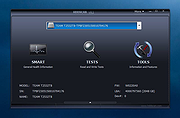 |
 |
IsMyMemoryOK v1.33 IsMyMemoryOK v1.33 👉 Quick and reliable RAM testing tool for Windows systems. IsMyMemoryOK is a lightweight memory diagnostics utility designed to test the stability and performance of DDR3, DDR4, DDR5, and DDR6 RAM modules on Windows PCs. The program allows users to quickly check for memory errors, instability, or hardware issues that can cause crashes, freezes, and blue screens. Its portable design means no installation is required, making it useful for technicians, troubleshooting, and system diagnostics on both older and modern Windows systems. Features: • Fast RAM stability and stress testing • Supports DDR3, DDR4, DDR5, and DDR6 memory • Portable application with no installation required • Adjustable test duration and memory load • Quick benchmark and diagnostic functions • Helps identify defective or unstable RAM • Simple and lightweight user interface • Optional screenshot functionality • Low CPU overhead during testing • Suitable for technicians and troubleshooting tasks Supported operating systems: • Windows XP, Windows Vista, Windows 7, Windows 8, Windows 8.1, Windows 10, Windows 11, Windows Server 2016, Windows Server 2019 Supported languages: English, German, French, Spanish, Italian, Portuguese, Dutch, Polish, Czech, Slovak, Hungarian, Romanian, Bulgarian, Greek, Russian, Ukrainian, Turkish, Chinese, Japanese, Korean, Arabic Changes: v1.33 05-11-26 Minor adjustments to the IsMyMemoryOK memory test application for all Windows operating systems. Bug fix in the screenshot function. Improved system language translation. This download is for the Windows 64bit version (very bottom of page). If you need the Windows 32bit version, download here. Click here to visit the author's website. |
|
1,331 | May 15, 2026 Nenad Hrg 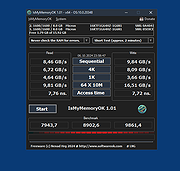 |
|
JSimStudio v1.1.3 JSimStudio v1.1.3 👉 Control and simulation utility for the Jupiter Instruments JI-820 USB incremental encoder emulator. JSimStudio is a portable simulation and control utility designed for the Jupiter Instruments JI-820 USB incremental encoder emulator. It allows engineers and developers to simulate encoder signals in real-world units, configure encoder scaling, and generate quadrature outputs for testing encoder-input hardware, PLCs, motion controllers, and software before connecting physical equipment. A built-in motion profile engine makes it easy to create repeatable test sequences using step, ramp, S-curve, and loop segments. JSimStudio also includes an integrated GPS/NMEA simulator that converts simulated encoder movement into standard NMEA-0183 data streams over serial, TCP, or UDP, making it useful for testing navigation and positioning applications. Version 1.1.1 adds a complete rotational simulation mode with RPM, degrees, and radians support, pulses-per-revolution scaling, independently selectable velocity and acceleration units, and the ability to bind GPS/NMEA network output to a specific network adapter. A built-in mock mode allows the software to run without JI-820 hardware attached for evaluation and development. When using an actual JI-820 device, the standard FTDI USB driver is required. Features: • Controls the Jupiter Instruments JI-820 USB incremental encoder emulator • Simulates quadrature encoder signals using real-world engineering units • Configurable encoder scaling and pulses-per-revolution settings • Motion profile editor with step, ramp, S-curve, and loop segments • Rotational simulation using RPM, degrees, or radians • Independently configurable velocity and acceleration units • Built-in GPS/NMEA-0183 simulator • Outputs NMEA data over serial, TCP, or UDP • Option to bind GPS/NMEA network output to a single network adapter • Mock mode allows operation without connected hardware • Portable application requiring no installation Supported operating systems: • Windows 10 (64-bit), Windows 11 (64-bit) Supported languages: English Changes: v1.1.3 07-20-26 Improved support for smaller displays and resized application windows. Fixed the velocity-profile loop function not working correctly. Note: This file has one hit on VirusTotal. We have confirmed this to be a false positive. ... |
|
332 | Jul 21, 2026 Funciona Systems 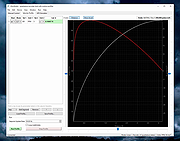 |
 |
Novabench v6.0.3 Novabench v6.0.3 👉 Free PC benchmarking and hardware performance testing utility. Novabench is a free benchmarking program that allows you to quickly test and evaluate your computer’s overall performance. It measures CPU, GPU, RAM, and storage speeds using a simple interface designed for both casual users and technicians. The free version provides a complete system benchmark score along with detailed hardware information and comparison tools to help identify performance bottlenecks or hardware problems. Novabench can be useful for checking system stability after upgrades, comparing hardware performance against similar systems, troubleshooting slow computers, and monitoring the effects of overclocking or driver updates. Benchmark results can also be uploaded online to compare your PC with other systems using the Novabench database. Features: • Free CPU, GPU, RAM, and disk benchmarking • Generates an overall system performance score • Quick benchmark testing with minimal setup required • Displays detailed hardware and system information • Compare benchmark results with other systems online • Useful for testing gaming PCs, laptops, and workstations • Helps identify hardware bottlenecks and slow components • Portable benchmark results that can be shared online • Lightweight interface suitable for beginners and technicians • Supports stress testing and stability verification tools • Includes temperature and hardware monitoring support • Can help verify system improvements after upgrades or repairs Supported operating systems: • Windows 10, Windows 11 • macOS 11 Big Sur or higher • Linux distributions supporting modern x86-64 hardware Supported languages: • English Changes: v6.0.3 06-09-26 • Improved benchmark reliability and scoring consistency • Updated hardware detection and compatibility support • General bug fixes and stability improvements This download is for the Windows installer version (very bottom of page). All other download assets are below: Other Windows: novabench-arm64.exe macOS: novabench.dmg Linux: novabench-x64.deb novabench-arm64.deb novabench-x64.rpm novabench-arm64.rpm Click here to visit the author's website. |
|
7,802 | Jun 09, 2026 Novawave Inc. 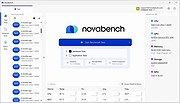 |
|
Quiz/Survey/Test v3.12.11 Quiz/Survey/Test v3.12.11 👉 Free open source assessment platform for creating, delivering, and grading quizzes, surveys, and exams. Quiz/Survey/Test (QST) is a free, open source assessment platform that allows educators, businesses, government agencies, training organizations, and certification providers to create, administer, and grade quizzes, surveys, tests, and examinations from a single web-based interface. Whether you need a quick classroom quiz, employee training assessments, customer surveys, or secure high-stakes certification exams, QST provides the tools to build, manage, and analyze every stage of the testing process. Quiz/Survey/Test supports everything from a single instructor managing one class to enterprise and government deployments serving thousands of simultaneous users. Its multi-tenant architecture allows multiple organizations or departments to operate independently from the same installation, making it ideal for schools, universities, corporations, and hosted training providers. The software includes an extensive question bank with reusable questions, randomized test generation, adaptive testing, automatic grading, detailed reporting, and a built-in GradeBook that tracks student performance over time. Questions can include formatted text, images, multimedia, mathematical formulas, and chemistry equations using the integrated equation editor. Numerous import and export options make it easy to migrate content from other learning platforms or share tests with colleagues. Security is also a major focus. Quiz/Survey/Test supports secure browser sessions through XTRASecure, role-based permissions, user authentication, accessibility improvements, audit logging, and centralized management tools. Because it is self-hosted, organizations retain complete ownership of their testing data while avoiding recurring cloud subscription costs. Features: • Create quizzes, surveys, examinations, certifications, and assessments from one integrated platform. • Multi-tenant architecture supports multiple schools, departments, or organizations. • Build and organize reusable question banks with categories and pools. • Randomize questions, answers, and test versions to reduce cheating. • Adaptive testing with branching based on previous responses. • Automatic grading for supported question types with manual grading for essays. • Integrated GradeBook with student progress tracking and detailed statistics. • ... |
|
2,958 | Jul 30, 2026 Bob Smith 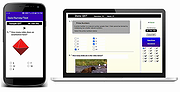 |
|
Sandboxie-Classic v5.73.3 Sandboxie-Classic v5.73.3 👉 Run programs in an isolated sandbox to prevent permanent system changes. Sandboxie Classic is a sandbox-based isolation tool that allows applications to run in a controlled environment, preventing them from making permanent changes to your system. It is especially useful for safely testing unknown software, browsing the web securely, and protecting your system from malware or unwanted modifications. Sandboxie Classic creates a virtualized environment where files, registry changes, and system interactions are contained within the sandbox. Once the sandbox is deleted, all changes made during the session are completely removed, leaving your system unchanged. Features: • Run applications in an isolated sandbox environment • Prevent permanent changes to files and Windows registry • Secure web browsing by containing browser activity • Test untrusted programs safely before installing • Easy sandbox deletion to remove all traces of activity • Lightweight and efficient with minimal system impact • Supports forced programs and folders to always run sandboxed • Snapshot and recovery options for sandbox contents • Compatible with many common Windows applications • Open source and actively maintained Supported operating systems: • Windows 7, Windows 8, Windows 8.1, Windows 10, Windows 11 Supported languages: English, German, French, Spanish, Italian, Dutch, Russian, Chinese, Japanese, Korean, Portuguese, Polish Changes: v5.73.3 08-30-26 Added added a visible Cleanup Trace Log action to the standalone SandMan trace monitor Fixed fixed File Migration action dropdown changes being discarded when clicking Apply or OK while the editor still has focus #5548 fixed SandMan File Panel and Browse Files preserving expanded folders and restoring selection, keyboard focus, and scrolling to the nearest surviving item after deletion #5499 fixed Start.exe autorun handling for oversized registry values, bounded shortcut paths, paginated Startup directories, and dynamically sized launch command lines fixed SandMan Trace Log crashes and stale entries when clearing the log while integrated and ... |
|
6,424 | Sep 02, 2026 David Xanatos 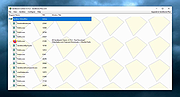 |
|
Testing Files Generator v0.4.0 Testing Files Generator v0.4.0 👉 Create real test files at exact sizes for upload, import and file-handling tests. Testing Files Generator helps developers and QA testers create files that behave like the formats they claim to be. Specify a format and an exact byte size, then use the resulting files to test upload limits, parsers, import tools or storage rules. It offers both a desktop window and a command-line program. The generator supports 26 formats, including PDF, DOCX, XLSX, PPTX, PNG, JPEG, ZIP, CSV and WAV. A generated ZIP can contain actual files, and formats such as images and spreadsheets have their own settings. Each run writes a manifest describing the files and their expected outcomes. For example, a size-boundary test can produce files one byte below a limit, exactly at it and one byte above it, with the expected accept or reject result recorded for each. Recipes and a seed let you reproduce the same test files later. The program works offline. Features: • Generate files at an exact byte size, including sizes around an upload limit. • Create 26 formats across documents, images, text and data, archives, and audio. • Set format-specific details such as image dimensions, PDF pages, spreadsheet rows and columns, and archive contents. • Generate large batches of files with sizes drawn from a specified range. • Save a manifest with file details and expected accept, reject, sanitize or unspecified outcomes. • Use built-in presets for common test scenarios or write reusable YAML recipes. • Reproduce file contents with the same recipe and seed. • Deliberately damage files to test whether an application rejects malformed input. • Preview a run without writing files, validate recipes, verify generated files and clean up files ... |
|
60 | Sep 27, 2026 DonislawDev 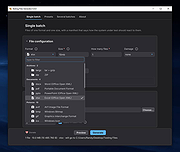 |
|
VirtualBox v7.2.20 VirtualBox v7.2.20 👉 Run multiple operating systems in virtual machines on a single computer. VirtualBox is a free, open-source virtualization program from Oracle that lets you create and run virtual computers inside your existing operating system. Each virtual machine can be configured with its own processors, memory, storage, display, networking and removable devices, allowing different operating systems to run without replacing or modifying the host system. It is useful for testing software, evaluating operating systems, running older applications, creating isolated development environments and experimenting with system configurations. Virtual machines can be paused, saved, cloned, exported or restored to an earlier snapshot. Features: • Create and run multiple virtual machines on one physical computer • Supports x86-64 virtualization and Arm virtualization on supported Apple silicon hosts • Configurable processors, memory, virtual disks, graphics and network adapters • Run Windows, Linux, BSD, Solaris and other supported guest operating systems • Take snapshots and restore virtual machines to earlier states • Clone, import and export virtual machines • Shared folders for exchanging files between host and guest systems • Shared clipboard and drag-and-drop integration on supported systems • NAT, bridged, internal, host-only and other virtual networking modes • USB device passthrough with the appropriate VirtualBox components • Guest Additions improve display, mouse, clipboard and folder integration • Command-line management through VBoxManage • Supports unattended installation for compatible guest operating systems • Save a running virtual machine and resume it later • Optional Extension Pack adds additional functionality under a separate license Supported operating systems: • Windows 8.1, Windows 10, Windows 11, Windows Server 2012, Windows Server 2012 R2, Windows Server 2016, Windows Server 2019, Windows Server 2022, Windows Server 2025 • macOS 13 Ventura, macOS 14 Sonoma, macOS 15 Sequoia, macOS 26 Tahoe • Supported 64-bit Linux distributions • Oracle Solaris 11 Supported languages: English, Indonesian, Catalan, Czech, Danish, German, Spanish, Basque, French, Croatian, Italian, Lithuanian, Hungarian, Dutch, Polish, Portuguese (Brazil), Portuguese (Portugal), Slovak, Slovenian, Swedish, Turkish, Greek, ... |
|
12,129 | Sep 23, 2026 Oracle 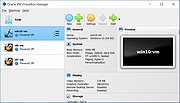 |
| Showing rows 1 to 11 of 11 | Showing Page 1 of 1 | 1 |
OlderGeeks.com Copyright (c) 2026
