|

|
Processed through Paypal No account required. |








Buy our over-priced crap to help pay the bills.



|
|
Processed through Paypal No account required. |
| Files | ||||
| File Name | Rating | Downloads | ||
 |
Android Webcam System v1.0.6 Android Webcam System v1.0.6 👉 Turn an Android phone into a high-quality Windows webcam over USB or Wi-Fi. Android Webcam System is a free and open-source webcam solution that uses an Android smartphone as a webcam for a Windows computer. The system consists of the AWA Android app, which streams video from the phone, and the AWC desktop client, which receives the stream and provides a virtual webcam device that can be selected by compatible Windows applications. Everything operates locally without requiring a cloud streaming service. The project supports both USB and Wi-Fi connections. USB provides lower latency and improved stability without requiring Wi-Fi, while wireless mode lets the phone and computer communicate over the same local network. The Android app supports resolutions from 480p through 4K and allows switching between the phone's front and rear cameras. The virtual webcam can be used with programs such as Zoom, Microsoft Teams, Google Meet, Discord, OBS Studio and Skype, as well as other Windows programs capable of selecting a webcam device. Features: • Turns an Android smartphone into a Windows webcam • Includes AWA, a Kotlin-based Android camera and streaming application • Includes AWC, the desktop client that receives the phone's video stream • Creates a virtual webcam device for compatible Windows applications • Supports USB and Wi-Fi connections • USB mode offers lower latency and improved connection stability • Wi-Fi mode provides completely wireless operation over the local network • Supports 480p, 720p, 1080p and 4K video resolutions • Supports front and rear Android cameras • Displays real-time connection status • Provides desktop connection statistics • Designed for low battery usage on the Android device • Works with Zoom, Microsoft Teams, Google Meet, Discord, OBS Studio and Skype • Can be used by other applications that support standard webcam devices • Uses a fully local, serverless architecture • No cloud video relay is required • No advertisements • Free and open-source under the ... |
 |
229 | Aug 09, 2026 Soubhagyajit Borah  |
|
foobar2000 v2.25.10 foobar2000 v2.25.10 👉 Advanced freeware audio player with tagging, conversion, replay gain, and customizable playback features. foobar2000 is an advanced freeware audio player designed for playing mainstream audio formats out of the box, with support for additional decoder components, gapless playback, advanced tagging, Audio CD ripping, transcoding, ReplayGain, internet radio, customizable keyboard shortcuts, and a flexible component architecture for extending functionality. Features: • Plays all mainstream audio formats out of the box • Supports additional decoder components for more formats • Gapless playback • Stream music on your local network • Easily customizable user interface layout • Advanced tagging capabilities • Audio CD ripping and audio transcoding • Full ReplayGain support • Customizable keyboard shortcuts • Built-in DSP effects with support for more through components • Internet radio support • Open component architecture for third-party extensions • No telemetry or data collection Supported operating systems: • Windows 7 or newer • macOS 11 Big Sur or newer Supported languages: • English Changes: v2.25.10 06-26-26 Windows: Improved implementation of built-in UPnP Media Renderer, implemented gapless playback compatible with popular UPnP control apps. Enabled discovery of OpenHome UPnP devices as output devices. Enabled TLS v1.3 encryption for HTTPS connections. Fixed Ogg/Opus files with single chapter not showing correct track numbers. Fixed Direct2D visualizations getting stuck after GPU driver reinitialization. Updated 7-Zip library to 26.01. Updated UnRAR library to 7.2.6. macOS: Improved implementation of built-in UPnP Media Renderer, implemented gapless playback compatible with popular UPnP control apps. Enabled discovery of OpenHome UPnP devices as output devices. Enabled TLS v1.3 encryption for HTTPS connections. Fixed Ogg/Opus files with single chapter not showing correct track numbers. Updated 7-Zip library to 26.01. Updated UnRAR library to 7.2.6. Android: Fixed Ogg/Opus files with single chapter not showing correct track numbers. Restored display of total playlist length in playlist summary. If your playlist doesn’t show it, duplicate it then delete old copy. Improved SMB read throughput over high-latency connections. Updated 7-Zip library to 26.02. Updated UnRAR library to 7.2.7. Bug-fixed interaction with file browser apps. iOS: Fixed Ogg/Opus files with single chapter ... |
|
6,690 | Jul 26, 2026 foobar2000.org 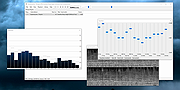 |
|
OBS Studio v32.2.2 OBS Studio v32.2.2 👉 Free and open source live streaming and screen recording software. OBS Studio is software designed for capturing, compositing, encoding, recording, and streaming video content efficiently. It provides a powerful real-time video and audio production environment that allows users to capture gameplay, desktop activity, webcams, and multiple input sources while combining them into professional-looking broadcasts or recordings. OBS Studio uses a scene-based workflow that lets users build complex layouts using sources such as game capture, display capture, window capture, images, text, media files, browsers, webcams, and capture cards. Scenes can be switched instantly or transitioned smoothly during live broadcasts, making it ideal for livestreaming, tutorials, presentations, gaming streams, and video production. The program includes a full audio mixing system with per-source volume controls, filters such as noise suppression and noise gate, and monitoring options for precise audio management. Studio Mode allows creators to preview scene changes before pushing them live, reducing mistakes during broadcasts. OBS Studio also supports hardware-accelerated encoding, customizable streaming and recording settings, hotkeys for fast control, plugin extensions, and integration with major streaming platforms such as Twitch, YouTube, and others. Because it is open source and highly extensible, OBS Studio has become one of the most widely used broadcasting tools for content creators, educators, and professionals. Features: • Free and open source software for live streaming and screen recording • Scene and source based workflow for arranging games, webcams, windows, images, text, and capture devices • Built-in audio and video filters including noise suppression, noise gate, gain, chroma key, crop/pad, color correction, and sharpen • Studio Mode for preparing scene changes before sending them live • Scene transitions such as Fade, Cut, Swipe, Slide, Fade to Color, and Luma Wipe • Hardware encoder support options depending on available system hardware and platform configuration • New Audio Mixer, new Add Source dialog, WebRTC simulcast support, and expanded ... |
|
7,190 | Aug 19, 2026 OBS Project 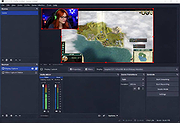 |
|
Qmmp v2.4.2 Qmmp v2.4.2 👉 A lightweight, Winamp-style audio player with broad format support, playlists, streaming, effects and plugins. Qmmp is a free, open-source audio player built with the Qt framework and designed for users who want a compact, highly configurable music player. Its classic skinned interface is similar to Winamp and XMMS, while an alternative interface based on standard Qt widgets is also included. Qmmp supports a wide variety of audio formats including MP3, Ogg Vorbis, Opus, FLAC, AAC, WMA, Musepack, WavPack, MIDI, SID, tracker modules and numerous chiptune formats. Additional formats can be handled through FFmpeg and libsndfile. Beyond basic music playback, Qmmp includes multiple playlists, a 10-band equalizer, ReplayGain, crossfade, lyrics, cover art, CUE sheets, internet radio streams, visualizations, audio conversion, recording, listening history and a media library. It can also use classic Winamp 2.x and XMMS skins. The modular plugin system provides support for additional input formats, output systems, DSP effects, visualizations and online services. Qmmp can submit listening history to Last.fm, Libre.fm and ListenBrainz and includes a stream browser for finding and playing online audio. Features: • Classic Winamp/XMMS-style skinned interface • Alternative interface using standard Qt widgets • Supports Winamp 2.x and XMMS skins • MP3 and MPEG Layer 2/3 playback • Ogg Vorbis and Ogg Opus support • Native FLAC and Ogg FLAC playback • AAC and ADTS AAC support • WMA and additional FFmpeg-supported formats • Musepack and WavPack support • PCM WAVE and other libsndfile-supported formats • MOD, S3M, IT, XM and other tracker modules • MIDI and SID playback • Extensive chiptune support including AY, GBS, GYM, HES, KSS, NSF, NSFE, SAP, SPC, VGM, VGZ and VTX • Audio CD playback • MP3, Vorbis, AAC and AAC+ internet streaming • Multiple playlists • M3U, PLS and XSPF playlist support • 10-band equalizer • ReplayGain playback support and ReplayGain scanner • Crossfade and extra stereo DSP effects • Sample-rate conversion • LADSPA effects • projectM visualization support • Spectrum analyzer • Lyrics display • ... |
|
2,756 | Sep 09, 2026 Qmmp Development Team 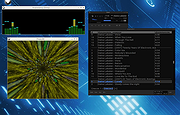 |
|
Wav2Bar v0.3.4 Wav2Bar v0.3.4 👉 Powerful open source software for creating advanced audio visualization videos. Wav2Bar is a free and open source audio visualization creator designed for producing animated music videos and visual effects synchronized to audio tracks. It allows users to combine visualizers, images, text, particle effects, timers, backgrounds, and custom objects into fully customizable projects that can be exported as MP4 videos for sharing online or integrating into larger productions. Built with flexibility in mind, Wav2Bar provides an editor-style workflow where users can design layered scenes and control how elements react to sound in real time. The software supports reusable project files, adjustable rendering quality, customizable frame rates and resolutions, and multiple visualizer styles for creating everything from simple waveform animations to complex motion graphics. Wav2Bar is especially useful for content creators, musicians, streamers, video editors, and anyone looking to generate professional-looking audio reactive visuals without requiring expensive commercial software. Its open source nature also allows developers and advanced users to customize or extend the software for specialized workflows. Features: • Create advanced audio reactive visualizations synchronized to music and sound • Design layered scenes using visualizers, backgrounds, text, and images • Multiple built-in visualizer styles for different animation effects • Export projects as MP4 video files • Save and reload projects for later editing • Reusable project templates for faster workflow creation • Customizable video resolution and frame rate settings • Real-time editor style interface for arranging objects and effects • Add logos, overlays, album artwork, and custom graphics • Built-in particle flow effects • Time indicators and timing-based visual elements • Audio caching system for smoother processing • Adjustable rendering quality for balancing speed and output quality • Open source architecture for customization and community development • Suitable for music videos, streaming overlays, social media clips, and promotional content • Lightweight modern interface focused on creative workflows • Supports complex animated compositions with multiple reactive elements • Free to use ... |
|
556 | May 22, 2026 Picorims 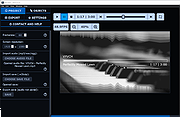 |
| Showing rows 1 to 5 of 5 | Showing Page 1 of 1 | 1 |
OlderGeeks.com Copyright (c) 2026
