|

|
Processed through Paypal No account required. |








Buy our over-priced crap to help pay the bills.



|
|
Processed through Paypal No account required. |
| File - Download Bananas Screen Sharing v0.0.22 | ||||||||
| Description | ||||||||
|
Always scroll to the bottom of the page for the main download link. We don't believe in fake/misleading download buttons and tricks. The link is always in the same place. Bananas Screen Sharing v0.0.22 Bananas🍌, Cross-Platform screen 🖥️ sharing 📡 made simple ⚡. Multiple cursors Share your screen with anyone , anywhere , anytime and collaborate with multiple cursors. 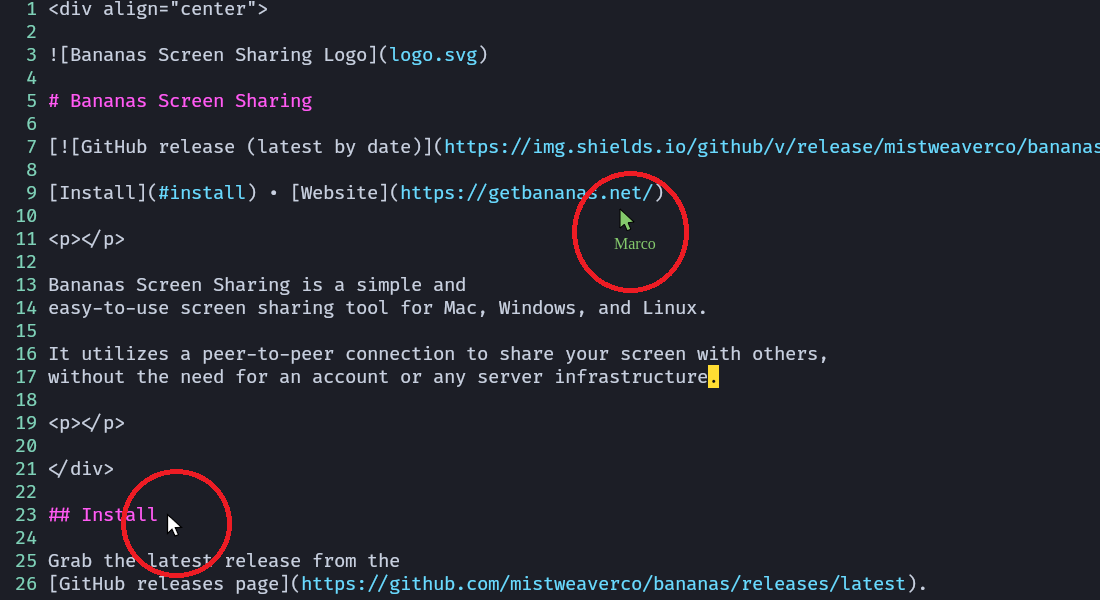 Zero configuration No need to sign up, log in, or create an account . Just share your screen and start collaborating. Bananas creates a unique connection url for you to share with your friends, family, or colleagues. These urls should be treated as sensitive information. Because there are no servers involved (except for the stun, turn and signaling servers that are needed for exchanging the initial connection information), you need to have a way to communicate the url to the person you're sharing your screen with. Privacy first Your data is never stored on any server. It's a direct connection between you and the person you're sharing your screen with. Bananas Screen Sharing uses WebRTC technology to establish a secure connection between you and the person you're sharing your screen with. Changes: v0.0.22 Exciting New Features ✨ ARM64 Linux versions by @gorillamoe Tutorial: 1. Host: Host a session Click on host a session to start sharing your screen. 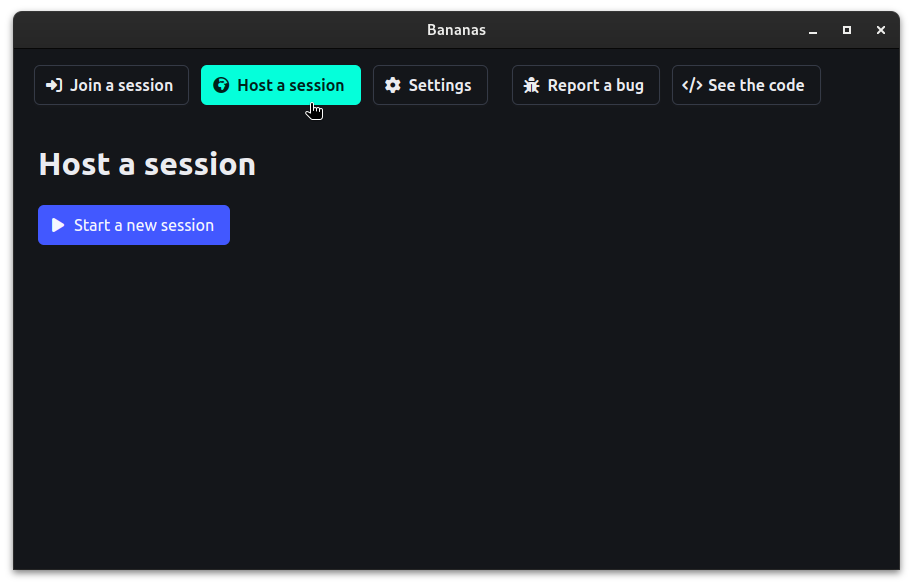 2. Host: Click start a new session You'll be given a unique url that you can share with your friends, family, or colleagues. 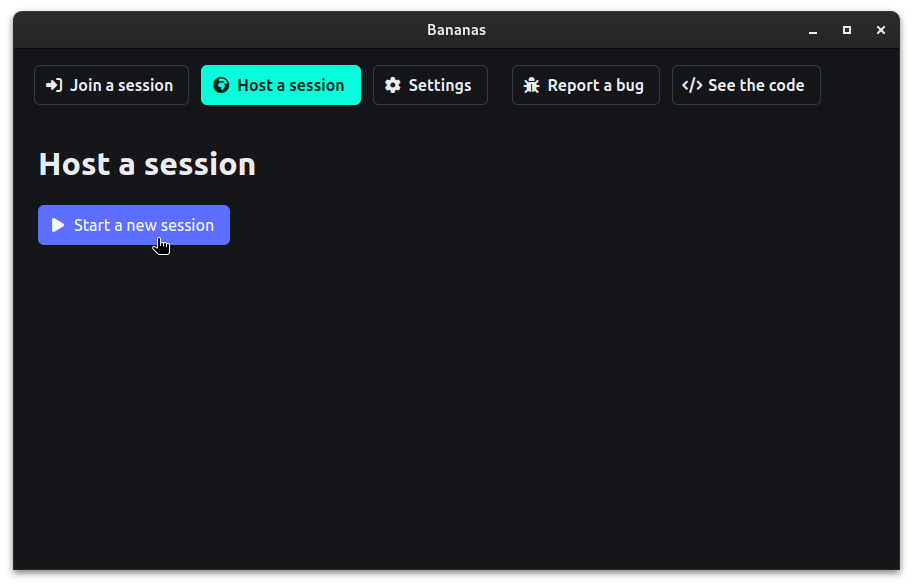 3. Host: Optionally select a screen to share If you have multiple screens, you can select the one you want to share. 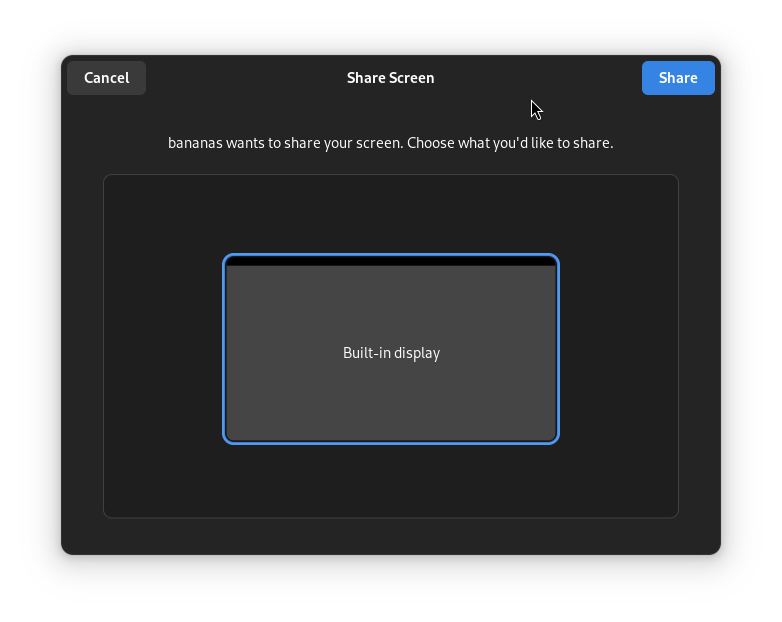 4. Host: Copy host connection string Click on the copy button to copy the host connection string. 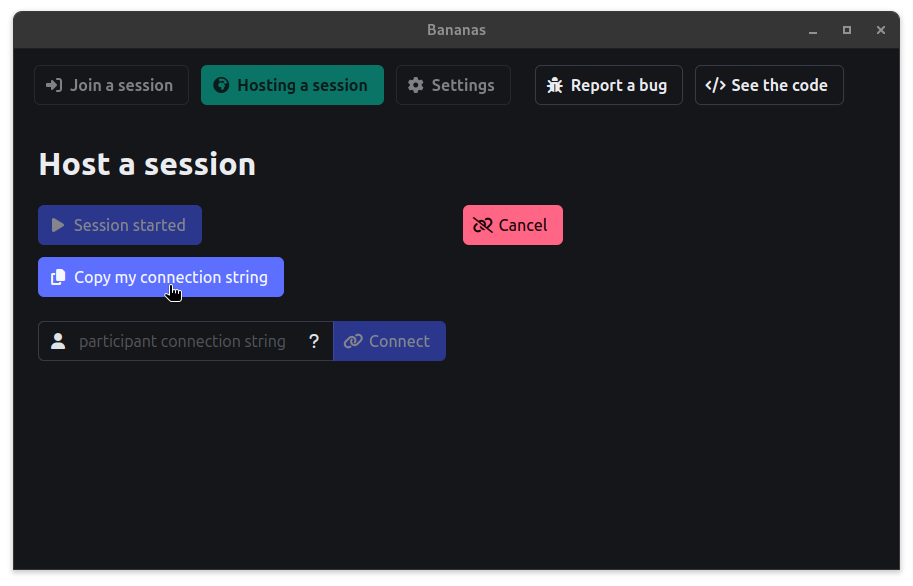 5. Host: Send link to participant Send the copied host connection string to the participant. 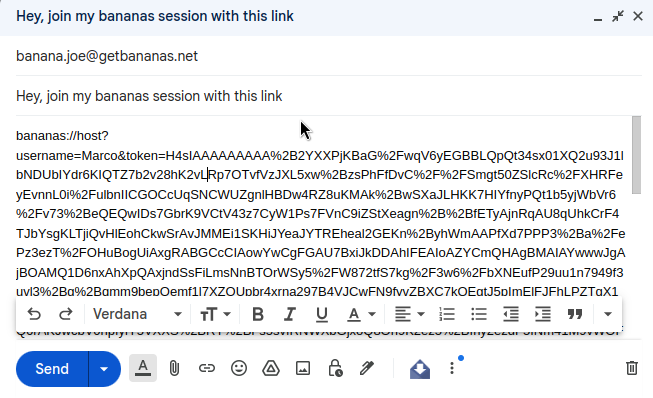 6. Participant: Join session Joined the session by clicking on the link, or by pasting it into the host connection string input field and click connect. 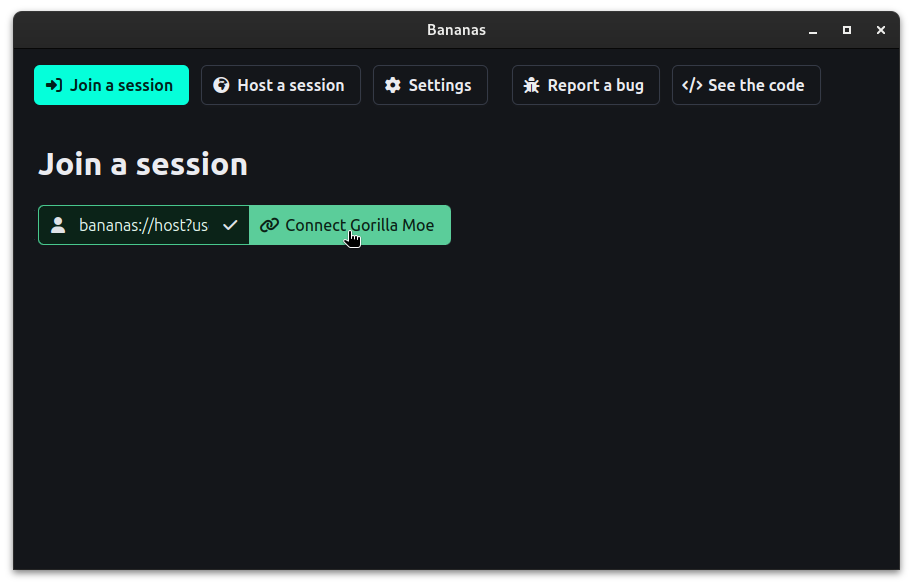 7. Participant: Copy connection string Click on the copy button to copy the participant connection string. 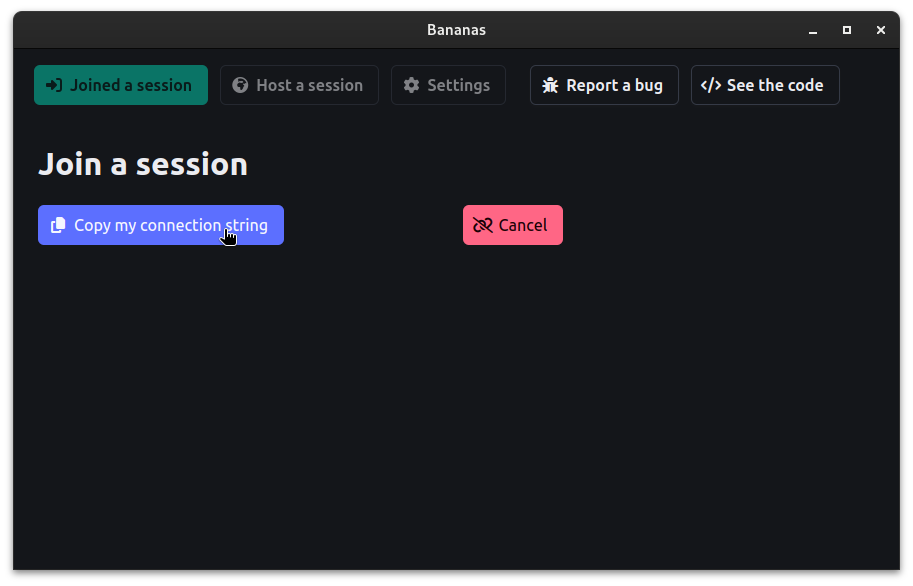 8. Participant: Send URL to host Send the copied participant connection string to the host. 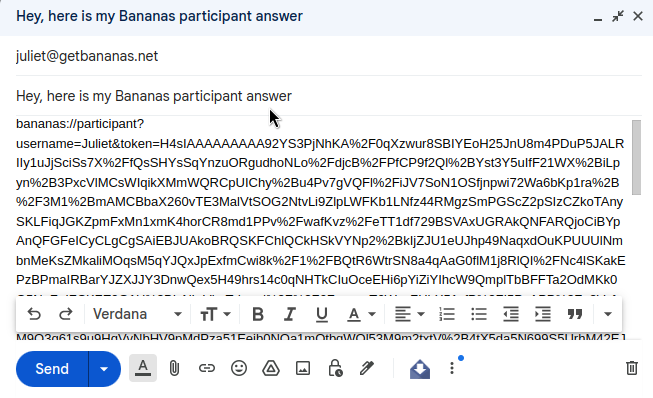 9. Host: paste participant URL Paste the participant connection string into the input field and click connect. 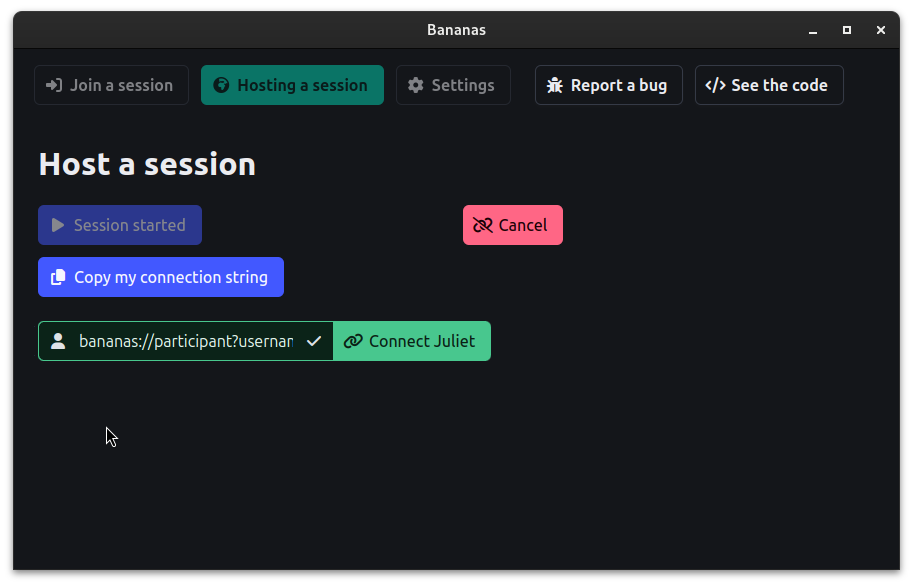 10. Participant: streaming starts You'll see the host's screen and cursor. 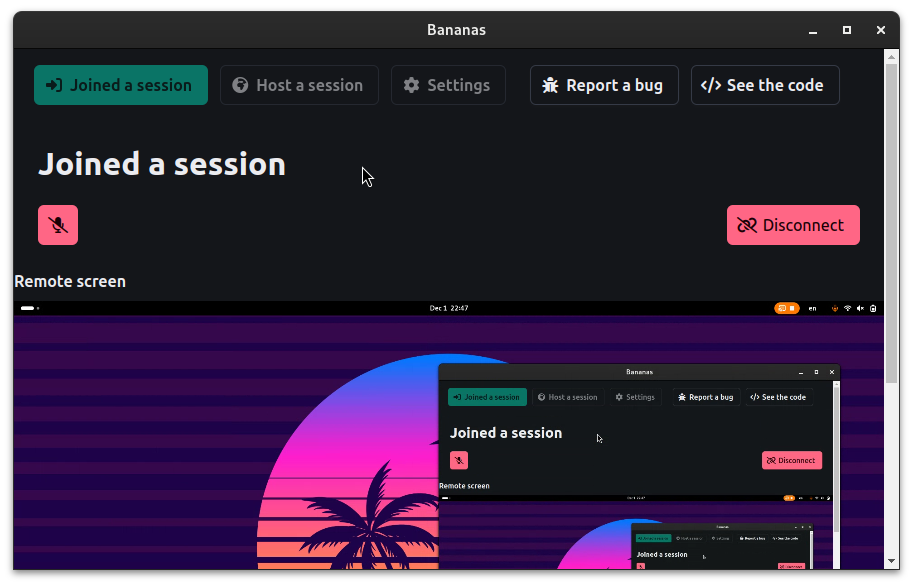 11. Host: controls Host can control the session by clicking on the buttons. Host can e.g. enable or disable the participant's cursor on his screen. 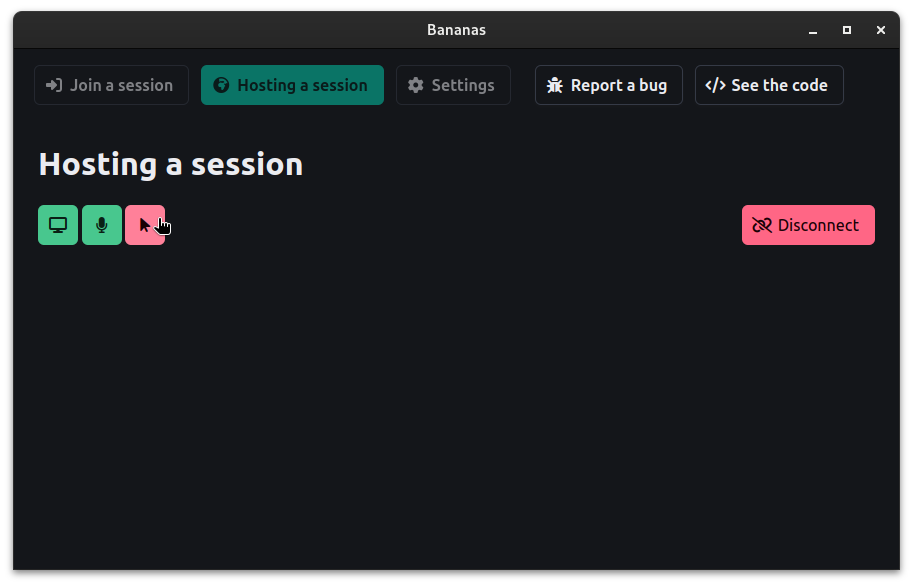 This download is for the Windows version (very bottom of page). All other download assets are below: macOS: bananas_universal.dmg Linux: bananas_amd64.deb bananas_x86_64.AppImage bananas_amd64.snap bananas_x86_64.flatpak Click here to visit the author's website. Continue below for the main download link. |
||||||||
| Downloads | Views | Developer | Last Update | Version | Size | Type | Rank | |
| 869 | 4,619 | mistweaverco | Mar 02, 2025 - 16:01 | 0.0.22 | 76.48MB | EXE |  , out of 34 Votes. , out of 34 Votes. |
|
| File Tags | ||||||||
| Bananas Screen Sharing v0.0.22 | ||||||||
Click to Rate File Share it on Twitter → Tweet
|


