|

|
Processed through Paypal No account required. |








Buy our over-priced crap to help pay the bills.



|
|
Processed through Paypal No account required. |
| Files | ||||
| File Name | Rating | Downloads | ||
 |
Aegisub v3.4.2 Aegisub v3.4.2 👉 Advanced cross-platform subtitle creation, timing, and editing software. Aegisub is a free, open-source subtitle editor designed for creating, modifying, timing, and styling subtitles for video content. It provides powerful tools for subtitle synchronization, visual typesetting, karaoke effects, and subtitle formatting while offering a built-in real-time video preview. Aegisub is widely used by subtitle creators, translators, fansub groups, and video editors who need precise control over subtitle appearance and timing. The program supports Advanced SubStation Alpha (ASS) subtitles and can import and export multiple subtitle formats. Its audio waveform display, timing tools, automation scripting support, and advanced styling features make it suitable for both beginners and professional subtitle authors. Features: • Create and edit subtitle files with precise timing controls • Advanced SubStation Alpha (ASS) subtitle support • Built-in real-time video preview window • Audio waveform and spectrogram displays for accurate synchronization • Powerful subtitle styling and typesetting tools • Karaoke timing and visual effects creation • Visual positioning and subtitle placement tools • Multiple subtitle format import and export support • Automation support through Lua and MoonScript scripting • Spell checking and text editing tools • Frame-by-frame subtitle adjustment capabilities • Video, audio, and subtitle synchronization tools • Cross-platform open-source design • Unicode and multilingual subtitle support Supported operating systems: • Windows 10/11 • macOS 10.15 and newer • Linux (Most major distributions via package manager.) Supported languages: English, Czech, German, Spanish, Finnish, French, Hungarian, Italian, Japanese, Catalan, Brazilian Portuguese, Traditional Chinese, Simplified Chinese, Russian, Bulgarian, Serbian, Greek, Turkish Changes: v3.4.2 01-12-25 Internationalization Fix more locale-dependent path issues Discard MRU entries with invalid encodings instead of crashing Linux Work around wxGTK crash when clicking “Show Original” Round instead of truncating in float audio converter to pass 32-bit tests Stuff Fix error “ERROR in finalizer: wrong number of arguments for function ... |
 |
659 | May 31, 2026 Rodrigo Braz Monteiro & contributers 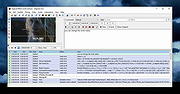 |
 |
Eqonomize! v1.5.12 Eqonomize! v1.5.12 👉 Cross-platform personal accounting software for efficient household bookkeeping, budgeting, and financial tracking. Eqonomize! is a cross-platform personal accounting program focused on efficiency and ease of use for small households. It provides double-entry bookkeeping, support for expenses, incomes, transfers, scheduled recurring transactions, securities, loans, and budgeting. It also gives a clear overview of past and present transactions, along with charts, reports, and projected future account values. Features: • Double-entry bookkeeping for personal finances • Supports expenses, incomes, transfers, and security transactions • Includes scheduled recurring transactions with flexible recurrence options • Budgeting tools with monthly budgets and future account value prediction • Supports stocks, bonds, mutual funds, dividends, and reinvested dividends • Statistical reports with tables, line charts, bar charts, and pie charts • Transaction filtering by date, value, category, account, description, and payee or payer • Supports multiple currencies with selectable account currency and automatic updates • Imports and exports QIF files and imports CSV transaction data • Can save displayed data to HTML or CSV and charts to image formats such as PNG and JPEG Supported operating systems: • Windows 10, Windows 11 • Linux Ubuntu 16.04 or later, Debian, Ubuntu, Arch Linux Supported languages: Bulgarian, Czech, Danish, English, French, German, Hungarian, Italian, Dutch, Portuguese, Portuguese (Brazil), Romanian, Russian, Slovak, Spanish, Swedish Changes: v1.5.12 01-26-26 Add category division selection (subcategories, descriptions, payees/payers, or tags) in categories comparison chart Save tags not used by any transaction Add option to convert one or multiple expenses or incomes to transfers Allow multiple categories with the same name (in different parent categories) Show negative values in pie chart (accounts comparison excluded) Scroll to bottom when opening or updating ledger with ascending order enabled Add option to show transfer in ledger of other account Fix value axis in bar chart Fix/improve handling of various category combinations displayed separately in over time report Fix properties of existing transaction updated with default value when amount is zero Fix sorting of subcategories in ... |
|
7,814 | Mar 10, 2026 Eqonomize Project 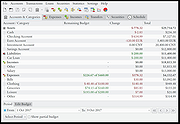 |
|
iDescriptor v0.5.0 iDescriptor v0.5.0 👉 Free, open-source, cross-platform iDevice management tool. Itunes? We don't need no stinkin' iTunes! iDescriptor is a free, open-source, and cross-platform iDevice management tool for working with supported Apple devices from Windows, macOS, and Linux. It provides a modern interface for connecting to devices over USB, browsing files, managing photos, viewing live screens, using AirPlay, checking cable information, discovering devices on the local network, and performing certain device actions. The project also includes tools such as App Store app downloading and installation, virtual location simulation, SSH terminal access for jailbroken devices, and developer disk image management. Features: • USB connection support for Windows, macOS, and Linux • AirPlay screen casting to your computer • Download and install apps directly from the Apple Store • Virtual location simulation for supported iOS versions • iFuse filesystem mounting on Windows and Linux • Gallery access and wireless gallery import • File Explorer for browsing device files • Cable authenticity and connection information • Network device discovery on the local network • SSH terminal access for jailbroken devices • Query MobileGestalt for hardware and software details • Live wired screen viewing • Developer disk image management • Device actions including restart, shutdown, and recovery mode entry Supported operating systems: • Windows • macOS • Linux Supported languages: English Changes: v0.5.0 04-19-26 BUG FIX: Fixed an issue where exporting more than 240 files would fail (#77) IMPROVEMENT: AirPlay now uses legacy ports by default on Linux (thanks @medaminezghal, #73) Warning (macOS): If you encounter a "damaged" error when opening the app on macOS, run the following command in Terminal: xattr -c ~/Applications/iDescriptor.app This occurs because macOS blocks apps that are not signed with an Apple Developer ID. Clearing extended attributes bypasses this restriction. Alternatively, you can remove only the quarantine attribute: xattr -dr com.apple.quarantine /Applications/iDescriptor.app This download is for the Windows installer version (very bottom of page). All other download assets are below: Other Windows: iDescriptor-v0.5.0-Windows_x86_64.portable.zip macOS: iDescriptor-v0.5.0-Apple_Silicon.dmg iDescriptor-v0.5.0-Apple_Intel.dmg Linux: iDescriptor-v0.5.0-Linux_x86_64.AppImage.zip Click here to visit the author's website. |
|
1,018 | Jul 29, 2026 uncor3 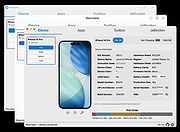 |
 |
KeenWrite v3.6.5 KeenWrite v3.6.5 👉 A free, open-source Markdown text editor for creating beautifully typeset documents and PDFs. KeenWrite is a cross-platform desktop Markdown editor designed for producing professional-quality documents with advanced typesetting capabilities. It combines a distraction-free writing environment with powerful features such as real-time preview, variable interpolation, mathematical notation using TeX syntax, and support for diagrams and structured content. KeenWrite focuses on technical writing, academic work, and long-form documents by enabling structured content and high-quality exports. Markdown documents can be converted into XHTML and then rendered into beautifully formatted PDFs using the ConTeXt typesetting engine and optional theme packs. The editor supports advanced syntax extensions, allowing writers to integrate variables, data, charts, and equations directly into their documents. The application includes a customizable interface with detachable panels, document outline navigation, integrated file management, and themeable skins for light or dark environments. KeenWrite also supports diagram creation (such as Mermaid and GraphViz), interactive statistics, and real-time math rendering, making it particularly useful for researchers, technical authors, and documentation writers. Interpolated variable replacement Features: • Cross-platform Markdown editor with live preview • Export Markdown documents to XHTML and high-quality PDF • Variable interpolation system for reusable content • Real-time math rendering using TeX notation • Diagram support including Mermaid, GraphViz, UML, and sequence diagrams • Built-in document statistics and word frequency analysis • Interactive document outline and integrated file manager • Customizable interface with detachable tabs and UI skins • Support for advanced Markdown extensions and Pandoc attributes • Dark mode and customizable visual themes Supported operating systems: • Windows 7, Windows 8, Windows 10, Windows 11 • macOS, • Linux, FreeBSD, Unix-like systems Supported languages: English, Korean, Japanese, Chinese, Simplified Chinese KeenWrite requires Java 17 or newer to run. If Java is not installed on your system, download and install the Java Runtime Environment before launching the program. Download Java Runtime Environment (JRE) See user manual for installation instructions: keenwrite-manual.pdf This download is ... |
|
878 | Mar 10, 2026 White Magic Software, Ltd. 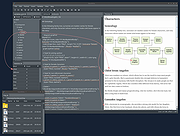 |
|
RSS Guard v5.2.3 RSS Guard v5.2.3 👉 Cross-platform open-source feed reader for RSS, ATOM, JSON and podcast feeds. RSS Guard is a lightweight yet powerful feed reader designed for reading and managing RSS, ATOM, JSON, and podcast feeds in one place. It provides a clean and organized interface that allows users to subscribe to multiple feeds, categorize them, and read articles efficiently. RSS Guard supports both local feed management and synchronization with several online services, making it suitable for users who want to keep track of news, blogs, podcasts, and other syndicated content across multiple devices. The application includes a built-in feed downloader, powerful filtering options, customizable article views, and a flexible plugin architecture. RSS Guard also features advanced feed management tools such as article labeling, filtering rules, and automatic feed updates. Its modular design and open-source nature allow for extensive customization and long-term flexibility, making it a strong choice for users who prefer a privacy-friendly alternative to cloud-based feed readers. Features: • Supports RSS, ATOM, and JSON feed formats • Built-in podcast support with episode management • Feed synchronization with supported online services • Customizable article viewer and reading layout • Powerful filtering and feed processing rules • Feed categories and organizational tools • Built-in feed downloader with automatic updates • Article labeling and tagging options • Plugin-based architecture for extended functionality • OPML import and export for feed migration • Notification system for new feed items • Open-source and privacy-focused design Supported operating systems: • Windows 10, Windows 11 • macOS • Linux Supported languages: English, Czech, German, French, Spanish, Italian, Dutch, Polish, Russian, Chinese, Japanese, Korean, Portuguese, Turkish Changes: v5.2.3 07-23-26 Added: Highlighting the Windows taskbar after feed-fetching errors can now be disabled in settings. Article and feed list titles now use available horizontal space by default. Feed fetching can now be paused or resumed from the tray icon menu. When paused and there ... |
|
5,977 | Jul 24, 2026 Martin Rotter 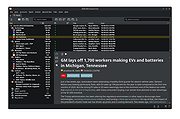 |
|
Shotcut v26.8.1 Shotcut v26.8.1 👉 Free, open-source, cross-platform video editor with powerful editing and format support. Shotcut is a free, open-source video editor that provides a wide range of professional-grade features for video editing without requiring expensive software. It supports hundreds of audio and video formats thanks to FFmpeg and offers native timeline editing, meaning you can work with media without first importing or converting files. Shotcut features a flexible, dockable interface, powerful video and audio filters, multi-track timeline editing, and support for resolutions up to 8K. It is designed to be accessible to beginners while offering advanced tools for more experienced users, including color grading, keyframing, and detailed audio controls. Features: • Native timeline editing without import • Wide format support via FFmpeg • Multi-track video and audio editing • Video effects and filters including color grading tools • Audio filters including compression, gain, balance, and more • Keyframeable filters for advanced animation and effects • 4K and 8K resolution support • Hardware encoding support • Flexible, dockable and customizable interface • Playlist panel with thumbnail view and drag-and-drop support Supported operating systems: • Windows 7, Windows 8, Windows 10, Windows 11 • macOS 10.14 or higher • Linux (64-bit) Supported languages: English, Arabic, Basque, Catalan, Chinese (Simplified), Chinese (Traditional), Czech, Danish, Dutch, Finnish, French, German, Greek, Hindi, Hungarian, Italian, Japanese, Korean, Norwegian Bokmεl, Polish, Portuguese (Brazil), Portuguese (Portugal), Russian, Slovak, Slovenian, Spanish, Swedish, Turkish, Ukrainian Changes: v26.8.1 08-01-26 Elements 🔥 Added Elements panel to the File > New and View menus and the Generate buttons. This is a very slim (22MB) stock asset library: emoji stickers, sounds, overlay transitions, animated text, graphics. The content licenses are royalty free, including commercial, and do not require attribution: Emojis: Open Font License 1.1 Sounds: The Sonniss #GameAudioGDC Bundle Licensing Agreement Text, Transitions, Graphics: Lottie Simple ... |
|
12,387 | Sep 17, 2026 Meltytech, LLC. 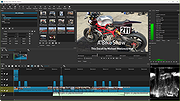 |
|
SuperTux v0.7.0 SuperTux v0.7.0 👉 Open-source 2D jump-and-run platformer inspired by classic Super Mario-style games. SuperTux is an open-source classic 2D jump'n run sidescroller game in a style similar to the original Super Mario games. Run and jump through multiple worlds, fight enemies by jumping on them, bumping them from below or tossing objects at them, grab power-ups, and play through Story Mode where Tux sets out to rescue Penny. The game also includes community-contributed levels and an integrated level editor for creating content. Features: • Classic 2D side-scrolling platform gameplay • Multiple worlds, enemies, power-ups, and objects • Story Mode starring Tux and Penny • Integrated level editor • Community-contributed add-on levels • Local multiplayer mode • New gameplay mechanics including keys, item pocket, and unlockable bonus islands via Tux Dolls • Revamped graphics, enemies, backgrounds, and music in v0.7.0 Supported operating systems: • Windows, macOS, GNU/Linux, Android, FreeBSD Supported languages: • SuperTux supports over 80 languages for its user interface (UI), including English, French, German, Spanish, Portuguese (Brazilian and European), Russian, and simplified Chinese. Changes: v0.7.0 03-15-26 Brand new sprites and abilities for Tux: slope sliding, strong buttjumping, rock rolling, and crawling Revamped graphics for most backgrounds, tiles, objects, and badguys Complete level design + story rework of the Story Mode, Revenge in Redmond, and Bonus Island I Not only new NPCs (e.g: Granito) and enemies (e.g: DiveMine, Fish, and Corrupted Granito), but also revamps for numerous enemies such as: GoldBomb, Igel, Ghoul, and both bosses (Yeti and Ghost Tree) New music Level editor revamp Local multiplayer mode New gameplay mechanics such as glinted enemies, keys, the item pocket, and unlockable bonus islands via Tux Dolls Many internal improves and code refactoring, such as moving to SimpleSquirrel Improvements to compilation/porting, including CMake refactor, Android revival, and Flatpak builds This download is for the Windows 64bit installer version (very bottom of page). All other download assets are below: Other Windows: SuperTux-v0.7.0-win32.msi SuperTux-v0.7.0-win64-portable.zip SuperTux-v0.7.0-win32-portable.zip macOS: SuperTux-v0.7.0-Darwin-x86_64.dmg SuperTux-v0.7.0-Darwin-arm64.dmg Linux: SuperTux-v0.7.0.glibc2.38-x86_64.AppImage SuperTux-x86_64.flatpak Android: SuperTux-v0.7.0-x86_64.apk SuperTux-v0.7.0-x86.apk SuperTux-v0.7.0-arm64-v8a.apk SuperTux-v0.7.0-armeabi-v7a.apk Click here to visit the author's website. |
|
687 | Mar 18, 2026 The SuperTux Team  |
|
Torrent File Editor v1.0.3 Torrent File Editor v1.0.3 👉 A cross-platform tool for creating and editing .torrent and uTorrent .dat files. Torrent File Editor is a cross-platform application intended to create and edit .torrent and uTorrent .dat files. It is designed as a replacement for BEncode Editor and adds a modern interface along with extra features for managing torrent metadata, file structure, and encoded data. Features: • Create .torrent files from scratch • Add new files to an existing .torrent file • Remove files from a .torrent file • Change file order inside a .torrent file • Edit main torrent information including name, comment, publisher, URL, creation date, trackers, and author • Edit torrent data in JSON format • Support different encodings • Portable operation • Edit .torrent files as a binary tree • Search and replace in tree view • Open files with drag-and-drop • Remove files from the file list using filters • Command line mode Supported operating systems: • Windows 7, Windows 8, Windows 10, Windows 11 • macOS • Linux distributions with CMake and Qt Supported languages: Afrikaans, Arabic, Bengali, Chinese Simplified, Chinese Traditional, Czech, Dutch, English, Finnish, French, German, Hebrew, Hungarian, Indonesian, Italian, Japanese, Korean, Polish, Portuguese (Brazil), Romanian, Russian, Spanish, Turkish, Vietnamese, Ukrainian Changes: v1.0.3 06-05-26 Update translations Add Source field to Main tab Add button to open URL from Comment field to Main tab Fix date time format in Date created This download is for the Windows 64bit version (very bottom of page). All other download assets are below: Other Windows: torrent-file-editor-1.0.3-x32.exe (32bit) macOS: torrent-file-editor-1.0.3.dmg Linux: torrent-file-editor-1.0.3.tar.gz Linux users can build Torrent File Editor from source using CMake and Qt. First install the required development packages for Qt and CMake using your distribution’s package manager. Download the source codeand open a terminal in the project folder. Run the standard CMake build process: create a build directory, run cmake .., and then compile with make. Once compilation completes, the application can be launched from the generated ... |
|
6,188 | Jun 07, 2026 Ivan Romanov 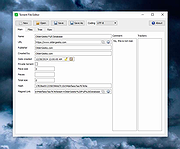 |
|
Unvanquished v0.56.2 Unvanquished v0.56.2 👉 Free, open-source first-person strategy shooter where humans battle adaptable aliens. Unvanquished is a free and open-source first-person shooter combined with real-time strategy gameplay, inspired by the Tremulous universe. Players join either the human resistance or the alien swarm in fast-paced online battles where teamwork, tactical planning, and resource management are essential for victory. Human players rely on advanced weaponry, deployable structures, jetpacks, armor upgrades, and fortified bases to defend against increasingly dangerous alien lifeforms. Alien players evolve into stronger and faster classes with unique movement abilities such as wall climbing, pouncing, and aerial attacks, allowing for highly dynamic combat styles. Matches revolve around building and defending bases, gathering resources, destroying enemy structures, and coordinating attacks with teammates. Players can choose from multiple gameplay styles ranging from direct combat to strategic support roles, making every round feel different depending on team composition and tactics. Built on the powerful Dζmon engine, Unvanquished includes modern graphical effects, improved networking, advanced lighting, modding support, dedicated servers, bots for offline play, and extensive customization options. The project is community-driven and actively developed under open-source licensing, making it highly moddable and accessible to players and developers alike. Features: • Unique hybrid of first-person shooter and real-time strategy gameplay • Team-based combat featuring humans versus aliens • Multiple alien lifeforms with unique abilities and movement styles • Human technology tree with weapons, armor, upgrades, and jetpacks • Buildable structures including turrets, reactors, spawn points, and defenses • Resource and base management systems that affect team progression • Fast-paced multiplayer gameplay with tactical coordination • Dedicated server support for online matches • Offline practice with AI bots • Integrated server browser with ping and version information • Advanced OpenGL rendering and lighting effects • Community-created maps and modding capabilities • Cross-platform support for Windows, Linux, and macOS • Gameplay presets including Vampire and mining-style modes • Customizable graphics, controls, audio, and gameplay settings • Free ... |
|
7,914 | May 21, 2026 Unvanquished  |
|
Visual Code Studio v1.130 Visual Code Studio v1.130 👉 Lightweight but powerful source code editor with extensive customization and extensions. Visual Studio Code is a free, open-source code editor developed by Microsoft that supports a wide range of programming languages and development workflows. It provides a fast and responsive editing experience with features like intelligent code completion, debugging tools, built-in Git integration, and an extensive extension marketplace. Visual Studio Code is designed to be highly customizable, allowing developers to tailor the editor to their specific needs with themes, keybindings, and plugins. Features: • IntelliSense for smart code completion and suggestions • Built-in debugging tools for multiple programming languages • Integrated Git version control support • Extensive extension marketplace for added functionality • Customizable interface with themes and keyboard shortcuts • Cross-platform support with consistent performance • Integrated terminal for command-line operations • Support for remote development and containers Supported operating systems: • Windows 10, Windows 11 • macOS 10.15 or higher • Linux (Debian, Ubuntu, Red Hat, Fedora, SUSE) Supported languages: English, Chinese, French, German, Italian, Japanese, Korean, Spanish, Portuguese, Russian Changes: v1.130.0 07-22-26 • Added the new agent host, allowing AI agent sessions to run in a dedicated process that can be shared across multiple VS Code windows. • Improved the Agents window with compact multi-file diffs, file-level change statistics, compact quick chats, and worktree support for all supported agent harnesses. • Added assisted tool approvals, allowing the AI model to evaluate tool-call risk and reduce unnecessary approval prompts. • Added chat timestamps and aggregate AI credit usage visibility for GitHub Copilot Business and Enterprise users. • Added clickable file links in Git terminal diff output when Git mnemonic prefixes are enabled. • Updated the VS Code codebase and extension to use the release version of TypeScript 7. This download is for the Windows 64bit System Setup version (very ... |
|
6,231 | Jul 26, 2026 Microsoft Corp. 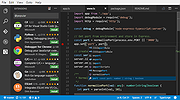 |
| Showing rows 1 to 10 of 10 | Showing Page 1 of 1 | 1 |
OlderGeeks.com Copyright (c) 2026
