|

|
Processed through Paypal No account required. |








Buy our over-priced crap to help pay the bills.



|
|
Processed through Paypal No account required. |
| Files | ||||
| File Name | Rating | Downloads | ||
 |
Alternate File Shredder v3.100 Alternate File Shredder v3.100 👉 Securely and permanently erase files, folders, and free disk space to prevent data recovery. Alternate File Shredder is a freeware, open-source utility designed to securely destroy files and folders so they cannot be recovered with standard undelete or forensic recovery tools. Instead of simply removing file references from the file system, it repeatedly overwrites the contents using configurable methods before deleting them, making recovery extremely difficult or impossible. The program can also overwrite unused free space on a drive to eliminate remnants of files that were previously deleted without secure wiping. Additional options allow you to overwrite data with random values, a fixed value, or the contents of another file, giving you flexibility for different security requirements. Because secure deletion is permanent, the author recommends carefully reviewing all selected items before proceeding. Features: • Permanently erase files and folders by securely overwriting data before deletion • Wipe free disk space to remove recoverable traces of previously deleted files • Choose overwrite methods using random values, fixed values, or a template file • Configure multiple overwrite iterations for increased security • Optionally overwrite file names before deletion • Ignore write protection when desired • Drag-and-drop support for quickly adding files and folders • Displays detailed file information before shredding • Processing log for completed operations • Open source and free to use Supported operating systems: • Windows Vista, Windows 7, Windows 8, Windows 8.1, Windows 10, Windows 11, Windows Server Supported languages: • English, German, Spanish, French, Italian, Chinese, Japanese, Korean, Swedish, Arabic, Greek, Russian, Czech, Hungarian, Turkish, Polish, Portuguese, Slovenian, Danish, Dutch Changes: v3.100 02-13-26 Added custom colors Options extended Note: This file has four hits on VirusTotal. We have confirmed these to be false positives. The file is safe. Click here to visit the author's website. |
 |
7,428 | Jul 07, 2026 Alternate Tools 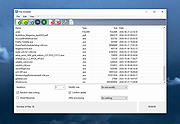 |
 |
AlternateStreamView v1.58 AlternateStreamView v1.58 👉 View, copy, export and delete hidden NTFS alternate data streams. AlternateStreamView is a small utility that scans NTFS drives or folders and finds hidden alternate streams stored in the file system. After scanning, you can extract streams to a selected folder, delete unwanted streams, or save the stream list as text, HTML, CSV or XML. Features: • Scan NTFS drives or folders for hidden alternate data streams • View stream name, file name, stream size and related file details • Export selected streams to a folder • Delete unwanted alternate streams • Save results as TXT, HTML, CSV, XML and other report formats • Scan subfolders with optional folder-depth control • Supports file wildcard filtering • Explorer context menu option for checking a single file • Command-line options for scanning and exporting results • Portable utility with no installation required Supported operating systems: • Windows 2000 through Windows 11 • 32-bit and 64-bit systems Supported languages: Arabic, Brazilian Portuguese, Czech, Dutch, Finnish, French, German, Greek, Hungarian, Italian, Japanese, Persian, Polish, Romanian, Russian, Simplified Chinese, Slovak, Spanish, Traditional Chinese, Turkish, Ukrainian, Valencian Changes: v1.58 Updated to stop the file system scan when you press the Esc key. This download is for the Windows 64bit version (very bottom of page). If you need the Windows 32bit version, download here. Click here to visit the author's website. |
|
10,318 | Jun 04, 2026 Nir Sofer 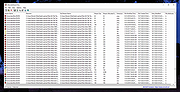 |
 |
Antivirus Live CD v52.0-1.5.2 Antivirus Live CD v52.0-1.5.2 👉 A 4MLinux fork including the ClamAV scanner. It's designed for users who need a lightweight live CD, which will help them to protect their computers against viruses. Ethernet, WiFi, PPP and PPPoE are supported by Antivirus Live CD to enable automatic updates of its virus signature databases. All partitions are mounted during the boot process so that they can be scanned by ClamAV. The Antivirus Live CD ISO images are fully compatible with UNetbootin, which can be used to create an easy-to-use Antivirus Live USB. Features: • Lightweight bootable antivirus rescue environment based on 4MLinux • Includes the ClamAV antivirus engine • Scans all mounted disk partitions automatically • Updates virus signature databases over the Internet • Supports Ethernet, Wi-Fi, PPP, and PPPoE network connections • Boots from CD, DVD, or USB flash drive • Fully compatible with UNetbootin for creating bootable USB media • Command-line interface optimized for malware removal and system recovery • Supports a wide range of Windows and Linux file systems • Ideal for scanning systems that cannot boot normally • Small download size with low system requirements • Includes essential Linux utilities for file management and troubleshooting Supported operating systems: • Windows XP, Windows Vista, Windows 7, Windows 8, Windows 8.1, Windows 10, Windows 11 • Linux distributions with supported file systems (btrfs, ext2, ext3, ext4, f2fs, FAT16, FAT32, HFS, HFS+, JFS, NILFS2, NTFS, ReiserFS, Reiser4, XFS) Supported languages: • English Changes: v51.0-1.5.1 02-08-26 • Updated to 4MLinux 51.0 BETA. • Updated ClamAV to v1.5.1. Click here to visit the author's website. |
|
8,997 | Aug 06, 2026 zk1234 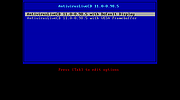 |
|
BrowserDownloadsView v1.51 BrowserDownloadsView v1.51 👉 View and export download history from Chrome, Firefox, and compatible browsers. BrowserDownloadsView is a Windows utility that displays details of downloaded files from Chrome and Firefox web browsers, including filename, download URL, web page URL, start time, end time, download duration, download size, web browser, and more. It can load download lists from the current system, all user profiles, remote computers, external drives, or specified browser profile folders. Features: • View browser download history from Chrome, Firefox, Edge, Brave, Opera, Vivaldi, SeaMonkey, Yandex, Waterfox, Pale Moon, and other compatible browsers • Load downloads from current user, all users, remote computer, external drive, or selected profile folders • Display filename, URLs, times, duration, size, browser, profile, and other download details • Export selected or full download lists to text, CSV, tab-delimited, HTML, XML, or JSON • Calculate MD5, SHA1, SHA256, or SHA512 hashes for downloaded files • Open download URLs, source web pages, filenames, file folders, and file properties • Copy downloaded files to another folder • Filter downloads by time range • Check downloaded files with VirusTotal using SHA256 hash • Command-line options for loading sources, sorting, selecting columns, and saving reports • Portable freeware with no installation required Supported operating systems: • Windows XP, Windows Vista, Windows 7, Windows 8, Windows 10, Windows 11 • 32-bit and 64-bit systems Supported languages: English, Brazilian Portuguese, Dutch, French, German, Greek, Hungarian, Italian, Japanese, Korean, Persian, Romanian, Russian, Simplified Chinese, Slovak, Spanish, Traditional Chinese, Turkish Changes: v1.51 07-10-25 You can now choose the desired encoding (ANSI, UTF-8, UTF-16) to save the csv/xml/text/html files. (Options -> Save File Encoding ) This download is for the Windows 64bit version (very bottom of page). If you need the Windows 32bit version, download here. Click here to visit the author's website. |
|
4,759 | May 31, 2026 Nir Sofer 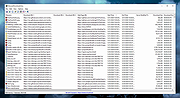 |
|
DDS v2012-11-20-01 DDS v2012-11-20-01 👉 Generate detailed diagnostic logs for malware troubleshooting and system analysis. DDS is a lightweight diagnostic utility created by sUBs that gathers extensive information about a Windows computer without making permanent changes to the system. It is widely used by malware removal specialists and technical support forums to generate detailed reports containing running processes, startup entries, services, installed software, network settings, browser information, restore points, security software status, and numerous other system details. Rather than attempting to detect or remove malware, DDS focuses on collecting information that allows an experienced analyst to identify suspicious activity, unwanted startup items, rootkit indicators, or other system problems. When the scan is complete, DDS automatically creates two text reports, DDS.txt and Attach.txt, which can be uploaded to security forums or shared with a technician for analysis. The utility is completely portable, requires no installation, and performs no registry modifications or permanent file creation during its operation. Features: • Creates comprehensive DDS.txt and Attach.txt diagnostic reports • Lists active processes, services, drivers, and startup entries • Displays installed applications and Windows configuration details • Reports browser settings and Internet Explorer information • Shows antivirus, firewall, and security software status • Lists System Restore points and disk partition information • Includes optional MBR checking and extended search options • Portable executable requiring no installation • Makes no permanent files or registry changes • Designed for malware investigation and technical support Supported operating systems: • Windows XP, Windows Vista, Windows 7 (32-bit and 64-bit) Supported languages: • English Changes: v2012-11-20-01 • Latest publicly released version. Click here to visit the author's website. |
|
7,179 | Jun 30, 2026 sUBs 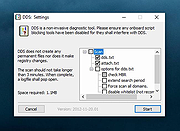 |
|
DiskGenius Free v6.2.0.1829 DiskGenius Free v6.2.0.1829 👉 Free partition management, data recovery, backup, and disk utility software. DiskGenius Free Edition is an all-in-one disk utility designed to help users manage partitions, recover lost files, back up important data, and maintain storage devices. The free version provides a powerful set of tools for partition creation, formatting, resizing, cloning, and file recovery while remaining suitable for home users, technicians, and advanced PC enthusiasts. DiskGenius Free Edition supports hard drives, SSDs, USB flash drives, memory cards, and virtual disks. It can recover deleted files, restore lost partitions, inspect SMART information, clone disks and partitions, securely erase drives, and convert partition tables between MBR and GPT. The free version also includes hexadecimal disk editing tools, bad sector checking, and support for numerous file systems. Features: • Create, delete, format, resize, split, and merge partitions • Recover deleted files from HDDs, SSDs, USB drives, and memory cards • Recover lost or damaged partitions • Clone disks and partitions • Backup and restore partition tables • Convert disks between MBR and GPT formats • Check and repair bad sectors • View and monitor SMART disk information • Securely erase files and partitions • Supports NTFS, FAT32, exFAT, EXT2, EXT3, and EXT4 file systems • Browse and edit files directly from partitions • Includes a hexadecimal disk editor • Supports virtual disk files including VMware, VirtualBox, and Hyper-V formats • Create bootable USB drives for disk recovery tasks • Analyze disk usage and partition structure Supported operating systems: • Windows XP, Windows Vista, Windows 7, Windows 8, Windows 8.1, Windows 10, Windows 11, Windows Server 2003, Windows Server 2008, Windows Server 2012, Windows Server 2016, Windows Server 2019, Windows Server 2022 Supported languages: English, German, French, Spanish, Italian, Portuguese, Russian, Japanese, Korean, Chinese Traditional, Chinese Simplified, Turkish, Czech Changes: v6.2.0.1829 08-04-26 New Add the "Disk Speed Test" feature. Add the "Windows Boot Repair and Conversion" feature. ... |
|
16,825 | Aug 04, 2026 Eassos Ltd. 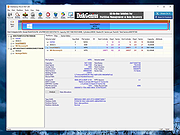 |
|
ExecutedProgramsList v1.15 ExecutedProgramsList v1.15 👉 A portable utility that reveals programs and batch files previously executed on your Windows computer. ExecutedProgramsList is a small system and forensic utility from NirSoft that displays programs and batch files previously run on your computer. It gathers execution information from several Windows Registry locations and the Windows Prefetch folder, making it useful for investigating software activity, troubleshooting a computer, or simply seeing what has been run in the past. For each detected program, it can display the executable file and path, file creation and modification times, and available version information including product name, product version and company name. For some programs, Windows also provides enough information for ExecutedProgramsList to show the last execution time. The program is completely portable. There is nothing to install and no additional DLL files are required. Results can be copied to the clipboard or exported to text, tab-delimited, CSV, HTML or XML files. Command-line options are also available for automatically generating reports. Features: • Displays programs and batch files previously executed on the computer • Collects execution history from multiple Windows Registry locations • Uses Windows Prefetch data as an additional source of execution history • Shows executable filenames and full file paths • Displays executable creation and modification times • Shows product name, product version and company name when available • Displays the last execution time for programs when the information is available • Opens the executable's folder directly in Windows Explorer • Opens the Windows file properties for a selected executable • Copies selected entries to the clipboard • Exports results to text, tab-delimited, CSV, HTML and XML formats • Includes command-line options for automatically saving reports • Name Only column can display the executable filename without its path • Optional black background with white text • Automatically sizes columns when configured to do so • Portable with no installation or additional DLL files required Supported operating systems: • Windows XP, ... |
|
6,751 | Aug 07, 2026 Nir Sofer 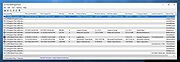 |
 |
Trellix GetSusp v6.0.0.141 Trellix GetSusp v6.0.0.141 👉 Find suspicious files and possible undetected malware using Trellix threat intelligence. Trellix GetSusp is a free, portable malware investigation tool designed for computers where undetected malware is suspected. It uses heuristics together with the Trellix Global Threat Intelligence (GTI) File Reputation database to identify suspicious files without requiring extensive technical knowledge. GetSusp runs as a single executable with no installation required and can operate through its graphical interface, command line or ePO mode. The graphical interface can also scan URLs, documents and PDF files and lets you review suspicious files before submitting selected samples to Trellix for further analysis. Features: • Uses heuristics to locate files that may contain undetected malware • Queries Trellix Global Threat Intelligence File Reputation to evaluate suspicious files • Runs as a single executable with no installation required • Supports graphical interface, command-line and ePO operation modes • Scans URLs, documents and PDF files from the graphical interface • Allows suspicious files to be reviewed before submission to Trellix • Lets you select which files are submitted for further analysis • Records system information and installed Trellix product information • Records the execution date and details about suspected files • Includes GetQuarantine integration with the ePO version • Can be used as an initial investigation tool when malware is suspected but has not been detected by installed security software Supported operating systems: • Windows 7, Windows 8, Windows 8.1, Windows 10 through 21H2, Windows 11 • Windows Server 2008 R2 SP1, Windows Server 2012, Windows Server 2016 Supported languages: • English Changes: Not Provided. This download is for the Windows 64bit version. If you need the Windows 32bit version, download here. Click here to visit the author's website. |
|
6,139 | Aug 16, 2026 Musarubra US LLC 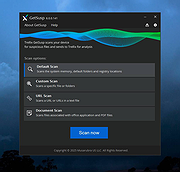 |
|
USBDeview v3.10 USBDeview v3.10 👉 View, manage, enable, disable, uninstall, and export USB device history. USBDeview is a small utility that lists all USB devices currently connected to your computer, as well as USB devices previously used on the system. For each USB device, it displays extended information including device name, description, device type, serial number, added date/time, Vendor ID, Product ID, and more. USBDeview can also uninstall previously used USB devices, disconnect currently connected USB devices, and disable or enable USB devices. It can also be used on a remote computer when logged in with administrator rights. Features: • Lists currently connected and previously used USB devices • Displays device name, description, type, serial number, Vendor ID, Product ID, and more • Uninstall previously used USB devices • Disconnect currently connected USB devices • Disable and enable USB devices • Remote computer support with administrator login • Command-line options for exporting, sorting, enabling, disabling, removing, and checking USB device status • Export USB device lists to text, tab-delimited, CSV, HTML, and XML files • Available in 32-bit and 64-bit versions Supported operating systems: • Windows 2000, Windows XP, Windows Server 2003, Windows Vista, Windows Server 2008, Windows 7, Windows 8, Windows 10, Windows 11 • 32-bit and 64-bit systems supported Supported languages: English, Arabic, Brazilian Portuguese, Bulgarian, Czech, Danish, Dutch, Euskera, Finnish, French, Galician, German, Greek, Hnidi, Hungarian, Italian, Japanese, Korean, Norwegian, Persian, Polish, Romanian, Russian, Simplified Chinese, Slovak, Spanish, Swedish, Traditional Chinese, Thai, Turkish, Ukrainian, Valencian Changes: v3.10 05-14-26 Added 'Black Background' option (Under the View menu). When it's turned on, the main table is displayed in black background and white text, instead of default system colors. Added 'Save All Items' option (Shift+Ctrl+S). Note: Th3 32bit version of this file has one hit on VirusTotal. We have confirmed this to be a false positive. The file is safe. This download is for the Windows 64bit version (very bottom of ... |
|
10,278 | May 22, 2026 Nir Sofer 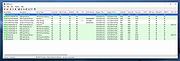 |
| Showing rows 1 to 9 of 9 | Showing Page 1 of 1 | 1 |
OlderGeeks.com Copyright (c) 2026
