|

|
Processed through Paypal No account required. |








Buy our over-priced crap to help pay the bills.



|
|
Processed through Paypal No account required. |
| Files | ||||
| File Name | Rating | Downloads | ||
 |
BrowserAddonsView v1.25 BrowserAddonsView v1.30 👉 View installed browser addons and plugins in one simple list. BrowserAddonsView is a simple NirSoft tool that displays details for Web browser addons and plugins installed on your system. It can scan Chrome, Firefox, Internet Explorer, and Microsoft Edge, and it detects multiple Chrome and Firefox profiles when present. Features: • Displays installed browser addons, plugins, and extensions • Supports Chrome, Firefox, Internet Explorer, and Microsoft Edge • Detects multiple Chrome and Firefox profiles • View addons from all Windows profiles • View Chrome and Firefox addons from an external drive or remote computer • Export selected items to text, CSV, tab-delimited, XML, HTML, or JSON • Copy addon information to the clipboard for use in spreadsheets • Quick Filter for instantly filtering the addon list • Command-line options for exporting, sorting, selecting columns, and loading profiles • Portable; no installation required Supported operating systems: • Windows XP, Windows Vista, Windows 7, Windows 8, Windows 10, Windows 11 • 32-bit and 64-bit systems Supported languages: English, Arabic, Brazilian Portuguese, Dutch, French, German, Greek, Hungarian, Italian, Japanese, Persian, Polish, Romanian, Russian, Simplified Chinese, Slovak, Spanish, Traditional Chinese, Turkish Changes: v1.30 07-20-24 Added 'Black Background' option (Under the View menu). When it's turned on, the main table is displayed in black background and white text, instead of default system colors. This download is for the Windows 64bit version (very bottom of page). If you need the Windows 32bit version, download here. Click here to visit the author's website. |
 |
6,457 | May 31, 2026 Nir Sofer 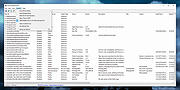 |
|
BrowserDownloadsView v1.51 BrowserDownloadsView v1.51 👉 View and export download history from Chrome, Firefox, and compatible browsers. BrowserDownloadsView is a Windows utility that displays details of downloaded files from Chrome and Firefox web browsers, including filename, download URL, web page URL, start time, end time, download duration, download size, web browser, and more. It can load download lists from the current system, all user profiles, remote computers, external drives, or specified browser profile folders. Features: • View browser download history from Chrome, Firefox, Edge, Brave, Opera, Vivaldi, SeaMonkey, Yandex, Waterfox, Pale Moon, and other compatible browsers • Load downloads from current user, all users, remote computer, external drive, or selected profile folders • Display filename, URLs, times, duration, size, browser, profile, and other download details • Export selected or full download lists to text, CSV, tab-delimited, HTML, XML, or JSON • Calculate MD5, SHA1, SHA256, or SHA512 hashes for downloaded files • Open download URLs, source web pages, filenames, file folders, and file properties • Copy downloaded files to another folder • Filter downloads by time range • Check downloaded files with VirusTotal using SHA256 hash • Command-line options for loading sources, sorting, selecting columns, and saving reports • Portable freeware with no installation required Supported operating systems: • Windows XP, Windows Vista, Windows 7, Windows 8, Windows 10, Windows 11 • 32-bit and 64-bit systems Supported languages: English, Brazilian Portuguese, Dutch, French, German, Greek, Hungarian, Italian, Japanese, Korean, Persian, Romanian, Russian, Simplified Chinese, Slovak, Spanish, Traditional Chinese, Turkish Changes: v1.51 07-10-25 You can now choose the desired encoding (ANSI, UTF-8, UTF-16) to save the csv/xml/text/html files. (Options -> Save File Encoding ) This download is for the Windows 64bit version (very bottom of page). If you need the Windows 32bit version, download here. Click here to visit the author's website. |
|
4,753 | May 31, 2026 Nir Sofer 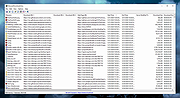 |
 |
Classic Theme Restorer for Firefox 1.6.4 Classic Theme Restorer for Firefox 1.6.4 The Classic Theme Restorer (Customize UI) for Firefox web browsers will restore the classic look and feel of Firefox 29 or earlier. This add-on restores squared tabs, the application button with application menu (known from Firefox for Windows), the add-on bar, bookmarks/history menu/sidebar buttons and other buttons. It moves star & feed buttons into location bar, adds status bar element to the ui and allows many items to be movable. All features are fully optional. Some buttons have to be moved to toolbars manually using browsers 'customizing' mode. Main features (on CTRs preferences window) Tab appearance: squared tabs (classic) Tab appearance: curved tabs (all colored and visible) Tabs not on top + [tabsontop="false/true"] attribute Tab width and height settings Tab title in Firefox titlebar Tab loading animations Tab close button on all tabs, active tab, toolbars start/end Restore tabs empty favicon Custom 'new tab' page url (Firefox 41+) Double click on tabs toolbar opens 'new' tab [Windows only] Hide tabs toolbar with one visible tab Custom colors for tab backgrounds, text and text shadow Custom tab separators Application button on toolbars (+ icon variations) Application button on titlebar [Windows only] Custom title for application button on titlebar [Windows only] Predefined/custom application button colors Small navigation toolbar buttons Movable back-forward buttons Alternative appearance for preferences/options page Open preferences/options page in a window (simulates preference window) Alternative add-ons manager appearance (Firefox 40+) ... |
|
7,747 | Apr 20, 2017 Aris 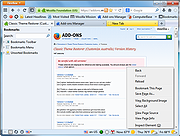 |
|
Firefox Download Tool v1.5.0.23 Firefox Download Tool v1.5.0.23 The Firefox Download Tool is used for downloading different versions and language variants of the Firefox Internet browser. By default, the software always downloads the most recent version; however, selecting older versions versions is possible as well. Furthermore, the tool can be used for selecting the language variant of Firefox and deciding between the 32-bit and the 64-bit version. Information related to the selected Firefox version is displayed in the lower part of the window. Download is started by pushing the Start button. The progress bar provides information about the state of the downloading process. If the download is successfully completed, the Firefox installation file appears in the indicated directory. The text in the lower part of the window becomes active and turns blue. It can be used for initiating the installation of the downloaded file. The Copy function displayed below the progress bar is used for copying the following information related to the downloaded file onto the clipboard: 1) Information related to the Firefox version: version ID, language, 32-bit or 64-bit 2) The file name and path 3) The download URL 4) The MD5, SHA1 and SHA256 information required for checking the integrity of the download The text 'VirusTotal' used for directly checking the downloaded file for virus protection. This function works properly only if the related file has already been added to the Virus Total database. If the file in question has never been checked before, it can be uploaded for free at any time. After the file is uploaded, the Firefox Download Tool will load the appropriate Virus Total page. The program is free to download and use. It supports Windows 7/8/10 operating systems. MD5: 44f8b5f1a6d6cefa3c695479ad9904af Version: 1.5.0.23 - Date: 2019-09-06 Add: Check running Firefox before install ... |
|
6,139 | Sep 19, 2019 WinTools 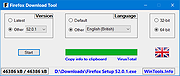 |
|
Firefox Environment Backup Extension (FEBE) 8.9.3.1 Firefox Environment Backup Extension (FEBE) 8.9.3.1 FEBE allows you to quickly and easily backup your Firefox extensions. In fact, it goes beyond just backing up -- It will actually rebuild your extensions individually into installable .xpi files. Now you can easily synchronize your office and home browsers. FEBE backs up and restores your extensions, themes, and (optionally) your bookmarks, preferences, cookies. and much more. Backup as little or as much of your Firefox environment as you wish. Perform backups on demand or schedule daily, weekly, or monthly unattended runs. Sequential backups can be stored in timestamped directories so you can restore back as far as you like. You may specify "User-defined" items to have FEBE backup Thunderbird, Greasemonkey scripts, or virtually any data on your computer - Firefox related or not. Version history (FEBE 8.0) November 11, 2016: Version 8.9.3.1 (1,375 kb) Fix for browser history restore. For Firefox v49.0 - v51.0a2 |
|
7,613 | Aug 01, 2017 Chuck Baker 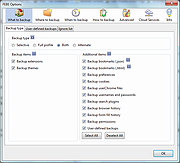 |
|
Firefox Multi-Account Containers v8.0.6 Firefox Multi-Account Containers v8.0.6 A Mozilla Firefox browser add-on that lets you keep parts of your online life separated into color-coded tabs. Cookies are separated by container, allowing you to use the web with multiple accounts and integrate Mozilla VPN for an extra layer of privacy. About This Extension The Firefox Multi-Account Containers extension lets you carve out a separate box for each of your online lives – no more opening a different browser just to check your work email! Under the hood, it separates website storage into tab-specific Containers. Cookies downloaded by one Container are not available to other Containers. You can even integrate individual Containers with Mozilla VPN to protect your browsing and location. With the Firefox Multi-Account Containers extension, you can... Sign in to two different accounts on the same site (for example, you could sign in to work email and home email in two different Container tabs. Keep different kinds of browsing far away from each other (for example, you might use one Container tab for managing your Checking Account and a different Container tab for searching for new songs by your favorite band) Avoid leaving social-network footprints all over the web (for example, you could use a Container tab for signing in to a social network, and use a different tab for visiting online news sites, keeping your social identity separate from tracking scripts on news sites) Protect your browsing activity in individual Containers using Mozilla VPN, so you can shop while traveling abroad but check your bank account from a server in your home country. After installing the Firefox Multi-Account Containers extension, click the Containers icon to edit your Containers. Change their colors, names, and icons. Long-click the new tab button to open a new ... |
|
2,840 | Apr 07, 2022 Mozilla 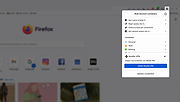 |
|
LibreWolf v153.0.4-1 LibreWolf v153.0.4-1 👉 Privacy-focused Firefox-based web browser with hardened security settings and built-in content blocking. LibreWolf is a custom and independent version of Firefox focused on privacy, security, and user freedom. It is designed to increase protection against tracking and fingerprinting techniques through privacy and security oriented settings and patches. It also removes telemetry, data collection, and various annoyances while disabling anti-freedom features such as DRM. LibreWolf includes uBlock Origin, uses privacy-respecting search engines, and stays aligned with current Firefox stable releases for up-to-date security and stability. Features: • No telemetry, experiments, adware, or unnecessary distractions • Includes uBlock Origin with custom default filter lists • Uses privacy-respecting search engines such as DuckDuckGo, Searx, and Qwant • Enables Total Cookie Protection and anti-fingerprinting protections • Deletes cookies and website data on close • Disables WebGL, form autofill, form history, link prefetching, and speculative connections • Enables HTTPS-Only mode and stricter TLS/SSL negotiation rules • Disables Firefox Sync unless explicitly enabled by the user • Removes Pocket and Mozilla VPN ads • Disables DRM by default • Provides a LibreWolf-specific UI for privacy and security controls • Open source and community-driven project Supported operating systems: • Windows 10 or later, Windows 11 • macOS • Linux • OpenBSD Supported languages: English, Additional languages via Firefox language packs Changes: v153.0.4-1 08-12-26 Upstream release based on Firefox 153.0.4. Notable Changes: • Search engines have moved away from using policies and now use the bundled remote-settings dump. • The included search engines have been overhauled. This may cause the default search engine for some users to reset to DuckDuckGo No-AI. • Fixed slow startup that some users experienced when starting a session. Infrastructure Changes: • Migration to LibreWolf's own Forgejo instance at librewolf.dev has begun. • Releases will continue to be published to Codeberg during the transition to give downstream packagers time to update. • The signing key for RPM releases has been changed to LibreWolf's repository signing key. This download is for the ... |
|
3,495 | Aug 13, 2026 LibreWolf Core Contributors  |
|
Lightbeam for Firefox 1.0.8 Lightbeam for Firefox 1.0.8 A Firefox add-on that enables you to see the first and third party sites you interact with on the Web. Using interactive visualizations, Lightbeam shows you the relationships between these third parties and the sites you visit. Using three distinct interactive graphic representations — Graph, Clock and List — Lightbeam enables you to examine individual third parties over time and space, identify where they connect to your online activity and provides ways for you to engage with this unique view of the Web. When you activate Lightbeam and visit a website, sometimes called the first party, the add-on creates a real time visualization of all the third parties that are active on that page. The default visualization is called the Graph view. As you then browse to a second site, the add-on highlights the third parties that are also active there and shows which third parties have seen you at both sites. The visualization grows with every site you visit and every request made from your browser. In addition to the Graph view, you can also see your data in a Clock view to examine connections over a 24-hour period or in a List view to drill down into individual sites. Limitations: Works with Firefox 19.0 and later |
 |
9,148 | Mar 03, 2014 Mozilla |
 |
Lilidog v26.06.05 Lilidog v26.06.05 👉 Lightweight Debian Trixie-based Linux distro using the Openbox desktop environment. Lilidog is a lightweight, full-featured Linux distribution based on Debian Trixie. It uses the Openbox window manager with tint2, Thunar, xfce4-terminal, custom themes, useful desktop tools, and a ready-to-use selection of applications. Lilidog is designed to stay fast and simple while still offering a polished daily-driver desktop experience. The Lilidog Trixie build includes a polished Openbox desktop, welcome utilities, theme customization tools, application installers, and a carefully selected software package lineup intended to provide a fast yet comfortable Linux experience. Features: • Based on Debian Trixie • Lightweight Openbox desktop environment with tint2 panel integration • Includes Firefox web browser and LibreOffice productivity suite • Ships with Geany text editor and xfce4-terminal • Thunar file manager with custom right-click actions • Jgmenu application launcher with desktop customization support • Fastfetch and inxi system information utilities included • Optional window managers available through built-in installer scripts • Theme switching tools for icons, GTK themes, cursors, and wallpapers • Welcome utility providing quick access to setup and maintenance tools • Optional software installers for Ghostty, VirtualBox, Snap, Google Earth, and more • Picom compositor support with transparency and visual effects • Conky chooser with multiple desktop monitoring layouts • Dunst notification system integration • Audio and multimedia playback support included • Debian package compatibility with apt package management • Lightweight resource usage suitable for older and modern hardware • Custom desktop scripts and utilities for daily system management Supported operating systems: • Linux x86_64 Supported languages: English Changes: v26.06.05 06-05-26 Updated Lilidog Trixie ISO build. README.md updated for this release. Create bootable USB flash drive: Use Rufus or Live-usb-maker to create a bootable flash drive. Click here to visit the author's website. |
|
2,803 | Jun 09, 2026 sleekmason 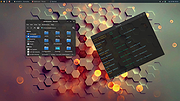 |
|
Mozilla Firefox ESR v153.2.0 Mozilla Firefox ESR v153.2.0 👉 A stable, long-term Firefox release designed for users and organizations that prefer fewer major browser changes. Mozilla Firefox ESR is the Extended Support Release of Mozilla's popular open-source web browser, designed for organizations, businesses, schools, system administrators and users who value stability over frequent feature changes. ESR receives regular security and stability updates while keeping major interface and feature changes on a longer release cycle than standard Firefox. It provides the familiar Firefox browsing experience with strong privacy protections, tracker blocking, private browsing, password management, synchronization, extensions and extensive customization. ESR is especially useful in managed environments where administrators need predictable browser behavior and more time to test compatibility between major releases. Features: • Extended Support Release with a longer major-version lifecycle • Regular security and stability updates without frequent major feature changes • Enhanced Tracking Protection blocks many known trackers automatically • Private Browsing mode with additional protection against tracking • Built-in password manager for storing and managing website logins • Firefox Sync can synchronize bookmarks, passwords, history, tabs and settings between devices • Separate Firefox profiles can keep work, personal and other browsing activities apart • Container support can isolate cookies, logins and tracking data between different browsing activities • Large library of extensions and browser themes • Customizable toolbar, menus and browser appearance • Tabbed browsing with tab search and organization tools • Built-in PDF viewing • Automatic browser updates and security fixes • Support for enterprise policies and centralized browser management • Available in 32-bit, 64-bit and ARM64 builds where supported • Free and open-source Supported operating systems: • Windows 10, Windows 11 • macOS 10.15 or higher • GNU/Linux with glibc 2.17 or higher, GTK+ 3.14 or higher, libglib 2.42 or higher, libstdc++ 4.8.1 or higher and X.Org 1.0 or higher Supported languages: English (US) Changes: v153.2.0 09-13-26 General Firefox now includes a new profile management system that helps you separate your online life into ... |
|
6,998 | Sep 13, 2026 Mozilla  |
|
Mozilla Firefox Portable v155.0.1 Mozilla Firefox Portable v155.0.1 👉 Take the full Firefox web browser, along with your bookmarks, passwords and settings, anywhere you go. Mozilla Firefox Portable is the popular Firefox web browser packaged by PortableApps.com to run from a USB flash drive, portable hard drive, cloud folder or local folder without a traditional installation. Your bookmarks, saved passwords, extensions, preferences and other personal browser data stay with the portable package, making it easy to carry your familiar Firefox environment between Windows computers. It provides the same Firefox browsing experience, privacy protections, customization, extension support and web standards compatibility as the regular desktop browser while adding the portability provided by the PortableApps.com Launcher. It can also integrate with the PortableApps.com Platform for convenient launching and automatic updates. Features: • Runs from removable drives, cloud folders or local folders without a traditional Firefox installation • Carries your bookmarks, saved passwords, preferences and other Firefox profile data with you • Works with the PortableApps.com Platform for easy launching and automatic updates • Built-in Enhanced Tracking Protection helps block trackers while browsing • Supports Firefox extensions and themes for extensive customization • Includes private browsing for sessions that do not retain local browsing history • Built-in password management and synchronization through a Mozilla account • Supports tab organization, containers and vertical tabs • Built-in translation capabilities for supported languages • PDF viewing and printing are built directly into the browser • Developer Tools provide debugging, inspection and web development features • Supports modern web technologies including WebAssembly, WebRTC, WebTransport and HTTP/3 • Open source and based on Mozilla Firefox • Can coexist with an installed copy of Firefox Supported operating systems: • Windows 10, Windows 11 • WINE (64-bit only) Supported languages: Afrikaans, Arabic, Asturian, Basque, Belarusian, Bulgarian, Breton, Catalan, Chinese (Simplified), Chinese (Traditional), Croatian, Czech, Danish, Dutch, English, Estonian, Finnish, French, Frisian, Gaelic (Scotland), Galician, German, Greek, Hebrew, Hungarian, Icelandic, Indonesian, Irish, Italian, Japanese, Korean, Lithuanian, Norwegian ... |
|
11,448 | Sep 13, 2026 Mozilla & John T. Haller |
|
Mozilla Firefox v155.0.1 Mozilla Firefox v155.0.1 👉 A fast, customizable web browser with strong privacy protections, security features and a huge library of extensions. Mozilla Firefox is a free, open-source web browser developed by Mozilla with an emphasis on privacy, security, performance and user control. Firefox includes built-in tracking protection, private browsing, password management, tab organization, synchronization across devices and extensive customization through themes and add-ons. Its independent Gecko browser engine provides an alternative to Chromium-based browsers, while frequent security and feature updates keep the browser current with modern web standards. Features: • Enhanced Tracking Protection blocks many social media trackers, cross-site tracking cookies, fingerprinters and cryptominers • Private Browsing automatically removes browsing information such as cookies and history when sessions are closed • Built-in password manager saves and securely fills website logins • Firefox Sync can synchronize bookmarks, passwords, history, open tabs and settings across devices • Extensive add-on support lets you expand Firefox with thousands of extensions and themes • Customizable toolbar and browser interface • Picture-in-Picture lets you watch videos in a floating window while browsing other pages • Reader View removes distracting page elements for easier reading • Built-in PDF viewer lets you view and work with PDF documents without additional software • Tab search and management tools make large numbers of open tabs easier to handle • Automatic updates deliver security fixes and browser improvements • Developer tools provide inspectors, debugging, network analysis and responsive-design testing • Supports modern web standards using Mozilla's independent Gecko browser engine • Import tools help transfer bookmarks, passwords and other browser data from other browsers • Available for Intel, AMD and ARM-based systems depending on operating system Supported operating systems: • Windows 10, Windows 11 • macOS 10.15 or higher • Linux 64-bit, Linux ARM64/AArch64 Supported languages: English (US) Changes: v155.0.1 09-04-26 Fixed Firefox becoming unresponsive on some pages that use CSS blur and backdrop filters together. Fixed the sidebar not reappearing after restarting Firefox when the "Hide ... |
|
12,755 | Sep 13, 2026 Mozilla |
|
Simple Firefox Backup v1.2 Simple Firefox Backup v1.2 Every browser comes a new user profile where all of your favorites, page/search histories, addons, cookies, preferences and other settings are stored.Any computer user always runs the risk of losing his data due to program or computer crash. If you use Firefox as your Primary Browser, you may prefer to back up regularly to guard against the possibility that their profile gets corrupted or wiped after installing a new extension or a new version of Firefox. There are some ways to back up: 1. Use a backup utility 2. Do it yourself manually 3. Use Firefox Sync function Backing up Firefox manually is as simple as copying their respective profile folders to another location. For example; Key4.db : contains a key used to encrypt and decrypt saved passwords logins.json : stores the encrypted names and passwords Places.sqlite : stores the annotations, bookmarks, favorite icons, input history, keywords, and browsing history Cookies.sqlite : is used to store cookies between sessions If you do that, you’ll have a full backup with all your setting and personal data saved. Syncing is NOT as good as backing up because it is usually not Long-Term , syncing will not ensure that your files are safe and You can’t trust your vital computer data to syncing; you must back it up. When you back something up to a hard drive or external HDD/USB flash drive , they stay there until you decide to delete them. If you need a file from last week, last month or last year, it will be there exactly the way you backed it up. Backup and restore Your Firefox Bookmarks , Passwords and settings Backing up of important data is always a smart thing to do. “Simple Firefox Backup” is a portable Freeware Tool that will help you easily create back-up copies of your Mozilla Firefox data . ... |
|
4,570 | Apr 27, 2021 Sordum.org 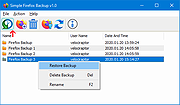 |
|
uBlock Origin Lite v2026.628.2035 uBlock Origin Lite v2026.628.2035 👉 Lightweight Manifest V3 content blocker that blocks ads, trackers, and other unwanted web content. uBlock Origin Lite is a lightweight, Manifest V3-based content blocker designed to efficiently block ads, trackers, cryptominers, and other unwanted web content while using minimal CPU and memory. Unlike the original uBlock Origin, uBlock Origin Lite relies on the browser's declarative filtering engine, allowing filtering to occur without a continuously running background process. This approach improves efficiency while remaining compatible with modern browser extension requirements. Users can select different filtering modes and enable additional filter lists through the extension's options page to increase protection. uBlock Origin Lite includes the standard uBlock Origin filter set by default, including EasyList, EasyPrivacy, Peter Lowe's Ad and Tracking Server List, and uBlock's own built-in filters. It is ideal for Chromium-based browsers that require Manifest V3-compatible extensions while also supporting Firefox and Safari versions built for the new extension architecture. Features: • Blocks advertisements, trackers, cryptominers, and malicious domains • Built on the Manifest V3 extension platform • Uses the browser's declarative filtering engine for low resource usage • No permanent background process required • Includes uBlock Origin default filter lists • Supports additional optional filter lists • Multiple filtering modes for different levels of protection • Fast startup with minimal CPU and memory consumption • Open source under the GPL-3.0 license • Available for Chromium-based browsers, Firefox, Microsoft Edge, and Safari Supported operating systems: • Windows 10, Windows 11 • macOS 13.7 or higher • Linux (via supported Chromium-based browsers or Firefox) • ChromeOS • iOS 18.6 or higher (Safari) • iPadOS 18.6 or higher (Safari) Supported languages: English Changes: v2026.628.2035 06-28-26 Updated filter lists. This download is for the Firefox version (very bottom of page). If you need the Google Chrome version, download here. If you need the Microsoft Edge version, download here. If you need the Apple Safari version, download here. Click here to visit the author's website. |
|
488 | Jul 05, 2026 Raymond Hill 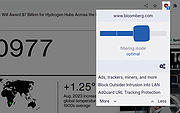 |
|
uBlock Origin v1.72.0 uBlock Origin v1.72.0 👉 Efficiently block ads, trackers, malware, and other unwanted web content. uBlock Origin is a free, open-source, wide-spectrum content blocker designed to improve privacy, security, and browsing performance while using minimal CPU and memory. Rather than focusing only on advertisements, it blocks trackers, malicious domains, cryptocurrency miners, popups, anti-adblock scripts, and many other forms of unwanted web content. It supports multiple filter lists out of the box, while also allowing advanced users to create custom filtering rules and import additional lists. uBlock Origin is known for its efficiency, making it one of the lightest and fastest content blockers available. Note: Google Chrome has removed support for Manifest V2 extensions. The full version of uBlock Origin is best supported on Firefox. Chromium-based browsers need uBlock Origin Lite. Features: • Blocks ads, trackers, malware sites, popups, cryptocurrency miners, and other unwanted content • Lightweight design with low CPU and memory usage • Includes EasyList, EasyPrivacy, Peter Lowe's Blocklist, Online Malicious URL Blocklist, and uBlock Origin filter lists by default • Supports additional community filter lists and custom filters • Dynamic filtering for advanced users • Cosmetic filtering to hide unwanted page elements • Supports hosts files • Import and export custom settings and filter lists • Per-site blocking controls • Free and open source (GPLv3) Supported operating systems: • Windows 10, Windows 11 • macOS • Linux • Firefox for Android Supported languages: English, Arabic, Bulgarian, Catalan, Chinese (Simplified), Chinese (Traditional), Croatian, Czech, Danish, Dutch, Estonian, Finnish, French, German, Greek, Hebrew, Hindi, Hungarian, Indonesian, Italian, Japanese, Korean, Lithuanian, Norwegian Bokmεl, Persian, Polish, Portuguese, Portuguese (Brazil), Romanian, Russian, Serbian, Slovak, Slovenian, Spanish, Swedish, Thai, Turkish, Ukrainian, Vietnamese, Welsh, and others. Changes: v1.72.0 06-28-26 Fix broken rendering of final URL in strict-block page. Fix potential exception in set-attribute scriptlet. Improve parsing and interpretation of consecutive $$ in network filters. Improve googlesyndication_adsbygoogle shim. Add edit-object-on-getter and edit-object-on-setter scriptlets. Improve JSONPath support, including regex selectors, RFC9535 conformance, double-quoted names, and ... |
|
474 | Jul 05, 2026 Raymond Hill  |
| Showing rows 1 to 15 of 15 | Showing Page 1 of 1 | 1 |
OlderGeeks.com Copyright (c) 2026
