|

|
Processed through Paypal No account required. |








Buy our over-priced crap to help pay the bills.



|
|
Processed through Paypal No account required. |
| Files | ||||
| File Name | Rating | Downloads | ||
 |
Easy Email Extractor v1.2 Easy Email Extractor v1.2 Easy Email Extractor is a handy Windows OS software application which allows you to easily extract email addresses from files, folders and urls. You can extract email addresses from entire folders or hard disks by filtering file extensions to search. You can copy the found email addresses to the Windows clipboard, export the email addresses in a text file, extract emails from plain text (txt) files. For Windows XP, Vista, 7, 8, 10 (32\64-bit) Extract Emails from Files, Folders, URLs This tool can help you extract email addresses from text files (i.e .txt, .log, etc), from folders, from a web page URL and from text snippets. If you saved an important email address in a text file that you don't know anymore where it is located, you can use this tool to accurately scan your entire hard disk or USB for text files and extract all the emails found, so you can find the lost email addresses. Extract Email Addresses Extract emails from files, folders, web page URL and text snippets. Scan Folders Scan a folder (and sub-folders), filtering file extensions, to extract emails from files. Find Lost Emails Find lost email addresses by scanning text files on your hard disk or USB devices. Exclude Emails You can use wildcard rules to exclude a particular email from being extracted. Fast File Scanning This tool can quickly scan files, also big text files, without using too much memory. Export Emails List With a mouse click you can copy the emails to the clipboard or export them to a file. Simple Interface The program interface is well organized and simple to use also for beginner users. No Spyware/Adware The program is free from spyware, adware or other pests, nothing extra is installed. Free to Use This software is completely free to use for anyone, at home and at work. Click here to visit the author's website. |
 |
5,436 | Mar 15, 2019 NoVirusThanks 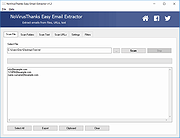 |
|
Game Extractor v3.14 Game Extractor v3.14 Open and edit the archive files used in over 4000 games. Reads and writes archives used in many popular games. Great for mod development and game translations. Supports over 4000 games, with more games added through small plugins. Also shows file previews and converts them to different formats. Features Plugins for reading and writing 4000+ game archives. Supports games from many platforms including PC, XBox, and PlayStation. Extract, replace, and rename files in existing archives. Add and remove files from existing archives, or create new archives from scratch. Previews of common formats including images, audio, and 3D mesh files. Convert previews into different formats. Format scanner, for finding files in unknown and unsupported archives. Use MexCom3 scripts to read and write additional archives, or create your own scripts. Hex viewer for displaying information about unknown files. View archive contents as a table, tree, or a list of thumbnail images. For install instructions Readme_GameExtractor.txt This download is for the Windows installer version. If you need the Windows portable version, download here. Click here to visit the author's website. |
|
4,431 | Oct 11, 2022 watto studios 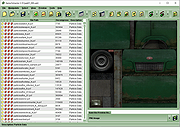 |
 |
InnoExtractor v12.1.1.185 InnoExtractor v12.1.1.185 👉 Powerful utility for unpacking and exploring Inno Setup installers. InnoExtractor is an advanced application that allows you to inspect, extract, and explore the contents of installers created with Inno Setup without needing to run the installation process. It provides a clean and user-friendly interface for viewing internal files, scripts, registry entries, installation structure, and embedded resources from supported setup packages. InnoExtractor is especially useful for software archivists, developers, system administrators, and advanced users who want to analyze installer contents or recover files from installation packages. Features: • Open and inspect Inno Setup installer packages • Extract files and folders from installers without running setup • View internal installer scripts and configuration data • Explore embedded files, icons, images, and resources • Display detailed installer information and metadata • Supports password-protected installers when password is known • Search and filter installer contents • Drag-and-drop support for opening setup files • Supports Unicode installers • Export installer information and file lists • Multi-language user interface Supported operating systems: • Windows 7, Windows 8, Windows 8.1, Windows 10, Windows 11 Supported languages: Arabic, Azerbaijani, Czech, Danish, Dutch, English, French, German, Greek, Hungarian, Italian, Japanese, Korean, Polish, Portuguese (Portugal), Russian, Simplified Chinese, Spanish, Traditional Chinese, Turkish, Ukrainian Changes: v12.1.1.185 10-14-26 - Updated Danish, Italian, Russian and Ukrainian language files. - Fixed a minor bugs from previous version. Note: This file has one hit on VirusTotal. We have confirmed this to be a false positive. The file is safe. Click here to visit the author's website. |
|
744 | Oct 15, 2026 Havy Alegria 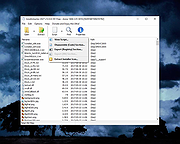 |
|
InnoUnpacker v2.2.13 InnoUnpacker v2.2.13 👉 Inspect and unpack Inno Setup installer files. InnoUnpacker is a graphical user interface for unpacking Inno Setup installers, allowing you to explore setup contents, view included files and languages, verify installer integrity, and extract files from supported Inno Setup packages. The program supports opening installers via file dialog, drag and drop, command line, or Windows context menu, and immediately displays detailed information about the selected setup file. It can also operate in portable mode, storing settings alongside the executable when run from removable media or with the /p option. Features: • Open Inno Setup installers via file dialog, drag and drop, command line, or context menu • Display general information about the setup file • View a complete list of included files • Show all supported languages within the installer • Verify setup file integrity • Select custom destination for extracted files • Extract full contents or selectively extract specific files or scripts • Filter extraction by file types or user selection • Portable mode support with local settings storage • Supports Windows Dark Mode Supported operating systems: • Windows 7, Windows 8.1, Windows 10, Windows 11 Supported languages: English, German, French, Italian, Spanish, Hungarian, Chinese Changes: v2.2.13 10-11-26 This release includes: Inno Setup Unpacker - Windows GUI v 2.2.13 Inno Unpacker console version 2.71.1 suitable for setups made with Inno Setup up to version 7.1 Last changes in Windows GUI: Bug fixes Last changes in console version: Support for Inno Setup up to 7.1.0 Bug fixes Note: This file has one hit on VirusTotal. We have confirmed this to be a false positive. The file is safe. Click here to visit the author's website. |
|
1,151 | Oct 14, 2026 Dr. Jόrgen Rathlev 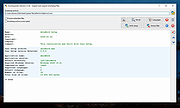 |
|
IP Extractor v1.0 IP Extractor v1.0 IP Extractor is a simple Windows OS software application which allows you to easily extract IP addresses from files, folders, urls and text snippets. With this program you can extract IP addresses from entire folders or hard disks by filtering file extensions to search (i.e *.log or *.txt). You can copy the extracted IP addresses to the Windows clipboard, export the IP addresses to a text file, extract IPs from plain text (txt) files, and much more. It supports scanning also of big files (i.e 500+ MB). For Windows XP, Vista, 7, 8, 10 (32\64-bit) Extract IPs from Files, Folders, URLs This tool can help you extract IP addresses from text files (i.e .txt, .log, etc), from folders, from a web page URL and from text snippets. If you need to extract IP addresses from thousands of log files (generated by, for example, Apache or Nginx), you can use this tool to scan a specific folder recursively looking for .log files and extract all the unique IP addresses found. The program is able to extract IP addresses from many file formats, such as HTML, TXT, CSV, JSON, XML, LOG, PDF, etc. Extract IP Addresses Extract IPs from files, folders, web page URL and text snippets. Scan Folders Scan a folder (and sub-folders), filtering file extensions, to extract IPs from files. Exclude IPs You can use wildcard rules to exclude a particular IP from being extracted. Export IPs List With a mouse click you can copy the IPs to the clipboard or export them to a file. Simple Interface The program interface is well organized and simple to use also for beginner users. No Spyware/Adware The program is free from spyware, adware or other pests, nothing extra is installed. Click here to visit the author's website. |
|
5,402 | Mar 15, 2019 NoVirusThanks 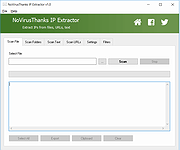 |
|
Librer v1.0979.518 Librer v1.0979.518 👉 Cross-platform GUI file cataloging with powerful search and custom metadata extraction. Librer is a cross-platform GUI file cataloging program designed to catalog files (especially on removable media like memory cards and portable drives), add metadata via custom data extractors, and perform fast multi-core searches across saved records. Features: • Catalog file systems into portable record files (great for removable media) • Add custom metadata (Custom Data) by running user-selected commands or scripts per file • Search using regular expressions, glob expressions, and fuzzy matching (filenames and custom data) • Export and import created records for sharing or backups • Import data from other catalogers including Where Is It?, Cathy (.caf), and VVV (CSV) • Highly optimized record format for fast access, compression, and repository portability • Portable by design: writes logs, configuration, and data into its own folders at runtime Supported operating systems: • Linux • Windows 10, Windows 11 Changes: v1.0979.518 06-24-26 refactoring of opening paths and URLs check xdg-open bump pyinstaller, tkinterdnd2, pywin32, dateparser better messages Note: This file has one hit on VirusTotal. We have confirmed this to be a false positive. The file is safe. This download is for the Windows portable version (very bottom of page). If you need the Linux portable version, download here. Click here to visit the author's website. |
|
1,682 | Jun 27, 2026 Piotr Jochymek 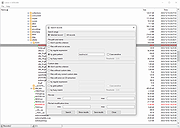 |
|
Pazera Free Audio Extractor v2.11 Pazera Free Audio Extractor v2.11 A free universal audio converter. Pazera Free Audio Extractor is a free application that converts audio files to MP3, AAC, AC3, WMA, FLAC, Opus, M4A, OGG, WV, AIFF, WAV and other formats. Moreover, the program allows extraction of audio tracks from video files without loss of sound quality. Supported input formats: over 70 audio and video formats, including AVI, MP4, MP3, MOV, FLV, 3GP, M4A, MKV, WMA. In addition, the program allows you to split input files based on chapters (often found in audiobooks). The program has a number of predefined settings (profiles) specially designed for novice users. While more advanced users can customize audio encoding parameters used by encoder: audio bitrate, sampling frequency, audio channels, audio volume. The application allows to extract/convert full audio track or selected range only. The Pazera Free Audio Extractor interface is very simple and user-friendly. To extract audio tracks from video files, just drag & drop them into main window, select proper profile from list, and click the Convert button. If the audio quality is poor, increase audio bitrate. Supports: Windows Vista, 7, 8, 10 and 11 Language: Arabic, Bulgarian, Chinese (simplified and traditional), Czech, Dutch, English, French, German, Greek, Hungarian, Italian, Japanese, Korean, Polish, Portuguese (BR), Romanian, Russian, Serbian, Slovak, Slovenian, Spanish, Swedish, Turkish This download is for the 64bit version. If you need the 32bit version, download here. Click here to visit the author's website. |
|
4,883 | Sep 28, 2024 Jacek Pazera 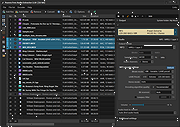 |
|
PeaZip v11.2.0 PeaZip v11.2.0 👉 A free, open source file and archive manager for creating, opening, extracting, and securing compressed files. PeaZip is a cross-platform archive manager and file compression utility that can create, open, browse, and extract 7Z, RAR, TAR, ZIP, and many other archive formats. It also includes archive conversion, file splitting and joining, file hashing, password management, secure deletion, search, bookmarks, duplicate file detection, and integrated text, hex, and image viewers. Features: • Opens over 200 archive types and variants • Creates, opens, browses, and extracts 7Z, RAR, TAR, ZIP, ZIPX, and many more archive formats • Converts existing archives between supported formats • Splits and joins files • Handles spanned archives such as 001, R01, and Z01 • Supports multiple archive encryption standards • Includes file hashing tools • Can export GUI tasks as command line scripts • Provides a built-in file manager with bookmarks, search, and instant content filtering • Detects duplicate files • Includes integrated text, hex, and image viewers • Offers portable packages that do not require installation • Includes password management features and password entropy rating • Adds batch archive testing and improved archive browsing performance in v11.0.0 Supported operating systems: • Windows x86, Windows x64, ReactOS, Wine • Linux x86_64, Linux x86, Linux ARM, Linux aarch64 • macOS / Darwin Intel x86_64, macOS / Darwin Apple Silicon aarch64 • BSD x86-64 Supported languages: Arabic, Belarusian, Bulgarian, Catalan, Chinese Simplified, Chinese Traditional, Czech, Danish, Dutch, English, Esperanto, Finnish, French, German, Greek, Hungarian, Indonesian, Italian, Japanese, Korean, Lithuanian, Norwegian, Persian, Polish, Portuguese (Brazil), Portuguese (Portugal), Romanian, Russian, Serbian, Slovak, Spanish, Swedish, Thai, Turkish, Ukrainian, Vietnamese Changes: v11.2.0 07-12-26 BACKEND 7z/p7zip 26.02 Pea 1.32 hardened against timing attack on verification of integrity tags CODE Code review with various fixes and quality improvements FILE MANAGER Added read support for Zeno IMproved .ZIM archives, used for Wikipedia and Project Gutenberg data dumps Fixed some inconsistencies in icons representation for special folders and search filters Keyboard shortcuts updated and made fully working ... |
|
7,524 | Jul 13, 2026 PeaZip 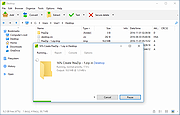 |
|
Universal Extractor 2 v2.0.0 RC3 Universal Extractor 2 v2.0.0 RC3 Universal Extractor is a powerful and well-known tool to extract files from hundreds of different archive types, installers or otherwise compressed files. It has been created and maintained by Jared Breland until he set it on hiatus after the release of version 1.6.1. Currently, there are several slightly updated modifications floating around, which consist mainly of helper binary updates. Additionally, some improved versions with auto-updaters, more supported file types and GUI redesigns exist. Sadly, these are scattered around the internet and no central and easy download packages are available. As a user you would have to search through many forums in a wide variety of languages to even find a link to the program. Universal Extractor 2 is the most advanced inofficial modification around, aiming at the inclusion of many wanted features, improvement of current ones, ongoing support and a central open-source distribution. UniExtract 2 started as a simple modification disabling the always-on-top status box and ended with the addition of dozens of extractors to expand the range of supported file types. New - and unique amongst the available modifications - features like a scan-only mode to identify unknown file types using multiple scanning applications, the batch mode or the extraction of audio and video tracks from multimedia files make it stand out against these. As a short overview here is a list of the core improvements: Batch mode Silent mode, not showing any prompts Scan only mode to determine file types without extracting Integrated updater 100+ new supported file types Audio and video extraction for multimedia files Cascading context menu Support for password list for common archives Improved optional ... |
|
6,565 | Jan 12, 2022 Bioruebe.com 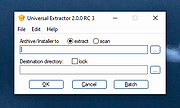 |
| Showing rows 1 to 9 of 9 | Showing Page 1 of 1 | 1 |
OlderGeeks.com Copyright (c) 2026
