|

|
Processed through Paypal No account required. |








Buy our over-priced crap to help pay the bills.



|
|
Processed through Paypal No account required. |
| Files | ||||
| File Name | Rating | Downloads | ||
 |
AnkhTech WinPE v15 AnkhTech WinPE v15 👉 Bootable Windows recovery and maintenance environment. Ankh Tech Windows Boot is a bootable utility environment designed to help users troubleshoot, repair, and maintain Windows systems outside of the standard operating system. It provides a standalone boot solution that can be used for system recovery, diagnostics, and general maintenance tasks when Windows is unable to start normally. Built to operate independently from an installed Windows instance, Ankh Tech Windows Boot allows access to system tools and repair functions in a controlled environment, making it useful for resolving startup problems, performing maintenance, and working with system files safely. Features: • Bootable Windows-based recovery environment • Designed for system troubleshooting and repair • Access to maintenance and diagnostic tools outside the main OS • Useful for fixing startup and boot-related issues • Standalone operation independent of installed Windows Supported operating systems: • Any computer that can boot from a USB or DVD and has a 64bit CPU. Supported languages: English Programs List Notes: • All the Programs are Activated • All Programs work without Problems (All Tested) • All Programs are in PStart in each System • Some System Related Programs in the Start Menu • Some Programs Require Internet Connection like the Antivirus Section • More than 1 alternative in each category • Some of These Programs are integrated in the Context Menu (ex. WinRAR , UltraISO etc etc) • Some of These Programs Open Their File Extensions (ex. WinRAR opens Compressed Files etc etc) • it even contains games , just in-case you planning to do time consuming tasks so you don't get bored Programs List: Antivirus ESET Online Scanner Trellix Stinger Trend Micro House Call HijackThis Back and Restore Acronis True Image Acronis True Image 2014 Acronis True Image 2019 Acronis True Image ... |
 |
5,795 | Apr 19, 2026 Ankh Tech 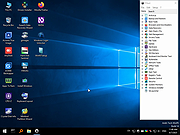 |
|
Bluefin v20261006 Bluefin v20261006 👉 A modern Fedora-based Linux workstation built for everyday use and cloud-native development. Bluefin is a next-generation Linux desktop operating system based on Fedora Atomic and the Universal Blue project. It is designed to provide a stable, secure, and maintenance-friendly workstation experience while still offering modern development tools, gaming support, multimedia features, and a polished GNOME desktop environment. Unlike traditional Linux distributions that rely heavily on manual package management and upgrades, Bluefin uses an immutable image-based system architecture. This allows the operating system to update atomically, reducing the risk of broken updates and making system recovery significantly easier through built-in rollback capabilities. Bluefin is focused on delivering an “install and use” Linux experience with many essential tools already configured. The system integrates Flatpak applications, Homebrew package management, containerized development environments, and modern virtualization technologies directly out of the box. It also includes developer-oriented workflows for Docker, Podman, devcontainers, and cloud-native software development. Features: • Fedora Atomic based immutable operating system • Built on Universal Blue technology stack • Modern GNOME desktop environment with user-friendly layout • Separate standard images for AMD/Intel graphics and NVIDIA graphics hardware • Atomic image-based updates with rollback support • Automatic operating system updates and maintenance • Integrated Flatpak application ecosystem with Flathub support • Homebrew package manager preconfigured for command-line software • Developer-ready environment with container-first workflows • Built-in Podman and Docker support • Devcontainer and cloud-native development integration • Distrobox support for running software from other Linux distributions • Tailscale support for secure mesh networking • WireGuard VPN tools included • Virtualization and container management support • Optimized multimedia codec support • Secure Boot compatible • Wayland-based modern graphics stack • Gaming-friendly Mesa and NVIDIA driver support • Integrated terminal enhancements including Starship prompt • Flatpak management utilities included • Rollback functionality for safer upgrades and experimentation • Designed for developers, power users, creators, and advanced desktop users • Minimal manual maintenance required after installation • Fast deployment and recovery ... |
|
1,136 | Oct 08, 2026 Project Bluefin and Universal Blue 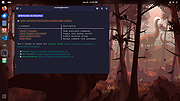 |
 |
BootRacer v9.55 BootRacer v9.55 👉 Measure Windows boot speed and identify startup programs that slow your PC. BootRacer is a free utility for non-commercial use that accurately measures how long Windows takes to boot and helps identify startup programs that increase boot time. Unlike a simple stopwatch, it measures the actual Windows startup process while excluding password entry time, providing a more realistic view of system performance. BootRacer records each boot, tracks changes over time, and lets you compare results to determine whether your system is speeding up or slowing down. BootRacer also includes startup management tools that allow you to review, disable, delay, reorder, or customize startup applications so Windows can become usable more quickly. It displays detailed timing information for the boot process and startup programs, provides boot history with graphs and statistics, and can notify you when Windows has completely finished loading background services so you know when your computer is truly ready for use. Additional features such as service optimization and advanced system tweaks are available in the Premium edition. Features: • Measures true Windows boot time without including password entry delays • Monitors every boot and keeps a detailed boot history • Displays boot performance graphs and statistics • Identifies startup applications that slow Windows • Disable, delay, reorder, or customize startup programs • Shows the time consumed by individual startup applications • Compares current boot times with previous boots • Writes boot information to the Windows Event Log • Includes boot completion notifications when Windows is fully ready • Lightweight with minimal system resource usage • Free for personal, non-commercial use Supported operating systems: • Windows 2000, Windows XP, Windows Server 2003, Windows Vista, Windows 7, Windows 8, Windows 8.1, Windows 10, Windows 11 (32-bit and 64-bit) Supported languages: • English, Brazilian Portuguese, French, German, Hungarian, Italian, Japanese, Korean, Polish, Russian, Turkish, Ukrainian Changes: v9.55.2026.519 05-19-25 Fixed the timing race condition bug affecting applications launched from ... |
|
6,467 | Jun 26, 2026 Greatis Software 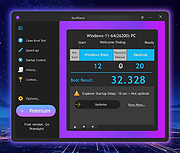 |
|
Darik's Boot and Nuke v2.3.0 Darik's Boot and Nuke v2.3.0 DBAN is free erasure software designed for the personal user. It automatically deletes the contents of any hard disk that it can detect. This method prevents identity theft before recycling a computer. DBAN is also a commonly used solution to remove viruses and spyware from Microsoft Windows installations. Click here to visit the author's website. |
|
7,728 | Feb 24, 2021 Blancco 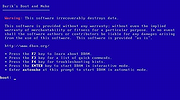 |
|
Grub2Win v3.0.5.2 Grub2Win v3.0.5.2 👉 Safely multiboot Windows and Linux from a Windows-based GRUB setup. Grub2Win is a free and open source Windows application that lets you configure GRUB boot screens and boot options directly from Windows. It includes GNU GRUB 2.12, supports Windows and Linux multiboot setups, and can automatically generate boot configuration files for many popular systems including Windows, Ubuntu, Debian, Fedora, Kali, Manjaro, Mint, PhoenixOS, Android, OpenCore and more. Features: • Includes GNU GRUB 2.12 boot modules and libraries • Configure GRUB boot screens and options directly from Windows • Simple Windows GUI for setting up boot entries • Lets you set EFI firmware boot order from within Windows • Automatically generates config files for Windows and many Linux distributions • Import Linux config files for most other distributions • Supports GPT and MBR disks • Supports extremely large disks and partitions over 40 TB • Works with many filesystems including NTFS, FAT, ext, Btrfs and Mac HFS • Search for and boot partitions by UUID or label • Supports advanced scripting • Customize boot menu wallpaper with included images or your own JPG files • Installs to a small directory on the Windows C: drive • Free and open source with no adware or spyware Supported operating systems: • Windows 11, Windows 10 64-bit EFI • Older Windows versions and BIOS firmware through Grub2Win Legacy Supported languages: • Arabic, Chinese, Croatian, Czech, Danish, Dutch, English, Finnish, French, German, Greek, Hebrew, Hindi, Hungarian, Indonesian, Italian, Japanese, Korean, Norwegian, Polish, Portuguese, Romanian, Russian, Serbian, Slovak, Slovenian, Spanish, Swedish, Thai, Turkish, Ukrainian, Vietnamese and more Changes: v3.0.5.2 10-05-26 Minor updates to the GUI and help files. More Info: Grub2Win is a tool that lets you boot grub2 from your PC's EFI firmware or MBR. It supports Windows 11, Windows 10. Download this simple Windows program and instructions that help you get grub2 booting quickly. All the files for Grub2Win reside on the Windows C: ... |
|
5,995 | Oct 06, 2026 Drummer 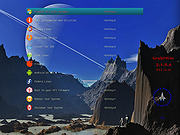 |
|
MultiOS-USB v0.12.1 MultiOS-USB v0.12.1 👉 Create a multiboot USB flash drive capable of launching multiple operating system installers and utilities directly from ISO/WIM images. MultiOS-USB is a utility that allows you to build a single bootable USB flash drive containing multiple operating system installers and recovery tools. Instead of keeping separate installation media for different systems, MultiOS-USB organizes ISO images on one device and presents them through a boot menu so you can choose which system or tool to launch. MultiOS-USB simplifies system deployment, testing environments, and recovery workflows by letting technicians keep a portable library of operating systems and utilities on one drive. The program prepares the USB drive, installs the bootloader, and configures the menu structure required to boot the selected ISO images. This makes it particularly useful for technicians, system administrators, and repair professionals who frequently install or troubleshoot operating systems. Features: • Create a multiboot USB flash drive • Store multiple operating system installers on a single drive • Boot different ISO images from a unified menu • Useful for operating system installation, testing, and recovery • Portable tool for technicians and system administrators • Simple process for adding or removing ISO images Installation and usage: 1. Prepare the USB drive Extract the MultiOS-USB archive and run the program. Insert the USB flash drive you want to use and follow the prompts to prepare the drive and install the bootloader. 2. Copy operating system ISO images After the USB drive is prepared, copy supported ISO images into the appropriate folders on the flash drive as described in the documentation. 3. Boot from the USB drive Restart the computer and select the USB device in your system's boot menu. MultiOS-USB will display a menu allowing you to select which operating system installer or utility to launch. 4. Secure Boot note Some systems with Secure Boot enabled may display a Machine Owner Key (MOK) management screen or security verification ... |
|
896 | Jul 13, 2026 MexIT 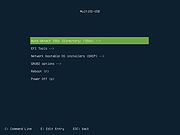 |
|
ReactOS v0.4.16 ReactOS v0.4.16 👉 A free, open-source operating system designed to run Windows applications and drivers without requiring Windows. ReactOS is a free and open-source operating system built from the ground up with the goal of providing binary compatibility with Microsoft Windows applications and hardware drivers. Rather than being based on Linux or Unix, ReactOS implements its own Windows-compatible kernel, system libraries, graphical environment, utilities and services. The project is particularly focused on compatibility with traditional Win32 software and drivers while providing users with a completely open-source operating environment. ReactOS remains alpha-quality software, so the developers do not guarantee stability, data safety or compatibility with every application or piece of hardware. Version 0.4.16 introduces one of the project's largest usability improvements: a new graphical installer and a combined Boot CD/Live CD image. You can now boot the same image to either try ReactOS without installing it or install/update the operating system using the new graphical setup interface. The installer includes basic partition management and replaces the need to choose separate installation and Live CD downloads. Features: • Free and open-source Windows-compatible operating system • Designed to run Win32 applications and Windows hardware drivers • Independent Windows-like kernel rather than a Linux or Unix compatibility layer • Familiar Windows-style desktop environment and Explorer shell • New graphical installation interface • Combined Boot CD and Live CD image lets you test or install from the same disc • Basic graphical partition management during installation • Workstation installation mode for normal desktop use • Server installation mode • New Server Core installation mode that runs the Win32 subsystem without the graphical Explorer shell • Improved compatibility with NVIDIA graphics drivers through expanded system page table resources • Improved AMD graphics and OpenGL handling • Continued development of multi-monitor and video-driver compatibility • Improved High Definition Audio support • New HD Audio bus driver supporting compatible Windows XP and Windows Server 2003 audio ... |
|
6,934 | Aug 30, 2026 ReactOS Foundation 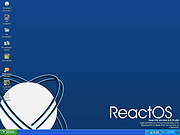 |
 |
Tweaking.com - Disk Error Checking at Next Boot v1.0.0 Tweaking.com - Disk Error Checking at Next Boot v1.0.0 This little tool will set the dirty bit flag on a drive. When the dirty bit flag is set, Windows will perform a disk check and repair any errors it find at the next system boot. Normally I would set a drive error check by using the tools tab on the properties of a drive. Odd thing is, sometimes it wouldn't be set and I would have to do it again to get the system to scan the drive. This was annoying as I just wasted a reboot and the time it took. So I made this tool to make it easier and faster to get the drive error check going. |
|
9,968 | Sep 02, 2017 Tweaking.com 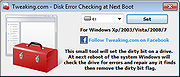 |
|
Ultimate Boot CD v5.3.9 ISO Official Mirror Ultimate Boot CD v5.3.9 ISO You need the Ultimate Boot CD if you want to: • Run floppy-based diagnostic tools from CDROM drives. More and more PCs are shipped without floppy drives these days, and it is such a royal pain when you need to run diagnostic tools on them. • Free yourself from the slow loading speed of the floppy drive. Even if you do have a floppy drive, it is still much much faster to run your diagnostic tools from the CDROM drive, rather than wait for the tool to load from the floppy drive. • Consolidate as many diagnostic tools as possible into one bootable CD. Wouldn't you like to avoid digging into the dusty box to look for the right floppy disk, but simply run them all from a single CD? Then the Ultimate Boot CD is for you! • Run Ultimate Boot CD from your USB memory stick. A script on the CD prepares your USB memory stick so that it can be used on newer machines that supports booting from USB devices. You can access the same tools as you would from the CD version. New features in UBCD V5.x include: • New! The Linux-based distro Parted Magic is now included with UBCD V5.0. This should be the method of choice when you need to resize/rescue partitions, access NTFS filesystems or work with USB storage devices. • New! UBCD V5.x now supports both syslinux/isolinux and grub4dos. This helps improve the chances that UBCD will boot on any particular machine. When you boot up from the CD, a text-based menu will be displayed, and you will be able to select the tool you want to run. The ... |
 |
302,355 | Feb 27, 2024 Victor Chew 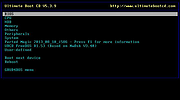 |
|
Ventoy v1.1.17 Ventoy v1.1.17 👉 Create multiboot USB drives that boot ISO, WIM, IMG, VHD(x), and EFI files directly. Ventoy is an open source tool that lets you create a bootable USB drive for ISO/WIM/IMG/VHD(x)/EFI files without repeatedly formatting the drive. You simply copy one or more supported image files to the USB drive, boot from it, and select what you want from Ventoy’s menu. It supports x86 Legacy BIOS, IA32 UEFI, x86_64 UEFI, ARM64 UEFI, and MIPS64EL UEFI, and can be installed on USB drives, local disks, SSDs, NVMe devices, and SD cards. Ventoy also supports browsing and booting image files stored on local disks, secure boot support, persistence, auto-installation options, plugin-based customization, and highly configurable themes and menus. The official Tested ISO list groups tested image files into Windows, Linux, Unix, ChromeOS, and Other categories, and Ventoy reports 1300+ tested image files overall. Features: • 100% open source • Direct boot support for ISO, WIM, IMG, VHD, VHDX, and EFI files • No need to extract image files before booting • Supports multiple image files on one device with a boot selection menu • Can browse and boot supported image files from local disks • Works with MBR and GPT partition styles • Supports x86 Legacy BIOS, IA32 UEFI, x86_64 UEFI, ARM64 UEFI, and MIPS64EL UEFI • Supports IA32 and x86_64 UEFI Secure Boot • Linux persistence support • Windows and Linux auto installation support • Supports FAT32, exFAT, NTFS, UDF, XFS, Btrfs, and Ext2/3/4 for the main partition • Supports ISO files larger than 4GB • Menu alias, password protection, ListView and TreeView modes, and customizable themes • Plugin framework with GUI plugin configurator • Official tested image file categories include Windows, Linux, Unix, ChromeOS, and Other, with 1300+ tested image files overall Get Started Instructions. Supported operating systems: • Windows, Linux Supported languages: • English, multilingual boot/menu language support available Changes: v1.1.17 07-24-26 Optimization for Secure Boot process. Fix the boot issue for ... |
|
6,997 | Sep 04, 2026 longpanda 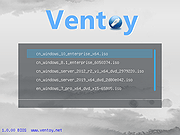 |
| Showing rows 1 to 10 of 10 | Showing Page 1 of 1 | 1 |
OlderGeeks.com Copyright (c) 2026
