|

|
Processed through Paypal No account required. |








Buy our over-priced crap to help pay the bills.



|
|
Processed through Paypal No account required. |
| Files | ||||
| File Name | Rating | Downloads | ||
 |
12-Ants v6.91 12-Ants v6.91 👉 Add a swarm of animated ants to your Windows desktop for a little harmless fun. 12-Ants is a tiny freeware desktop decoration that fills your screen with animated ants crawling across the Windows desktop. The ants can interact with your mouse pointer in several ways, including attacking it, fleeing from it, reacting only when the pointer moves, or simply strolling around on their own. You can customize the number of ants displayed, their movement speed, size, color and transparency. Despite potentially putting a sizable colony on your screen, the program is designed to consume very few system resources. It is also portable, so it can be run directly from a folder or USB drive without installation. Features: • Displays animated ants crawling around the Windows desktop • Choose from five different ant movement algorithms • Ants can attack the mouse cursor • Ants can attack the cursor only when it moves • Ants can flee from the mouse cursor • Ants can flee only when the cursor moves • Ants can simply stroll around the desktop • Adjustable number of desktop ants • Adjustable ant movement speed • Adjustable ant size • Change ant colors, including red, black and green • Optional transparency • Low system resource consumption • Portable operation with no installation required • Can be carried and run from a USB drive • Installer and portable packages are available • Supports both 32-bit and 64-bit Windows Supported operating systems: • Windows 7, Windows 8, Windows 8.1, Windows 10, Windows 11 • Windows Server 2012, Windows Server 2016, Windows Server 2019, Windows Server 2022, Windows Server 2025 • 32-bit and 64-bit Windows Supported languages: German, English, French, Traditional Chinese, Korean, Greek, Italian, Spanish (Colombia), Russian, Simplified Chinese, Arabic, Romanian, Japanese, Afrikaans, Swedish, Danish, Norwegian, Dutch, Thai, Vietnamese, Hindi, Portuguese, Spanish, Spanish (Venezuela), Finnish, Bosnian/Croatian/Serbian Changes: v6.91 04-24-26 • Verification of Desktop BUGs on next MS Windows 11 Build • Small adjustments for Windows 11 • ... |
 |
6,377 | Sep 03, 2026 Nenad Hrg  |
|
Blender v5.2 LTS Blender v5.2 LTS 👉 Professional open-source 3D creation suite for modeling, animation, rendering, compositing, video editing, and more. Blender is a free, open-source 3D creation suite used by artists, designers, engineers, game developers, educators, and visual effects professionals around the world. It provides a complete production pipeline for creating 3D models, animations, visual effects, motion graphics, simulations, video editing, compositing, scripting, and real-time rendering within a single application. Blender supports industry-standard file formats, a powerful Python API for automation and add-ons, and a highly customizable interface that adapts to virtually any workflow. Blender v5.2 LTS is a Long-Term Support release designed for production environments that require maximum stability. It receives maintenance updates and bug fixes for two years, making it an ideal choice for studios, businesses, schools, and users who prefer reliability over rapidly changing feature releases. Features: • Complete 3D modeling, sculpting, UV editing, and texturing tools • Advanced animation and rigging system with nonlinear animation • High-quality Cycles path-tracing renderer • Real-time EEVEE renderer for fast previews and final rendering • Geometry Nodes for procedural modeling and workflows • Grease Pencil for combining 2D and 3D artwork • Physics simulation for cloth, fluids, smoke, fire, rigid bodies, soft bodies, and particles • Integrated compositor with node-based workflow • Built-in video sequence editor • Motion tracking and camera solving • Python scripting API for automation and add-ons • Asset Browser for managing reusable assets • Import and export support for numerous industry-standard formats • Portable version available with no installation required • Free and open source with no licensing fees Supported operating systems: • Windows 8.1 (64-bit), Windows 10, Windows 11 • macOS 11.2 Big Sur or later (Intel and Apple Silicon) • Linux (64-bit distributions with glibc 2.28 or newer) Supported languages: English, Arabic, Basque, Catalan, Chinese (Simplified), Chinese (Traditional), Czech, Dutch, Finnish, French, German, Hungarian, Italian, Japanese, Korean, Norwegian Bokmεl, Polish, Portuguese, Portuguese (Brazil), Russian, Slovak, Slovenian, Spanish, Swedish, Turkish, Ukrainian, Vietnamese. Changes: v5.2 ... |
|
9,334 | Jul 16, 2026 Blender Foundation 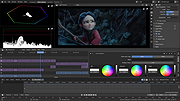 |
|
Imagine v2.7.0 Imagine v2.7.0 👉 Fast freeware image and animation viewer for Windows with broad format and plugin support. Imagine is a freeware image and animation viewer for Windows that focuses on speed while supporting a huge range of image, animation, archive, and RAW camera formats. It includes a thumbnail browser, slideshow, batch conversion and rename tools, screen capture, basic paint tools, color corrections, ICC color management, and optional add-on plugins plus Total Commander integration. Features: • View and save image and animation files with very fast speed • Supports many image and animation formats (including ANI, GIF, PNG, SVG, TIF, WEBP, and more) • Supports digital camera RAW formats (including ARW, CR2, CR3, DNG, NEF, ORF, RAF, SRW, and more) • Supports archive formats (ZIP, RAR, 7Z, ALZ, HV3, CBZ, CBR, CB7) • Extract single or all frames from animation files • Shows detailed file information plus Exif, IPTC, DICOM, and Comment information • Thumbnail browser • Basic paint tools, color corrections, and ICC color management • Batch conversion and batch rename • Slideshow and tiled view • Screen capture • Create animations, multiple page images, and panorama images • Customizable keyboard and mouse shortcuts, plus command line parameter support • Shell extension support, add-on plugin support, and Total Commander Lister, Packer, and Content plugin support • INI-based configuration (does not write unnecessary registry entries) • Native builds for x86, x64, and ARM64 Supported operating systems: • Windows 95, Windows 98, Windows ME, Windows NT 4.0, Windows 2000, Windows XP, Windows 2003, Windows Vista, Windows 7, Windows 8, Windows 10, Windows 11 Supported languages: • Arabic, Czech, Danish, Dutch, French, German, Italian, Japanese, Korean, Polish, Portuguese (Brazil), Portuguese (Portugal), Romanian, Russian, Simplified Chinese, Slovenian, Spanish, Traditional Chinese, Turkish, Ukrainian, Uzbek (O'zbekcha) Changes: v2.7.0 09-12-26 - Added: Antialiasing support for 32-bit alpha blended image - Added: 'Apply to all users'/'Current user only' option (Installer) - Added: Determine whether encoding can be skipped ... |
|
6,937 | Sep 13, 2026 Sejin Chun 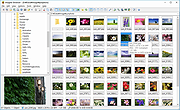 |
 |
Krita v5.3.4 Krita v5.3.4 👉 Professional free and open source digital painting software for illustration, concept art, comics, textures, and animation. Krita is a professional free and open source painting program made by artists who want affordable art tools for everyone. It offers a clean and flexible interface, a large set of painting and drawing tools, animation features, resource management, and advanced text and vector capabilities for creating everything from illustrations and concept art to comics, textures, and animated projects. Portrait of Random Beauty by:Manga Tengu Features: • Clean and flexible interface with fully customizable layouts, dockers, toolbars, themes, and keyboard shortcuts for a personalized workflow • Over 100 professionally crafted brushes included, covering painting, sketching, inking, textures, and special effects • Advanced brush engines (9+) including Pixel, Smudge, Color Smudge, Shape, Spray, Filter, and Particle engines for diverse artistic styles • Brush stabilizers, smoothing options, and Dynamic Brush tool for precise and controlled strokes • Full brush customization with pressure sensitivity, tilt support, rotation, texture overlays, and custom brush tips • Powerful layer system including raster, vector, filter, file, fill, and clone layers with grouping and non-destructive workflows • Advanced selection tools including freehand, polygonal, contiguous, color-based, and transformable selections • Masking system with transparency masks, filter masks, transform masks, and selection masks for non-destructive editing • Built-in vector tools for shapes, paths, and SVG-based artwork with editable properties • Enhanced text tool with on-canvas editing, full OpenType support, kerning, shaping, and text flowing into shapes • Wrap-around mode for seamless texture and tile creation • Resource Manager for importing, organizing, tagging, and sharing brushes, gradients, patterns, and palettes • Color management with HDR painting support, wide color gamut, ICC profiles, and advanced blending modes • Fill tool with gap-closing capability for cleaner coloring in line art • Fast liquify transform mode for real-time distortion and sculpting effects • Extensive filter set including artistic, blur, color adjustment, and new propagate ... |
|
7,911 | Oct 02, 2026 Krita Foundation 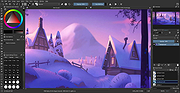 |
|
OpenToonz v1.8.0 OpenToonz v1.8.0 👉 Open-source 2D animation production software. OpenToonz is software for the production of 2D animation, based on Toonz, originally developed by Digital Video S.p.A. in Italy and customized by Studio Ghibli for many years of animation production. It can be used free of charge for both commercial and non-commercial projects, and its source code is available for modification under an open-source license. ©2025 Jorge del Campo Andrade Features: • Professional 2D animation production tools • Based on Studio Ghibli-customized Toonz software • Free for commercial and non-commercial use • Open-source code that can be modified freely • GTS scanning tool for animation workflows • Digital painting with anti-aliased lines • Xsheet and timeline interfaces • Node-tree based effects compositing • Supports raster and vector images • Plug-in effect SDK for adding image-processing effects Supported operating systems: • Windows 7 SP1, Windows 8.1, Windows 10 64-bit • macOS 10.14 Mojave or later Supported languages: English, German, Spanish, French, Italian, Russian, Japanese, Chinese Changes: v1.8.0 06-19-26 Features / Enhancements Drawing / Animation Tools Assistant Tool improvements by @blackwarthog in #4852, #5039, #5066, #5071, #5100, #5125 Brush & Paintbrush Tools enhancements by @Abel032 in #5838, #5890, #5988, #5989, #6075, #6079, #6224 Brush Tool (Stroke Replication) feature by @blackwarthog in #5069 Brushes enhancements and refactoring by @andeon in #5295, #5733 Fill Tool improvements and features by @Abel032 in #5828, #5979, #6088, #6090, #6105, #6111, #6113, #6154, #6158, #6164, #6181, #6193, #6196, #6221, #6252 Finger Tool options and improvements by @Abel032 in #5902, #6224 Geometric Tool enhancements by @Abel032 in #5762, #5838, #5999 Tape Tool enhancements by @Abel032 in #6090, #6874 Screentones feature by @andeon in #4911 Straight Line (Angle Snap): Prevent CTRL activating draw straight line angle snap by @konero in #4885 ... |
|
634 | Oct 02, 2026 DWANGO Co., Ltd. 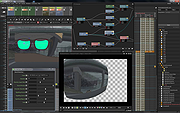 |
|
PixiEditor v2.1.2.4 PixiEditor v2.1.2.4 👉 A free, open-source universal 2D graphics editor for pixel art, painting, image editing, vector art, procedural art, and animations. PixiEditor is a universal 2D graphics editor made for all your 2D creative needs. Create sprites for games, frame-by-frame animations, edit images, draw, paint, make logos, work with vectors, and build non-destructive procedural graphics using its node graph system. Features: • Pixel art, painting, vector art, image editing, procedural art, and animation tools • Node Graph for non-destructive procedural graphics and animations • Dedicated pixel art toolset with palette management • Painting tools with soft brushes and anti-aliased shapes • Vector shapes and paths that can be mixed with raster artwork • Frame-by-frame animation support • Node-based Brush Engine for creating custom brushes • Extension Browser for browsing and installing extensions • Desktop native, cross-platform, and works offline • Export support for PNG, JPG, SVG, GIF, MP4, and more • Pixel Art — Dedicated Pixel Art toolset and advanced palette management. Create pixel art with a dedicated toolset. Perfect for game sprites, animations, or nostalgic artwork. Enjoy features like pixel-perfect pen mode for clean edges. • Animations — Bring stories to life with frame-by-frame Animations. Turn your drawings into moving stories! Create smooth frame-by-frame animations with tools that make it fun and easy to bring your art to life. • Procedural Art — Create non-destructible, procedural graphics with Node Graph. Node Graph allows for creating fully non-destructible graphics and animations. Connect nodes to easily compose complex visuals. From pre-built effects to custom shaders, the possibilities are endless! • Image Editing — Select, delete, clip, resize - everything you need for Image Editing. Use raster tools to edit images, sketch or paint. Whether you're doodling or making a masterpiece, PixiEditor is there for you! • Vector Art — Create and edit Vectors. Snapping included. Craft logos, icons, and illustrations with our flexible curve tool and vector shapes. Your designs ... |
|
1,153 | Sep 18, 2026 Pixi Labs Sp. z o.o 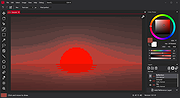 |
|
SketchBook v8.7.1 SketchBook v8.7.1 👉 A free drawing and painting program with customizable brushes, layers, symmetry tools and animation. SketchBook is a digital drawing and painting program from Autodesk for creating sketches, illustrations, concept art and finished artwork. Its desktop tools combine natural drawing brushes with layers, perspective guides and editing controls. The interface lets you hide tools and palettes while drawing, leaving more room for your artwork. Use brushes for sketching, inking, painting and blending, then adjust their properties to suit your drawing style. Work with separate layers to organize your artwork and experiment with colors and effects. Photoshop PSD import and export preserve layers, layer names, groups and blending modes, making it possible to move projects between SketchBook and Photoshop. Important: This download is the discontinued Autodesk freeware edition. It can still be used, but it no longer receives updates or bug fixes. The current Sketchbook Pro for Windows and macOS is a separate paid product. Features: • Customizable brushes for drawing, inking, painting and blending. • Brush controls for flow, opacity, textures, stylus tilt and stamp scaling. • Import and export custom brush sets in SketchBook's .skbrushes format. • Stroke Stabilizer and Predictive Stroke help smooth freehand lines while preserving sharp corners. • Horizontal, vertical and radial symmetry for mirrored artwork and repeating patterns. • Radial symmetry supports up to 16 sectors. • Perspective tools and drawing guides help construct accurate shapes and scenes. • Fill, selection, text, cropping, transform and distortion tools. • Layers, layer groups and blending modes for organizing and combining artwork. • Import and export Photoshop PSD files while preserving layer structure. • FlipBook tools for creating animation from image sequences and exporting individual frames or an entire animation. ... |
|
4,434 | Oct 01, 2026 AutoDesk 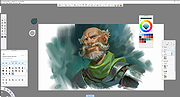 |
|
SnipSVG v2.3 SnipSVG v2.3 👉 A free screen capture and graphics editor built around sharp, fully editable SVG vector images. SnipSVG is a free screen capture and graphics editor for Windows and macOS that uses SVG vector images as its primary format. Unlike traditional JPG and PNG screenshots, SVG images remain sharp at any zoom level while individual elements remain editable. SnipSVG provides tools for capturing, cropping and annotating screenshots, obscuring sensitive information, adding formatted text, creating numbered documentation graphics and sharing finished images with other applications. It can also create animated and interactive SVG content using CSS and JavaScript. Features: • Capture and edit screenshots • Uses scalable SVG vector graphics as its primary image format • Keeps individual SVG elements separately editable • Maintains sharp image quality at different zoom levels and resolutions • Crop screenshots and physically resize large photos • Blur or obscure sensitive information in screenshots • Add HTML-formatted text to images • Add lines, arrows, shapes, highlights and other annotations • Auto-incrementing numbering tags for tutorials and documentation • Generate reference tables from numbered image tags • Integrated syntax highlighting for source code examples • Extract text from images using Windows OCR on Windows 10 and Windows 11 • Create animated SVG objects using CSS and JavaScript • Add interactive elements and hyperlinks to SVG images • Share images with HTML editors, word processors and other applications • Supports SVG and SnipX image formats • Integrates with the Help+Manual documentation authoring suite • Free for private and commercial use • Windows installer supports portable installation Supported operating systems: • Windows 7, Windows 8, Windows 10, Windows 11 • macOS 11 Big Sur or higher, Intel/Apple Silicon Supported languages: English, German, French Changes: v2.3 08-03-26 • Flipping of line and arrow objects did not work correctly when the line was rotated. • Full lasso selection on the canvas selected the picture frame, it now selects objects inside the picture frame (same as CTRL + A to select ... |
|
1,788 | Sep 14, 2026 EC Software GmbH 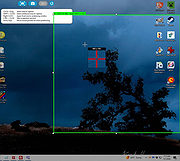 |
|
Wav2Bar v0.3.5 Wav2Bar v0.3.5 👉 Powerful open source software for creating advanced audio visualization videos. Wav2Bar is a free and open source audio visualization creator designed for producing animated music videos and visual effects synchronized to audio tracks. It allows users to combine visualizers, images, text, particle effects, timers, backgrounds, and custom objects into fully customizable projects that can be exported as MP4 videos for sharing online or integrating into larger productions. Built with flexibility in mind, Wav2Bar provides an editor-style workflow where users can design layered scenes and control how elements react to sound in real time. The software supports reusable project files, adjustable rendering quality, customizable frame rates and resolutions, and multiple visualizer styles for creating everything from simple waveform animations to complex motion graphics. Wav2Bar is especially useful for content creators, musicians, streamers, video editors, and anyone looking to generate professional-looking audio reactive visuals without requiring expensive commercial software. Its open source nature also allows developers and advanced users to customize or extend the software for specialized workflows. Features: • Create advanced audio reactive visualizations synchronized to music and sound • Design layered scenes using visualizers, backgrounds, text, and images • Multiple built-in visualizer styles for different animation effects • Export projects as MP4 video files • Save and reload projects for later editing • Reusable project templates for faster workflow creation • Customizable video resolution and frame rate settings • Real-time editor style interface for arranging objects and effects • Add logos, overlays, album artwork, and custom graphics • Built-in particle flow effects • Time indicators and timing-based visual elements • Audio caching system for smoother processing • Adjustable rendering quality for balancing speed and output quality • Open source architecture for customization and community development • Suitable for music videos, streaming overlays, social media clips, and promotional content • Lightweight modern interface focused on creative workflows • Supports complex animated compositions with multiple reactive elements • Free to use ... |
|
603 | Sep 30, 2026 Picorims 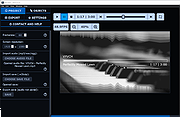 |
| Showing rows 1 to 9 of 9 | Showing Page 1 of 1 | 1 |
OlderGeeks.com Copyright (c) 2026
