|

|
Processed through Paypal No account required. |








Buy our over-priced crap to help pay the bills.



|
|
Processed through Paypal No account required. |
| Files | ||||
| File Name | Rating | Downloads | ||
 |
All in One – System Rescue Toolkit v2026.05.01 All in One – System Rescue Toolkit v2026.05.01 👉 Bootable system recovery and repair toolkit for Windows, Linux, and Mac systems. All in One – System Rescue Toolkit is a powerful technician-focused rescue environment designed by veteran IT professional Paul Vreeland. Built to assist with diagnosing, repairing, recovering, and maintaining Windows, Linux, and macOS systems, it combines a bootable Linux-based recovery environment with native Windows and Linux repair tools. Whether you are dealing with malware infections, failed Windows updates, boot problems, hardware diagnostics, data recovery, password resets, disk maintenance, or network troubleshooting, AiO-SRT provides a centralized collection of carefully selected utilities that can be launched from a single interface. The toolkit is designed to be carried on a USB flash drive or bootable media and used both in situations where Windows is operational and when a computer can no longer boot normally. Unified logging records actions and command output, making troubleshooting and documentation easier. Automation features can queue multiple repair tasks, allowing technicians to continue working while routine maintenance and diagnostics run automatically. The project is released under the MIT License, making it free for both personal and commercial use. Features: • Bootable Linux-based rescue and recovery environment • Designed to boot on most Windows, Linux, and macOS hardware • Windows repair binaries for use within running Windows installations • Linux repair binaries for use within supported Linux distributions • Data recovery and file rescue tools • Windows password reset capabilities • Malware detection and removal utilities • Hardware diagnostics and stress testing tools • Disk management, partitioning, and storage maintenance utilities • Secure drive wiping and data destruction tools • Network discovery, troubleshooting, and connectivity testing tools • System information and hardware inventory tools • Unified logging of commands, results, and repair actions • Automation system for queuing multiple maintenance tasks • Multi-language and internationalization support • Web browser and productivity utilities included in the rescue environment • Free for ... |
 |
658 | Jun 16, 2026 Paul Vreeland 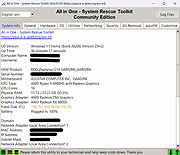 |
|
AnkhTech WinPE v15 AnkhTech WinPE v15 👉 Bootable Windows recovery and maintenance environment. Ankh Tech Windows Boot is a bootable utility environment designed to help users troubleshoot, repair, and maintain Windows systems outside of the standard operating system. It provides a standalone boot solution that can be used for system recovery, diagnostics, and general maintenance tasks when Windows is unable to start normally. Built to operate independently from an installed Windows instance, Ankh Tech Windows Boot allows access to system tools and repair functions in a controlled environment, making it useful for resolving startup problems, performing maintenance, and working with system files safely. Features: • Bootable Windows-based recovery environment • Designed for system troubleshooting and repair • Access to maintenance and diagnostic tools outside the main OS • Useful for fixing startup and boot-related issues • Standalone operation independent of installed Windows Supported operating systems: • Any computer that can boot from a USB or DVD and has a 64bit CPU. Supported languages: English Programs List Notes: • All the Programs are Activated • All Programs work without Problems (All Tested) • All Programs are in PStart in each System • Some System Related Programs in the Start Menu • Some Programs Require Internet Connection like the Antivirus Section • More than 1 alternative in each category • Some of These Programs are integrated in the Context Menu (ex. WinRAR , UltraISO etc etc) • Some of These Programs Open Their File Extensions (ex. WinRAR opens Compressed Files etc etc) • it even contains games , just in-case you planning to do time consuming tasks so you don't get bored Programs List: Antivirus ESET Online Scanner Trellix Stinger Trend Micro House Call HijackThis Back and Restore Acronis True Image Acronis True Image 2014 Acronis True Image 2019 Acronis True Image ... |
|
5,540 | Apr 19, 2026 Ankh Tech 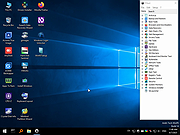 |
 |
Chris Titus Tech's Windows Utility v26.08.19 Chris Titus Tech's Windows Utility v26.08.19 👉 All-in-one PowerShell toolbox for installs, tweaks, repairs, and update control. Chris Titus Tech's Windows Utility is a PowerShell-based utility that combines application installs, system tweaks, repair tools, and Windows Update controls into a single graphical interface. It is designed to simplify Windows setup and maintenance tasks while giving users more control over performance, privacy, and system behavior. Because it makes system-level changes, it must be run with administrator privileges. Features: • Install popular applications from a curated software list • Apply privacy, performance, and usability tweaks • Built-in repair and troubleshooting functions • Manage and control Windows Update behavior • Quick access to Windows tools and configuration panels • Debloat options for removing unnecessary Windows components Supported operating systems: • Windows 10 • Windows 11 Supported languages: English Changes: v26.08.19 08-19-26 Changes fix(apps): warp prettify @FluffyPunk (#5013) Link apps to their own site instead of a repo or store page @MyDrift-user (#5010) Remove Fullscreen Optimizations disable tweak @mewclouds (#5000) chore(deps): bump js-yaml from 4.3.0 to 4.3.1 in /docs @dependabot[bot] (#4970) Add Roblox entry to applications.json @ValeThReal (#4931) Features Show preset JSON key in app, tweak, and feature tooltips @malinfossum (#4995) feat(github): revival of triage tools @FluffyPunk (#5007) Add EmulationStation and Tailscale entries to applications.json @WilliamWaldrop (#4973) Add Cloudflare WARP to Pro Tools @untitledmag (#5011) feat(apps): Added Battle.net @FluffyPunk (#4996) Update issue templates with prefilled titles @seanh1995 (#4960) Containerize docs site tooling for security and update documentation @seanh1995 (#4942) Adding Mullvad to DNS @voyager2saturn (#4927) Make MPO tweak a three-state control @mewclouds (#4897) Turn the Install category filters into toggle chips @MyDrift-user (#4926) ... |
|
3,959 | Aug 24, 2026 Chris Titus 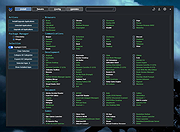 |
 |
DDS v2012-11-20-01 DDS v2012-11-20-01 👉 Generate detailed diagnostic logs for malware troubleshooting and system analysis. DDS is a lightweight diagnostic utility created by sUBs that gathers extensive information about a Windows computer without making permanent changes to the system. It is widely used by malware removal specialists and technical support forums to generate detailed reports containing running processes, startup entries, services, installed software, network settings, browser information, restore points, security software status, and numerous other system details. Rather than attempting to detect or remove malware, DDS focuses on collecting information that allows an experienced analyst to identify suspicious activity, unwanted startup items, rootkit indicators, or other system problems. When the scan is complete, DDS automatically creates two text reports, DDS.txt and Attach.txt, which can be uploaded to security forums or shared with a technician for analysis. The utility is completely portable, requires no installation, and performs no registry modifications or permanent file creation during its operation. Features: • Creates comprehensive DDS.txt and Attach.txt diagnostic reports • Lists active processes, services, drivers, and startup entries • Displays installed applications and Windows configuration details • Reports browser settings and Internet Explorer information • Shows antivirus, firewall, and security software status • Lists System Restore points and disk partition information • Includes optional MBR checking and extended search options • Portable executable requiring no installation • Makes no permanent files or registry changes • Designed for malware investigation and technical support Supported operating systems: • Windows XP, Windows Vista, Windows 7 (32-bit and 64-bit) Supported languages: • English Changes: v2012-11-20-01 • Latest publicly released version. Click here to visit the author's website. |
|
7,147 | Jun 30, 2026 sUBs 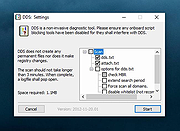 |
 |
DevManView v1.81 DevManView v1.81 👉 Advanced alternative to the Windows Device Manager with enhanced device management tools. DevManView is a lightweight, portable utility that serves as an alternative to the standard Windows Device Manager. Instead of displaying hardware in a tree structure, it presents every installed device in a flat, sortable table with detailed information such as device name, manufacturer, service, driver version, install time, connection status, and more. It also allows you to enable, disable, uninstall, restart, and inspect devices with just a few clicks. DevManView can connect to remote computers (with administrative rights), load device information from an offline Windows installation, export device lists, and includes command-line options for automation and scripting. Features: • Displays all installed devices in a sortable table instead of a tree view • Shows detailed hardware and driver information • Enable, disable, uninstall, or restart devices • View devices on remote computers with administrator access • Load device information from an offline Windows installation • Export device lists to HTML, CSV, XML, or text • Open related Registry keys and INF files • Create desktop shortcuts to enable or disable devices • Powerful command-line support for scripting and automation • Portable application with no installation required Supported operating systems: • Windows XP, Windows Server 2003, Windows Vista, Windows 7, Windows 8, Windows 8.1, Windows 10, Windows 11 Supported languages: • Arabic, Basque, Bulgarian, Catalan, Chinese (Simplified), Chinese (Traditional), Croatian, Czech, Danish, Dutch, English, Finnish, French, German, Greek, Hebrew, Hungarian, Italian, Japanese, Korean, Polish, Portuguese (Brazil), Romanian, Russian, Slovak, Slovenian, Spanish, Swedish, Thai, Turkish, Ukrainian, Vietnamese Changes: v1.81 06-22-26 • Added 'Open Device In Registry Editor' option. • Added 'Open Device In RegEdit' to the right-click context menu. This download is for the Windows 64bit version (very bottom of page). If you need the Windows 32bit version, download here. Click here to visit the author's website. |
|
7,273 | Jun 23, 2026 Nir Sofer 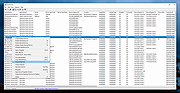 |
|
ESET SysInspector v2.1.5.0 ESET SysInspector v2.1.5.0 👉 Free PC diagnostic tool for inspecting system issues, suspicious files, processes, services, registry entries and network connections. ESET SysInspector is an easy to use diagnostic tool that helps troubleshoot a wide range of system issues. It captures critical and detailed information about your computer and is useful for tracking down malicious code, suspicious unsigned files, software problems, hardware incompatibilities, driver issues, broken registry entries and suspicious network connections. Features: • Captures detailed system information for troubleshooting • Helps inspect running processes and services • Identifies suspicious and unsigned files • Helps diagnose software issues and hardware incompatibility • Checks for outdated or malfunctioning drivers • Helps identify unpatched operating system issues • Reports broken registry entries • Helps detect suspicious network connections • Color-coded risk levels help prioritize severe issues • Processes and network tree view • Regular expression filtering for log results • Light and dark mode support Supported operating systems: • Windows 10, Windows 11, Windows Server 2016, Windows Server 2019, Windows Server 2022 Supported languages: Several languages Changes: v2.1.5.0 Improved: Error codes on app exit Improved: File details for registry subsection Improved: Filtering functionality Added: Option to copy registry path Added: Modal window for viewing registry Added: Selecting lines with typed letter Fixed: Handling Livegrid settings Fixed: Minor UI bugs Updated: Modules with the latest improvements This download is for the Windows 64bit version (very bottom of page). If you need the Windows 32bit version, download here. If you need the Windows ARM64 version, download here. Click here to visit the author's website. |
|
4,902 | May 19, 2026 ESET, spol. s r.o. 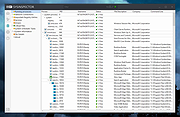 |
|
ExecutedProgramsList v1.15 ExecutedProgramsList v1.15 👉 A portable utility that reveals programs and batch files previously executed on your Windows computer. ExecutedProgramsList is a small system and forensic utility from NirSoft that displays programs and batch files previously run on your computer. It gathers execution information from several Windows Registry locations and the Windows Prefetch folder, making it useful for investigating software activity, troubleshooting a computer, or simply seeing what has been run in the past. For each detected program, it can display the executable file and path, file creation and modification times, and available version information including product name, product version and company name. For some programs, Windows also provides enough information for ExecutedProgramsList to show the last execution time. The program is completely portable. There is nothing to install and no additional DLL files are required. Results can be copied to the clipboard or exported to text, tab-delimited, CSV, HTML or XML files. Command-line options are also available for automatically generating reports. Features: • Displays programs and batch files previously executed on the computer • Collects execution history from multiple Windows Registry locations • Uses Windows Prefetch data as an additional source of execution history • Shows executable filenames and full file paths • Displays executable creation and modification times • Shows product name, product version and company name when available • Displays the last execution time for programs when the information is available • Opens the executable's folder directly in Windows Explorer • Opens the Windows file properties for a selected executable • Copies selected entries to the clipboard • Exports results to text, tab-delimited, CSV, HTML and XML formats • Includes command-line options for automatically saving reports • Name Only column can display the executable filename without its path • Optional black background with white text • Automatically sizes columns when configured to do so • Portable with no installation or additional DLL files required Supported operating systems: • Windows XP, ... |
|
6,712 | Aug 07, 2026 Nir Sofer 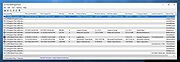 |
|
Microsoft Autoruns v14.2 Microsoft Autoruns v14.2 👉 See everything that starts automatically with Windows. Microsoft Autoruns is a powerful Sysinternals utility that shows what programs, drivers, services, browser add-ons, scheduled tasks, codecs, shell extensions, Winlogon entries, and other components are configured to run automatically during system boot, login, or when Windows applications start. Features: • Displays one of the most complete views of Windows auto-start locations • Shows startup programs, drivers, services, Explorer extensions, browser helper objects, toolbars, codecs, scheduled tasks, Winsock providers, and more • Hide Signed Microsoft Entries option helps focus on third-party items • View auto-start entries for different user accounts • Disable entries by unchecking them • Delete unwanted auto-start configuration entries • Jump directly to Registry or file system locations • Verify digital signatures • VirusTotal integration for hash checking • Includes Autorunsc command-line version with CSV, tab-delimited, XML, hash, signature, and offline Windows scan options Supported operating systems: • Windows Supported languages: Operating system language. Changes: v14.2 05-07-26 Not provided. Click here to visit the author's website. |
|
11,485 | May 25, 2026 Microsoft Corp. 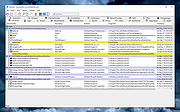 |
|
Microsoft Sysinternals Suite v2026.7 Microsoft Sysinternals Suite v2026.7 👉 A complete collection of Microsoft's advanced Windows system utilities. Microsoft Sysinternals Suite is a comprehensive package containing Microsoft's renowned Sysinternals troubleshooting, diagnostic, monitoring, and system management utilities in a single download. Created by Mark Russinovich and the Sysinternals team, the suite provides administrators, developers, IT professionals, and power users with portable tools for analyzing processes, monitoring system activity, managing startup entries, inspecting security settings, recovering information, and troubleshooting Windows systems. The suite is regularly updated as individual utilities receive new features and improvements. Features: • Includes over 70 portable Sysinternals utilities in one package • No installation required - simply extract and run the tools • Monitor running processes with Process Explorer • Capture real-time file system, Registry, and process activity with Process Monitor • Analyze Windows startup entries using Autoruns • View TCP and UDP network connections with TCPView • Securely delete files using SDelete • Verify digital signatures with Sigcheck • Display system information with BgInfo • Examine handles, DLLs, services, sessions, and security permissions • Includes command-line and graphical utilities • Frequently updated by Microsoft with new tools and enhancements Supported operating systems: • Windows 10, Windows 11, Windows Server 2016, Windows Server 2019, Windows Server 2022, Windows Server 2025 (all 64bit) Supported languages: • English Changes: v2026.7 07-05-26 Updated the Sysinternals Suite package with the latest releases of the included Sysinternals utilities. Note: This file has three hits on VirusTotal. VirusTotal reports detections for Sysinternals tools such as PsExec because they are legitimate administrative utilities that can also be abused by attackers. These detections are generally classified as HackTool or Potentially Unwanted Application (PUA) rather than malware. These tools are safe and widely used by IT professionals and system administrators. This download is for the Windows version (very bottom of page). All other download assets are below: ARM64: SysinternalsSuite-ARM64.zip Nano Server: SysinternalsSuite-Nano.zip Click here to visit the author's website. |
|
11,325 | Jul 10, 2026 Microsoft Corp. 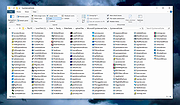 |
|
NETworkManager v2026.2.22.0 NETworkManager v2026.2.22.0 👉 Powerful open-source network management and troubleshooting tool. NETworkManager is a comprehensive open-source application designed to help administrators and power users manage, analyze, and troubleshoot network environments. It provides a wide range of built-in tools within a single, modern interface, making it easier to monitor connections, configure network settings, and diagnose connectivity issues without switching between multiple utilities. NETworkManager supports remote connections and offers advanced features for managing IP addresses, DNS, WiFi networks, ports, and more. With its modular design and extensive toolset, it is well-suited for both everyday network diagnostics and more advanced administrative tasks. Supported languages: • English, German, Spanish, French, Italian, Russian, Chinese (Simplified), Chinese (Traditional), Japanese, Korean, Portuguese, Polish Changes: v2026.2.22.0 02-22-26 Breaking Changes Migrated from .NET 8.0 (LTS) to .NET 10.0 (LTS). Upgrade your .NET Desktop Runtime to version 10.0 (LTS) - x64 before you install this version. AWS Session Manager feature has been removed. Profile and settings files have been migrated from XML to JSON. Existing files will be automatically converted to JSON on first load after the update. You should back up your settings and profile file before installing. New Features System-Wide Policies for enterprise deployment and management. Administrators can now configure system-wide policies via a config.json file in the application directory to control specific settings for all users. DNS Lookup now allows direct input for dns server ip|host:port (port - is optional) Remote Desktop connect admin (console) session Migrated Dialogs to ChildWindows This download is for the Windows portable version (very bottom of page). If you need the Windows installer version, download here. Click here to visit the author's website. |
|
4,063 | Jul 05, 2026 BornToBeRoot 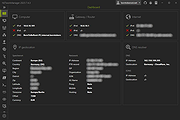 |
|
ProcessKO v6.67 ProcessKO v6.67 👉 Quickly terminate running or frozen Windows processes and programs. ProcessKO is a small, useful tool designed to quickly kill any running or hanging process or program. It is especially helpful for developers, testers, and experienced Windows users who need a faster alternative to opening Task Manager, finding a stuck task, and ending it manually. ProcessKO can also restart programs and create favorites for quickly closing troublesome applications. Features: • Quickly terminates running or hanging processes and programs • Helps avoid the longer manual Task Manager process • Can restart programs directly from within ProcessKO • Lets you create favorites for fast access to frequently terminated tasks • Portable utility that does not require installation • Useful for developers, testers, and advanced Windows users Supported operating systems: • Windows XP, Windows Vista, Windows 7, Windows 8.1, Windows 10, Windows 11 • Windows Server 2016, Windows Server 2019 Supported languages: • German, English, Russian, Swedish, French, Italian, Portuguese (Brazilian), Arabic, Serbian, Chinese Simplified, Greek, Romanian, Slovenian, Dutch, Indonesian, Hungarian, Polish, Vietnamese, Persian, Czech, Spanish, Irish, Spanish (Venezuela), Norwegian, Danish, Turkish, Chinese Traditional, Korean, Japanese, Spanish (Mexico), Bulgarian, Finnish, Spanish (Asturian) Changes: v6.67 05-16-26 Updated language files for ProcessKO—a process terminator for Windows—along with minor corrections for Windows 11, ensure that processes on Windows systems are terminated or closed reliably and without issues. This download is for the Windows 64bit version (very bottom of page). If you need the Windows 32bit version, download here. Click here to visit the author's website. |
|
9,612 | Jul 26, 2026 Nenad Hrg 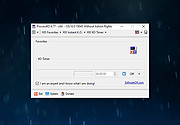 |
|
WhoCrashed Free Home Edition v7.10 WhoCrashed Free Home Edition v7.10 👉 Analyze Windows crash dump files and identify the cause of system crashes. WhoCrashed Free Home Edition is a diagnostic utility designed to help users determine why their computer has crashed or become unstable. By analyzing crash dump files generated by Windows, it provides easy-to-understand reports that identify the drivers or system components responsible for Blue Screen of Death (BSOD) errors. WhoCrashed Free Home Edition simplifies complex debugging data into readable explanations, making it useful for both everyday users and technicians. It scans system logs and memory dump files, then presents a detailed analysis that highlights probable causes of crashes, including faulty drivers, hardware issues, or system misconfigurations. Features: • Analyzes Windows crash dump files and BSOD events • Identifies faulty drivers and probable crash causes • Provides clear, human-readable crash reports • Supports kernel, mini, and full memory dump analysis • One-click analysis with minimal technical knowledge required • Displays detailed system information for troubleshooting • Lightweight and fast operation Supported operating systems: • Windows 11, Windows 10, Windows 8.1, Windows 8, Windows 7, Windows Vista, Windows XP x64 editions, Windows XP SP3 32-bit editions • Windows Server 2022, Windows Server 2019, Windows Server 2016, Windows Server 2012, Windows Server 2008, Windows Server 2003 Supported languages: English Changes: v7.10 10-21-24 Certain dump files could not be analyzed due to a buffer overflow error Certain crash dump files could not be analyzed with WhoCrashed because of a "buffer overflow error". This would cause the program to terminate. This bug has been fixed. Updated debug DLLs The debug DLL versions used for analyzing crash dumps have been updated. Wrong bugcheck analysis problem fixed WhoCrashed could draw the wrong conclusion analyzing certain crash dumps. The analysis process has been improved to prevent this. Clicking on "cancel" during dump analysis could produce unexpected behavior Clicking the cancel button while a dump analysis process was in progress could give unexpected results. This problem ... |
|
10,466 | Mar 24, 2026 Resplendence Software Projects Sp. 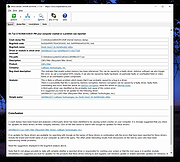 |
|
WhySoSlow Free Home Edition v1.61 WhySoSlow Free Home Edition v1.61 👉 Analyze system performance and identify why your computer is running slowly. WhySoSlow Free Home Edition is a diagnostic utility designed to help users quickly determine the causes of poor system performance. It analyzes your computer in real time and provides insights into issues such as CPU throttling, memory bottlenecks, disk performance problems, and other hardware or software limitations that may be slowing down your system. The program performs a series of checks and presents easy-to-understand results, making it useful for both casual users and more advanced troubleshooting scenarios. It helps pinpoint whether performance issues are caused by hardware limitations, thermal throttling, insufficient RAM, or background processes. Features: • Real-time system performance analysis • Detects CPU speed issues and throttling • Identifies memory and disk bottlenecks • Measures system responsiveness and load • Provides detailed system diagnostics and benchmarks • Helps pinpoint hardware or software causes of slowdowns • Simple interface with clear performance indicators Supported operating systems: • Windows 11, Windows 10 (x86 and x64), Windows 8.1 (x86 and x64), Windows 8 (x86 and x64), Windows 7 (x86 and x64) • Windows 2022 Server, Windows 2016 Server (x86 and x64), Windows 2012 Server (x86 and x64) Supported languages: English Changes: v1.61 10-22-20 Bug Fixed: "this version of WhySoSlow is not compatible with your operating system version" On certain systems, WhySoSlow could display a message "this version of WhySoSlow is not compatible with your operating system version". This has been fixed. Click here to visit the author's website. |
|
4,826 | Mar 24, 2026 Resplendence Software 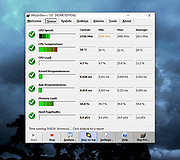 |
|
Wireshark v4.6.7 Wireshark v4.6.7 👉 Analyze and troubleshoot network traffic with the industry's leading protocol analyzer. Wireshark is a free and open-source network protocol analyzer used by network administrators, security professionals, developers, students, and IT enthusiasts to capture, inspect, and analyze network traffic in real time or from previously saved capture files. It supports hundreds of protocols and provides powerful filtering, coloring, and statistical analysis tools to help diagnose network problems, investigate security issues, debug applications, and understand how network protocols work. Wireshark can capture traffic from wired and wireless network interfaces, display packet details down to the individual protocol fields, reconstruct conversations, and export captured data in multiple formats. Its flexible display filters, extensive protocol support, customizable interface, and built-in analysis tools make it an essential utility for anyone working with computer networks. Features: • Capture live network traffic from Ethernet, Wi-Fi, Bluetooth, USB, and many other interface types • Open and analyze previously captured packet trace files • Decode hundreds of network protocols with detailed packet inspection • Powerful display filters for quickly isolating specific traffic • Colorize packets for improved readability and faster analysis • Follow TCP, UDP, HTTP, HTTP/2, TLS, QUIC, WebSocket, and other protocol streams • Generate protocol hierarchy, endpoint, conversation, I/O, and flow graphs • Inspect packet contents down to individual protocol fields • Search captured traffic by protocol, address, port, payload, or custom criteria • Support for decryption of supported encrypted protocols when appropriate keys are available • Extensive capture and display customization options • Export captured packets and analysis results in multiple formats • Extensible through Lua scripting and plugins • Cross-platform interface with consistent functionality Supported operating systems: • Windows 10, Windows 11 • macOS 12 Monterey or higher • Linux (major distributions including Debian, Ubuntu, Fedora, Red Hat Enterprise Linux, openSUSE, Arch Linux, and others) • FreeBSD, NetBSD, OpenBSD Supported languages: English, Chinese (Simplified), Chinese (Traditional), French, German, Italian, Japanese, Korean, Polish, Russian Changes: v4.6.7 07-02-26 Bug Fixes The ... |
|
10,926 | Jul 09, 2026 Gerald Combs 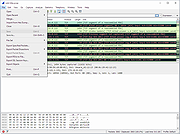 |
| Showing rows 1 to 14 of 14 | Showing Page 1 of 1 | 1 |
OlderGeeks.com Copyright (c) 2026
