|

|
Processed through Paypal No account required. |








Buy our over-priced crap to help pay the bills.



|
|
Processed through Paypal No account required. |
| File - Download All in One – System Rescue Toolkit v2026.05.01 | ||||||||
| Description | ||||||||
|
A plea... Deanna and I have been running this site since 2008 and lately we're seeing a big increase in users (and cost) but a decline in percentage of users who donate. Our ad-free and junkware-free download site only works if everyone chips in to offset the revenue that ads on other sites bring in. Please donate at the bottom of the page. Every little bit helps. Thank you so much. Sincerely, your Older Geeks: Randy and Deanna Always scroll to the bottom of the page for the main download link. We don't believe in fake/misleading download buttons and tricks. The link is always in the same place. All in One – System Rescue Toolkit v2026.05.01 👉 Bootable system recovery and repair toolkit for Windows, Linux, and Mac systems. All in One – System Rescue Toolkit is a powerful technician-focused rescue environment designed by veteran IT professional Paul Vreeland. Built to assist with diagnosing, repairing, recovering, and maintaining Windows, Linux, and macOS systems, it combines a bootable Linux-based recovery environment with native Windows and Linux repair tools. Whether you are dealing with malware infections, failed Windows updates, boot problems, hardware diagnostics, data recovery, password resets, disk maintenance, or network troubleshooting, AiO-SRT provides a centralized collection of carefully selected utilities that can be launched from a single interface. The toolkit is designed to be carried on a USB flash drive or bootable media and used both in situations where Windows is operational and when a computer can no longer boot normally. Unified logging records actions and command output, making troubleshooting and documentation easier. Automation features can queue multiple repair tasks, allowing technicians to continue working while routine maintenance and diagnostics run automatically. The project is released under the MIT License, making it free for both personal and commercial use. 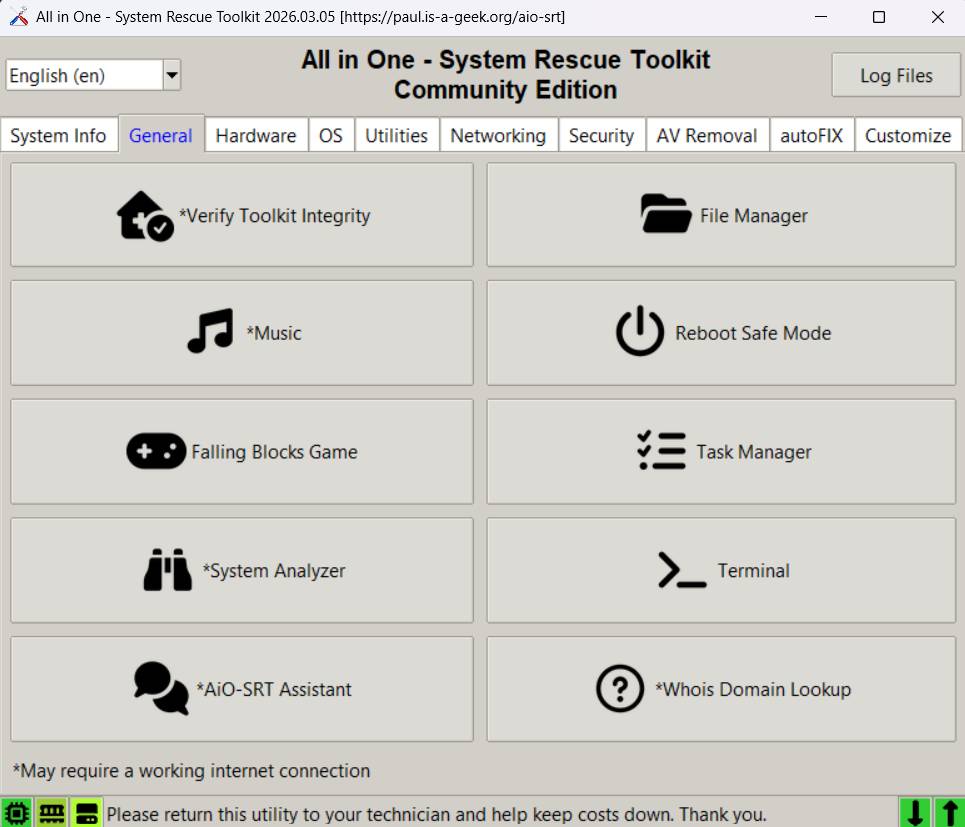 Features: • Bootable Linux-based rescue and recovery environment • Designed to boot on most Windows, Linux, and macOS hardware • Windows repair binaries for use within running Windows installations • Linux repair binaries for use within supported Linux distributions • Data recovery and file rescue tools • Windows password reset capabilities • Malware detection and removal utilities • Hardware diagnostics and stress testing tools • Disk management, partitioning, and storage maintenance utilities • Secure drive wiping and data destruction tools • Network discovery, troubleshooting, and connectivity testing tools • System information and hardware inventory tools • Unified logging of commands, results, and repair actions • Automation system for queuing multiple maintenance tasks • Multi-language and internationalization support • Web browser and productivity utilities included in the rescue environment • Free for personal and commercial use under the MIT License • Community Edition available at no cost • Portable toolkit suitable for USB flash drives and technician toolkits • Active development with regularly updated rescue images and utilities Supported operating systems: • Windows 7, Windows 8, Windows 8.1, Windows 10, Windows 11 • Linux (64-bit supported distributions) • macOS (bootable rescue environment support) Supported languages: • Multi-language support Changes: v2026.05.01 05-01-26 Not Provided 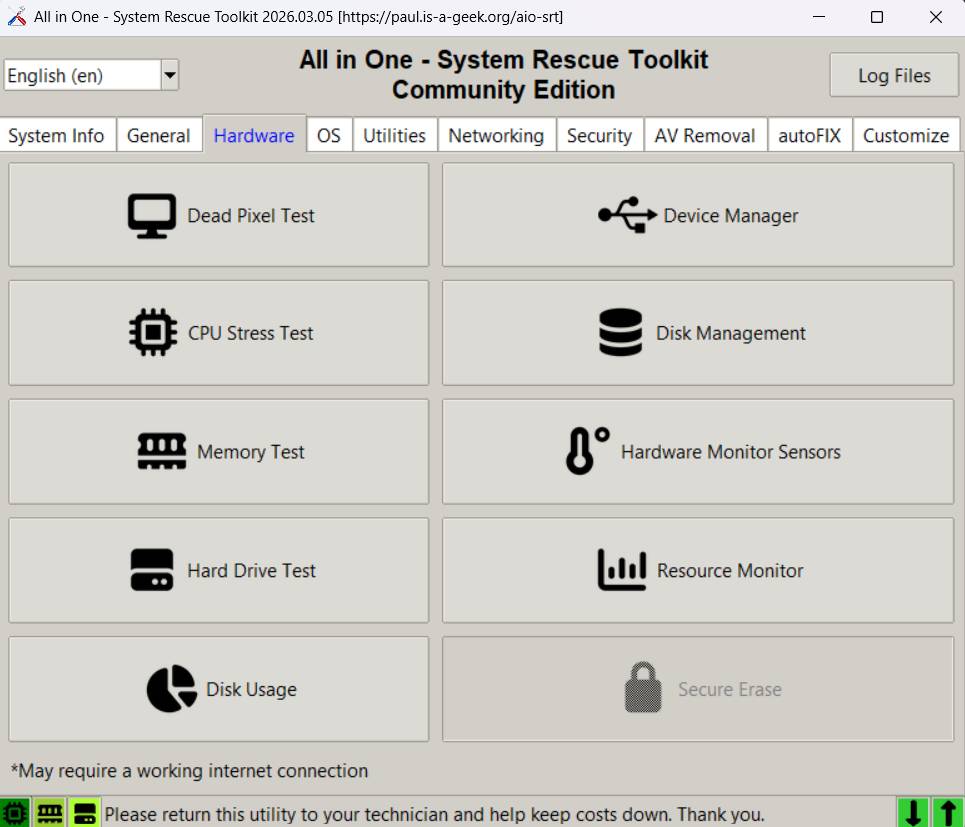 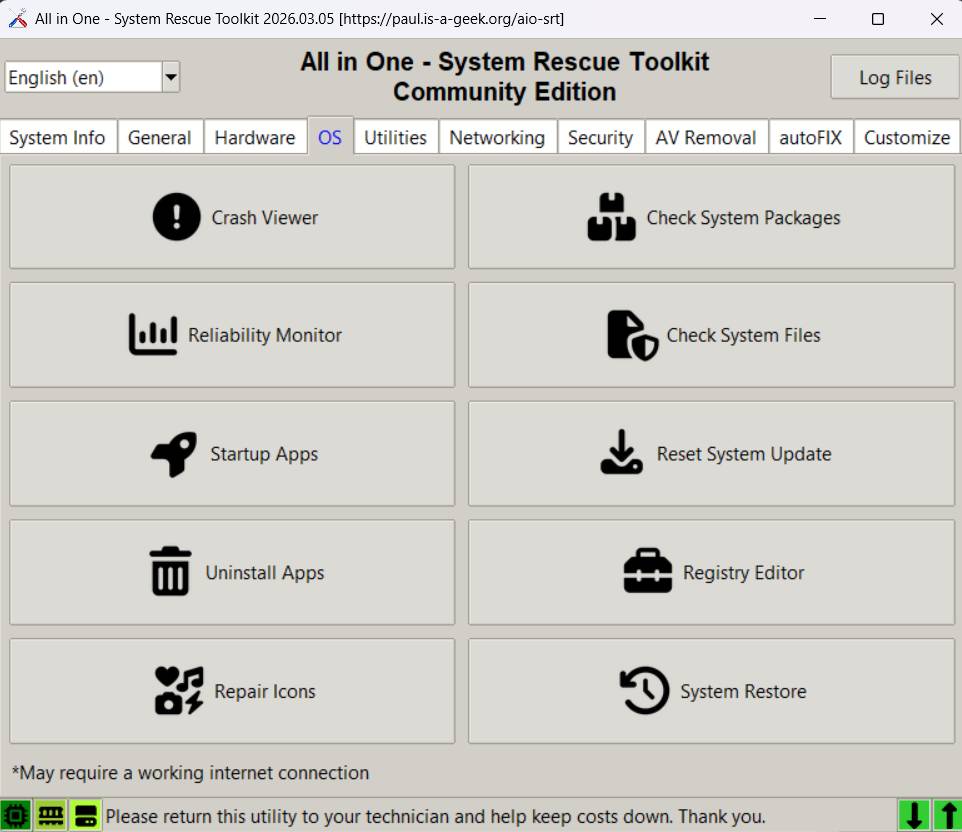 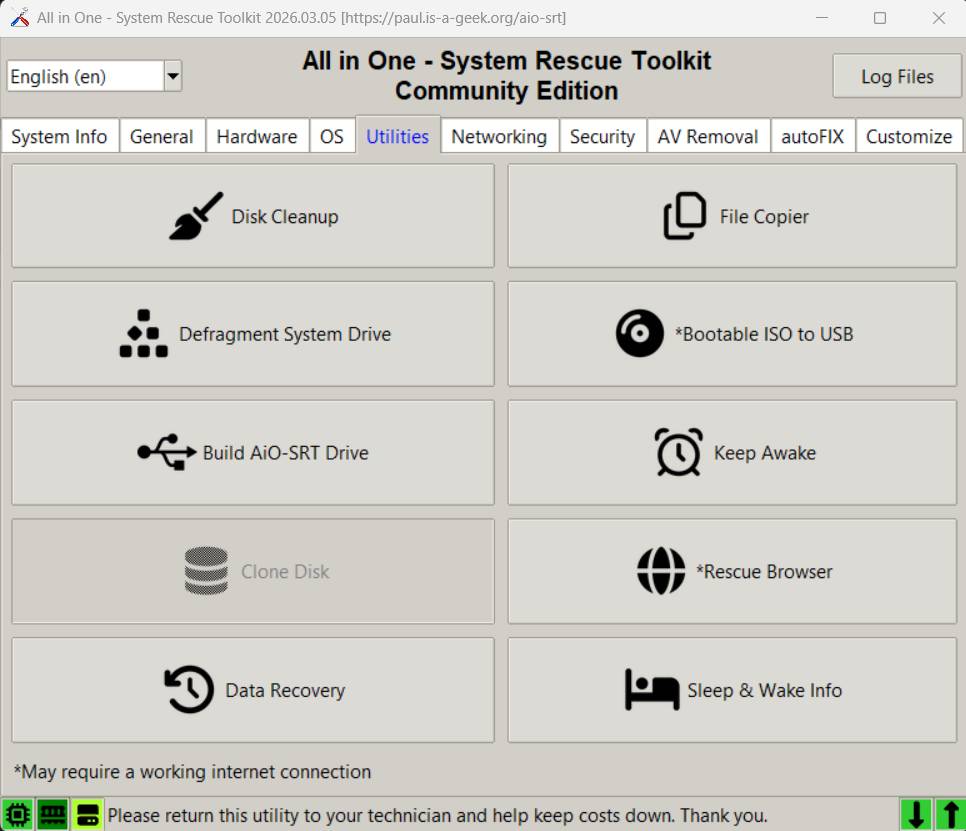 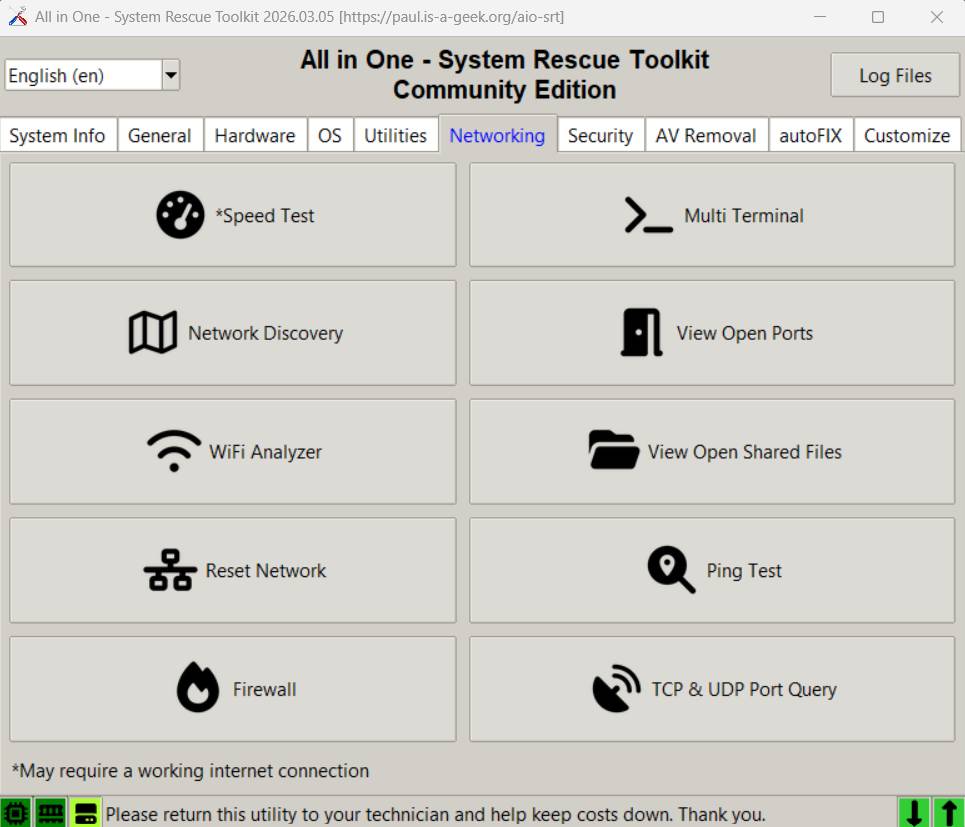 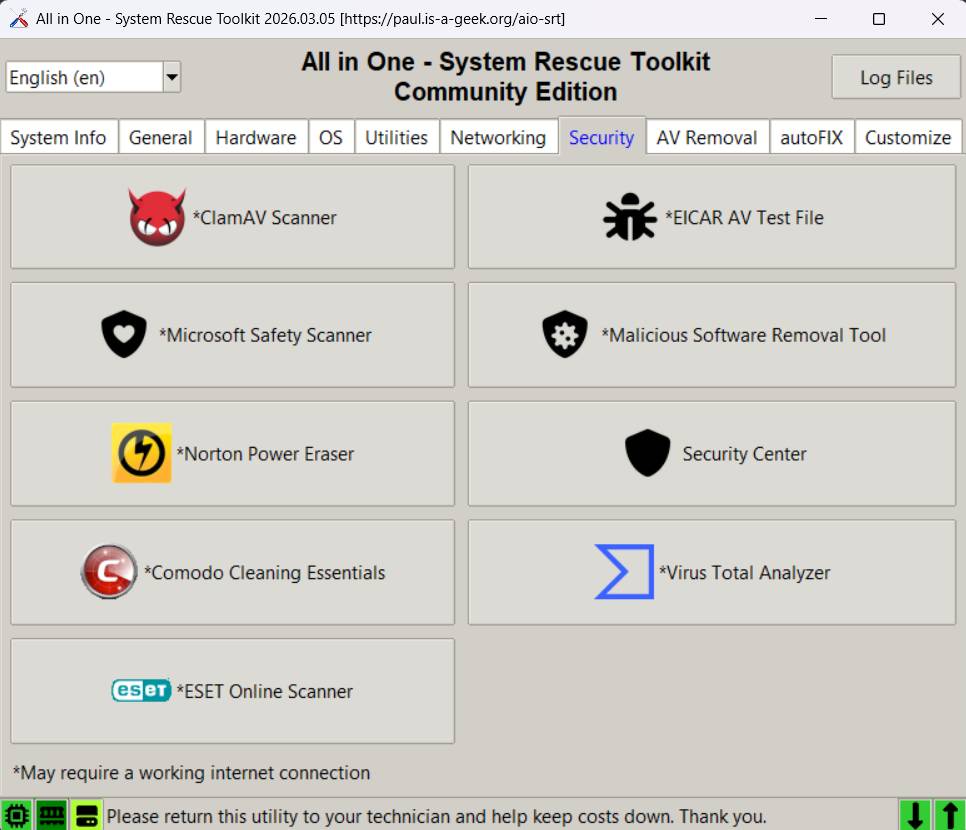 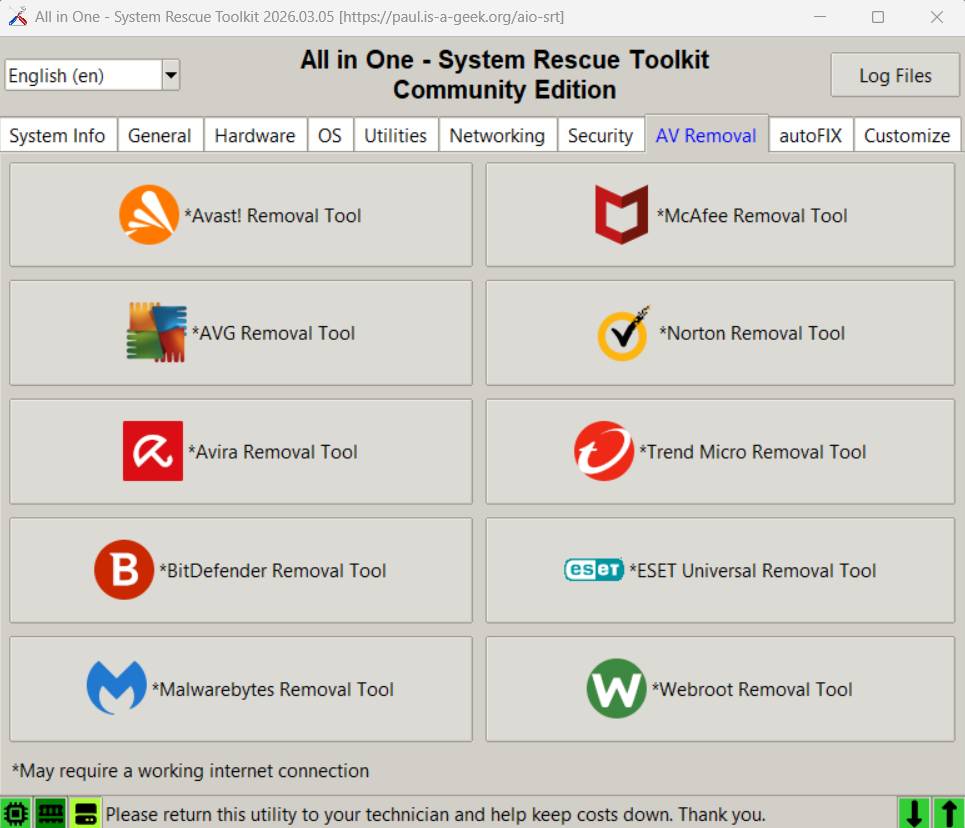 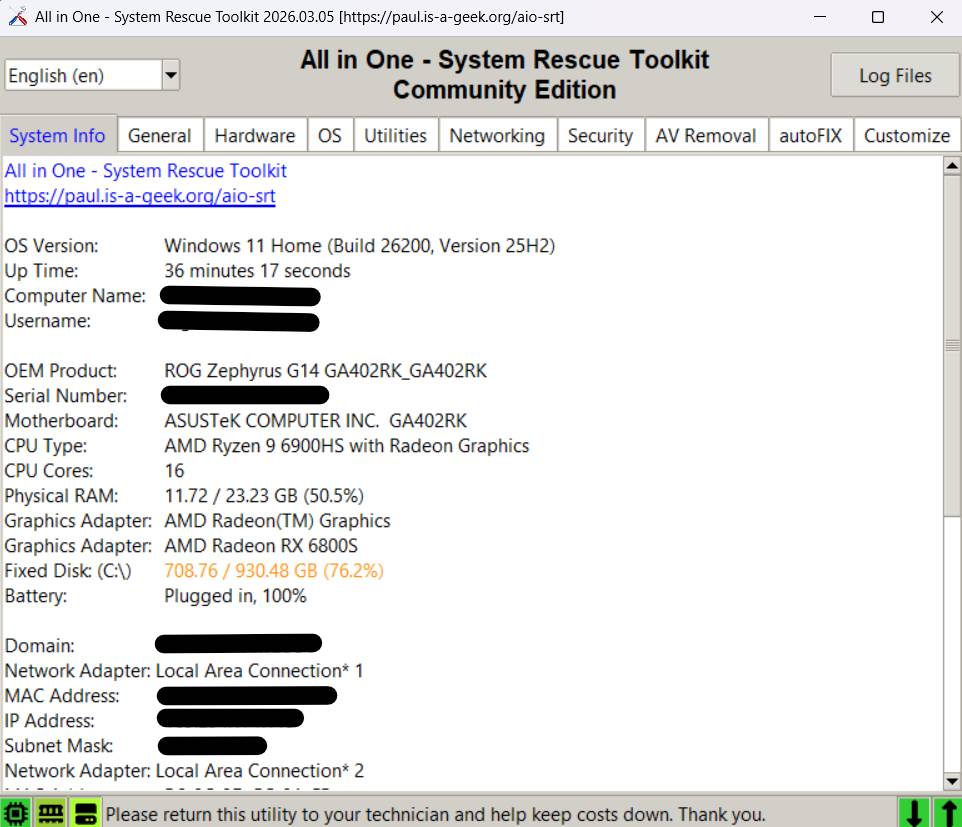 Create a bootable USB drive: To use All in One – System Rescue Toolkit, the downloaded ISO image must be written to a USB flash drive. We recommend using Rufus, a free utility that quickly creates bootable USB media from ISO files. Download Rufus from OlderGeeks.com and use it to write the AiO-SRT ISO to a USB flash drive. Once complete, boot your computer from the USB device to access the rescue environment and recovery tools. Click here to visit the author's website. Continue below for the main download link. |
||||||||
| Downloads | Views | Developer | Last Update | Version | Size | Type | Rank | |
| 657 | 2,058 | Paul Vreeland | Jun 16, 2026 - 13:12 | 2026.05.01 | 2.56GB | ISO |  , out of 4 Votes. , out of 4 Votes. |
|
| File Tags | ||||||||
| AllinOneSystemRescueToolkit AiOSRT SystemRescueToolkit RecoveryToolkit DataRecovery Diagnostics MalwareRemoval SystemRepair USBToolkit Troubleshooting PortableToolkit WindowsRepair LinuxRescue PaulVreeland | ||||||||
Click to Rate File Share it on Twitter → Tweet
|


