|

|
Processed through Paypal No account required. |








Buy our over-priced crap to help pay the bills.



|
|
Processed through Paypal No account required. |
| Files | ||||
| File Name | Rating | Downloads | ||
 |
KillerPDF v1.7.3 KillerPDF v1.7.3 👉 Portable PDF editor for viewing, annotating, editing, and signing PDFs. KillerPDF is a free and open-source PDF viewer, annotator, and editor for Windows that provides PDF viewing, annotation, text editing, OCR, forms, signatures, page organization, transformation, printing, and flattening in a compact native executable. It can be run as a portable application or installed, requires no account or subscription, contains no ads, and sends no telemetry. PDFium provides document rendering while Tesseract provides built-in OCR, with additional OCR language models available on demand. Features: • High-quality PDF rendering using PDFium • Single-page, continuous scroll, two-page, book layout, and page grid viewing • Open multiple PDF documents in tabs • Split-pane mode displays two documents side by side in the same window • Each split pane maintains independent viewing and inverted-color settings • Drag tabs between split panes • Search an entire document with results highlighted while scrolling • Text selection follows columns and document reading order • Navigate outlines, bookmarks, clickable links, and internal references • Edit existing PDF text inline with font matching • Add resizable text boxes • Add freehand drawings, straight lines, shapes, and highlights • Adjust annotation colors, opacity, and line widths • Full RGB color picker for annotation colors • OCR an entire page or a selected region • Copy OCR results directly to the clipboard • Make scanned PDFs searchable by adding an invisible text layer • Extract all recognized text to a file • Built-in Tesseract OCR with additional language models available on demand • Fill and save PDF forms • Draw and reuse signatures • Import signatures from image files • Digitally sign PDFs using Certum SimplySign cloud certificates • Support for click-to-sign PDF form fields • Merge multiple PDF documents • Split and extract PDF pages • Drag and drop pages to rearrange them • Insert, rotate, move, extract, and delete pages • Drop folders or ZIP archives into the program to work with contained PDFs and images • Crop ... |
 |
1,009 | Aug 17, 2026 SteveTheKiller 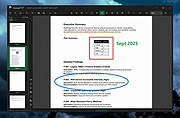 |
 |
PDF Arranger v1.14.0 PDF Arranger v1.14.0 👉 Merge, split, rotate, crop and rearrange PDF pages with an easy graphical interface. PDF Arranger is a lightweight open-source application for merging, splitting, rotating, cropping, and rearranging PDF documents through a simple drag-and-drop graphical interface. Built with Python and GTK, it allows users to visually organize pages and create new PDF layouts without needing complex editing software. PDF Arranger is based on the functionality of PDF-Shuffler and uses pikepdf for PDF manipulation. It is designed to be fast, efficient, and easy to use for both casual and advanced users needing quick PDF document management. Features: • Merge multiple PDF documents into a single file • Split PDF documents into separate pages or ranges • Rotate pages individually or in groups • Crop pages visually • Rearrange pages using drag-and-drop • Duplicate pages quickly • Zoom and preview PDF pages • Supports password-protected PDFs • Import image files and convert them into PDF pages • Undo and redo editing actions • Customizable keyboard shortcuts • Open-source and cross-platform Supported operating systems: • Windows 10, Windows 11 • macOS • Linux • FreeBSD Supported languages: Arabic, Catalan, Catalan (Valencian), Czech, Danish, German, Greek, English, Spanish, Basque, Finnish, French, Hebrew, Croatian, Hungarian, Indonesian, Icelandic, Italian, Japanese, Georgian, Korean, Dutch, Occitan, Polish, Portuguese (Brazil), Portuguese (Portugal), Russian, Slovenian, Swedish, Turkish, Ukrainian, Vietnamese, Simplified Chinese, Traditional Chinese Changes: v1.14.0 04-13-26 • Added support for importing JBIG2 image files • Improved crop dialog behavior • Added new keyboard shortcuts • Improved handling of password-protected PDFs • Updated translations • Fixed several bugs and stability issues This download is for the Windows version (very bottom of page). Linux install instructions below: For Linux: pdfarranger requires pikepdf >= 6. pip will automatically install the latest pikepdf if there is no pikepdf installed on the system. On Debian based distributions sudo apt-get install python3-pip python3-wheel python3-gi python3-gi-cairo \ gir1.2-gtk-3.0 gir1.2-poppler-0.18 gir1.2-handy-1 python3-setuptools \ gettext python3-dateutil python3-venv On Arch Linux sudo pacman -S poppler-glib python-pip python-gobject ... |
|
5,112 | May 28, 2026 Jerome Robert 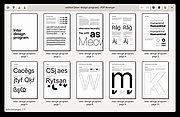 |
|
PDF Split and Merge v4.0.5 for Mac PDF Split and Merge v4.0.5 for Mac PDFsam Basic, a free, open source, multi-platform software designed to split, merge, extract pages, mix and rotate PDF files, PDFsam Basic will cover most of your PDF related needs. Merge PDF PDF merge probably is the most used PDFsam module and lets you combine PDF files together. Page ranges Input PDF documents can be merged completely or partially. A page selection can be easily set in the form of comma separated intervals (Ex. 1-10, 14, 25-) letting you specify what pages you want to merge for every input PDF document. Outline With PDFsam Basic you will be able to decide what to do with the PDF documents outline (bookmarks). You can merge them to the resulting document, discard them to keep the merge document smaller or create a new one with one entry for every merged PDF document. AcroForms And what to do with AcroForms when they are found in the input PDFs? You can discard them but also merge them into a new form or even merge them renaming fields with name clashes. Table of contents With PDFsam Basic you can add a table of contents at the beginning of the generated PDF. A list of clickable entries will let you easily navigate through the merged PDF files. PDF Split The Split module let's you split PDF files at predefined or specified page numbers. Split at predefined pages The selected PDF file can be split after every page, generating a new document for every page in the original file, or after every ever or odd page. Split specifying pages Specify the page numbers where you want to break your document. You can even tell PDFsam to split the PDF every n pages! PDF Split by bookmarks Select the outline (bookmarks) level you want to split at and your document will be divided at every page pointed by the bookmarks at ... |
|
6,608 | Jan 22, 2020 Andrea Vacondio 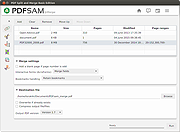 |
|
PDF Split and Merge v4.0.5 for Windows PDF Split and Merge v4.0.5 for Windows PDFsam Basic, a free, open source, multi-platform software designed to split, merge, extract pages, mix and rotate PDF files, PDFsam Basic will cover most of your PDF related needs. Merge PDF PDF merge probably is the most used PDFsam module and lets you combine PDF files together. Page ranges Input PDF documents can be merged completely or partially. A page selection can be easily set in the form of comma separated intervals (Ex. 1-10, 14, 25-) letting you specify what pages you want to merge for every input PDF document. Outline With PDFsam Basic you will be able to decide what to do with the PDF documents outline (bookmarks). You can merge them to the resulting document, discard them to keep the merge document smaller or create a new one with one entry for every merged PDF document. AcroForms And what to do with AcroForms when they are found in the input PDFs? You can discard them but also merge them into a new form or even merge them renaming fields with name clashes. Table of contents With PDFsam Basic you can add a table of contents at the beginning of the generated PDF. A list of clickable entries will let you easily navigate through the merged PDF files. PDF Split The Split module let's you split PDF files at predefined or specified page numbers. Split at predefined pages The selected PDF file can be split after every page, generating a new document for every page in the original file, or after every ever or odd page. Split specifying pages Specify the page numbers where you want to break your document. You can even tell PDFsam to split the PDF every n pages! PDF Split by bookmarks Select the outline (bookmarks) level you want to split at and your document will be divided at every page pointed by the bookmarks at ... |
|
6,967 | Jan 22, 2020 Andrea Vacondio |
|
PDF24 Creator v11.30.1 PDF24 Creator v11.30.1 👉 Free and powerful PDF creation and management tool for Windows. PDF24 Creator is a full-featured PDF creation and management suite that lets you generate, edit, merge, split, compress, secure, and otherwise work with PDF documents directly on your Windows PC. It installs as a virtual PDF printer so you can create PDFs from almost any Windows application, and includes a toolbox of useful PDF utilities — all completely free of charge and without limits. Features: • Create PDF files from virtually any Windows application via virtual printer • Merge multiple documents into a single PDF • Split, delete, rotate, extract, and insert pages • Compress and shrink PDF files • Add digital signatures, encryption, watermarks, and metadata • Integrated PDF viewer and editor tools • Support for PDF/A, PDF/X and other PDF standards • Multiple PDF printer profiles for varied tasks • Works offline with all files staying local on your PC • Multilingual interface with wide language support The Tools: PDF Creator Easily assemble, create and modify PDF files with the Drag and Drop enabled user interface. • Merge or split PDF files • Add, remove, extract, rotate, sort and move PDF pages • Import and automatic conversion of documents (Word, Excel, images, etc. to PDF • Various preview modes for easy editing of PDF documents • Integrated viewer • Drag and Drop wherever possible • Follow up tools: Save, Print, Email, Fax, ... PDF Printer Print on this printer in order to create a PDF or use it as a universal PDF converter that converts any printable file to PDF. • Virtual printer for PDF creation • Multiple PDF printers for different tasks • Automatic saving ... |
|
9,174 | Jul 11, 2026 Geek Software GmbH 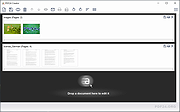 |
| Showing rows 1 to 5 of 5 | Showing Page 1 of 1 | 1 |
OlderGeeks.com Copyright (c) 2026
