|

|
Processed through Paypal No account required. |








Buy our over-priced crap to help pay the bills.



|
|
Processed through Paypal No account required. |
| Files | ||||
| File Name | Rating | Downloads | ||
 |
ArsClip v5.46 ArsClip v5.46 👉 A highly configurable clipboard manager for tracking, organizing, and automating copied content. ArsClip is a freeware clipboard manager utility that monitors the clipboard and keeps track of entries for later pasting. It can display saved clips through a triggered popup window, and it has grown from a simple clipboard helper into a feature-rich tool that specializes in copy-and-paste automation tasks. ArsClip also includes Delphi XE2 source code. Features: • Permanent Clips and Macros for copy-and-paste automation • Supports picture, RichText, file copy, Unicode, and HTML clip types • Triggered popup window for quick pasting • Can be triggered by hotkey, holding right-click, a special trigger window, and other methods • Highly configurable behavior and display options • Optional Clipboard Bar for clipboard viewing • Optional Global Clipboard for sharing clips with other Windows and Android devices • Win7 Jumplist support • Optional setup program included, with portable-style use also supported Supported operating systems: • Windows XP, Windows Vista, Windows 7, Windows 8, Windows 8.1, Windows 10 Supported languages: • English Changes: v5.46 06-18-26 (Window: Configuration) New: added "Program Center" option for Popup placement (Window: Edit Permanent Clip) New: updated the CLIPBOARDFIND macro to support \uXXXX escape for Unicode characters New: updated to support new JavaScript "deletePopupClip(int)" function (Window: Popup) New: if the first menu item is a Clipset Header, highlight the next item when first showing the Popup New: icon shown on current Permanent Clips with Global Hotkeys New: hotkey shown on hover for current Permanent Clips Fix: issue scaling small pictures for Popup Clips Fix: issue when using a Modkey+Click, where the action may simulate keystrokes (Window: Edit Clips/Macros) Fix: "Destroy Selected" not working for all selected clips (Misc) Fix: issues when restarting Windows Note: This file has two hits on VirusTotal. We have confirmed these to be false positives. The file is safe. Click here to visit the author's website. |
 |
6,582 | Jun 21, 2026 joejoesoft.com 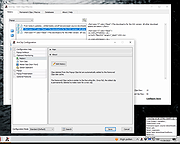 |
|
ClickPaste v1.4.4 ClickPaste v1.4.4 👉 Automatically type saved text into any field. Even ones that block normal paste operations. ClickPaste is a lightweight open-source utility that lets you store frequently used text snippets and insert them into any application quickly and easily. Instead of repeatedly typing the same phrases, commands, login names, or responses, ClickPaste allows you to maintain a list of reusable text entries and insert them whenever needed. Unlike traditional clipboard tools that paste text, ClickPaste simulates keyboard typing (keystrokes) to enter the text into the active field. This makes it especially useful for situations where standard paste operations are disabled—such as password fields, login forms, or secure input boxes that block clipboard pasting. Features: • Store and manage reusable text snippets • Automatically type text into the active field using simulated keystrokes • Works with fields that block clipboard pasting such as password boxes • Helps eliminate repetitive typing and reduce typing mistakes • Useful for support responses, commands, login names, and form entries • Lightweight and simple interface Supported operating systems: • Windows 10, Windows 11 Supported languages: English Changes: v1.4.4 05-05-26 Fix missing .cab file in installer, so the MSI can work (as a treat). Fixing #42 Click here to visit the author's website. |
|
801 | Jul 13, 2026 Collective-Software 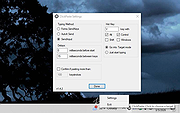 |
|
ClipAngel v2.23 ClipAngel v2.23 👉 Clipboard history capture and paste tool. ClipAngel is a clipboard manager that captures multiple clipboard objects and lets you select and paste them into any program. It is inspired by ClipDiary, Ditto, and AceText, with main priorities of usability, compatibility, and reliability. Features: • Captures clipboard history for supported clipboard formats • Supports text, HTML, RTF, image, and file clips • Text filter and clip list share key presses, so there is no need to change focus • Ability to delete and move clips in the list • History is stored encrypted on disk • Portable mode • Auto position window near text input • Always on top option • Open clip as file command • Simulate character input for windows isolated from the clipboard • Support for sending paste and input to elevated windows • Monitor clipboard switch • Word wrap and monospaced font options • Clip list shows samples for picture clips • Native formatting switch for HTML and RTF clips • Text compare command with support for Beyond Compare, ExamDiff Pro, WinMerge, Araxis Merge, DiffMerge, KDiff3, and custom applications • Translate text command • Drag and drop clips from the list • Preserves history even if the computer crashes Supported operating systems: • Windows Vista or later, Windows Server 2008 or later Supported languages: Brazilian Portuguese, Chinese (Simplified), English, French, German, Greek, Hindi, Italian, Polish, Russian, Spanish Changes: v2.23 06-04-26 Fixed inability to select text in HTML mode introduced in the previous version. Added "Text from picture" to the "Clip" submenu. Note: This file has two hits on VirusTotal. We have confirmed these to be false positives. The file is safe. Click here to visit the author's website. |
|
6,851 | Sep 03, 2026 tormozit 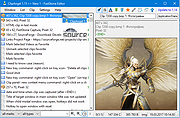 |
|
CopyQ v16.0.0 CopyQ v16.0.0 👉 Advanced clipboard manager with editing, search, tabs, and powerful scripting. CopyQ monitors the system clipboard and saves its content in customized tabs. Saved clipboard entries can later be copied and pasted directly into any application. It supports storing text, HTML, images, and other custom formats, and it includes searching, sorting, editing, drag-and-drop, notes, tags, global shortcuts, a command-line interface, and scripting for advanced automation. In version 14.0.0, the project adds tab encryption support, audio playback through the playSound() script function, a new stats() script function, Nord themes, GNOME clipboard monitoring via a custom GNOME extension, and multiple fixes and platform improvements. Features: • Stores text, HTML, images, and other custom clipboard formats • Saves clipboard history in customizable tabs • Quickly browses and filters clipboard items • Sorts, creates, edits, removes, copies, pastes, and drags items between tabs • Adds notes and tags to stored items • Uses system-wide keyboard shortcuts with customizable commands • Pastes items from the tray, main window, or keyboard shortcuts • Includes a powerful command-line interface and scripting support • Can ignore clipboard content copied from specific windows or matching specific text • Supports a simple Vim-like editor with keyboard shortcuts • Adds tab encryption support in v14.0.0 • Adds audio playback and new scripting statistics in v14.0.0 Supported operating systems: • Windows • macOS 13 or higher • Linux, including Debian 11 or higher, Ubuntu 22.04 or higher, Fedora, Arch Linux, and other Linux distributions with Flatpak support Supported languages: English, Czech, French, German, Japanese, Spanish Changes: v16.0.0 05-30-26 Added Per-MIME clipboard size limits and OOM protection via clipboard_mime_size_limit config option and COPYQ_CLIPBOARD_MIME_SIZE_LIMIT environment variable. For example text/html.*:0;.*:100M disables storing HTML and sets 100MiB max size for all other formats (this size limit is the default: .*:100M). AppImage support (WITH_APPIMAGE CMake build option). Fixed Fixed thumbnails hidden for ... |
|
7,000 | Aug 05, 2026 Lukas Holecek 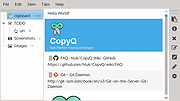 |
 |
Paste Into File v5.3.4 Paste Into File v5.3.4 Free tool to paste clipboard data into files and copy file contents directly via hotkey or context menu. A Windows desktop application to paste clipboard contents into files and copy file contents to the clipboard via the context menu. Features • Explorer context menu entries "Paste into file", "Replace with clipboard content" and "Copy file contents" • Hotkey Win+Alt+V to paste and Win+Alt+C to copy file contents • Autosave mode: rename inside file explorer without dialog • Batch mode: monitor clipboard and save on change • Clipboard patching: use regular paste options and CTRL+V (experimental) • Supports many formats: PNG, JPG, GIF, SVG, TXT, HTML, CSV, URL, PDF, RTF, DIF, SLK, EMF, TIF, ZIP, file drop list, ... • First launch wizard Requirements Tested on Windows 10 and 11. If you are running an older Windows version make sure the .NET Framework 4.8+ is installed. Usage When starting Paste Into File for the first time or after an update, the first launch wizard will guide through the configuration of context menu entry, hotkey, etc. Paste clipboard contents This is the main mode of PasteIntoFile which allows saving clipboard contents into files. To use this mode, run the program from the file explorer context menu, with the hotkey WIN+ALT+V (if enabled), from the tray (if enabled), from the start menu or via command line. If clipboard patching is enabled, the regular paste command and CTRL+V hotkey can also be used. If autosave mode is enabled, the file to paste will directly be created and selected for renaming. Otherwise, a dialog will prompt for filename and type. By holding SHIFT when the program starts, the autosave mode setting can be temporarily inverted (show the ... |
|
1,621 | Nov 04, 2024 Philipp Niedermayer 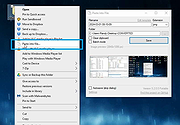 |
| Showing rows 1 to 5 of 5 | Showing Page 1 of 1 | 1 |
OlderGeeks.com Copyright (c) 2026
